
Key feature
AMCC mobile app
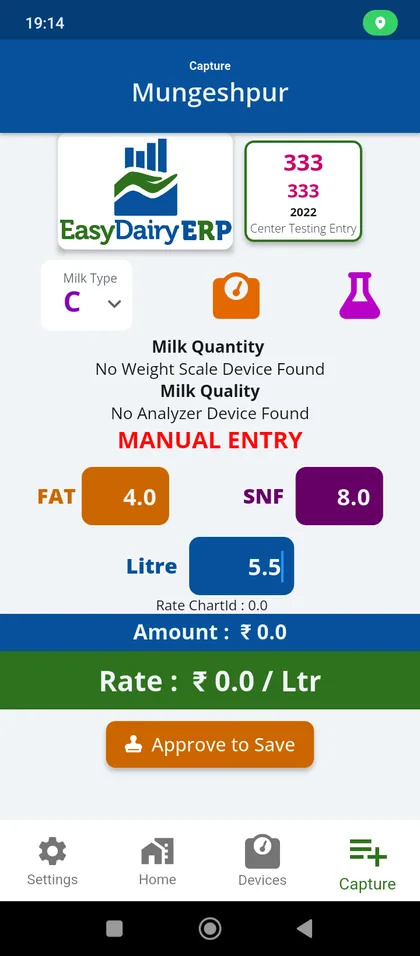
Any Android phone becomes a milk collection centre that sends quality and quantity straight to EasyDairyERP. No DPU needed.
See how →Follow the milk from the village collection centre to the plant, the market and the books: 22 chapters and 475 stops, about 10 hours of material in short cards. The 137 key features are highlighted, and every card links to step-by-step guides in our Docs.
Milk is bought at the village. The AMCC app turns any Android phone into a collection centre: it reads the analyser and weight scale, bills each farmer on the spot, and syncs to the ERP even from villages without network. Demo: tap Login with the prefilled credentials.
Any Android phone becomes a milk collection centre that sends quality and quantity straight to EasyDairyERP. No DPU needed.
See how →
Reads EkoMilk Ultra, Ultra Pro, Essae and Ultra DPS analysers on any Android phone.
See how →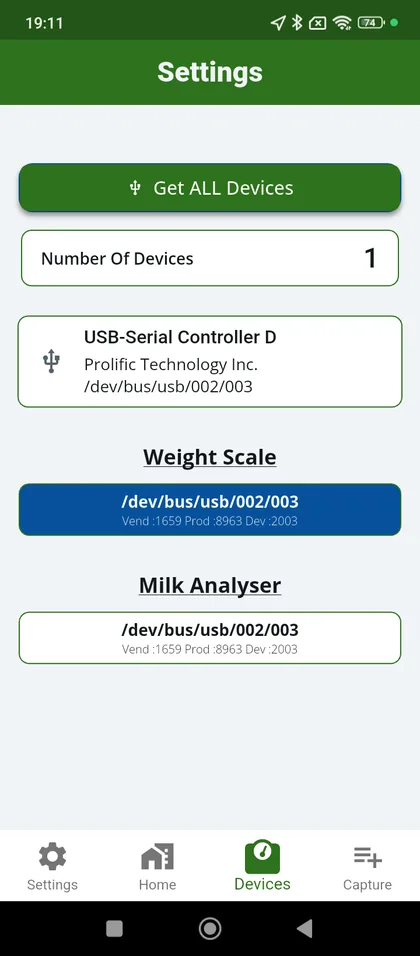
Pick USB serial or Bluetooth analysers and weight scales, then select the devices to use.
See how →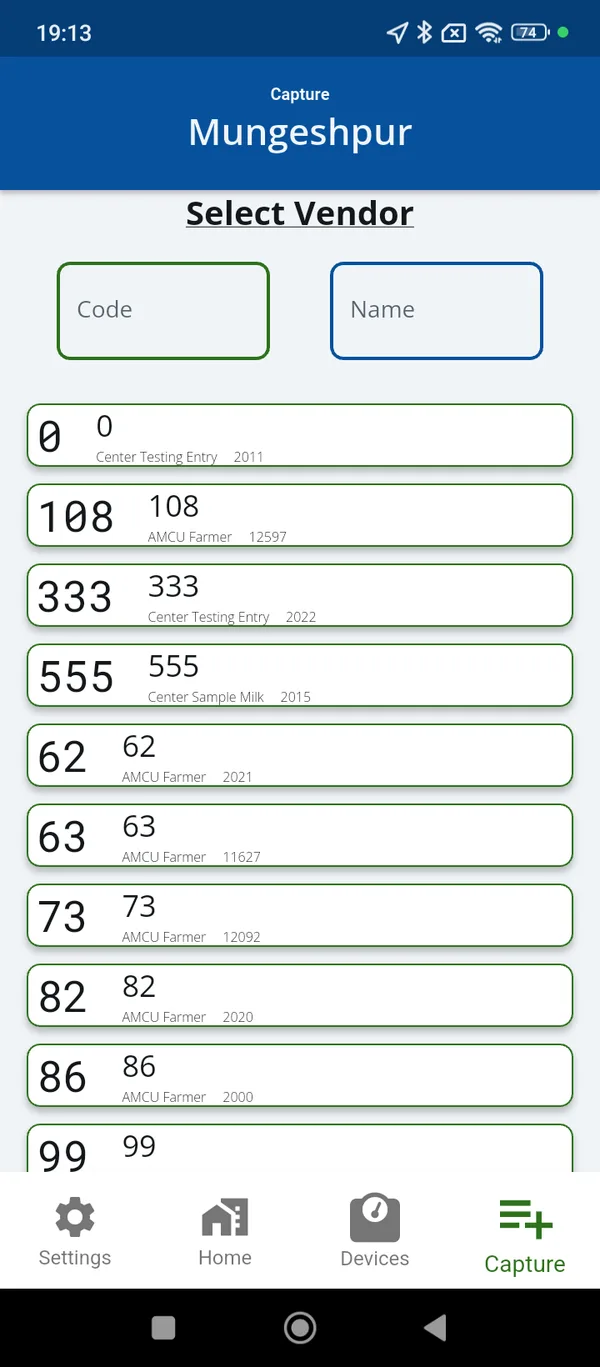
Select the farmer, capture from analyser and scale, save: the pouring is billed on the phone.
See how →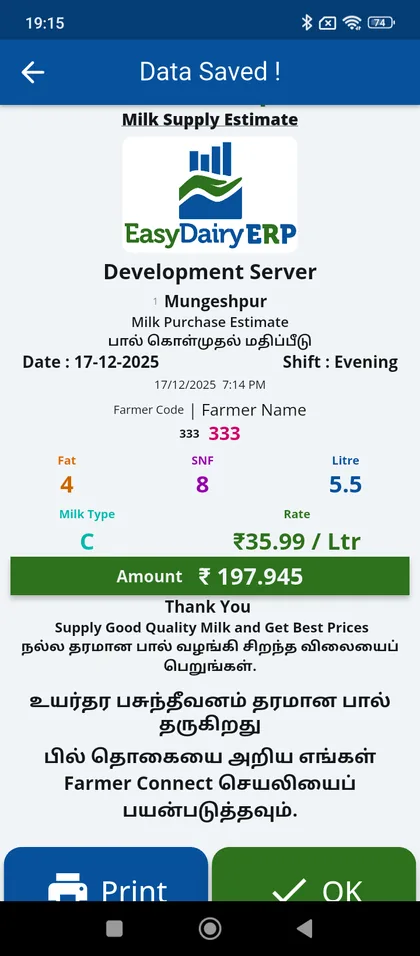
The home screen shows the last shift’s data pulled from the server.
See how →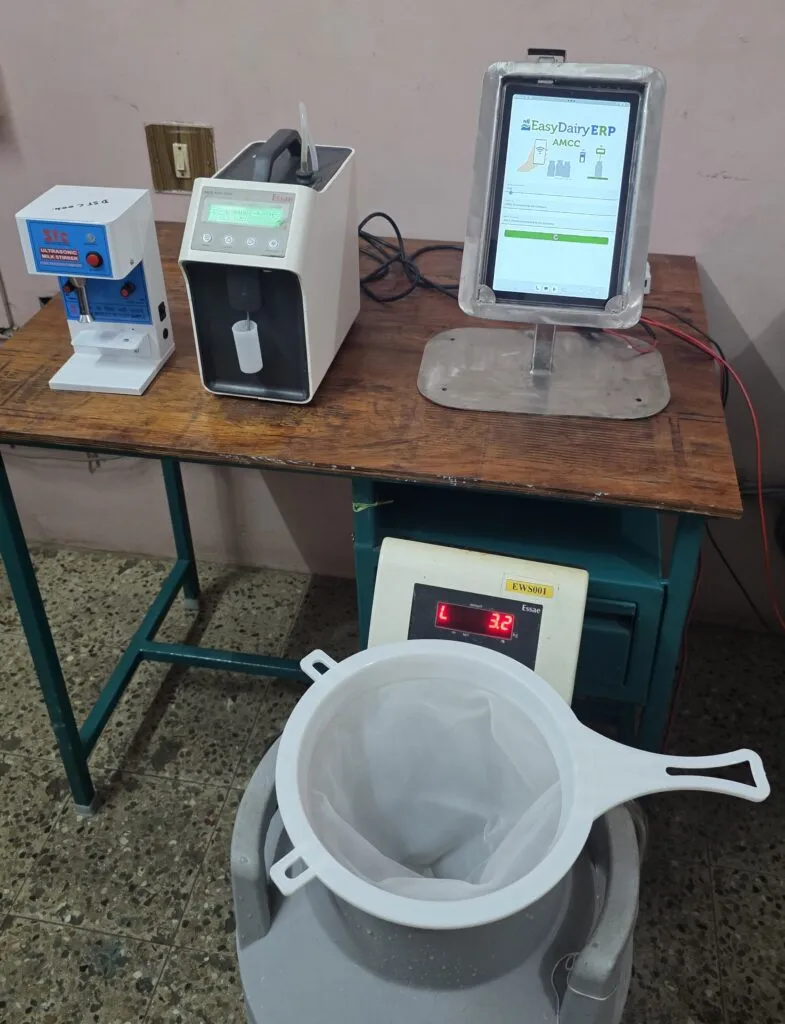
Collect without network; the shift uploads automatically when coverage returns.
See how →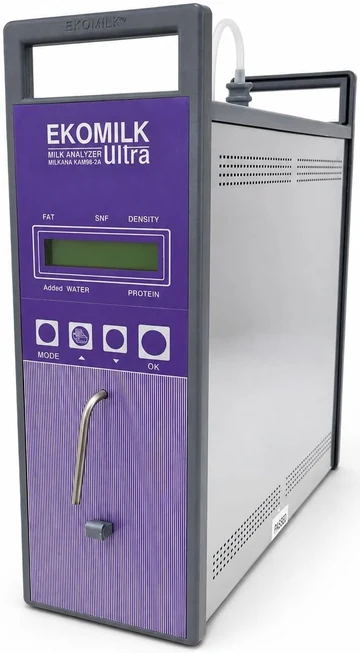
Quality and weight are captured automatically, not typed in.
See how →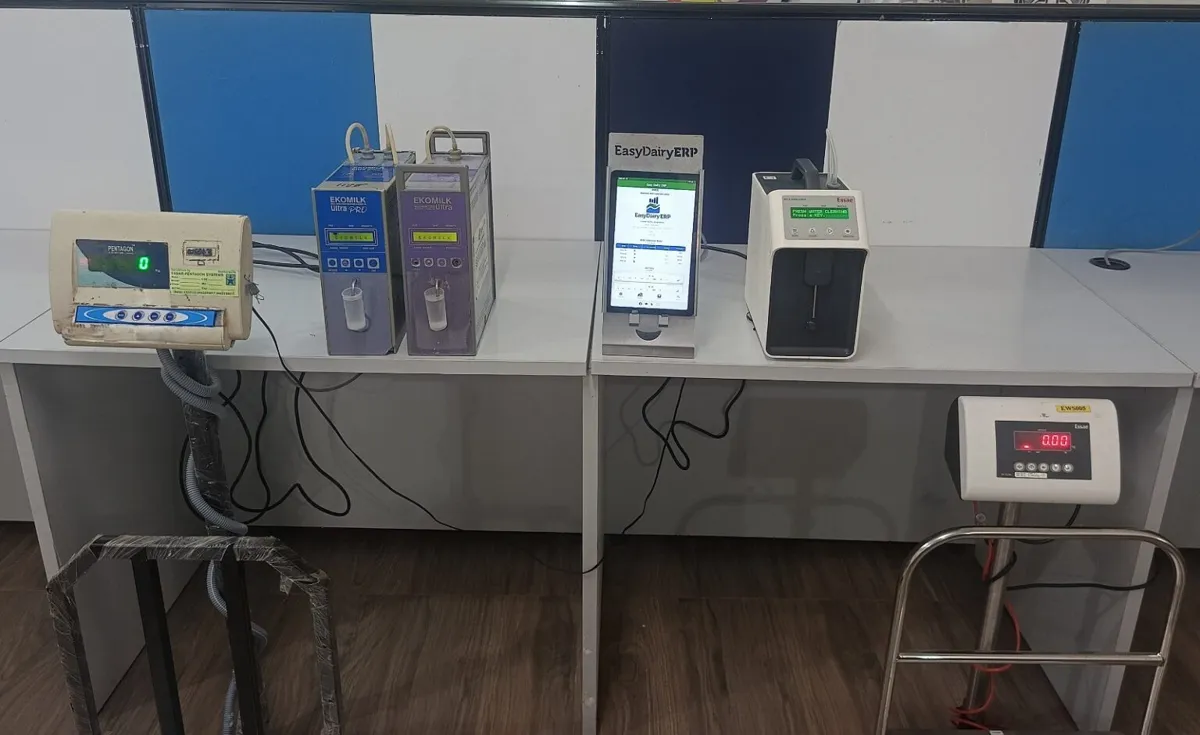
Data flows automatically from village-level centres (some options need the matching hardware).
See how →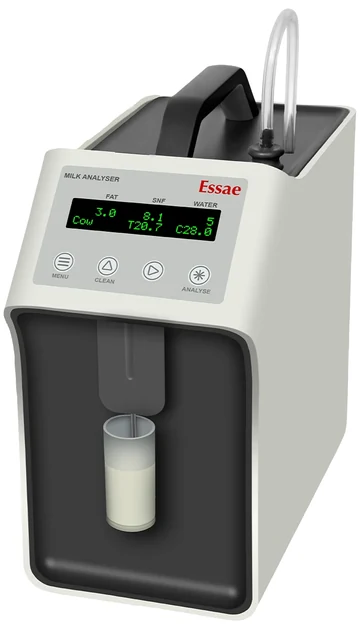
Data from VLCC equipment transfers automatically to the main server over FTP or API.
See how →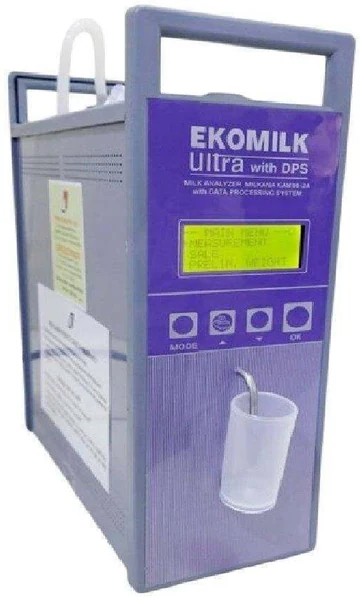
Every farmer’s milk quality and quantity is recorded right at the village.
See how →Manage each village centre and its in-charge from the ERP.
See how →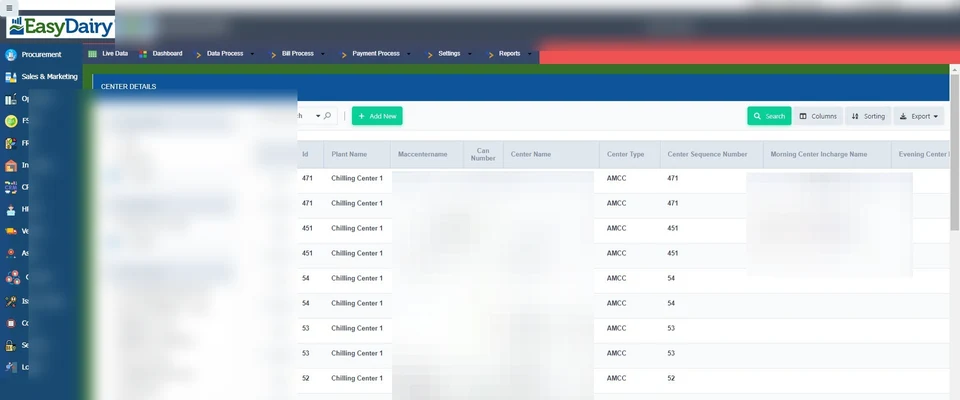
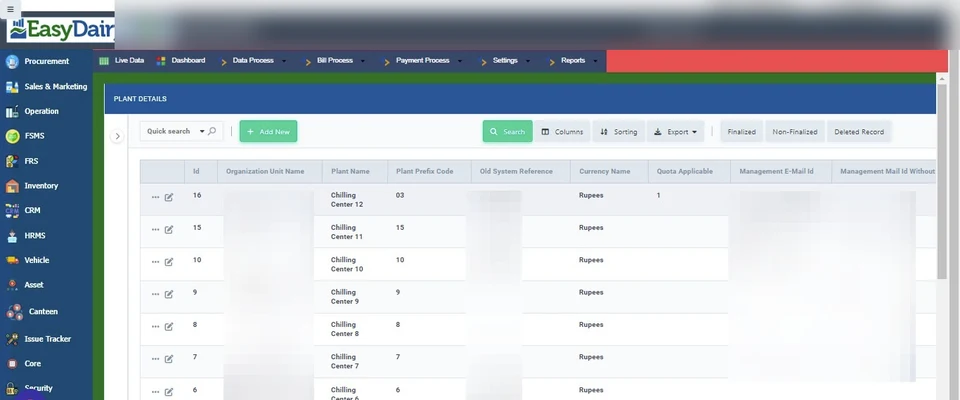
Set up a society or village centre, its farmer group and in-charge.
See how →A tablet-based automated centre captures milk data from villages.
See how →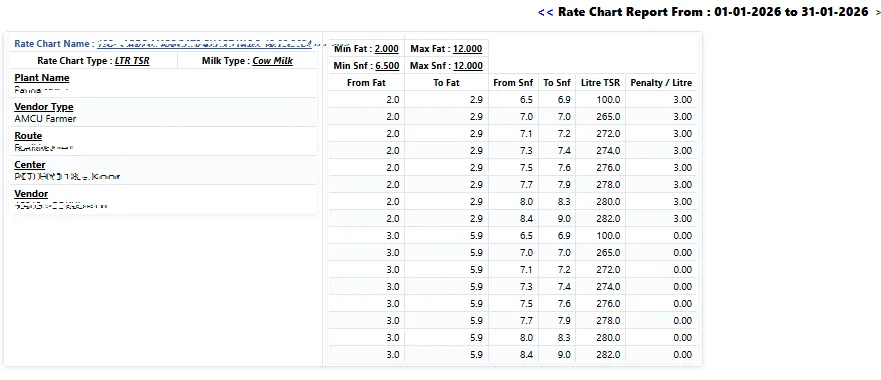
Rates are set centrally and pushed to the collection apps.
See how →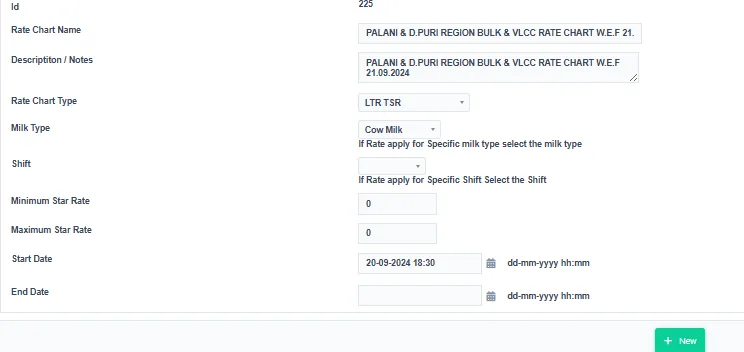
Captured-at-source data and automatic sync guard against losses in collection.
See how →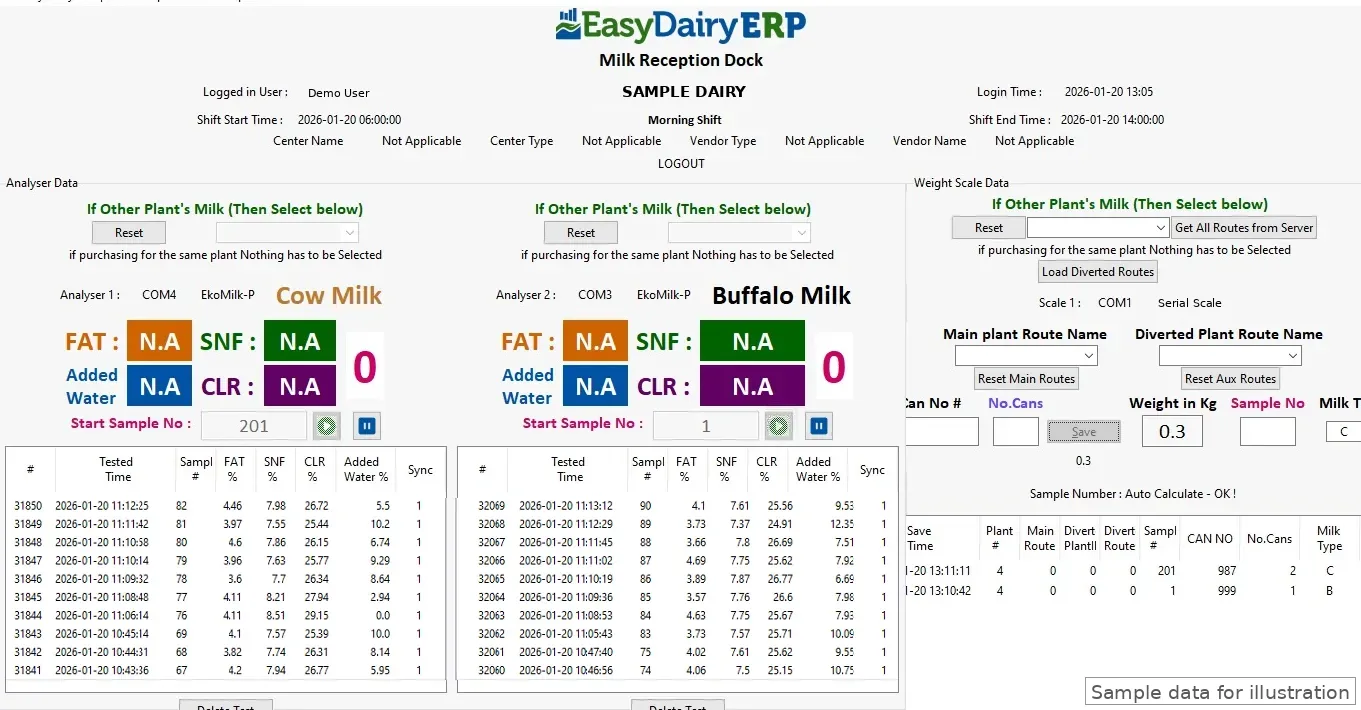
Farmers see their own pourings, unbilled estimates and bills on their phone. The app is free. Demo: log in with mobile number 0000000000 and OTP 0000.
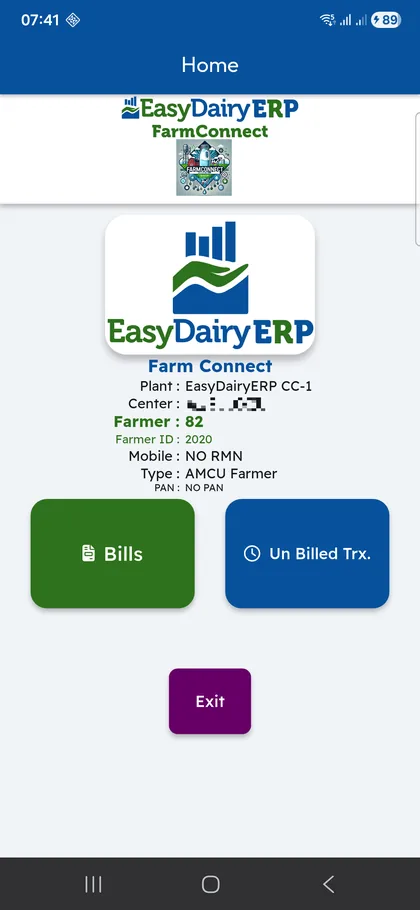
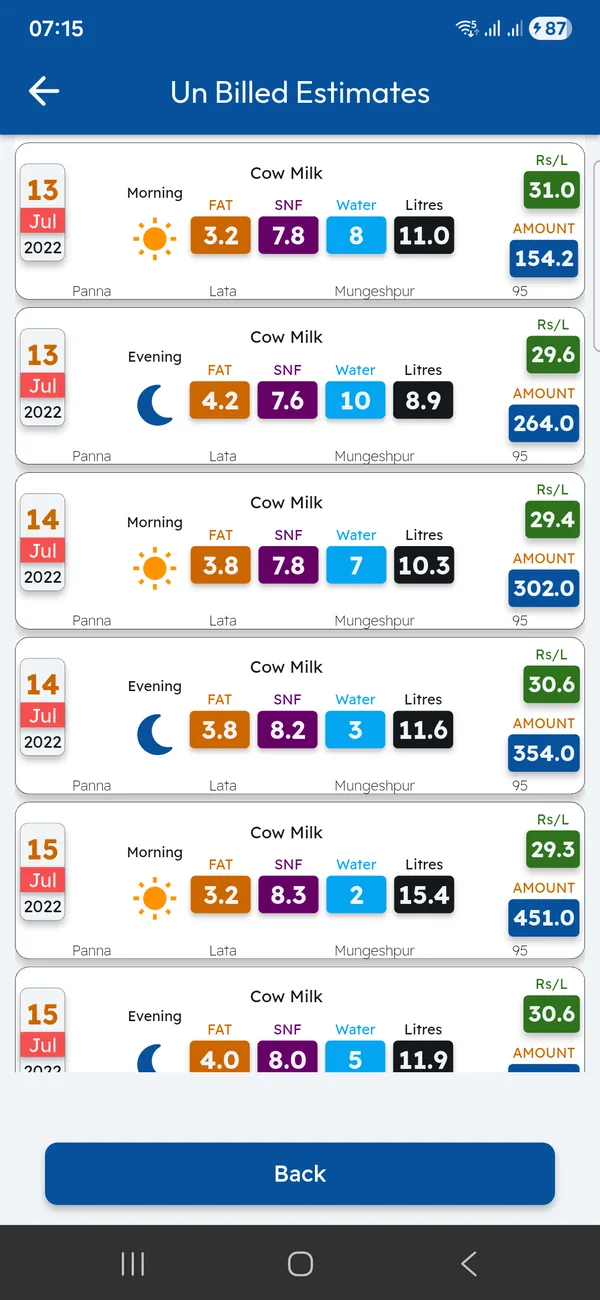
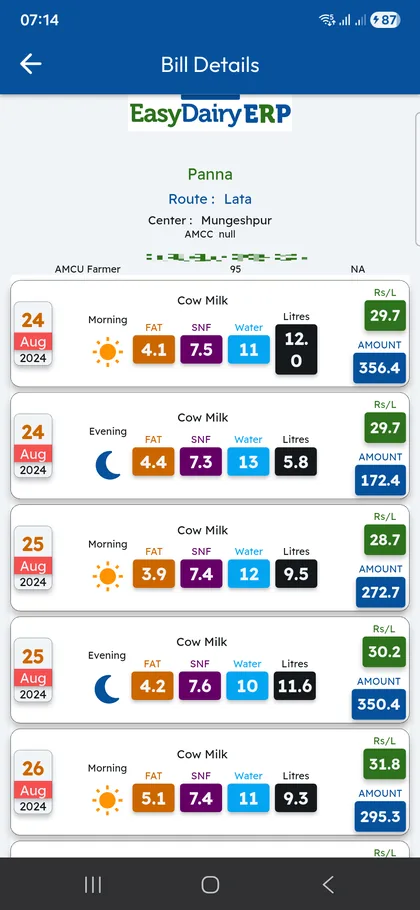
Every pouring with fat and SNF, and an instant estimate of what is not yet billed.
See how →Bills and pouring acknowledgements arrive on the farmer’s phone.
See how →Free for farmers; acknowledgements within 10 seconds, plus delivery notes and invoices.
See how →At the chilling centre or plant dock, the Chilling Center app reads scales and analysers in the layout each dock needs, then consolidates and syncs village-wise. Demo: tap Login with the prefilled credentials.
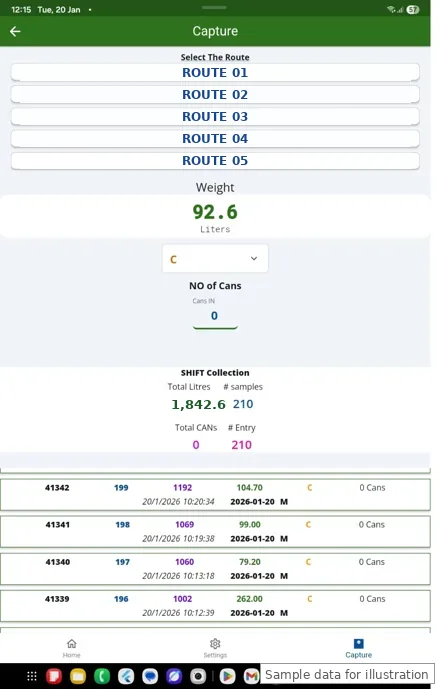
Captures data from weight scales and milk analysers at the CC.
See how →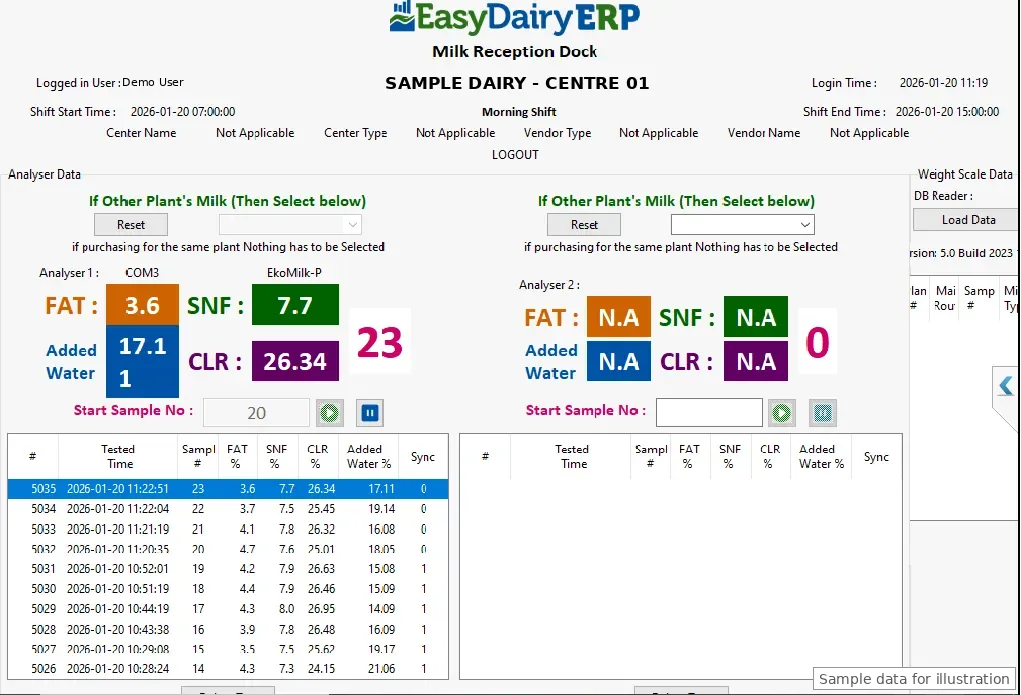
Dual analysers and a scale, cow and buffalo milk side by side.
See how →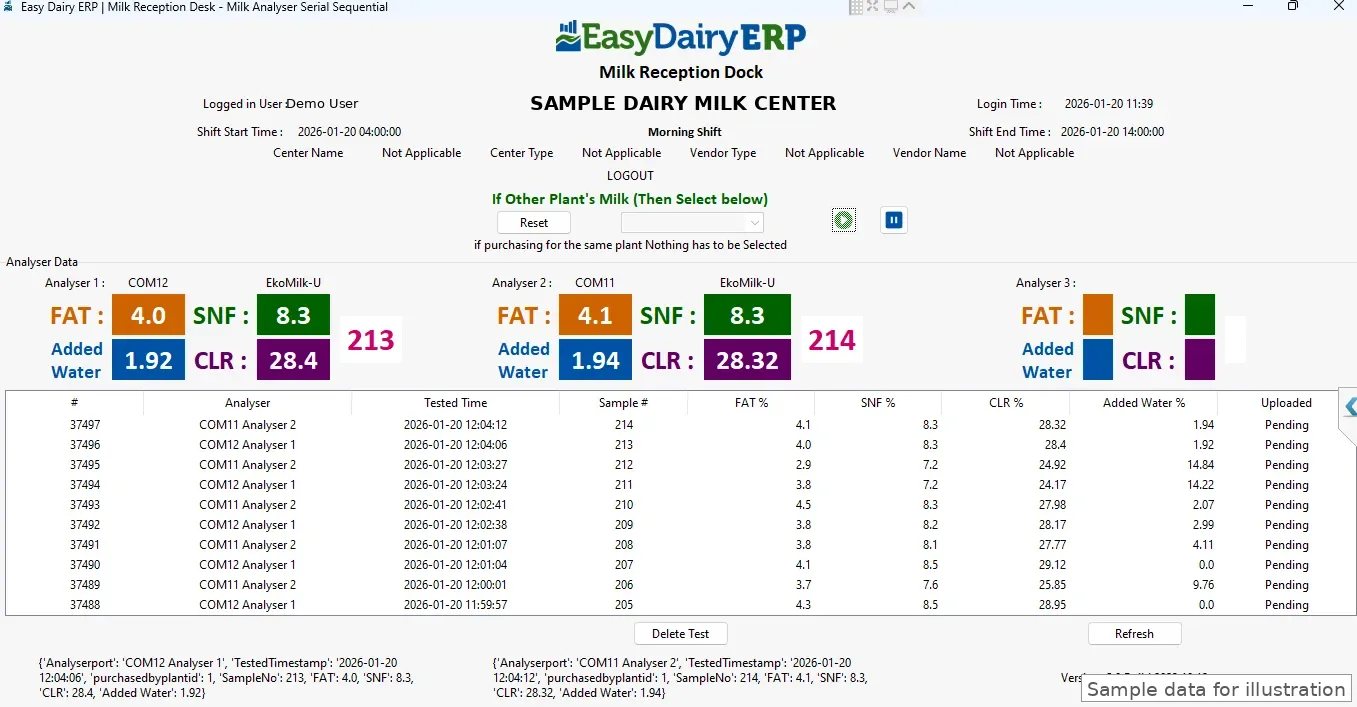
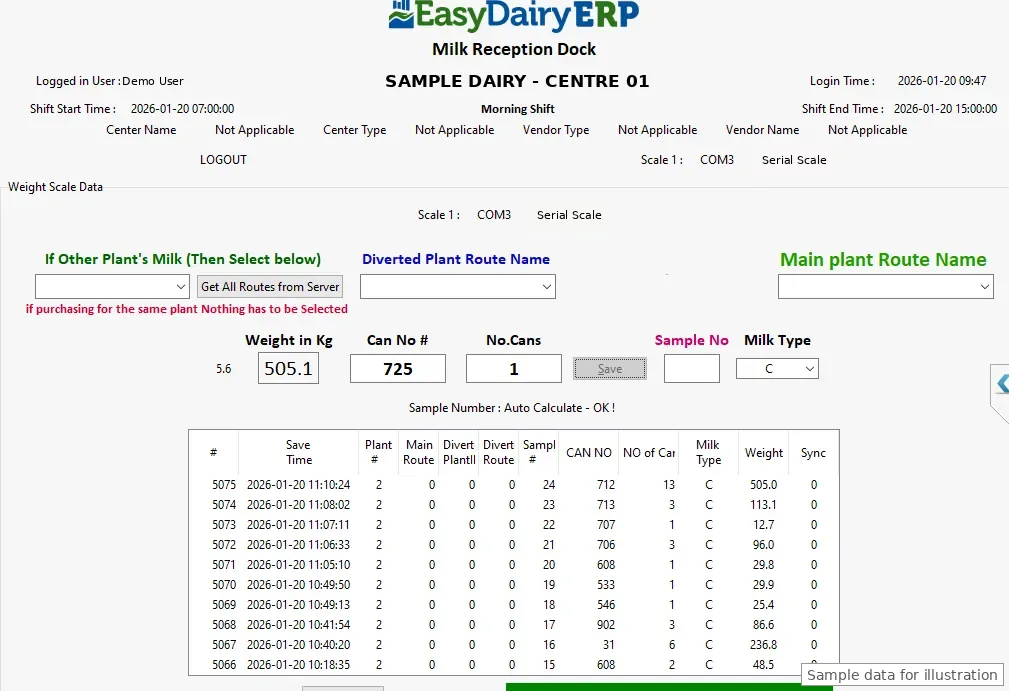
Weight-only layout, including a mobile app for the weighing scale.
See how →CC data collection on a phone (launched May 2025).
See how →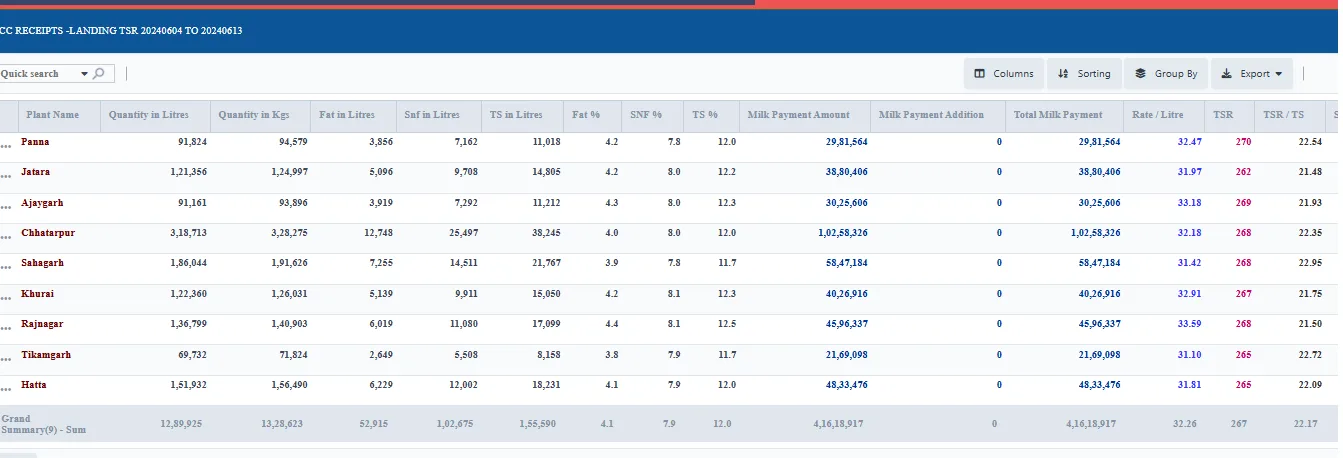
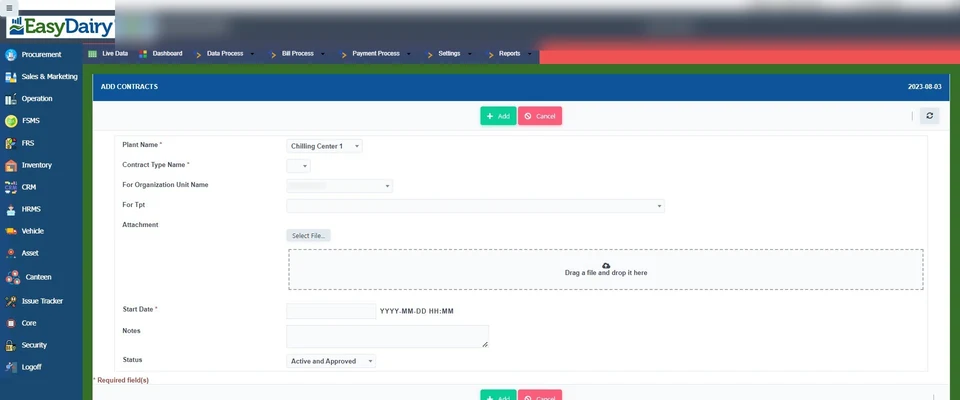
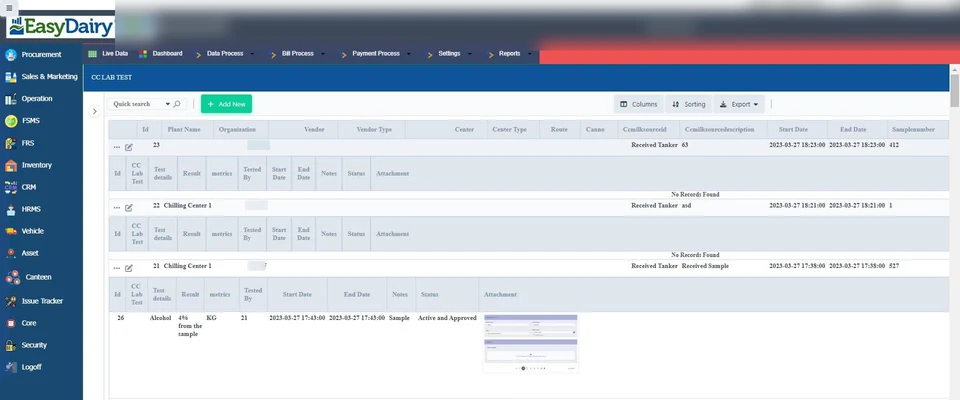
Calculated automatically from procurement data, per tanker dispatch quantity and quality.
See how →Desktop reception software for the plant dock (Windows 10, 64-bit).
See how →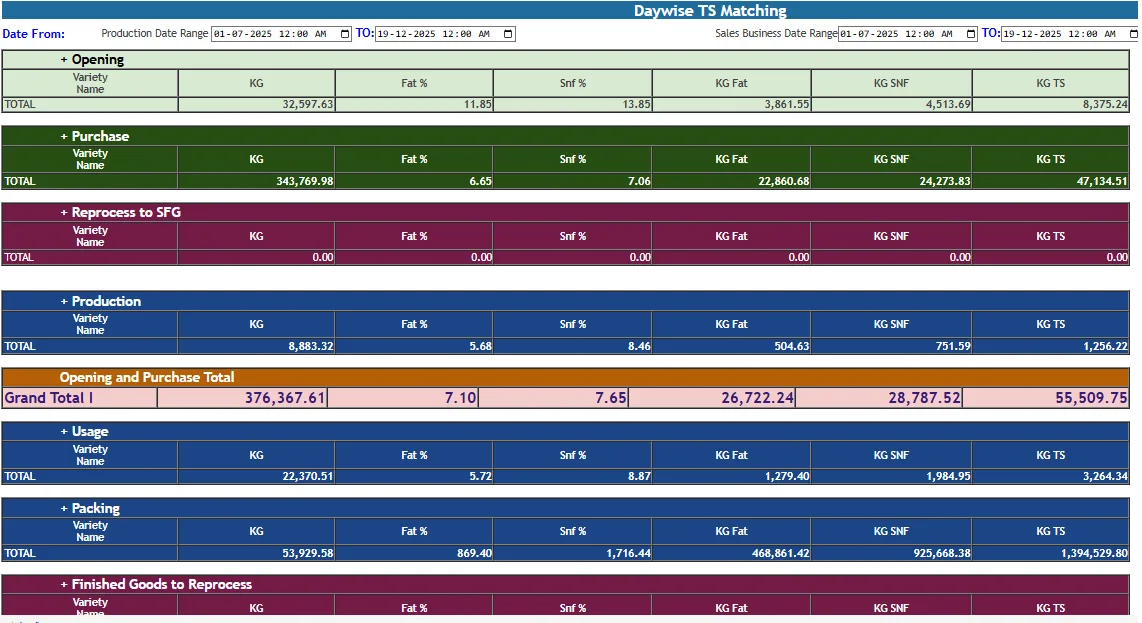
Milk weighed and sampled at the CC syncs to the ERP automatically, ready for TS matching.
See how →Register every vendor, farmer and producer once, then price their milk exactly: many rate chart types, slabs, seasons, incentives and penalties, mapped at farmer, route or vendor-type level.
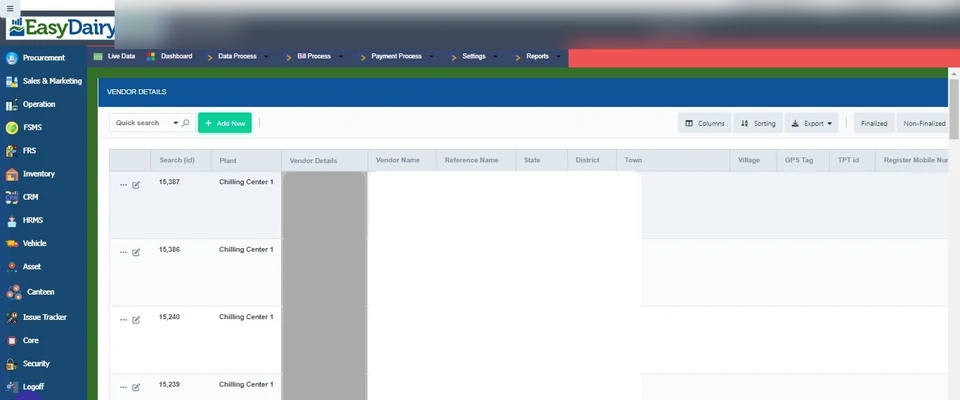
Register vendors, farmers and producers with their centre and route.
See how →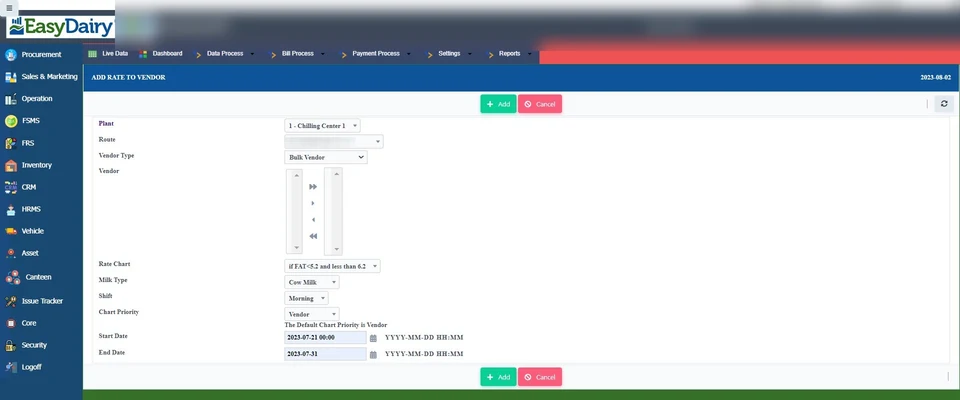
Litre/KG factors; vendor, centre, invoice, rate and milk types; TDS set-up.
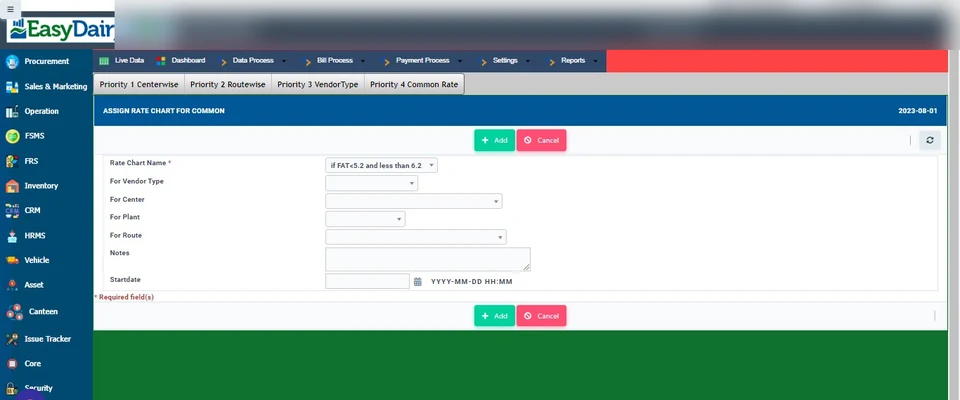
See how →Different rate chart types assignable at farmer, route and other levels.
See how →Flat per litre, KG TSR, litre TSR, fat based, fat and SNF based, with slabs.
See how →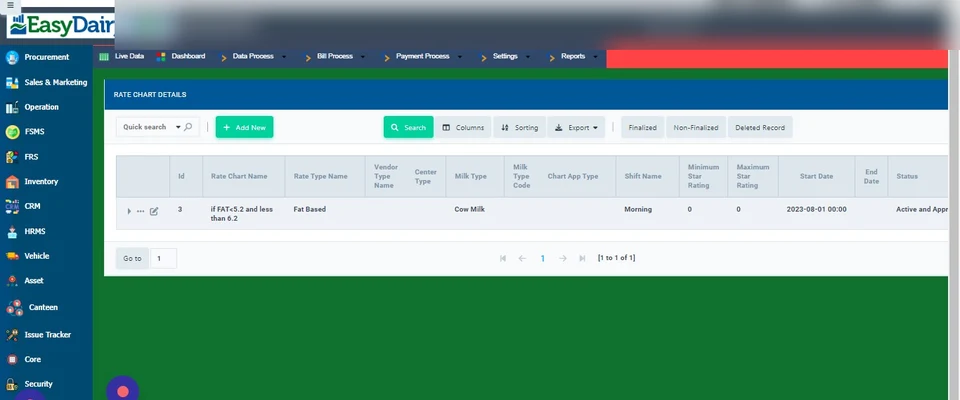
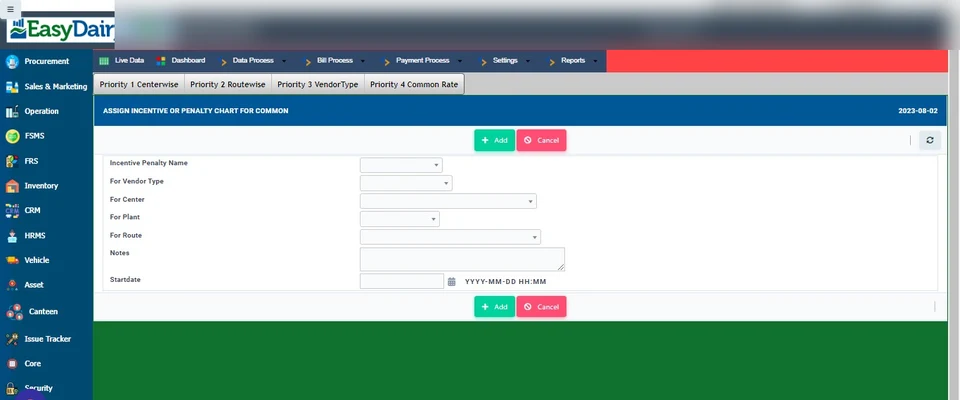
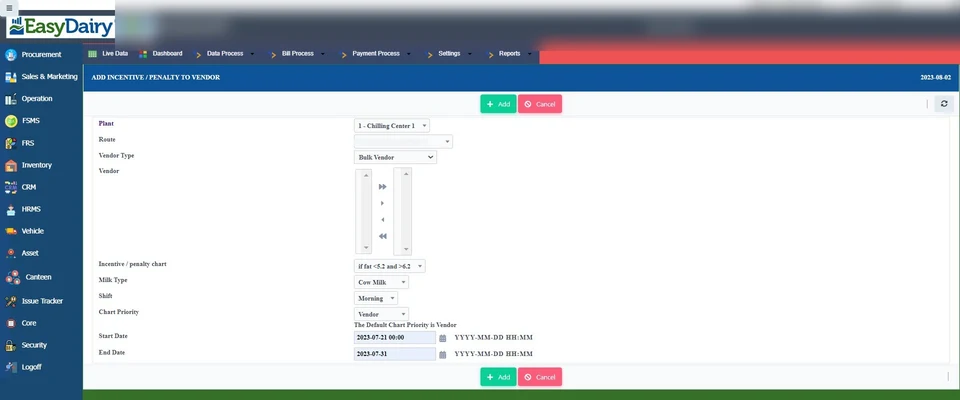
Assign common or vendor-specific incentives and penalties.
See how →Slab incentives and advanced incentive plans for procurement.
See how →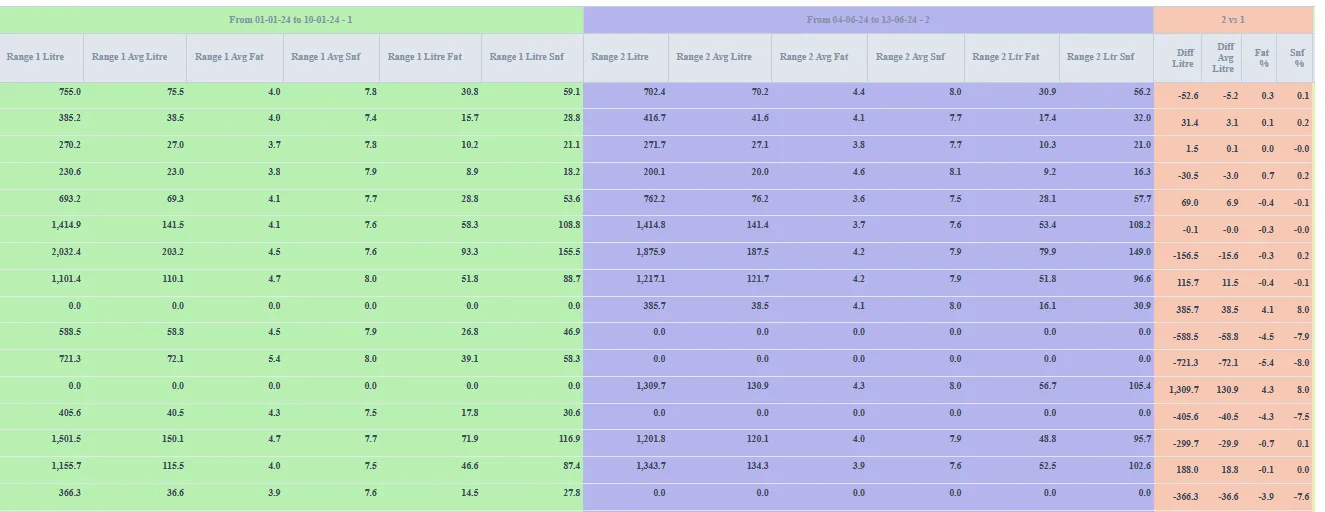
Rate-chart-wise simulation and what-if analysis before you change prices.
See how →Bills build themselves from collection data on the cycle you choose. Additions, deductions, loans, advances, feed and service charges flow into each bill; corrections are approved online; payments go out as bank files.
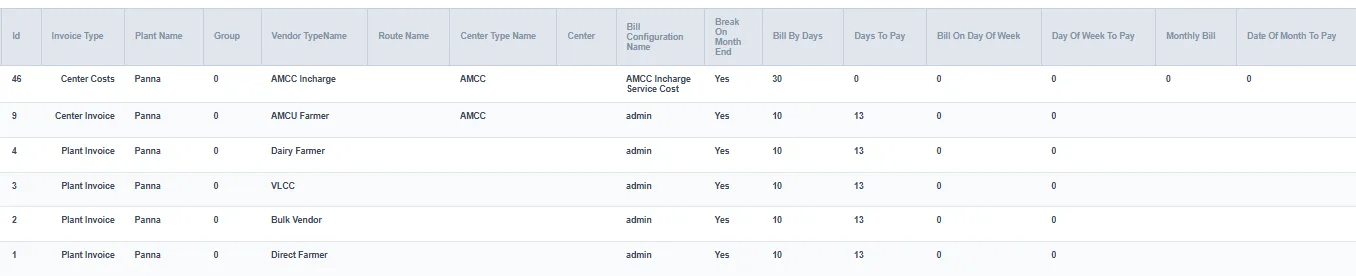
Daily, weekly, 10-day, fortnightly or monthly; bill configuration per vendor type.
See how →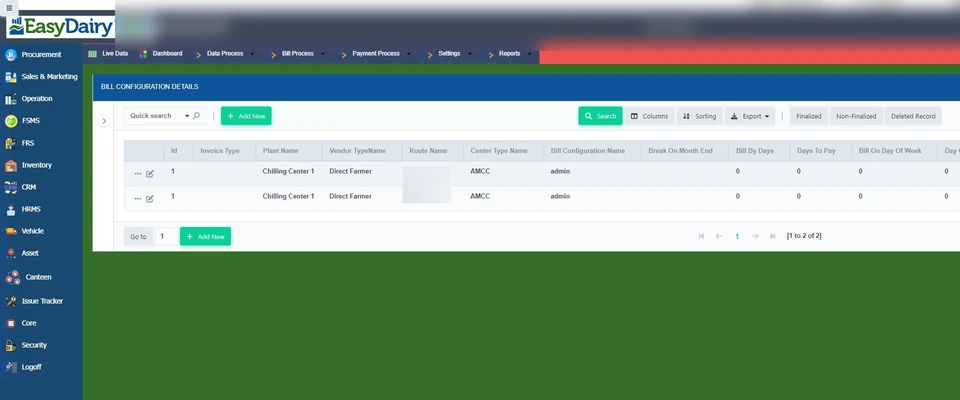
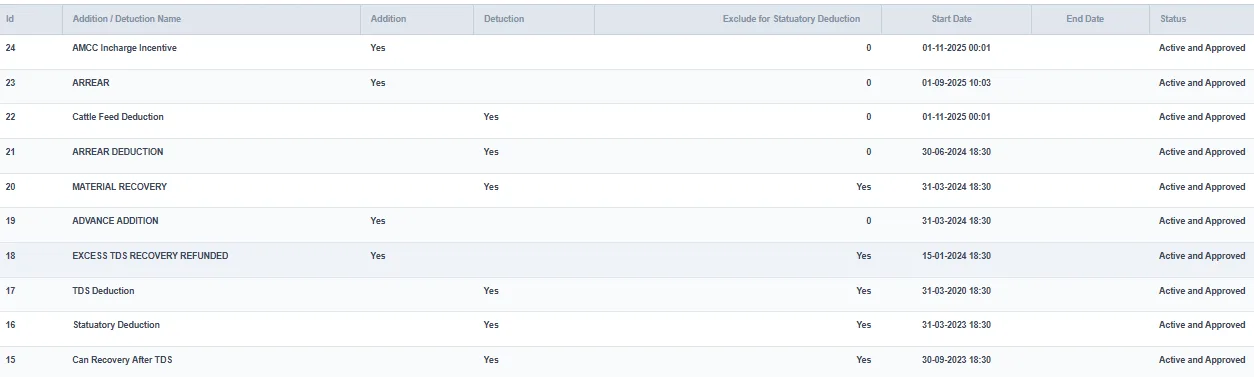
All reflected on the individual farmer bill.
See how →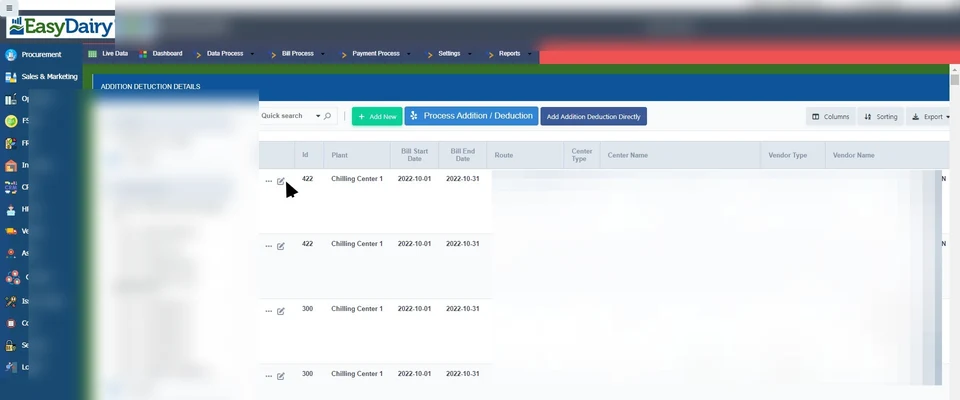
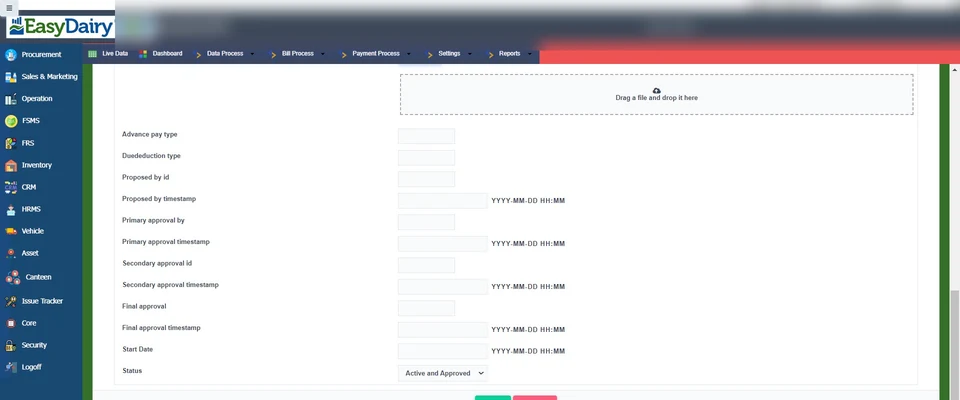
Loans and feed issued to farmers are recovered through billing.
See how →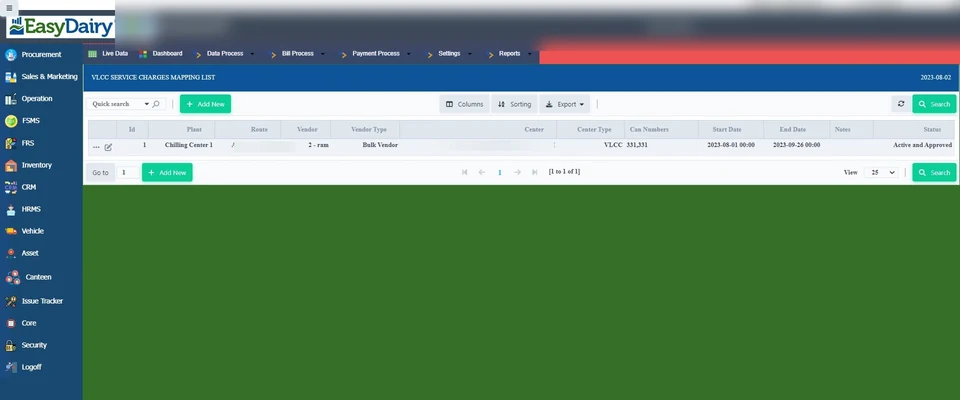
Generate, assign, adjust and finalise service charges for centre in-charges.
See how →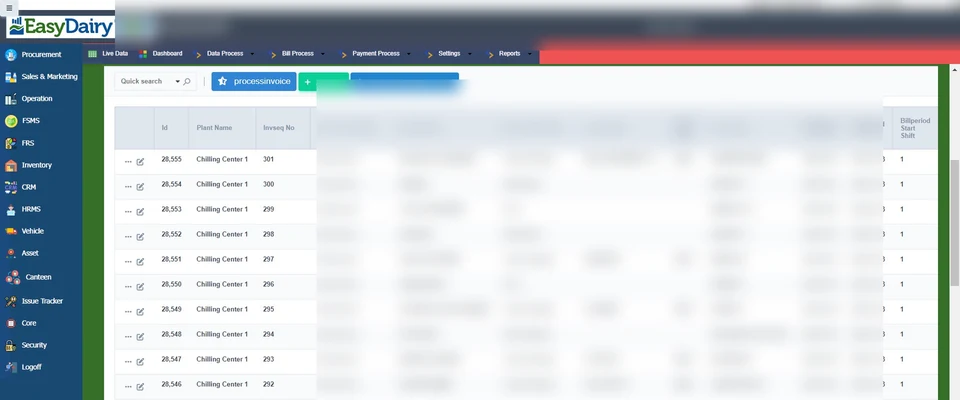
Online review and approval of corrections, with impact mails to management.
See how →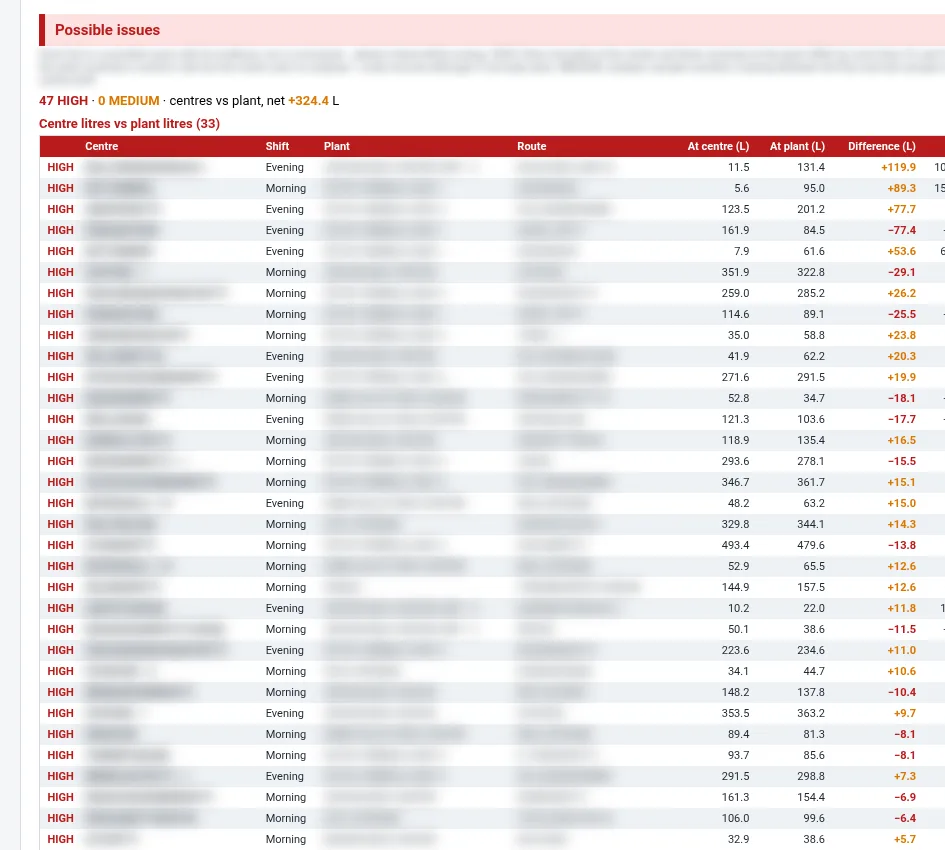
Tracks AMCC corrections after billing; a mail for every CC correction.
See how →Bank upload files for all major banks, same-bank and other-bank formats.
See how →XML files for Tally and other ERP interfaces, ready for audit.
See how →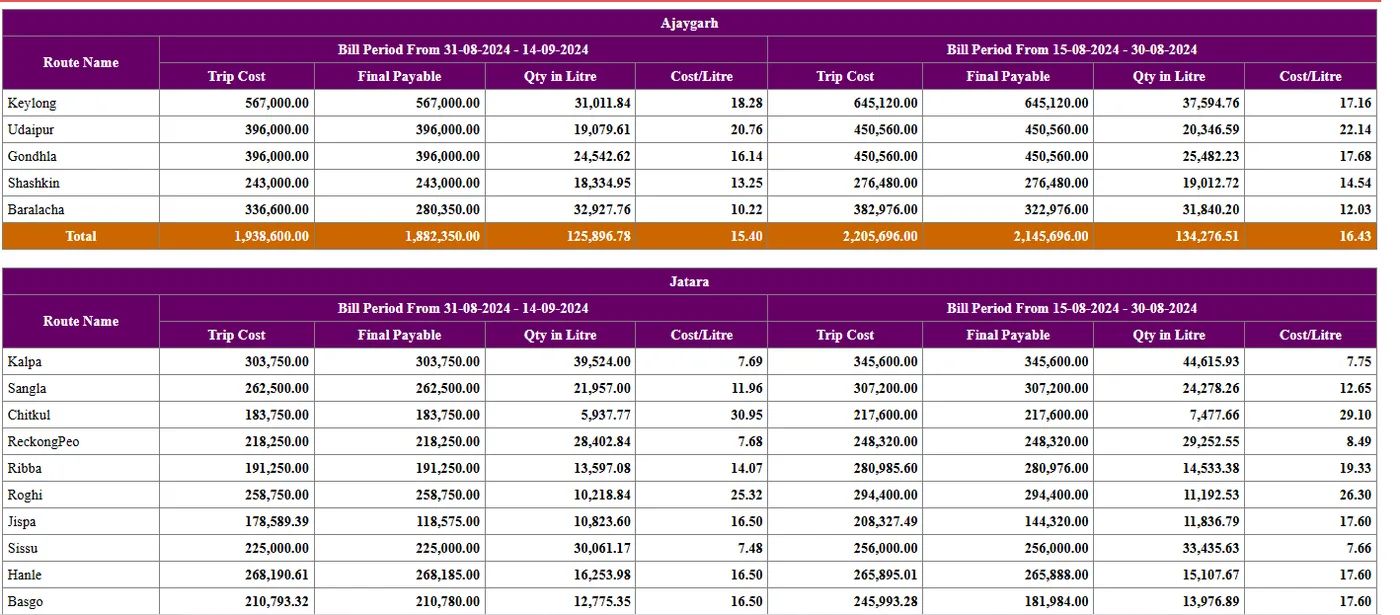
Set up vehicles, transporters and routes, record trips, pay transport on km, litre or flat rates, and track pickups and field staff with GPS.
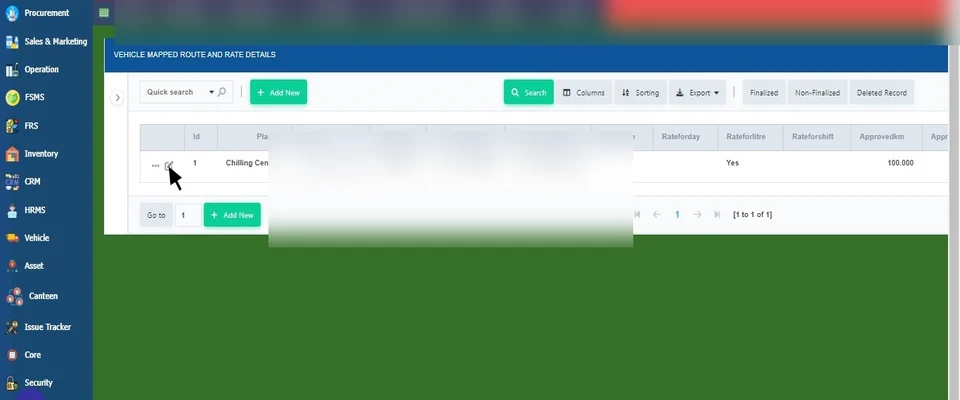
Vehicle types, transporter accounts and rates per day, litre, km or shift.
See how →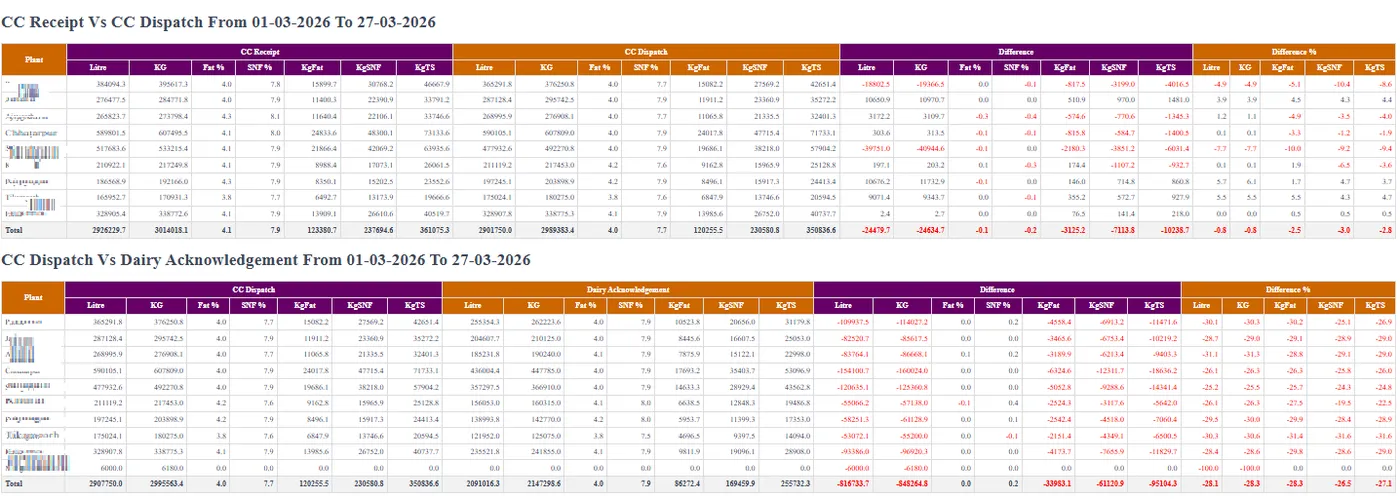
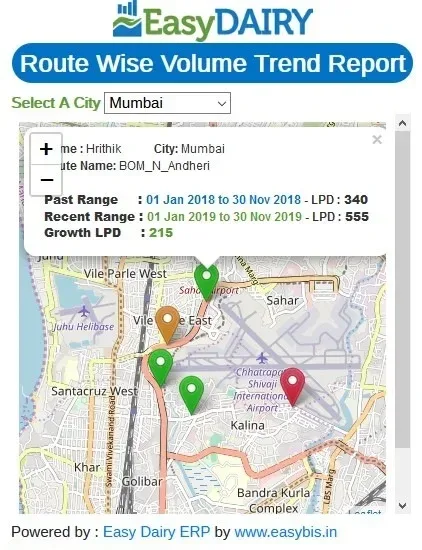
Pin every vendor and pickup for accurate route tracking.
See how →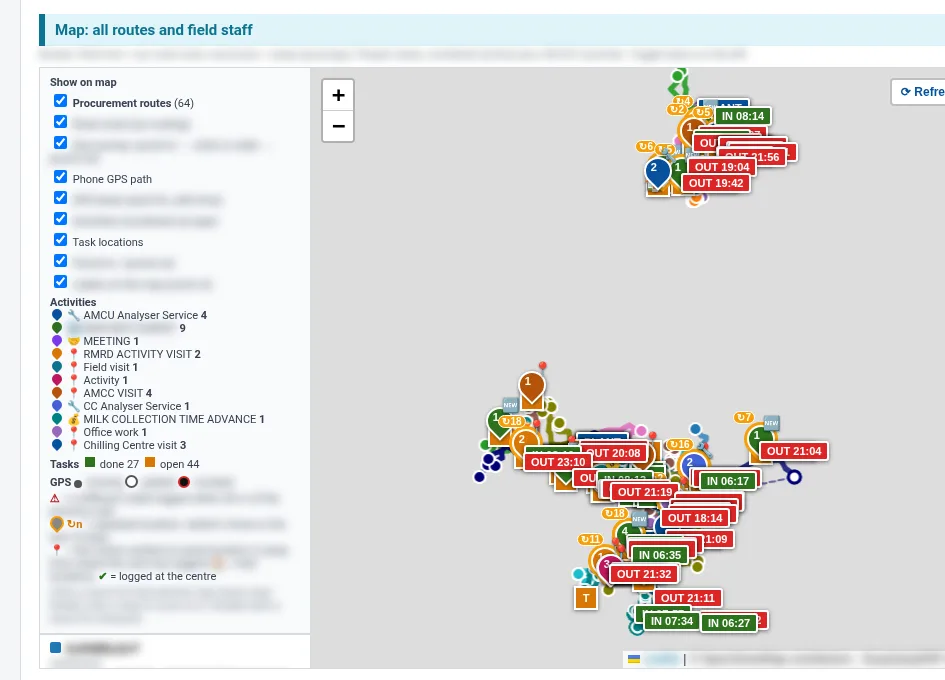
Field staff tasks and attendance tracked in the mobile app.
See how →Compare transport and reception figures to stop milk theft.
See how →Quality is checked at every hand-off: village, chilling centre and plant. Total solids are matched between them, and milk is segmented by quality so you can act on it.
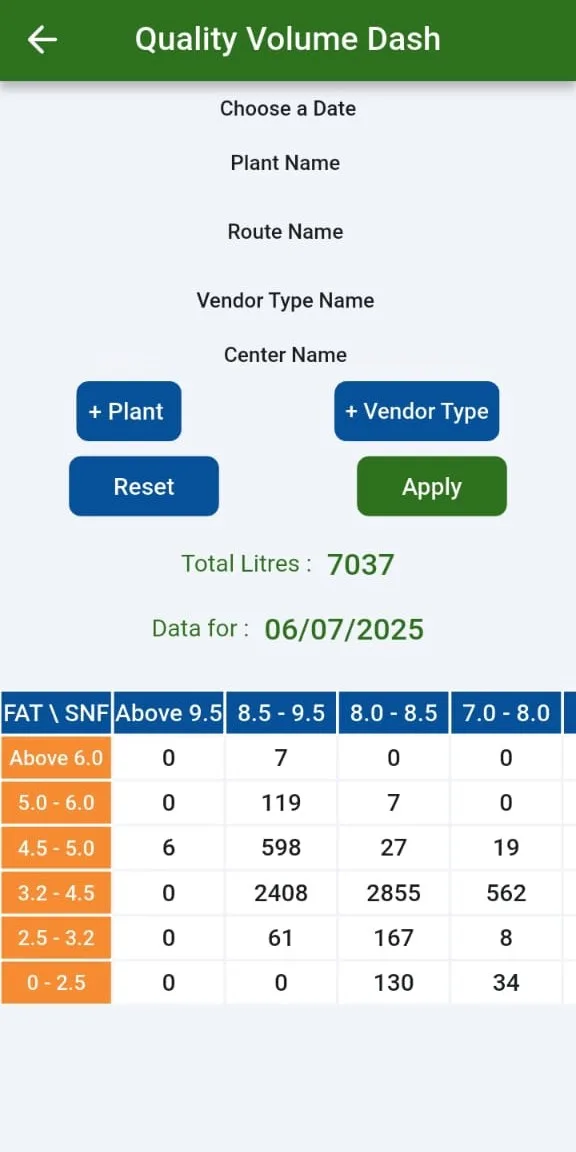
Plant-wise HQM / LQM and quality-wise segmentation.
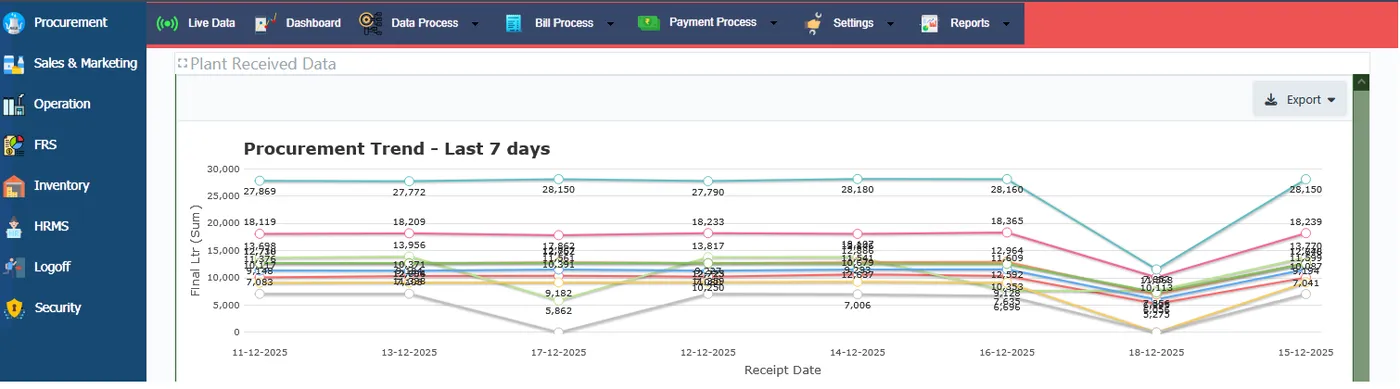
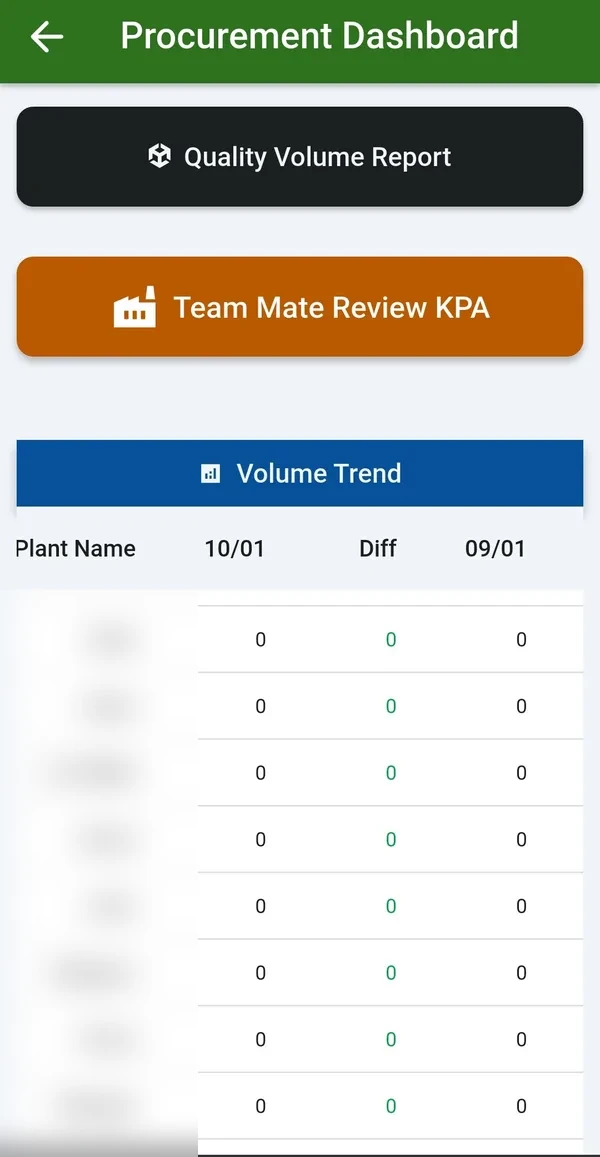
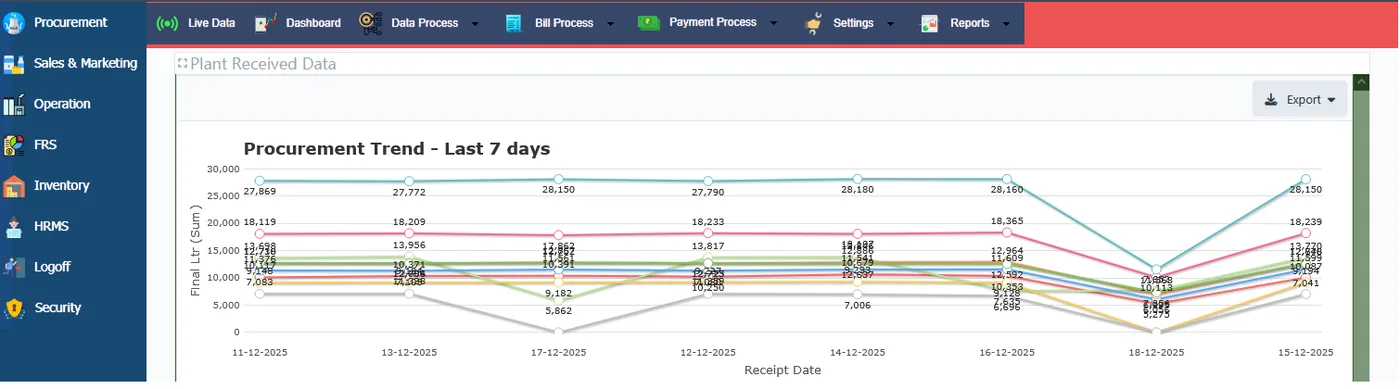
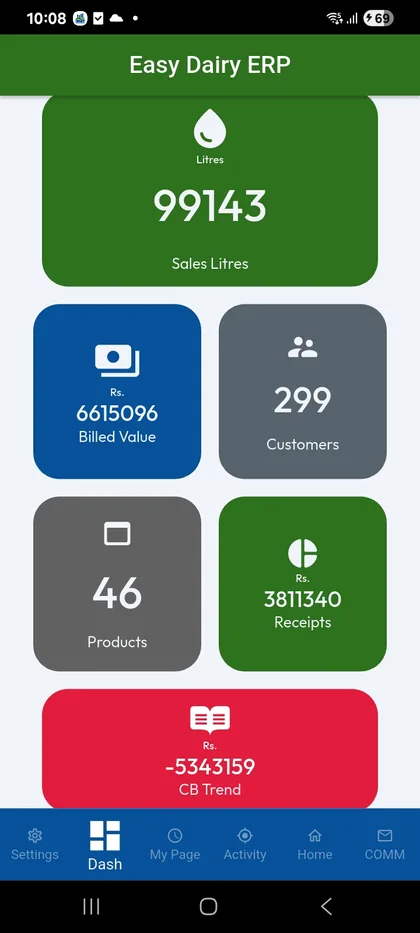
See how →The Procurement Head runs the network from the phone and the BI dashboard: live trends, centre data arrival, GPS volume maps, vendor segments and dozens of comparisons. Demo: mobile 0000000000, OTP 0000.
Centres on a map, coloured by volume trend.
See how →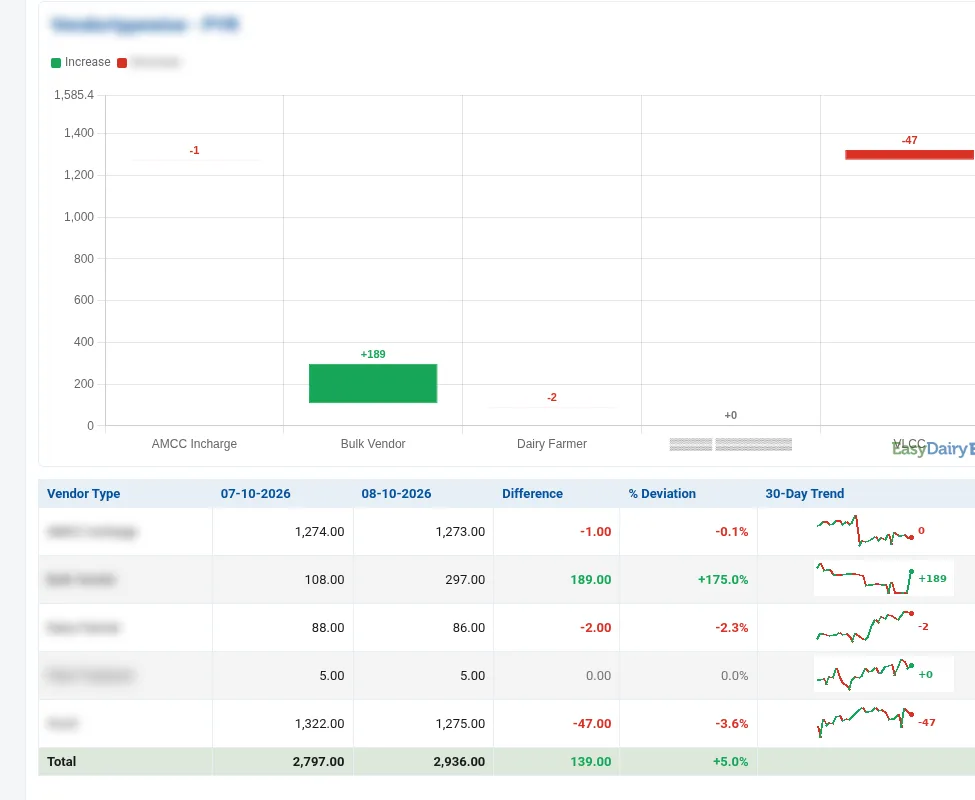
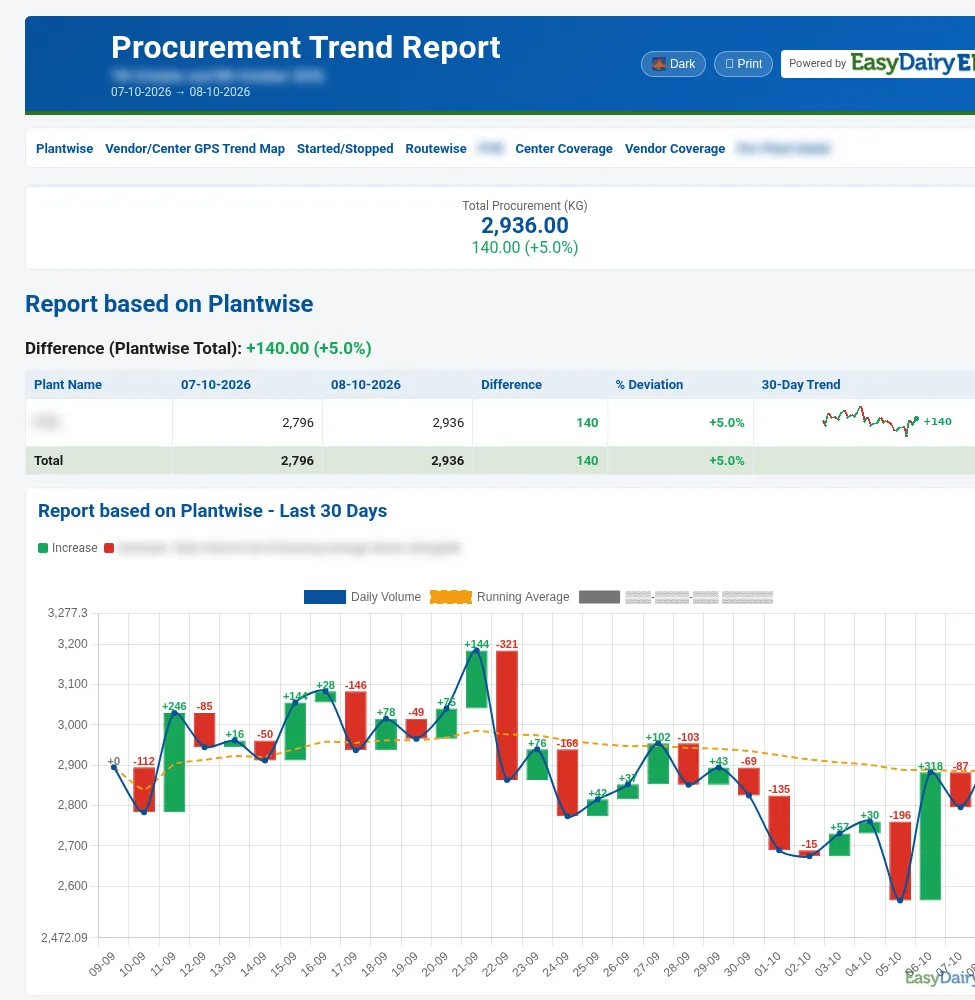
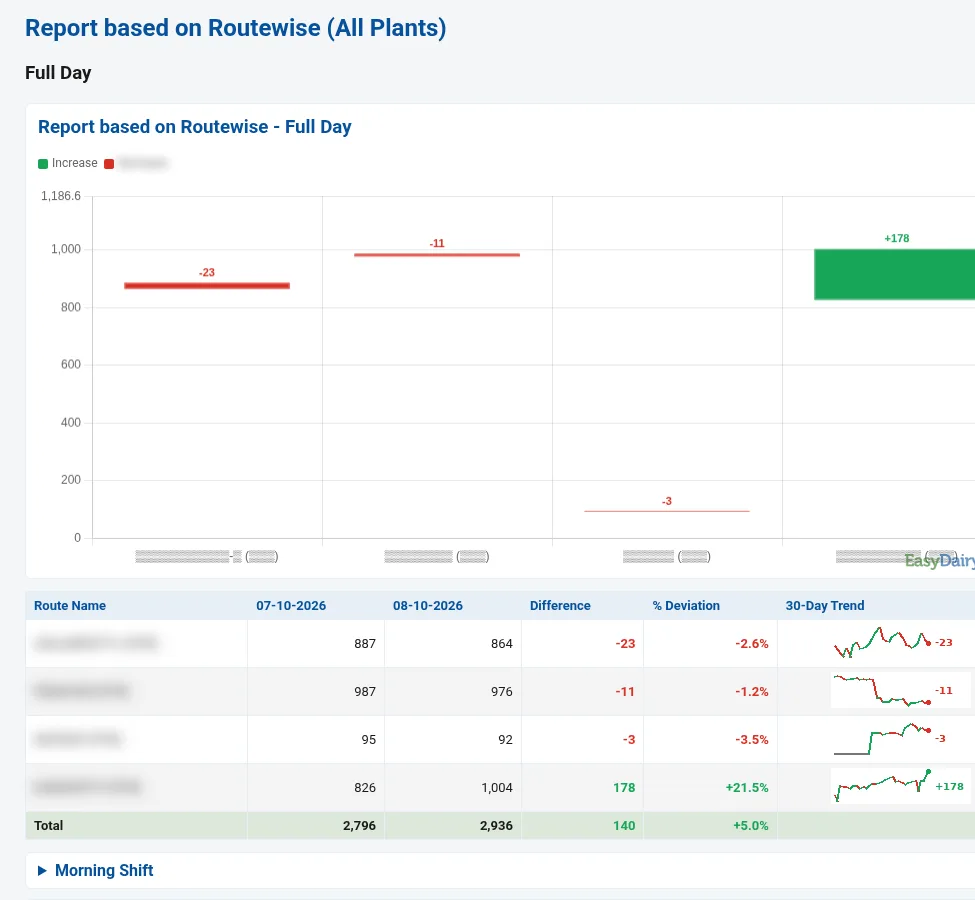
Routes, societies, CCs and zones: volume, quality, rate and two-range comparison.
See how →Trend changes and CC purchase vs dispatch vs dairy acknowledgement, by mail.
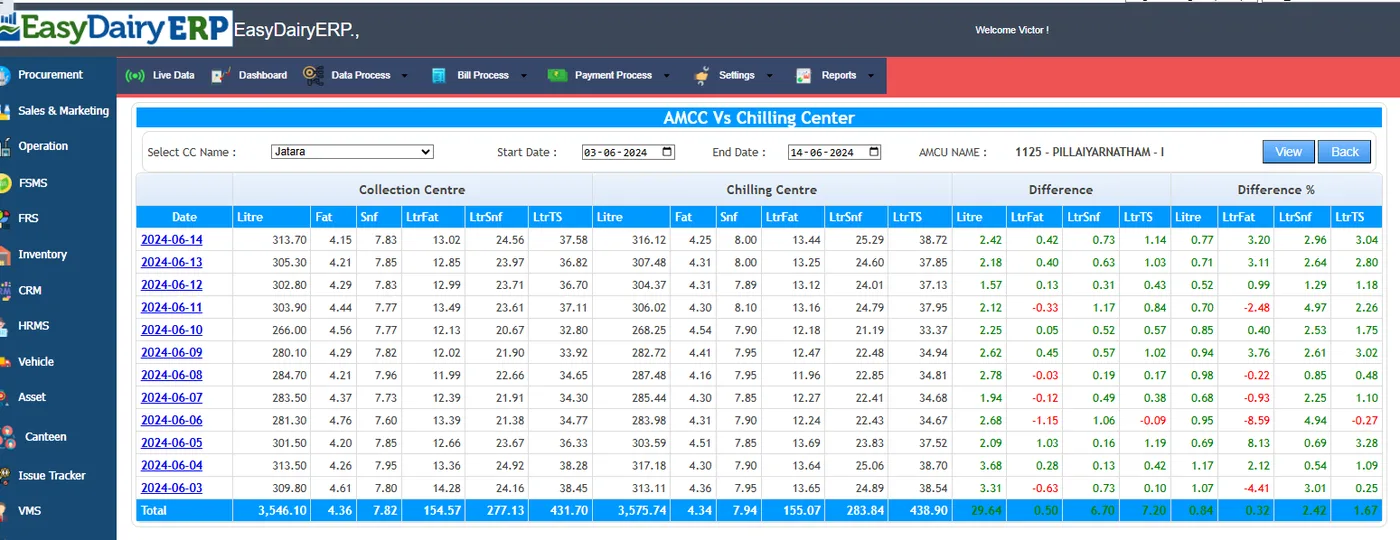
See how →Daily MIS and difference reports flag leakage automatically.
See how →Trend reports on procurement and markets on the phone.
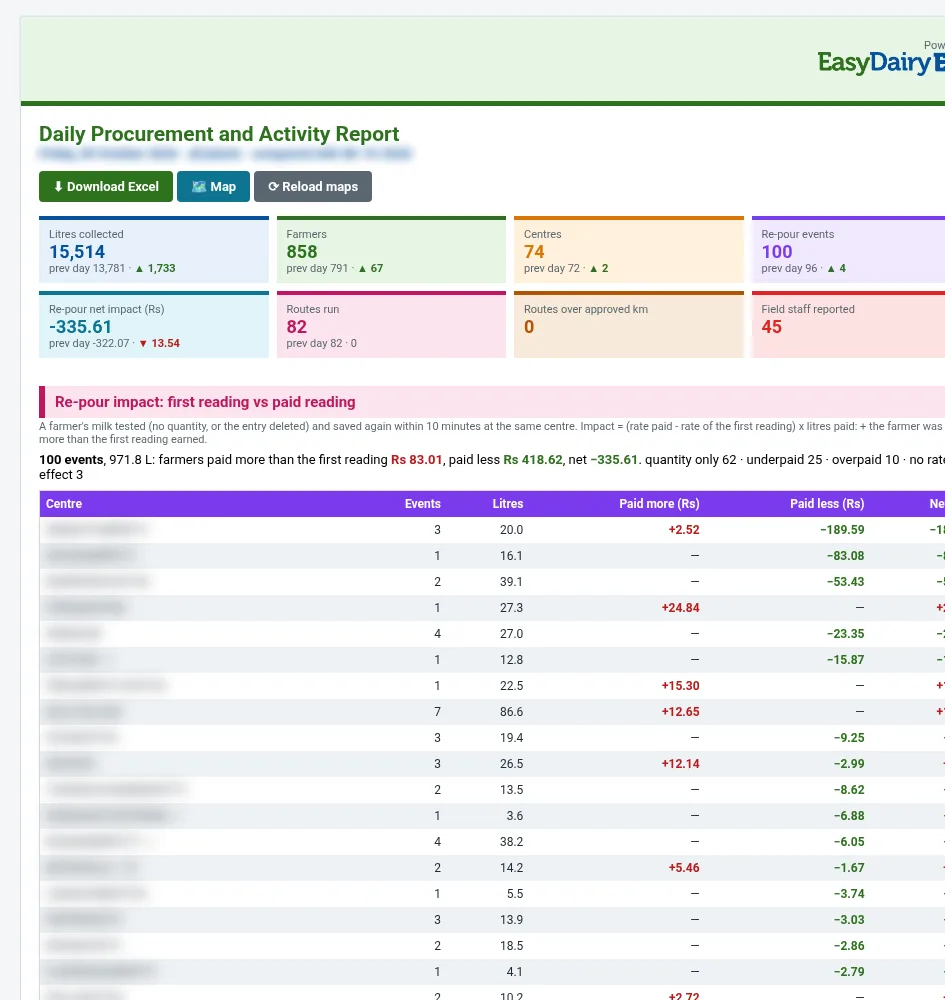
See how →Three reports that land in your inbox: the Daily Procurement and Activity Report, the Procurement Trend Change Report and the Market Cost Report. Real reports, names blurred.
Yesterday’s procurement and field activity in one mail.
See how →Every first-test-to-saved correction with fat, SNF, rate and impact.
See how →Litres at the centre against litres received at the plant, per route.
See how →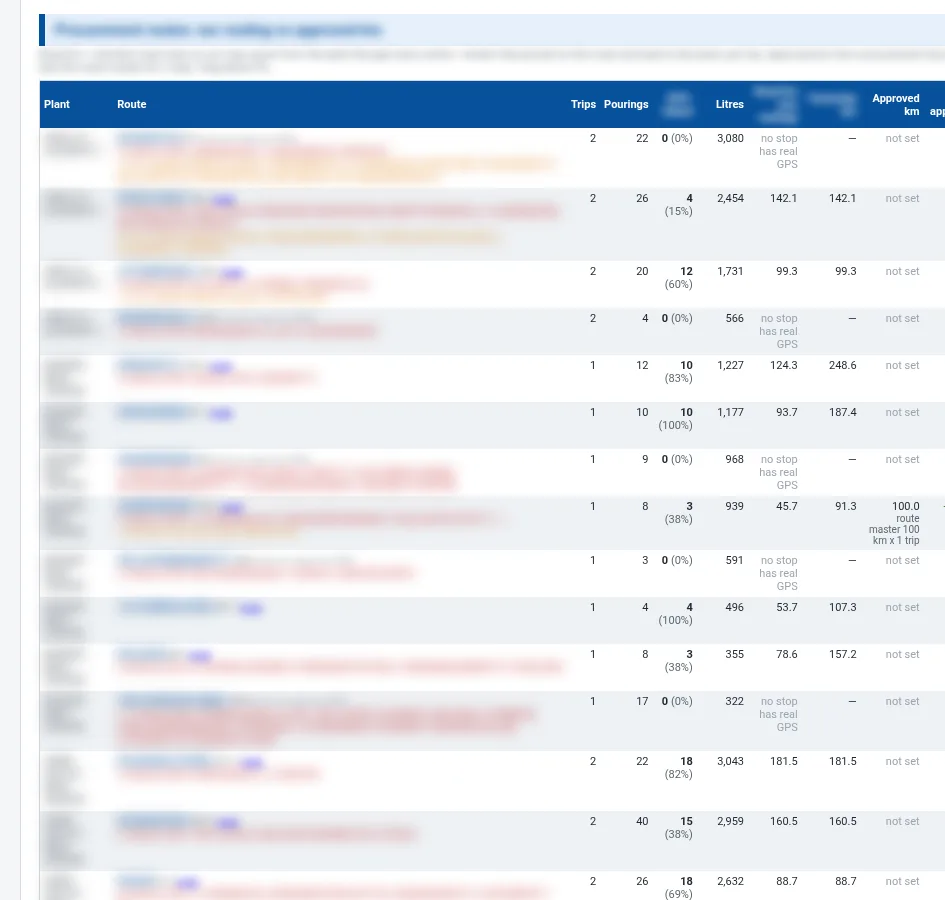
Trips, pourings, GPS-linked pourings, road km, yesterday km and approved km.
See how →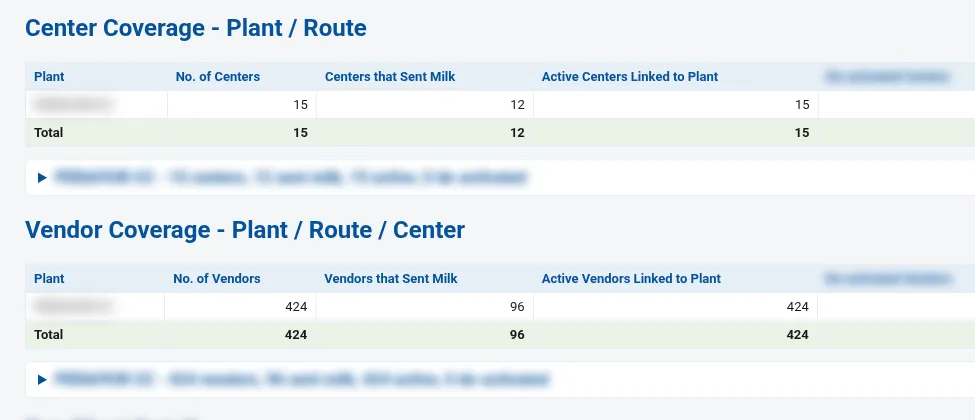
Coverage by plant, route and centre; started and stopped vendors.
See how →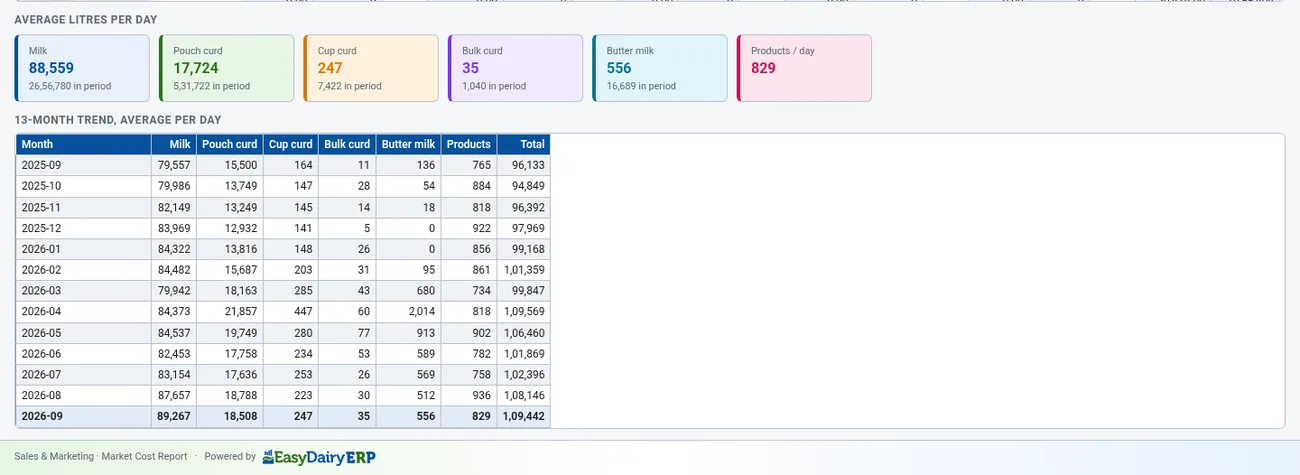
Sales starts with a clean structure: organisation units, products, docks, sales points, routes, the company representative hierarchy and every customer, distributor and dealer with addresses, GPS location and credit limits. Everything later in the tour (orders, dispatch, invoices, collections and reports) reads from these masters.
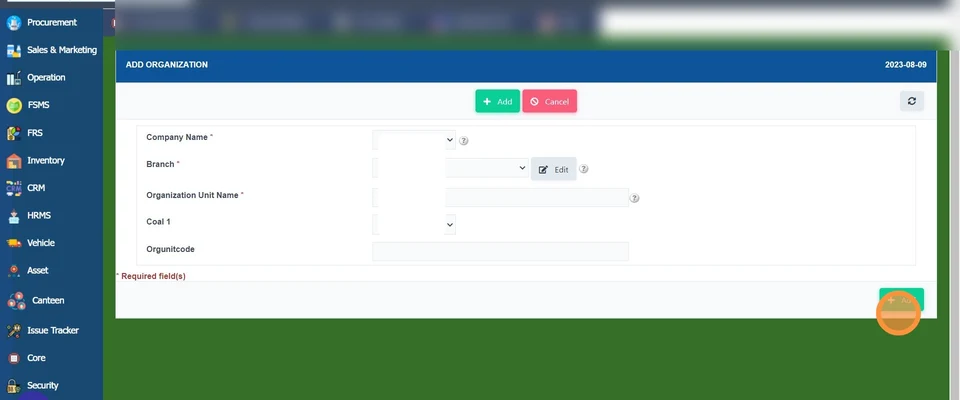
Creates the organisation unit (company, plant or branch) that sales transactions belong to.
See how →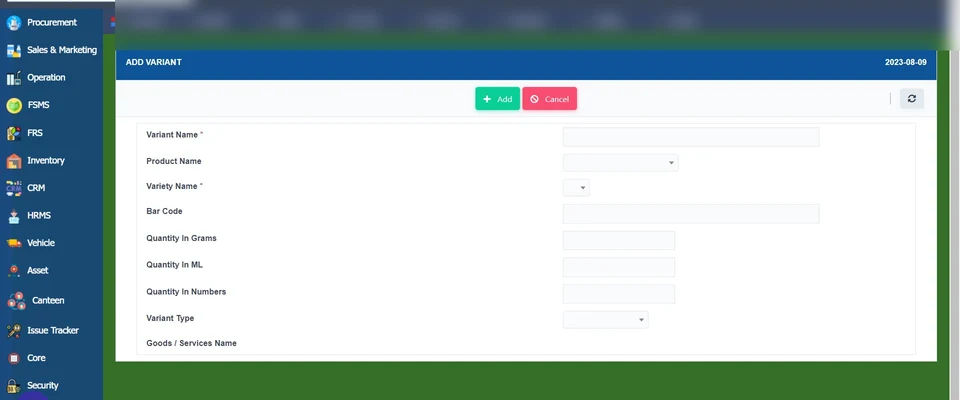
Builds the product tree: brand, product, variety and variant (SKU). Unlimited products and users.
See how →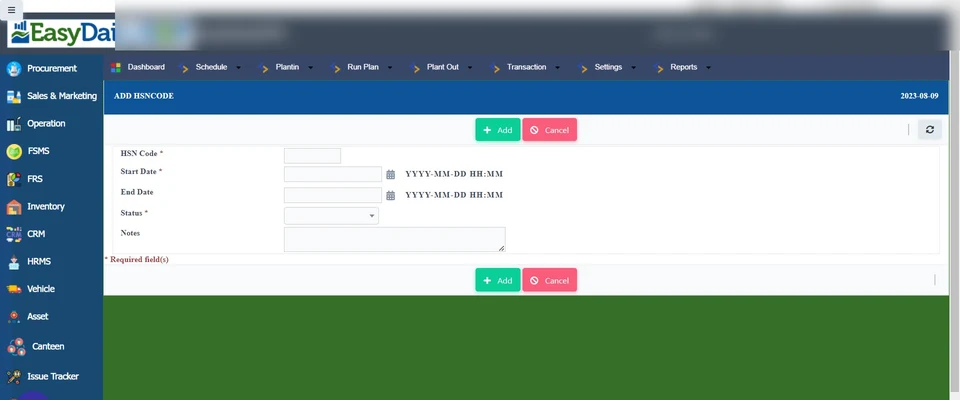
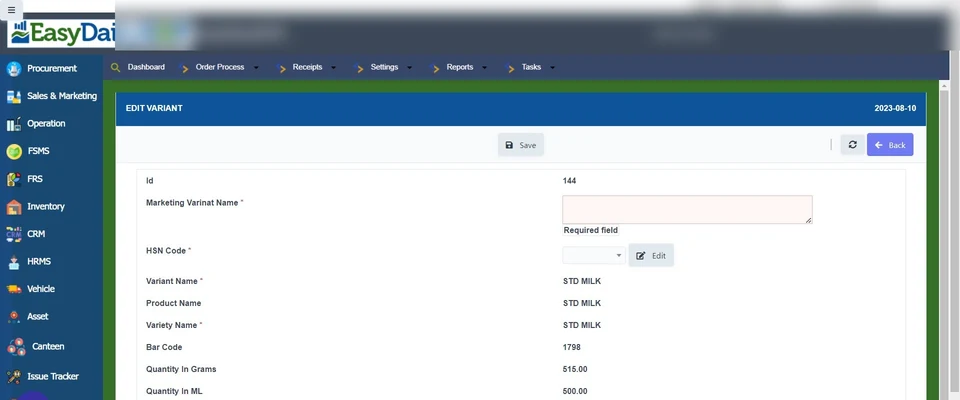
Maps each product to its marketing (print) name and HSN code.
See how →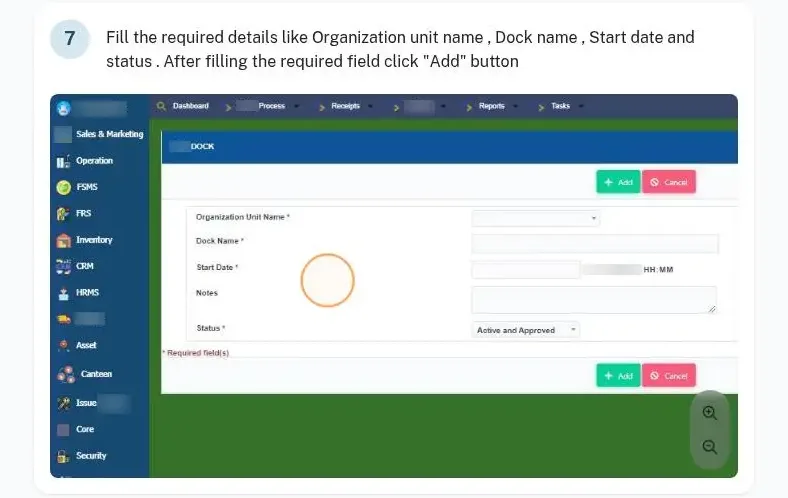
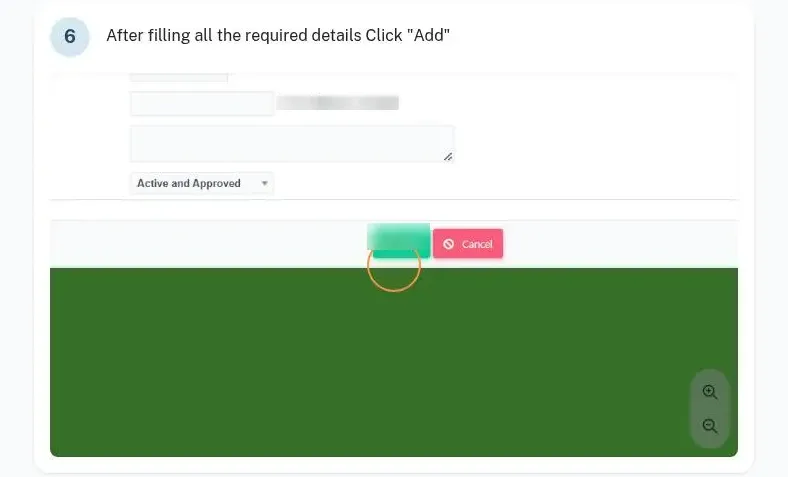
Creates the dispatch docks and maps each to an organisation unit.
See how →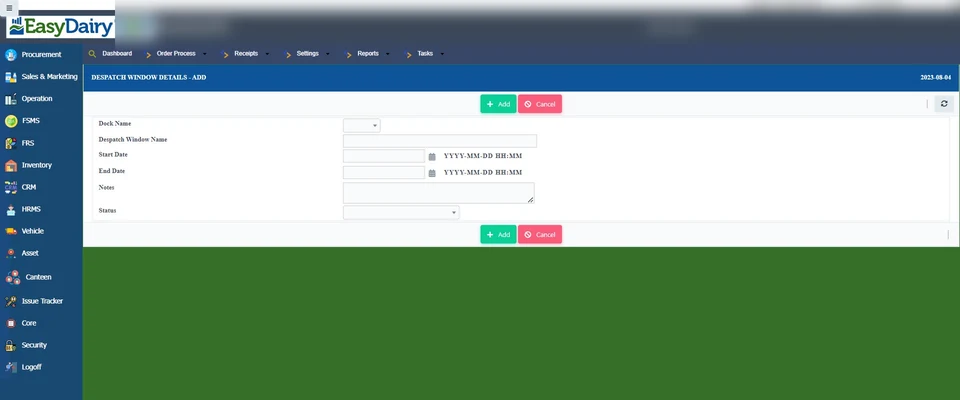
Sets up each route: route type, name, secondary route and route configuration.
See how →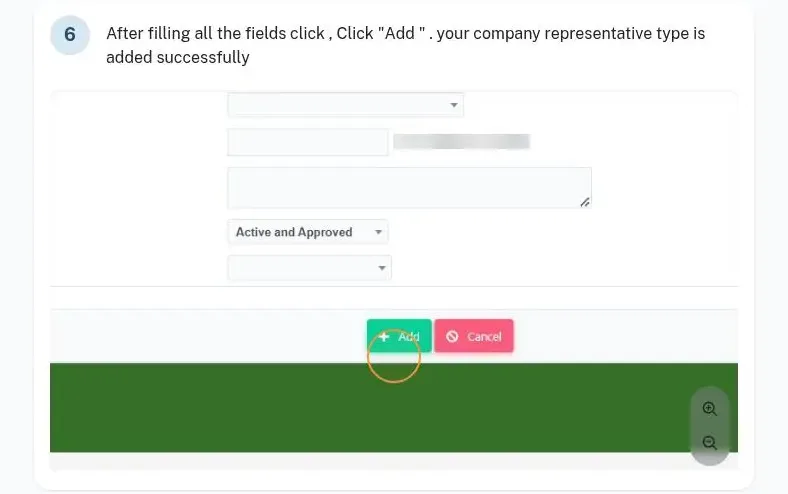
Adds company representatives (SH, MM, RSM, ZSM, ASM, ASO, SO) and their reporting hierarchy.
See how →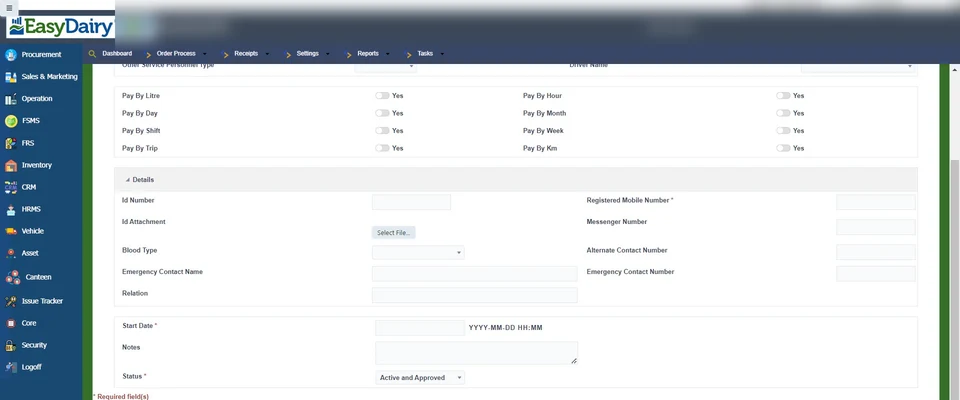
Adds drivers, salesmen and vehicle boys with their rate and pay types.
See how →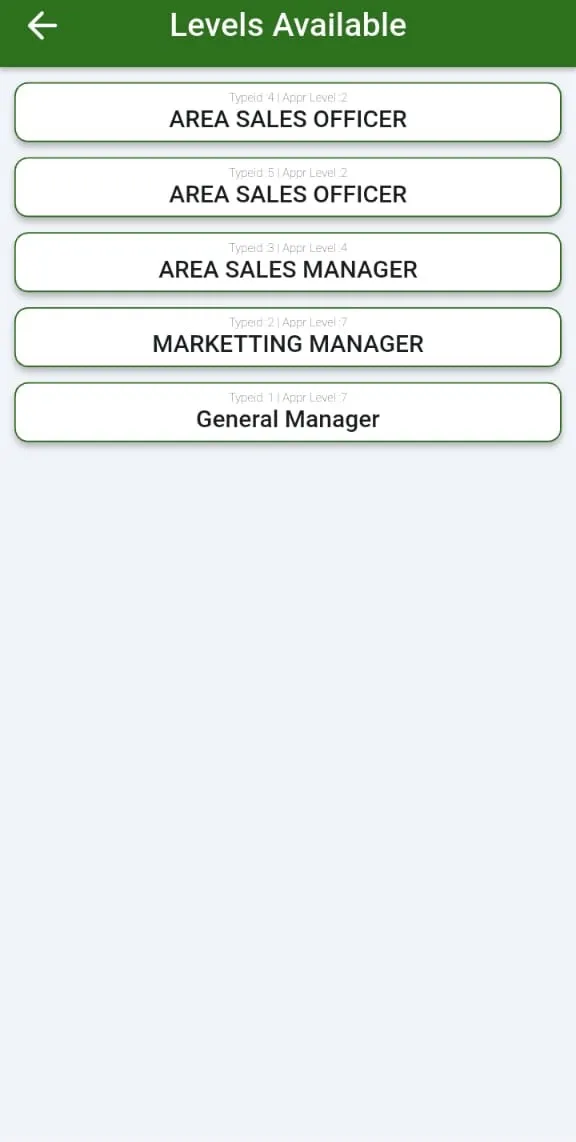
Each level (ASO, ASM, RSM, ZSM, management) sees only its own routes and customers in the app.
See how →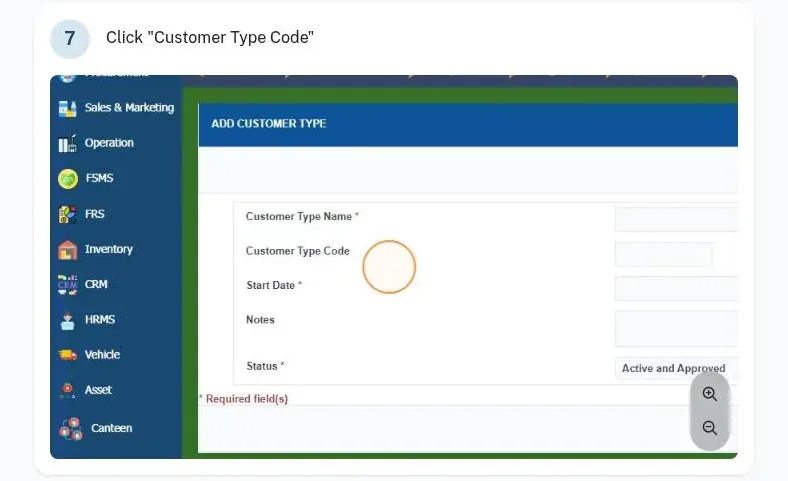
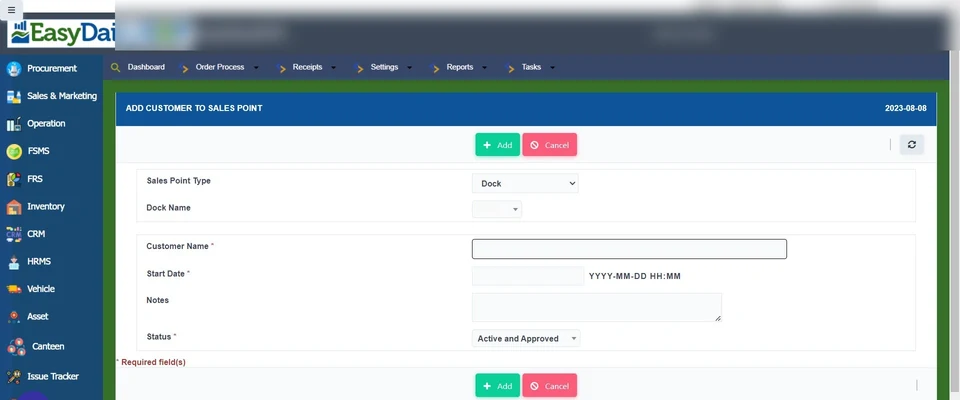
Adds each customer with customer type, route, sales point and representative. Customer types cover distributors, dealers, institutions and other buyers.
See how →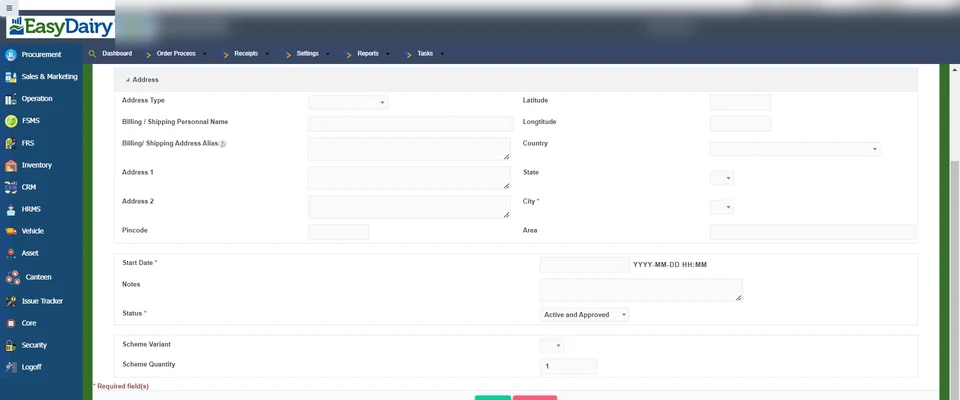
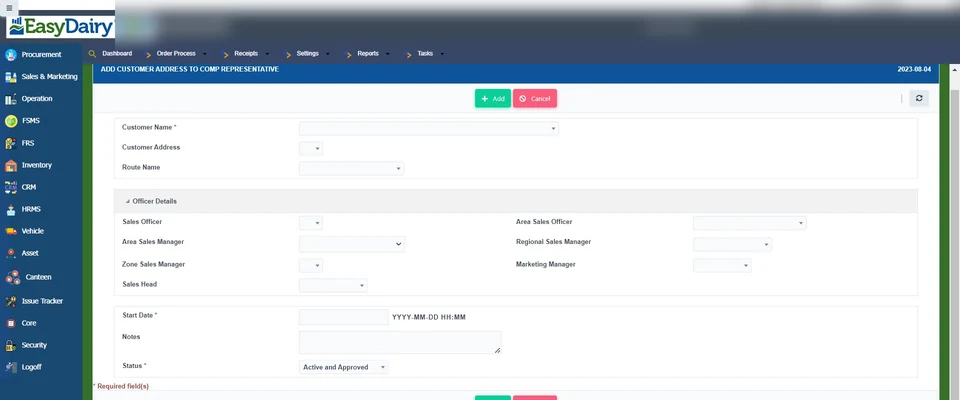
Assigns each customer address to the representative who looks after it.
See how →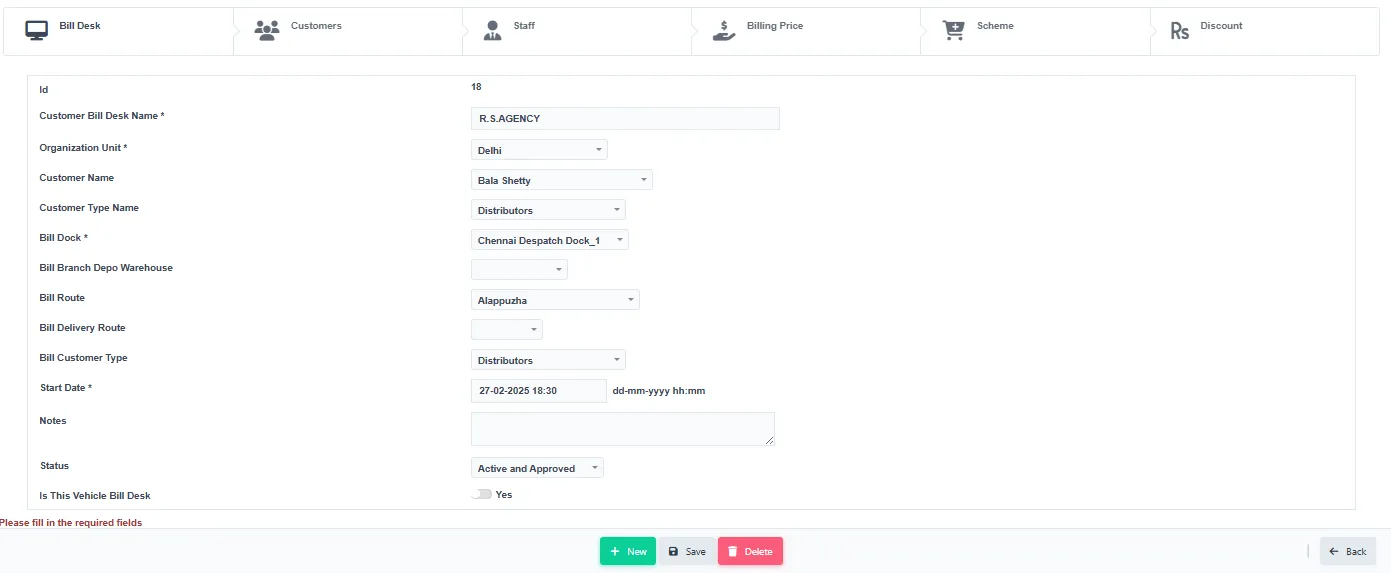
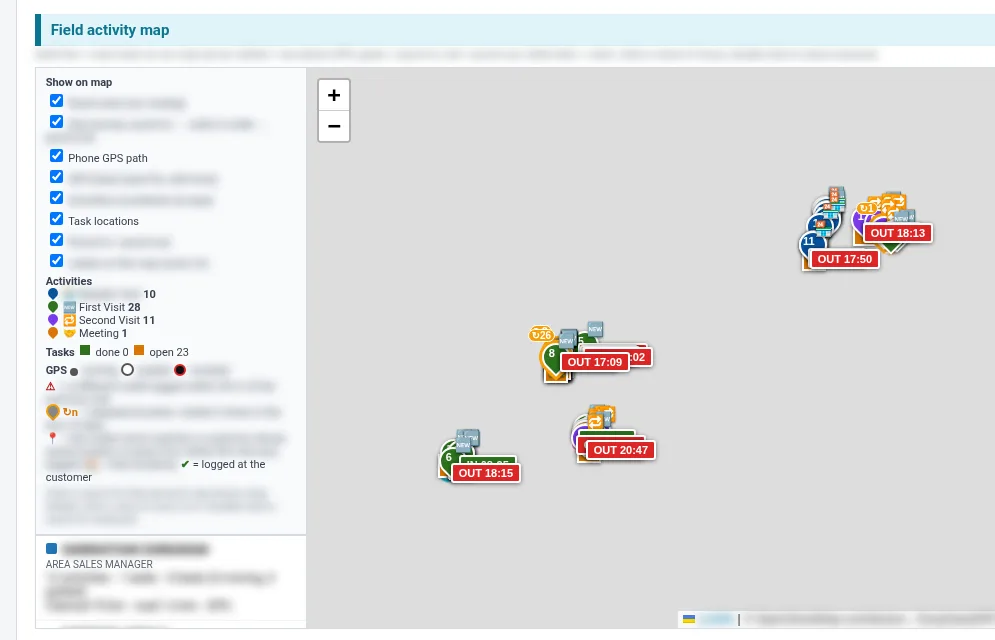
Stores the GPS location of each sales customer, used for delivery, maps and route-length checks.
See how →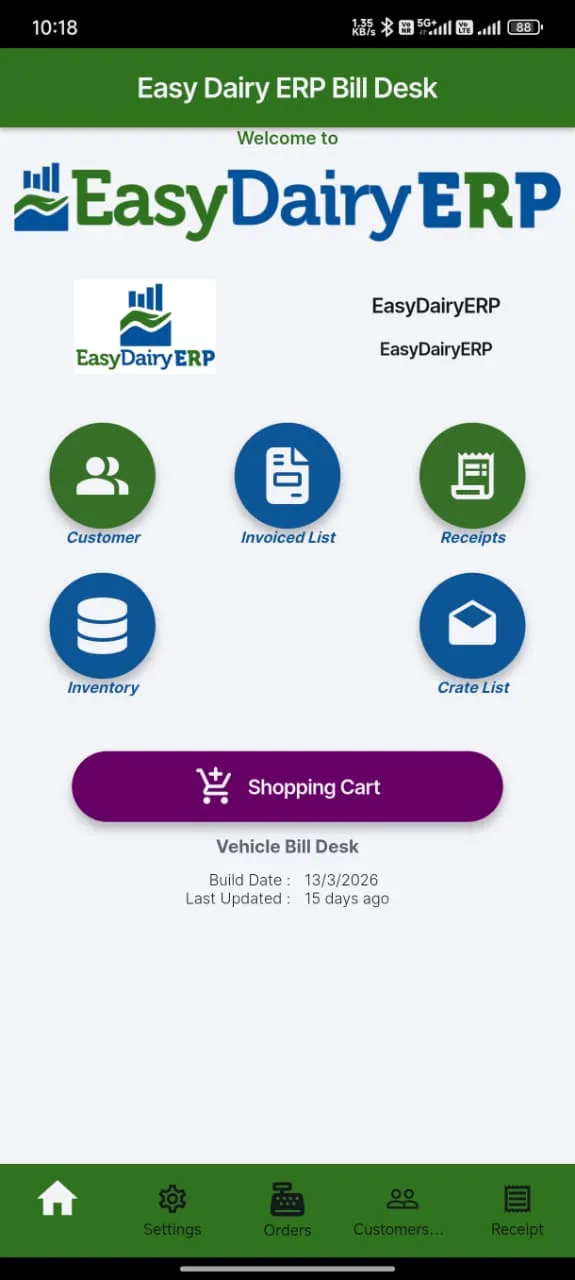
Distributors bill their own dealers on mobile, with sub-billing and dealer stocks.
See how →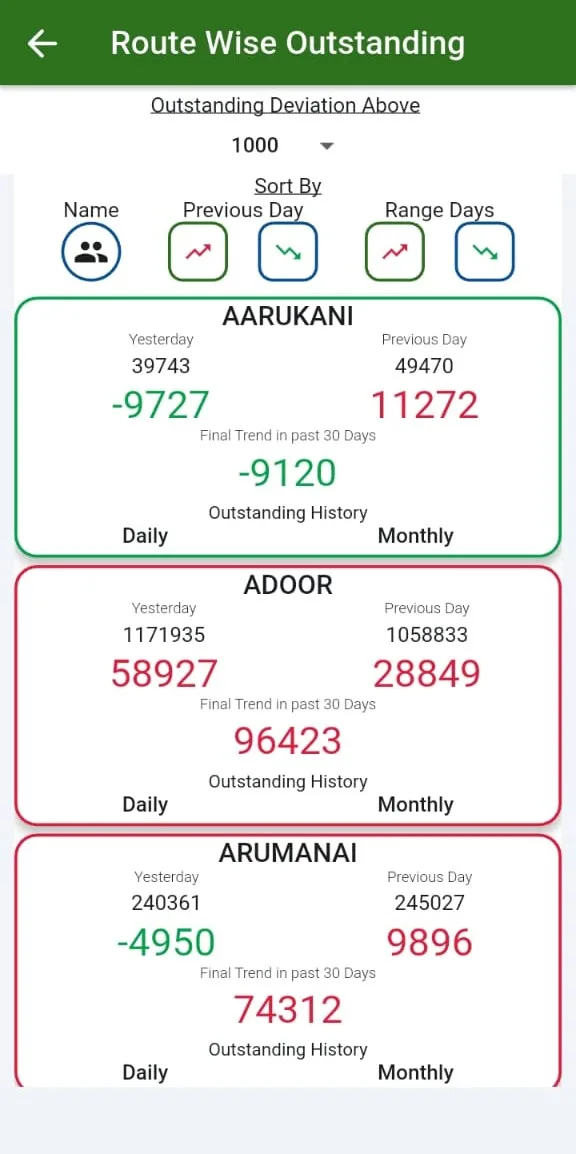
Sets credit limits per customer with automatic stop-billing and dynamic approvals.
See how →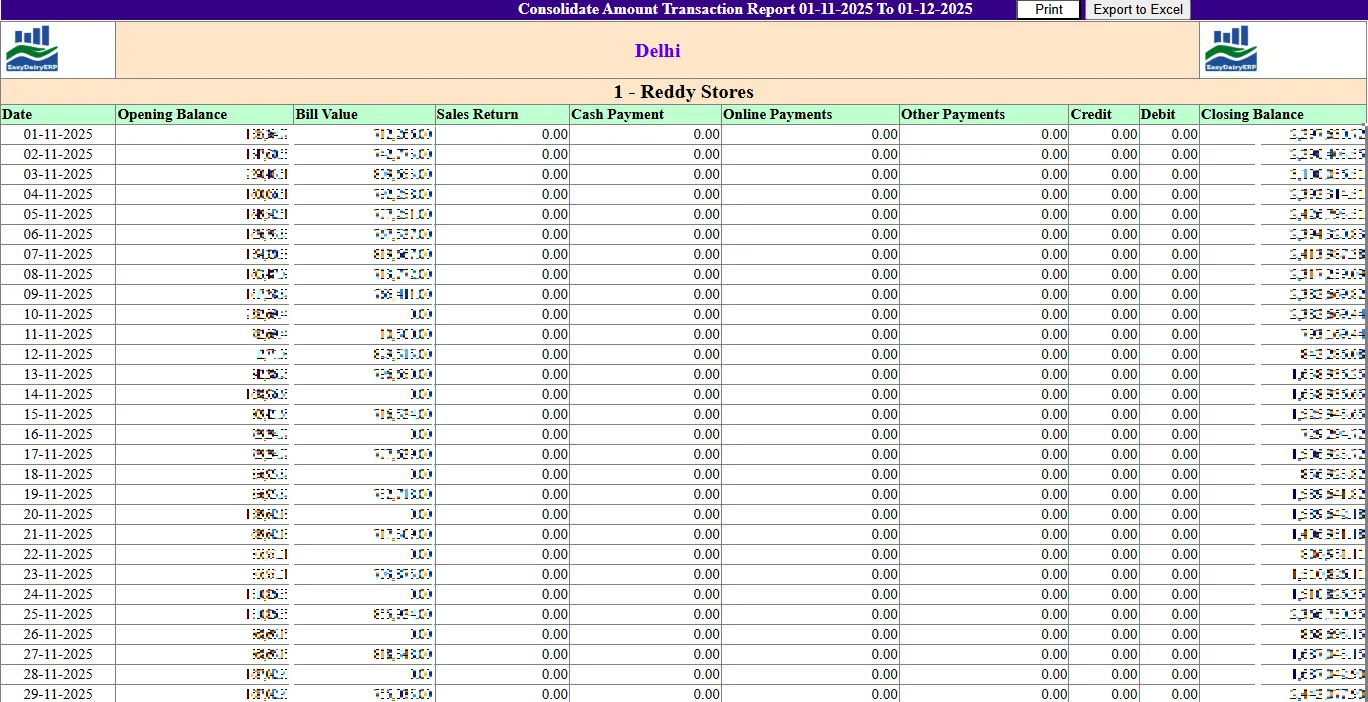
Keeps customer data and interactions in one place: profile, purchase history, buying preferences and concerns, for existing and prospective customers.
See how →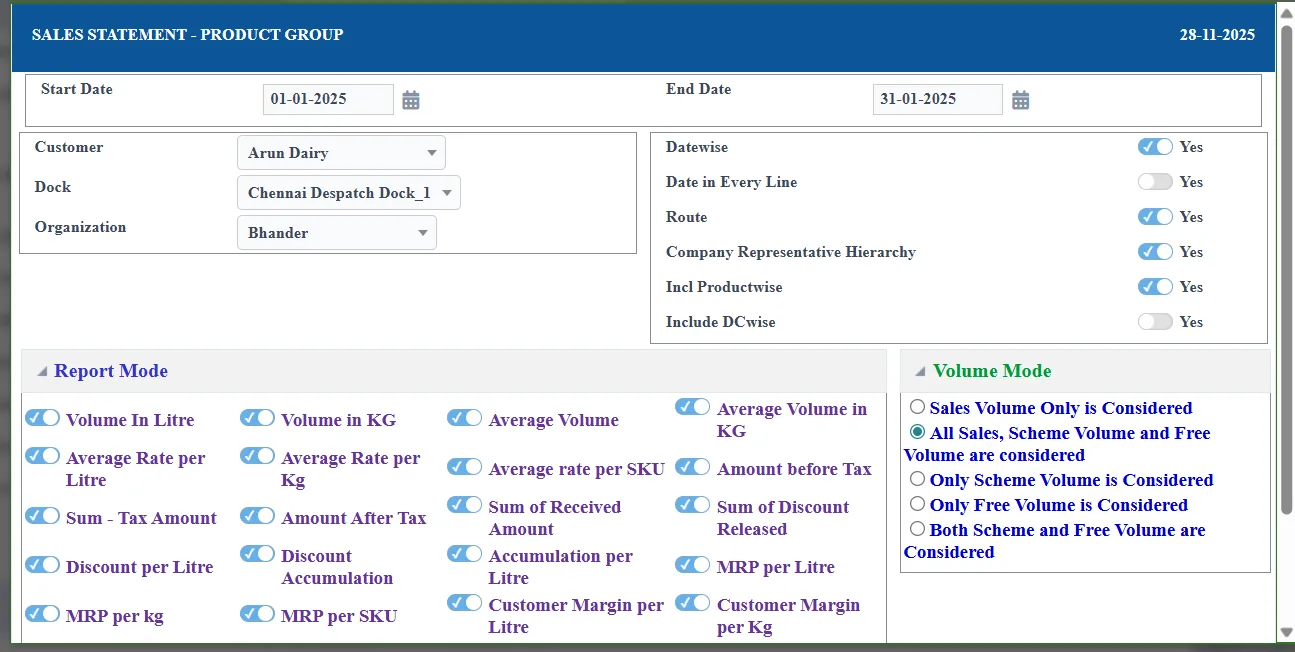
Keeps sales data, including branding costs and distribution, ready for analysis.
See how →Dairy pricing is never one number. EasyDairyERP keeps MRP, tax and billing prices by product, customer type and customer, with approvals, then layers additions, discounts, slab and random trade discounts, free-product schemes and distributor-dealer incentives on top.
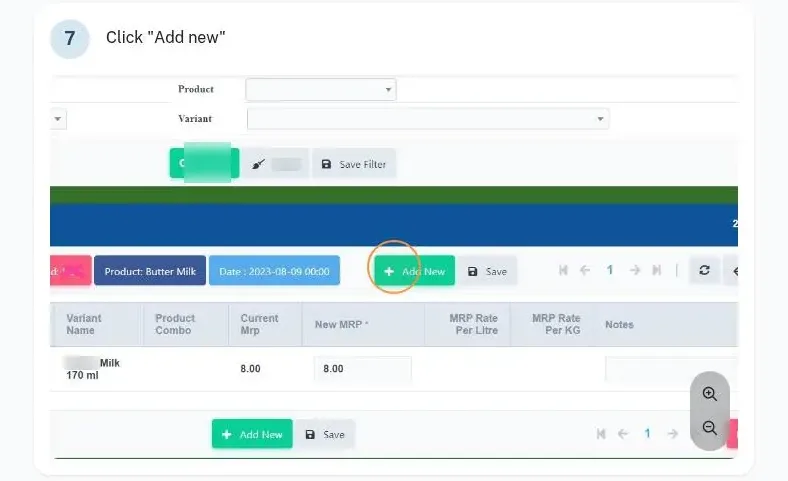

Sets billing price by product, customer type or individual customer, tax inclusive or exclusive, and routes changes for approval.
See how →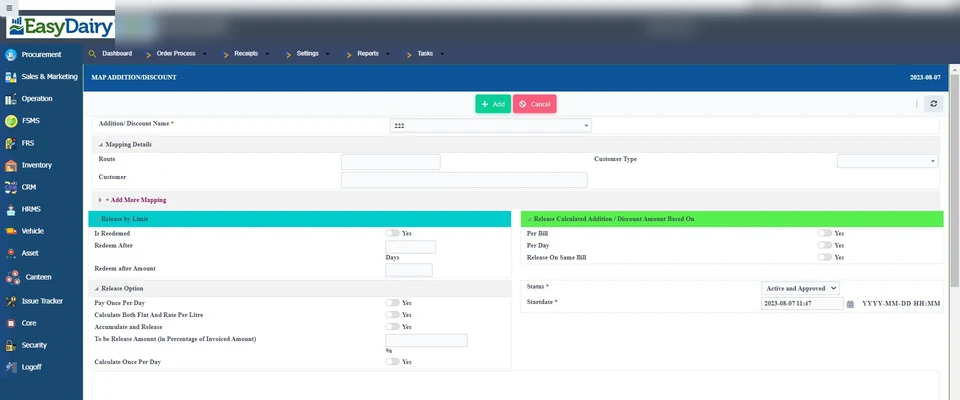
Defines additions and discounts, including slab-based ones.
See how →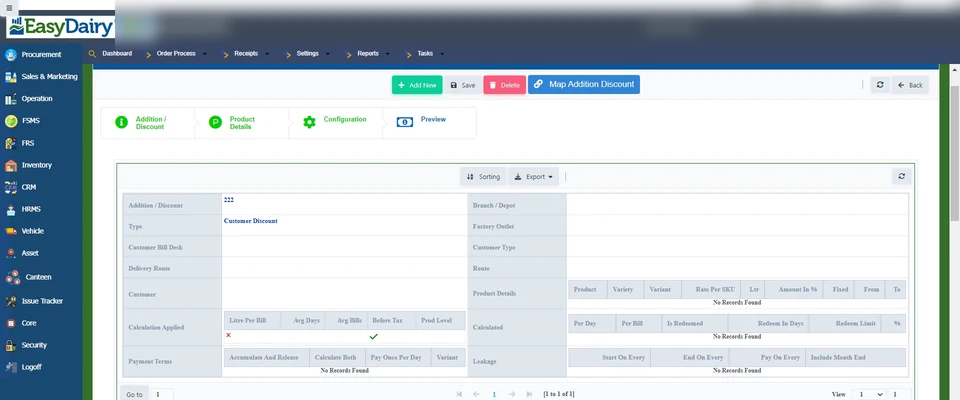
Daily, fortnightly, monthly and random trade discounts, including slab-wise trade discount.
See how →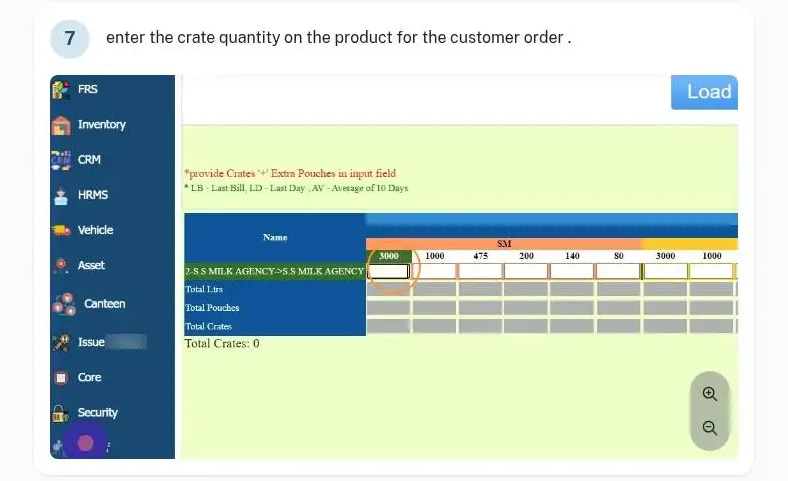
Gives a free product on a billed product, with scheme settings and control.
See how →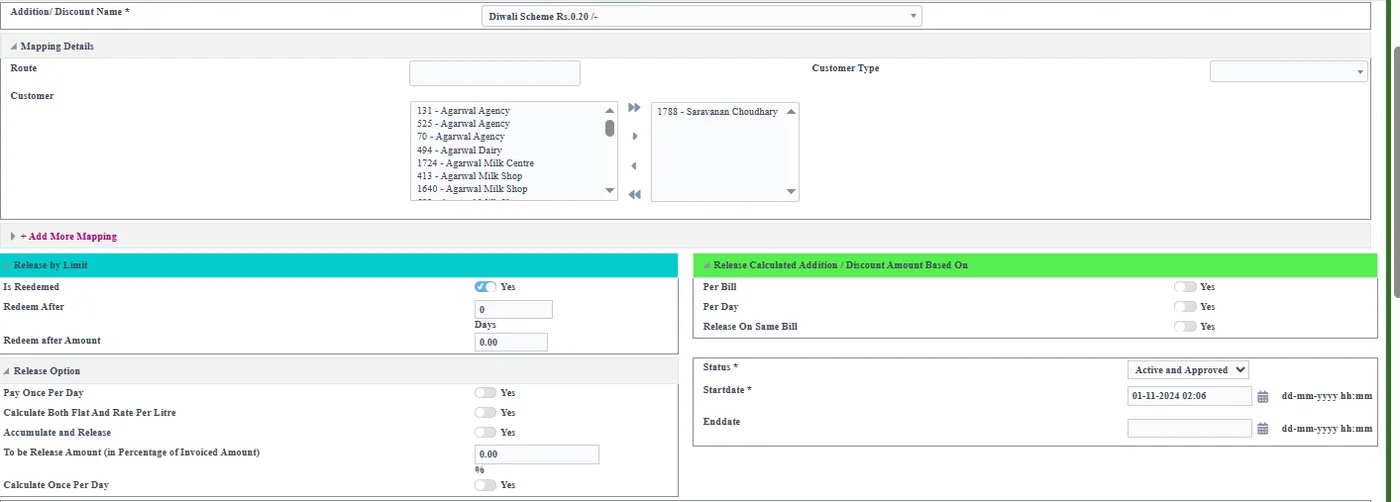
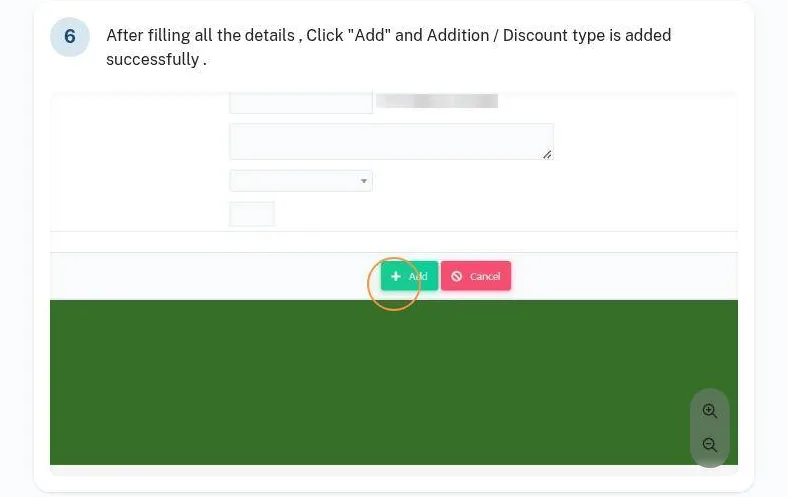
Slab incentives, distributor-dealer incentives and multiple billing structures.
See how →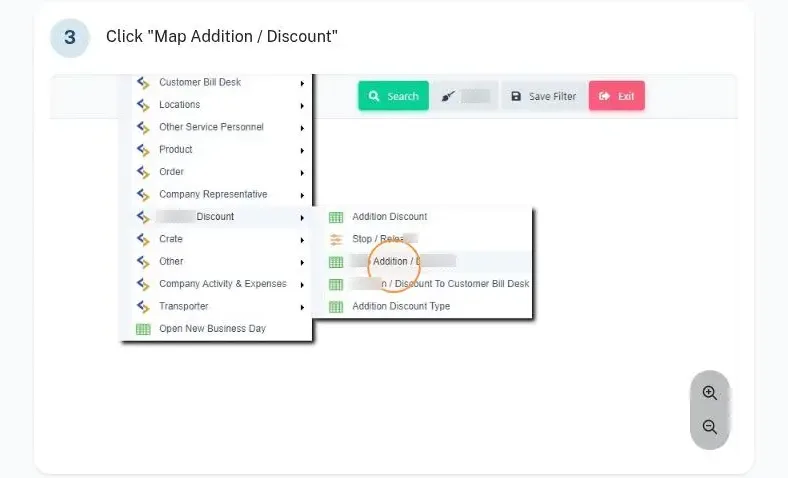
Statements of incentives and discounts by customer and by incentive type.
See how →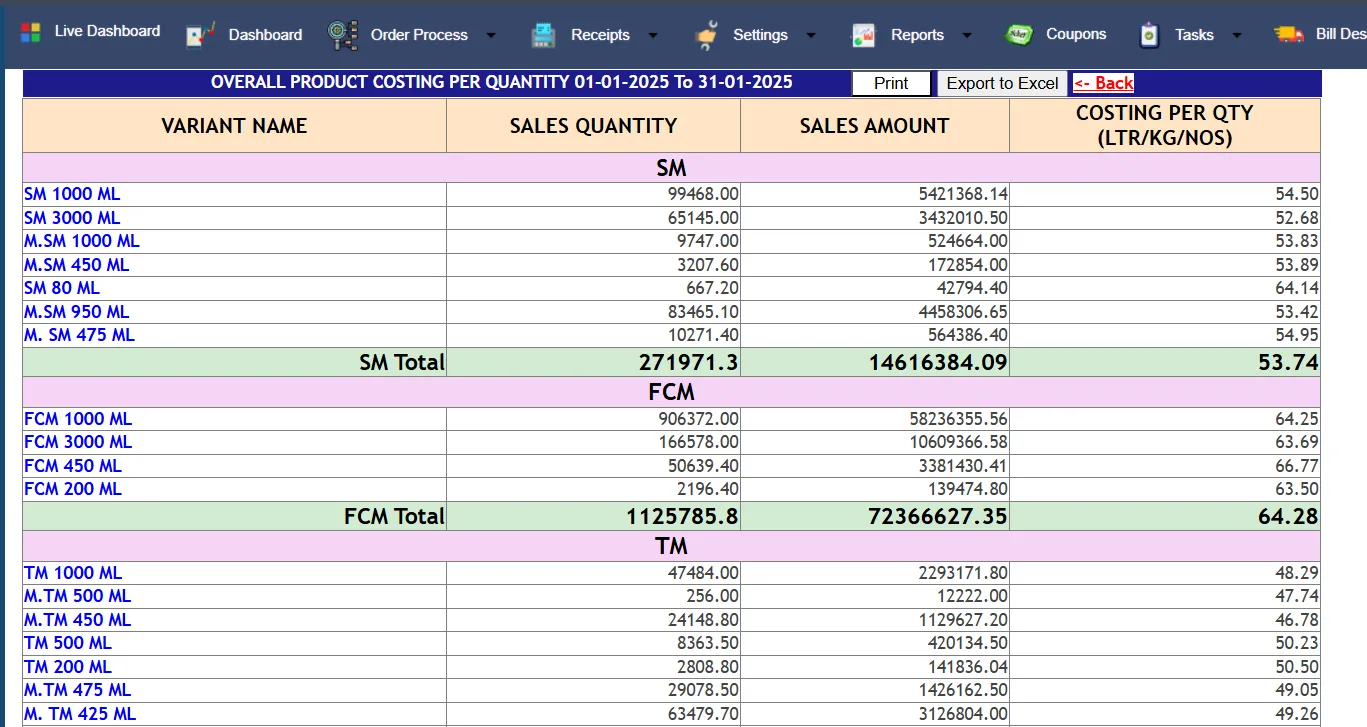
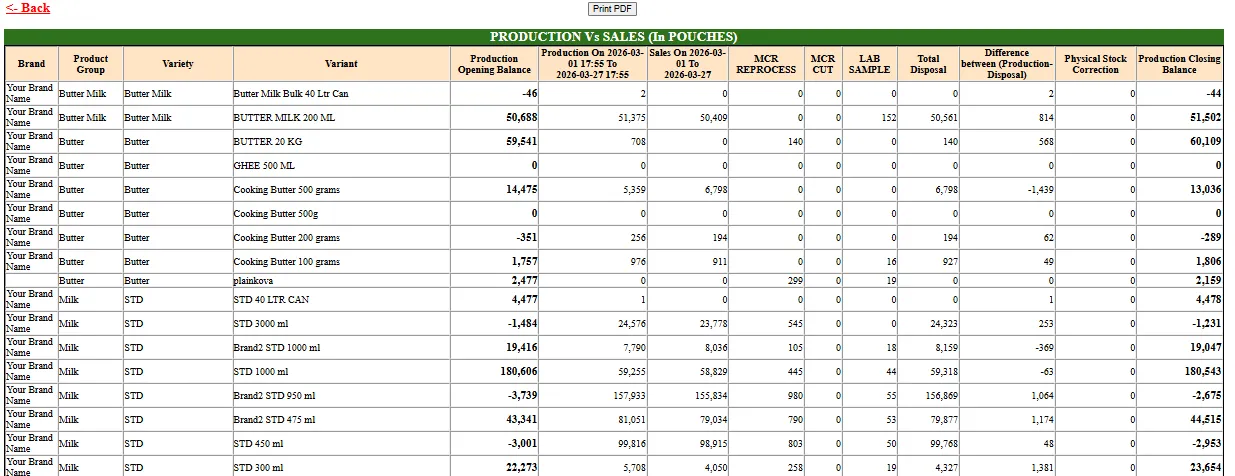
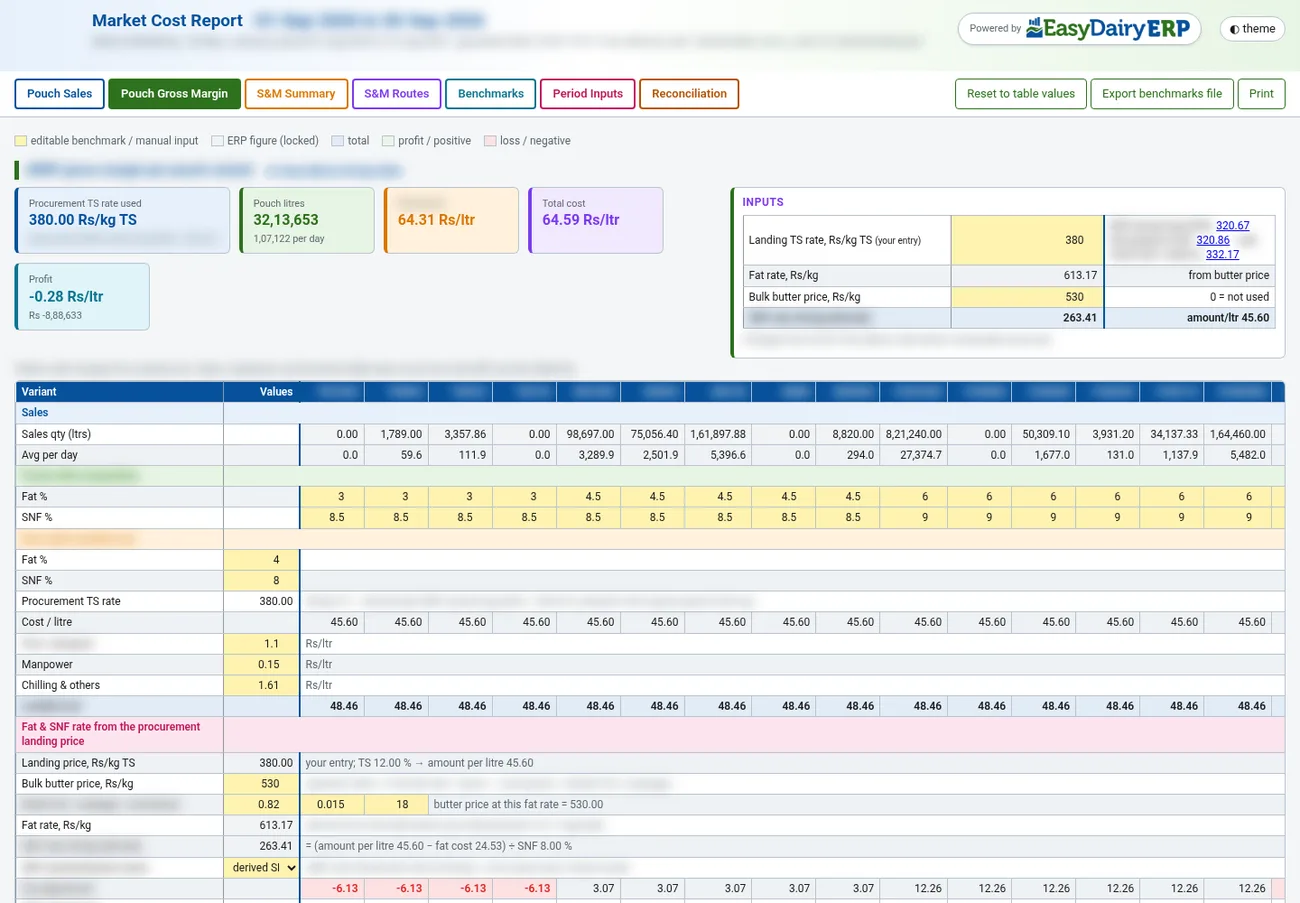
Gross margin per pouch variant from sales, procurement TS rate and benchmarks.
See how →Orders come in from the desk, from the sales team in the field, and straight from customers, distributors and dealers on their phones. Four order screens, order books, quick-fill helpers, approvals and fund checks make the daily indent fast and safe.
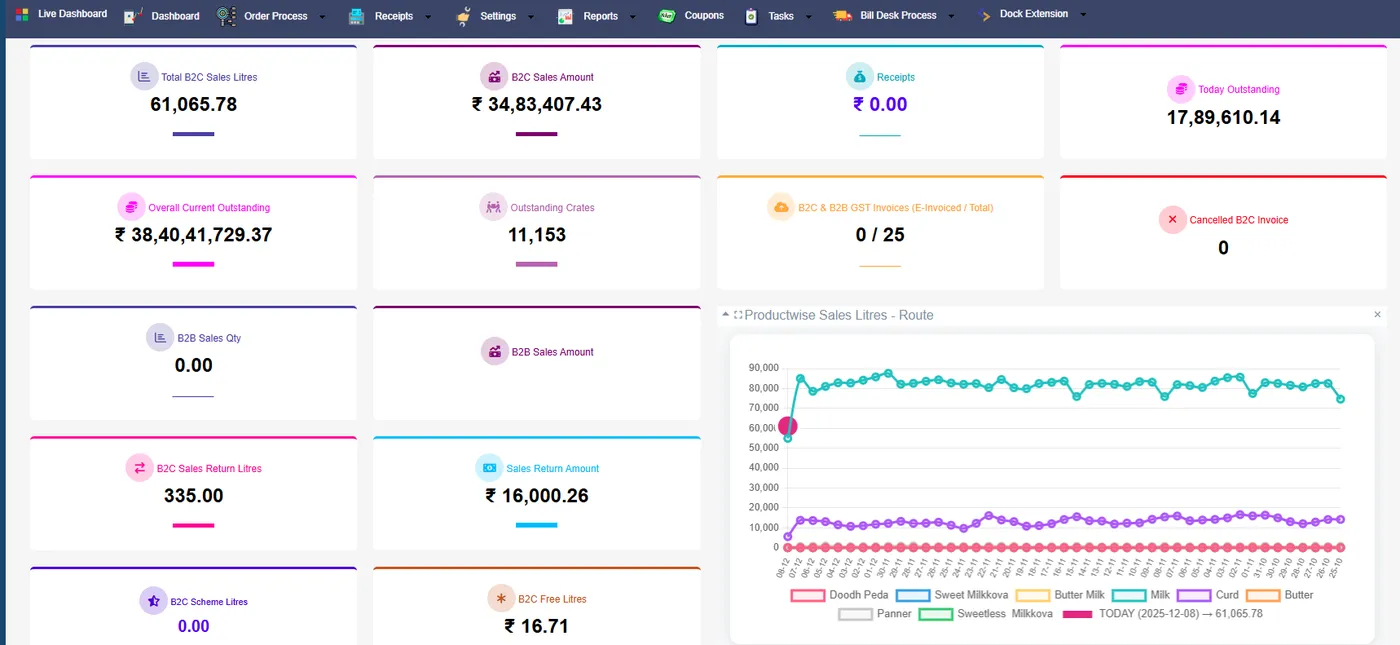
Opens the sales day, which sets the sales date for all transactions.
See how →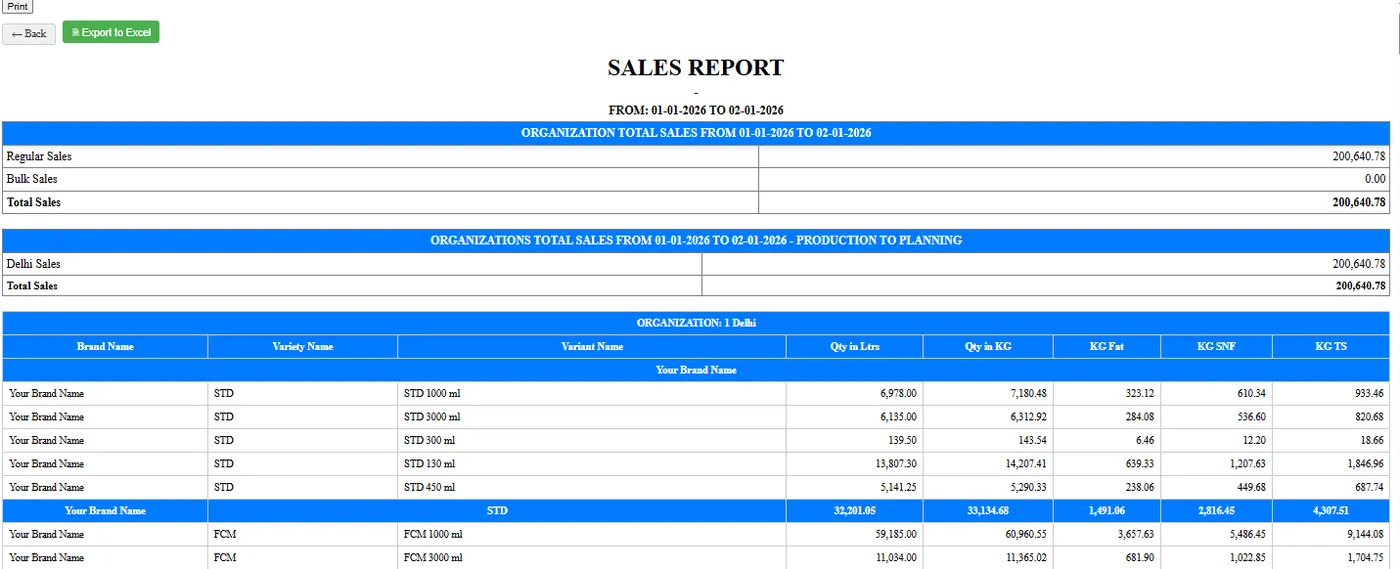
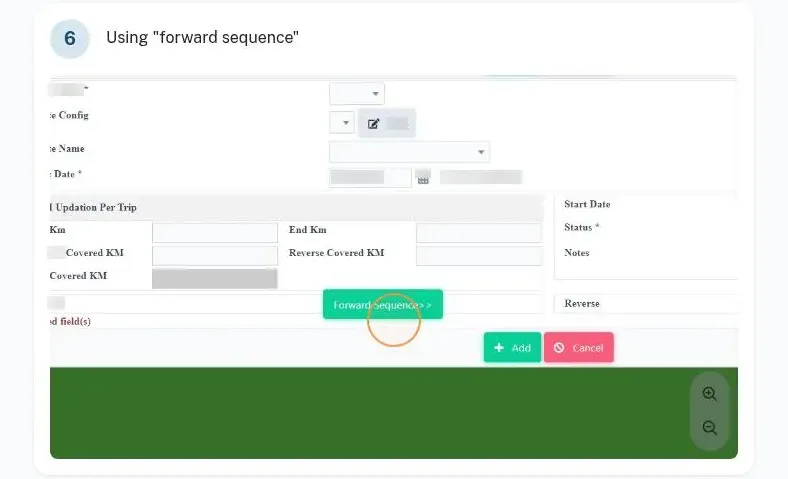
Close the day whenever ready and forward invoice dates when needed.
See how →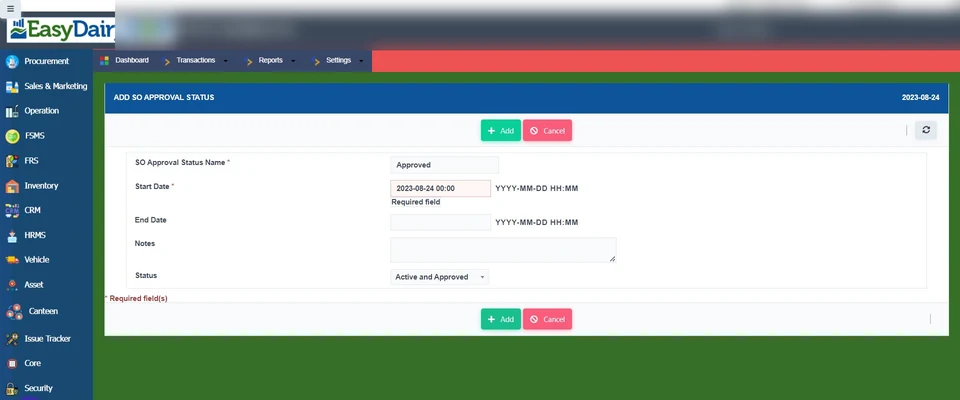
Configures order types and their approval statuses.
See how →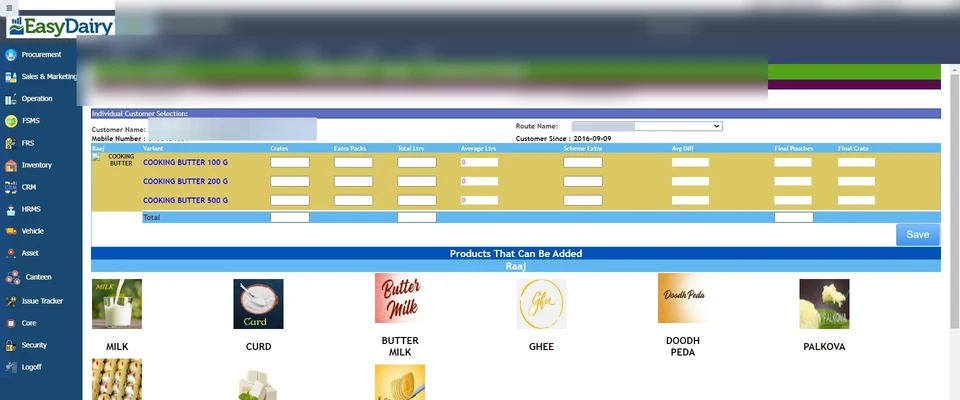
Order book by customer (1A) and by route (1B) for fast daily entry.
See how →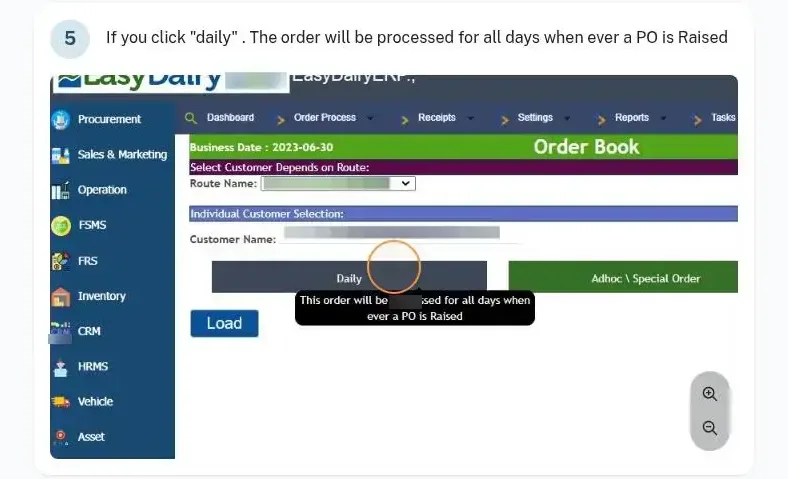
Order by crates, by SKU / pouches, by litre with crates, or by litre only; default type set in Core.
See how →Shows last-day bill value, last bill value and the 10-day average; customer sales average for quick quantity billing.
See how →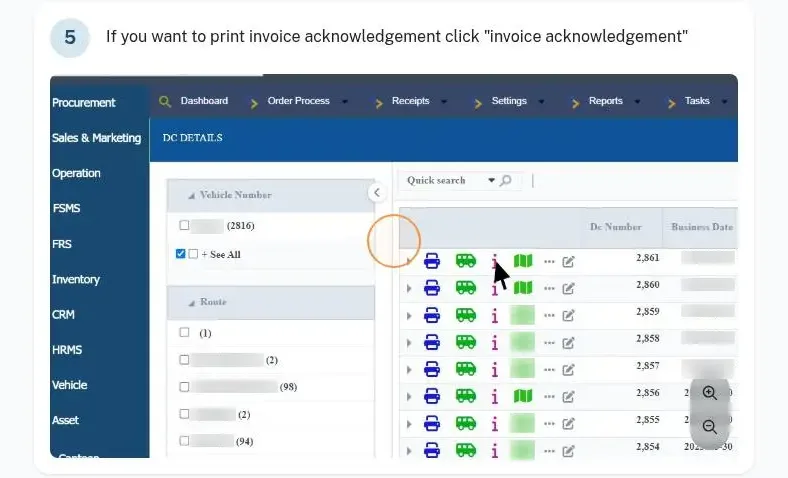
Supports regular route dispatches, retail sales and bulk sales.
See how →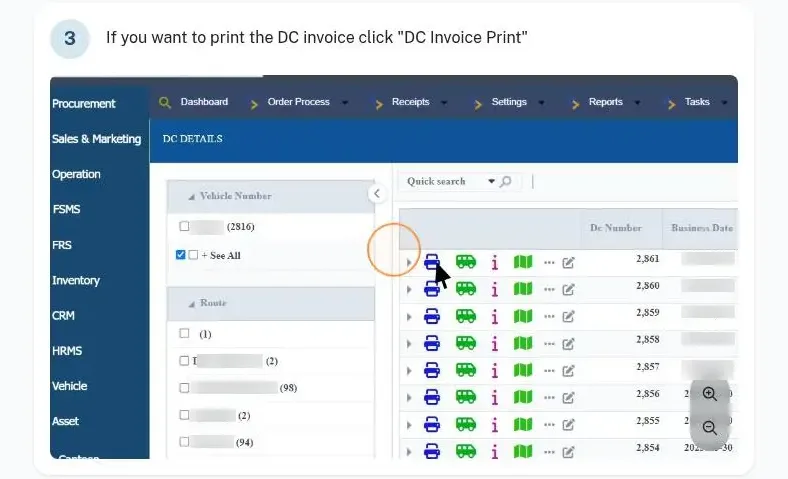
Bulk sales flow from quotation to proforma invoice to invoice.
See how →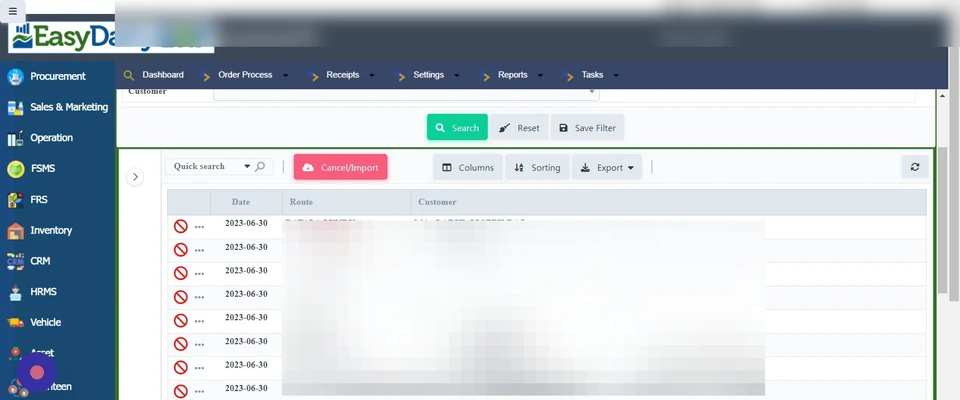
Customers place their own orders on the mobile app and see live order status.
See how →ASOs approve customer orders and orders that deviate from normal.
See how →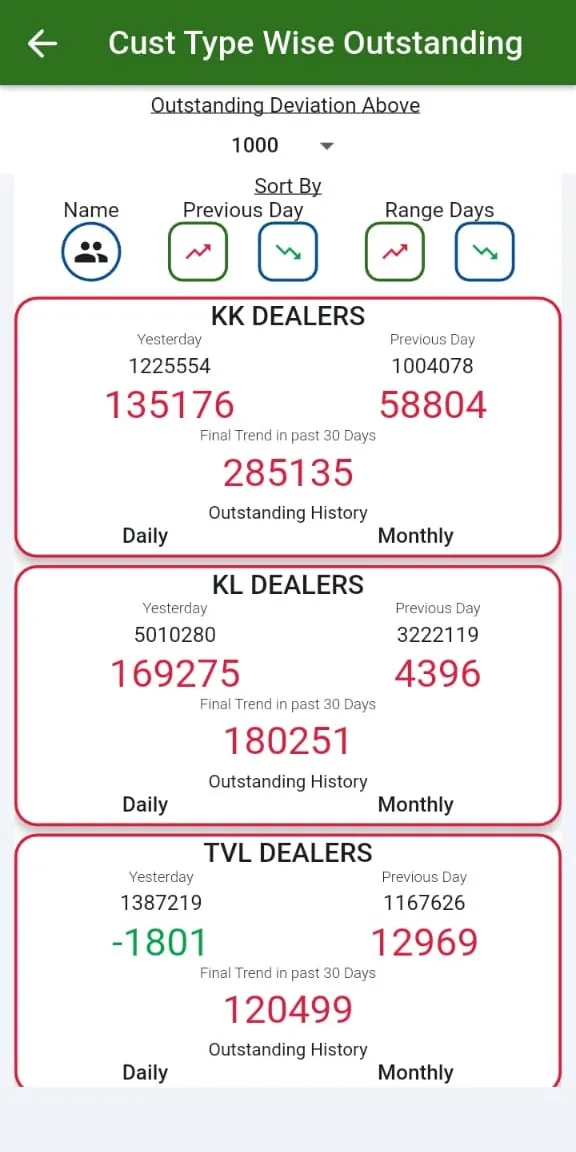
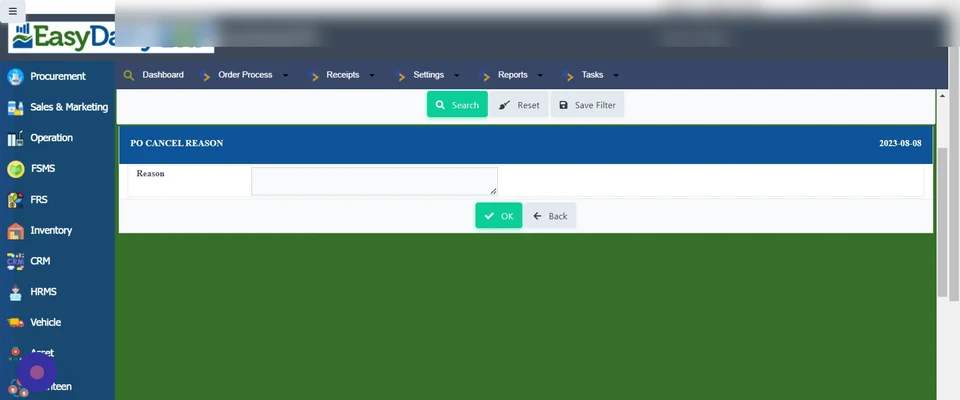
Locks customer orders based on available funds and releases them once cleared.
See how →Distributors take dealer orders and bill dealers on mobile, with sub-billing and stocks.
See how →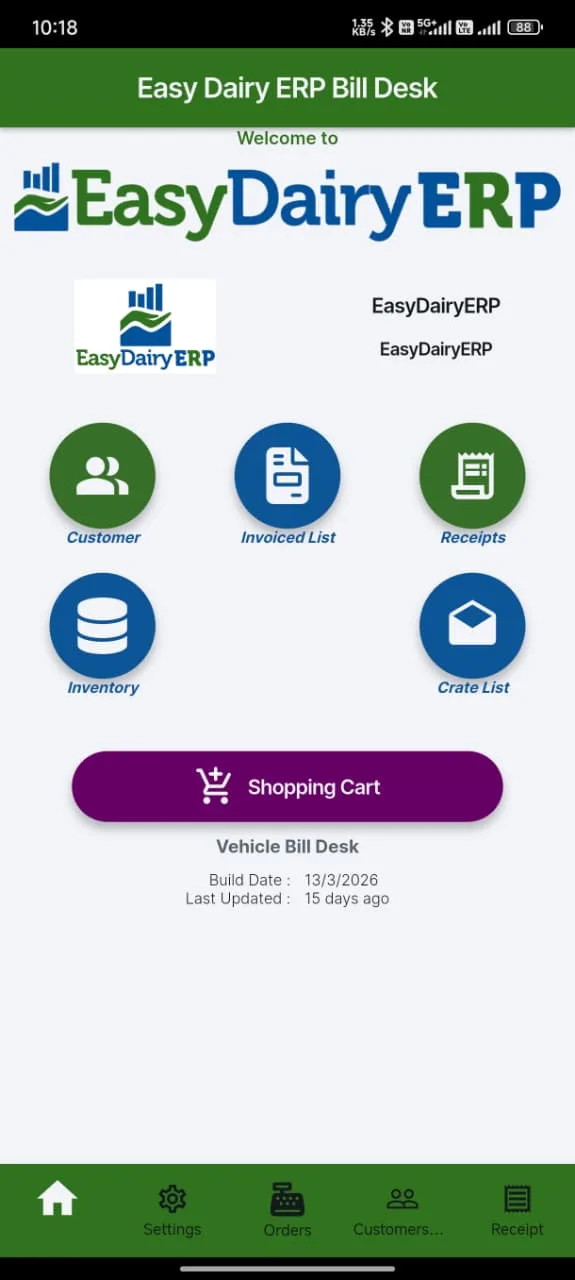
Mobile bill desk for customers and a mobile app for vehicle (van) billing.
See how →Live billing and order reports on mobile.
See how →Customers see the delivery vehicle on the portal and in the app.
See how →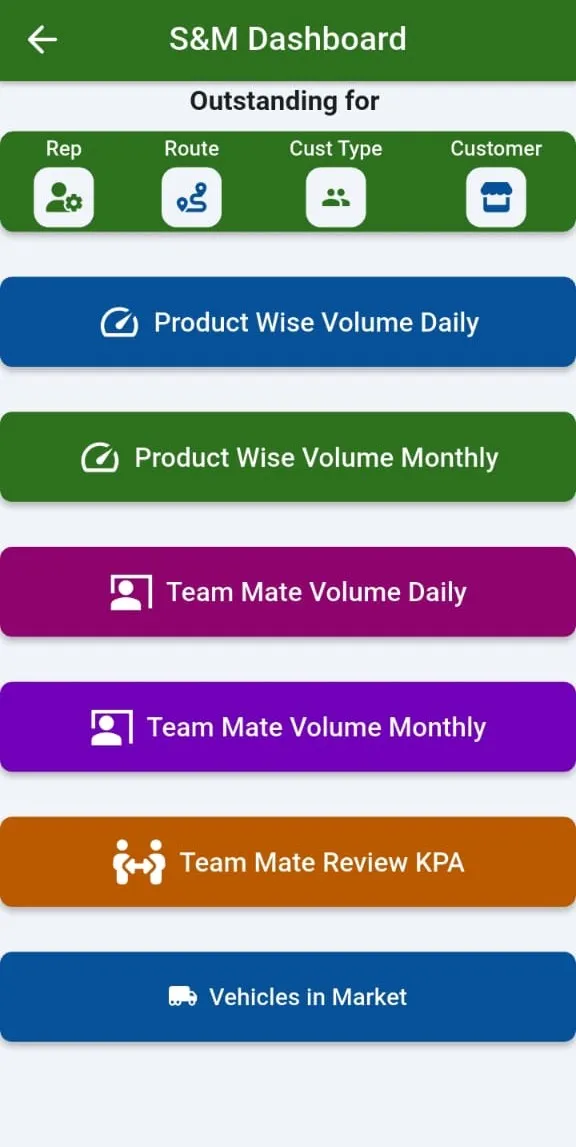
The EasyDairyERP app (Android and iOS) carries the sales views. Demo login: mobile number all zeros with OTP 0000.
See how →
Field staff mark attendance, work tasks, run market surveys and claim allowances.
See how →ASOs enter their daily sales report with GPS tags on each visit.
See how →Live GPS tracking of the team, with continuous background location logging initiated by HR.
See how →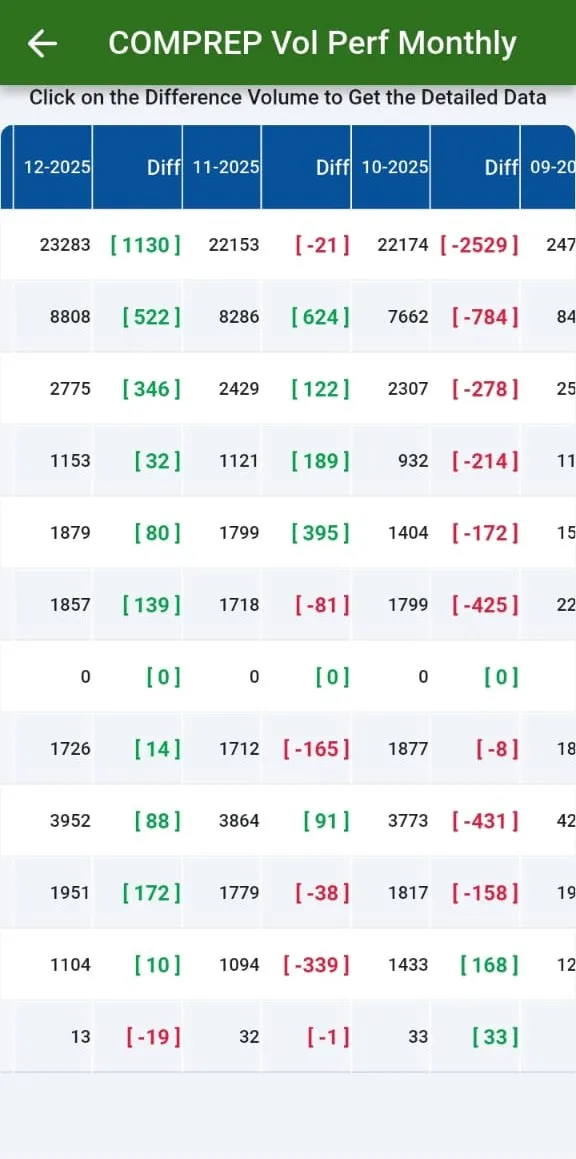
Daily, weekly and monthly review screens for customers and representatives.
See how →Route and ASO-level sales and transaction reports in the app.
See how →GPS tracking of mobile users is included by default in all plans, for sales and procurement.
See how →Once orders are in, the dispatch desk generates POs, picks the dock, vehicle, driver and salesman, prints the dispatch chart, and security checks crates at gate out and gate in. Route trips, delivery routes, vehicle boy payments, transport charges and crate balances close the loop.
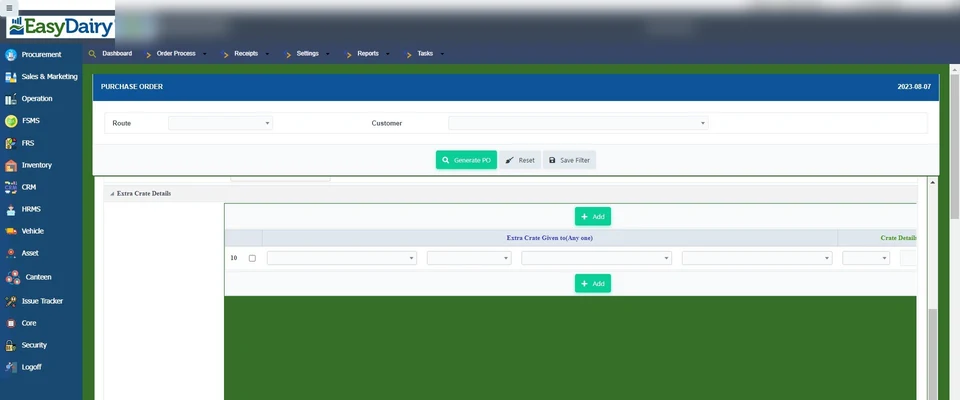
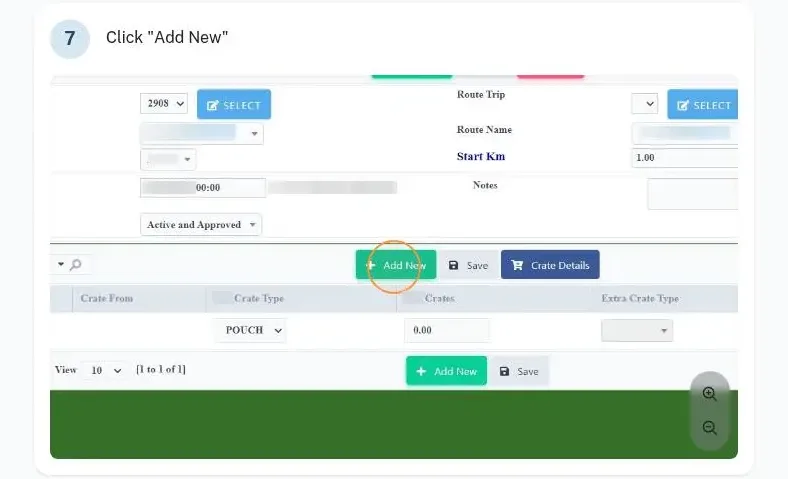
Generates the PO from orders and prepares dispatch: dock, vehicle, driver and salesman.
See how →Prints the dispatch chart, DC customer invoices, and invoice and route acknowledgements.
See how →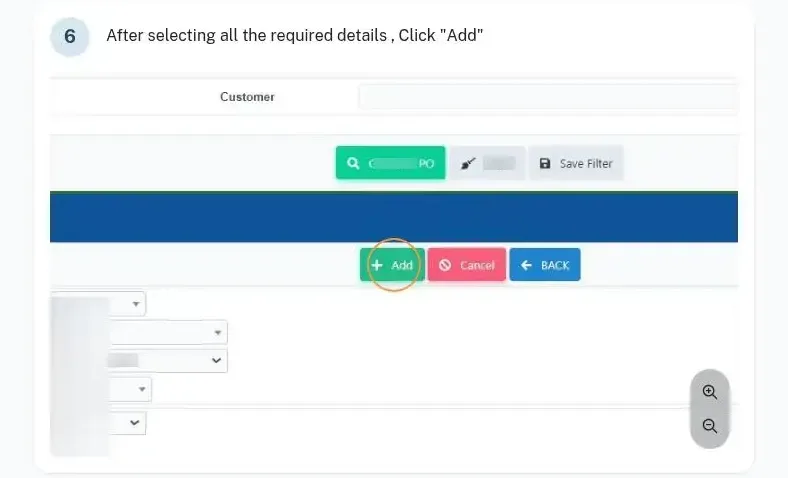
Matches sales pouch weight against weighbridge weight.
See how →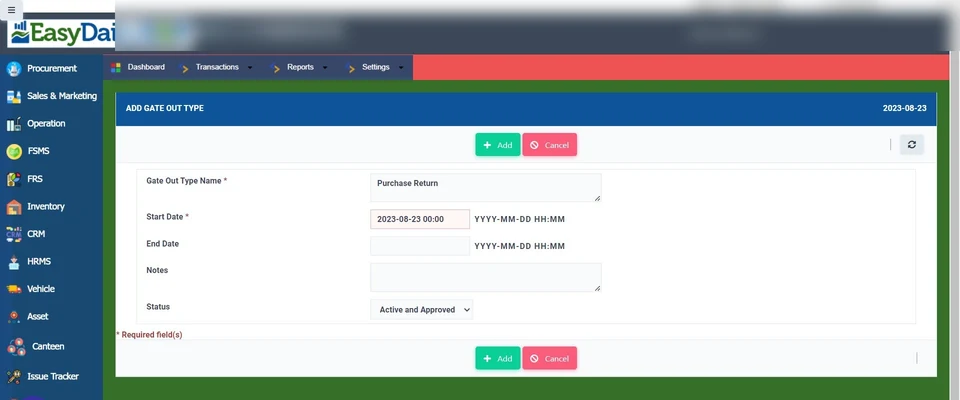
Security records gate out and checks crates against the DC.
See how →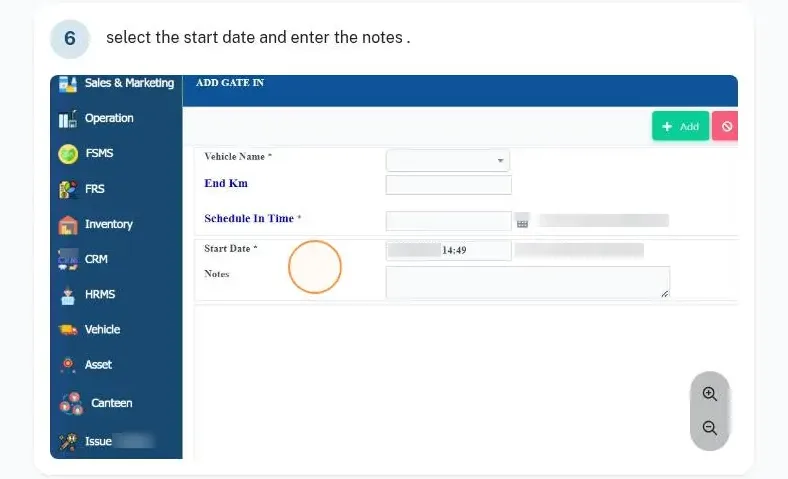
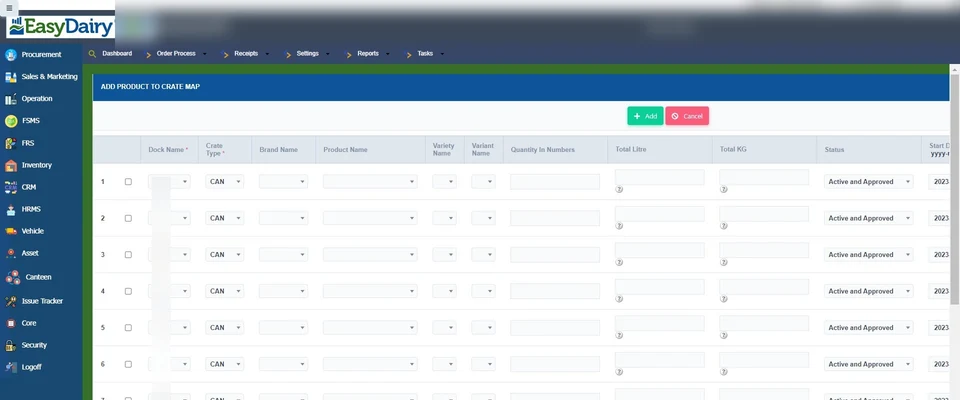
Returnable and non-returnable crate types, and how many units of each product fit a crate.
See how →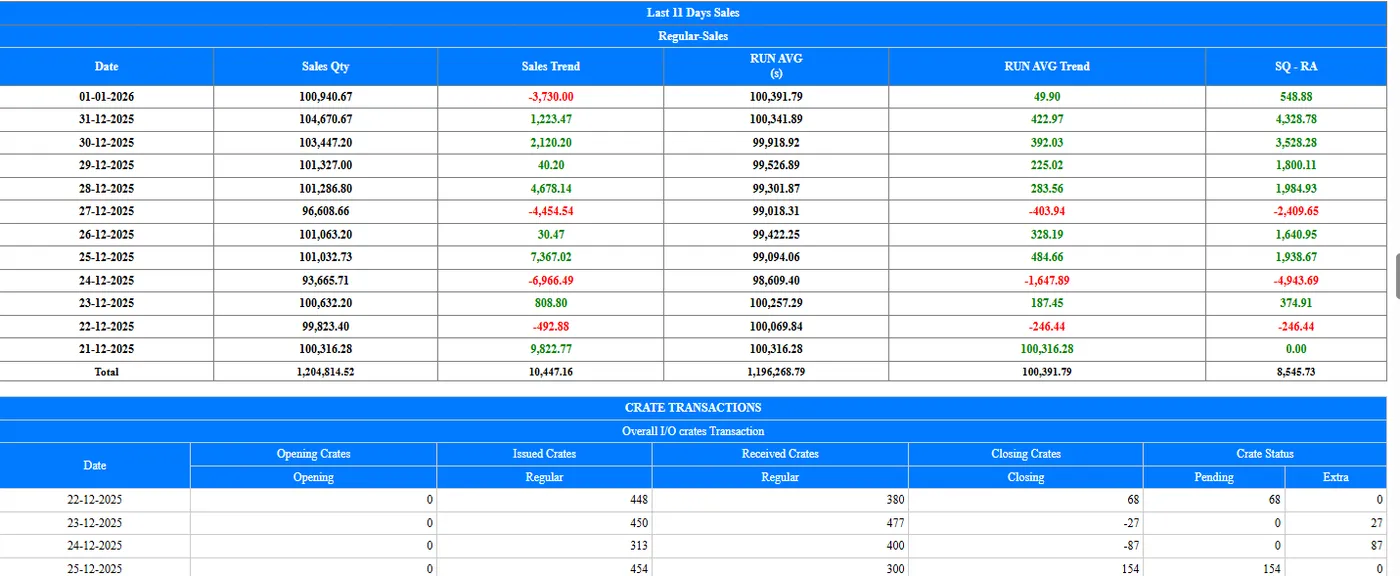
Tracks crates issued and received per customer, with crate receipts at the cashier.
See how →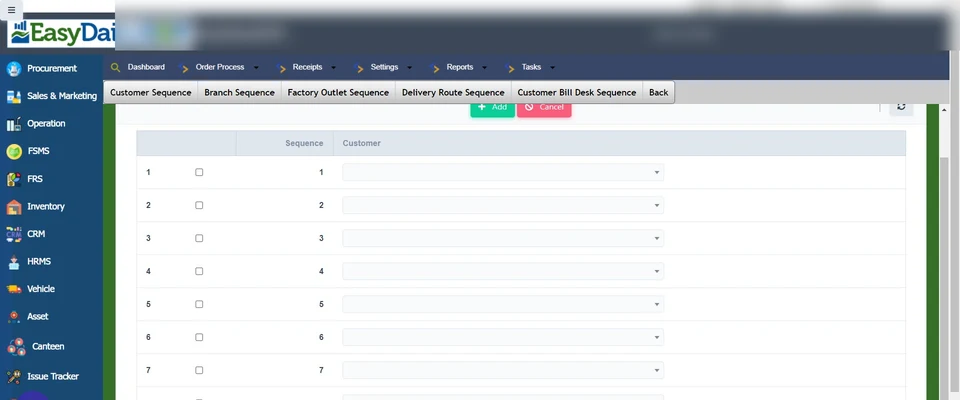
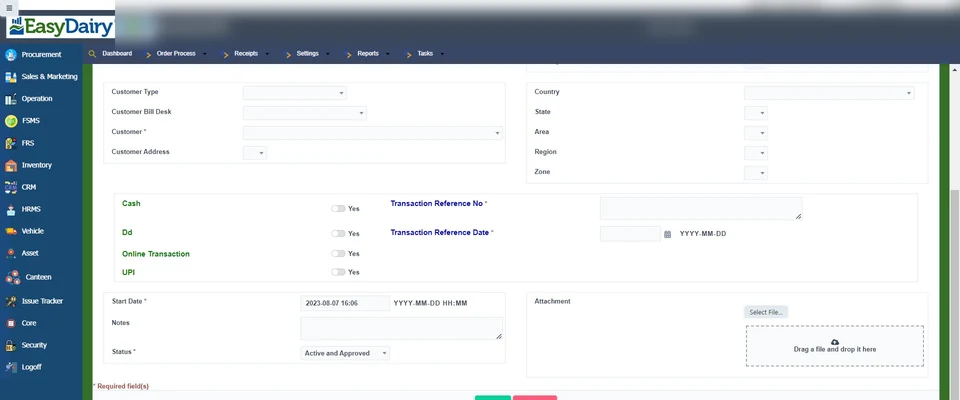
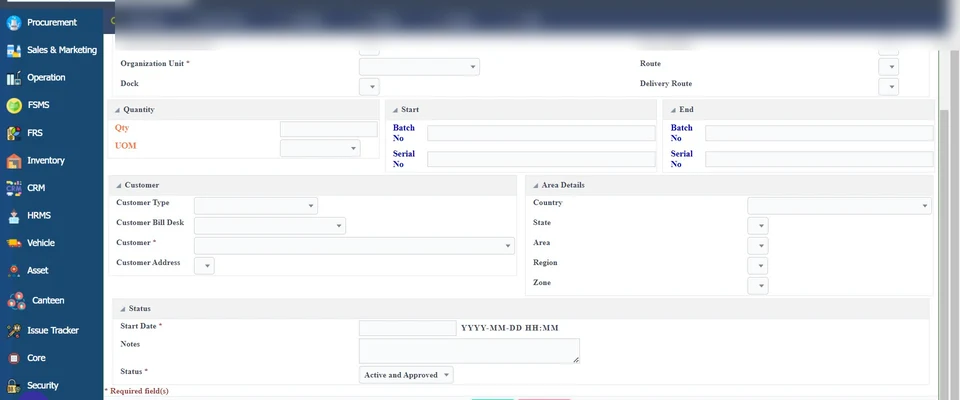
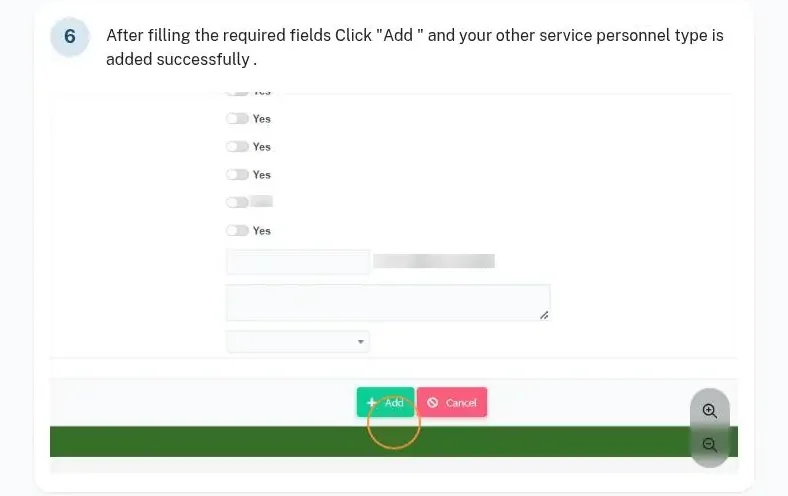
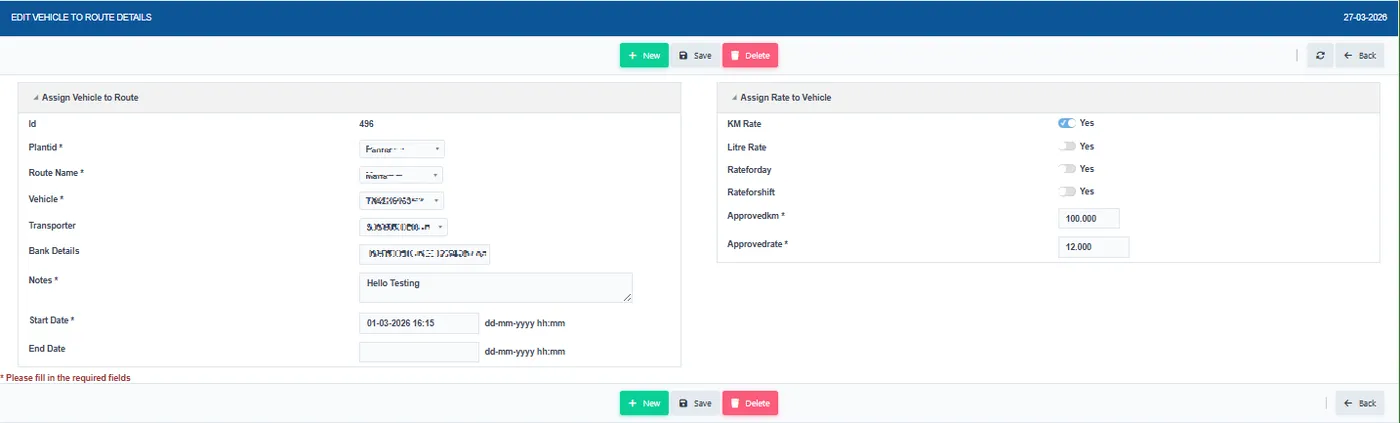
Calculates secondary and outward transport charges and billing.
See how →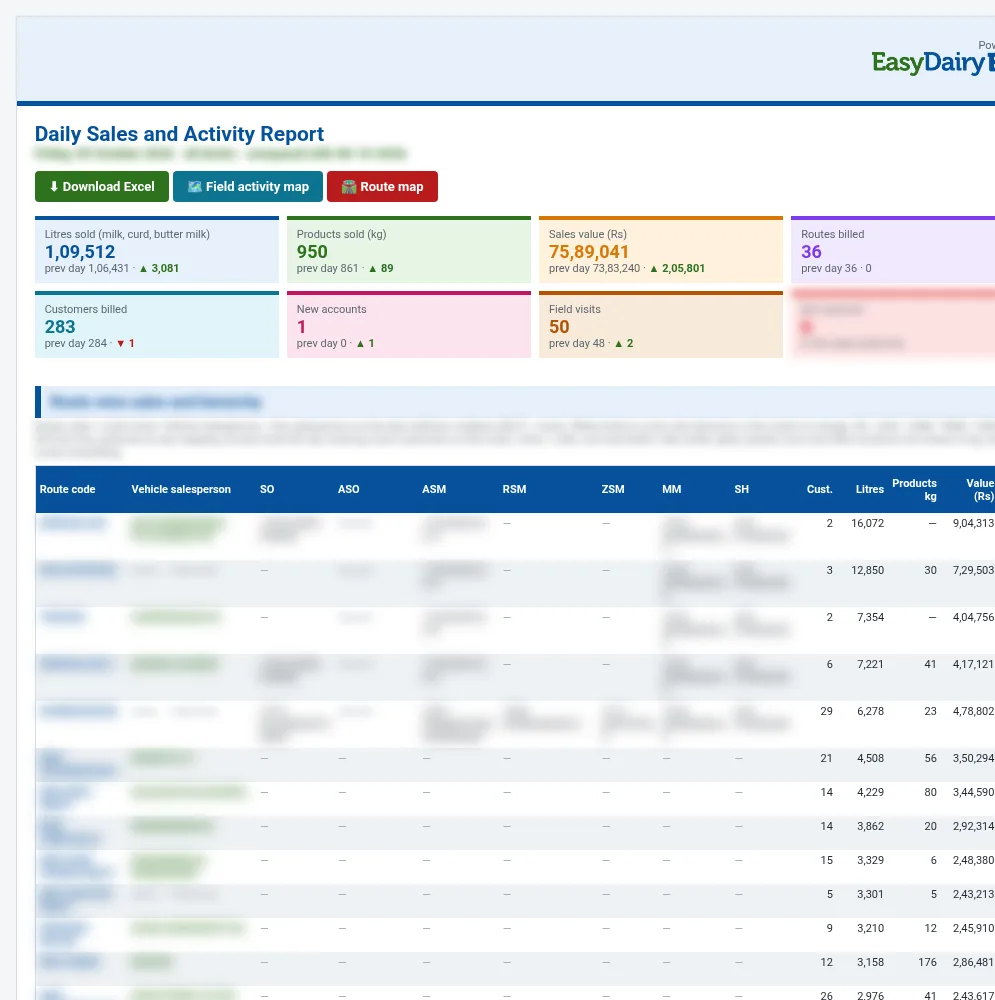
Daily Sales and Activity Report: road km dock to every invoiced customer and back, against planned km, with customers lacking GPS listed.
See how →The money side of sales: invoices with e-invoice IRN and e-way bills, GST reports including GSTR-1, receipts by cash, UPI, cheque and bank, bank statement upload, outstanding by route and customer type, ledgers, sales returns with QC, cancellations and Tally export.
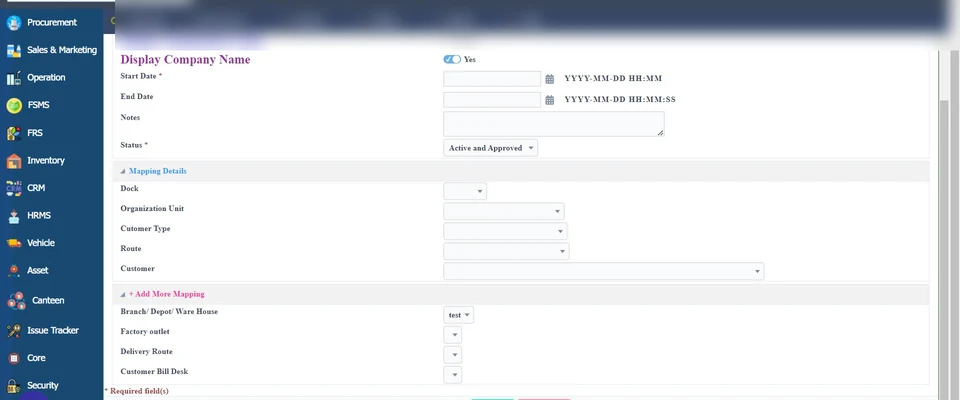
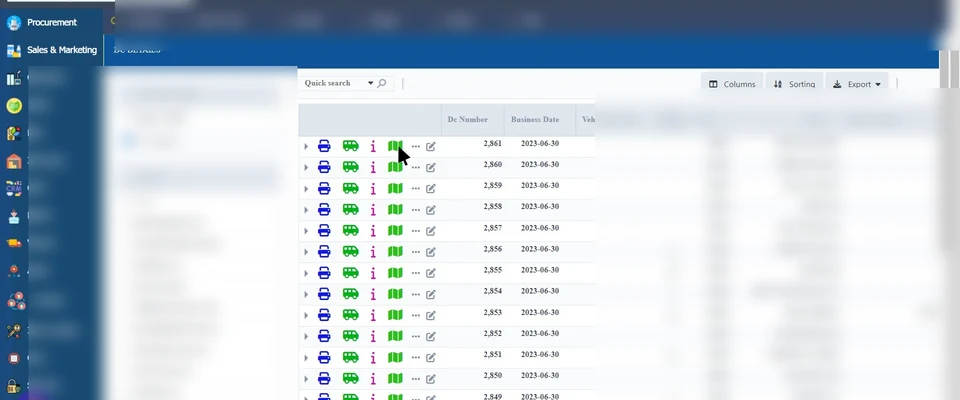
Generates DC customer invoices and invoice acknowledgements.
See how →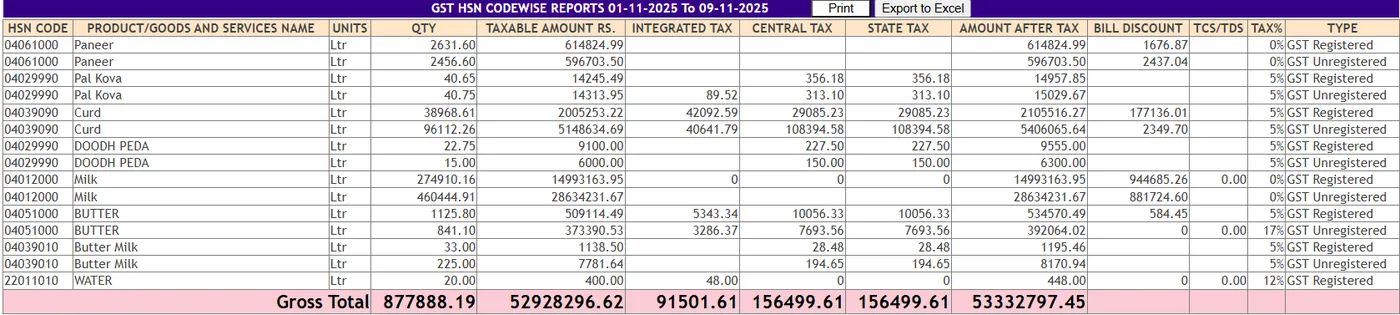
Bills inter-state and intra-state with the right tax.
See how →Creates e-invoices through the automatic API, or exports e-invoice JSON and uploads the IRN.
See how →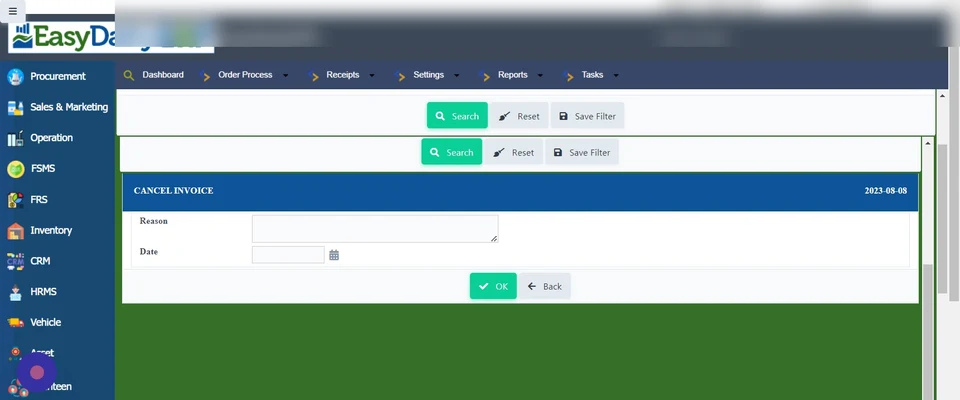
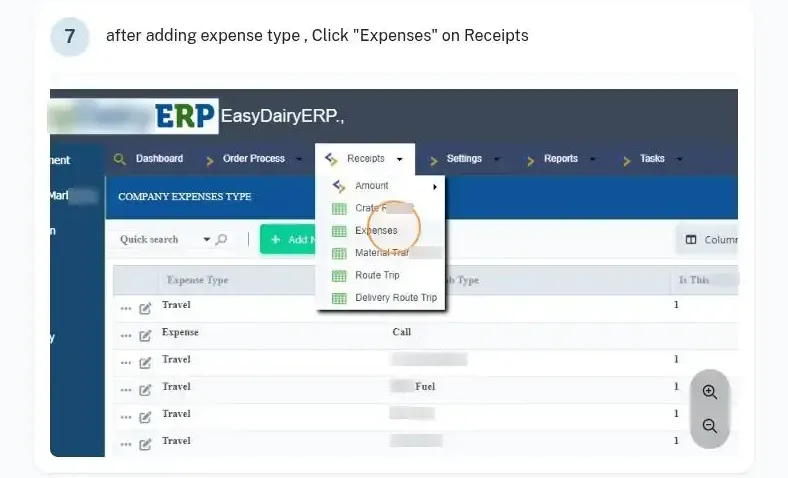
Records deposit, amount and crate receipts by cash, UPI, cheque, DD or net banking, including cheque handling.
See how →Uploads the bank statement to post amount receipts.
See how →Customer ledger, party ledger and customer transaction report.
See how →Amount transactions per customer, including the last 30 days.
See how →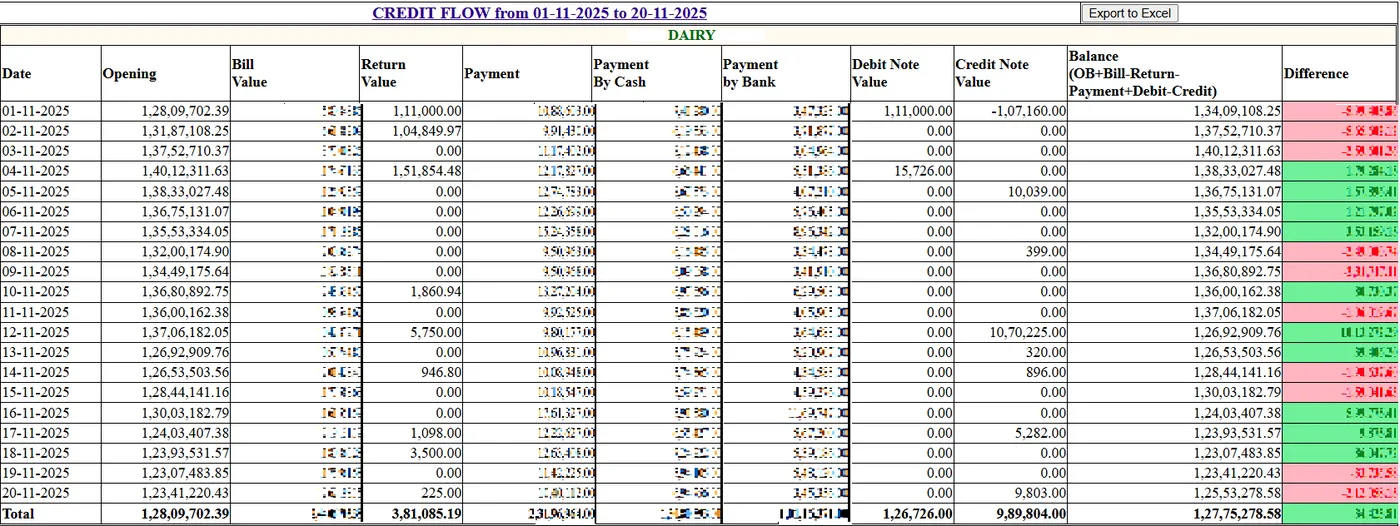
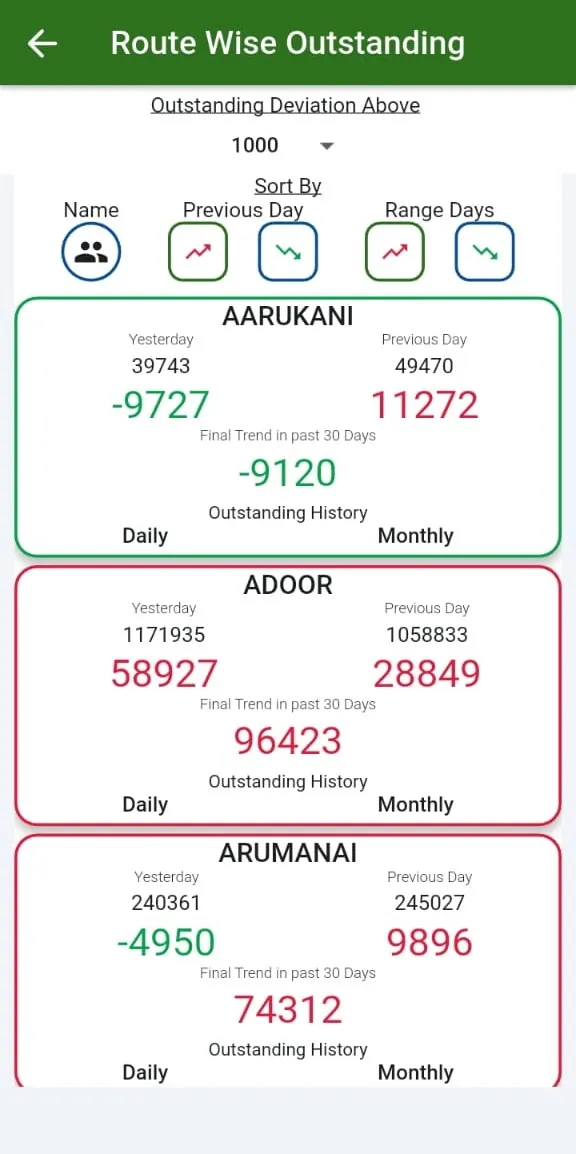
Outstanding by customer type and by customer.
See how →Realisation date-wise and advanced route-wise realisation.
See how →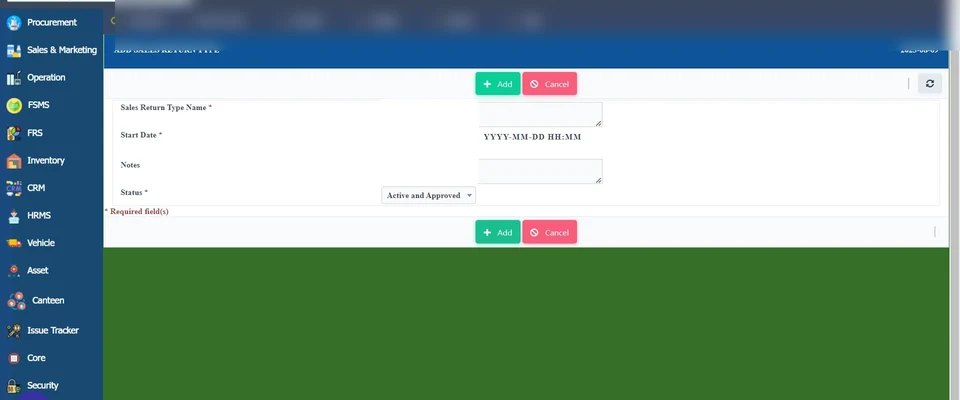
Records a sales return and sends it through a QC check.
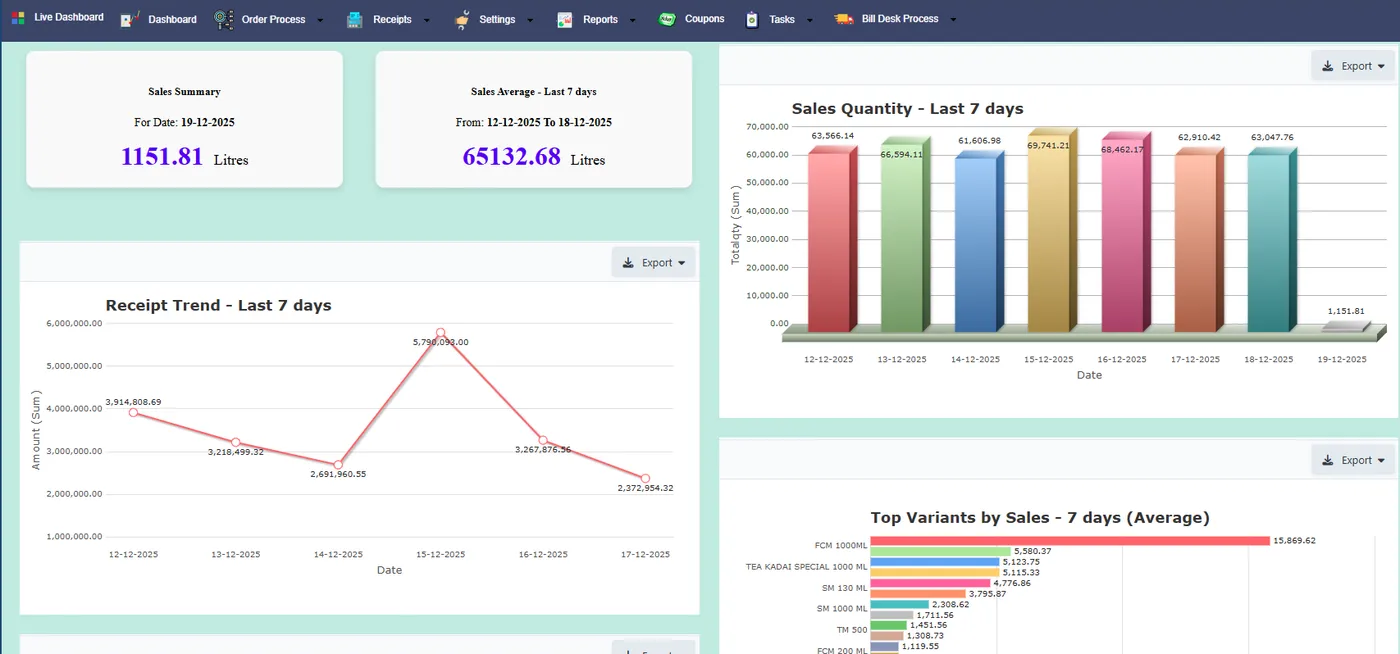
See how →This is where management sees the business: live dashboards, route and customer comparisons, variant trends, and the two daily USP reports, the Sales Trend Change Report and the Daily Sales and Activity Report, delivered by mail every morning. They help the sales team focus on customers and help management assess the sales team.
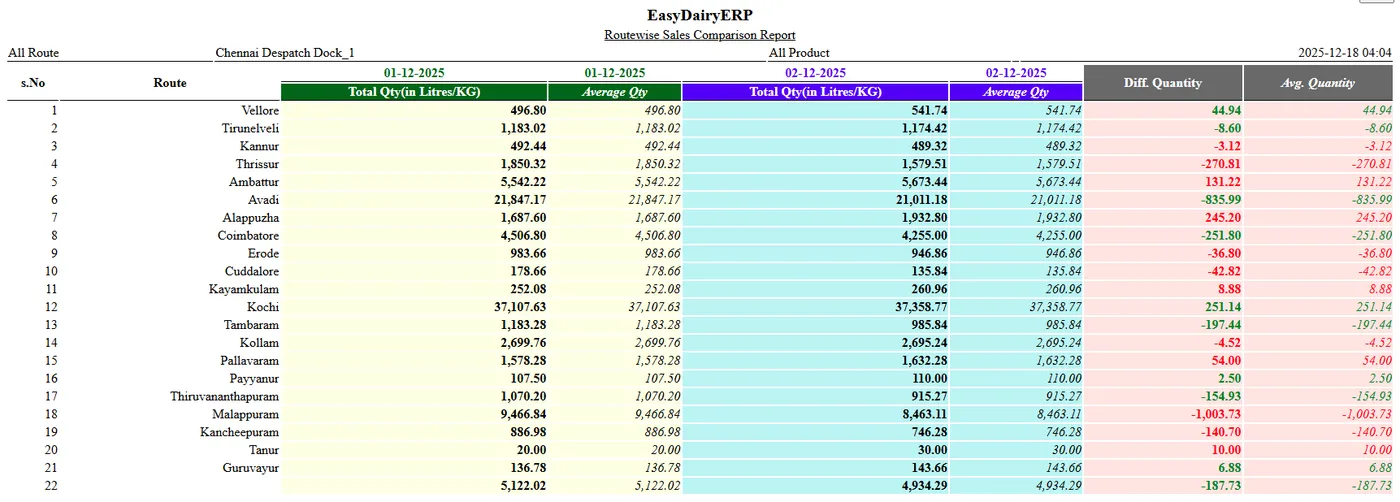
Compares sales route by route and customer by customer.
See how →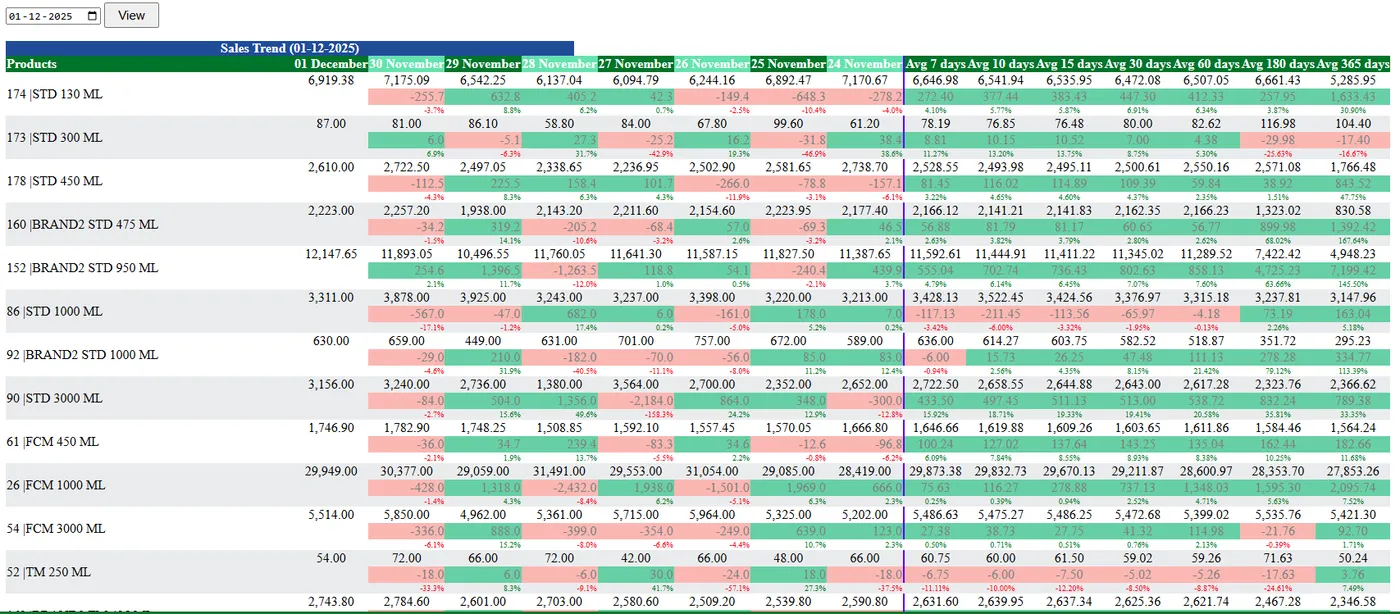
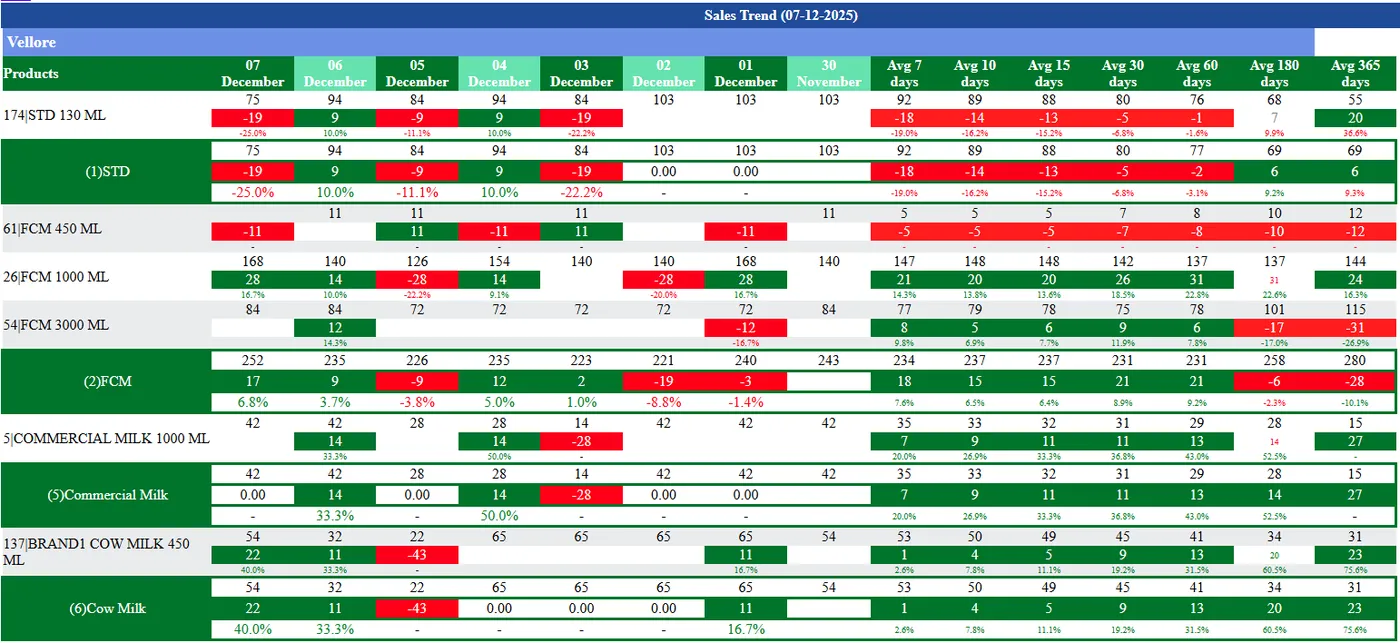
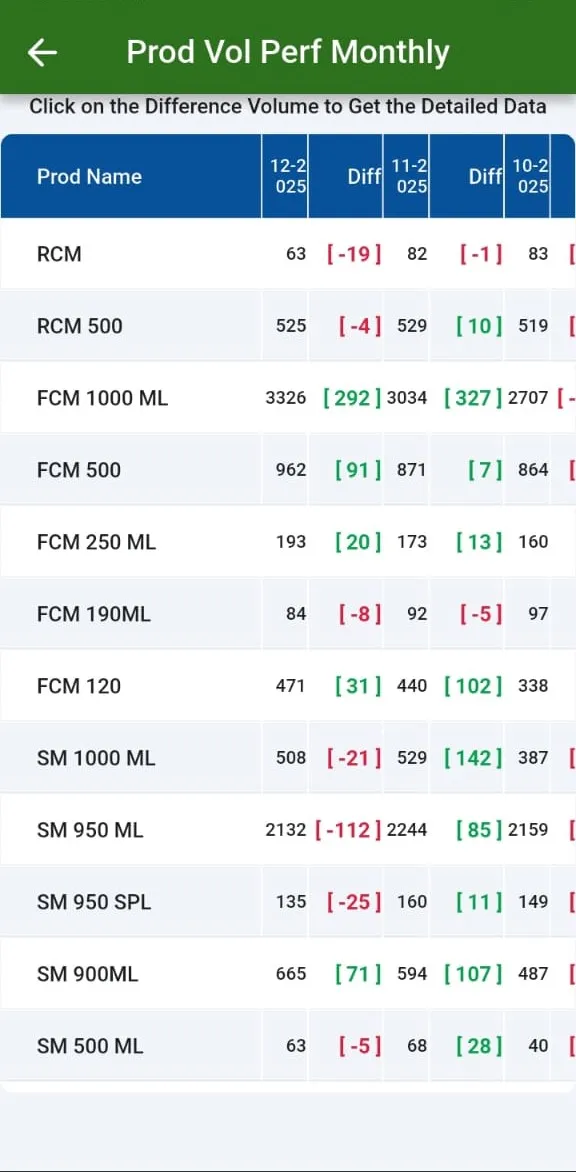
Product performance; trend reports sales-wise and route / ASO-wise; ledger and summary reports.
See how →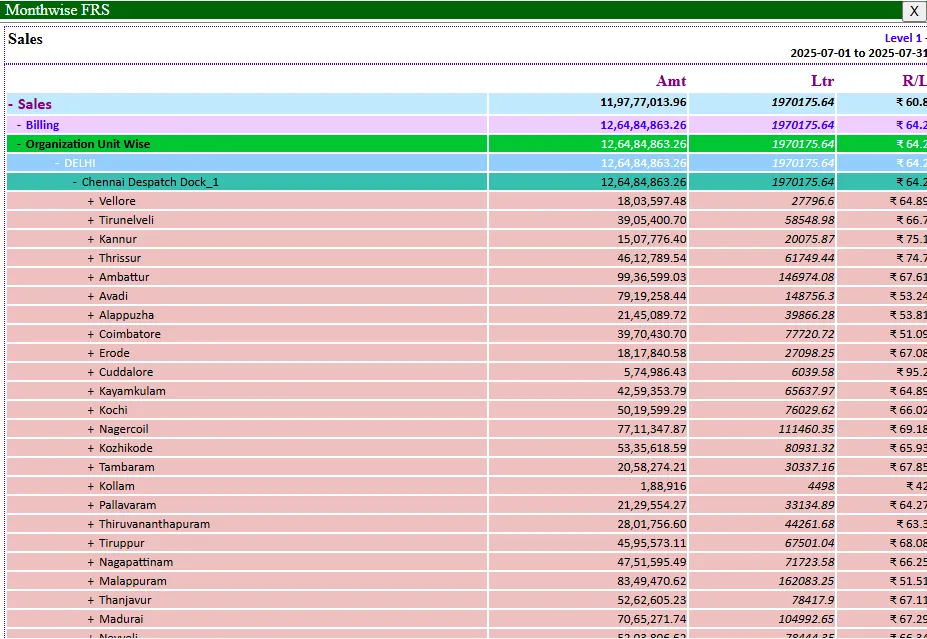
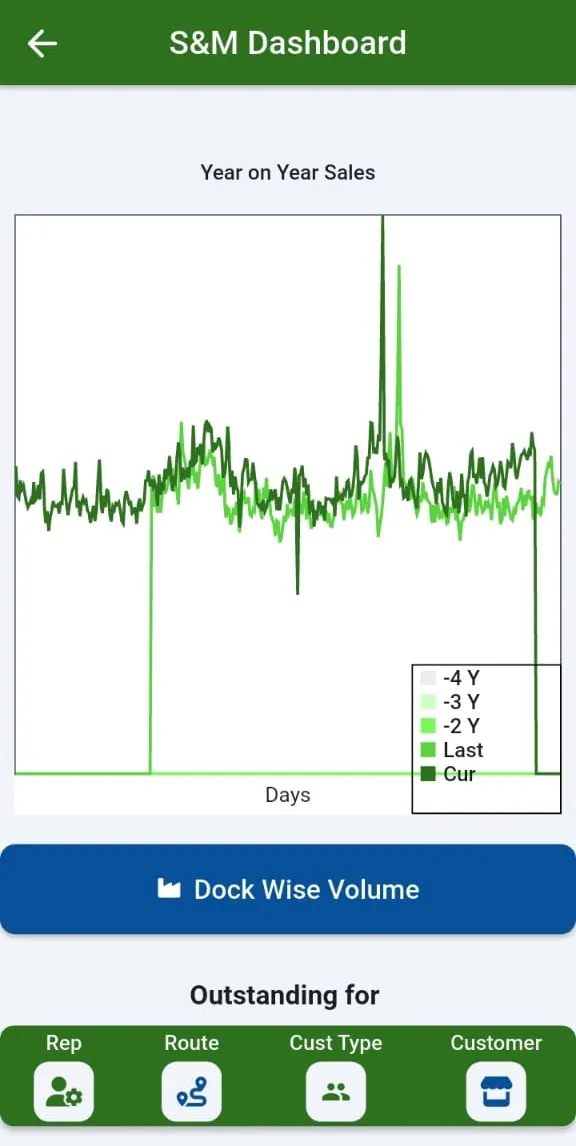
Two-screen sales dashboard with year-on-year view.
See how →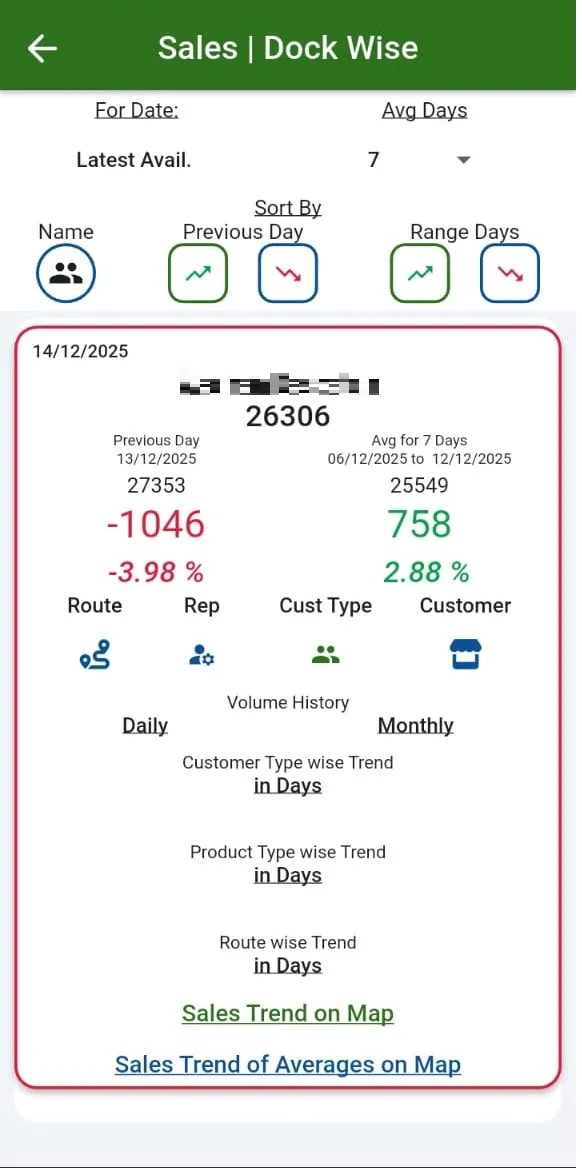
Monthly trend and daily analysis of product volume.
See how →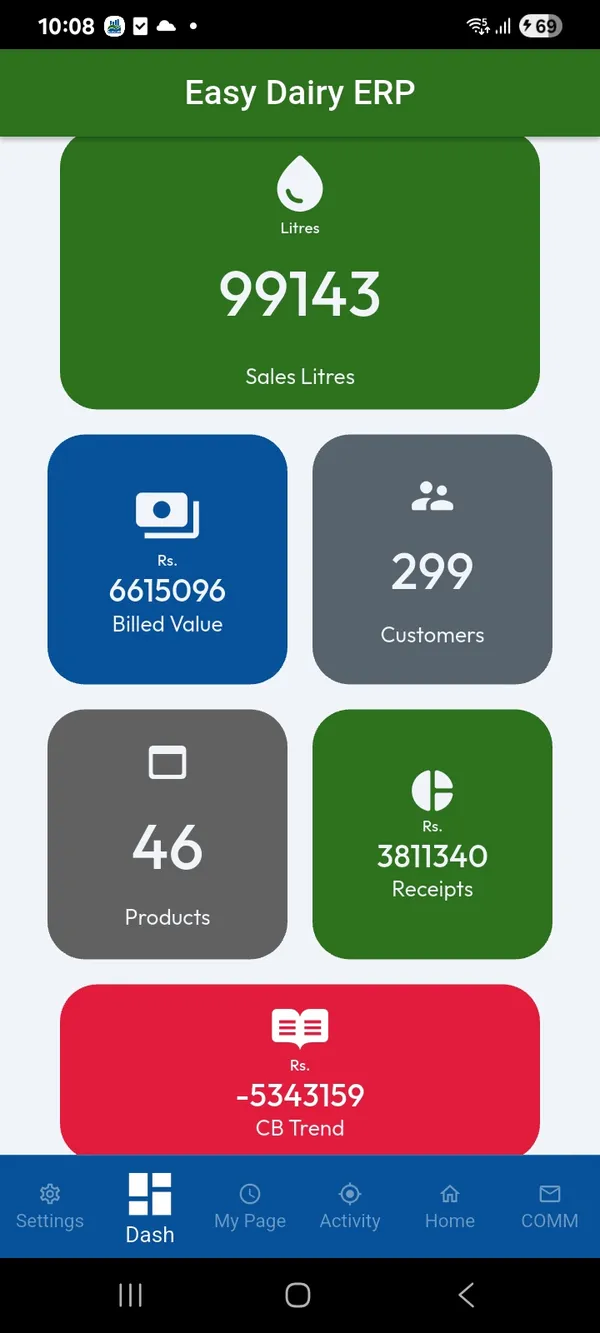
Daily and monthly performance per team mate and each rep’s customer performance; day vs day, day vs range and range vs range with sorting.
See how →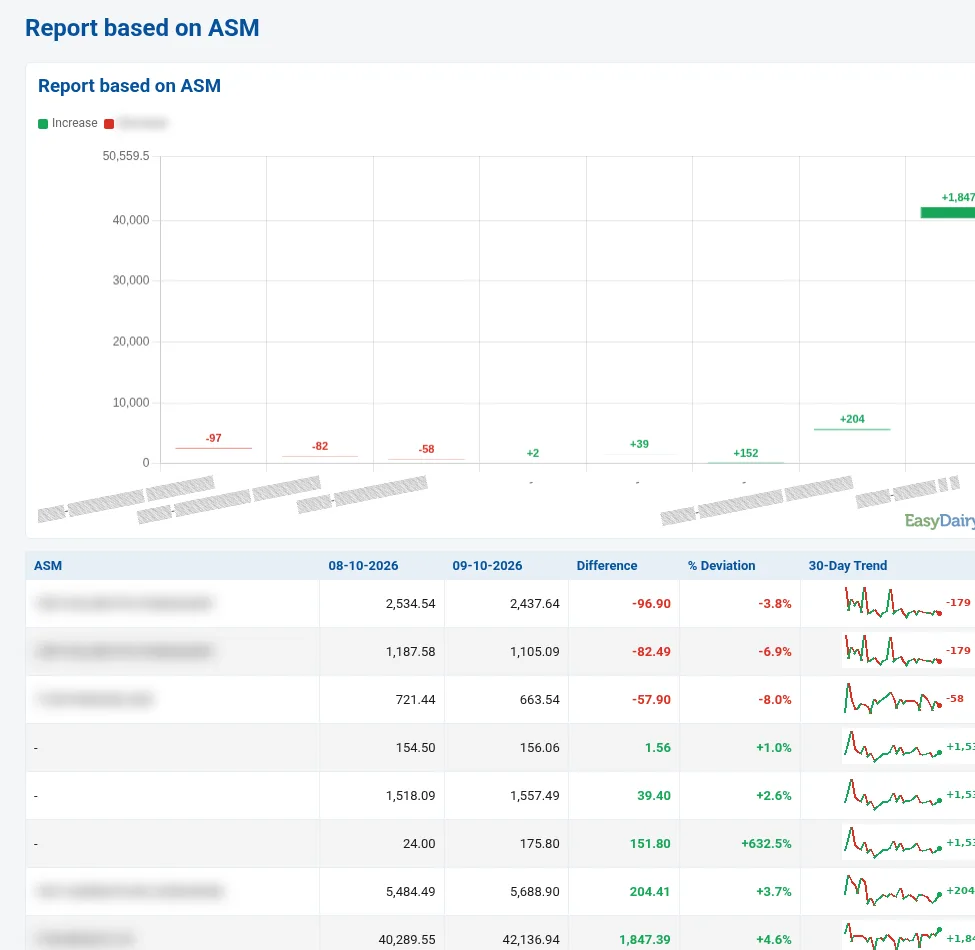
Marketing staff monthly and weekly review with sales comparison.
See how →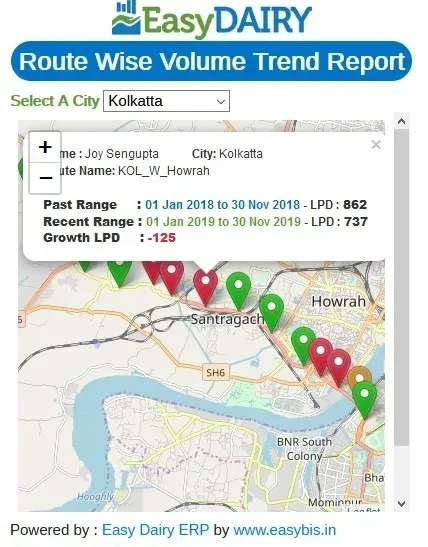
Route volume trends on a map with average trends.
See how →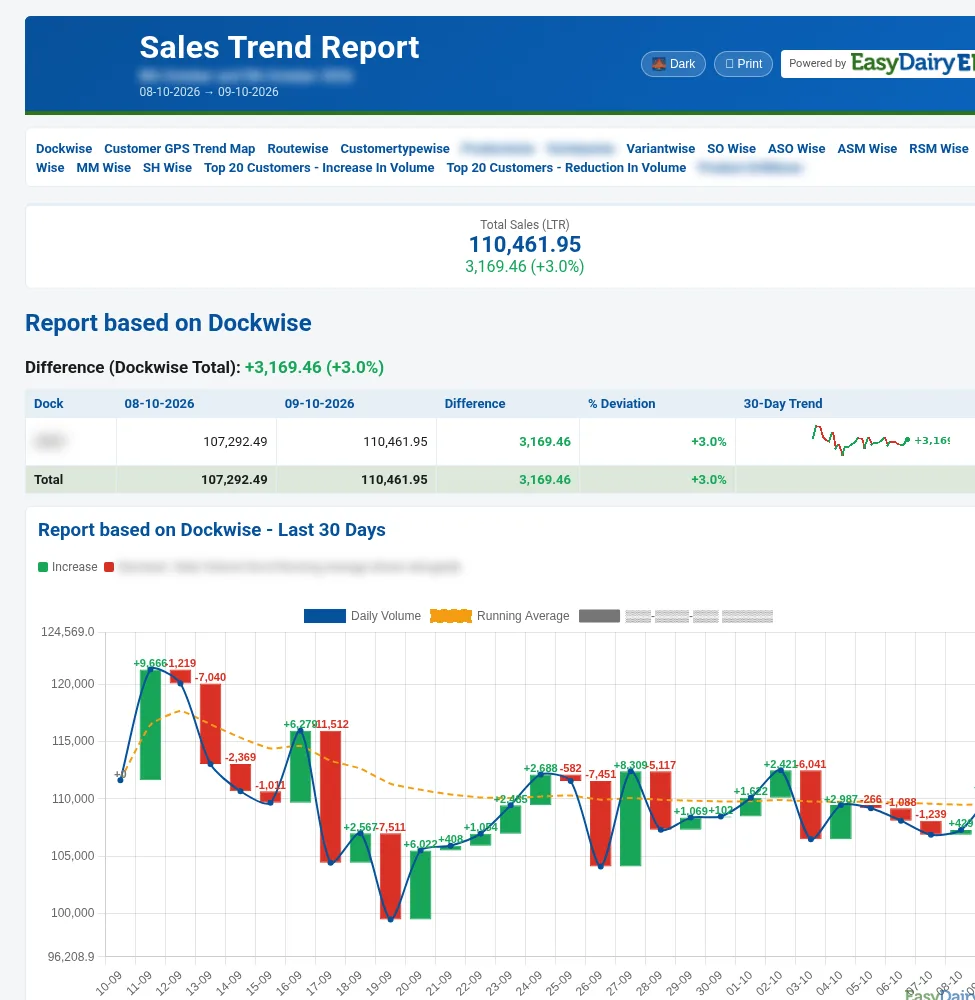
Compares two days dock by dock, with the last 30 days and last 10 days charted.
See how →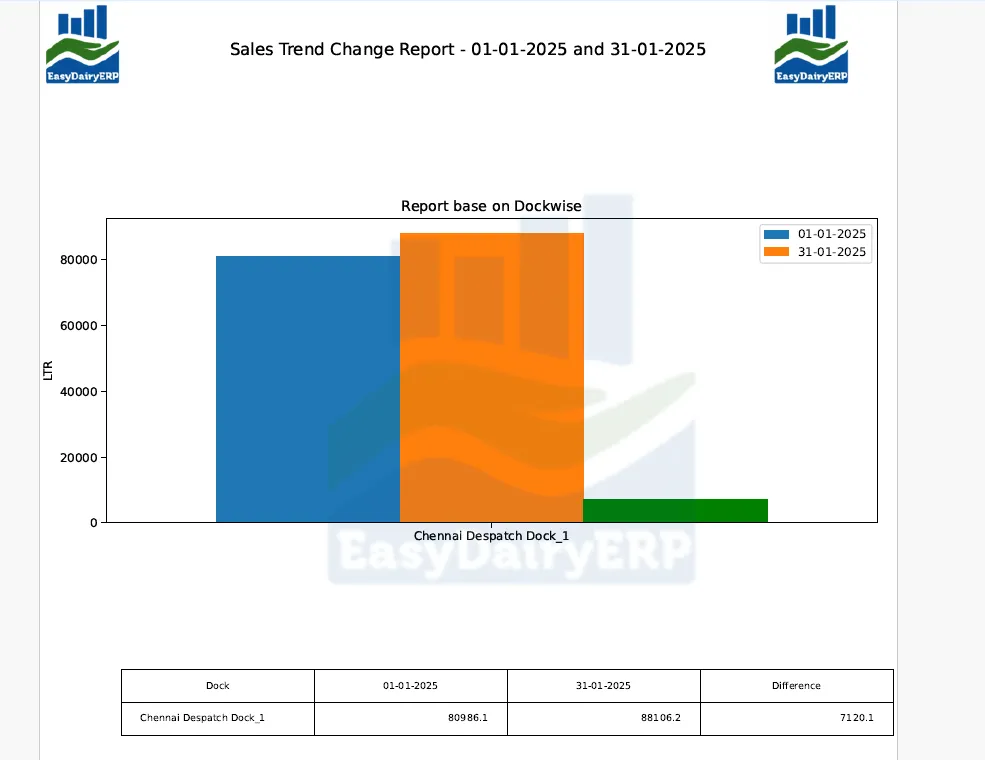
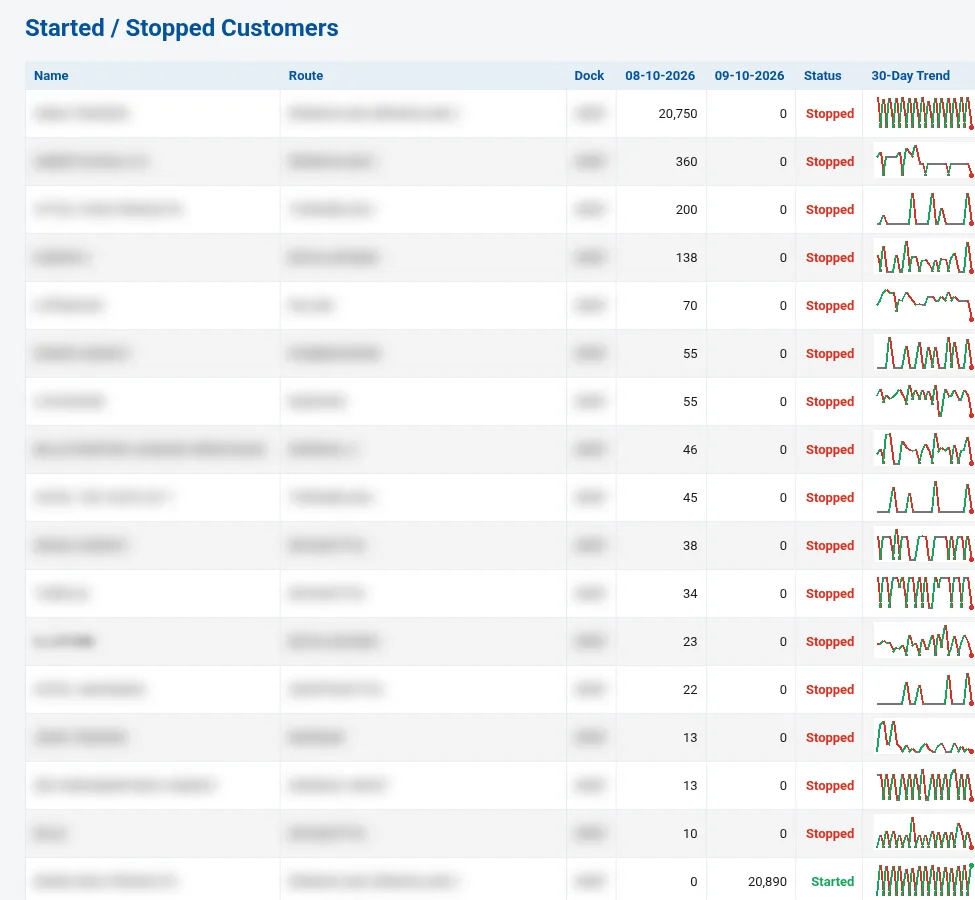
Increase and reduction in volume by route and by customer type.
See how →Increase and reduction by product, variety and variant, with product-wise customer detail.
See how →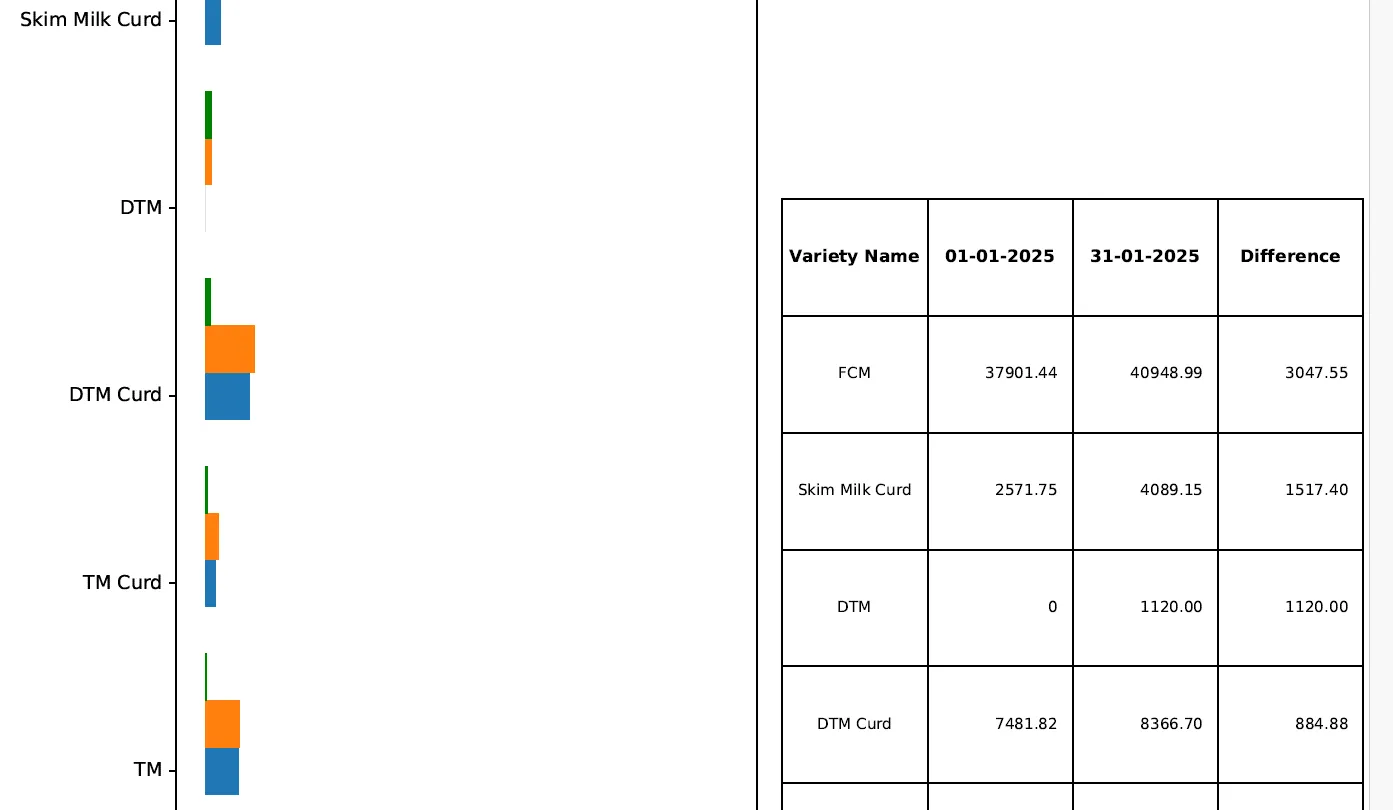
The same change report by each level of the sales hierarchy.
See how →Litres sold, products kg, sales value, routes billed, customers billed, new accounts, field visits and hierarchy not reported, each against the previous day.
See how →Each route with vehicle salesperson, SO, ASO, ASM, RSM, ZSM, MM and SH, customers, litres, products, value and change vs previous day.
See how →Road km against planned km per route, listing customers with no or doubtful GPS.
See how →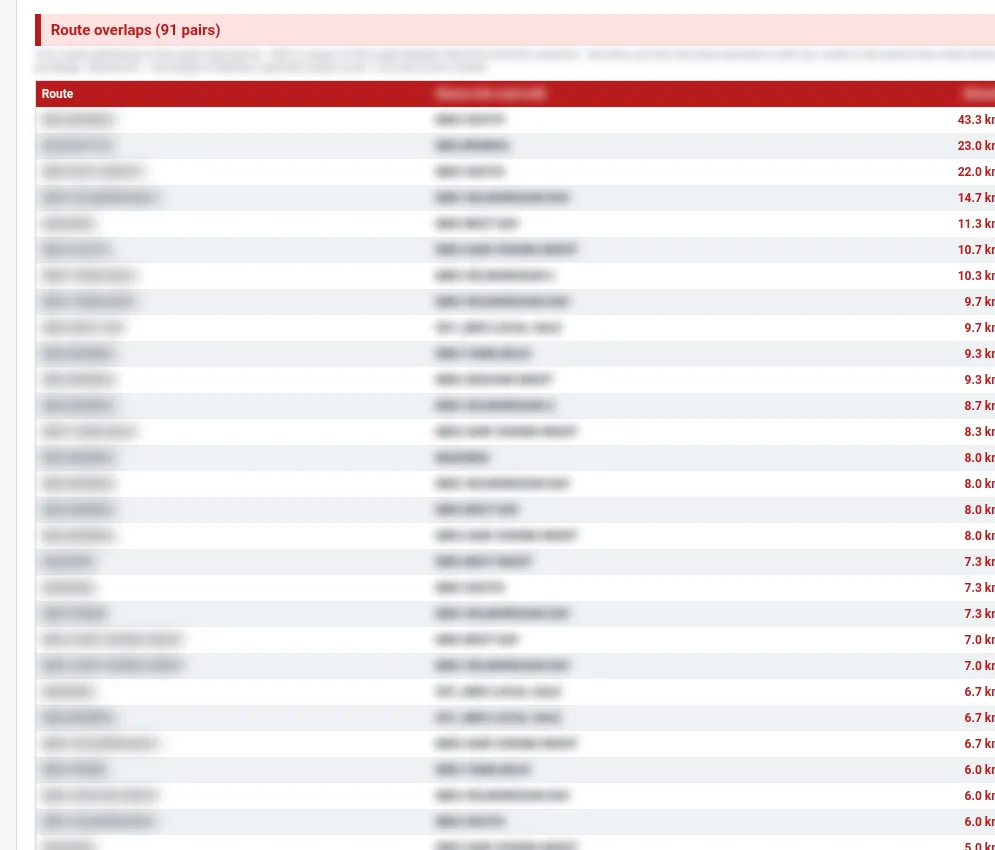
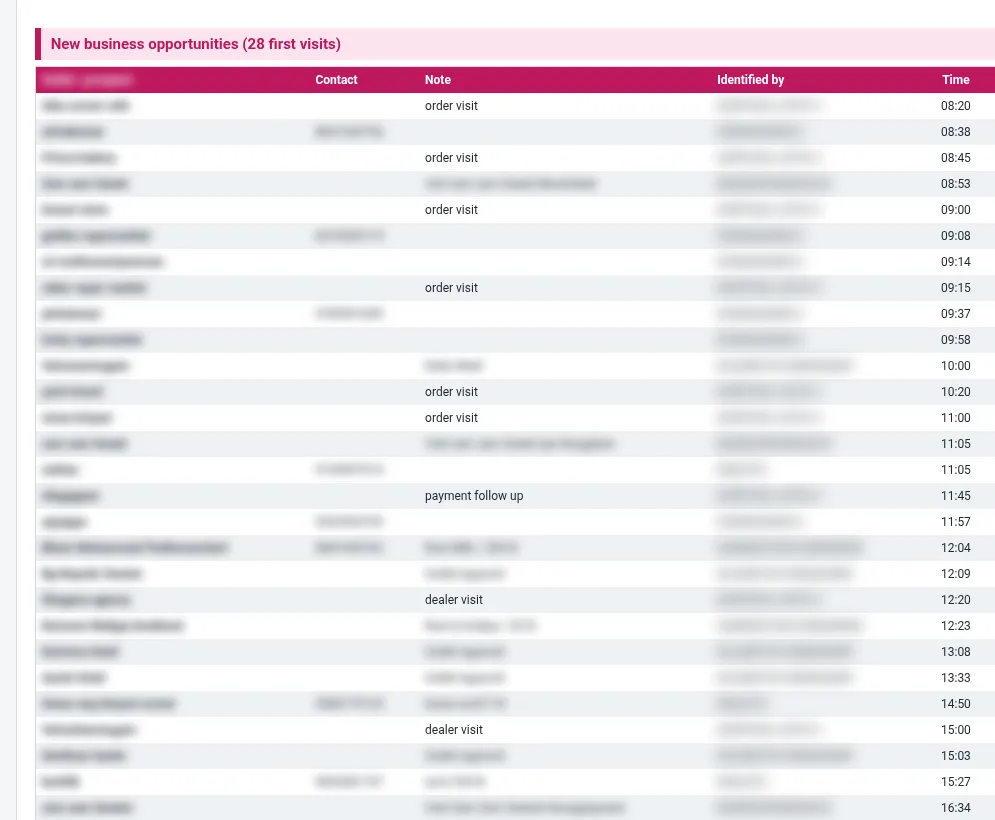
New customers with type, creator, created time and first-day litres and value.
See how →Per person: punch-in and out, hours on duty, claimed km vs road route along the GPS path, GPS beats, longest silence, routes in charge, and every visit (first visit, second visit, meeting, retailer, dealer) with outlet, contact and discussion.
See how →Day closing report emailed at day close, basic and advanced.
See how →Prioritised alerts on sales, payments and crates with drill-downs.
See how →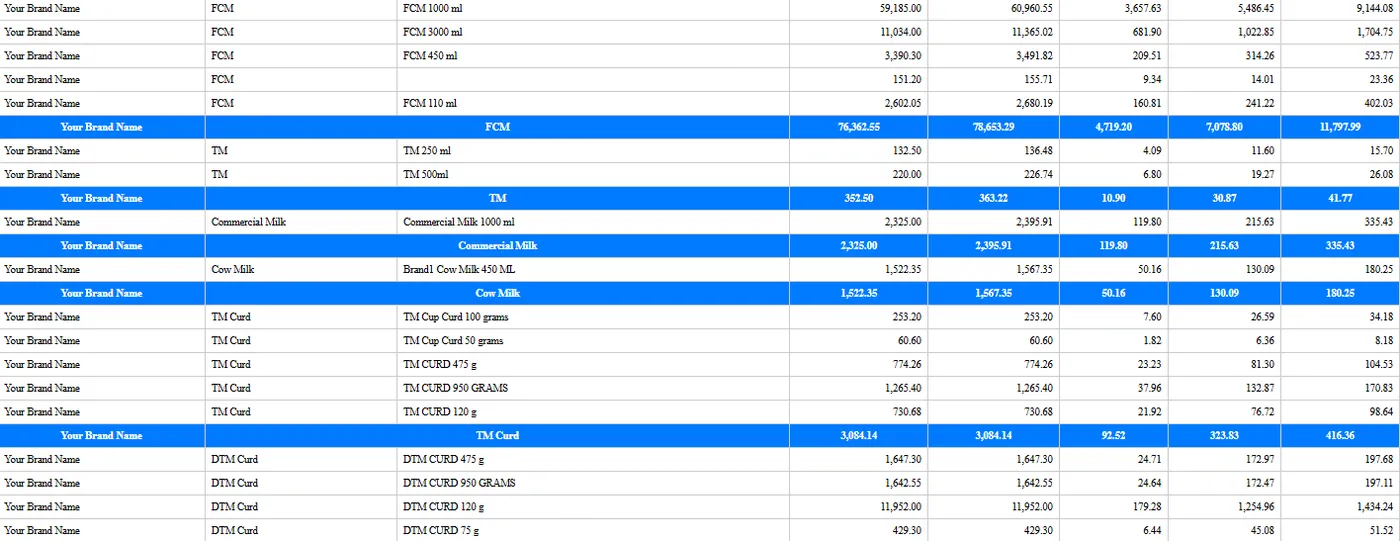
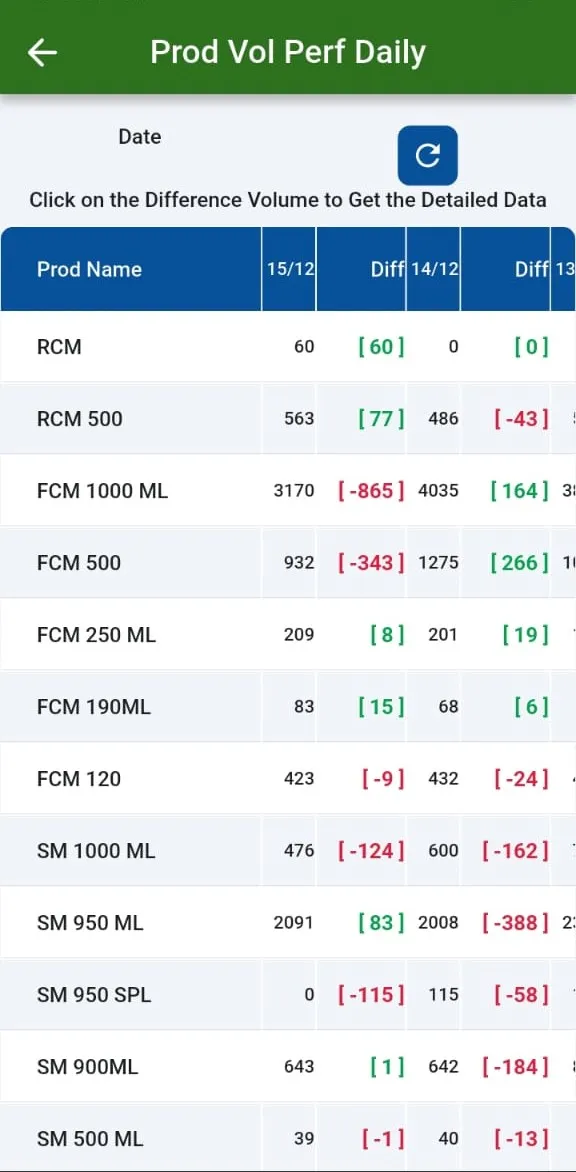
Sales volume trend by date and month, and team monthly and daily volume trend.
See how →BI dashboard on sales with filtered statements.
See how →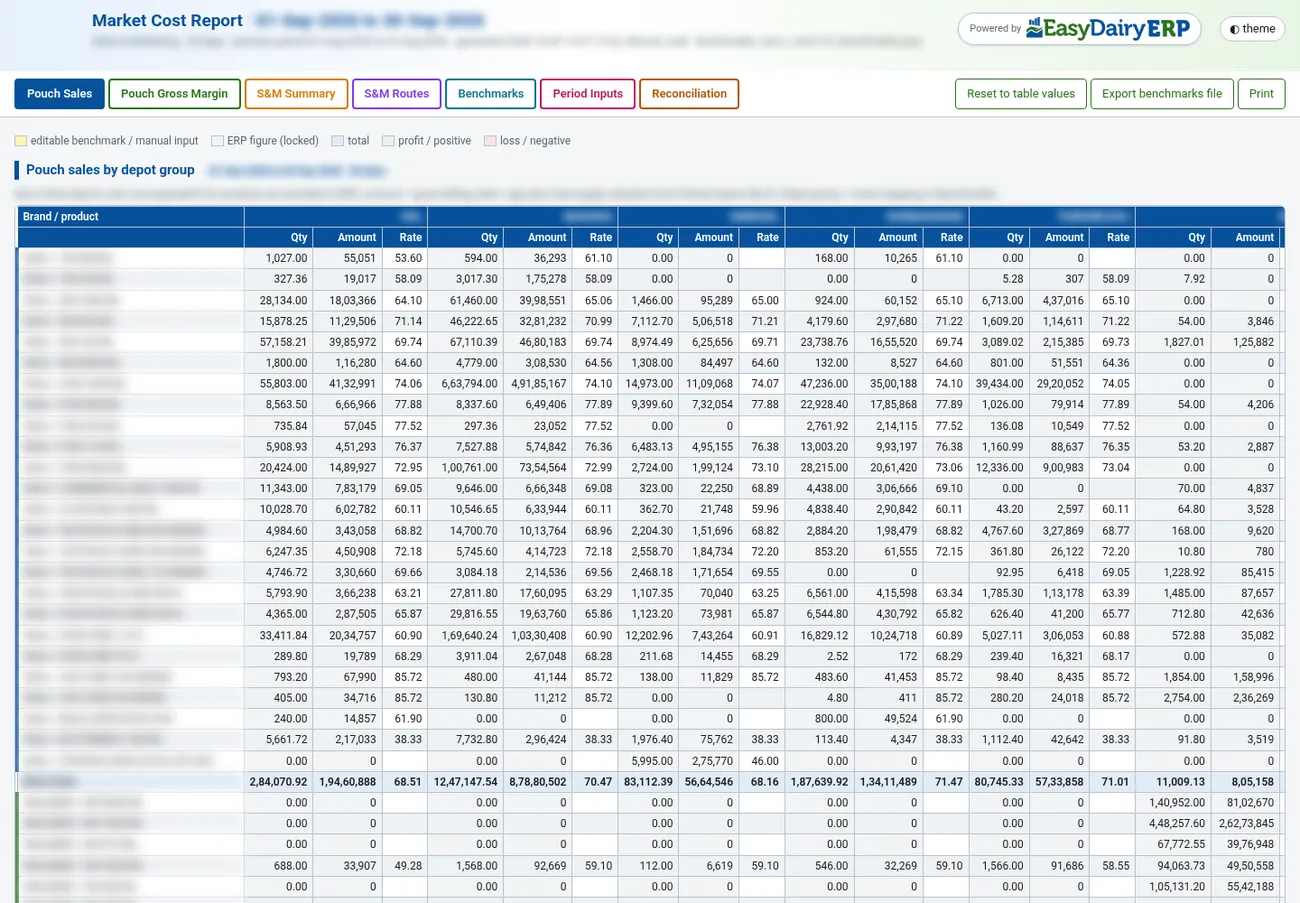
Pouch sales by depot group with average litres per day.
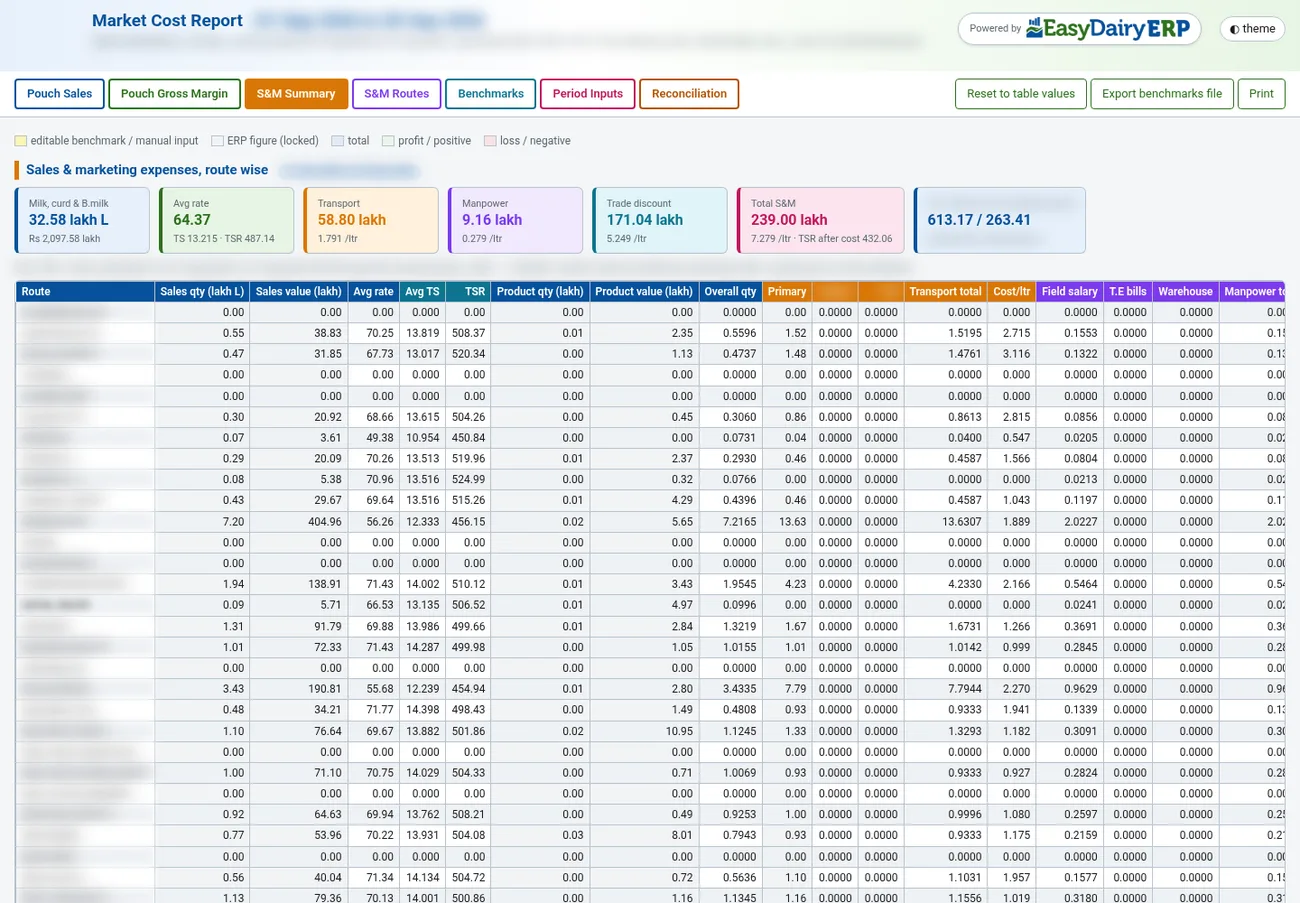
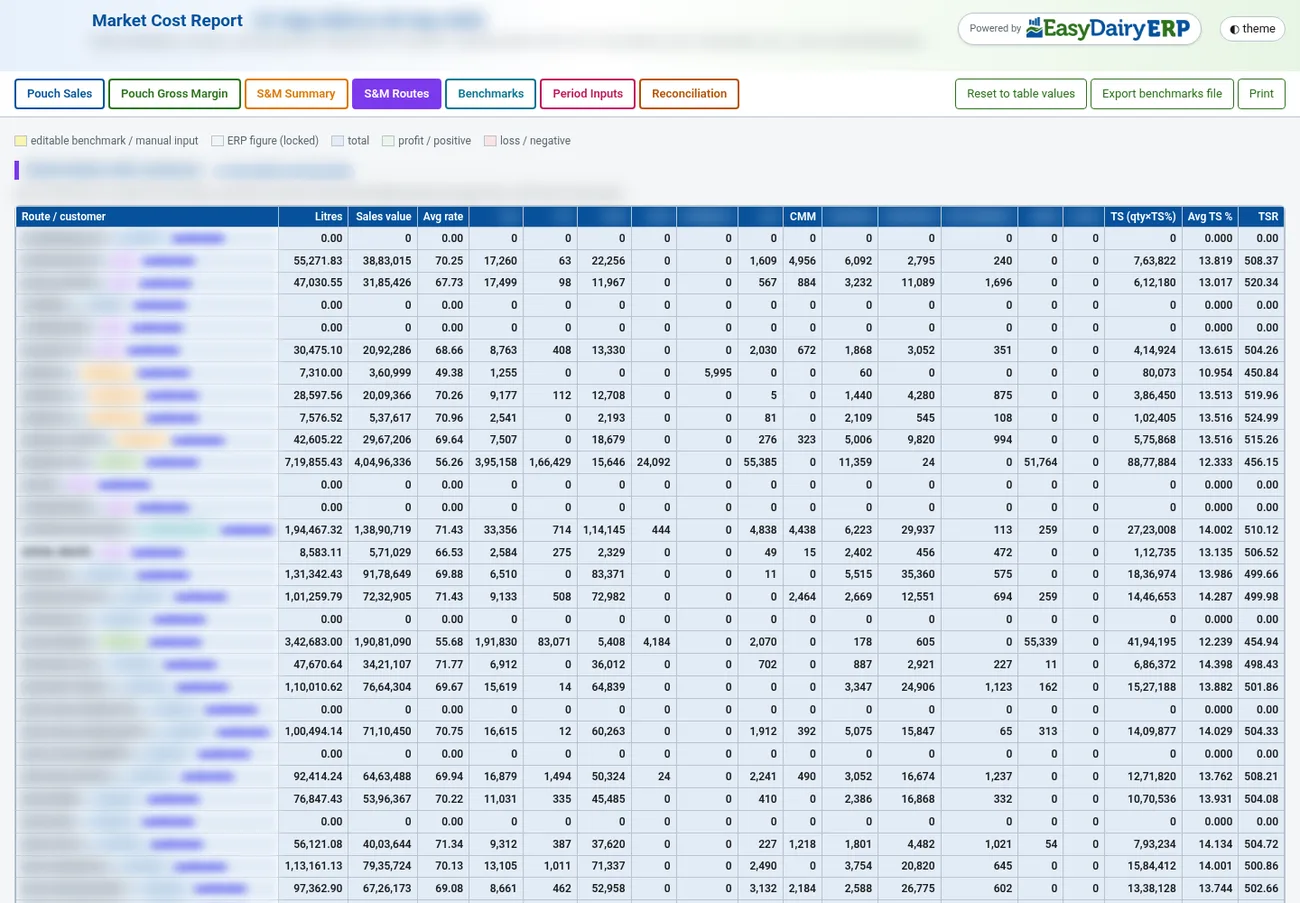
See how →Sales and marketing expenses route-wise, route blocks and a 13-month average-per-day trend.
See how →A wide set of standard sales screens and reports alongside the BI views.
See how →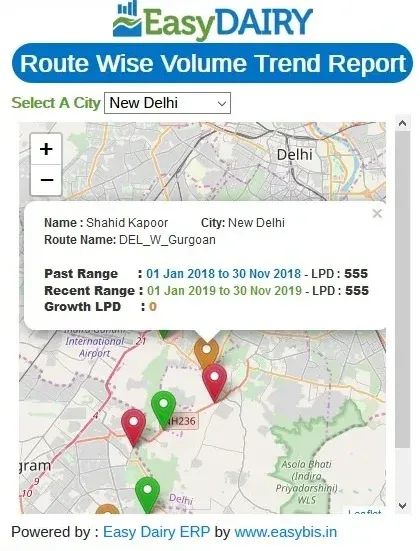
Route and field-force volume trends drawn on maps.
See how →Years of sales and invoices stay available for customer analysis.
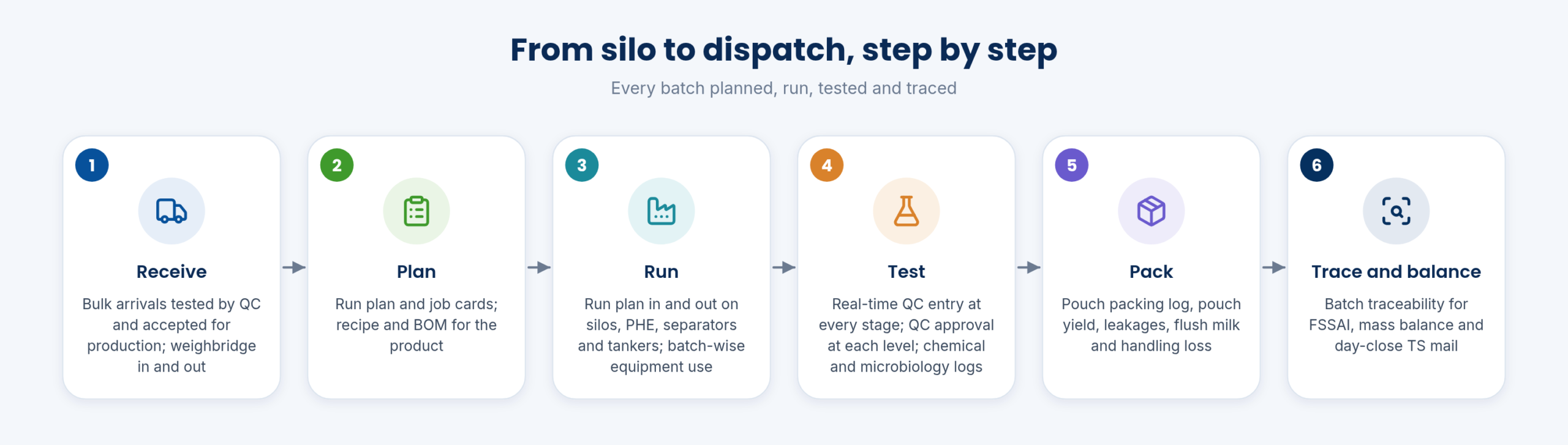
See how →Milk arriving at the plant is weighed, tested and matched for total solids against what the villages sent. Production then runs on recipes, run plans and batches, packing is tracked pouch by pouch, and QC releases every batch with full FSSAI traceability.
Bulk milk tankers arriving at the plant are QC-tested and accepted into production.
See how →The Weigh Bridge Desk for Windows records every vehicle in and out of the plant and passes the weights straight to the ERP.
See how →Weighbridge reports list every vehicle weighing by material, date and direction.
See how →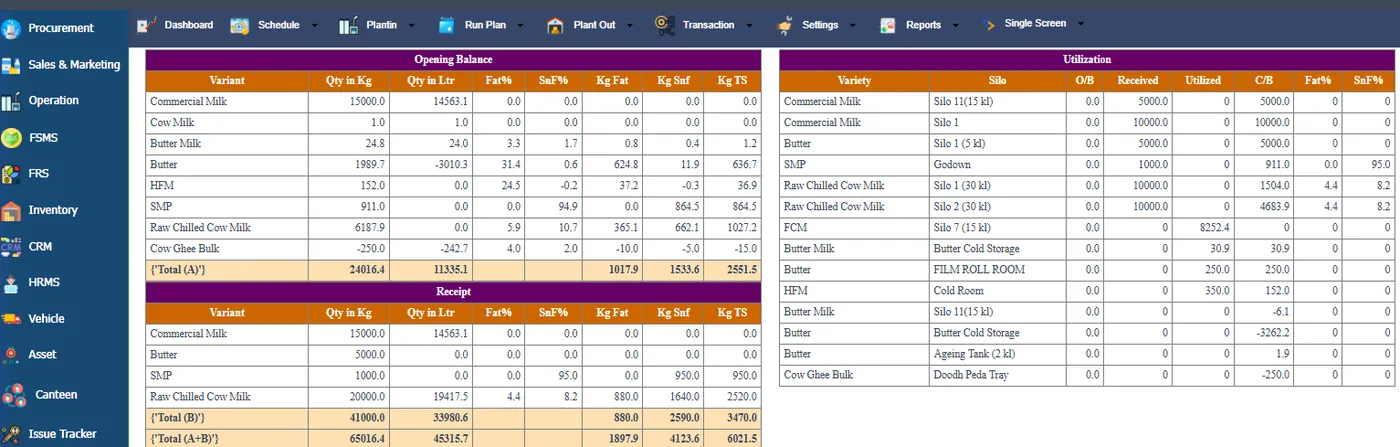
Material balances are cross-checked against weighbridge weights so gaps show up early.
See how →A photo is stored with each weighbridge entry as proof for every material.
See how →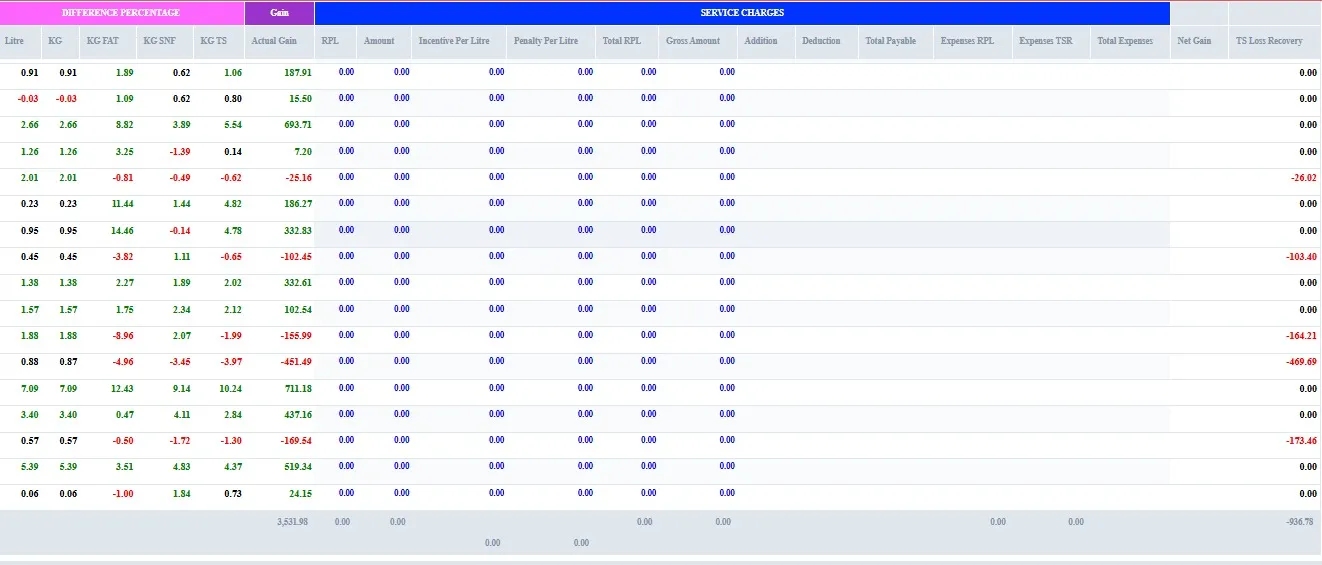
At day close, the TS report is mailed automatically to the people who need it.
See how →Fat and SNF sent from the villages are matched every day against what the plant received.
See how →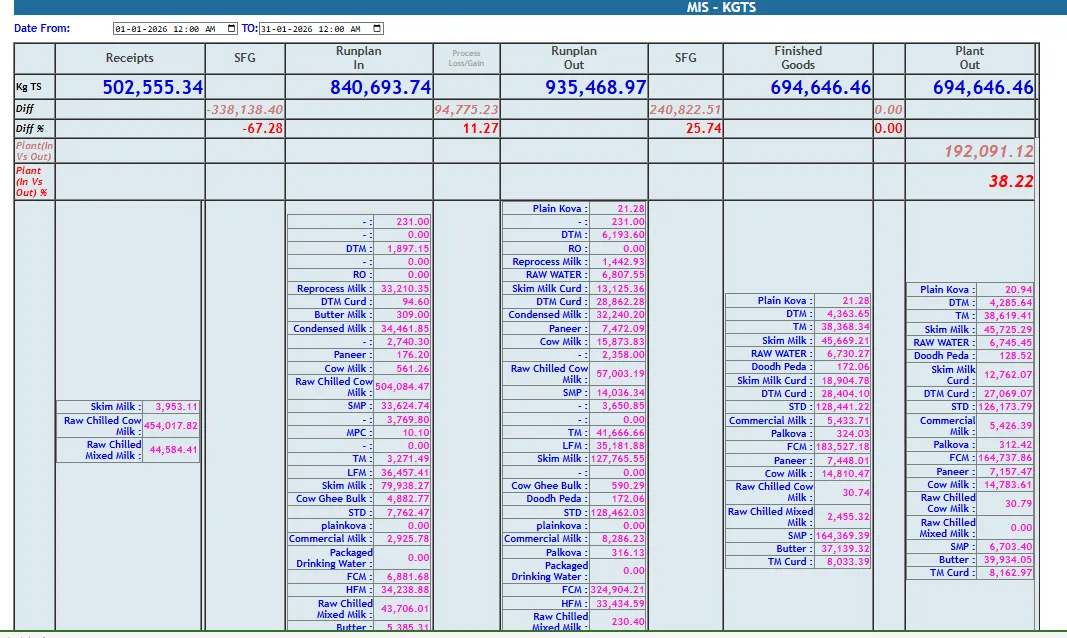
Daily solids matching across plants, with a plant-level TS MIS for groups that run several plants.
See how →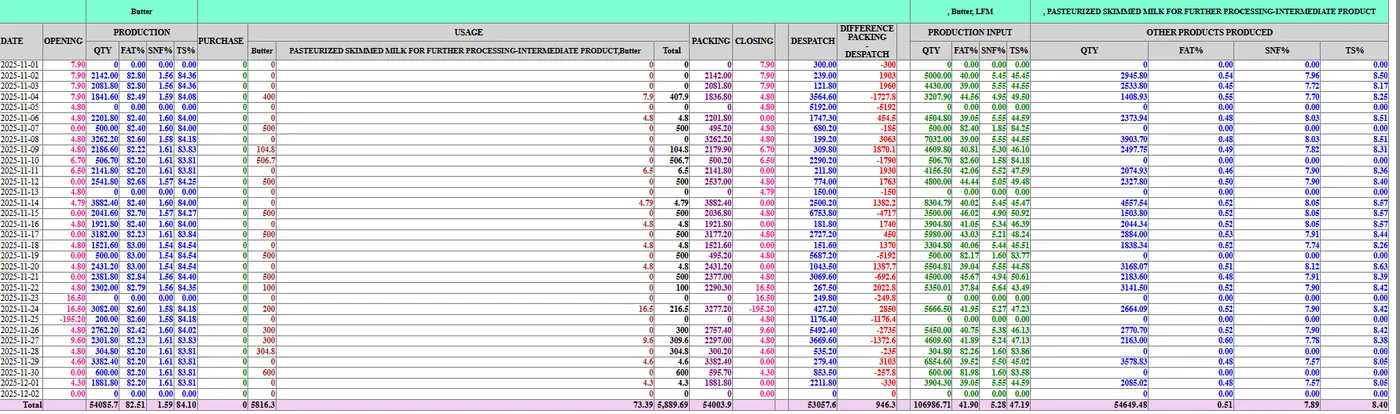
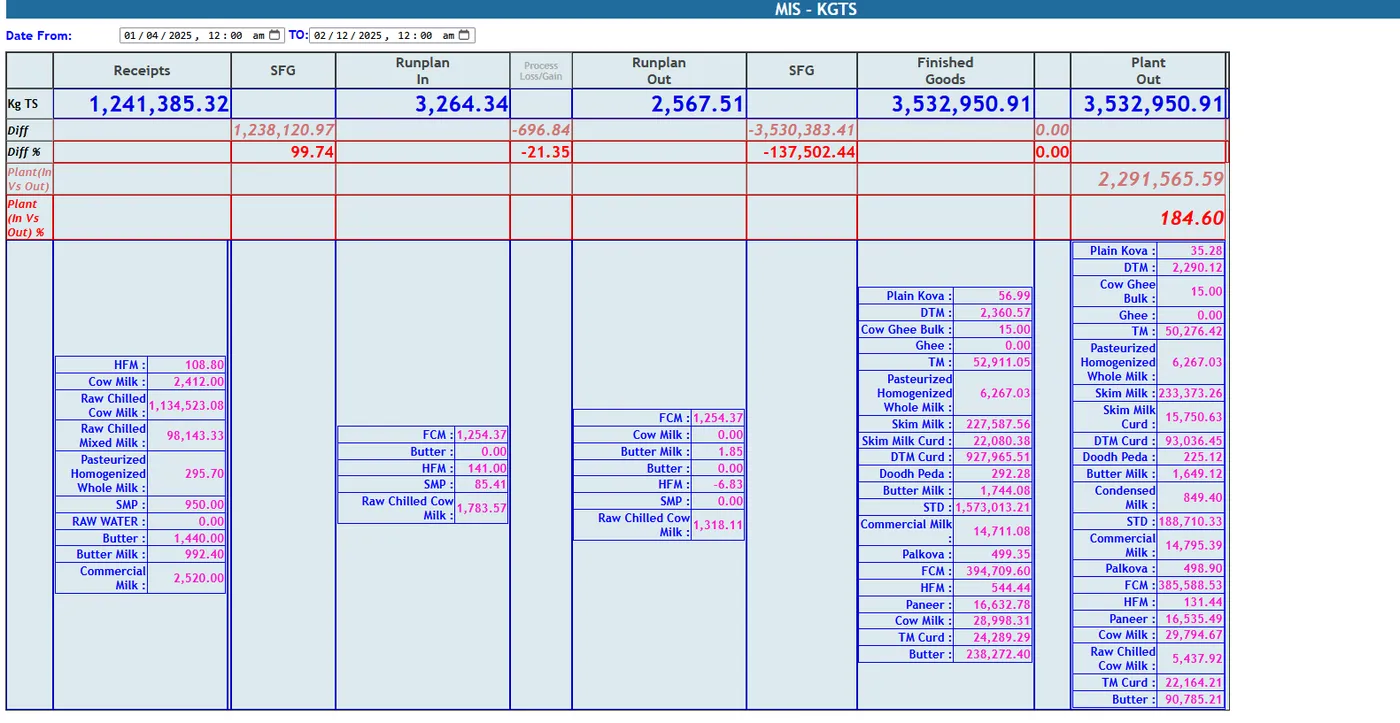
Total solids are tracked from procurement through production to sales in one chain.
See how →MIS operations report; MIS kg TS across procurement, production and dispatch.
See how →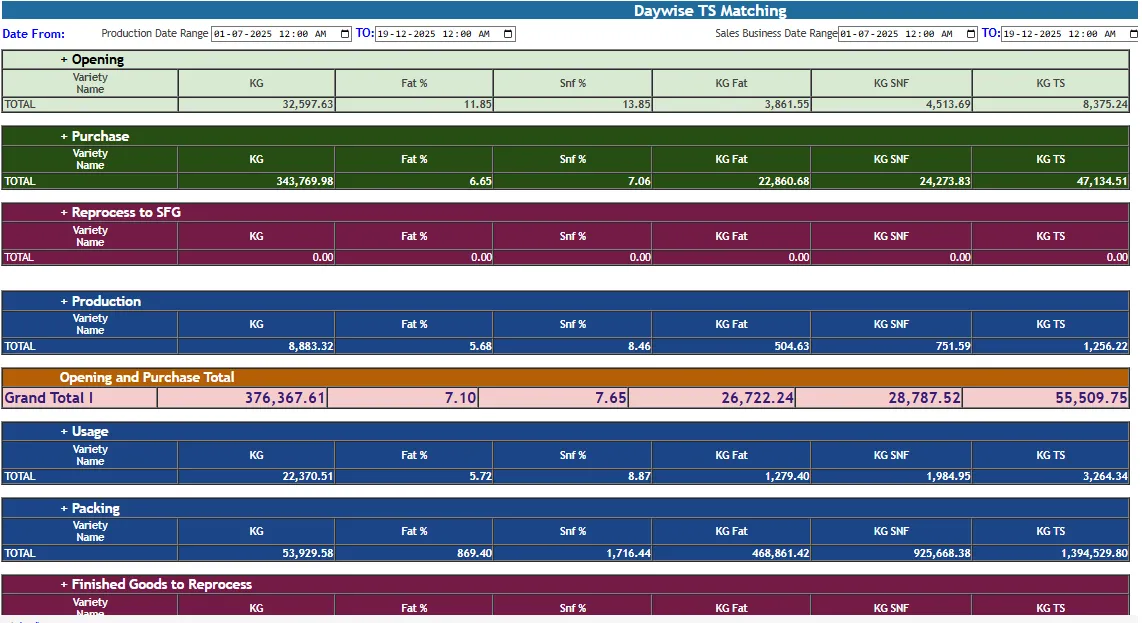
Day-by-day view of TS received, used and despatched, with the difference for each day.
See how →Standard TS matching and TS MIS reports showing fat, SNF and TS at every stage.
See how →TS calculations can be configured to match the way your dairy measures solids.
See how →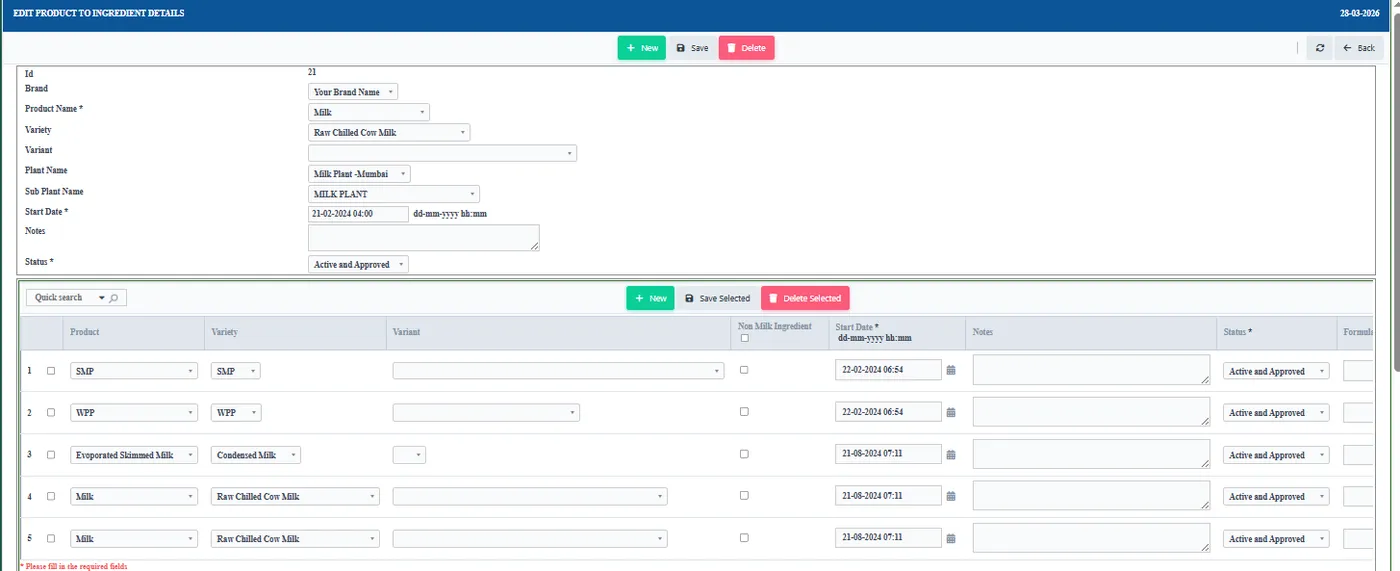
Recipes define the ingredients for each product, and reports show how much was actually used.
See how →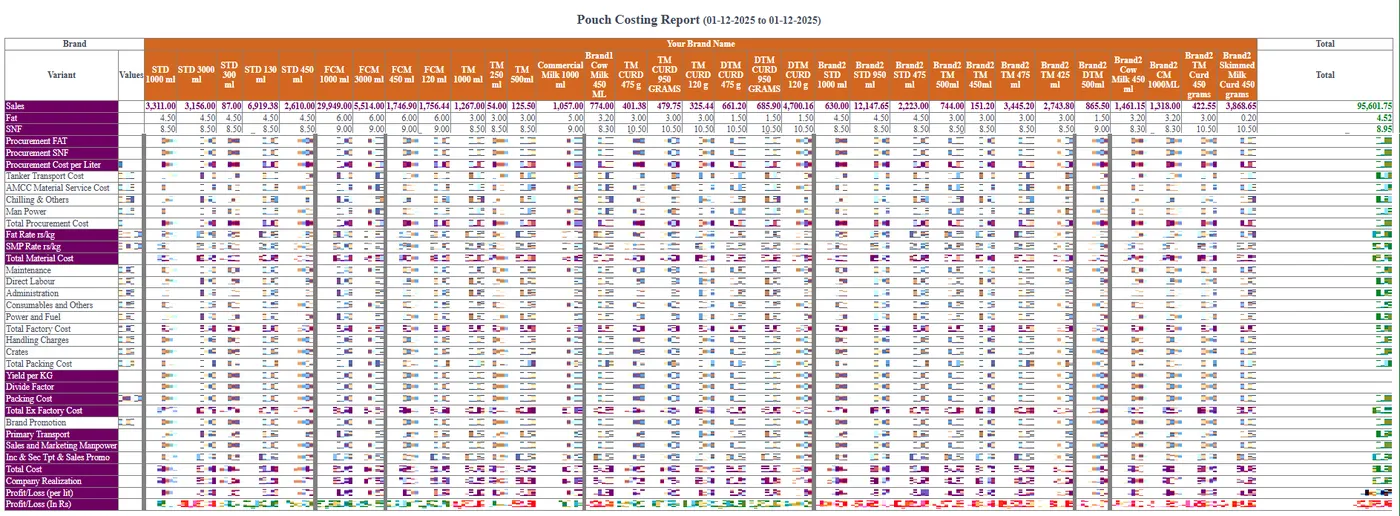
A bill of materials for every recipe, with its cost worked out from current material prices.
See how →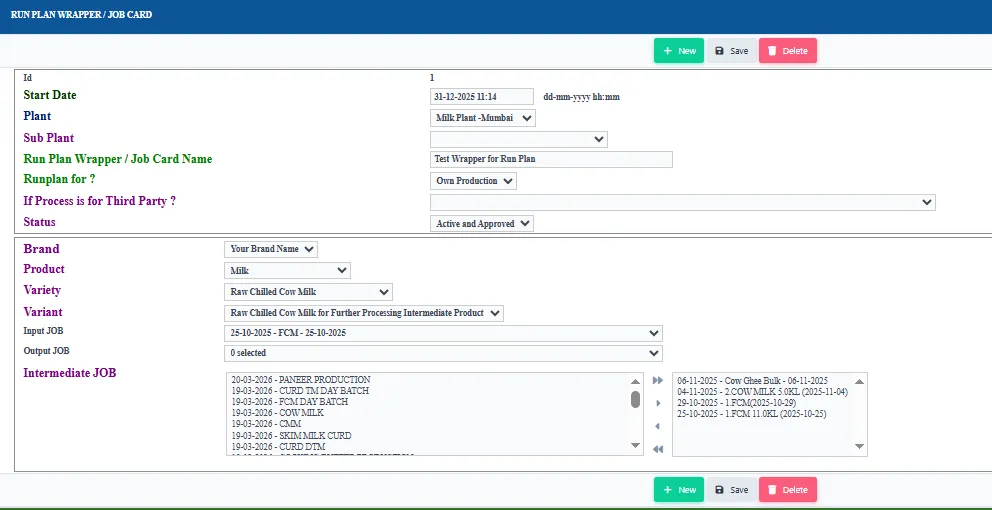
Plan each production run, record what goes in and comes out, and issue job cards for several runs.
See how →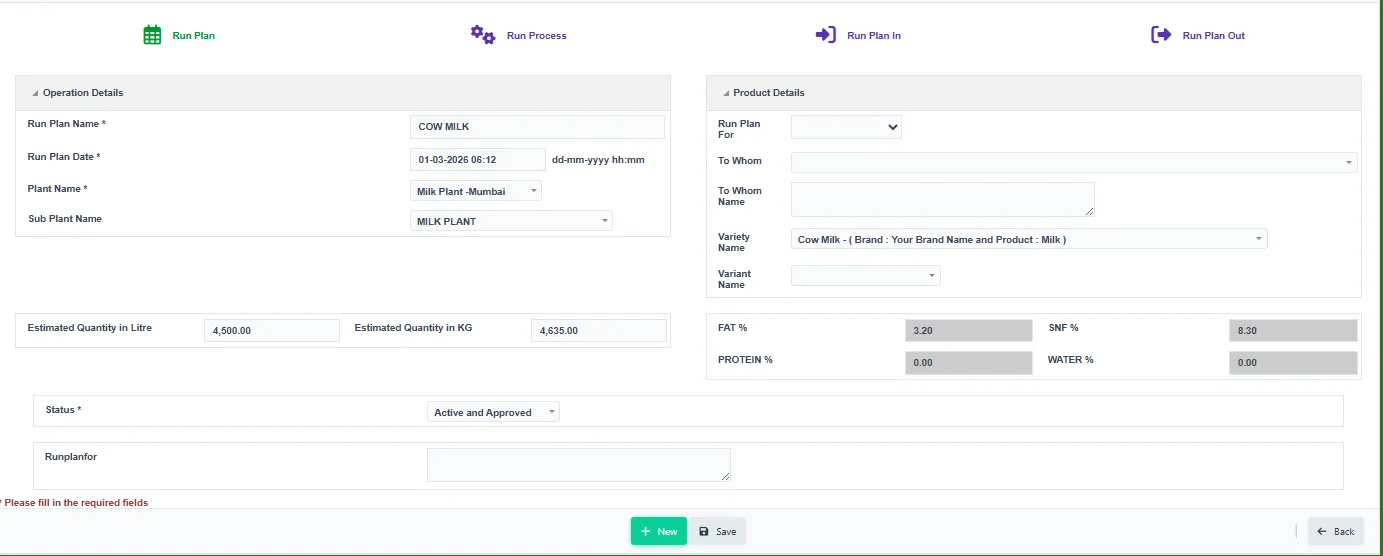
Each production batch gets a record that later logs, QC results and traceability link to.
See how →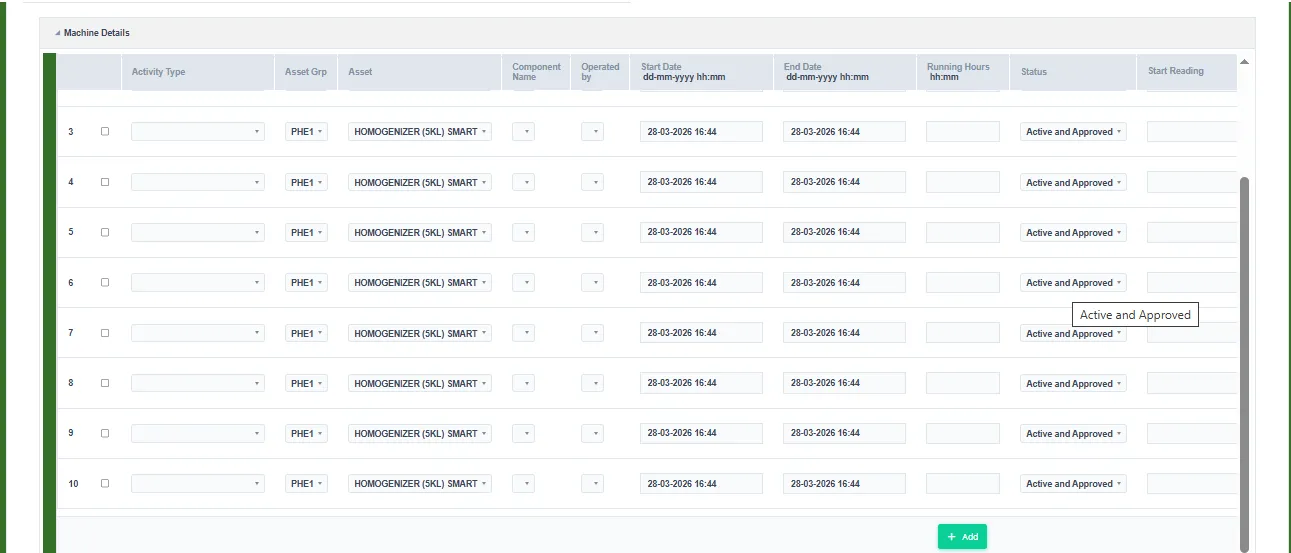
Machine parameters are logged automatically against the batch through IoT.
See how →Records which equipment each batch used, for maintenance monitoring.
See how →The Mass Balance Report checks that inputs and outputs balance for each batch.
See how →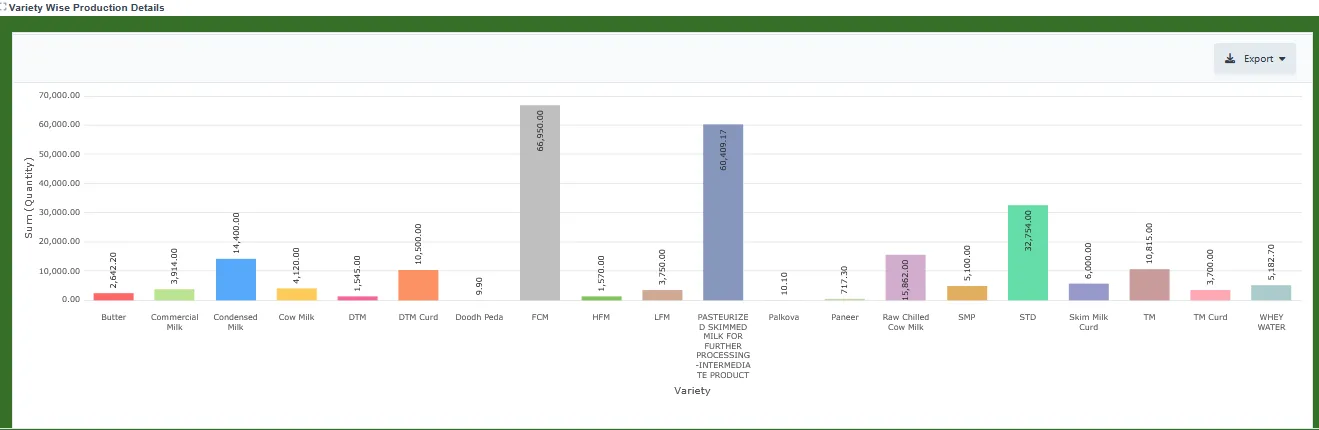
Production quantities by product variety for any date range.
See how →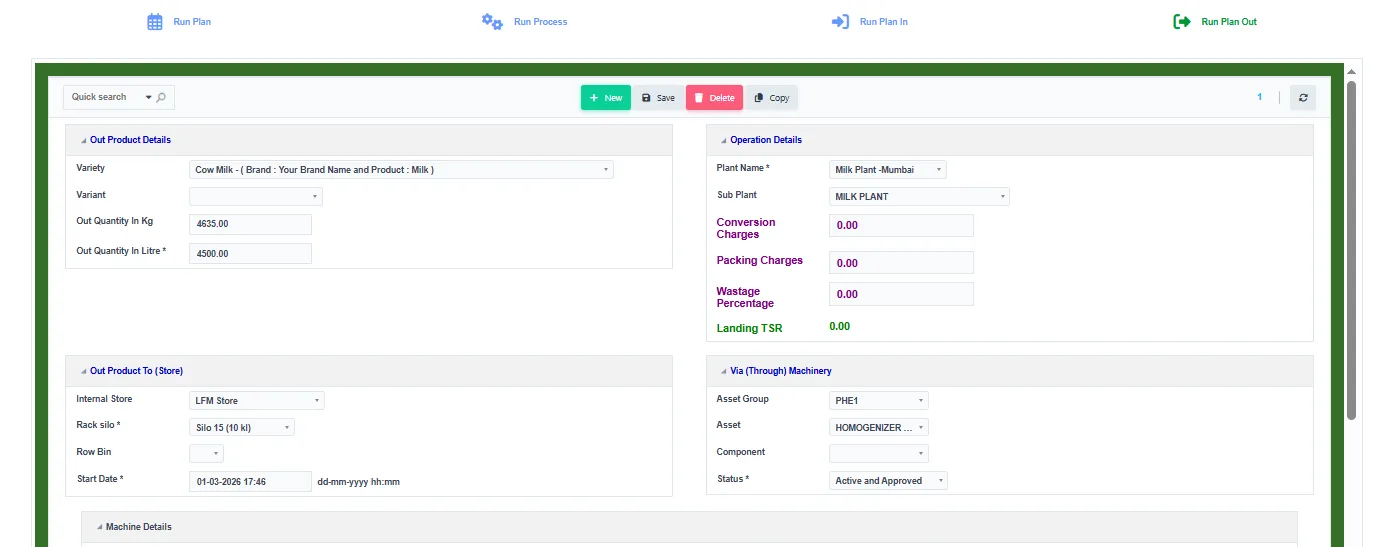
Stock is visible at every point: silo, finished goods, cold room and dispatch.
See how →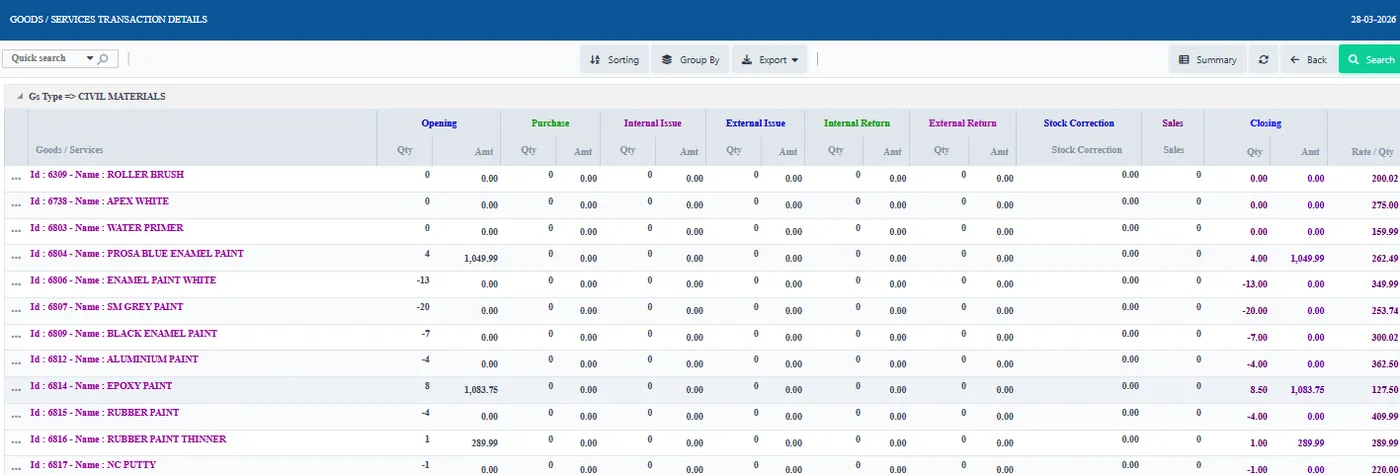
Separate stock for stores and for the production floor, each kept up to date.
See how →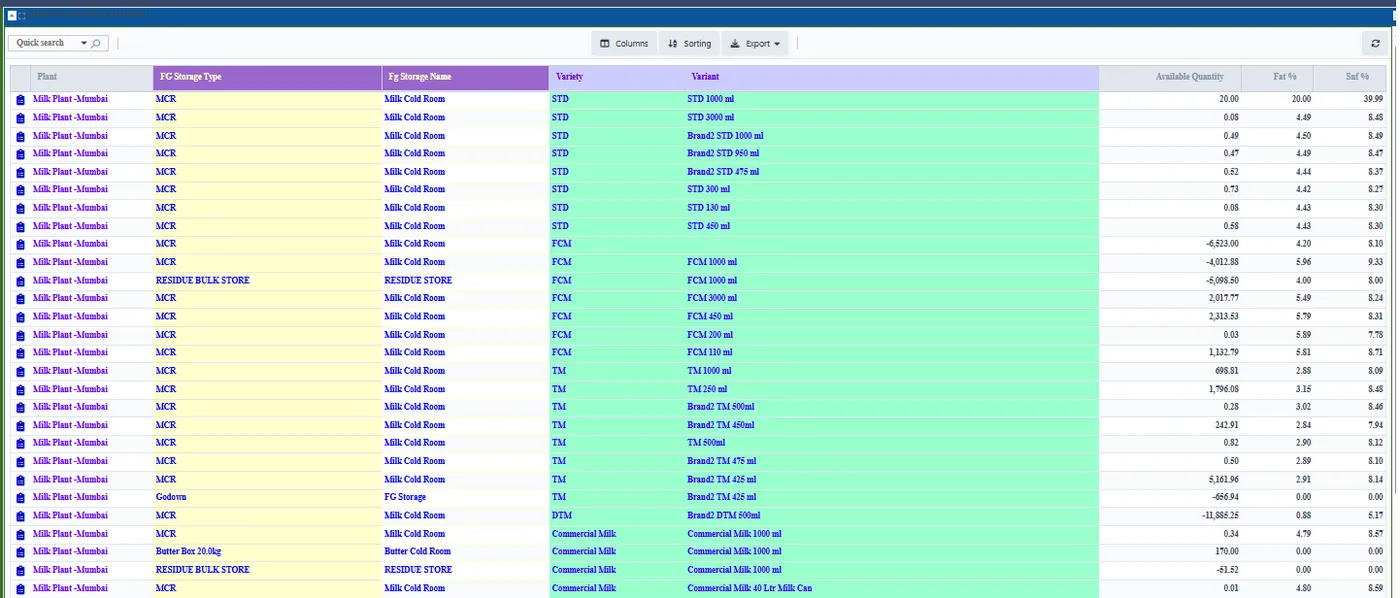
Approved corrections for finished and semi-finished stock, with a report of every change.
See how →Stock moved between locations is updated on both sides in one step.
See how →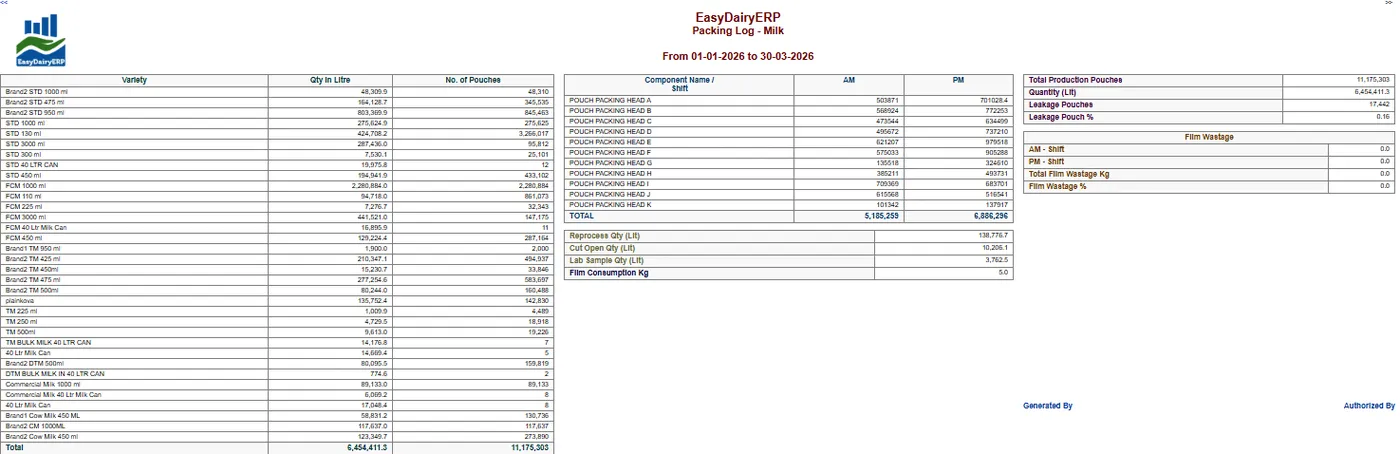
Every pouch is accounted for, including leaked pouches and flush milk.
See how →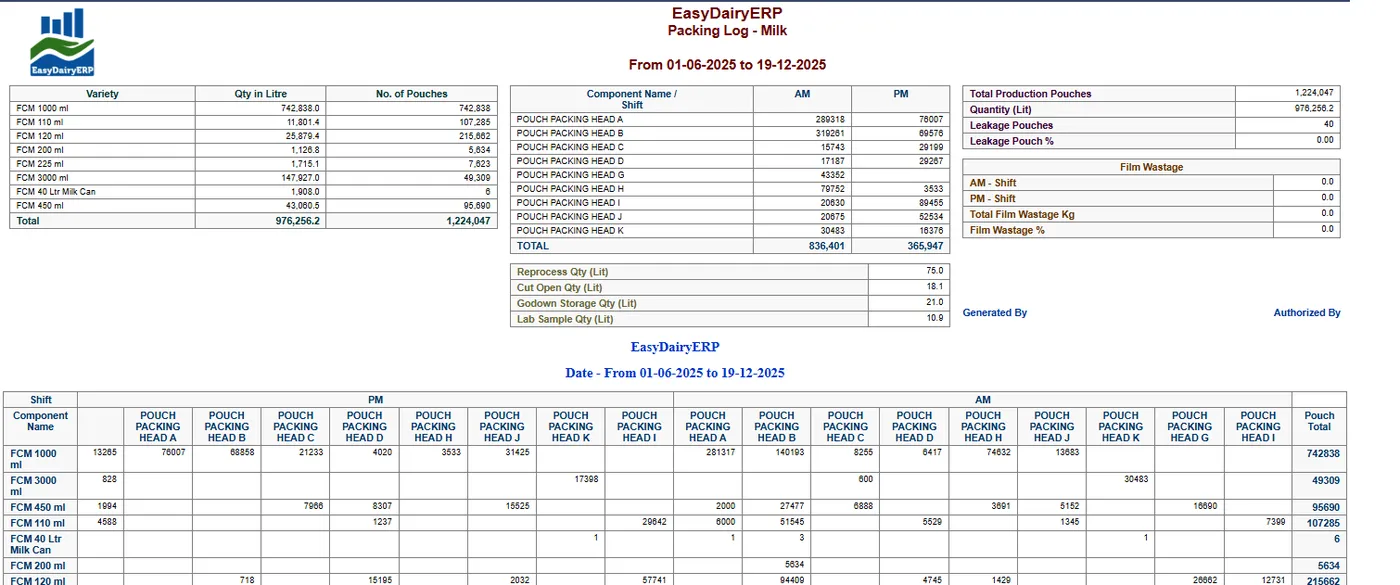
Pouch counts from the packing machine are entered against the run; this needs additional hardware.
See how →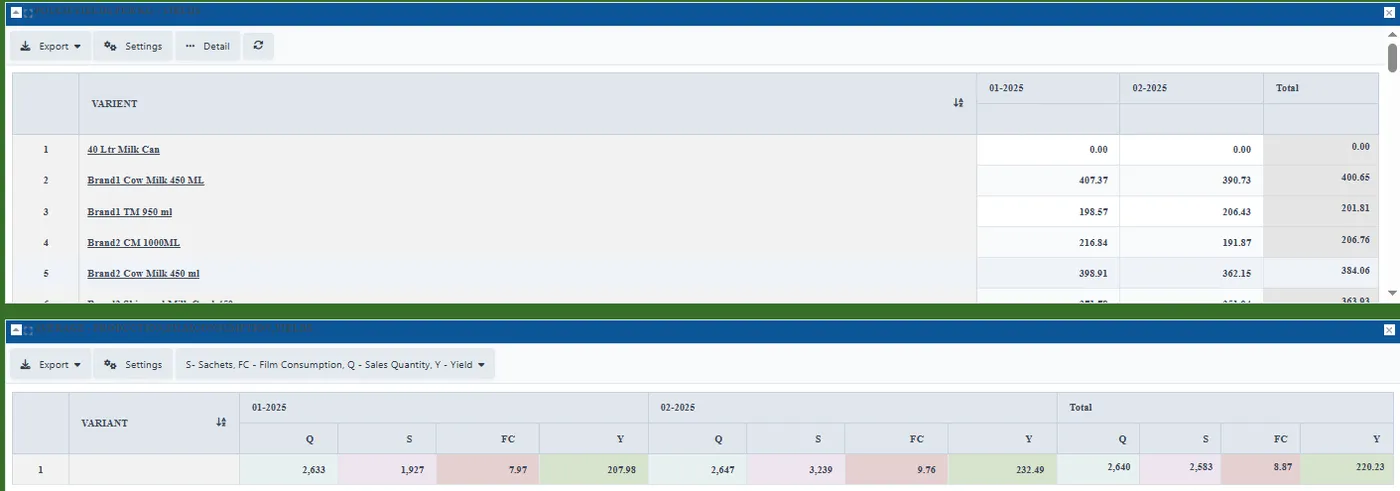
Pouch yield shows how much milk went into how many pouches.
See how →Pouches produced are matched against pouches sold, so stock gaps are visible.
See how →Handling losses are recorded with a reason, so they are measured instead of guessed.
See how →Records utility use such as firewood for the boiler against production.
See how →Records all material quality with parameters, incl. inter- and intra-company transfers.
See how →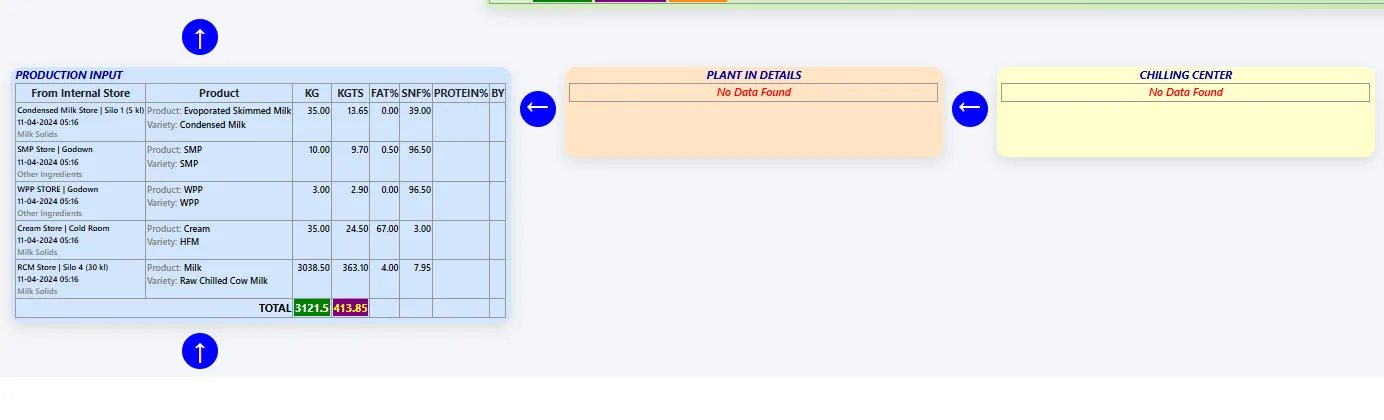
QC results are entered as tests finish, so batches are cleared without waiting.
See how →Batch results are published live on the web as soon as they are approved.
See how →QC staff log their activities, and quality acknowledgements are recorded.
See how →Instant batch traceability for FSSAI; batch number-wise traceability; Traceability Reports 01-03.
See how →Customers can download the Certificate of Analysis for a batch from the web.
See how →Every quality log is kept in the ERP instead of on paper.
See how →Food safety management records kept alongside QC; complete FSMS integration in the Enterprise edition.
See how →CCP monitoring is live. An IoT gateway reads pasteuriser temperature and FDV cut-off straight from the line, and weight scales on the packing heads log pouch weights, so deviations show up hour by hour.
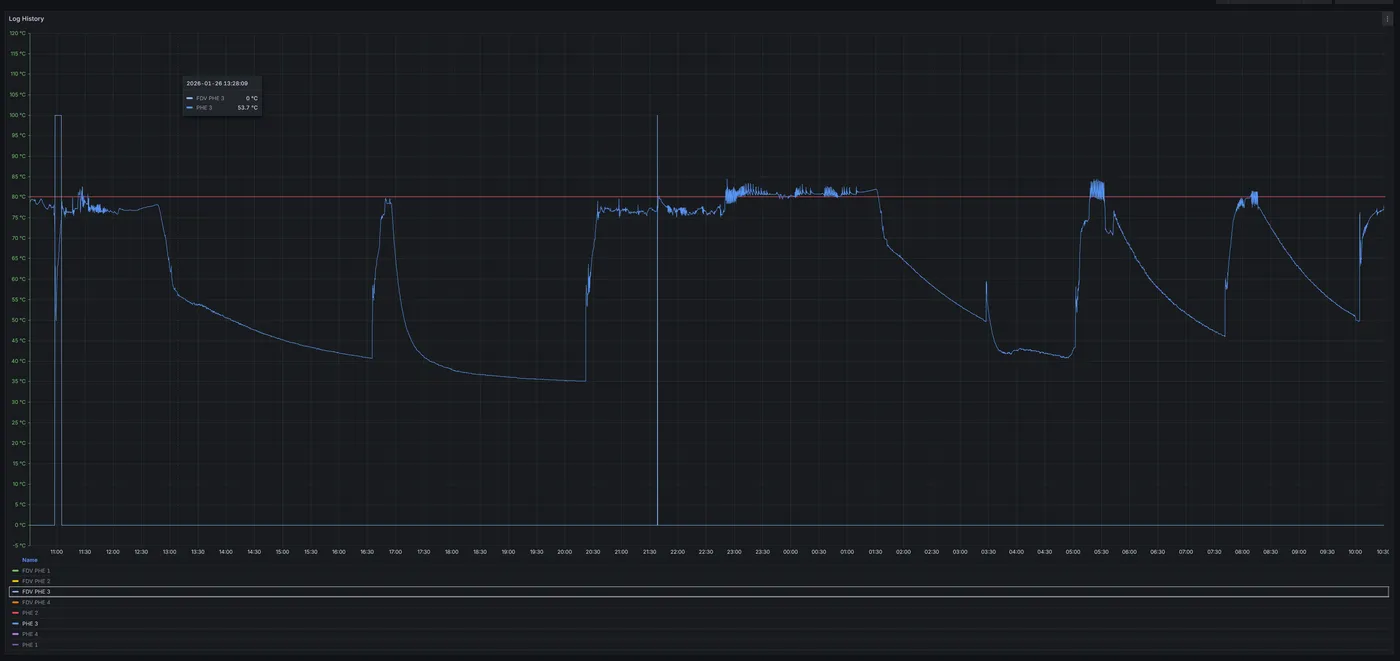
An IoT gateway logs pasteuriser temperature and FDV cut-off from the line; Enterprise edition on an on-premise server.
See how →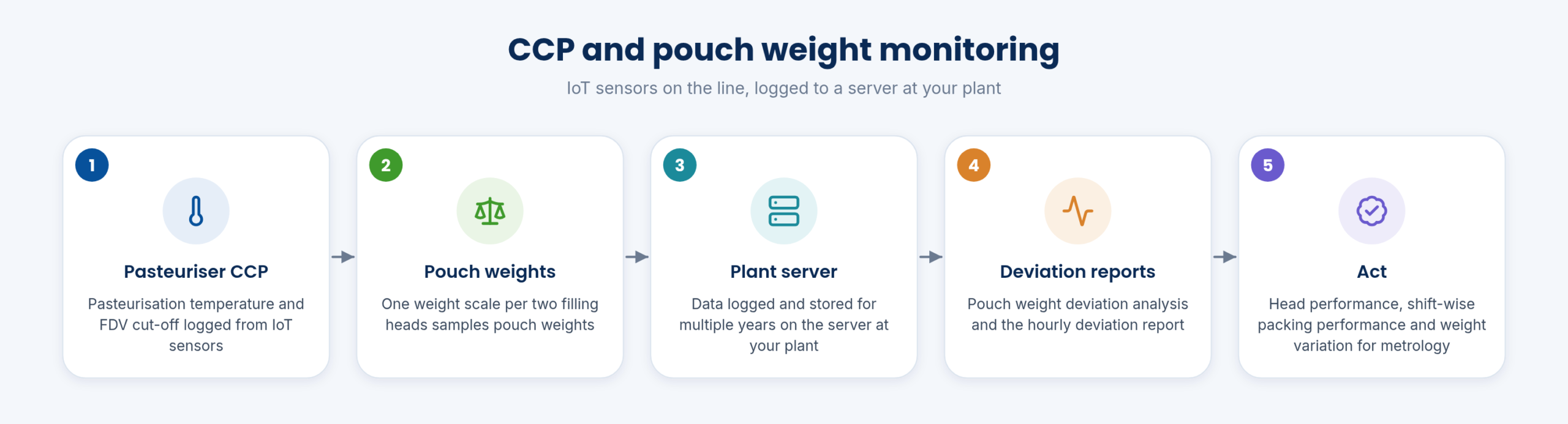
CCP readings appear on screen live, so deviations are seen as they happen.
See how →CCP monitoring is part of EasyDairyERP, not a separate system.
See how →Several years of IoT readings are stored on your own server (Enterprise).
See how →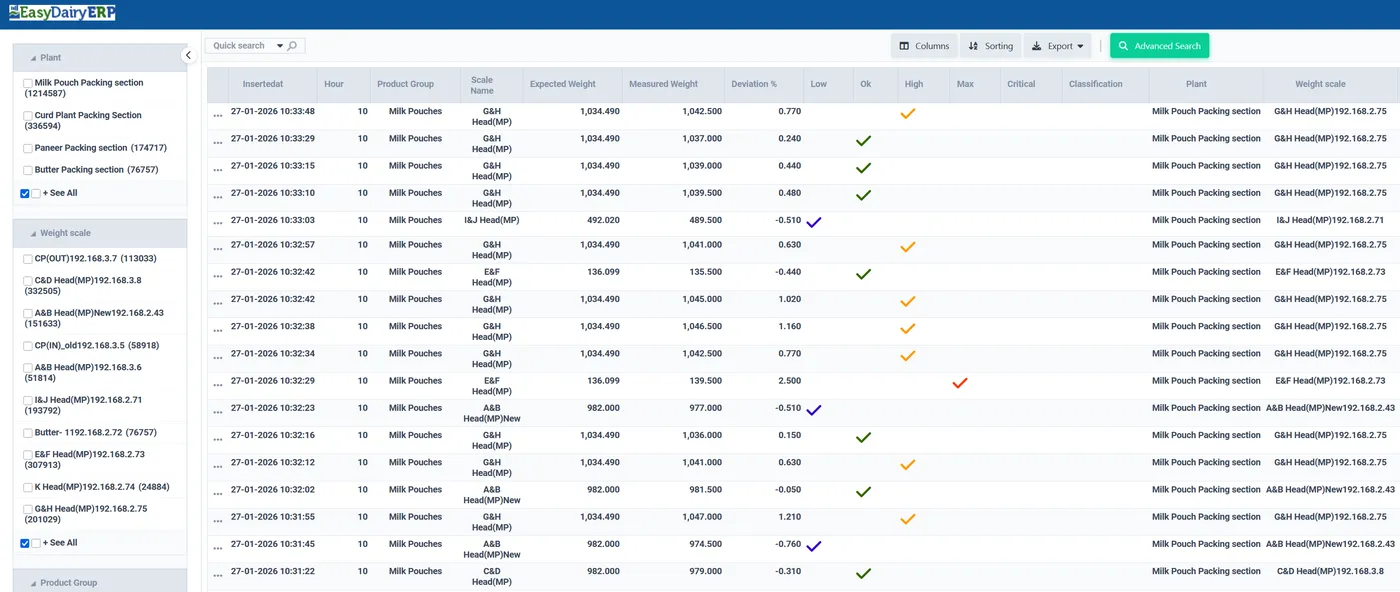
Pouch weights against target, with every deviation analysed.
See how →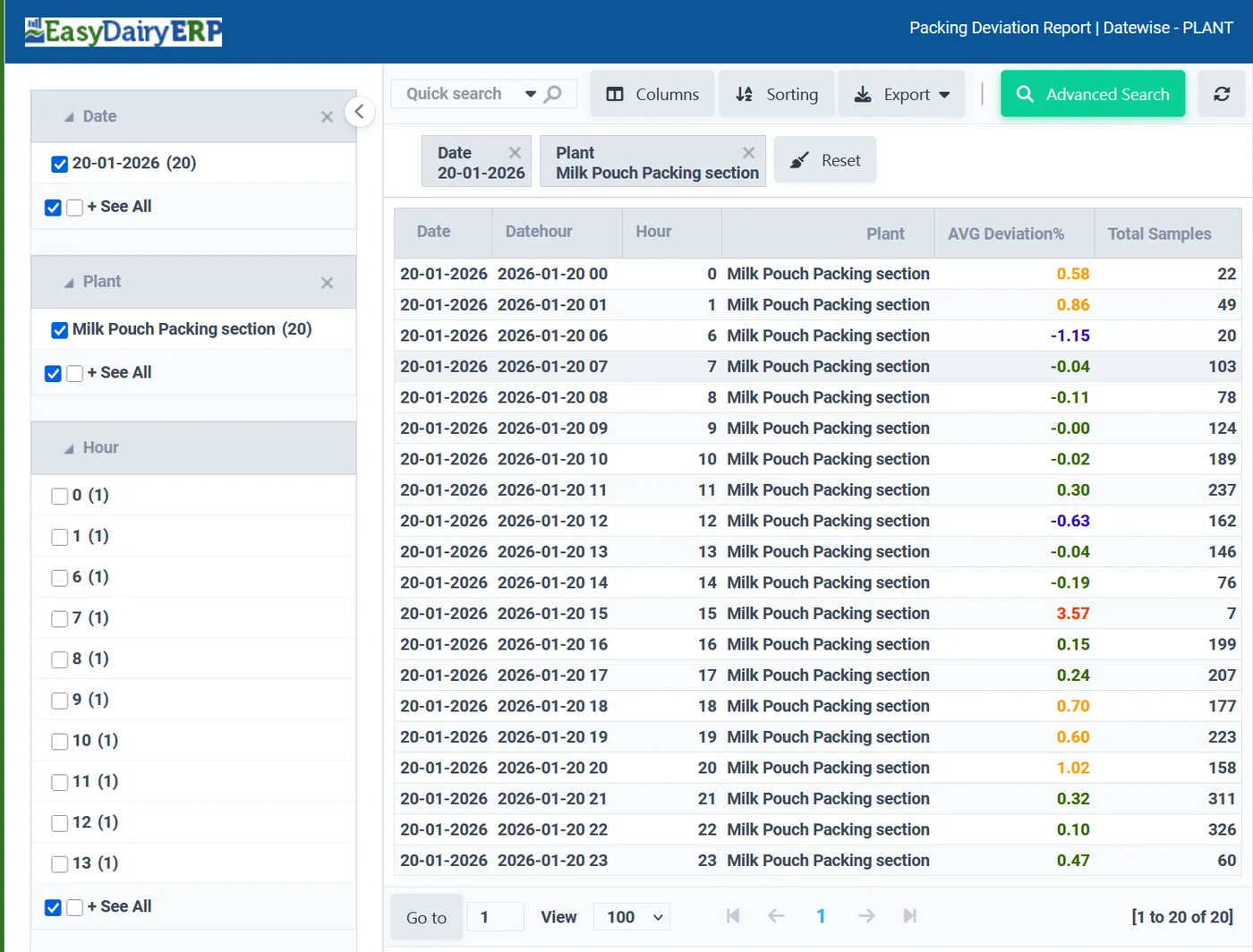
Hour-by-hour pouch weight deviations for each packing head.
See how →Weight scales on the packing line log pouch weights automatically (Enterprise).
See how →Head performance, shift-wise packing performance, weight variation for metrology.
See how →Sampled weights help control excess fill and keep pouches accurate.
See how →From a department request to the supplier payment: quotes, multi-level PO approval, gate in, pre-check, GRN, QC, invoice and accounts approval, with stock by godown, rack and bin and monthly consumption and value reports.
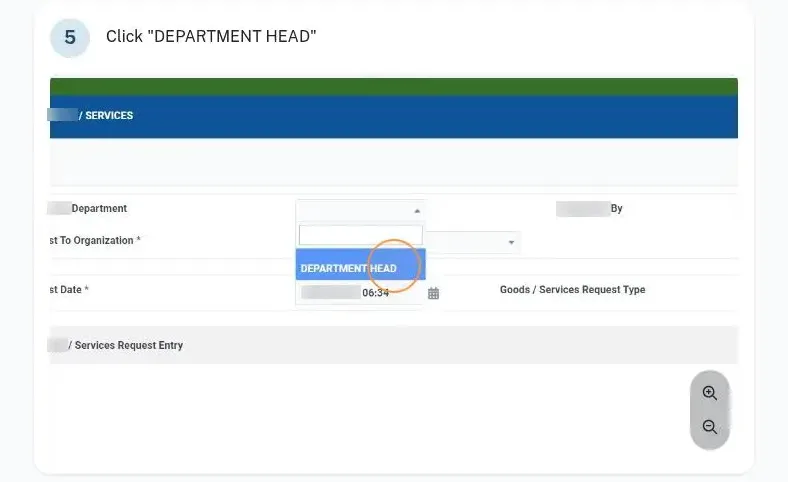
User material request (department-wise); department-wise approval; material request, approvals and issue management.
See how →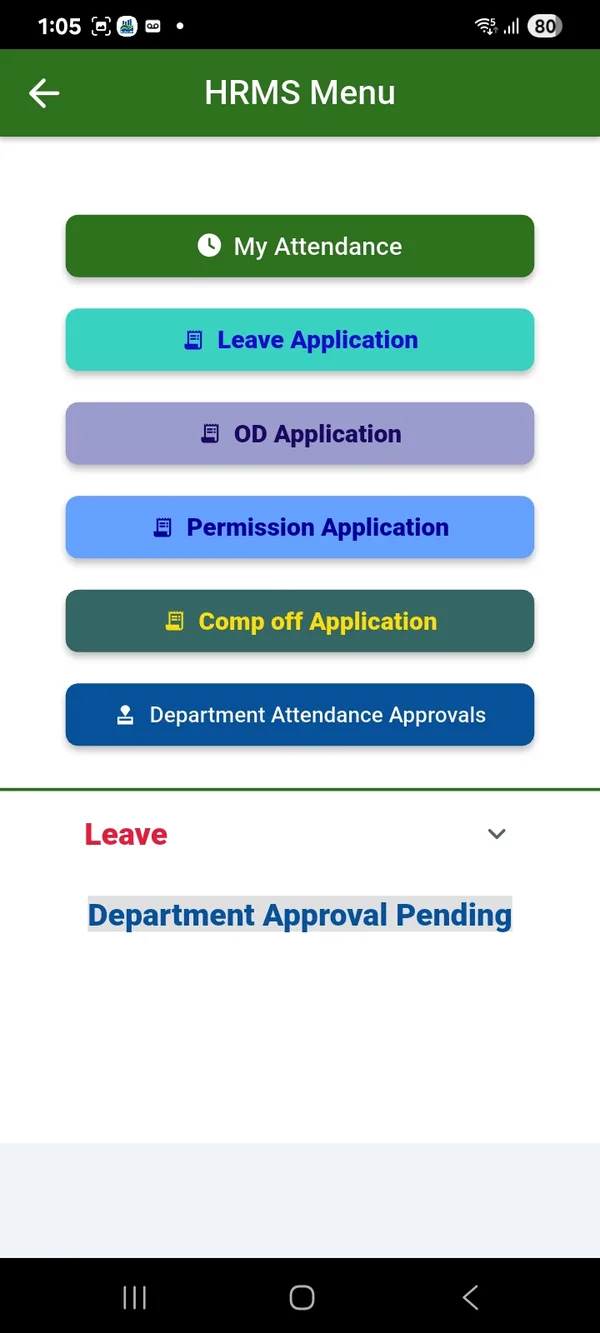
The store manager approves requests before material is issued.
See how →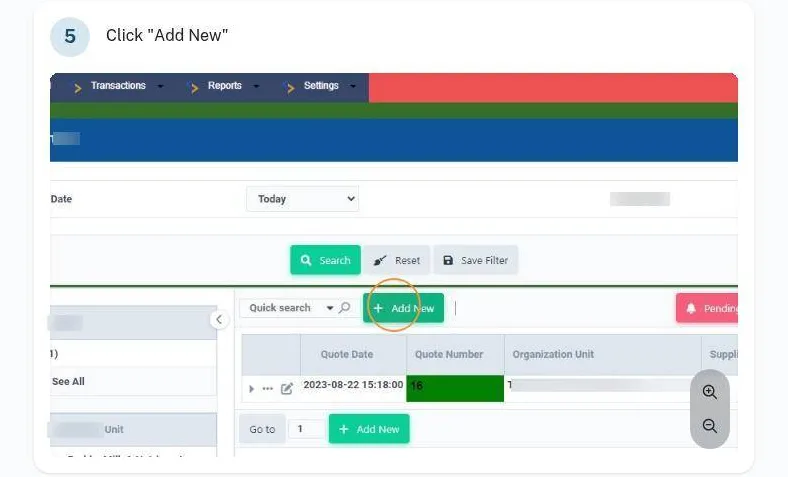
Raise a PO request and send it through as many approval levels as you set.
See how →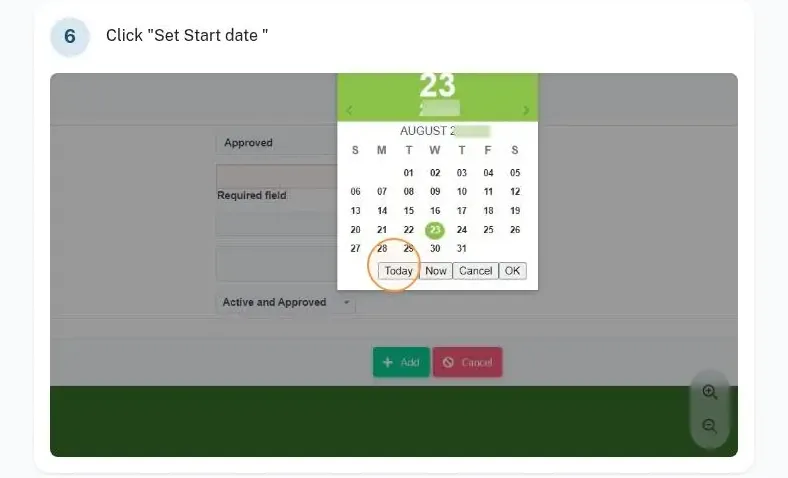
Preparation of quote; quote capturing; quotation review and approval; quote storage.
See how →
Prepare the PO, check it against the quote, release it and track its payment status.
See how →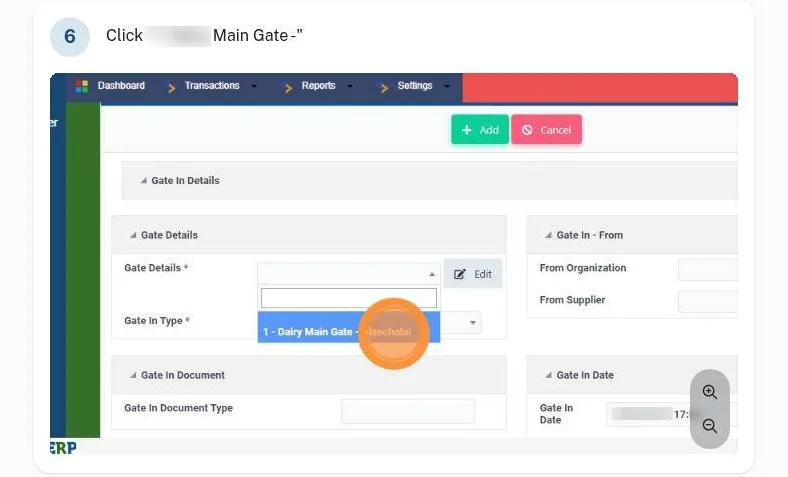
Receive GRN; cross-check GRN and quotation; Inward GRN screen; PO | Gate In | Pre Check | Stock Move | Invoice.
See how →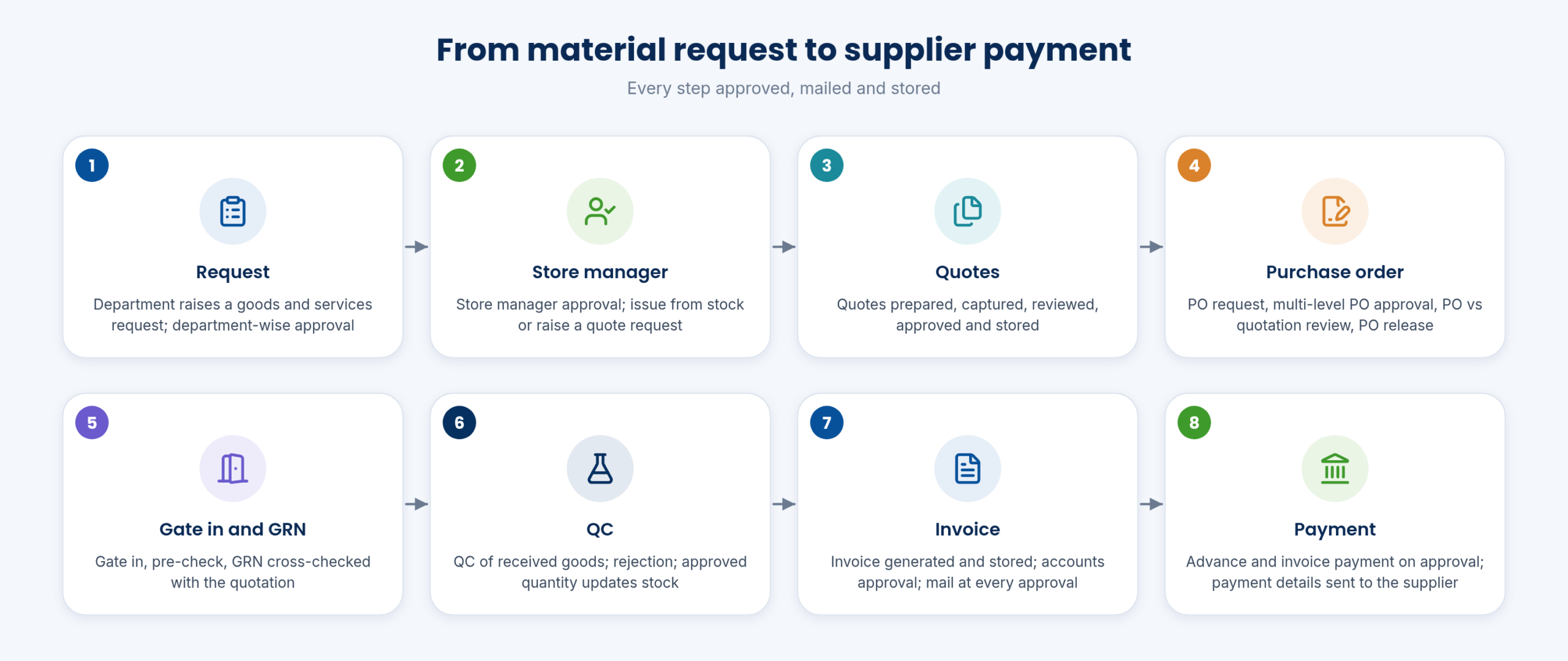
Goods received are QC-checked, and rejected material is recorded.
See how →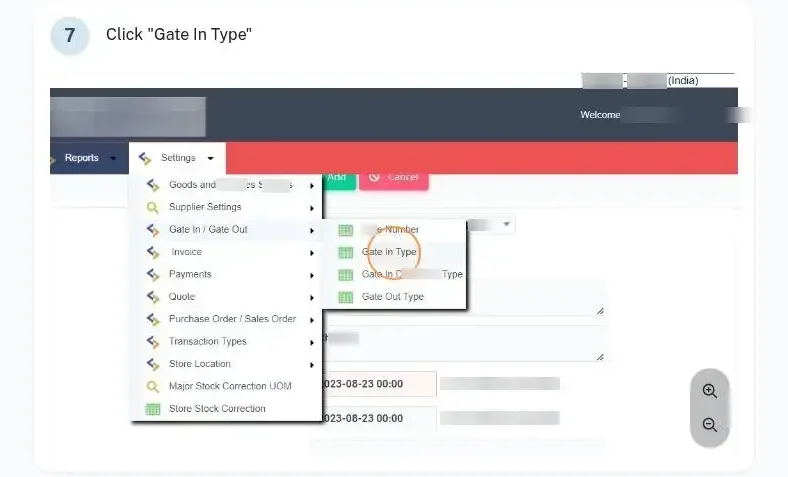
Gate passes for returnable and non-returnable material are tracked until they close.
See how →An email goes out at every approval step, including the accounts approval.
See how →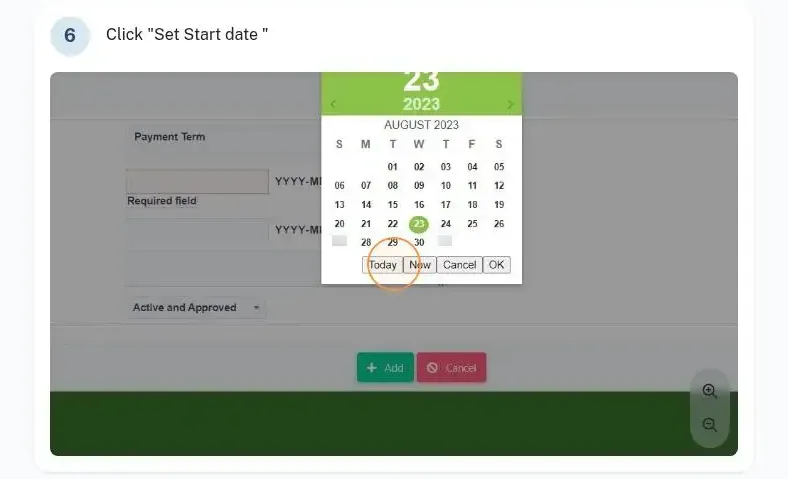
Advance and invoice payment generated on approval; automatic mail after final payment approval.
See how →Supplier credit notes are approved and outstanding balances corrected with a record of each change.
See how →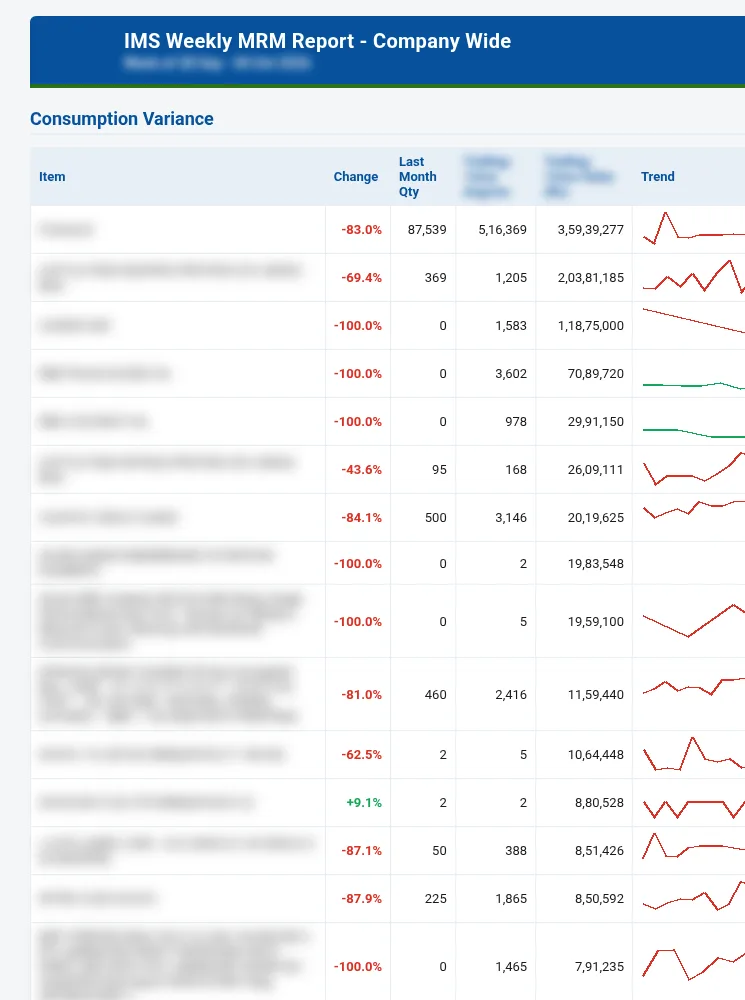
Set a purchase budget for each department and follow spending against it.
See how →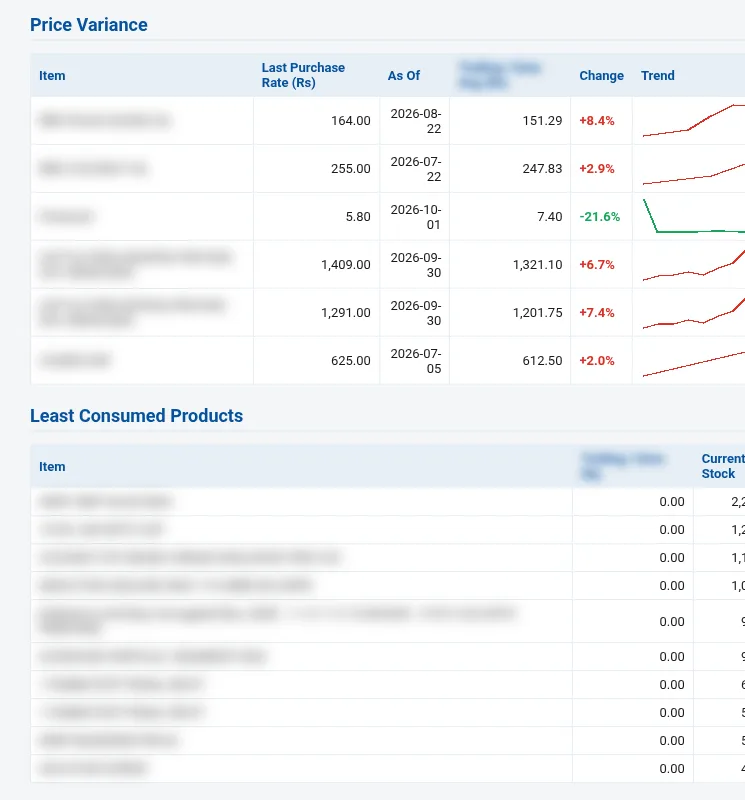
How much material each department used, and what it cost.
See how →Monthly stock and consumption reports show usage trends by material.
See how →Stock statement for any store, with approved stock corrections.
See how →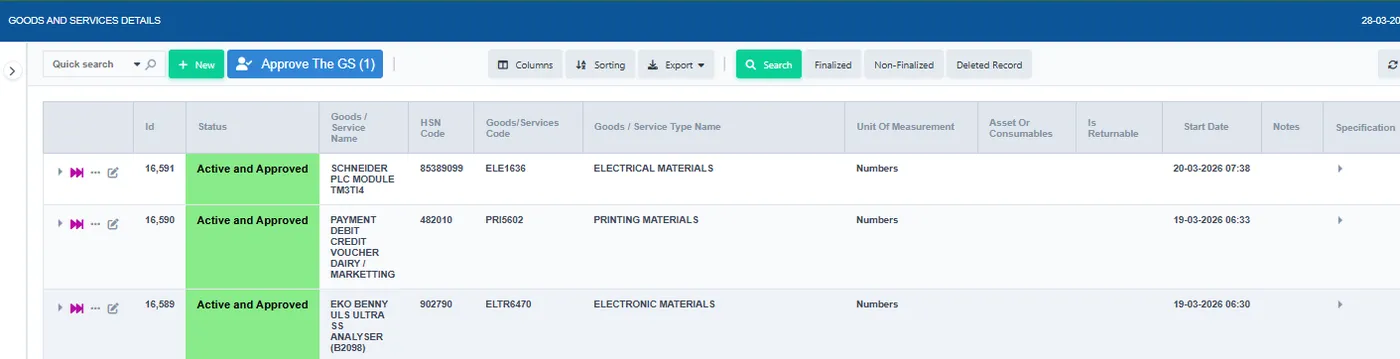
Stock reports can be shaped to the columns and filters you need.
See how →Invoice storage and retrieval; store all incoming docs (DC, invoice); bills, service, contracts; bill storage.
See how →Material sent to chilling centres is dispatched and billed from stores.
See how →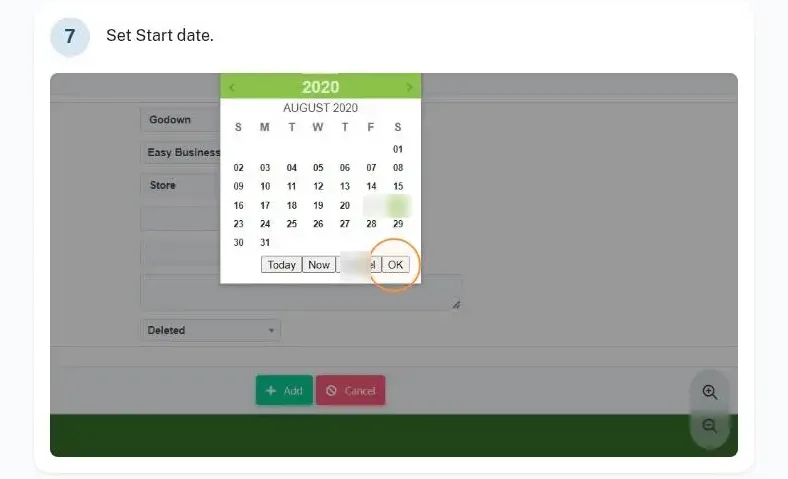
Every item has a place down to row, rack and bin, across several godowns.
See how →Transfer stock between stores and find items by bar code, with entries flowing to accounts.
See how →Check stock, prices and consumption, and raise or approve requests, on the mobile app.
See how →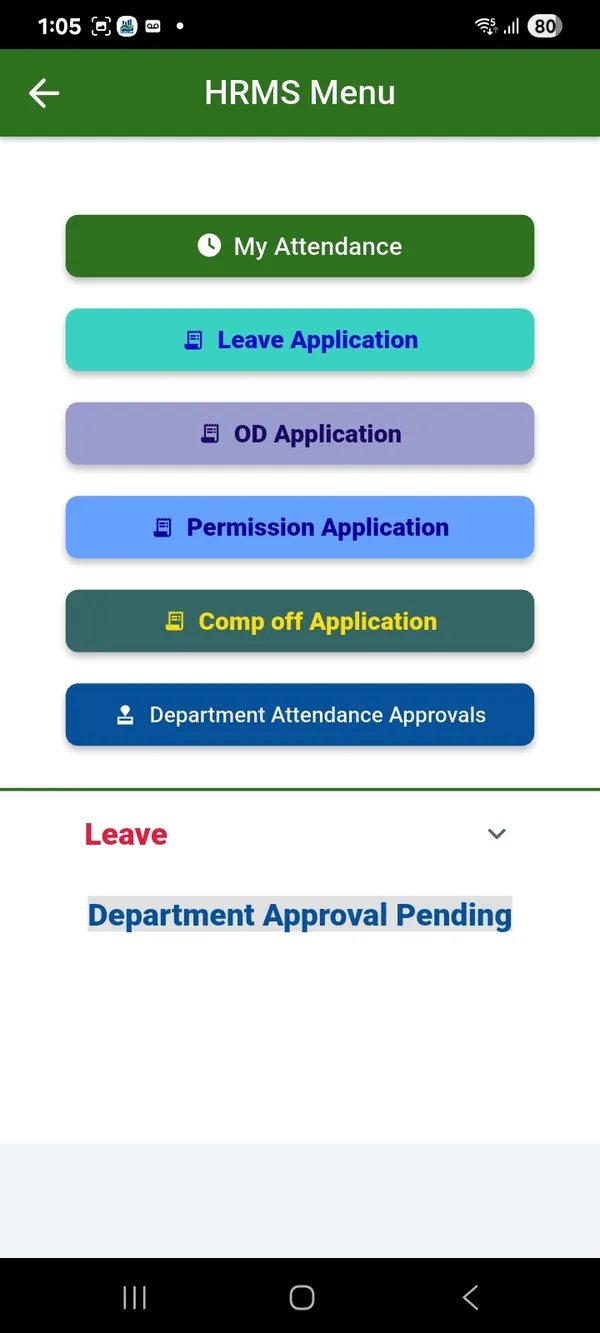
Set up goods and services, suppliers, store locations down to bin, and quote approval statuses.
See how →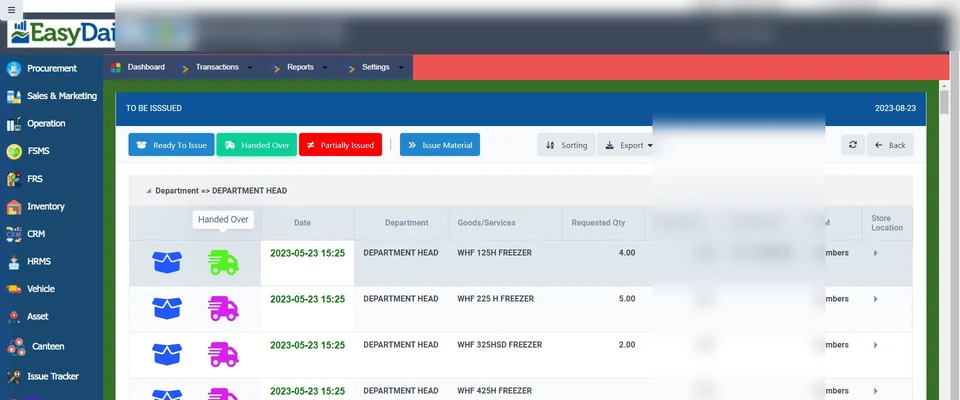
One workflow from goods and services request through department issue and quote request.
See how →Payment approval process; financial reports; goods-wise utilisation; overall financial oversight.
See how →Employees punch in by face recognition, biometrics or the mobile app, request leave and permissions on the phone, and payroll runs with statutory forms, canteen deductions and a direct bank payment file.
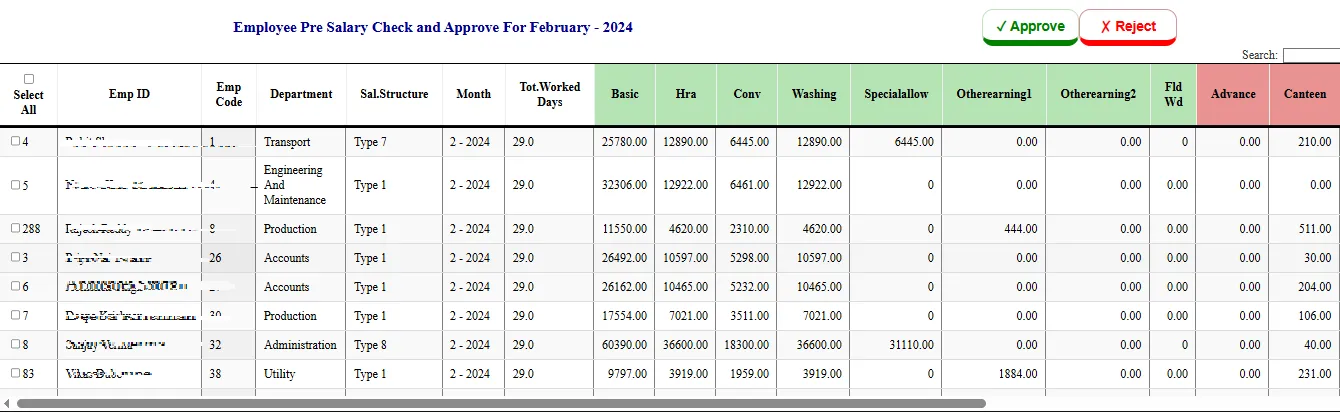
Employee records, attendance and payroll processing in one module.
See how →Staff in the field mark attendance with a photo from the mobile app.
See how →Punch in and out by face recognition, including several faces at once.
See how →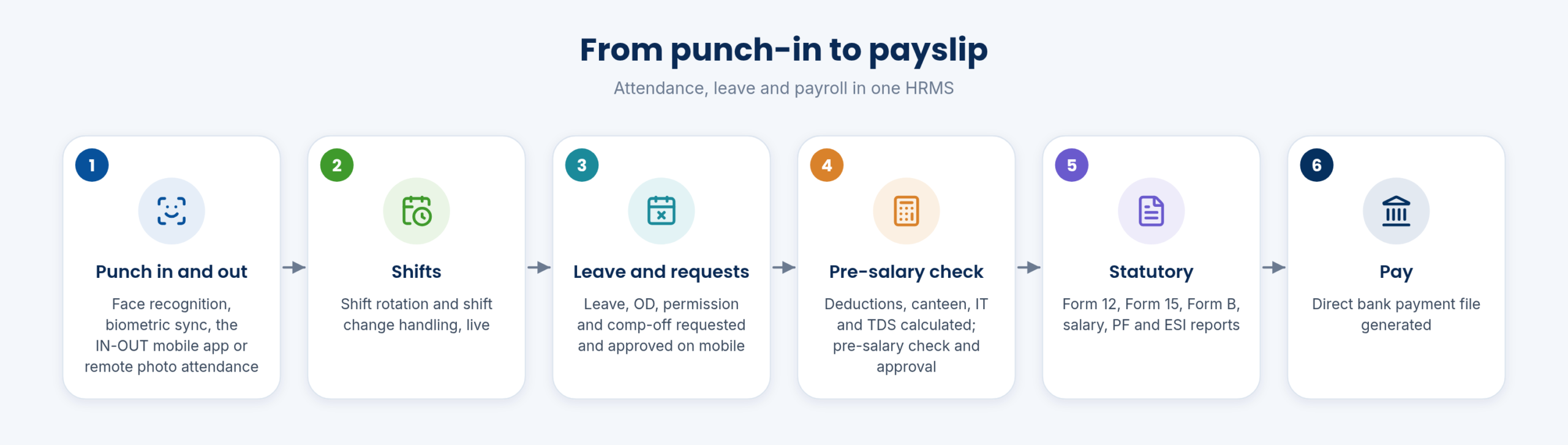
Biometric devices sync attendance into the ERP automatically.
See how →Shift rotations and changes are handled, and attendance follows the shift automatically.
See how →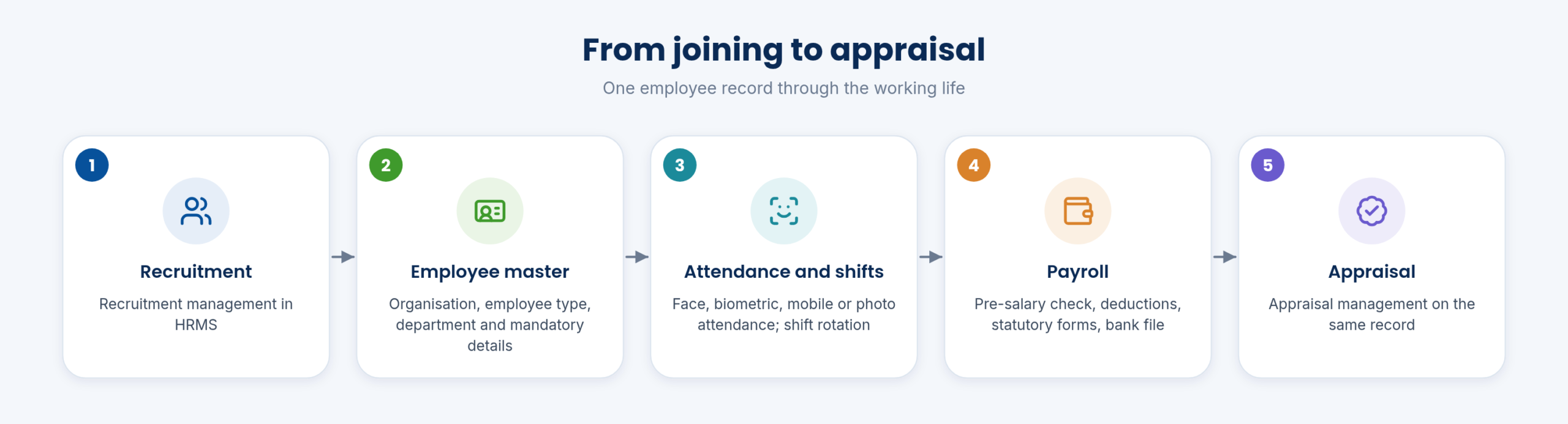
Employees request leave, OD, permission and comp-off on mobile, and managers approve there.
See how →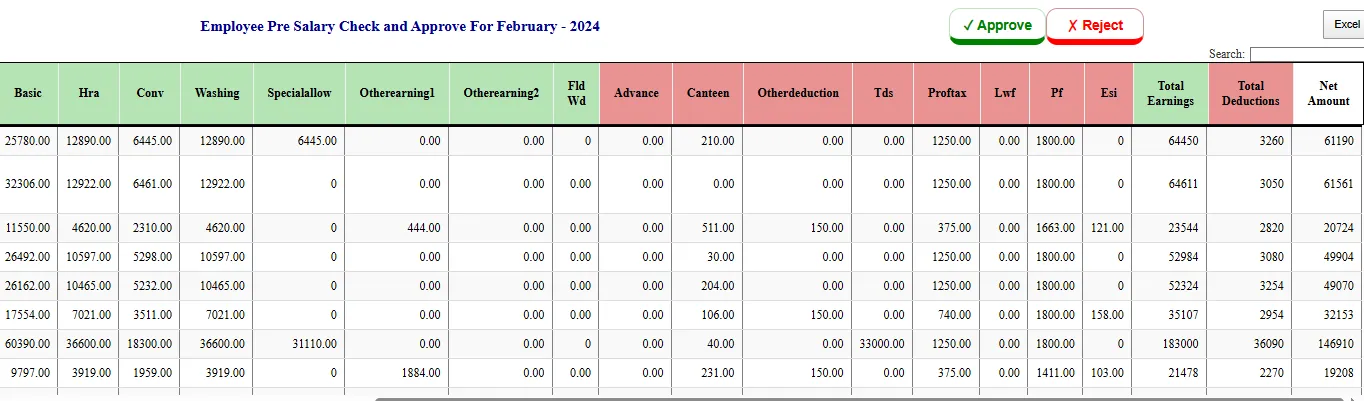
Income tax, TDS and other deductions are calculated in payroll, with a tax planner.
See how →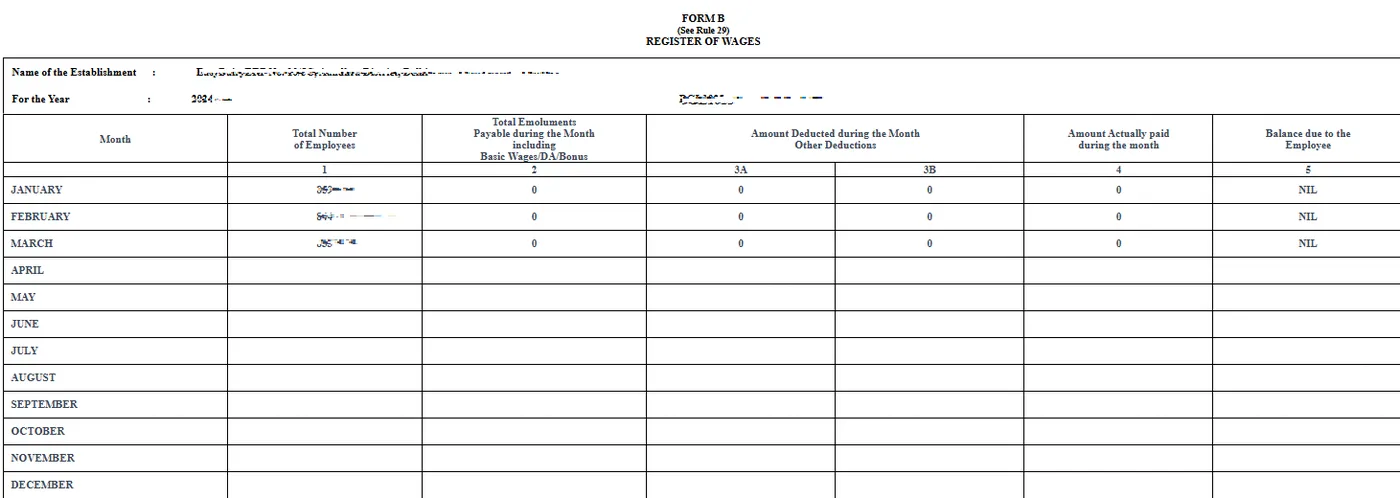
Statutory muster, wage-period and wage-register forms are produced from payroll data.
See how →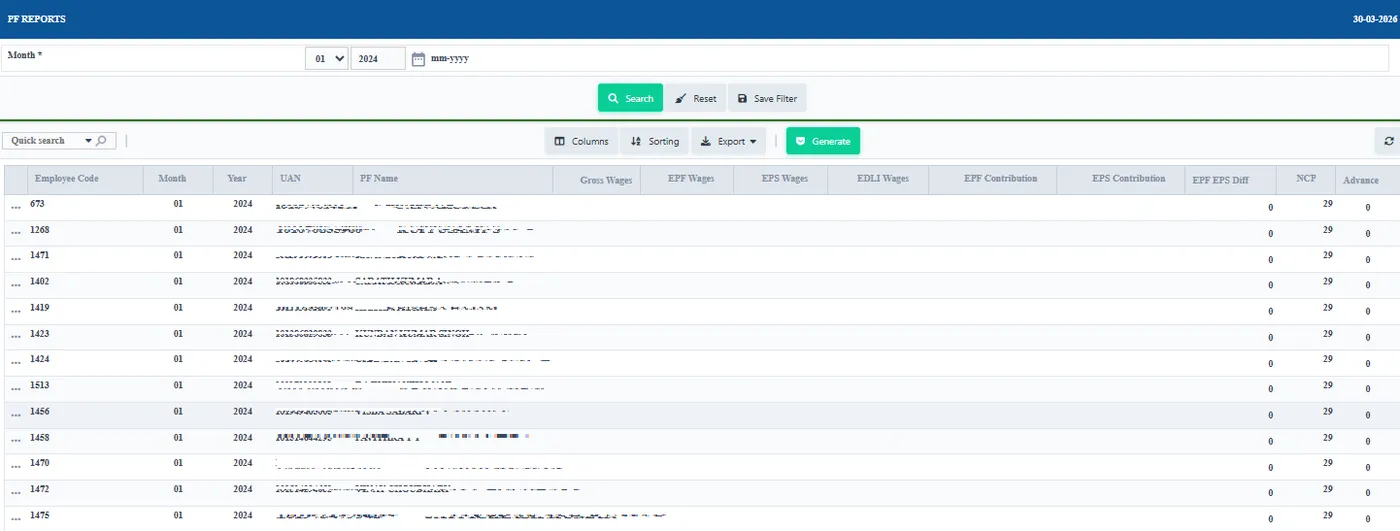
Salary, PF, ESI and other statutory reports straight from payroll.
See how →Salary bank files are generated for direct upload to the bank.
See how →
Set up employee types and add new employees to the master.
See how →Every employee can use the mobile app for HRMS and stores requests.
See how →Live attendance, shift management and field-force task allocation with GPS.
See how →Canteen meals (breakfast, lunch, dinner) are logged per employee.
See how →Canteen and other deductions flow into salary automatically.
See how →Bill and manage the canteen from its own screen.
See how →Every transaction from every module flows into accounts. Management sees a daily P&L with KPIs, revenue by channel and SKU, cash flow and receivables ageing, backed by chart of accounts, journals, ledgers and multi-year audit logs.
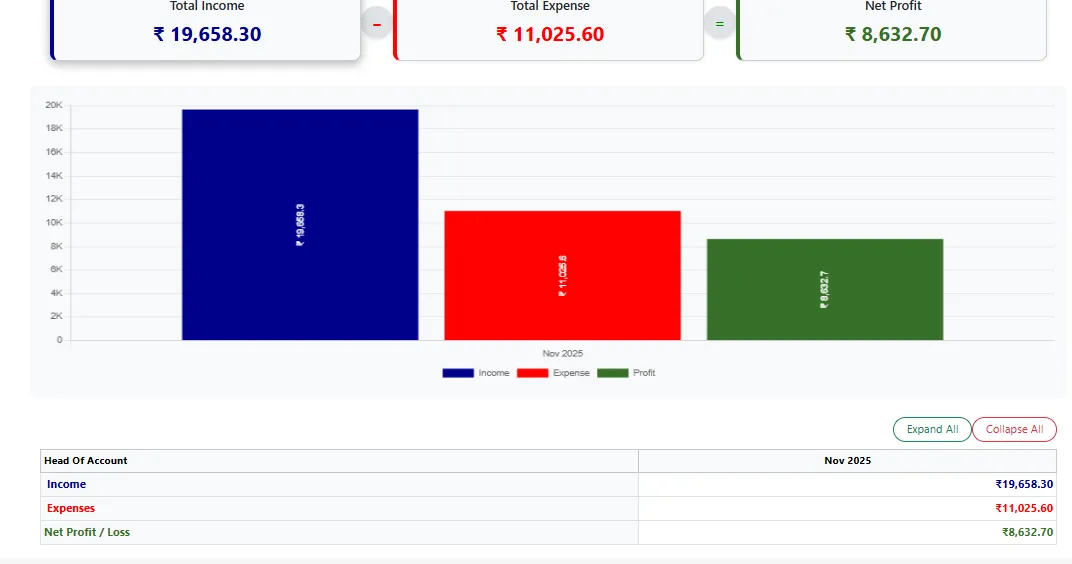
Total revenue, COGS, gross profit, OPEX, net profit / loss, gross margin %, net margin %, cash received.
See how →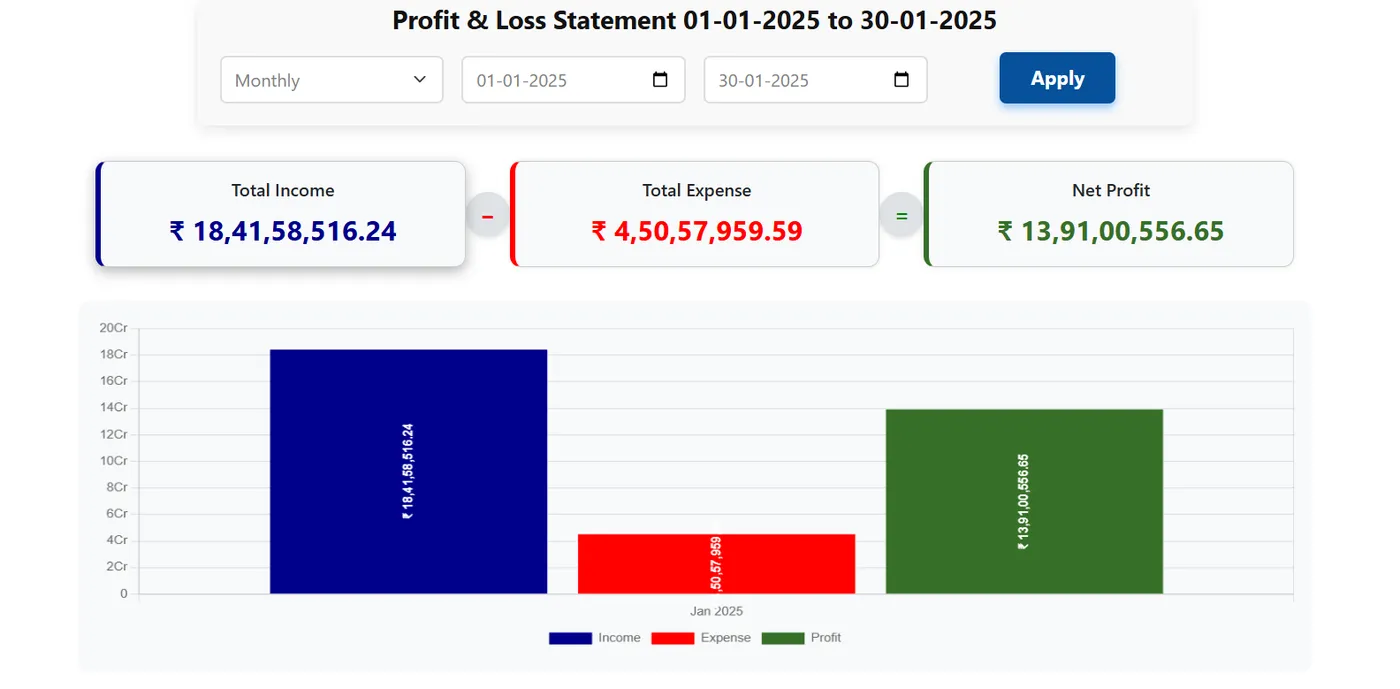
Revenue by channel and top SKUs, with a drill-down into each SKU’s P&L.
See how →Daily cash in, cash out and net cash flow, with receivables ageing and the day’s top receipts.
See how →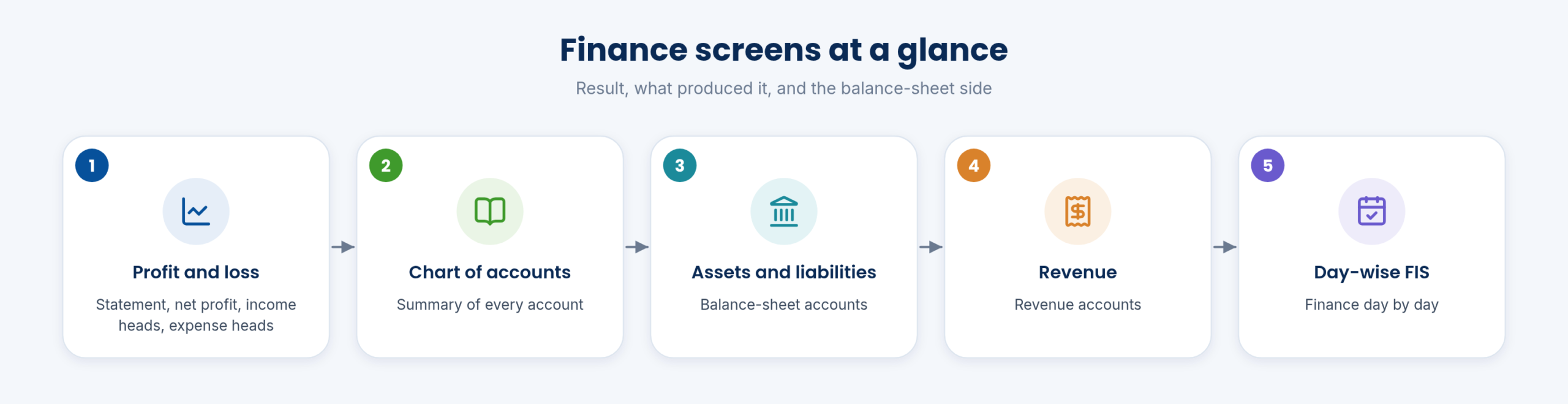
Revenue vs COGS vs net profit (7 / 30 days); sparklines; date range selector.
See how →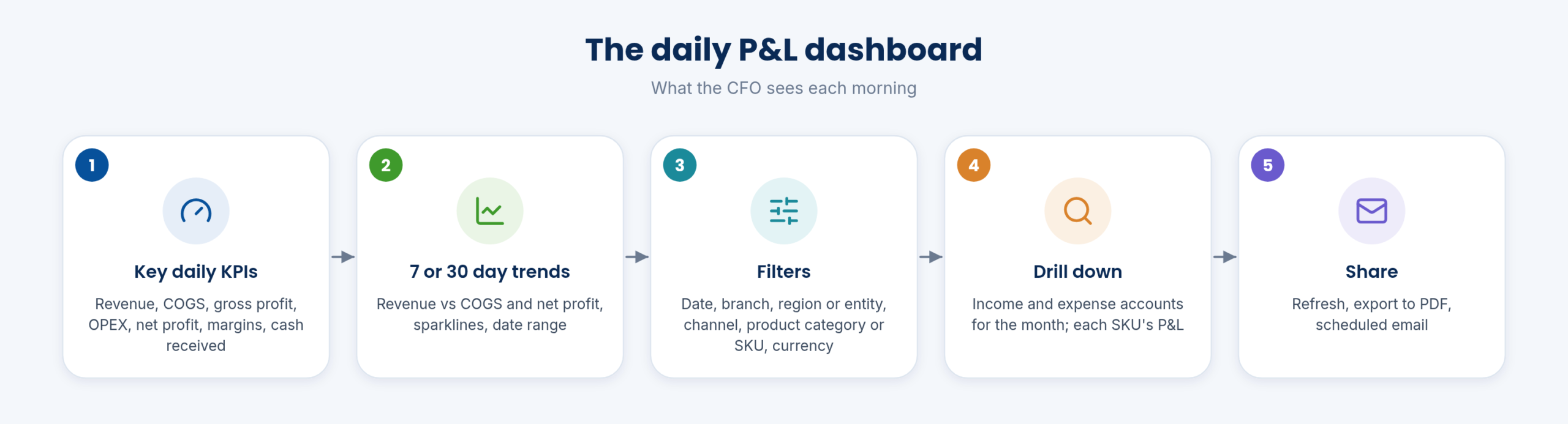
Date; branch / region / company entity; channel; product category / SKU; currency; refresh, export PDF, schedule email.
See how →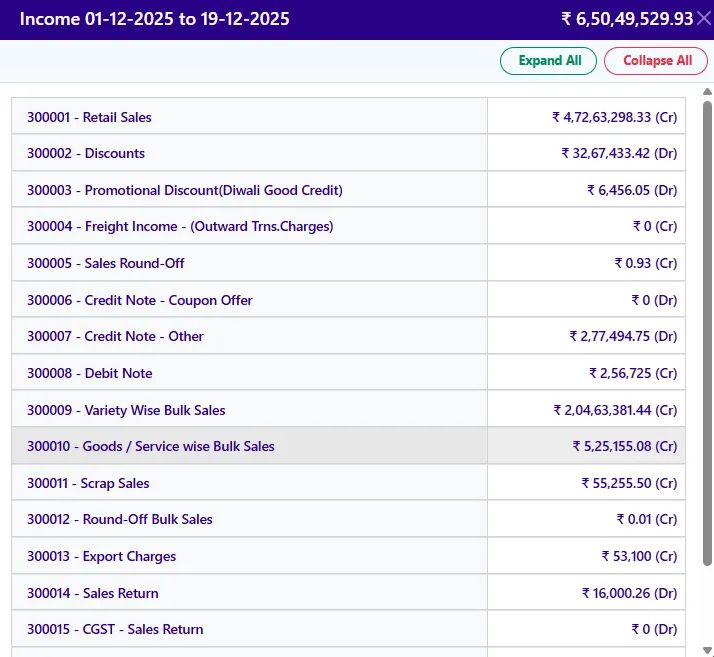
Month’s income and expense accounts behind the P&L.
See how →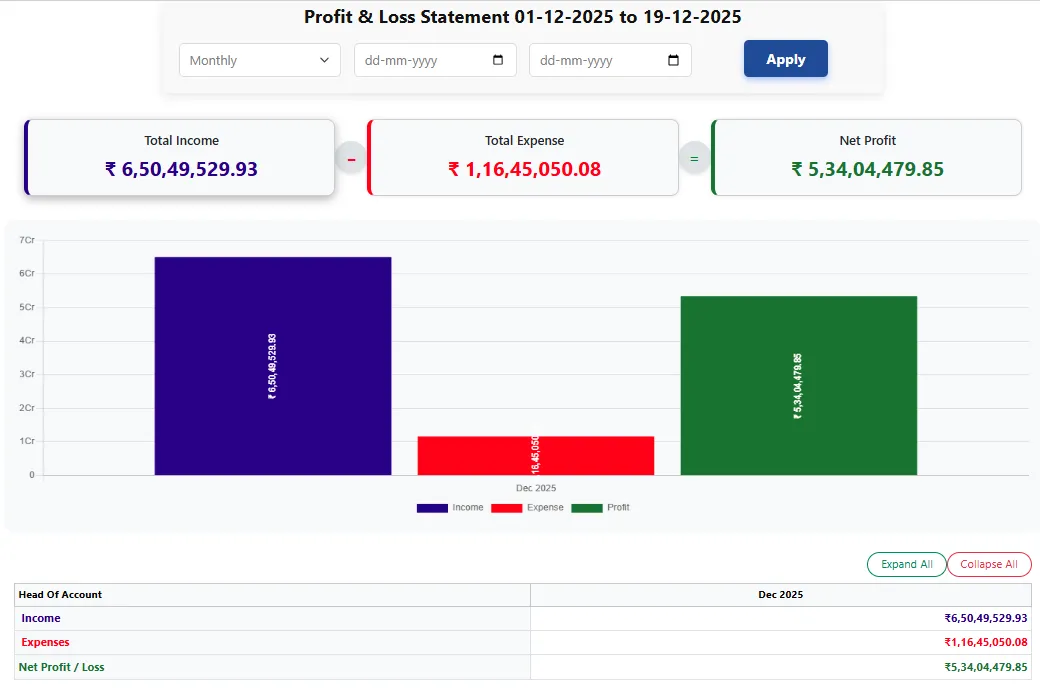
Profit & loss report, net profit, income, expenses; asset; chart of account; liabilities; revenue; day-wise FIS report.
See how →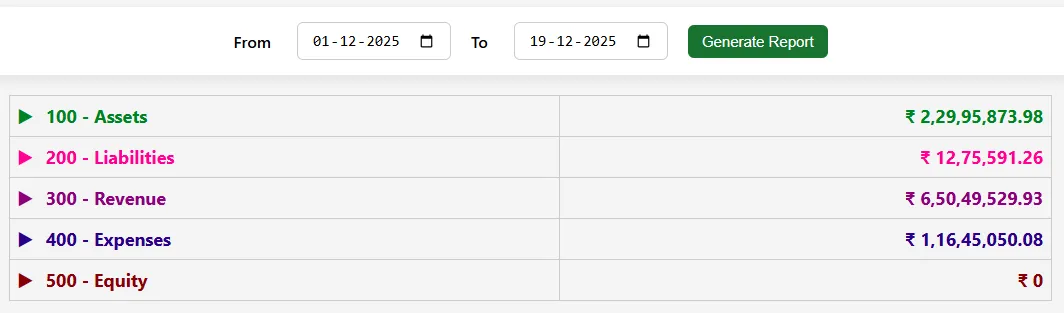
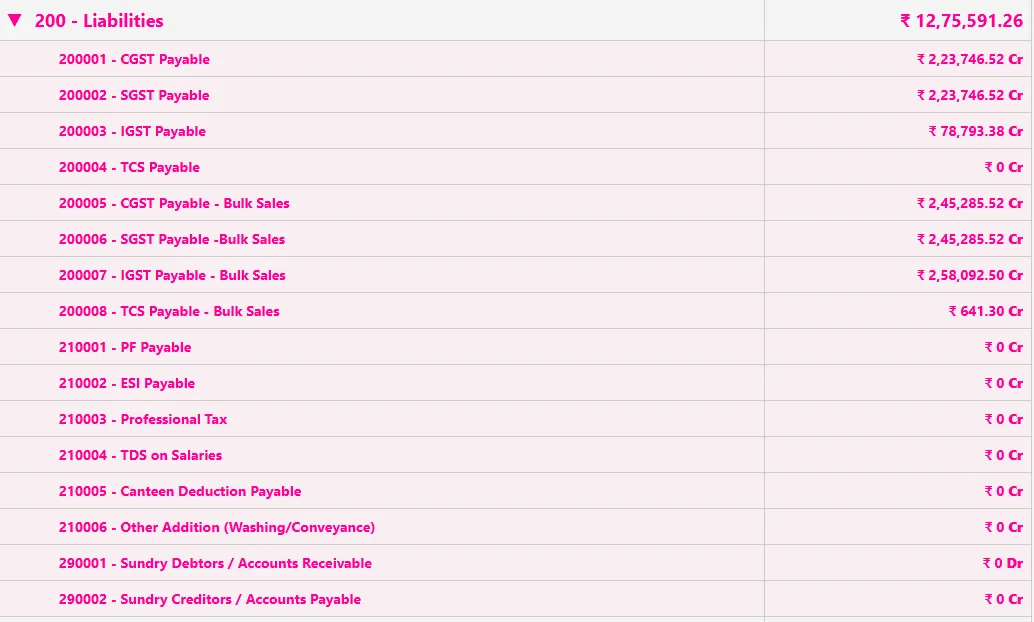
Transactions from every module post to accounts; journal entries for the rest.
See how →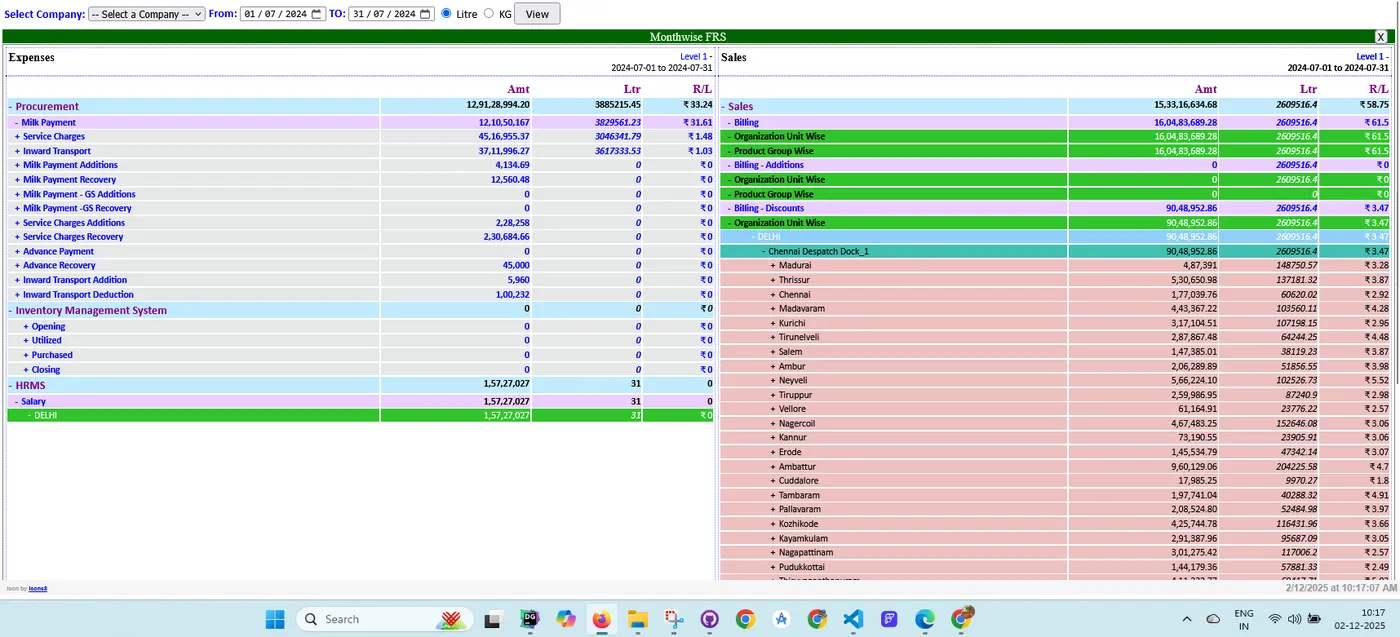
Keep bills, contracts and other documents with the transaction they belong to.
See how →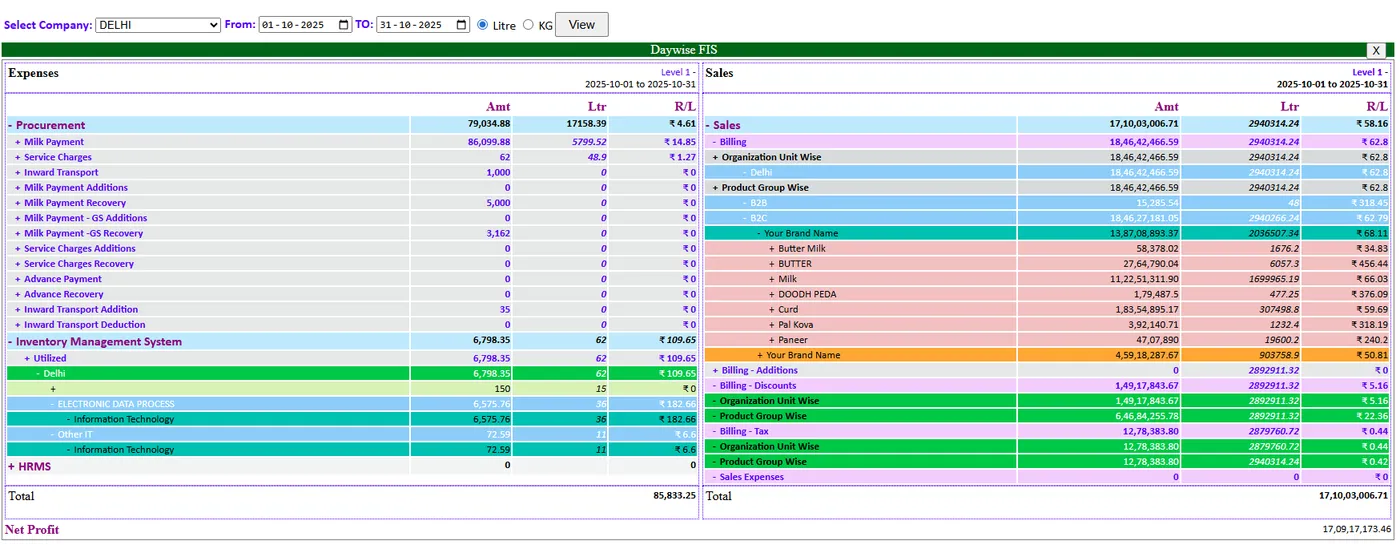
Several years of data with an audit log for statutory audit.
See how →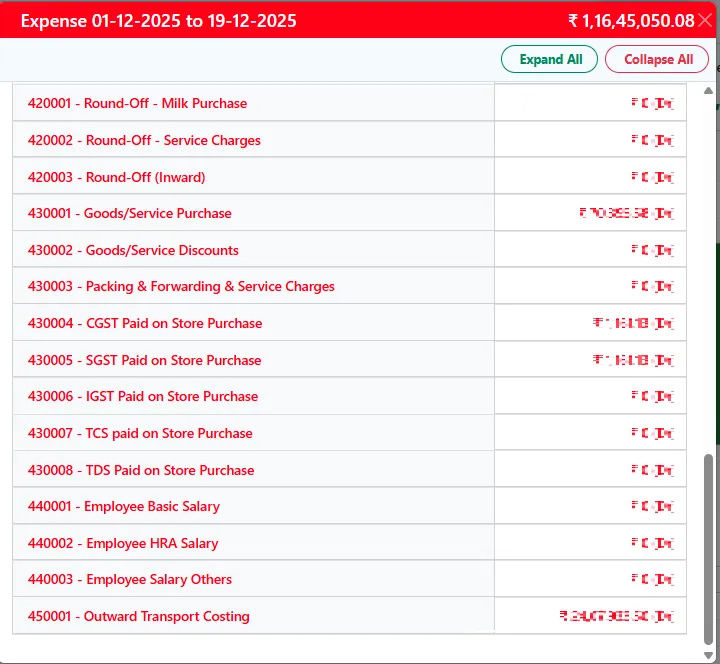
Drill down from totals to the purchase, sales and material entries behind them.
See how →Years of invoices stay instantly accessible for customer and vendor analysis.
See how →The rest of the back office in the same system: AMCU and plant assets with service and running-hour reminders, the fleet from trips to tyres, customer history, a request desk and the gate log for visitors.
Distribution of assets to milk centres.
See how →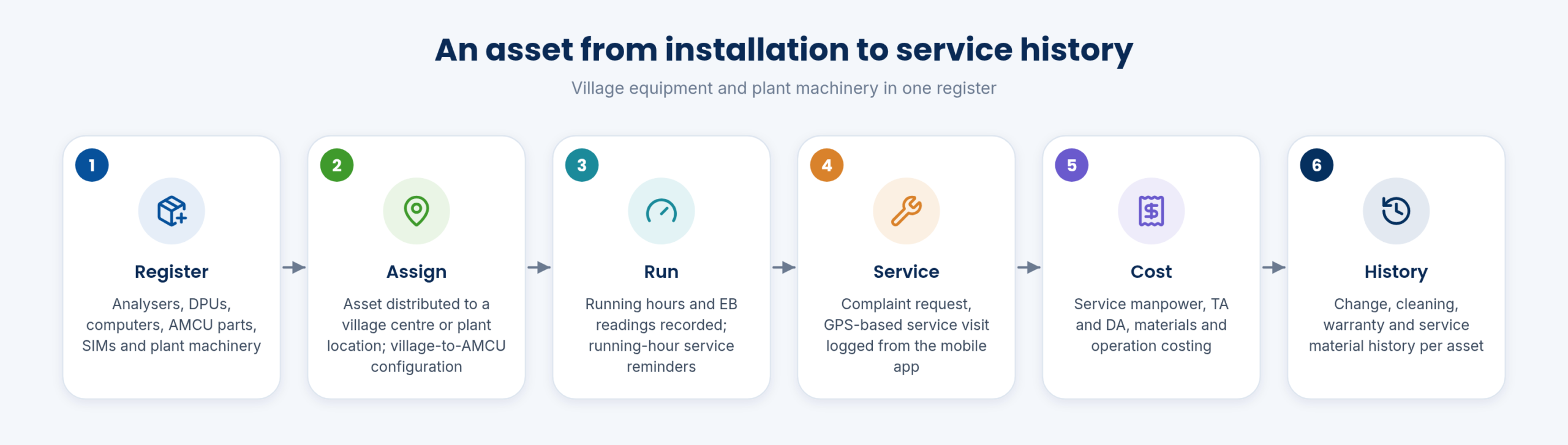
Keep a register of electric and electronic assets at every location, down to village centres.
See how →Record changes, service, cleaning and warranty for each asset.
See how →Log service visits with staff, travel allowances and the cost of each visit.
See how →Service visits are GPS-logged on mobile, and data failures are analysed to suggest service.
See how →Field staff log AMCU service visits on the mobile app.
See how →Each machine has records of running hours, EB readings and maintenance.
See how →Running hours are tracked per asset, with service reminders when they are due.
See how →Maintenance logs by location, with provisions for service costs.
See how →Material used for projects, utilities and maintenance is kept separate.
See how →Each complaint keeps its history of service and the material used.
See how →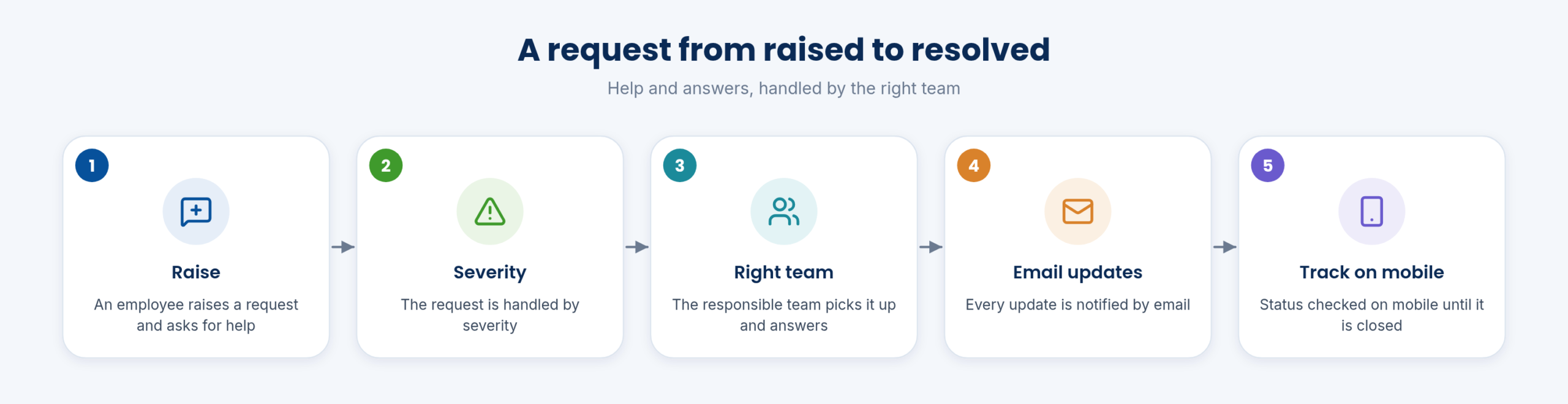
Know where each asset is and when its next maintenance is due.
See how →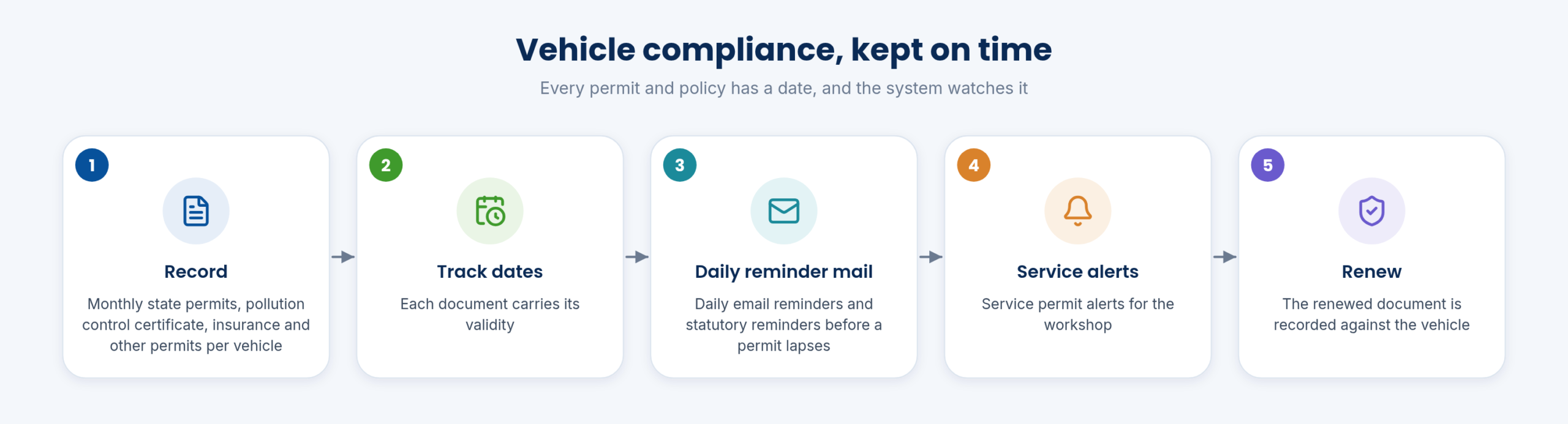
Fleet records for any number of users and vehicles up to 4 axles.
See how →Allocate vehicles, manage trips and keep a trip sheet for each vehicle.
See how →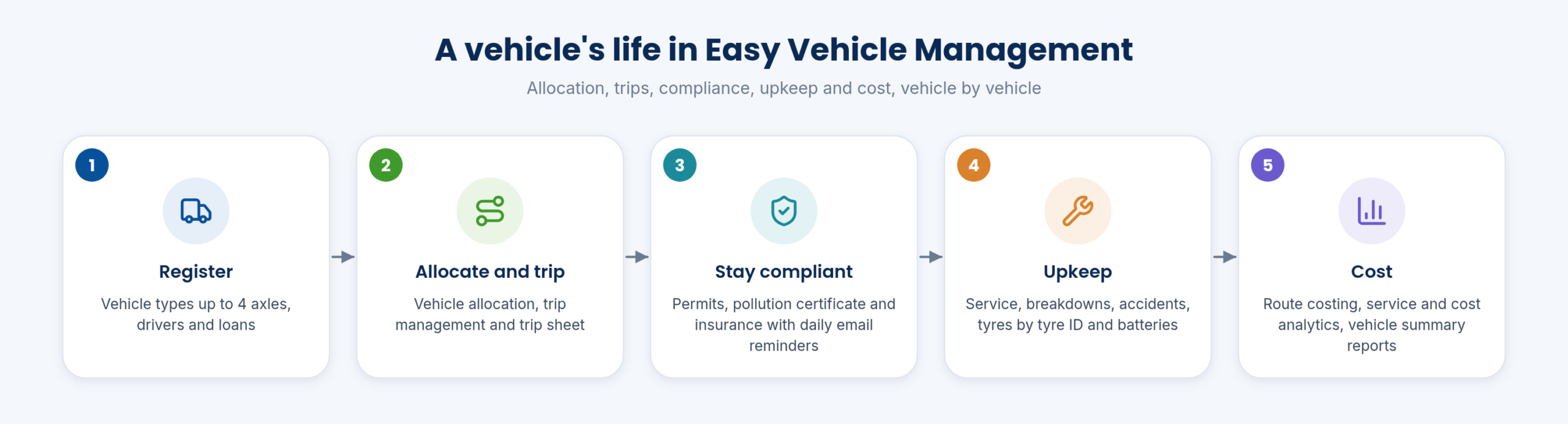
Plan vehicle service and log every maintenance job.
See how →Driver records with their own payroll, and a system for driver complaints.
See how →Accidents and breakdowns are recorded for each vehicle.
See how →Monthly state permit; pollution control certificate; insurance; all other permit details.
See how →Daily email reminders before statutory documents expire.
See how →Reports and analytics on vehicles, tyres, service and running cost.
See how →Optional vehicle GPS tracking with GPS tags, alongside all other tracking in one system.
See how →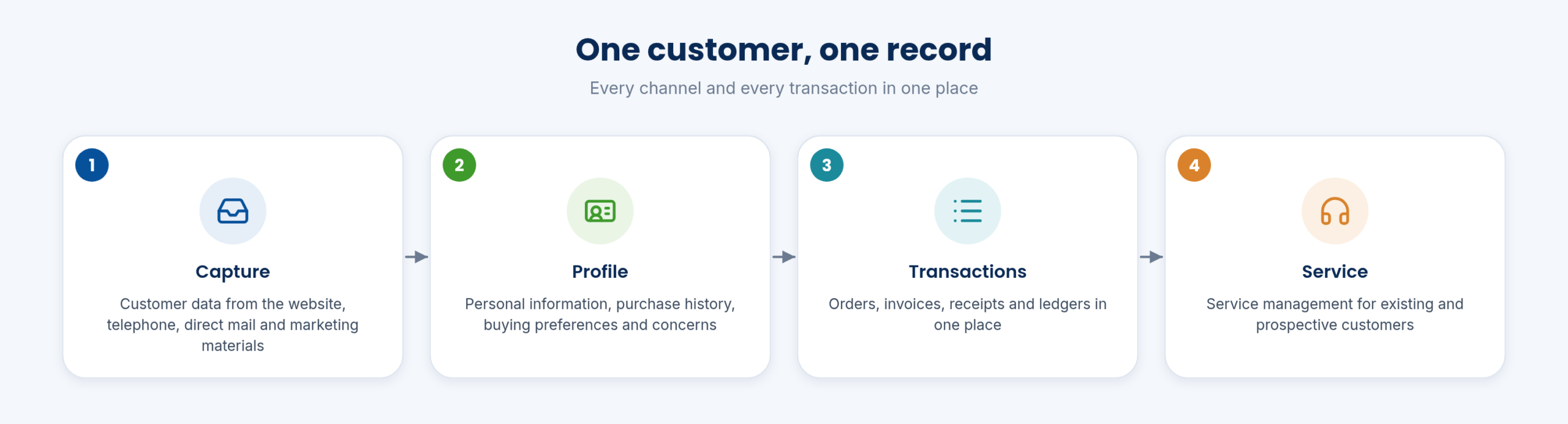
Website, telephone, live chat, direct mail, marketing materials.
See how →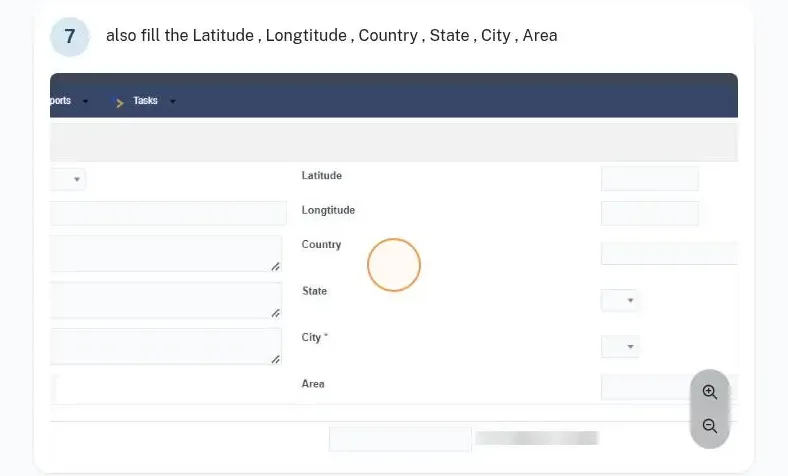
Existing and prospective.
See how →Staff raise requests, get help and see the answers in one place.
See how →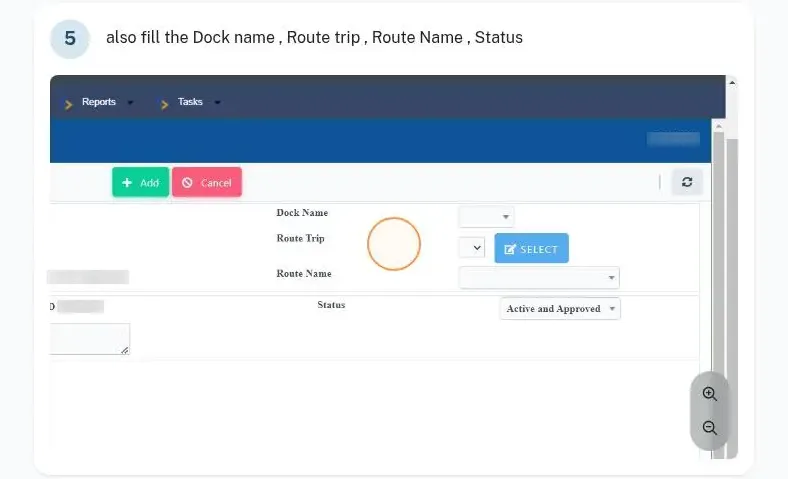
Visitors and vehicles are logged at the gate, with a dashboard for security.
See how →What runs under every module: logins with organisation and approval roles, mobile approvals and chat, automatic daily MIS, multiple companies and org units, offline field apps, analyser and IoT integration, exports and APIs, a dedicated cloud server with S3 backups, and monthly updates at no extra cost.
Pricing does not depend on how many employees, customers or centres you add.
See how →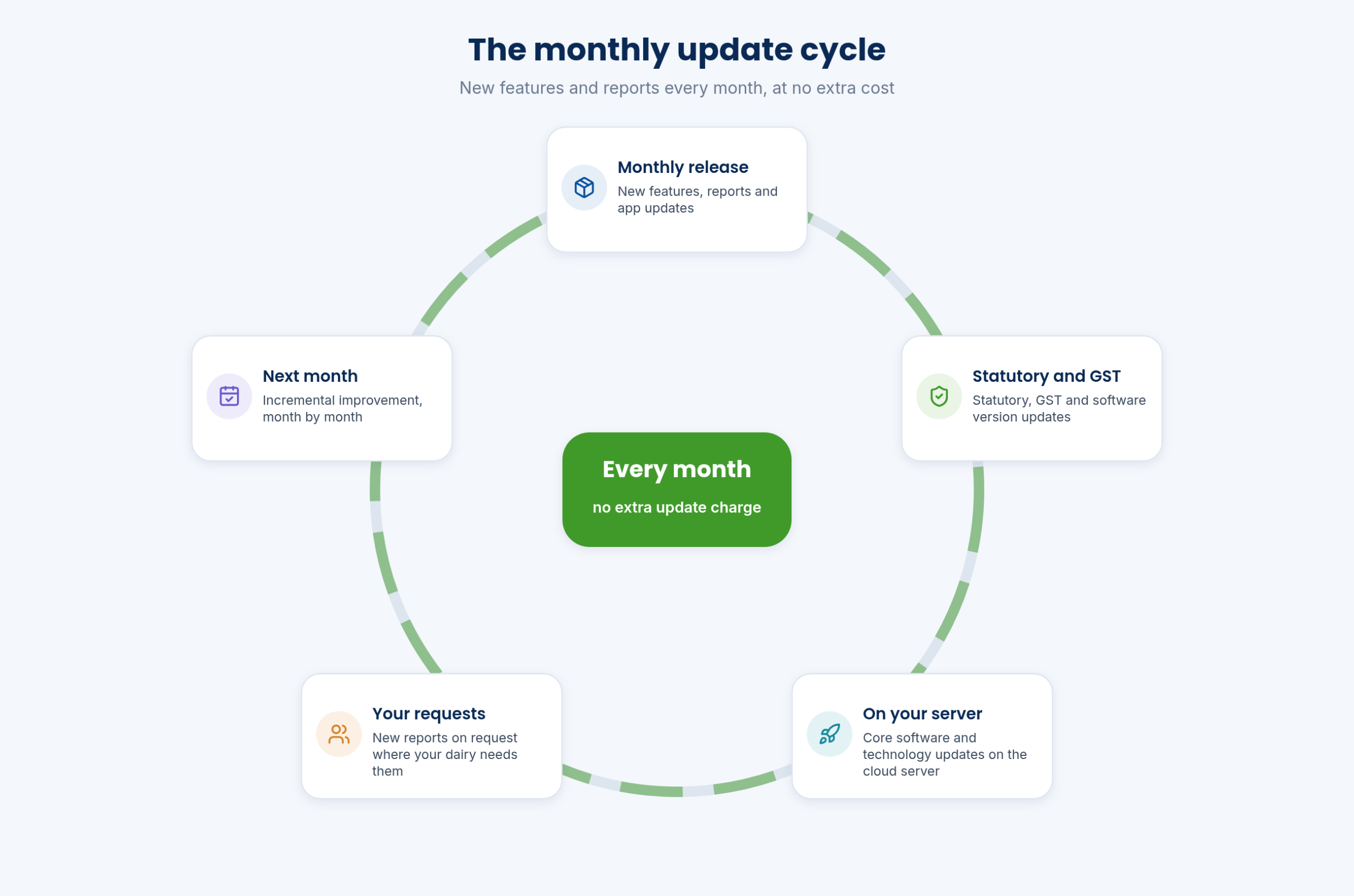
New features and reports arrive every month at no extra cost.
See how →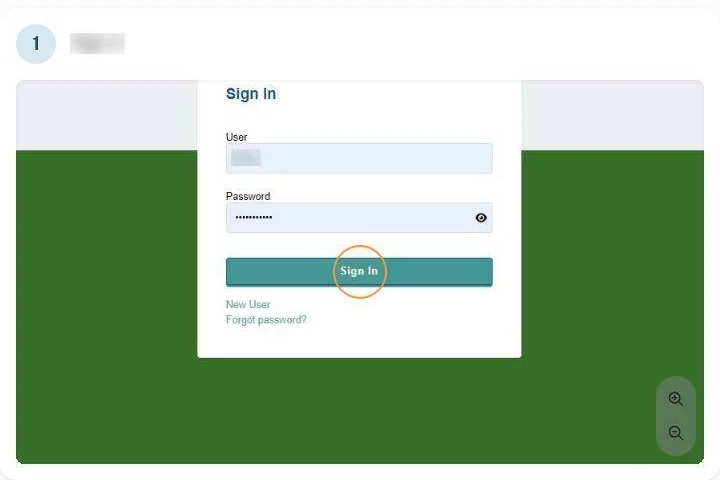
Data security is part of what we deliver to the MD and CEO.
See how →Approvals across modules can be given from the mobile app.
See how →Daily MIS is built automatically and consolidated on one screen, with top-10 BI views in a click.
See how →Statutory, GST and software updates monthly on cloud, yearly on-premise.
See how →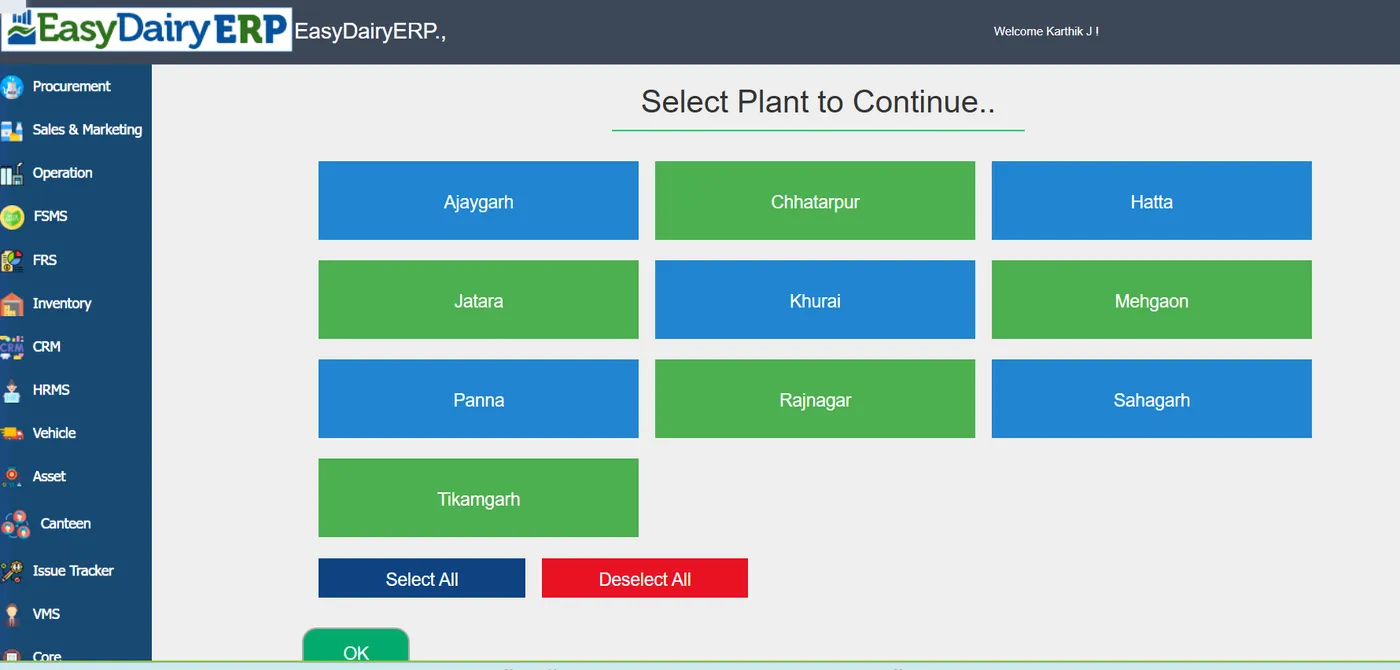
Several org units and companies are run from one login.
See how →Sales consolidated across org units, with companies compared side by side.
See how →Run several plants and branches in one system (Enterprise).
See how →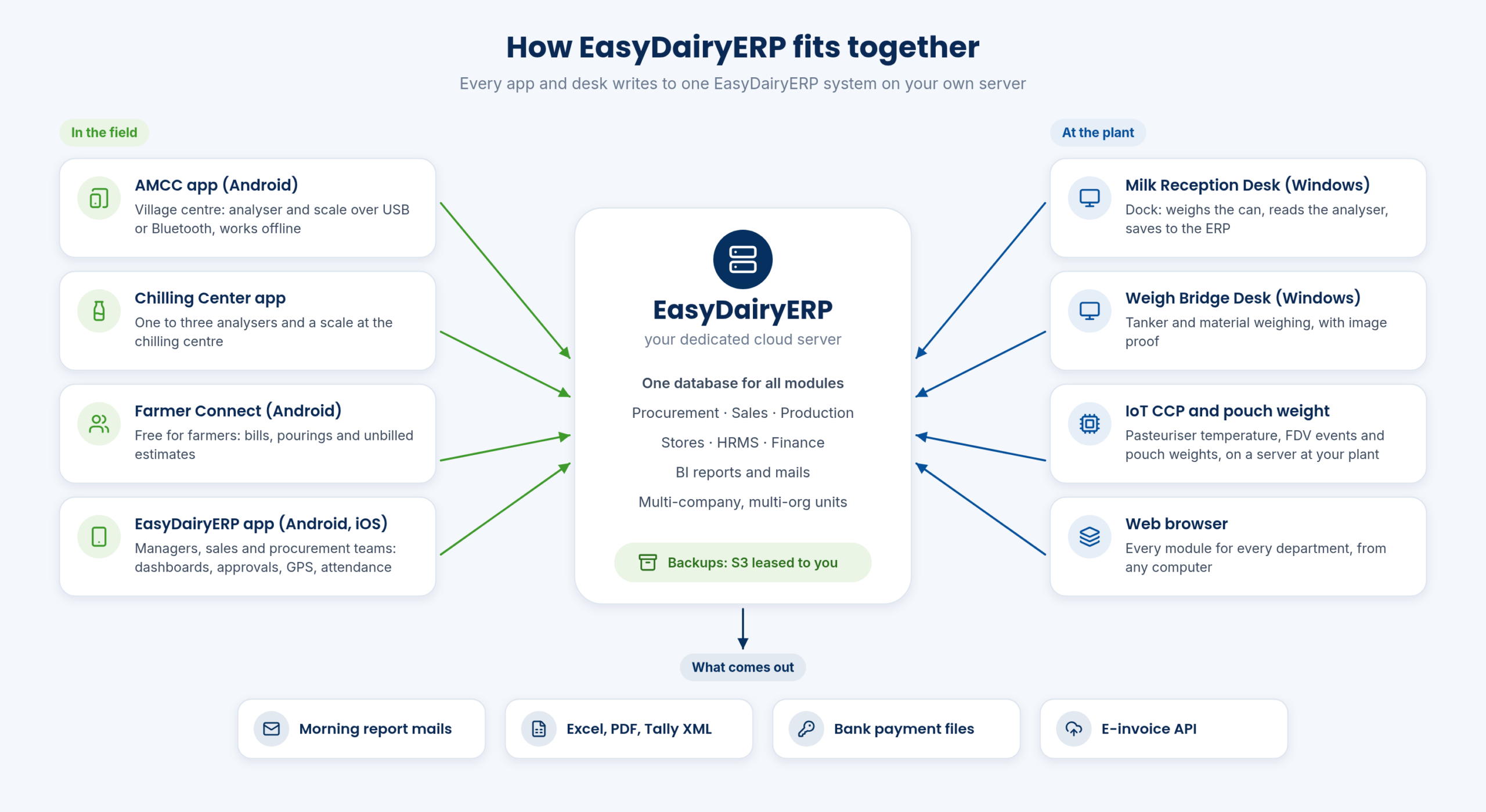
EasyDairyERP is one ERP built only for Indian dairies.
See how →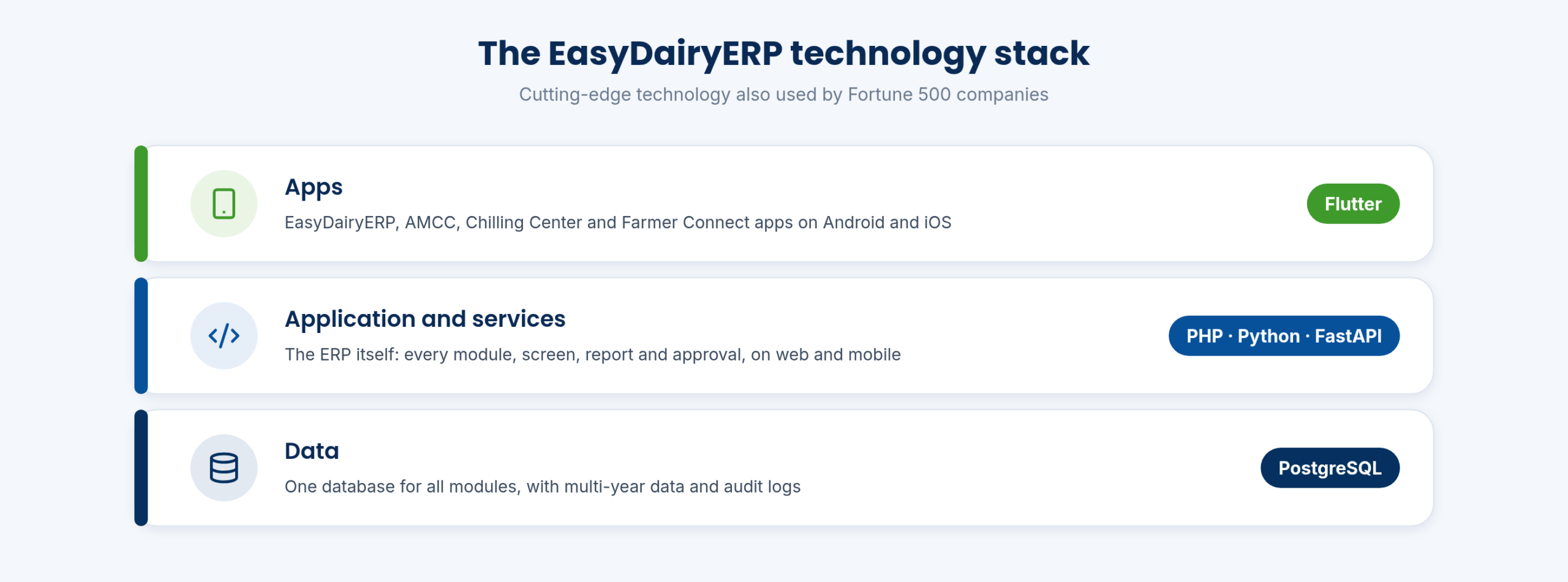
EasyDairyERP is built on PostgreSQL, PHP, FastAPI, Python and Flutter: cutting-edge technology also used by Fortune 500 companies.
See how →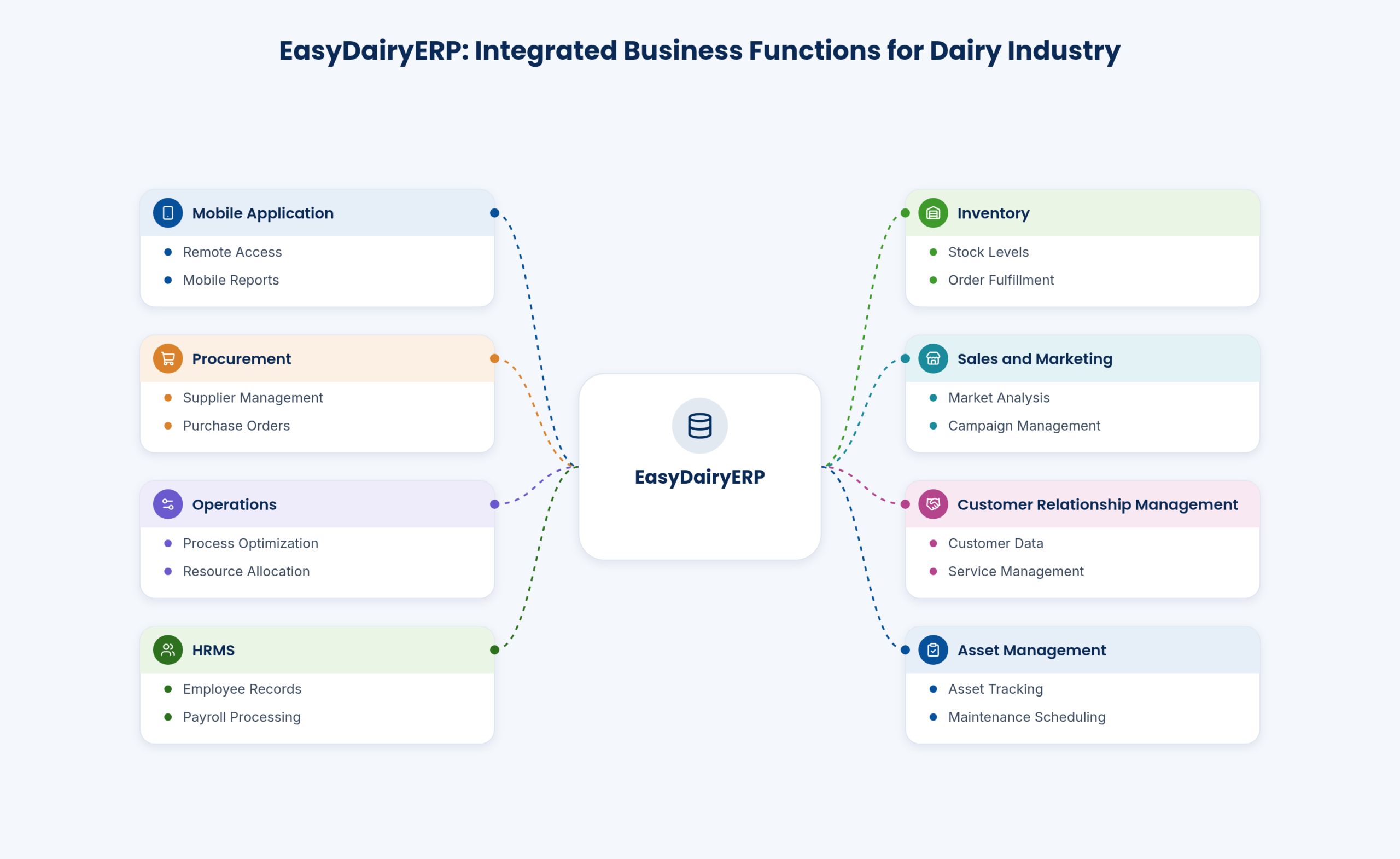
EasyBIS (Easy Business Information Solutions) has built EasyDairyERP for Indian dairies since 2015.
See how →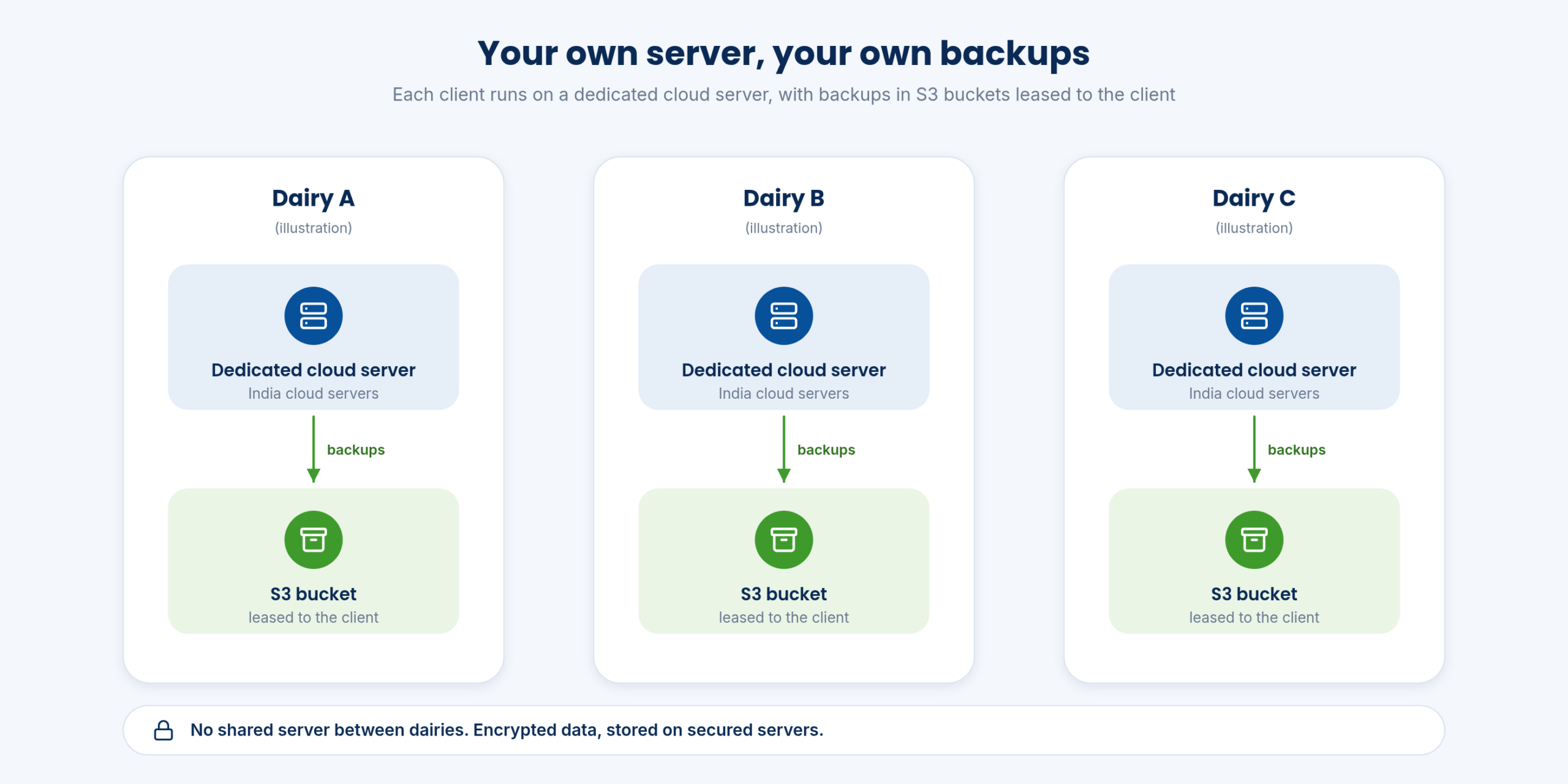
Every client runs EasyDairyERP on their own dedicated cloud server.
See how →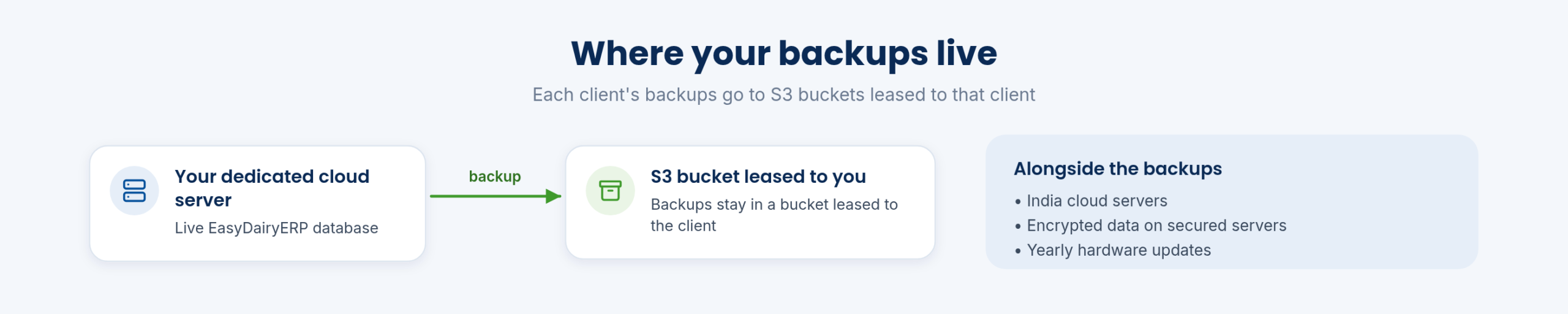
Backups of your EasyDairyERP database are kept in S3 buckets leased to the client.
See how →On the cloud plan, data is encrypted and stored on secured servers.
See how →Each employee logs in with their own mail ID and password.
See how →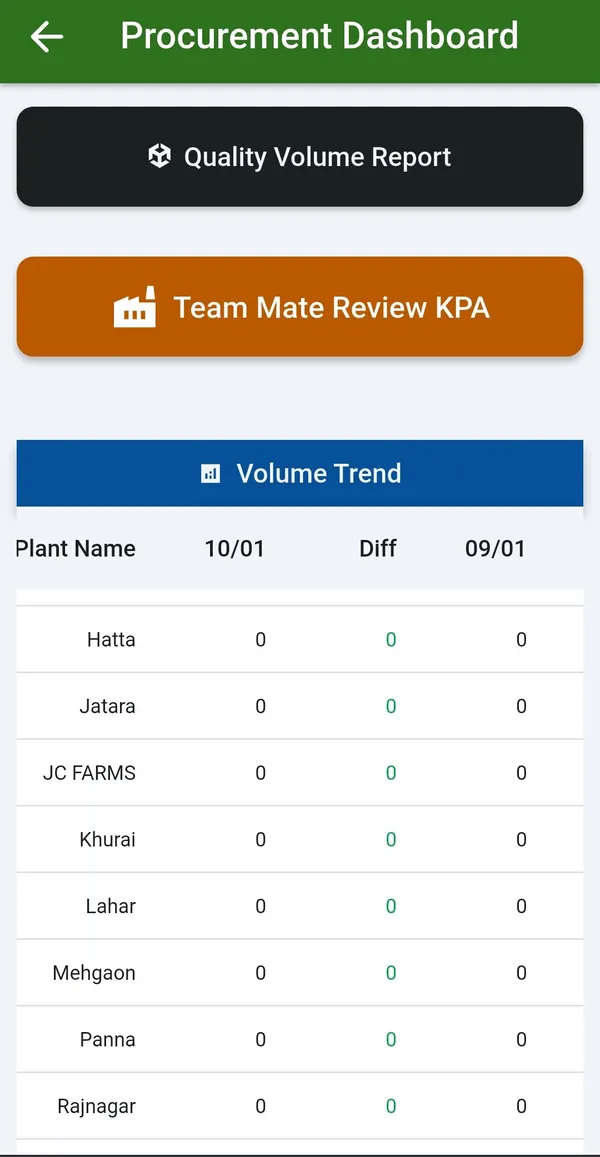
The main EasyDairyERP app runs on Android phones and on iPhone and iPad.
See how →Tally XML exports, scheduled report mails, bank files and APIs connect EasyDairyERP to other systems.
See how →Windows apps for the milk reception desk, weighbridge and chilling centre or AMCU.
See how →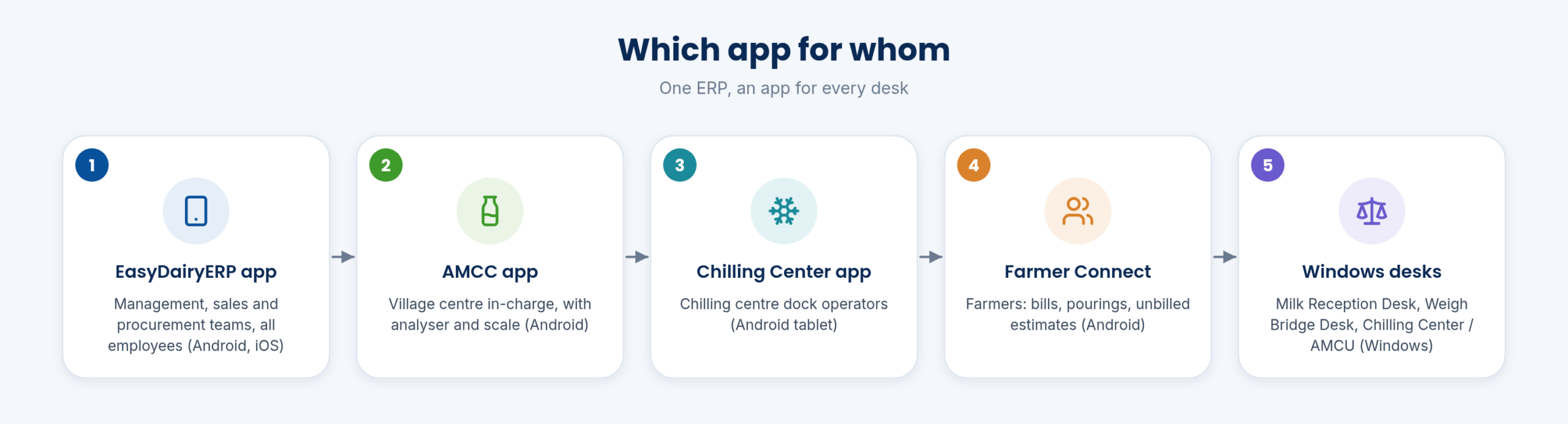
System overview, workflow PDFs and how-to guides for every module in the Docs.
See how →Each feature has its own page with sample-data screens, a short explainer and FAQs.
Seen enough of the tour? We will show it to you live on our sample data, starting with what matters most to your dairy. Call +91 94880 59495, write to info@easybis.in or use the contact form.
Every module page walks through the screens, reports and mobile apps in the same way, so you can see exactly how EasyDairyERP fits your dairy.
When you have seen enough, we are happy to show it to you live on our sample data: book a demo or call +91 94880 59495.