
BI Report on Sales
Sales BI shows how every dock, route, team, customer type, product, variant and variety is trending, with trend-change reports and mails that land in your inbox.
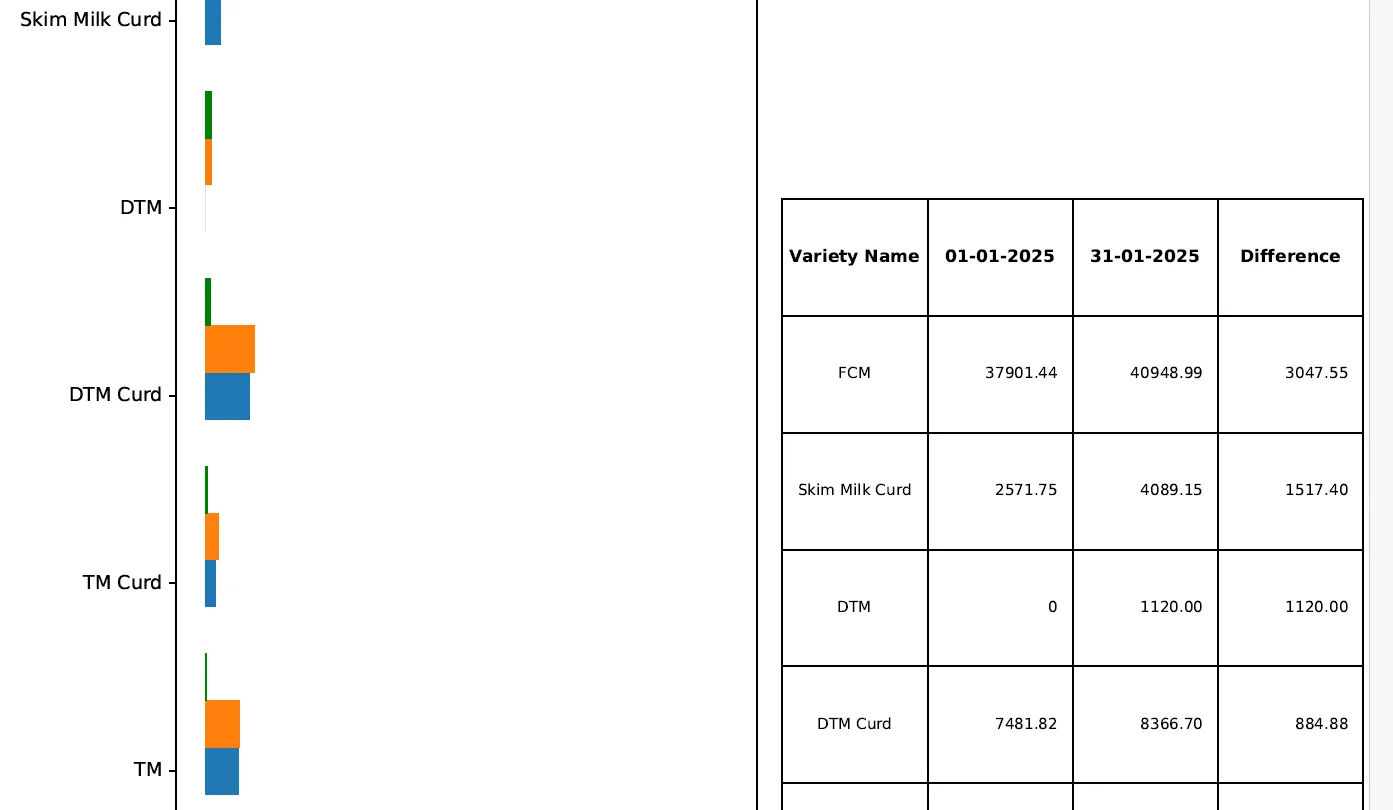
Sales BI turns the day’s billing into decisions. Management and every level of the sales team get the same numbers by mail and on screen, cut by route, product, dock, team and customer.
Daily reportDaily Sales and Activity Report
Sent after the daily sales mail and sized to open fully in Gmail and on phones, with an Excel download inside the attached page.
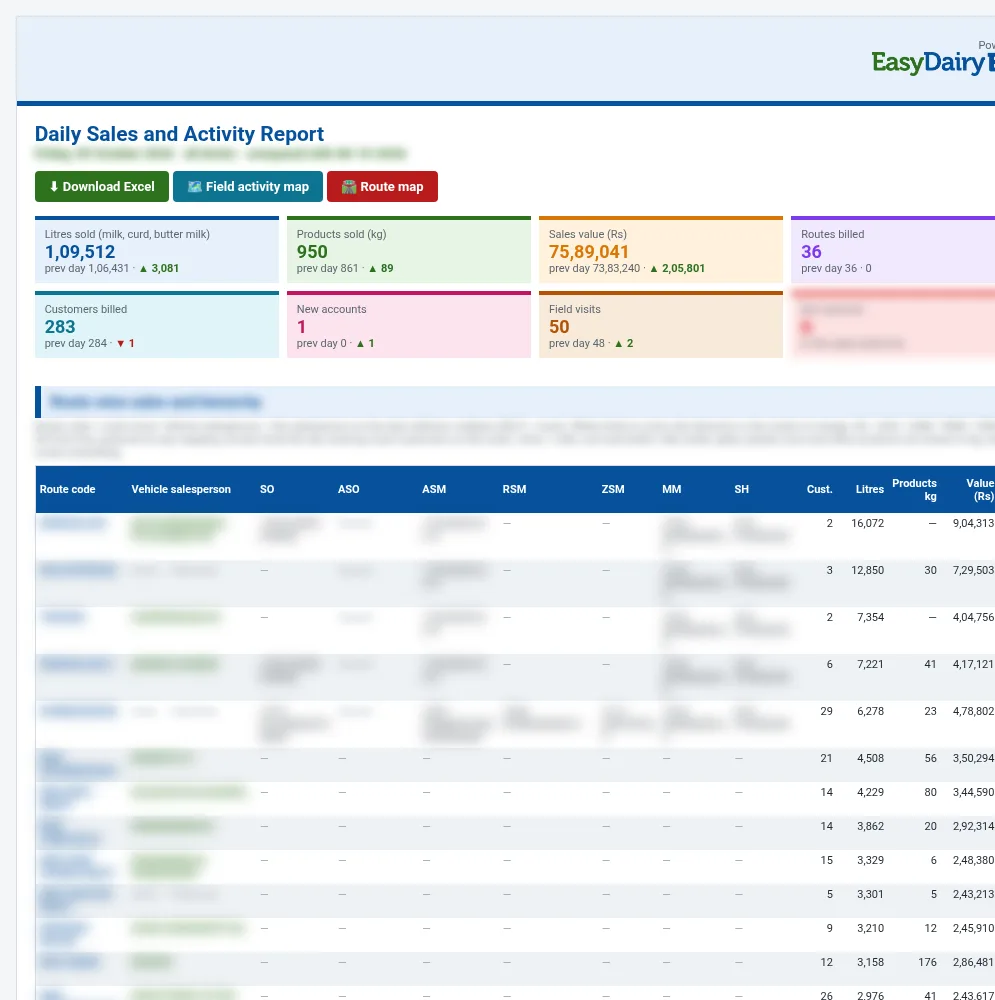
Headline tiles
Litres, products, value, routes billed, customers billed, new accounts and field visits against the previous day.
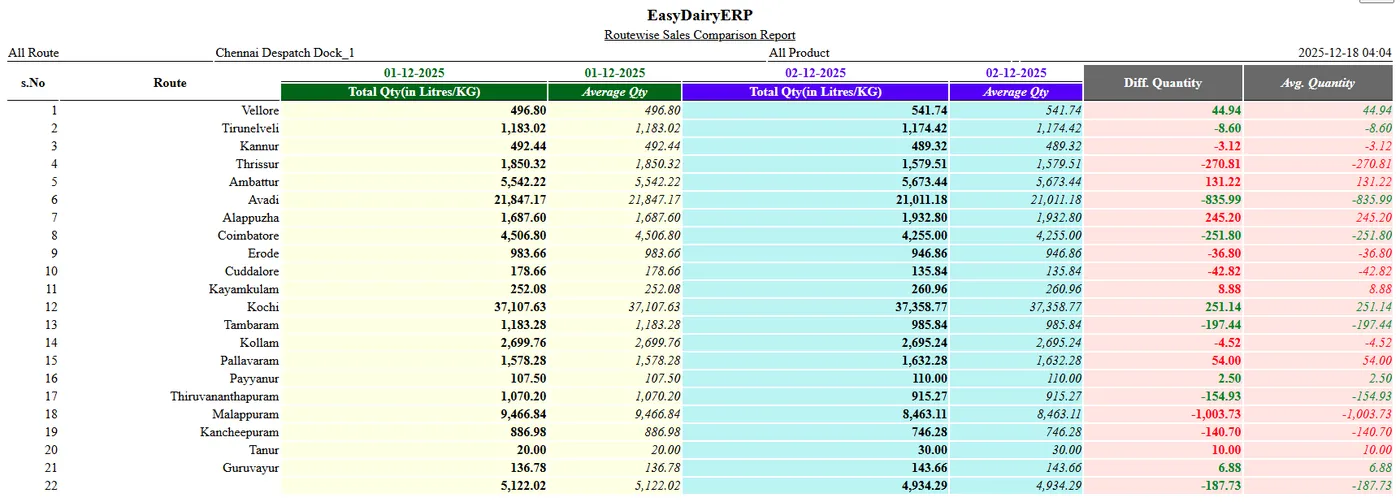
Route sales and hierarchy
Each route with its vehicle salesperson from the delivery challan and the hierarchy above: SO, ASO, ASM, RSM, ZSM, MM, SH.
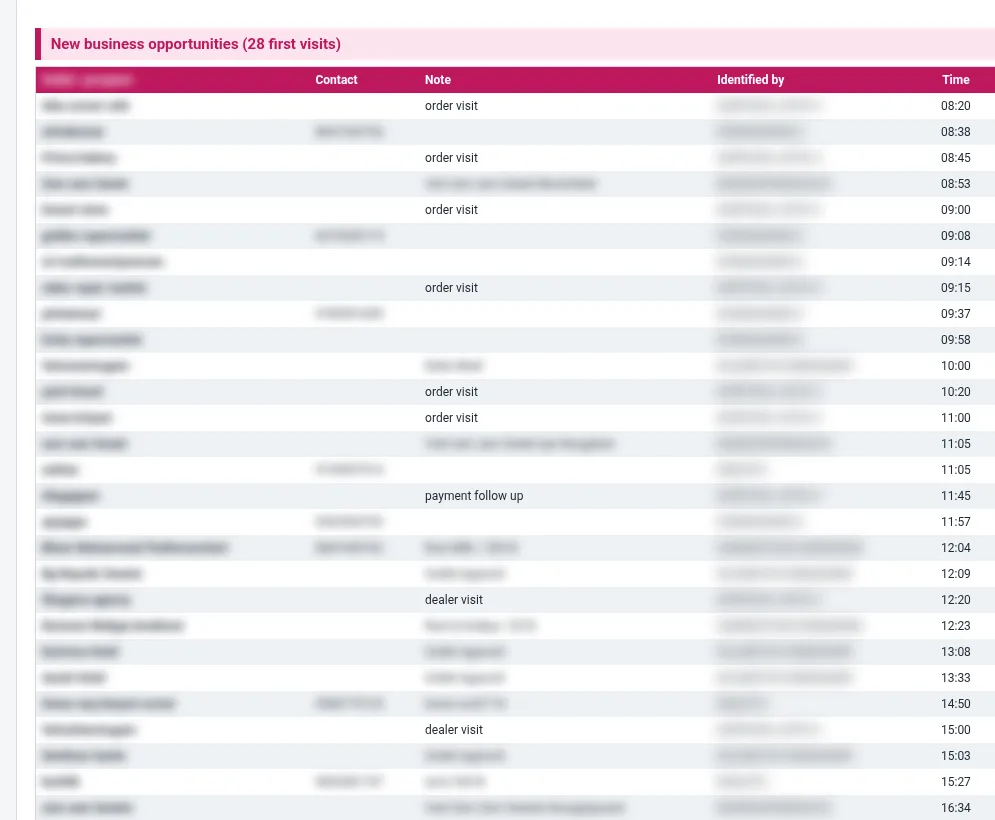
New accounts and unmapped customers
New accounts with first-day litres, and customers not yet mapped to the hierarchy.
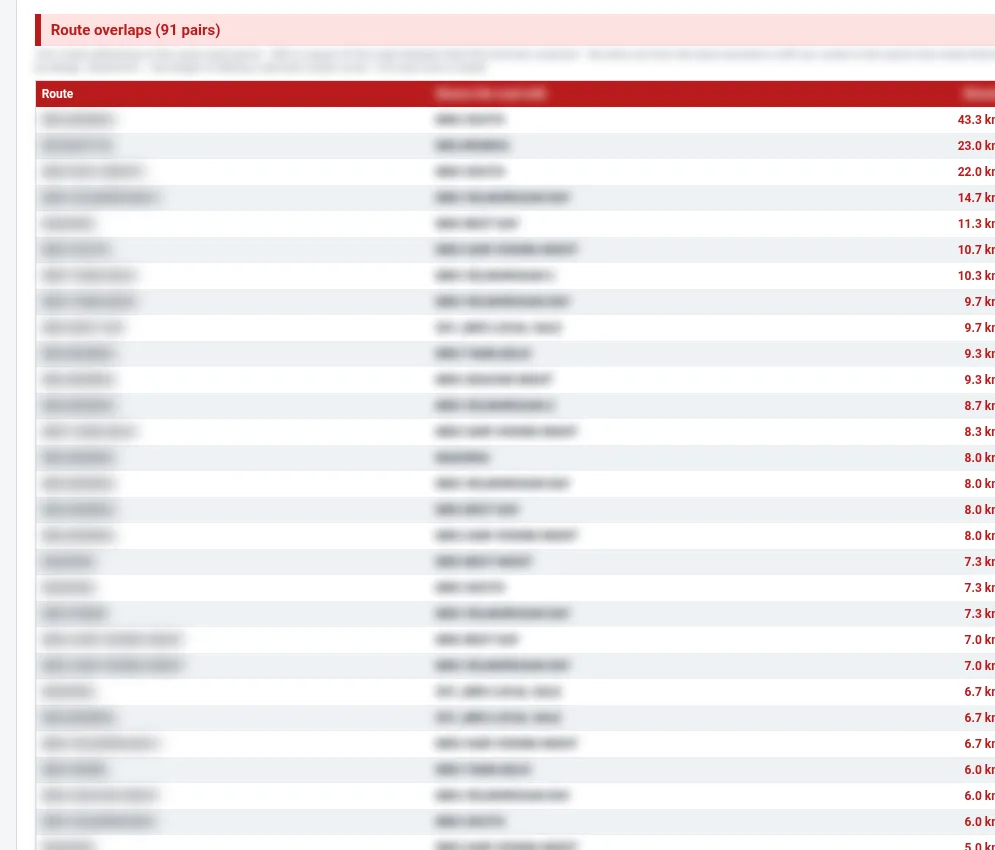
Route overlaps and trip km
Gate-out and gate-in km for every route trip, and roads shared between routes.
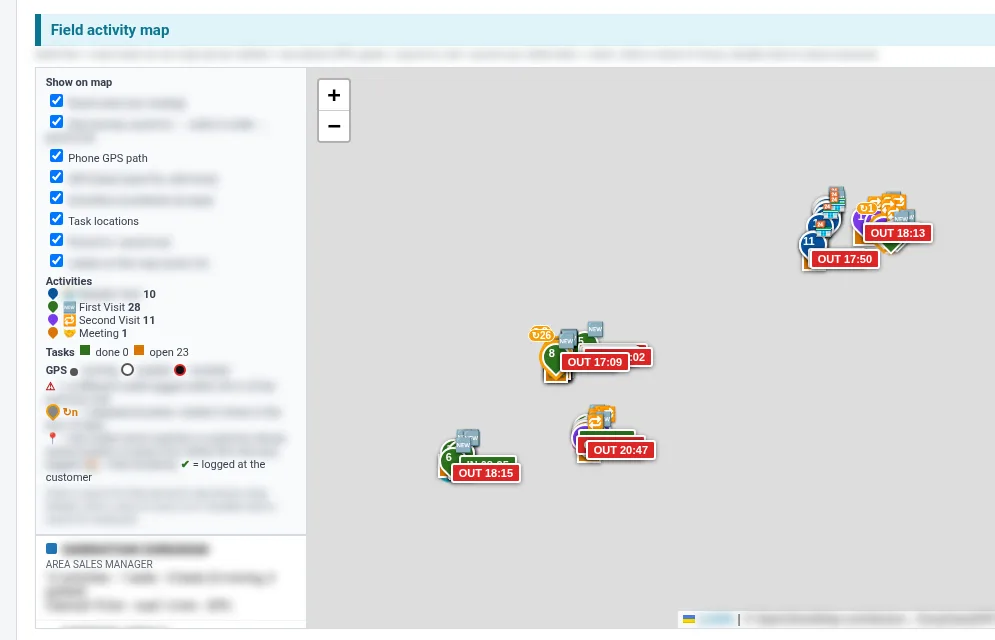
Field activity map
Visits, punch-in and out, GPS beats and the longest silence for each person.
TrendsTrend reports and alerts
Trends show where volume is moving before month end.
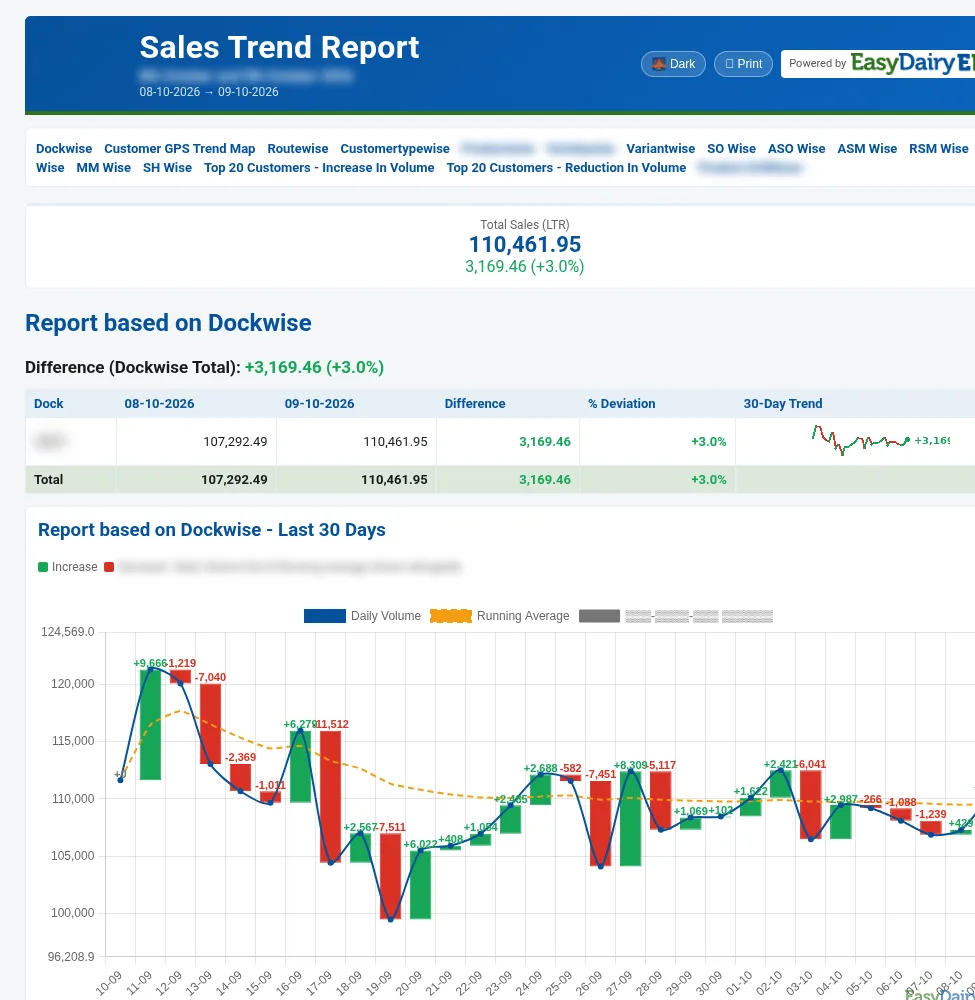
Sales trend overview
Volume trend for the dairy and each team.
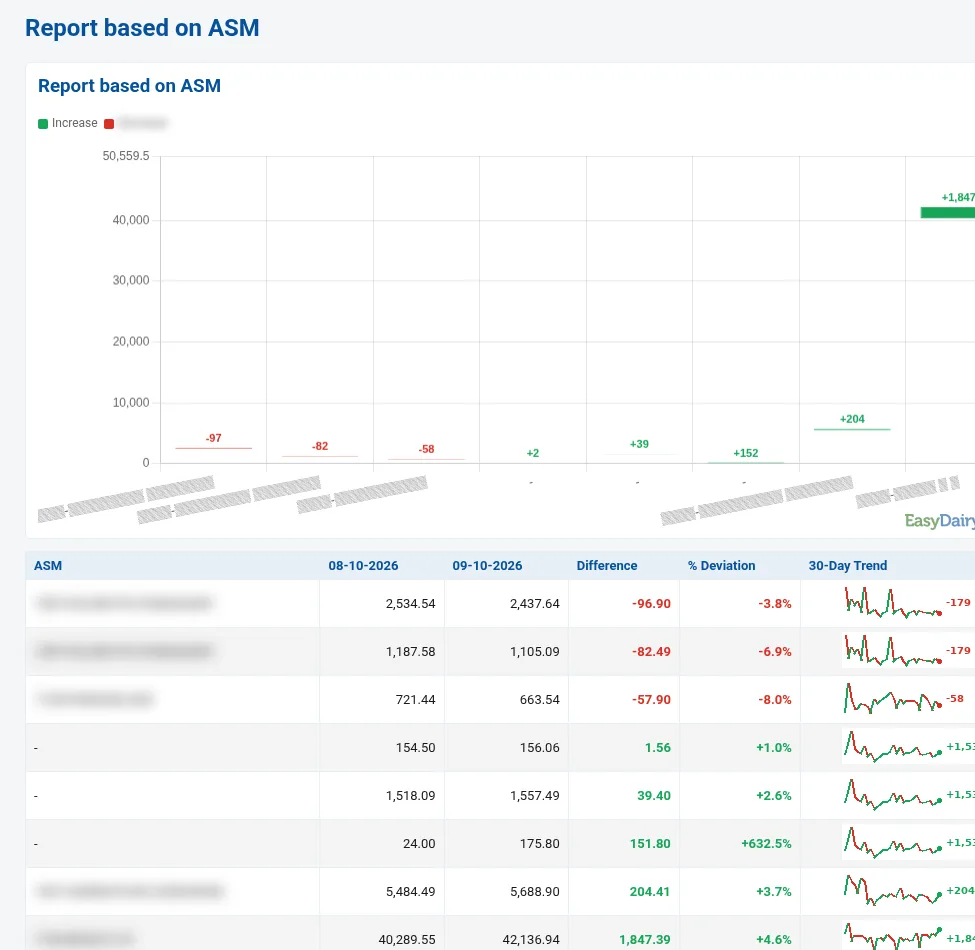
ASM-wise trend
Trend by area sales manager.
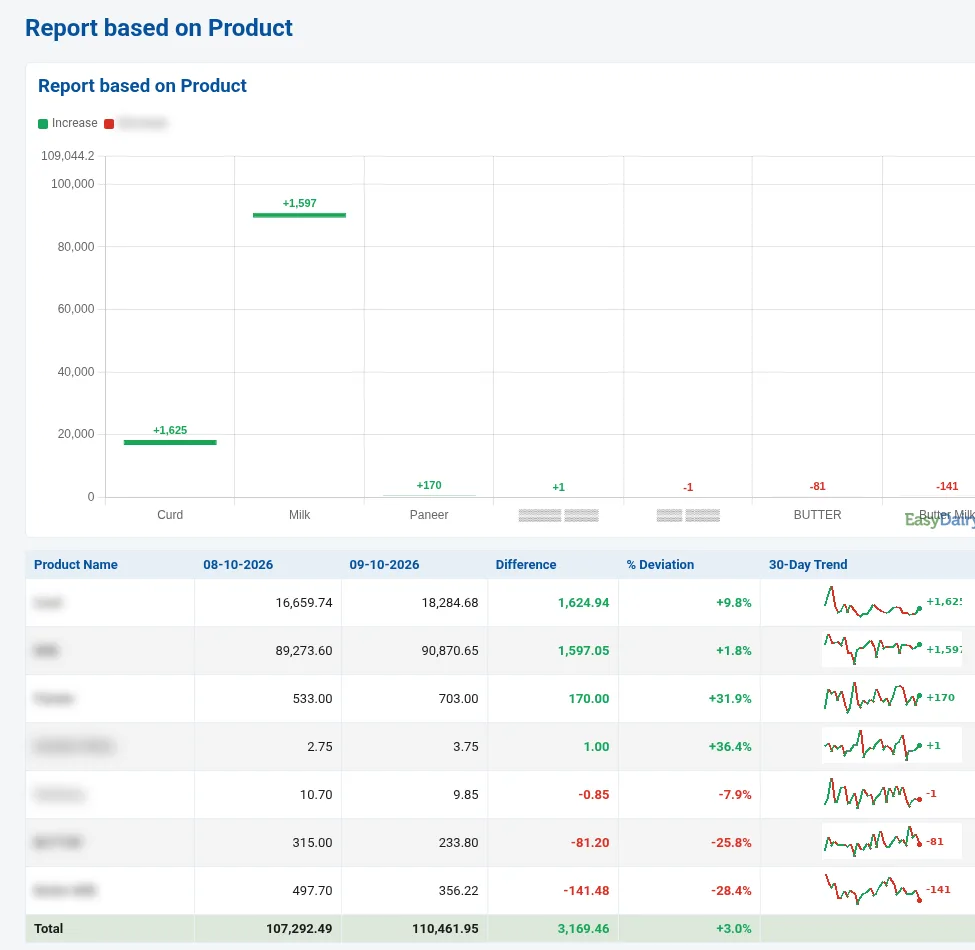
Product trend
Which products are rising or falling.
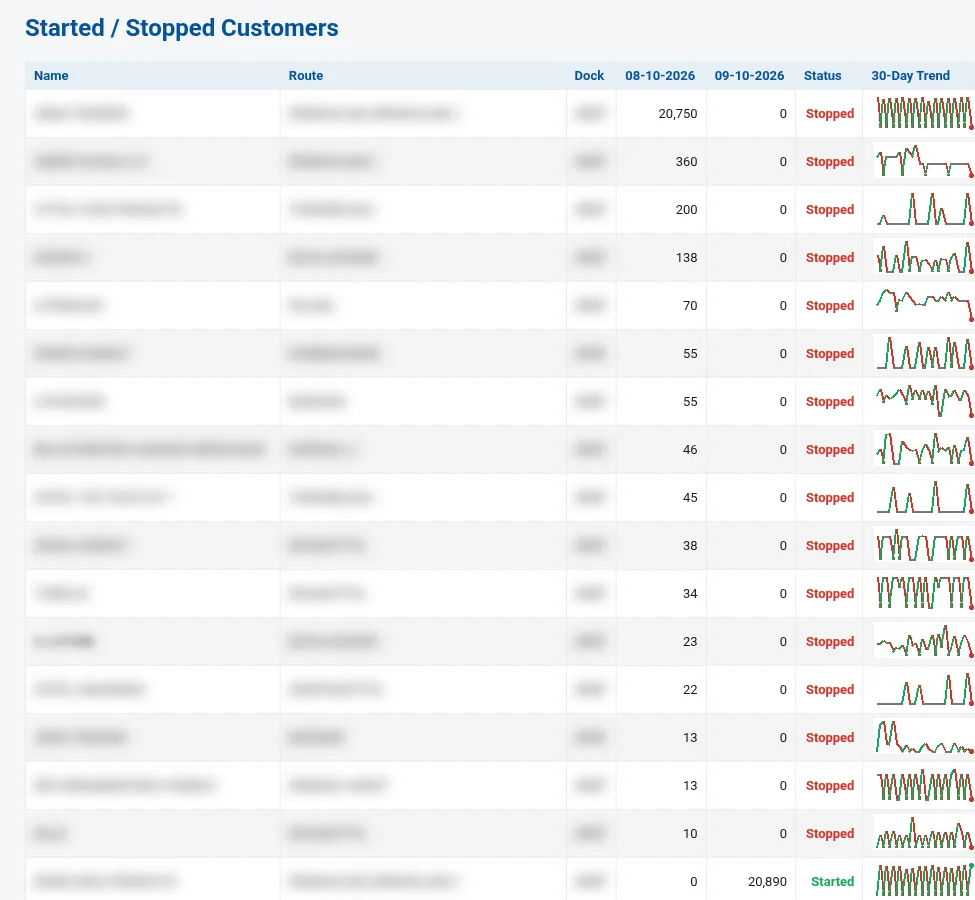
Started and stopped customers
Customers who started or stopped buying.
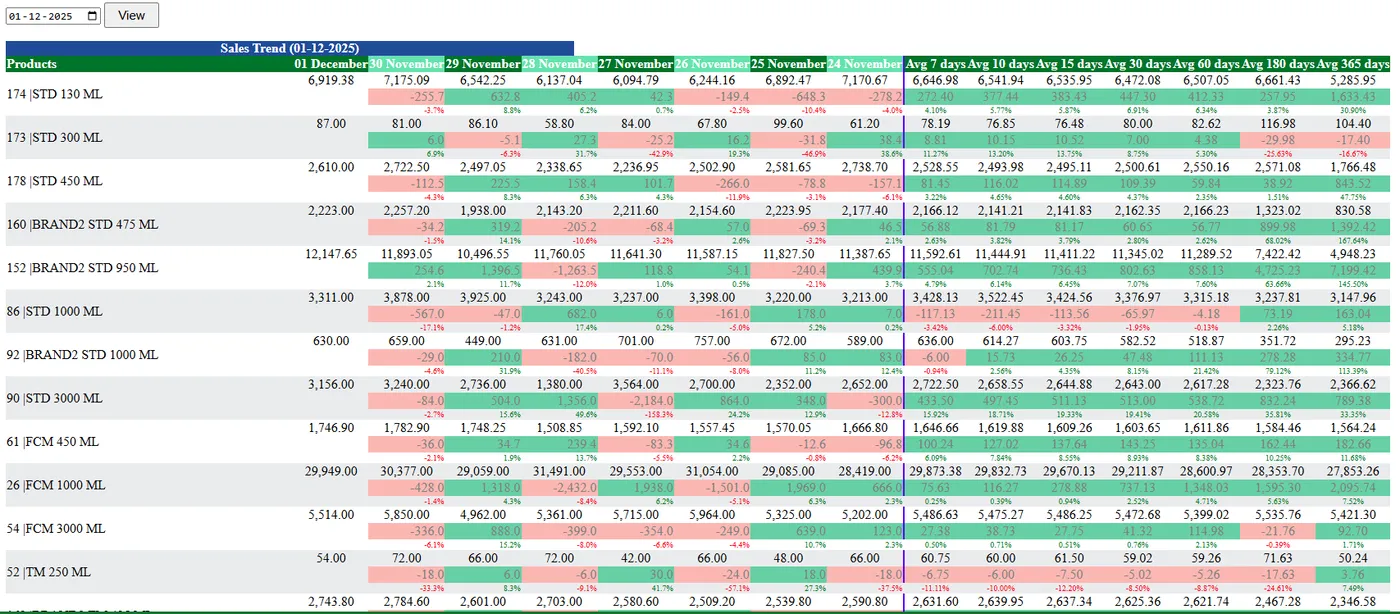
Variant-wise trend
Every SKU over time, all routes or one route.
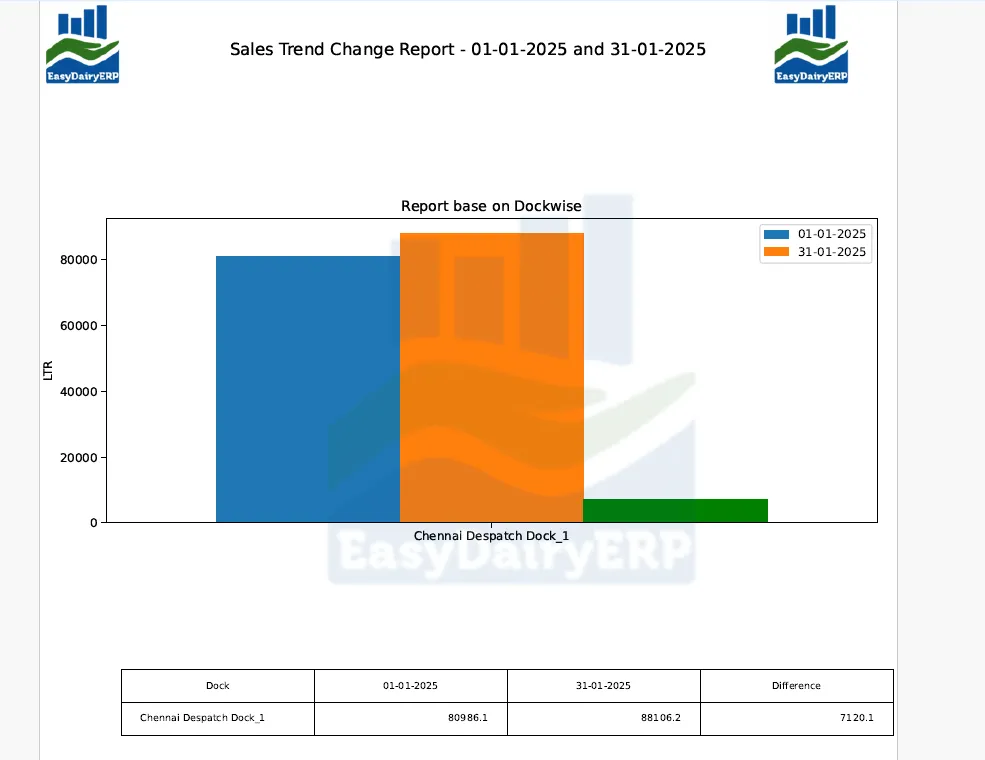
Trend change by dock
Volume change by dock and sales point.
MailsSales mailers and day-close mails
Day closure, trend and alert mails go out automatically.
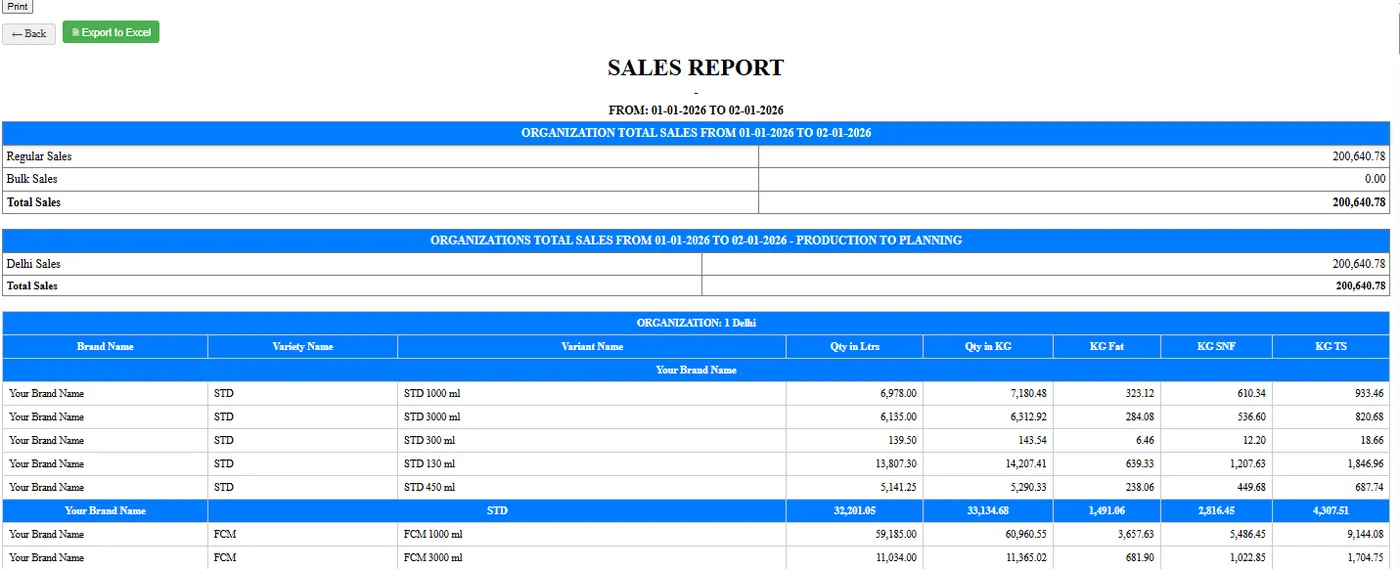
Mailer summary
The day’s sales summary by product and route.
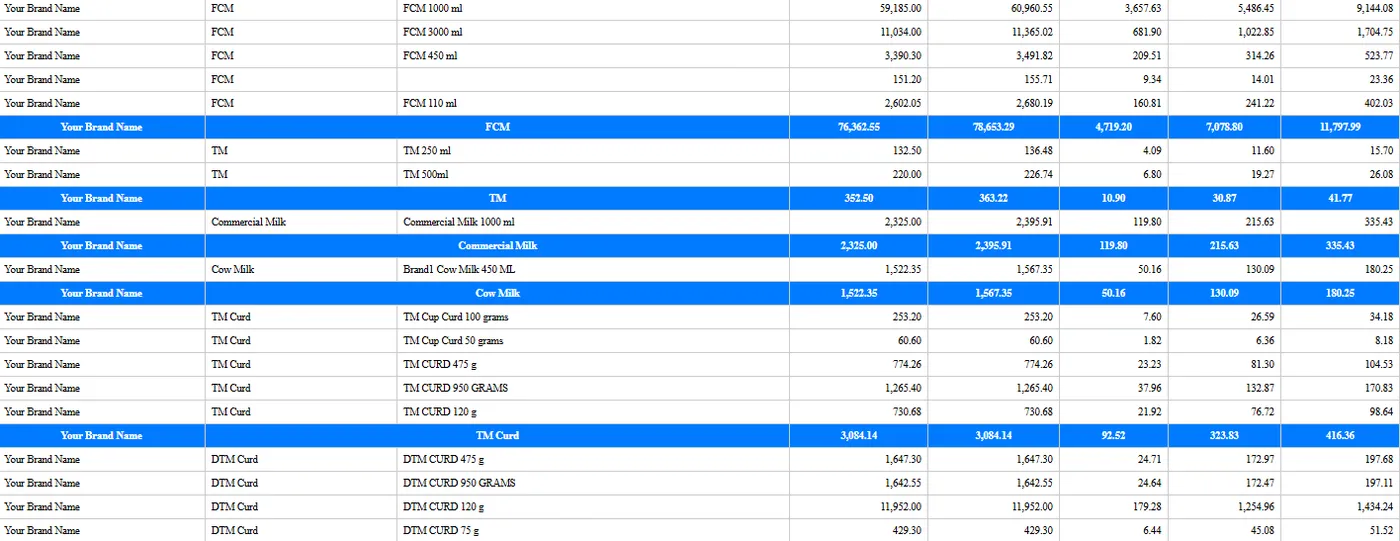
Variant mailer
Variant-wise volume in the mail.
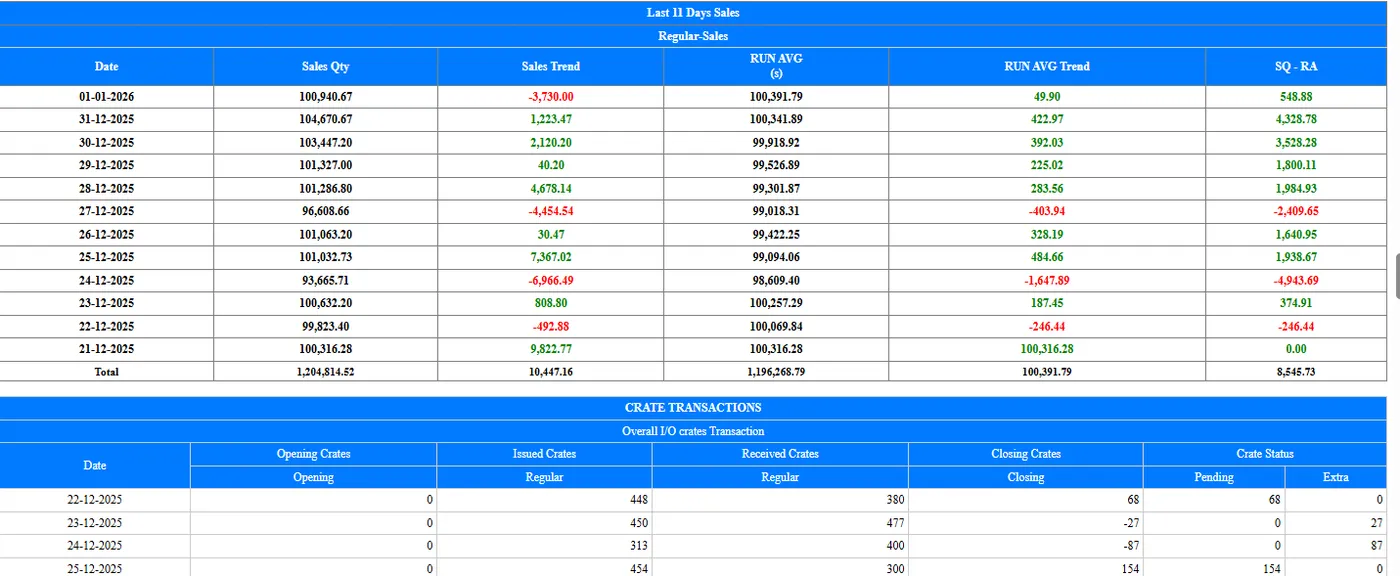
Crate trend mailer
Crates out and back, by route.
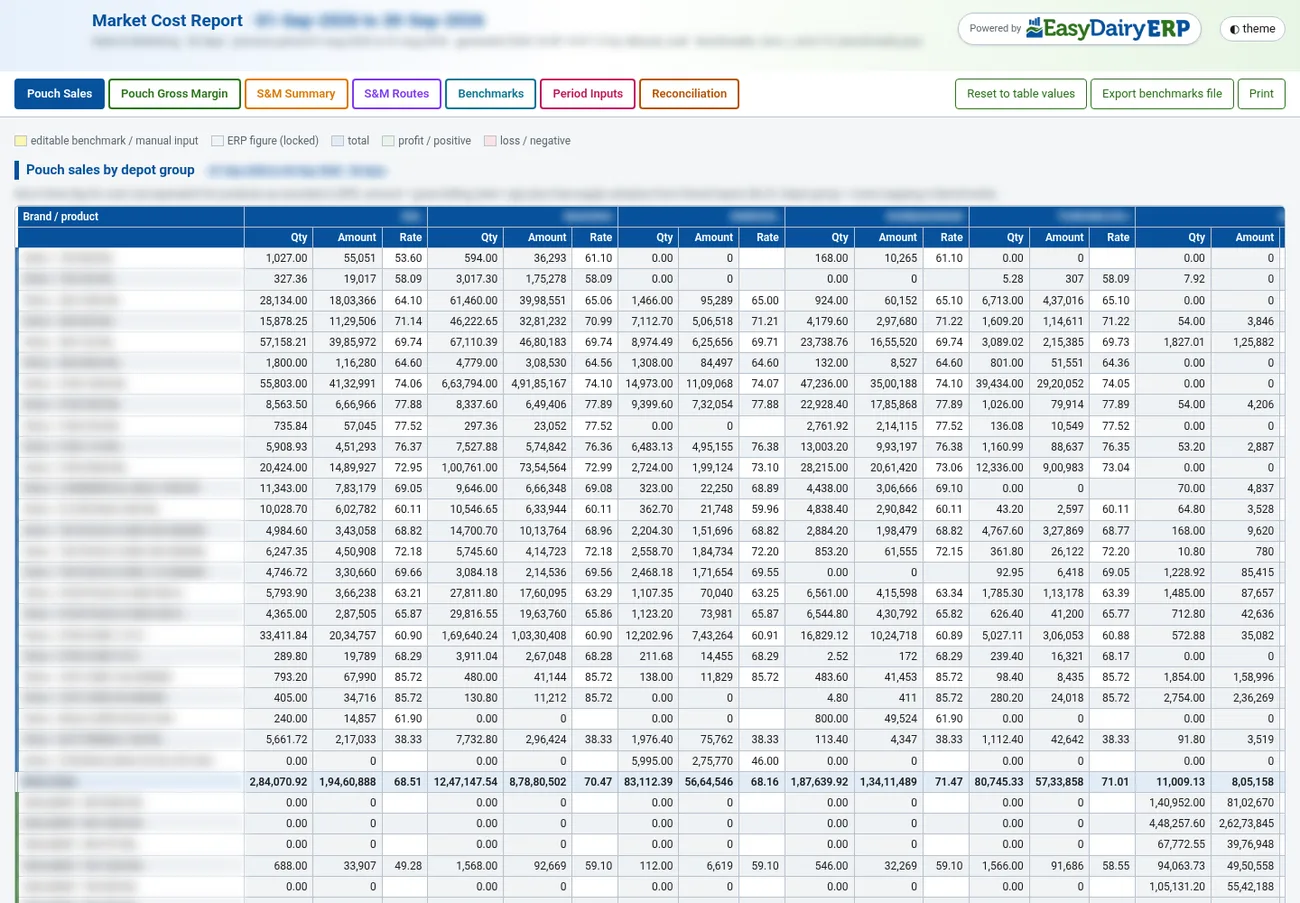
Pouch costing and margins
Monthly pouch costing and the sales cost view.
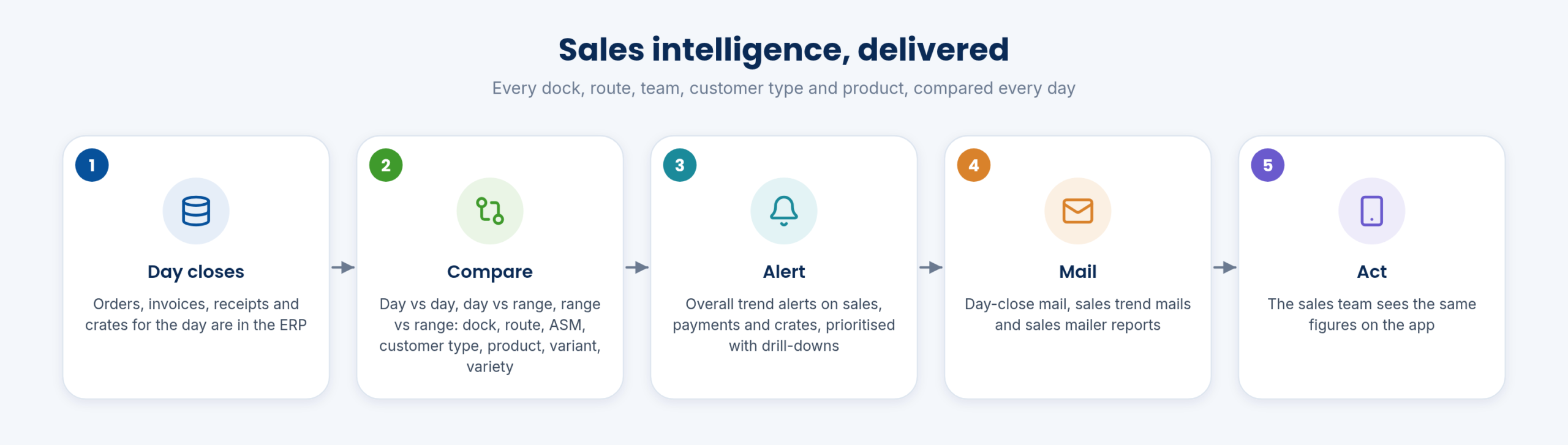
Daily mails at a glance
How the daily sales mails fit together.
Keep exploring at your own pace
Every module page walks through the screens, reports and mobile apps in the same way, so you can see exactly how EasyDairyERP fits your dairy.
When you have seen enough, we are happy to show it to you live on our sample data: book a demo or call +91 94880 59495.