
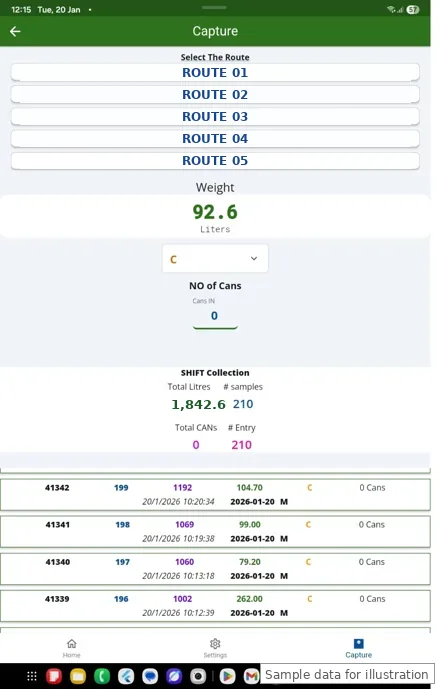
Key feature
Chilling Center application
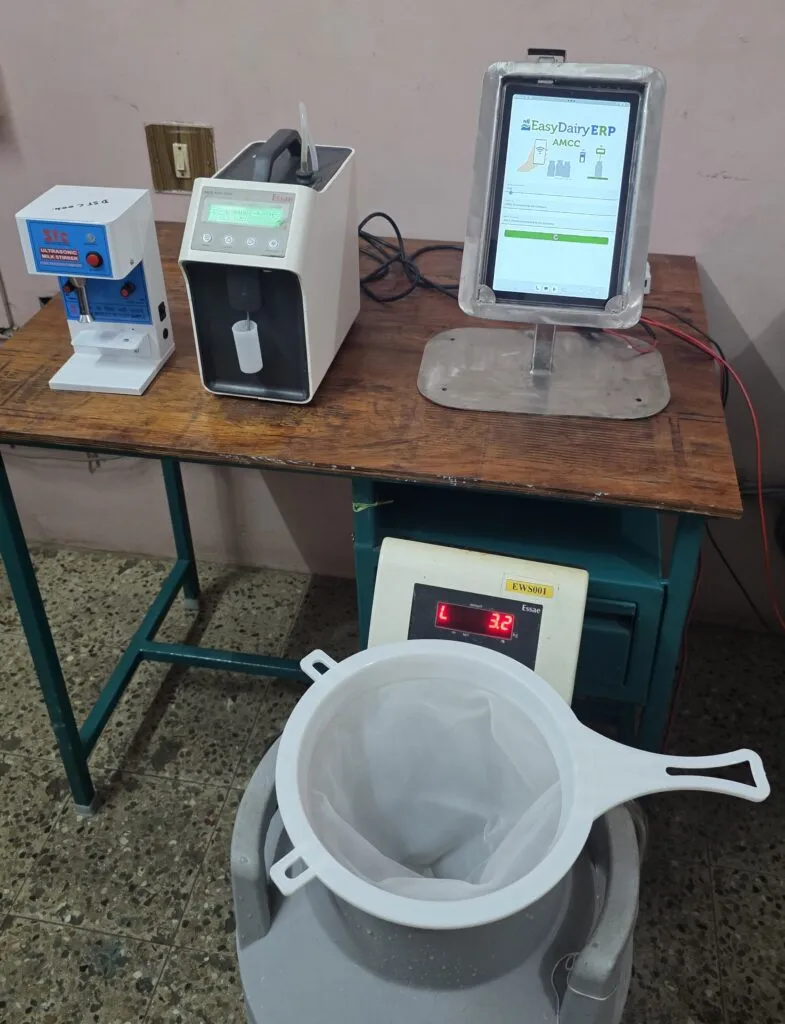
Capture data from weight scale and analysers.
The Chilling Center application captures weight and quality from the scale and one to three analysers at once, on a tablet or desktop, and sends the data straight into procurement.
The Chilling Center application runs at the chilling centre and at the milk reception dock. It captures weight and quality from the scale and the analysers at once, saves every receipt against the vendor, shift and centre, and sends the data straight into procurement, where it is consolidated, matched and charged.
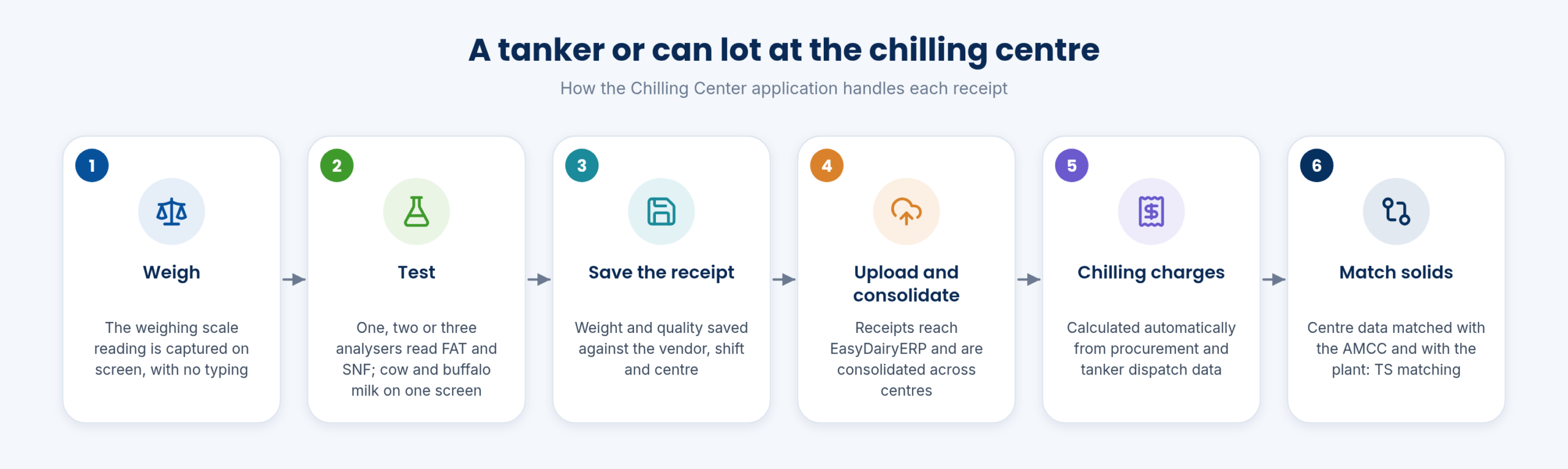
Every can lot or tanker goes through the same steps: weigh, test, save, upload, charge and match. The diagram shows the order; the sections below explain each part.
The same steps apply whether the dock uses the Chilling Center app on a tablet, the Milk Reception Desk on Windows or the mobile app for the weighing scale; only the screen differs.
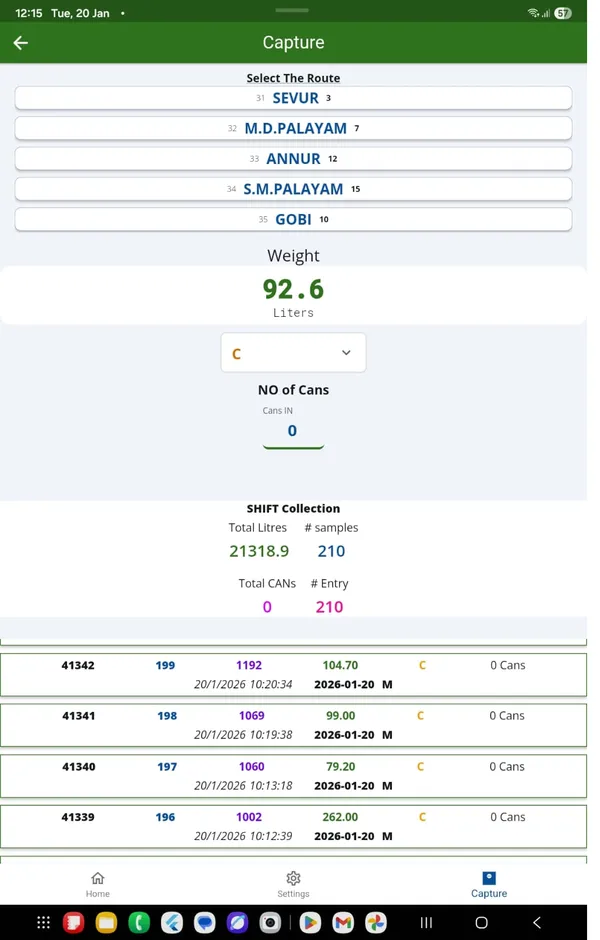
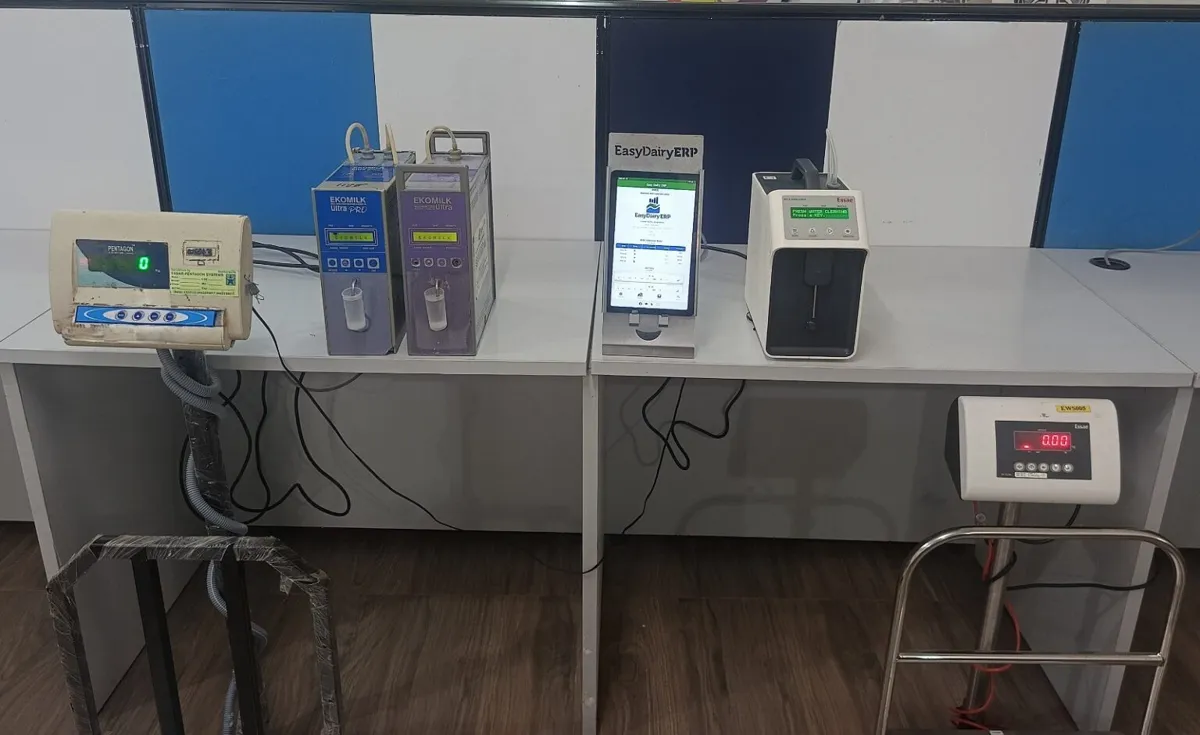
Docks are equipped differently, so the application offers a layout for each: a weighing scale only; two analysers with one weighing scale; cow and buffalo milk on one screen with dual analysers and a weighing scale; three analysers; and two analysers with a serial scale. A mobile app is also available for the weighing scale.
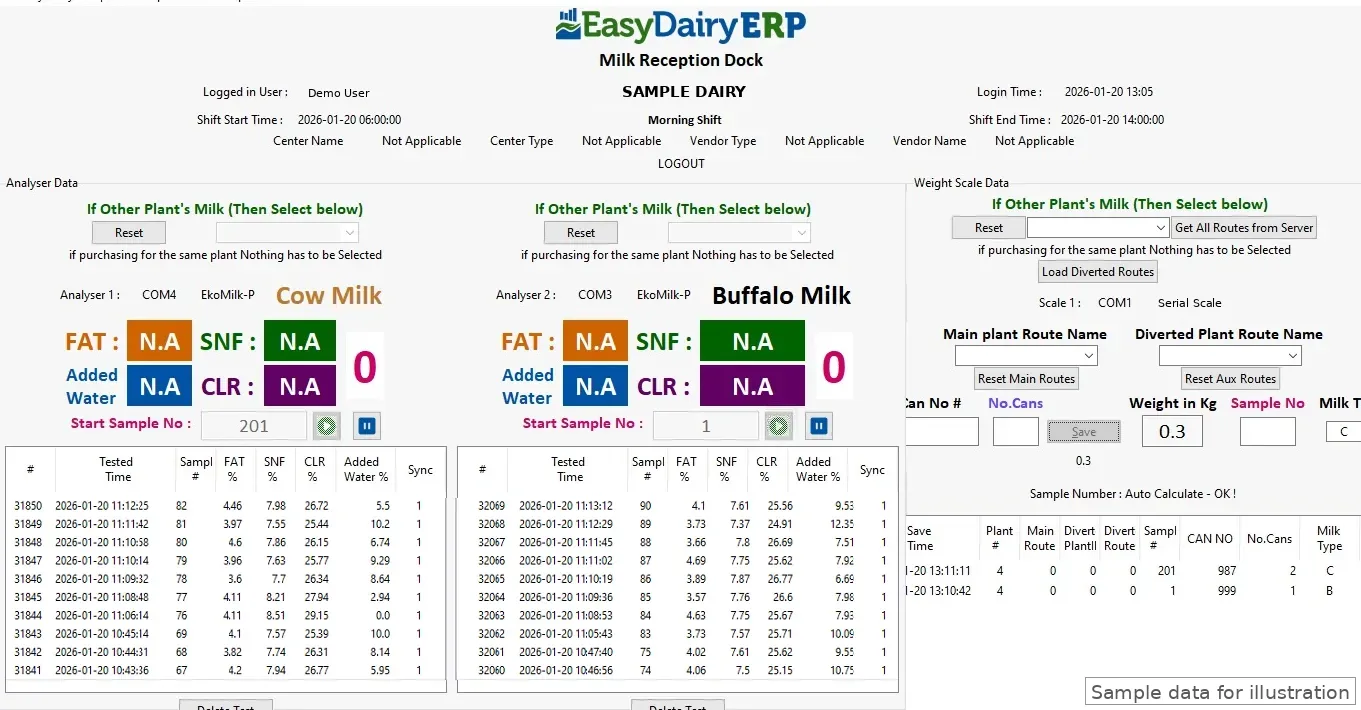
The CC input screen captures milk fat, SNF and weight for cow and buffalo milk. With up to three analysers reading at once, a row of cans or a tanker’s compartments are tested in real time.
The dock keeps moving at peak hours, and each receipt is recorded as it is tested.
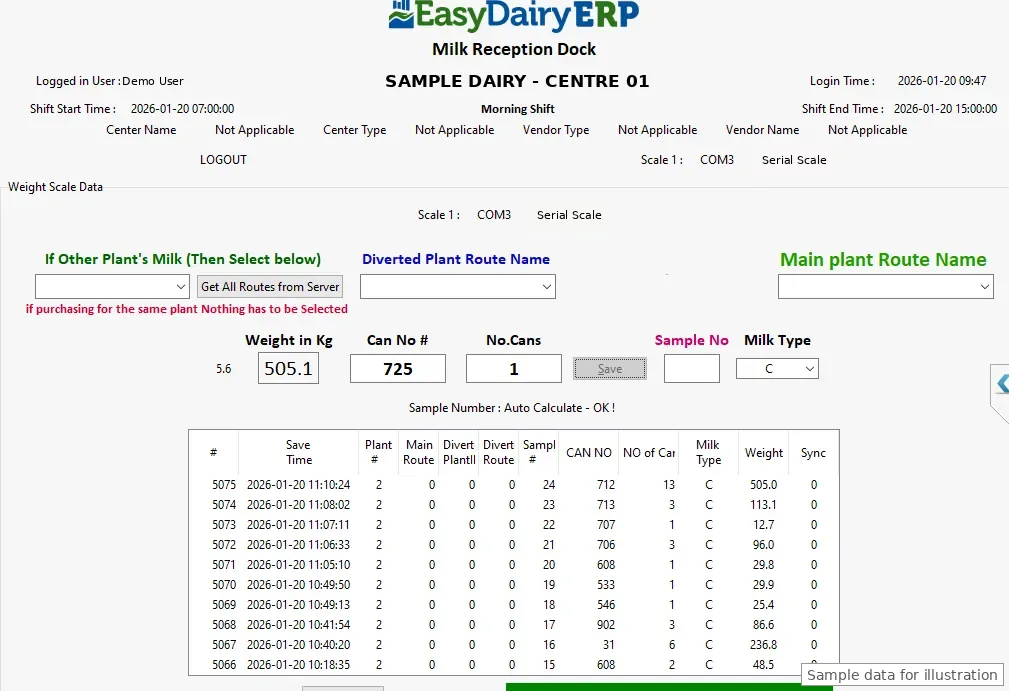
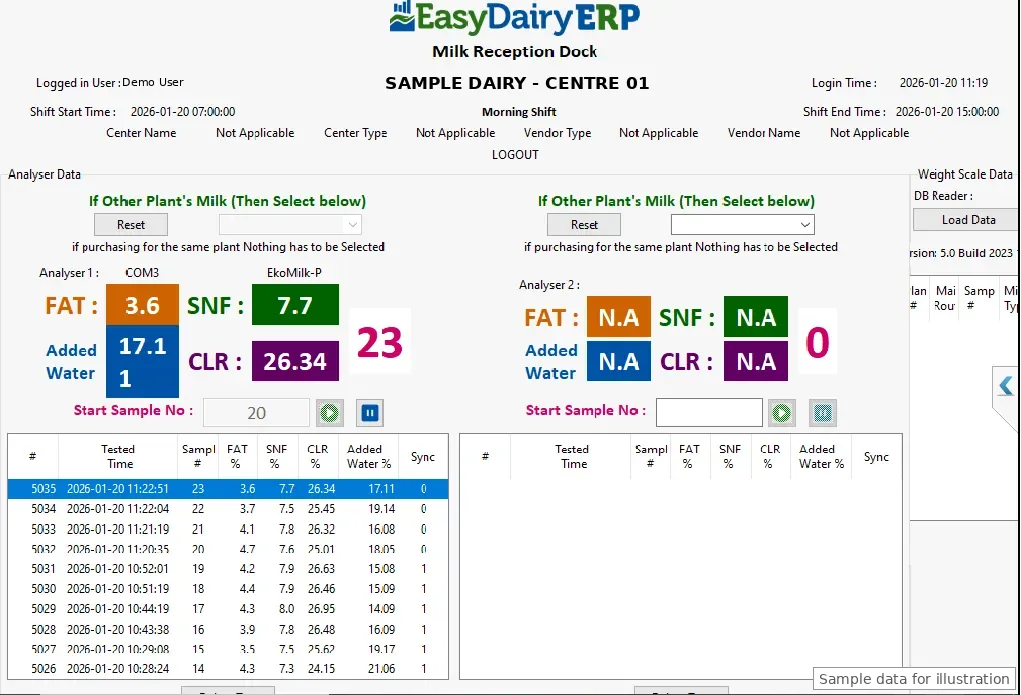
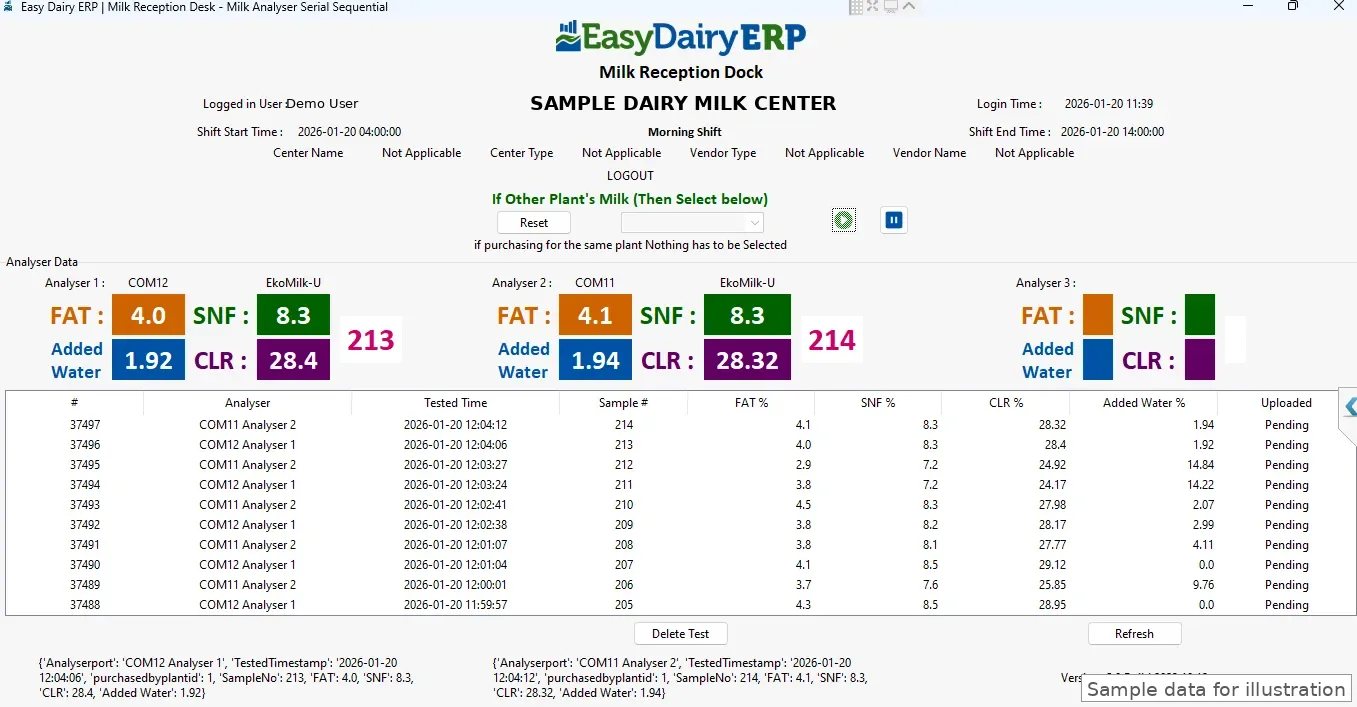
Chilling centre data collection is also available as a mobile app, launched in May 2025, for centres that capture on a tablet or phone. For desktop docks, the Milk Reception Desk for Windows 11, 10 and 7 (64-bit) and Ubuntu (v8.12) is available as a download, and Chilling Center / AMCU for Windows is linked from the docs.
Works without internet. Syncs itself when the connection is back.
The Milk Reception Desk and the chilling centre app keep capturing during network outages. Whenever the internet connects, every pending entry goes to EasyDairyERP automatically, with no manual step.
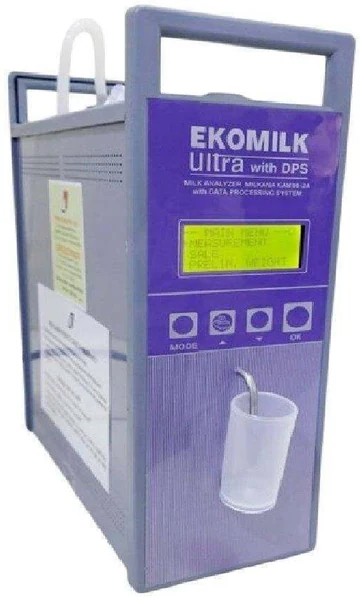
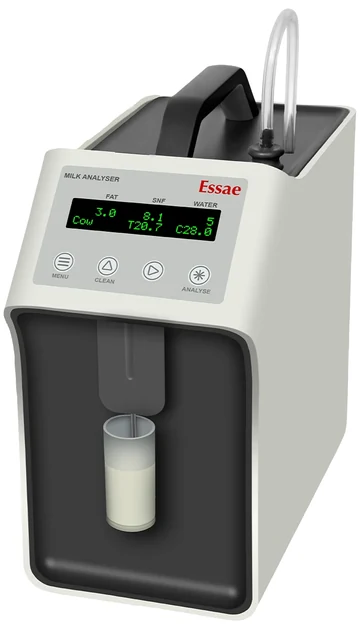
The same analysers work at the chilling centre and the plant reception dock: the Milk Reception Desk reads EkoMilk Ultra, EkoMilk Pro, EkoMilk Ultra Pro, EkoMilk Ultra DPS and Essae analysers, up to three at once, alongside the weighing scale, with a dedicated EkoMilk Ultra DPS module. See Milk Reception Desk software.
Whichever platform the centre uses, the receipts land in the same procurement data, so consolidation, chilling charges and TS matching do not depend on how the dock captured them.
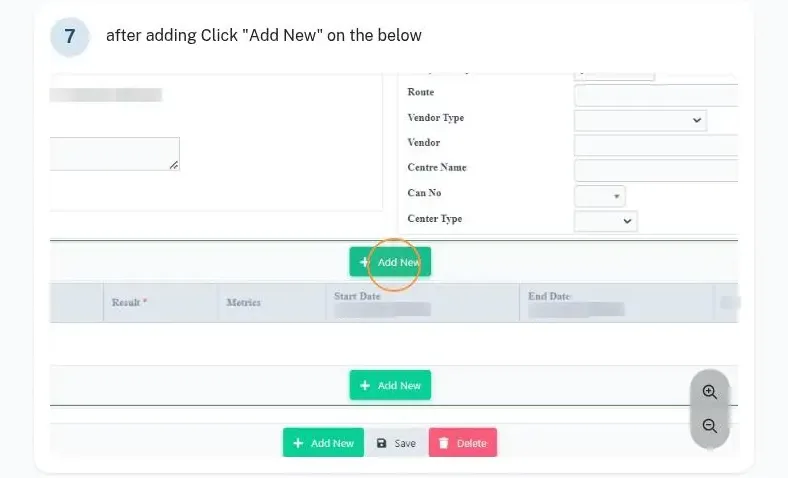
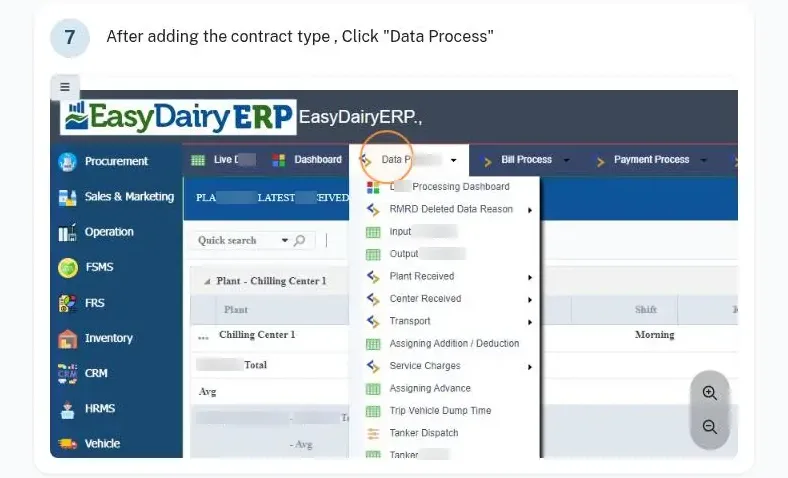
Each plant and chilling centre is set up in procurement, with plant contract details where the plant works under a contract. Lab tests at the chilling centre are recorded in Data Process → Lab Test: the plant, organisation unit, test type, date, shift and analyser sample number.
Any number of chilling centres can run in one system, each with its own receipts, lab tests and charges.
Chilling centre data is uploaded and consolidated in EasyDairyERP. Milk weighed and sampled at the chilling centres syncs to the ERP automatically, village-wise, and is matched for total solids against what the village centres recorded.
The CC receipts landing TSR report and the day-wise CC receipt with amount show what each centre received, at what quality, and what it is worth.
Every centre’s receipts are in the ERP the same day and matched against the village data.
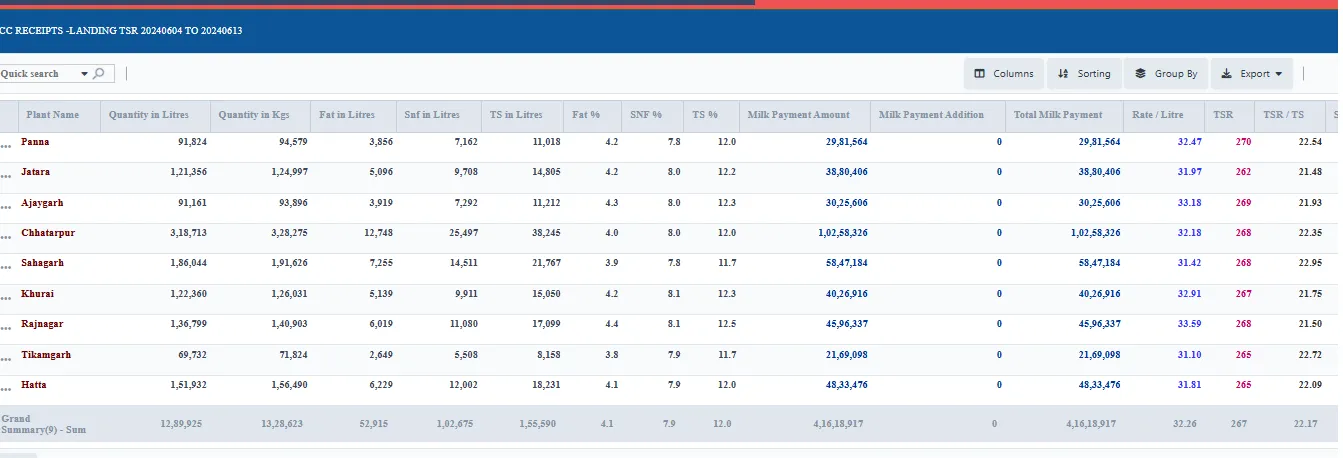
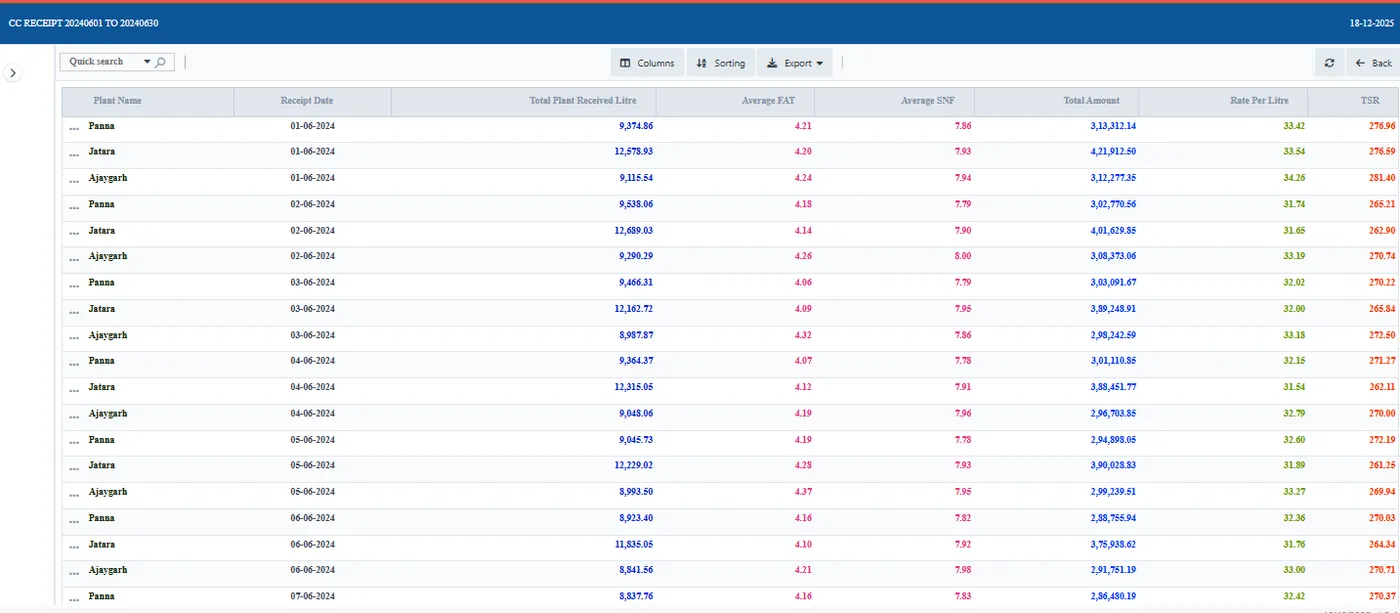
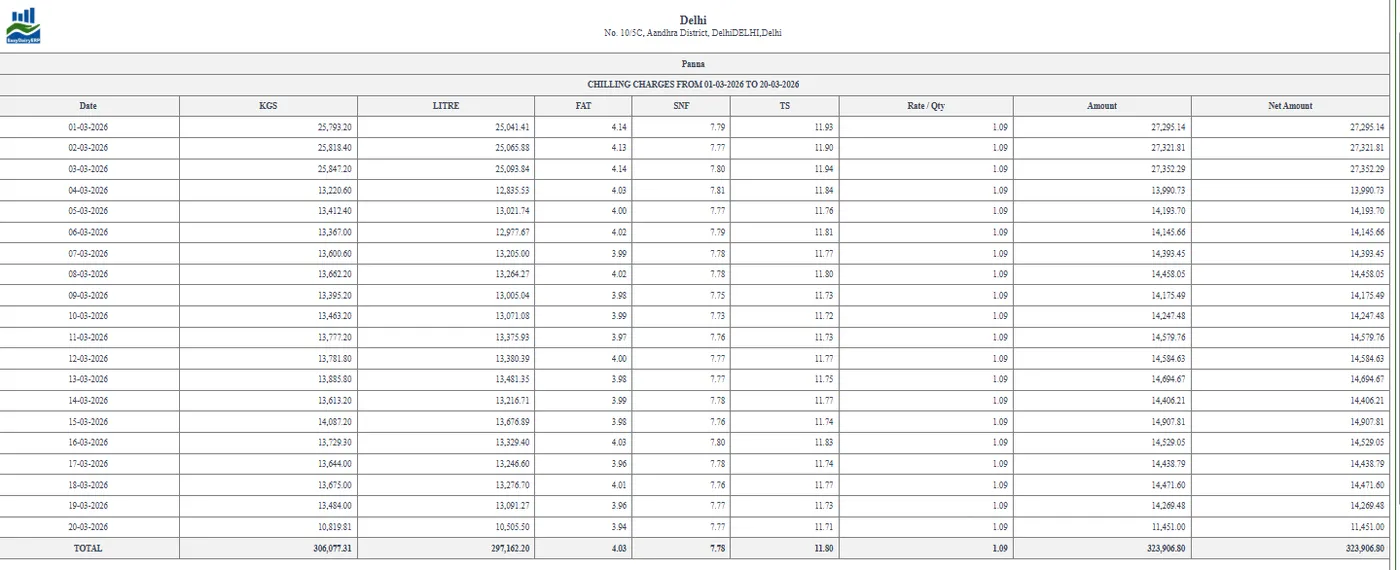
Chilling charges are calculated automatically from procurement data and processed per tanker dispatch quantity and quality. The chilling charges statement shows the result centre by centre.
Because the charge is derived from the dispatches themselves, the chilling charge, the dispatch record and the procurement data always agree, and accounts can check any line back to its tanker.
No manual calculation of chilling charges, and a statement that matches the dispatches.
All 26 functions of the Chilling Center application, one card each. Orange cards are key features.
Capture data from weight scale and analysers.
Two analysers + one scale; cow & buffalo on one screen with dual analysers and scale; three analysers; two analysers + serial scale; weighing scale only; mobile app for weighing scale.
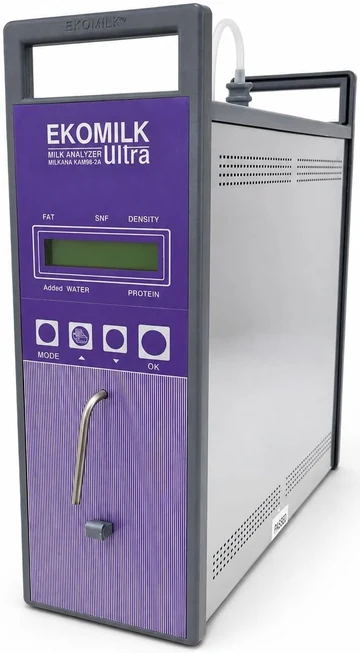
CC milk fat, SNF and weight capture (cow and buffalo).
Launched May 2025.
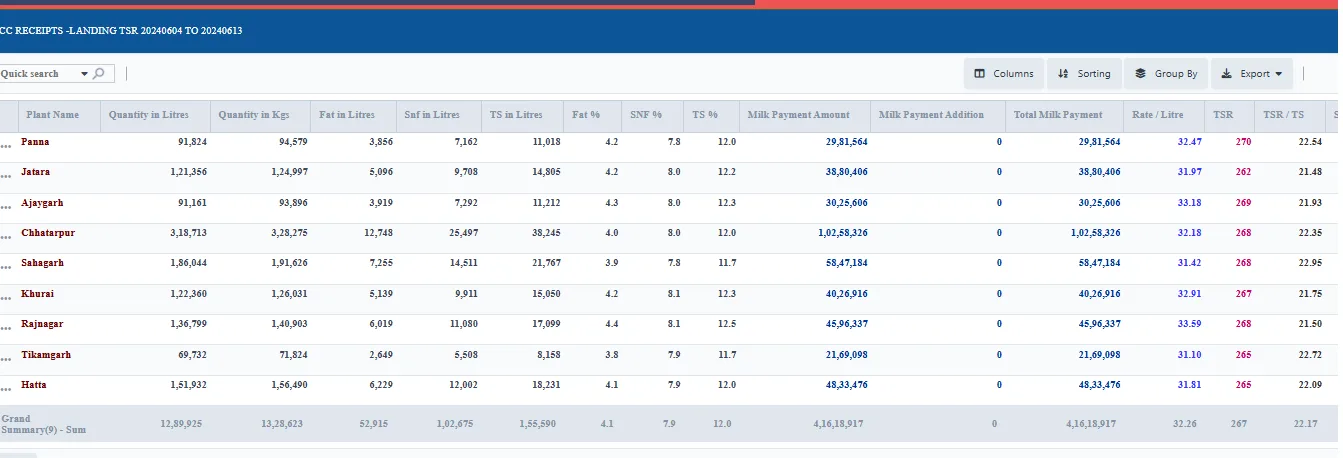
CC data upload; chilling centre data upload and consolidation.
Multiple chilling centres.
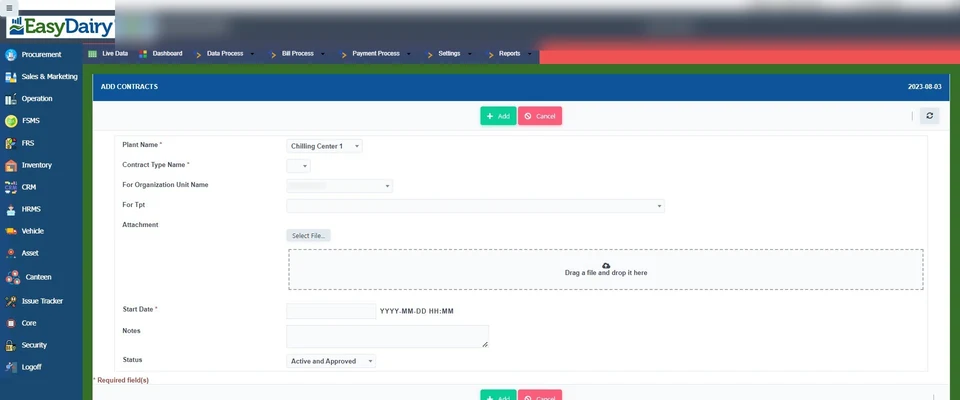
How-to: add a plant / CC; add plant contract details.
How-to: add lab test / CC lab test details.
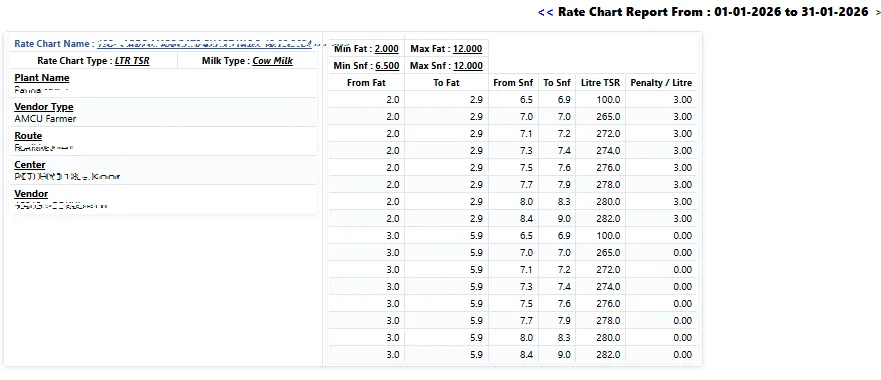
Auto-calculated from procurement data; chilling charges screen; processed per tanker dispatch quantity / quality.
Desktop reception software download.
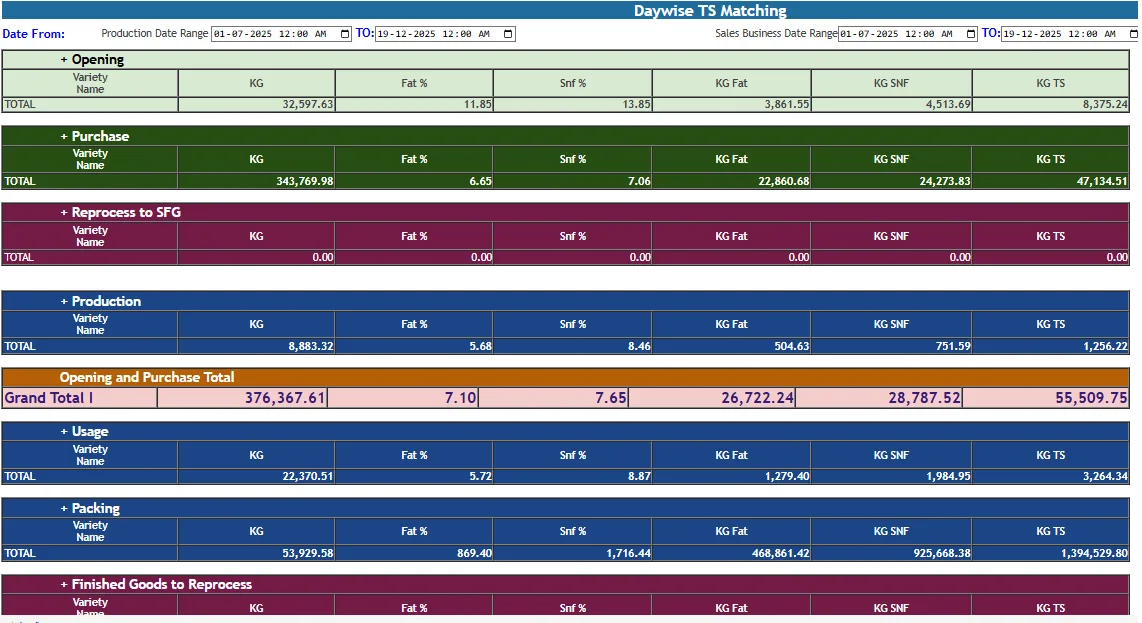
Milk weighed and sampled at CCs, automated ERP syncing and TS matching.
Bulk milk arrivals are tested by QC and accepted into production.
Vehicle in and out weights come straight from the weighbridge.
Automated intake at the factory via weighbridge software for Windows; Weigh Bridge module in plans.
Weighbridge reports for every vehicle and material.
Material balance is checked against weighbridge weights.
Images from the weighbridge are stored as proof for each weighment.
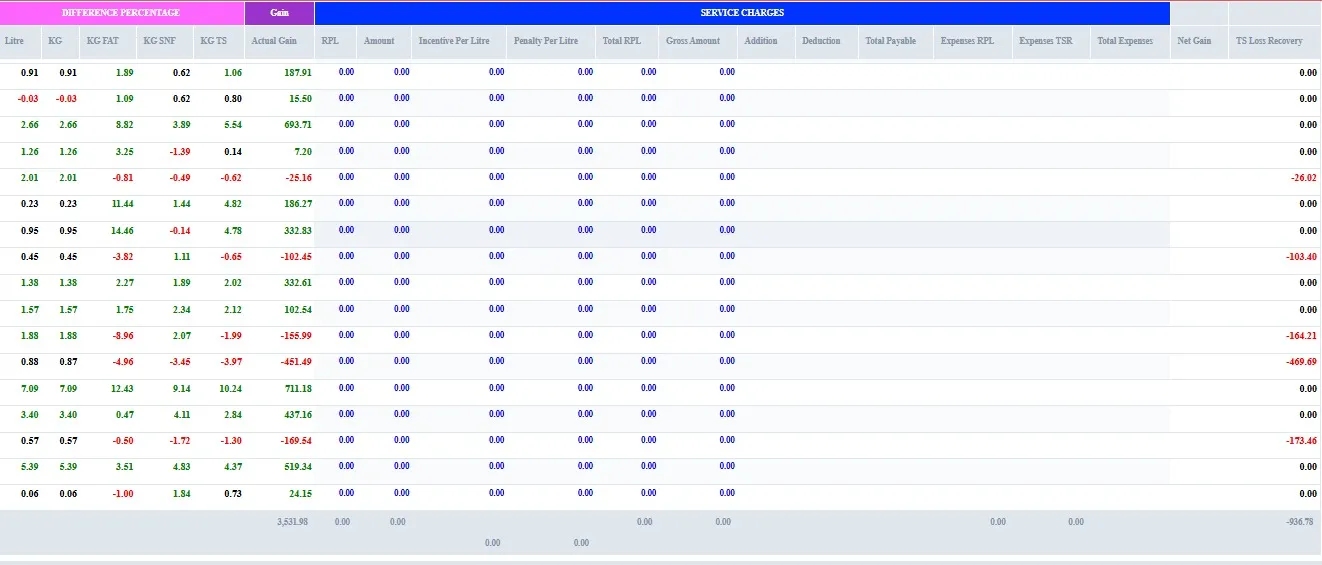
Identifies TS loss.
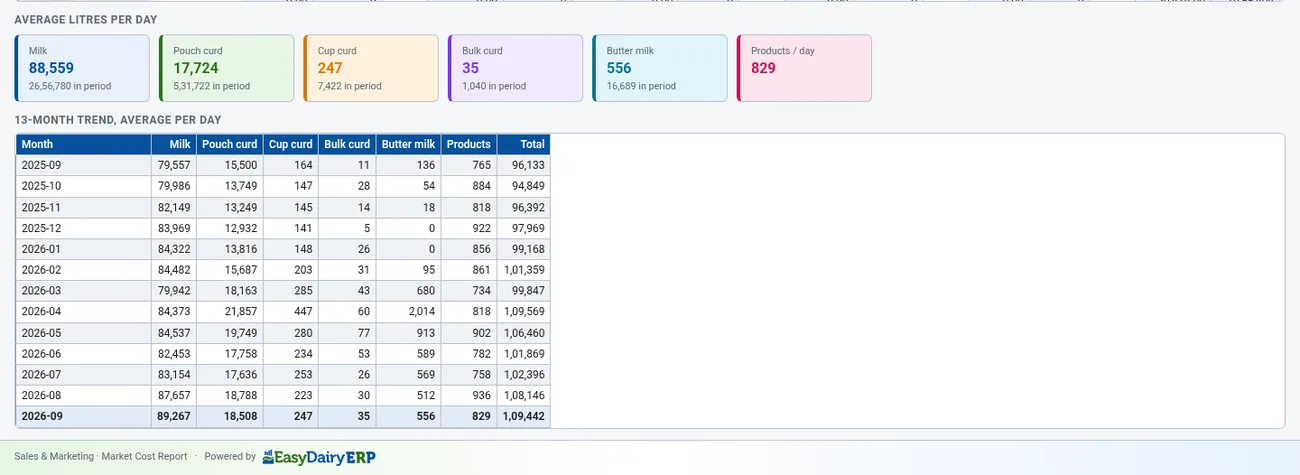
A total solids report goes out by email when the production day closes.
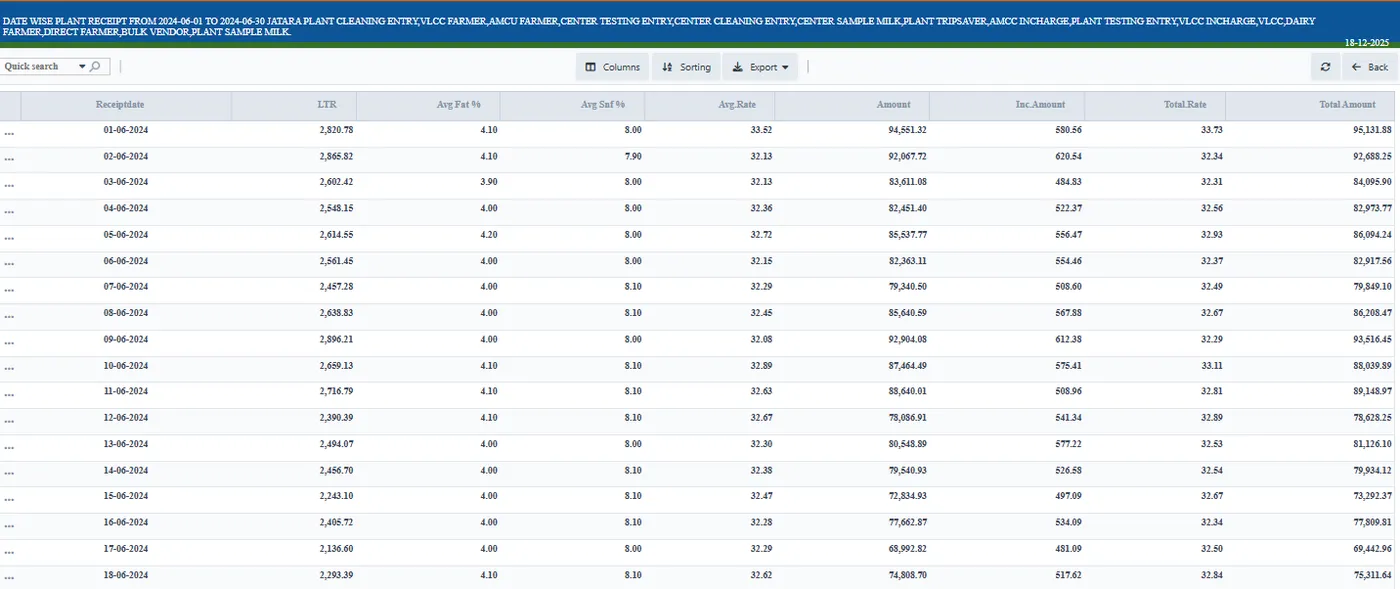
Milk solids are matched every day from the village to the plant.
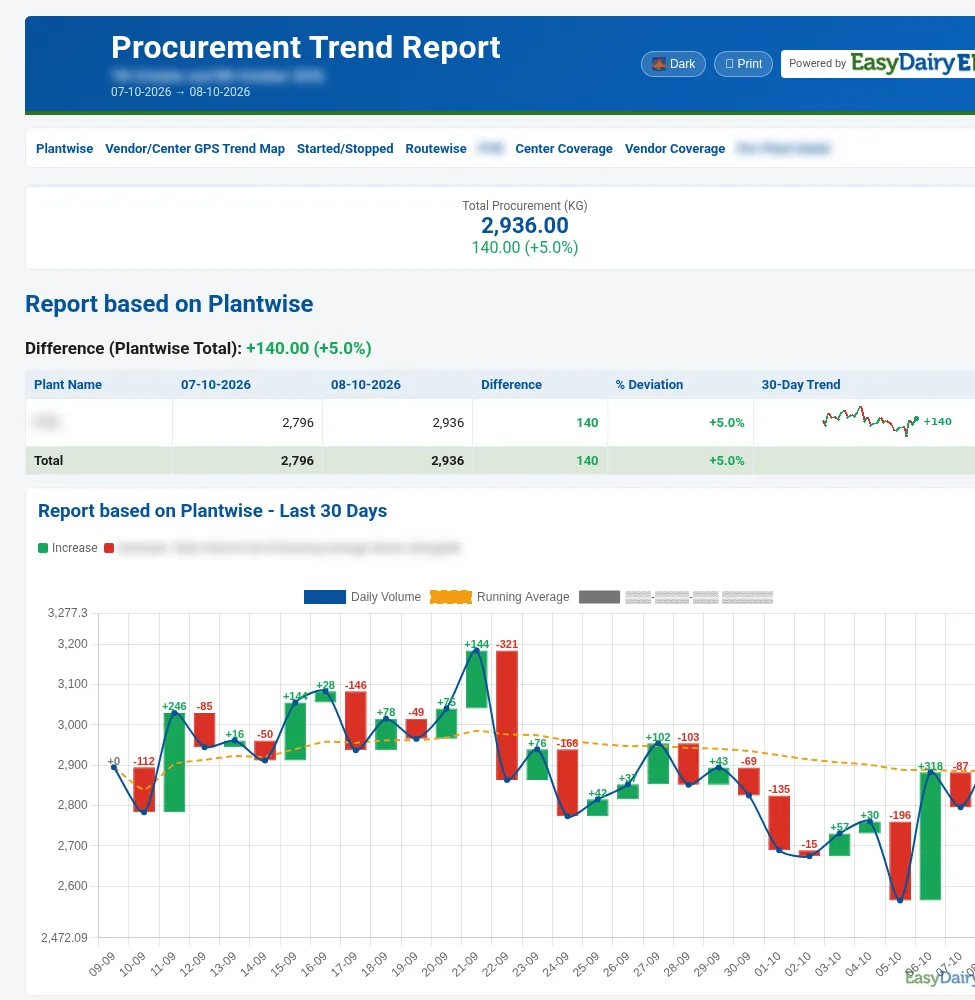
Solids matched across plants, with a TS MIS for each plant.
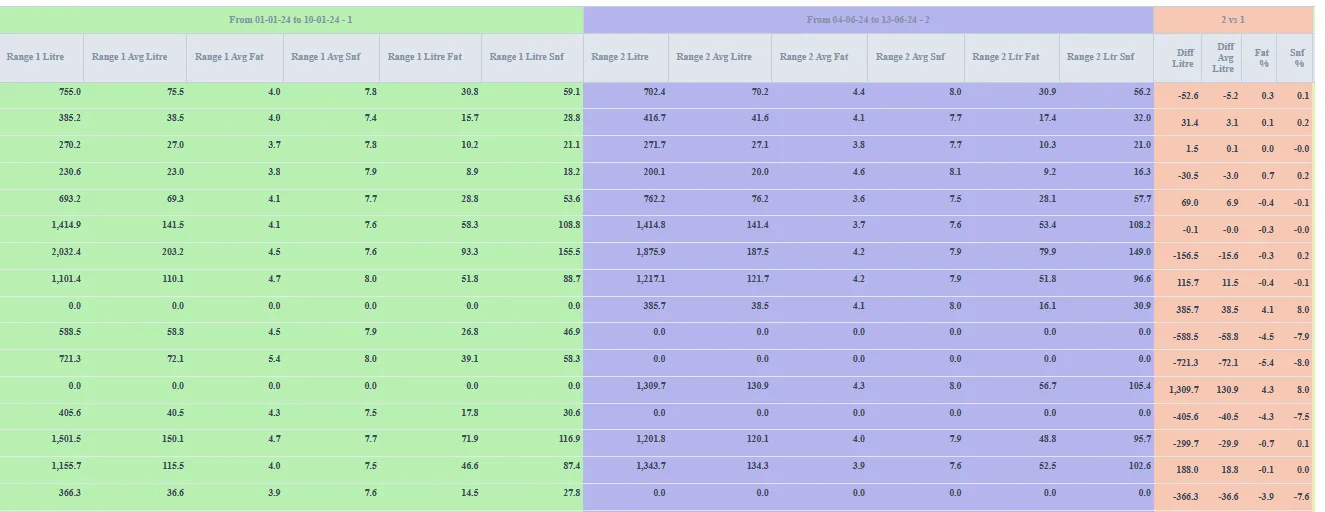
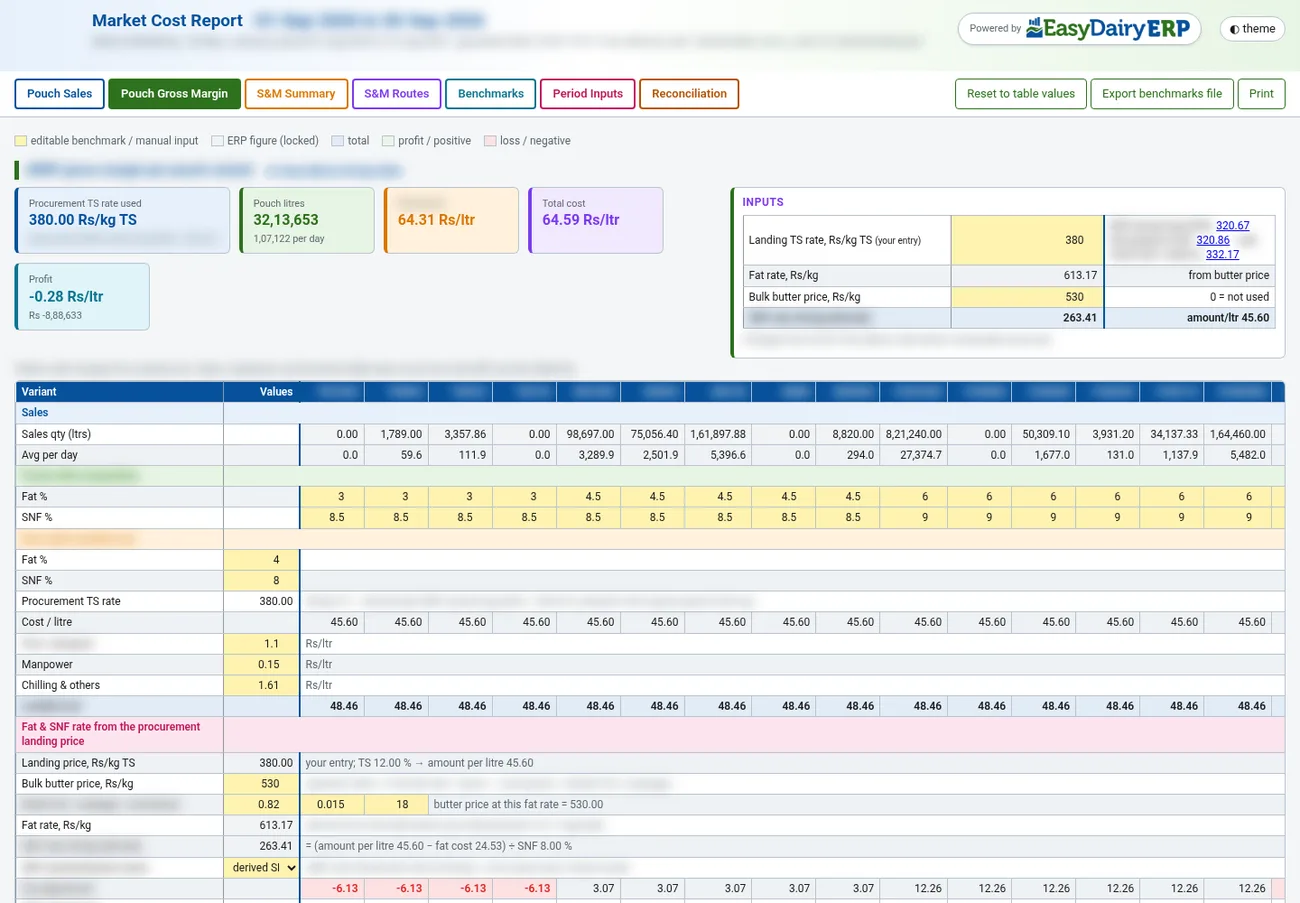
Solids followed from procurement through to sales.
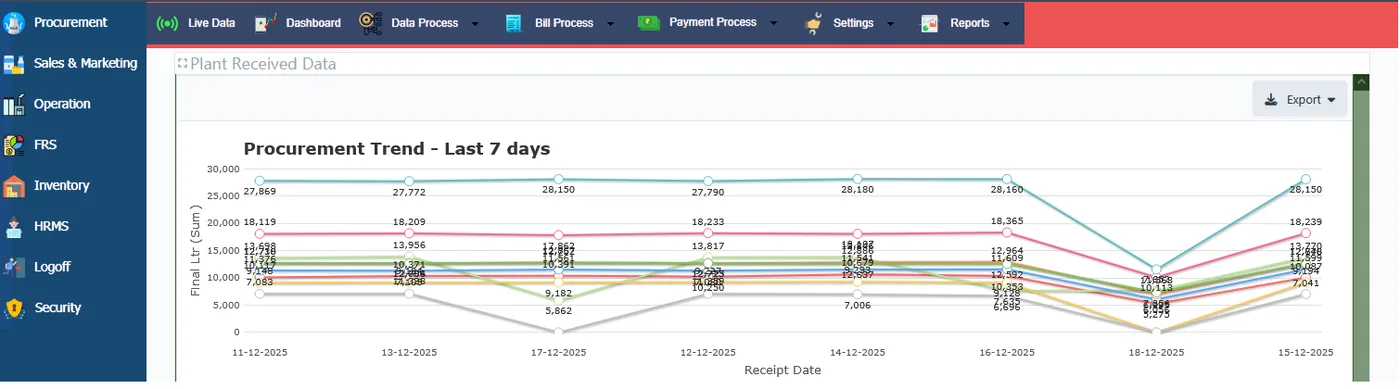
MIS operations report; MIS kg TS across procurement, production and dispatch.
Total solids matching, day by day.
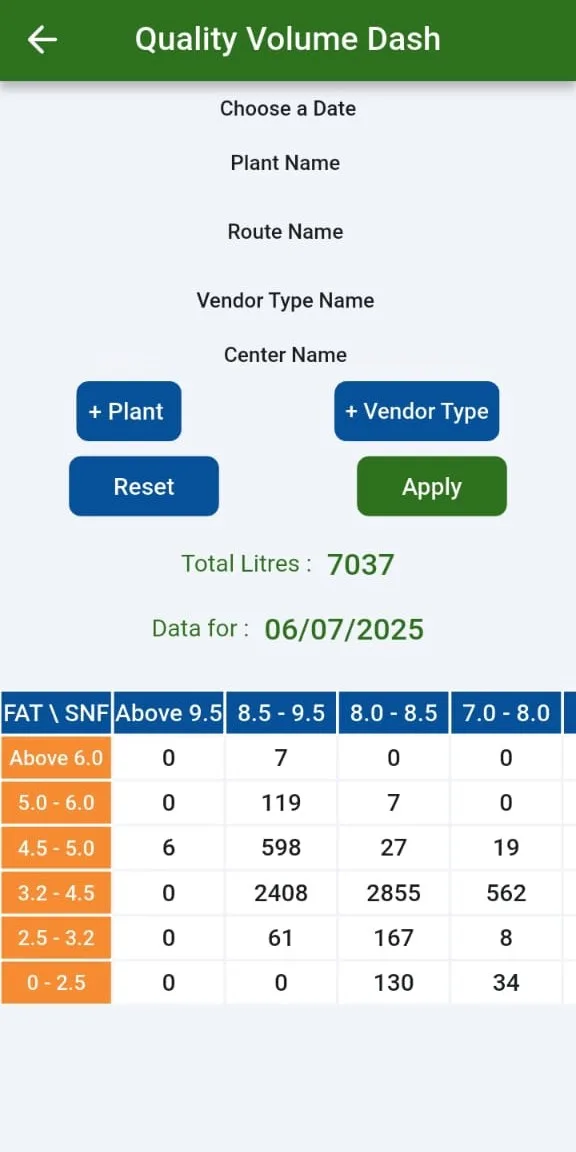
Fat, SNF and TS across stages.
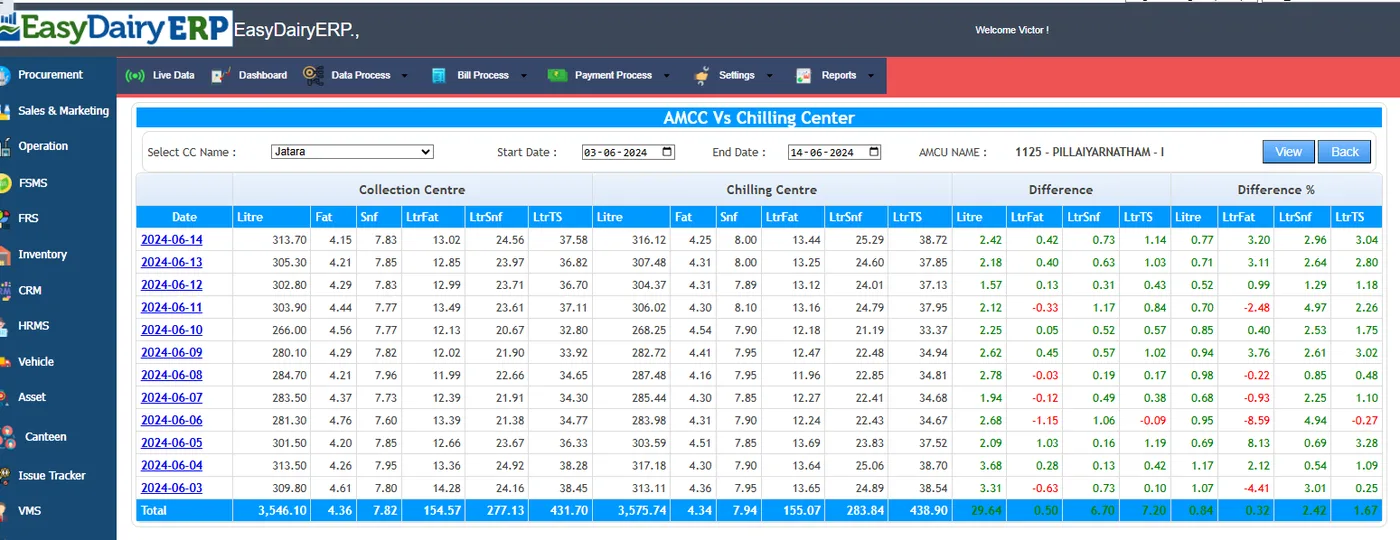
Total solids worked out with calculations you can configure.
Part of the monthly updates, at no extra cost. See New Features for the full list.
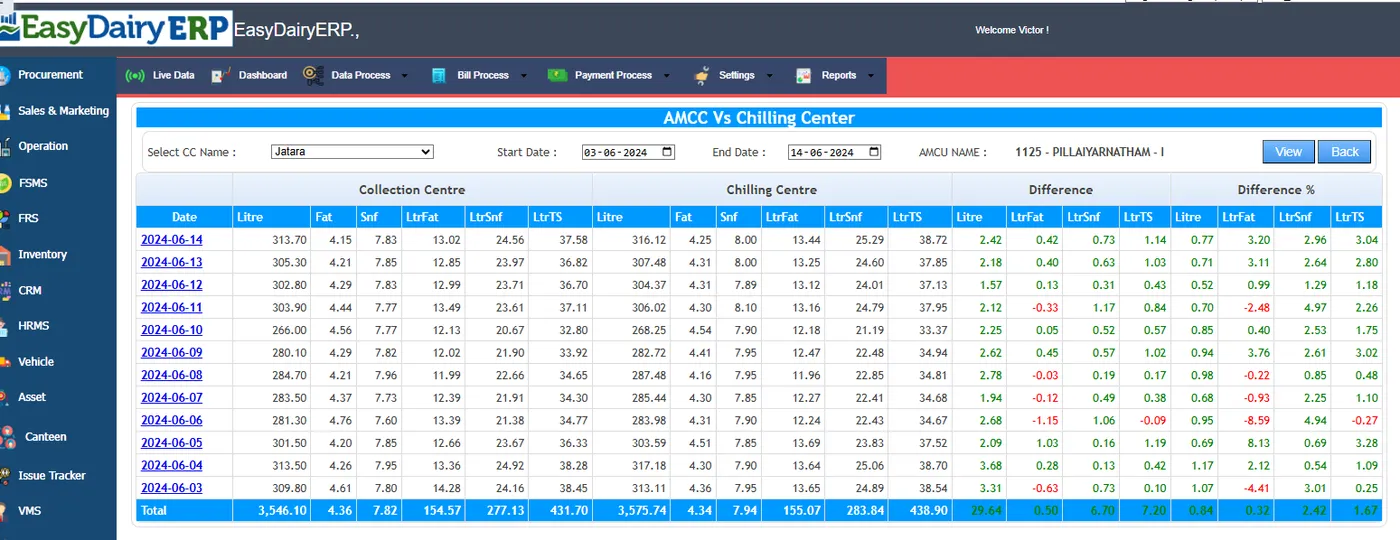
The DPS end-of-shift summary is captured on the phone (with date selection for prints that cover several days). It is then matched automatically against procurement entries for that centre and date. A discrepancy page lists rows that are in procurement, waiting, not considered, or from an unlinked centre.
Each device model is a settings profile (speed, parity, data format), shared across desk, phone and tablet. Bench-tested: EkoMilk Ultra, Ultra Pro and Ultra with DPS (older data frame and DPS slip); Essae milk analyser over Bluetooth; weighing scales over USB and Bluetooth with a stable-weight lock.
DPS works on all six analyser capture layouts. Setup takes a few clicks: type the company name, and the desk shows its Application ID, checks for approval every 10 seconds, then links and syncs. Login and configuration re-sync run in batches with a progress window, so minutes become seconds. Sample numbers stay in step across two parallel analysers, and a conflict stops the analyser.
Short versions of our step-by-step guides. The full interactive guides, with every screen, are in the Docs.
The main steps:
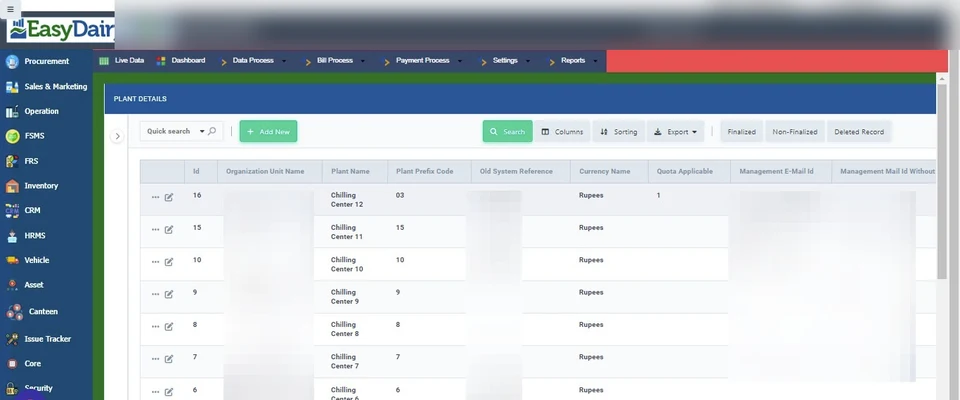
The main steps:
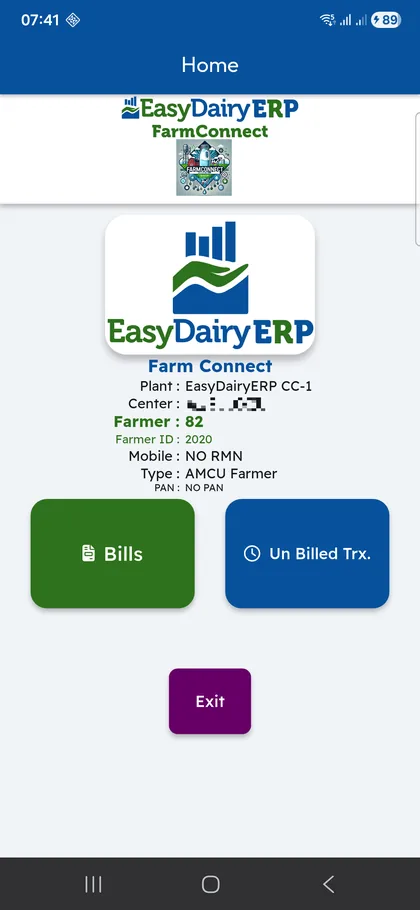
The main steps:
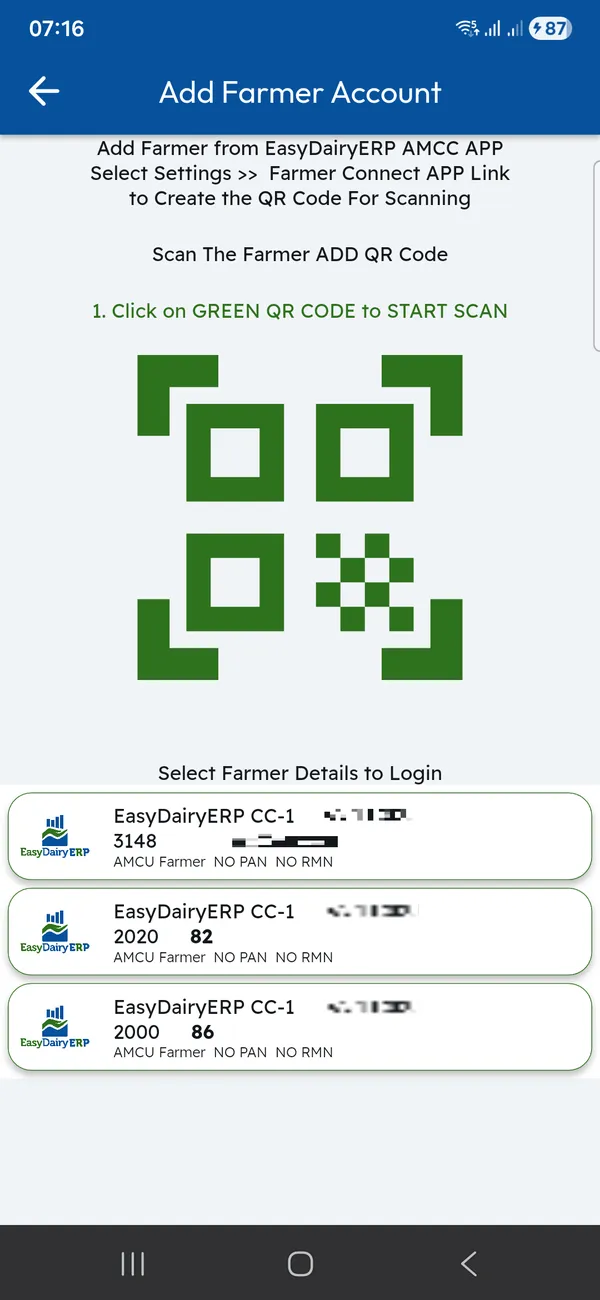
The main steps:
The demo tour walks through these functions in the order the milk moves, with a picture and a link to the Docs for each.
| Capture layouts | Scale only; 2 analysers + 1 scale; cow and buffalo with dual analysers + scale; 3 analysers; 2 analysers + serial scale; mobile app for the scale |
|---|---|
| Captured | Fat, SNF and weight, cow and buffalo |
| Platforms | Chilling Center app (Android, tablet); Milk Reception Desk (Windows 11, 10 and 7 64-bit, and Ubuntu; v8.12); Chilling Center / AMCU for Windows |
| Set-up | Plants, plant contracts, chilling centres, CC lab tests |
| Outputs | Upload and consolidation, village-wise sync and TS matching, chilling charges, CC receipt reports |
Up to three, together with the weighing scale.
Yes, with dual analysers and a weighing scale.
No. They are calculated automatically from procurement data, per tanker dispatch quantity and quality.
Yes. Multiple chilling centres run in one system.
Yes: the Milk Reception Desk for Windows 11, 10 and 7 (64-bit) and Ubuntu (v8.12), and Chilling Center / AMCU for Windows.
Every module page walks through the screens, reports and mobile apps in the same way, so you can see exactly how EasyDairyERP fits your dairy.
When you have seen enough, we are happy to show it to you live on our sample data: book a demo or call +91 94880 59495.