Guided product tour · Stop 24 of 27 ← RequestsFinancial reporting →
Module · Customers

Easy Customer Relationship Management

Every distributor, dealer and customer in one place: profile, purchase history, preferences, concerns and every transaction, plus service management.

One place for all transactionsService management
Easy Customer Relationship Management
One recordPer customer
Every channelWebsite, phone, mail, materials
All transactionsIn one place
ServiceManagement
On this page
Overview

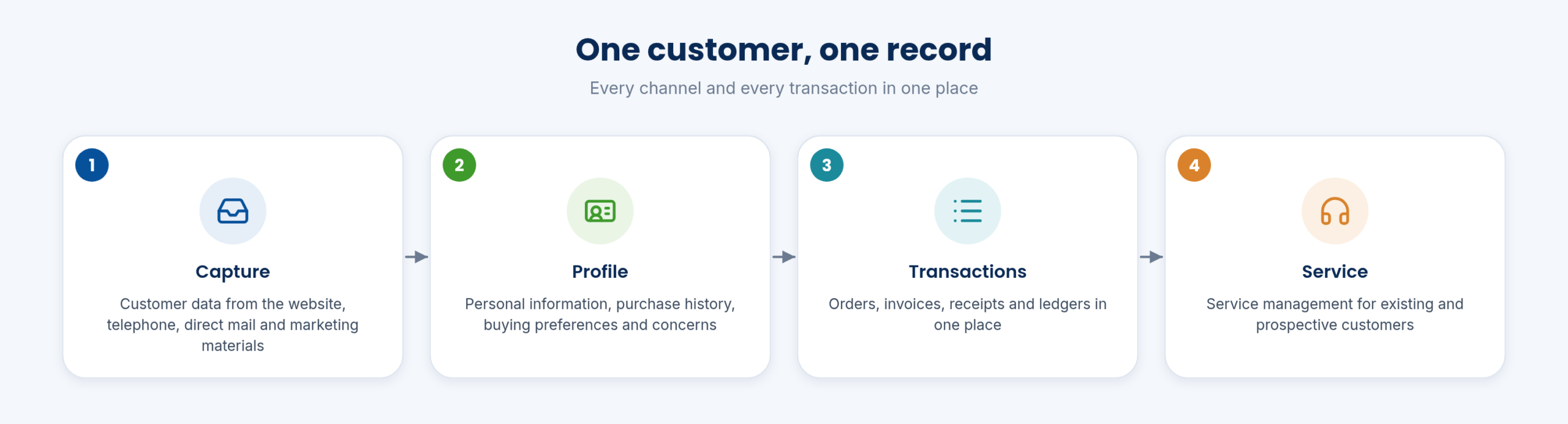
OverviewOne customer, one record

One customer, one record
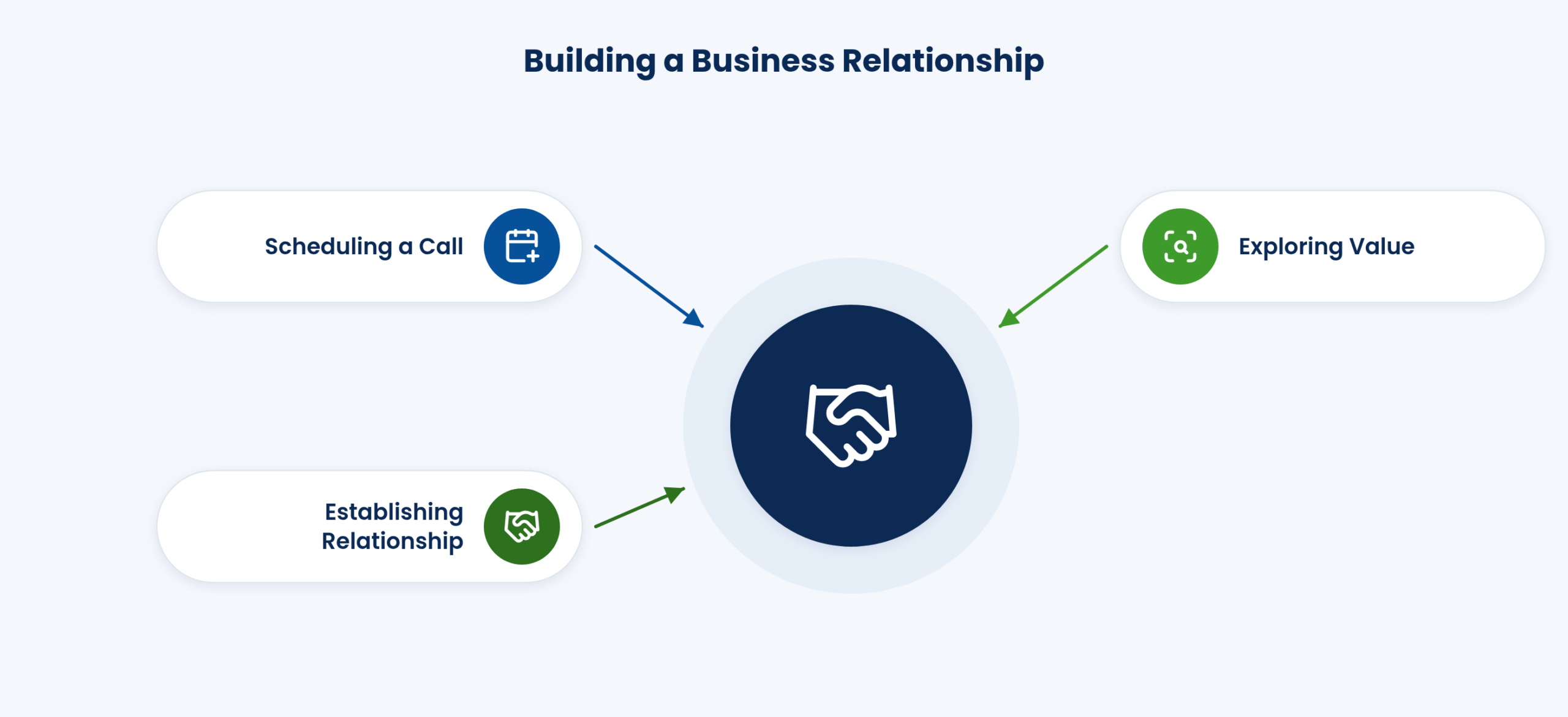
Building a business relationship

Customer data from every channel, the website, telephone, direct mail and marketing materials, is collected into one customer record.

The record covers existing and prospective customers.

The channels include the company’s website, telephone, live chat, direct mail and marketing materials. The aim is better customer service relationships, customer retention and sales growth across the customer lifecycle.

Functions on this topic
  • Customer data from every channel: website, telephone, direct mail and marketing materials
  • CRM, available as a module
Customer

CustomerProfile and preferences

The profile holds personal information, purchase history, buying preferences and concerns.

Sales staff see what a customer buys and what they have raised before a visit.

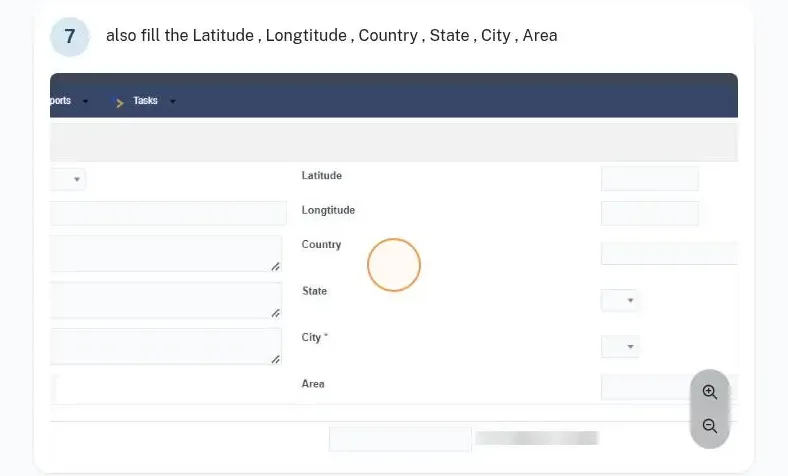
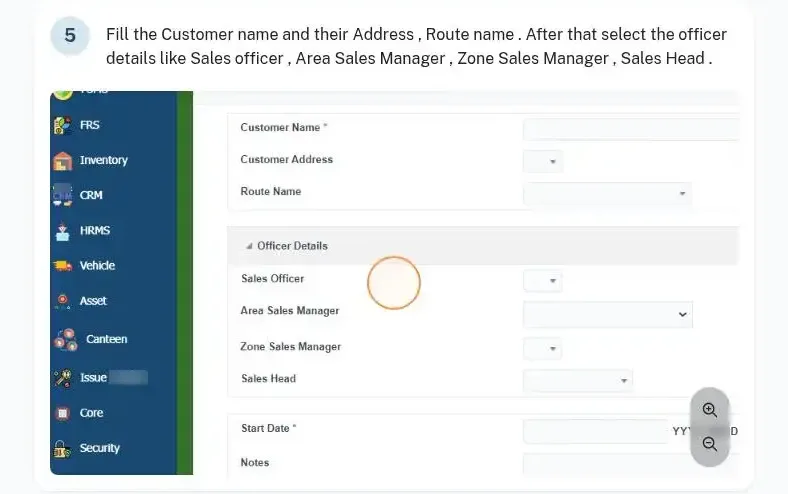
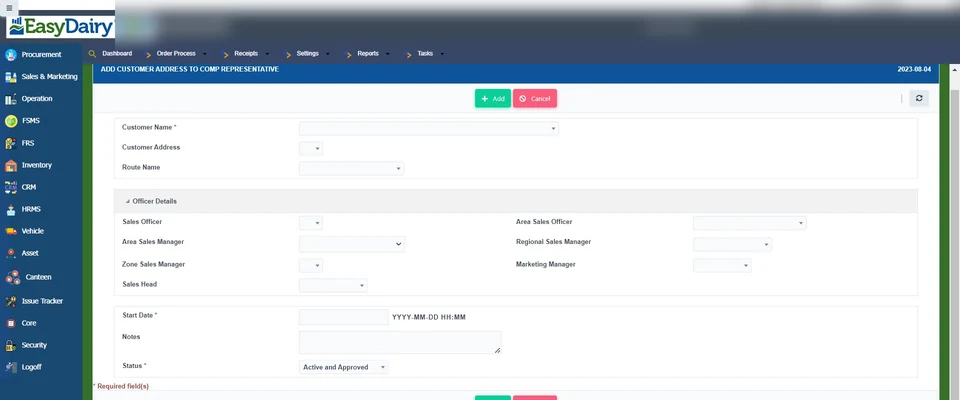
The customer master behind the profile is the one sales uses: customer type, customer, billing and shipping addresses with latitude and longitude, the sales point and the company representative.

Step by step
  1. Settings → Customer → Customer Type: add the type.
  2. Customer: add the customer.
  3. Customer Address: billing and shipping address, latitude and longitude.
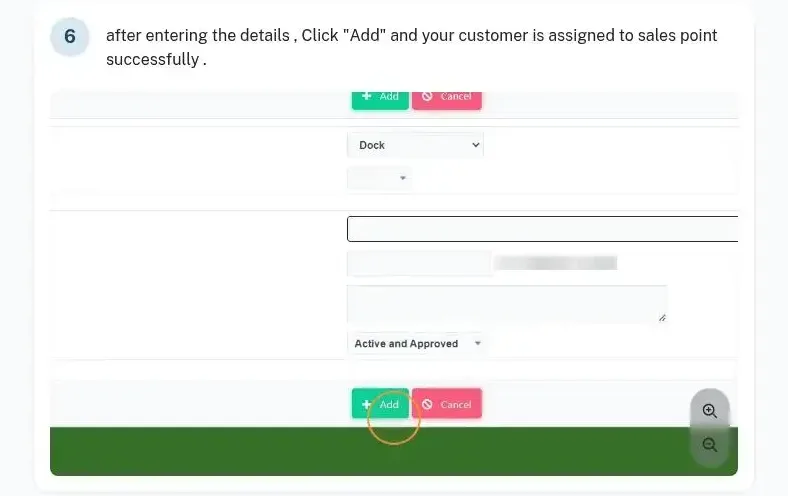
  4. Customer to Sales Point: assign the dock or depot.
Who uses it
Sales teamCustomer service
Functions on this topic
  • Customer profile: personal info, purchase history, buying preferences, concerns: Existing and prospective
Docs guide: customer address
Docs guide: customer to sales point
Docs guide: customer address to representative

CustomerAll transactions and service

One place shows all of a customer’s transactions: orders, invoices, receipts and ledgers. Customer data and service management work from the same record.

Questions are answered from the record, not from several reports.

Customer GPS locations are integrated, so the customer record also places the customer on the map used by the field force.

Who uses it
AccountsCustomer service
Functions on this topic
  • One place to find all transactions
  • Customer data; service management
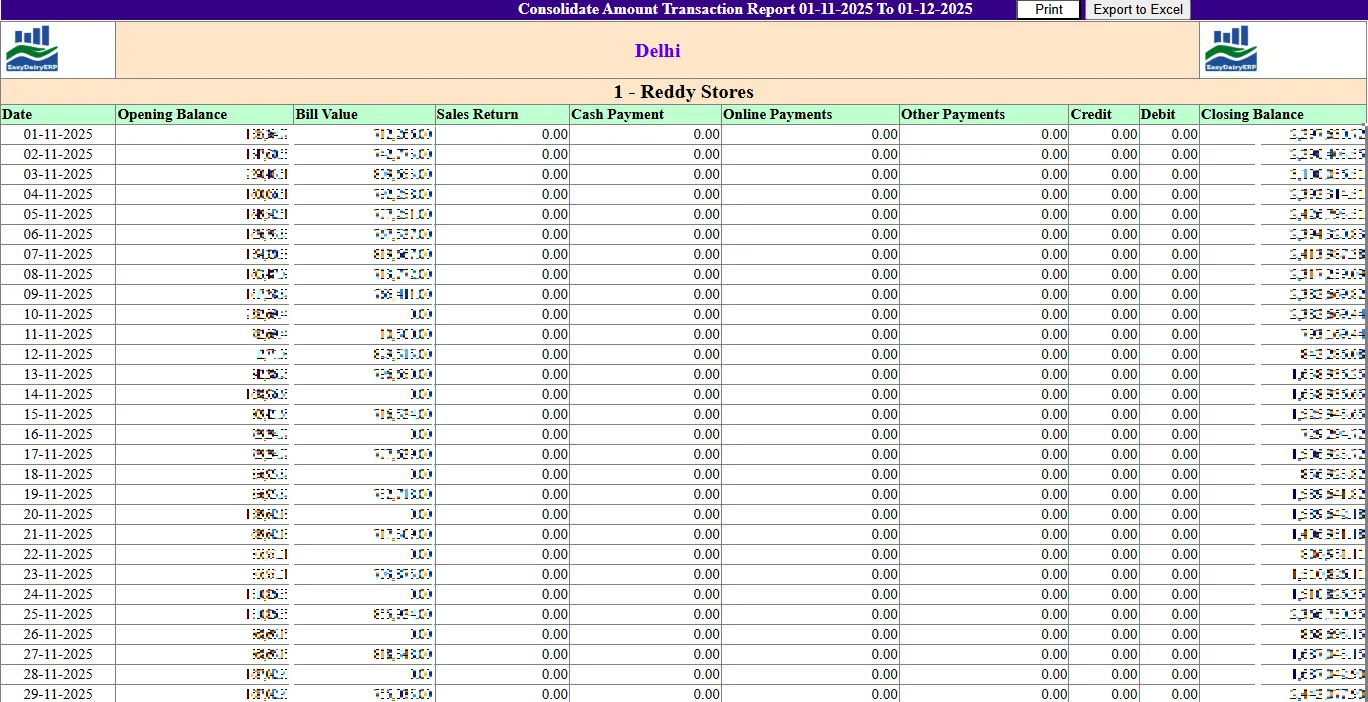
Customer consolidated transactions
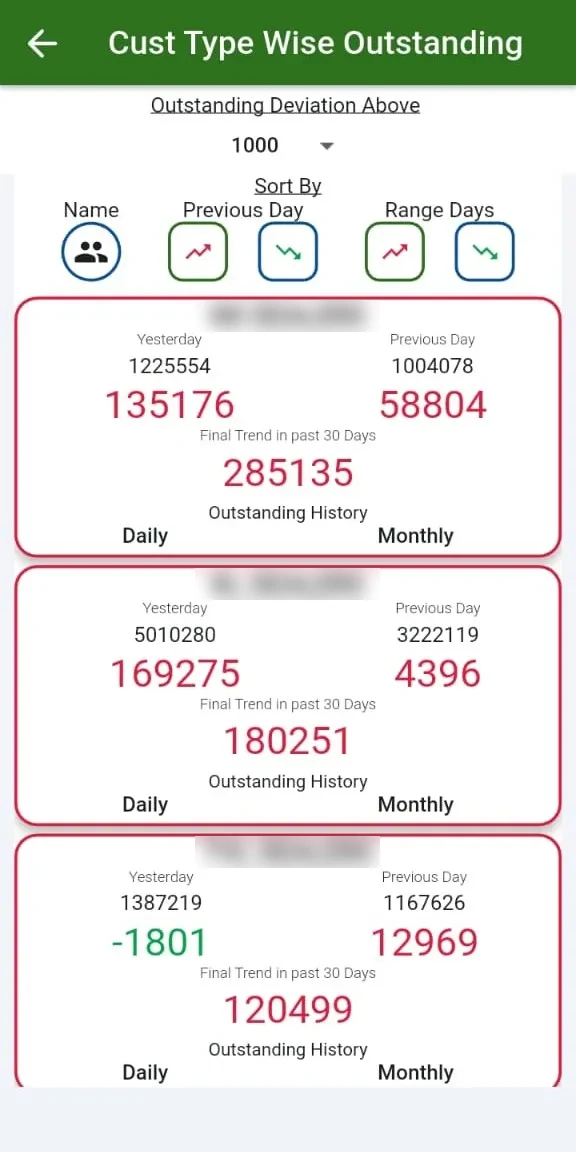
Customer type outstanding

FAQFrequently asked questions

Does CRM share data with sales?

Yes, transactions come from the sales module.

Are prospects included?

Yes, existing and prospective customers.

In detail

Every function, with a picture

7 functions, each with a screen or diagram you can click to open full size, and a link to the step-by-step guide in the Docs. Key features are marked in orange.

Every CRM function

Customer data across channels

Customer data across channels

Website, telephone, live chat, direct mail, marketing materials.

See how →
Customer profile: personal info, purchase history, buying preferences, concerns

Customer profile: personal info, purchase history, buying preferences, concerns

Existing and prospective.

See how →
One place to find all transactions

One place to find all transactions

Every transaction with a customer is in one place.

See how →
Customer data; service management

Customer data; service management

Customer records linked to service requests.

See how →
Customer address and representative

Customer address and representative

Each customer keeps its addresses and company representative.

See how →
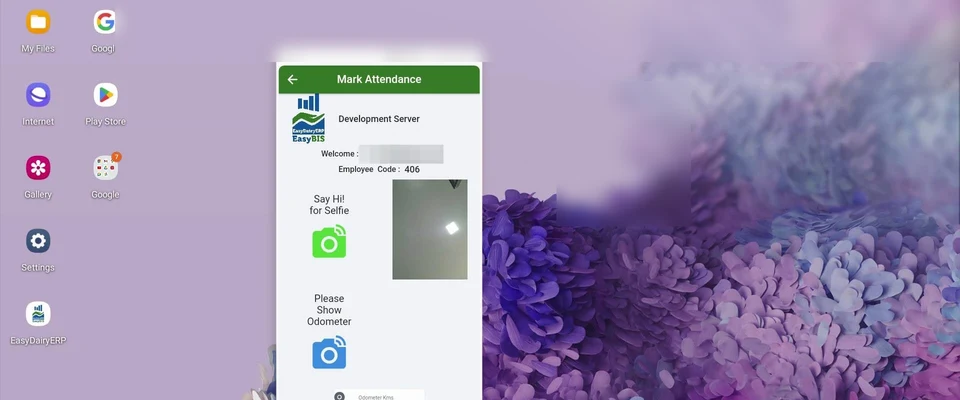
Field visits and leads
Key feature

Field visits and leads

Field staff log visits and tasks for existing customers and new leads on mobile.

See how →
Outstanding by customer type

Outstanding by customer type

Outstanding by customer type on the mobile dashboard.

See how →
See it in the demo tourThe Assets, vehicles, CRM and requests chapter shows these screens in the order the work happens.

Keep exploring at your own pace

Every module page walks through the screens, reports and mobile apps in the same way, so you can see exactly how EasyDairyERP fits your dairy.

When you have seen enough, we are happy to show it to you live on our sample data: book a demo or call +91 94880 59495.

Next stop on the tour (25 of 27)Easy Financial Reporting SystemsContinue the tour →