
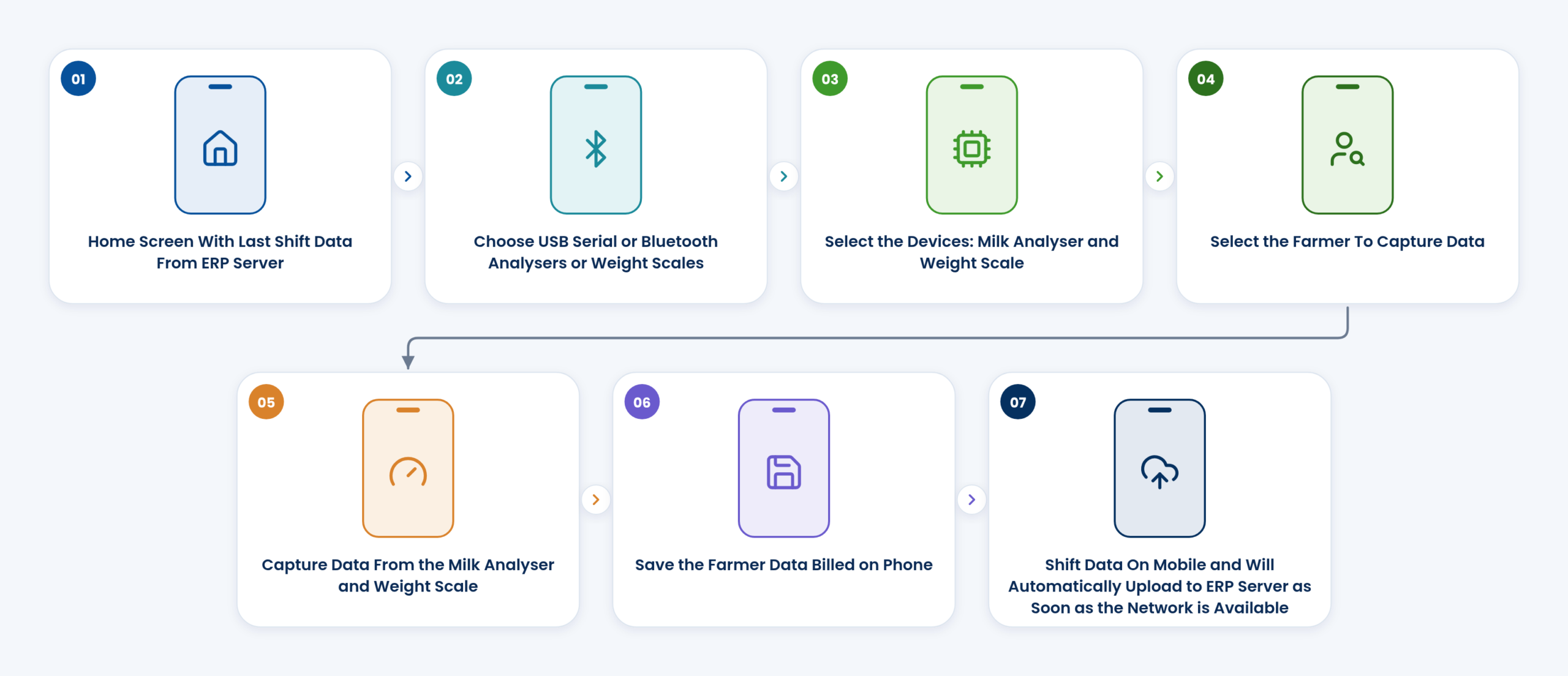
Village collection with the AMCC app
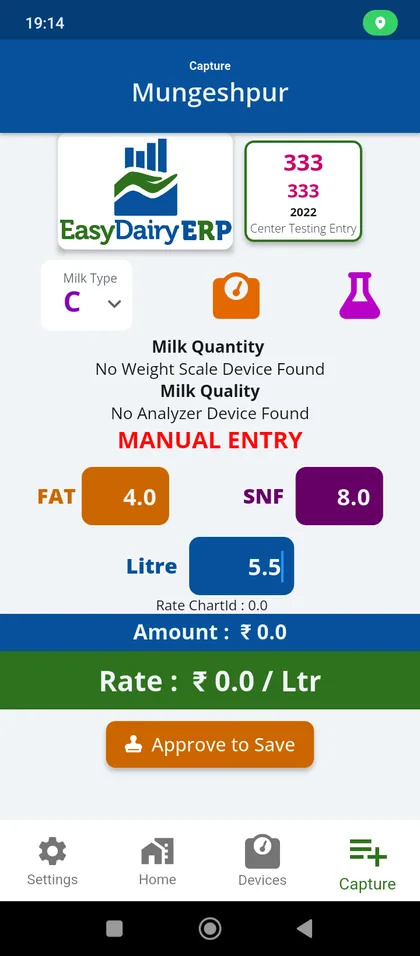
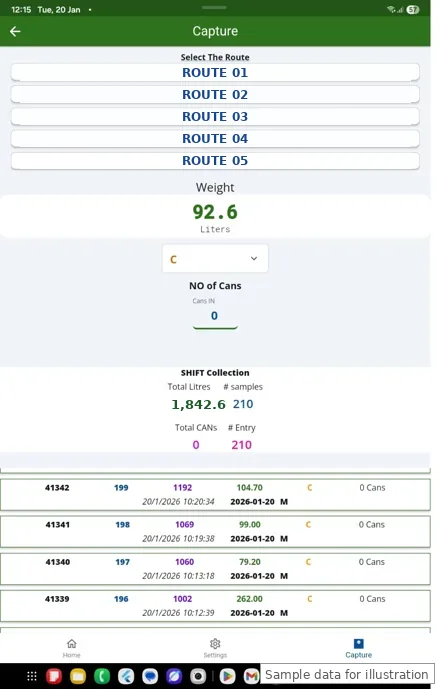
Any Android phone reads the analyser and scale, bills each farmer on the spot and syncs even without network.
Open the page →Milk purchase from the village to the farmer’s bank account: automatic capture from the analyser and scale, rate charts at any level, billing in your cycle, bank files and Tally export, with every litre and every gram of solids matched.
Easy Procurement is the milk purchase system of EasyDairyERP. It starts where the milk starts, at the village collection centre and the chilling centre, and ends where the farmer is paid. In between it holds the masters (plants, centres, vendors, routes and vehicles), the rate charts, the additions and deductions, the bill run, the corrections and approvals, the transport costs and the reports that tell you whether every litre and every gram of solids arrived.
This page walks through each function in the order a dairy uses it: capture, masters, rates, billing, payment, transport and analysis. Every section explains how the function works, the steps, who uses it and what it changes for the dairy, with the real screen beside it.
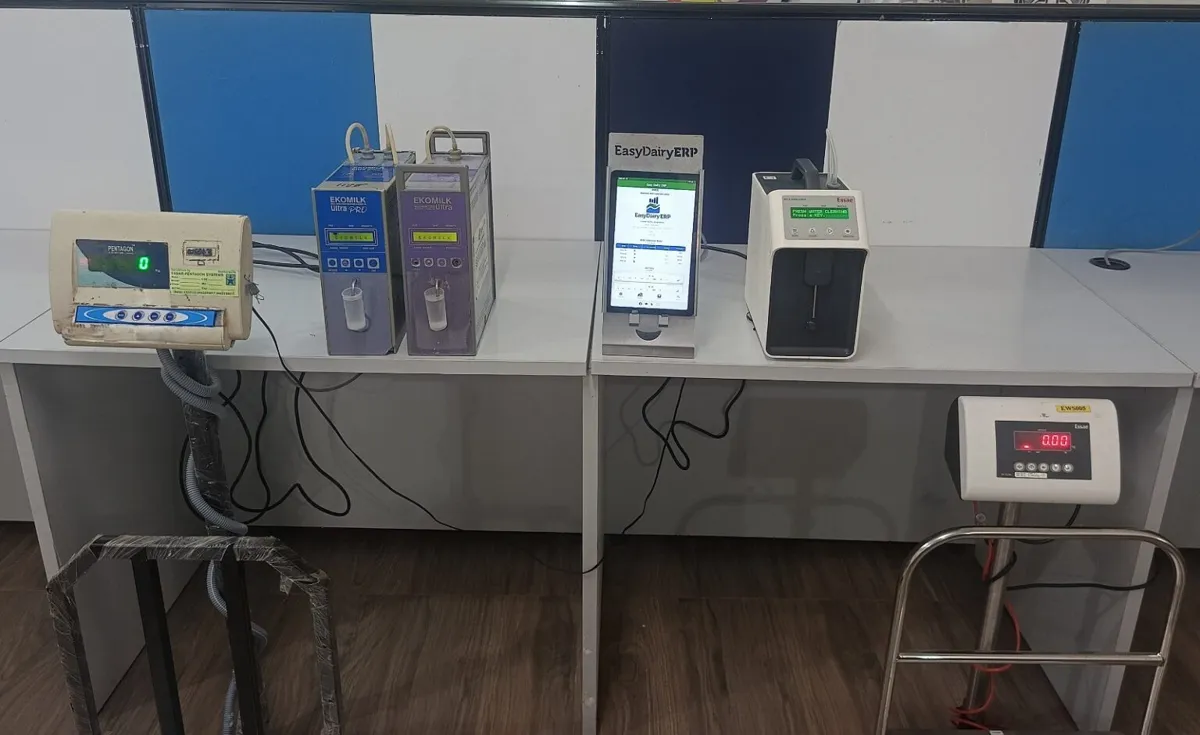
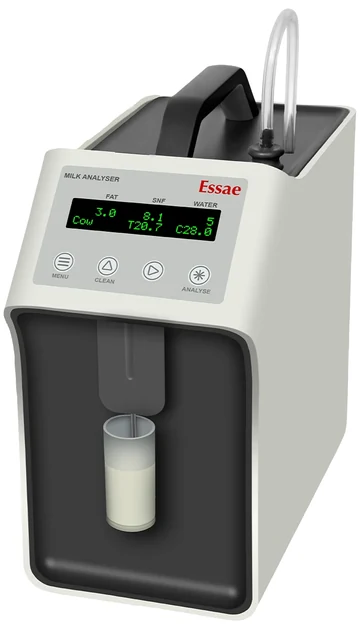
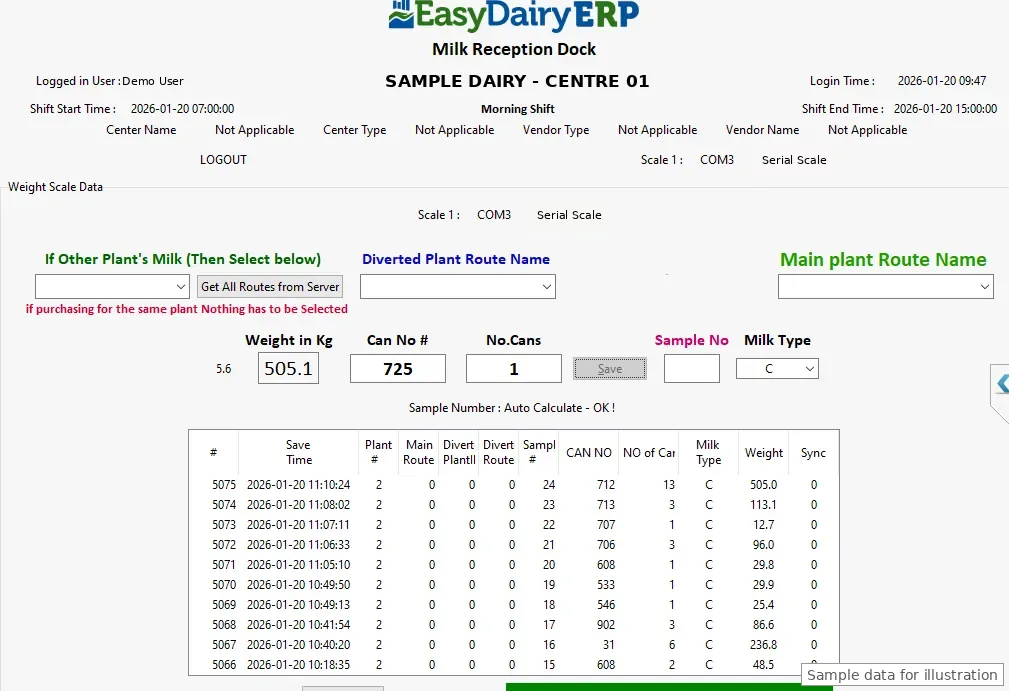
Milk data reaches EasyDairyERP automatically from the farmers and vendors you buy from. At the village collection centre the AMCC app reads the milk analyser and the weighing scale directly; at the chilling centre and the plant dock the Chilling Center application and the Milk Reception Desk do the same. FAT, SNF, added water, CLR and weight are captured by the EasyDairyERP applications themselves, so nobody types a reading in by hand.
Because the reading comes from the instrument, the figure on the farmer’s acknowledgement, the figure in the bill and the figure in the solids matching are the same figure. Village-level quality and quantity are known at the village, shift by shift, rather than reconstructed later from paper registers.
Where a centre already has its own collection equipment, its data can still reach the ERP without manual work: automatic data collection from village-level centres (the IoT route), and automatic upload of the centre’s files to your main server over FTP or API behind a firewall.
No typed readings means no typing errors and no room to adjust a figure between the analyser and the bill. Quality and quantity are visible the same shift, centre by centre.
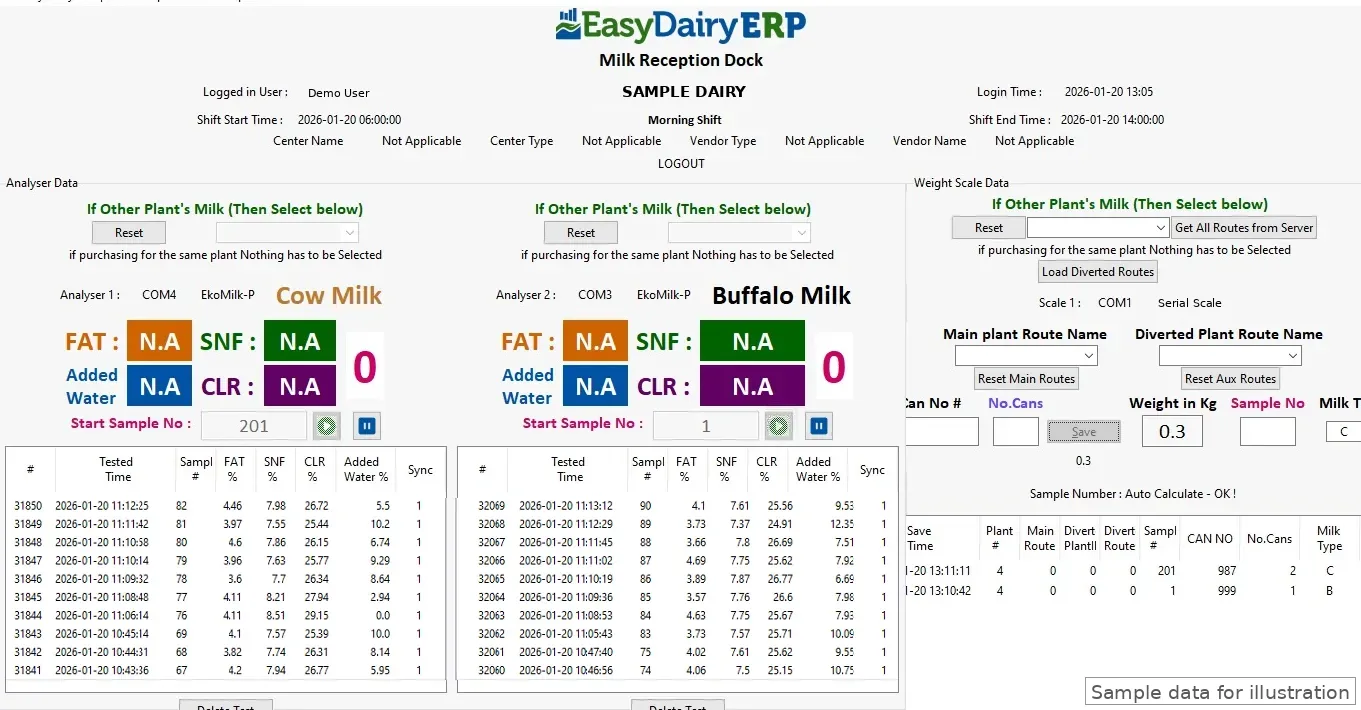
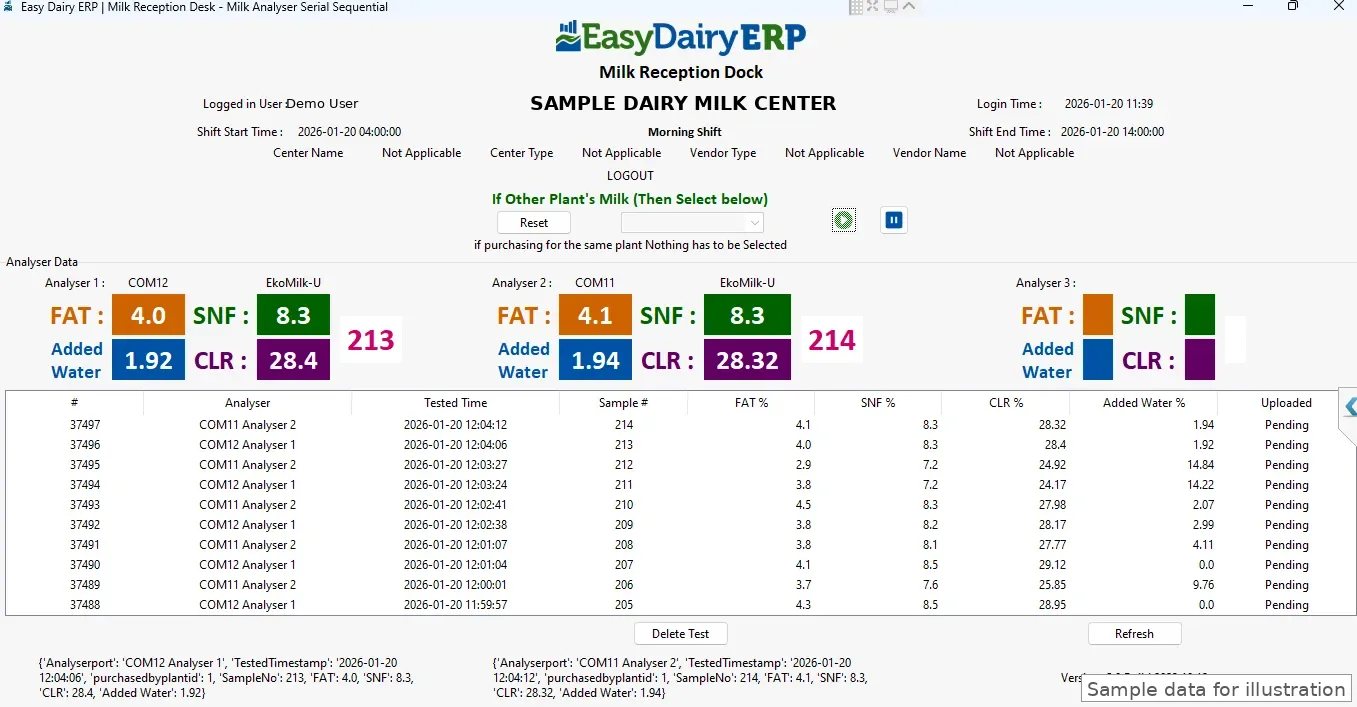
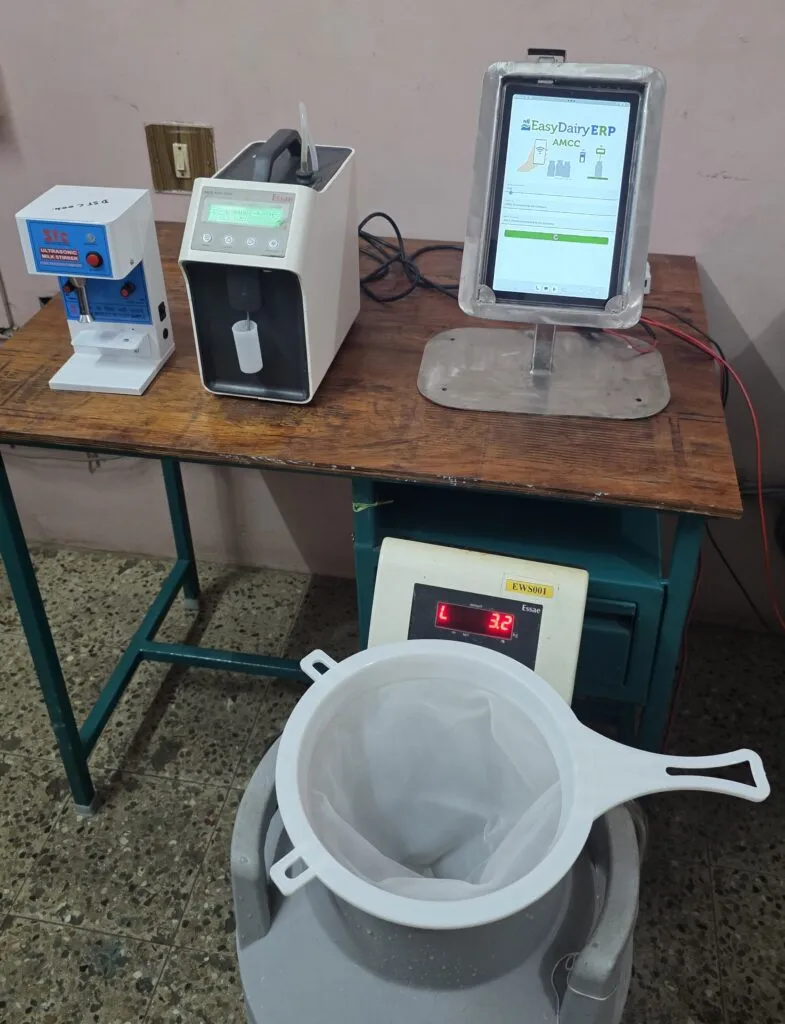
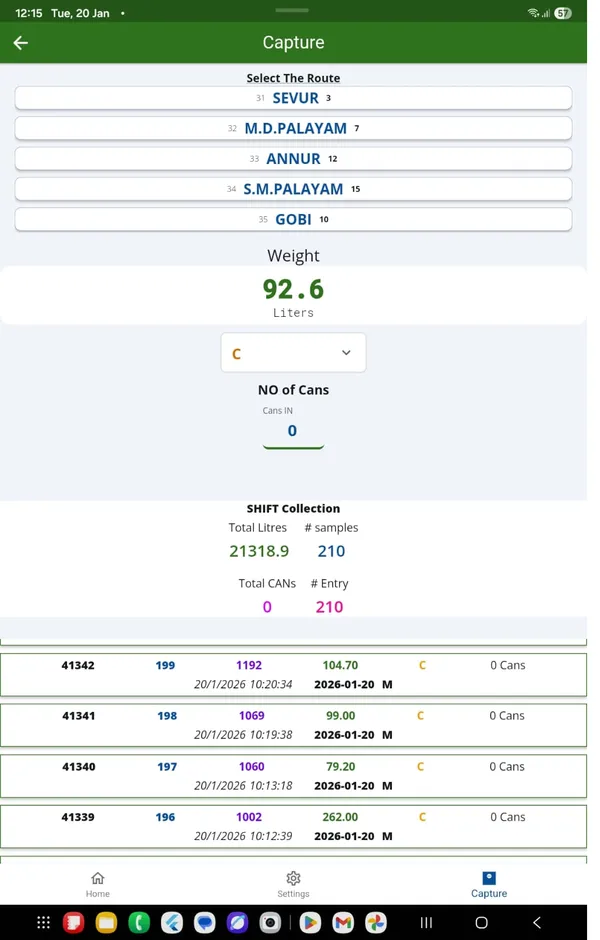
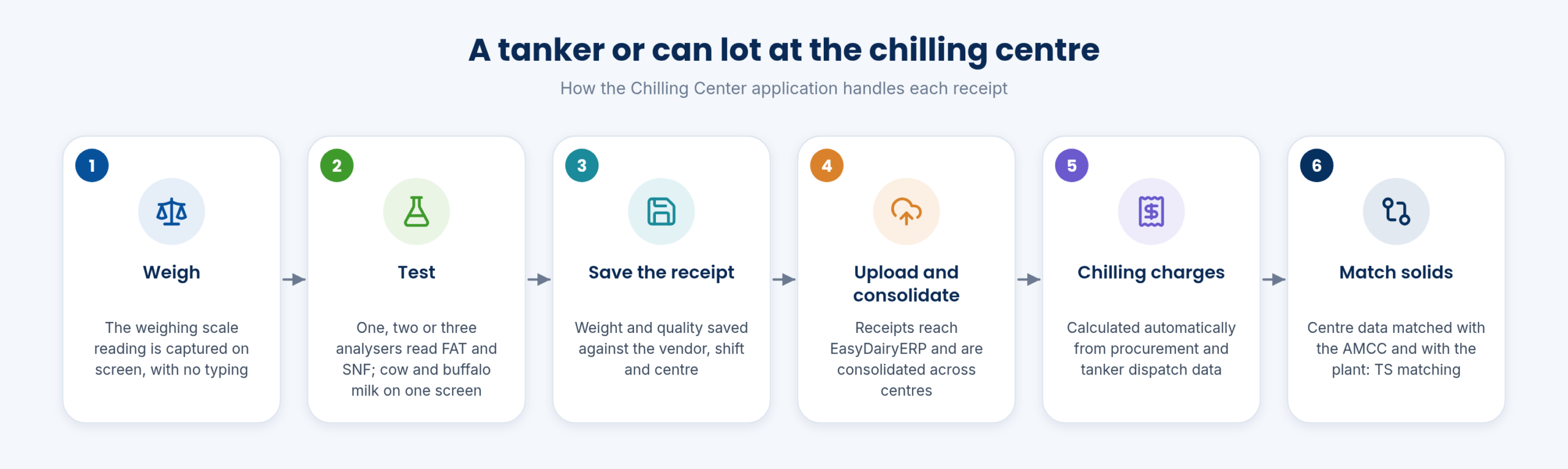
At the chilling centre and the plant dock, the Chilling Center application captures data from the weighing scale and the milk analysers on one screen. The layouts follow the way docks are equipped: a weighing scale only; two analysers and one scale; cow and buffalo milk on one screen with dual analysers and a scale; three analysers; or two analysers with a serial scale. A mobile app is also available for the weighing scale.
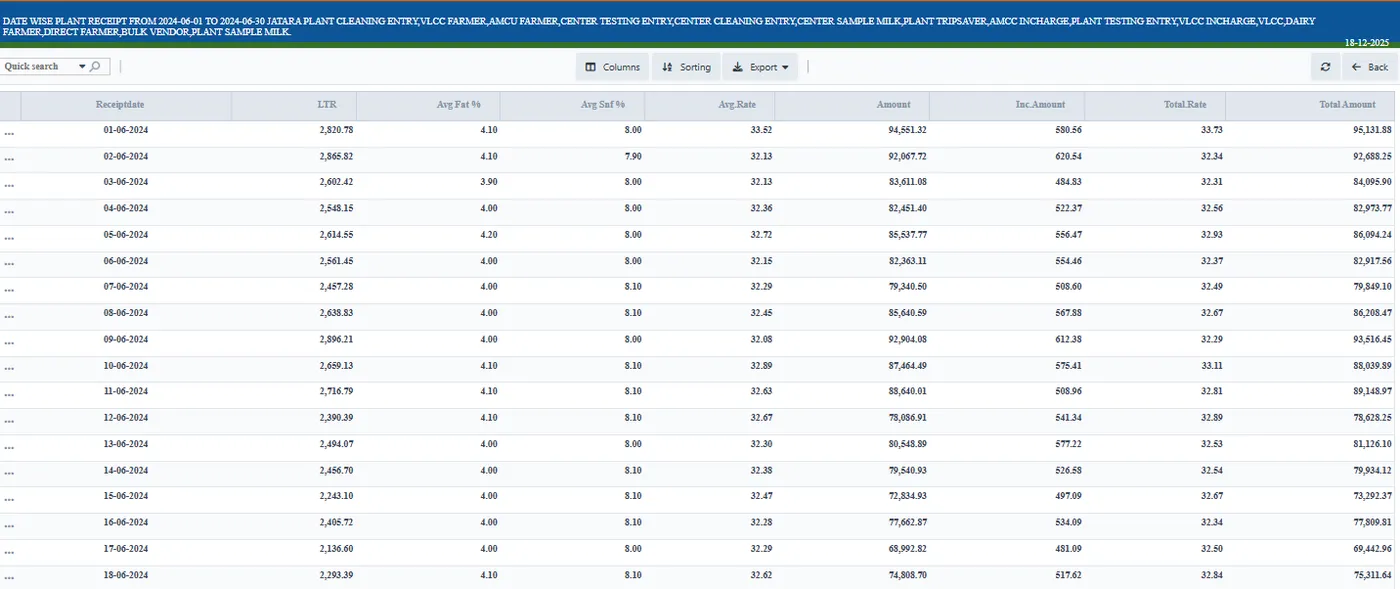
Each centre’s data is uploaded and consolidated in EasyDairyERP, and any number of chilling centres can run in one system. The consolidated receipts are what the AMCC versus chilling centre comparison, the chilling charges and the plant-level solids matching are built on.
A tanker or a row of cans is weighed and tested in real time, with up to three analysers feeding one screen, so the dock keeps moving and every receipt is recorded the moment it is tested.
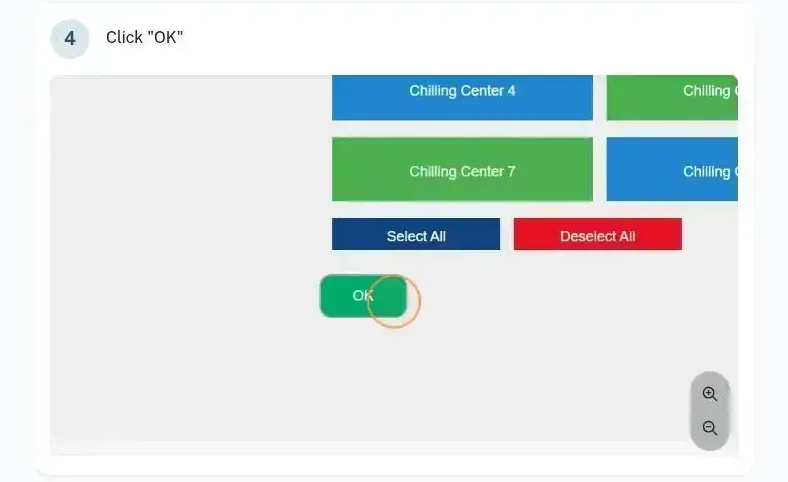
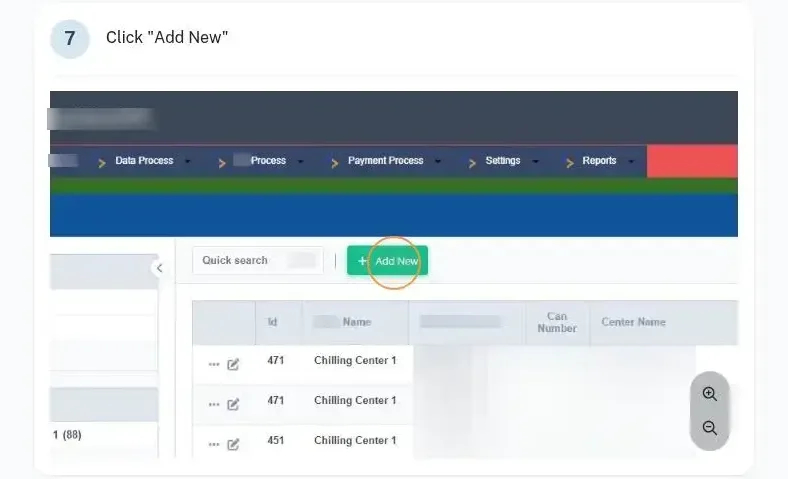
Procurement is set up once in masters. A plant is added with its details and, where needed, its contract details. Chilling centres and village-level centres are added under the plant: a village-level centre is a group of farmers whose in-charge collects the milk, tests it on dairy-provided equipment, consolidates it and sends it to the plant or chilling centre.
Vendors are added as farmers, producers or other vendor types, each linked to the route and centre they pour at. Procurement factors (litre and KG factors), the default vendor, centre, invoice, rate and milk types, and TDS are set in the same place. From then on, every receipt, bill and report uses these masters, so a vendor or a centre only ever has one record.
One clean master for every plant, centre and vendor, so the bill, the bank file, the reports and the farmer’s app all point at the same person and place.
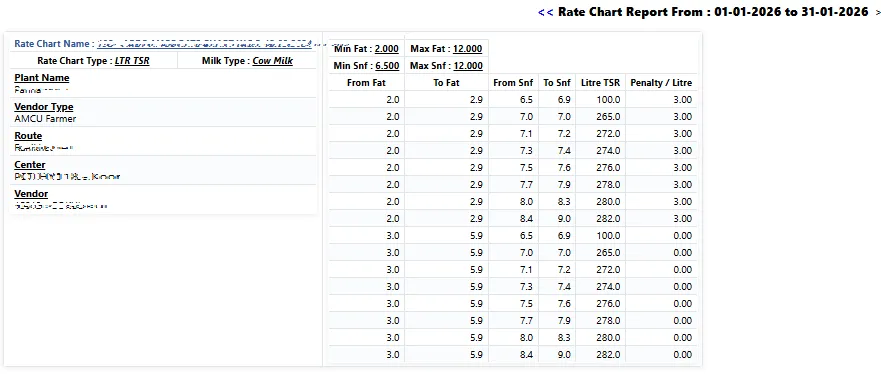
EasyDairyERP supports multiple rate charts at the same time. A chart can be a flat rate per litre, a KG TSR or litre TSR chart, a fat-based chart or a fat and SNF chart, with rate slabs. Season-wise rate charts let you change the rate structure with the season without rebuilding the masters.
A chart is then mapped to where it applies: to a particular vendor, to a vendor type, to a centre, to a plant or to a route, each from a start date. That is what makes rate control multi-dimensional and precise: two vendors on the same route can be paid on different charts, and a new chart can start on a chosen date without touching the old bills.
Rates are managed from one place. When the central rate chart changes, it is updated from the ERP to the collection apps, so the AMCC app at the village bills on the same rate the office has approved.
Pricing policy is applied exactly as decided, at the level it was decided, and every centre bills on the approved rate from the approved date.
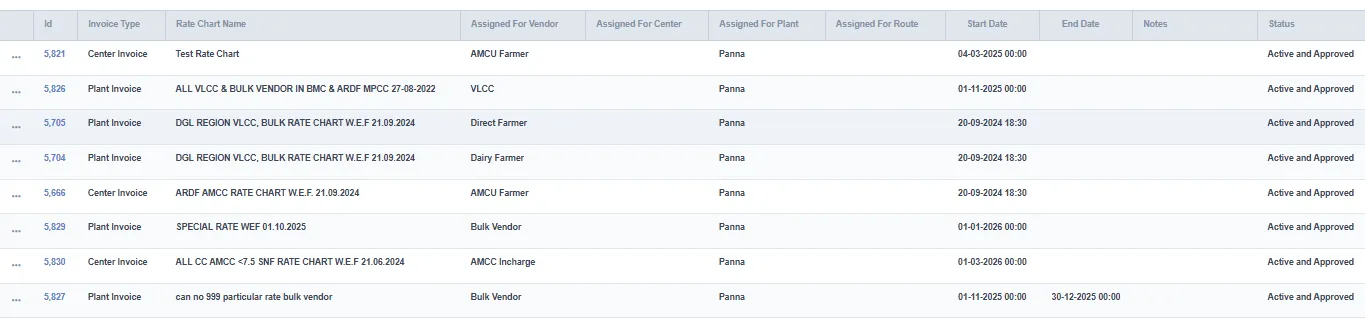
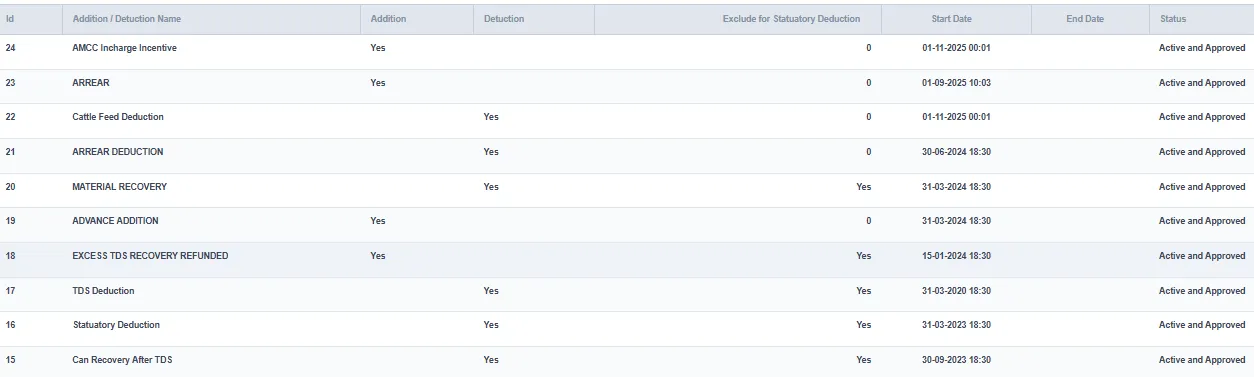
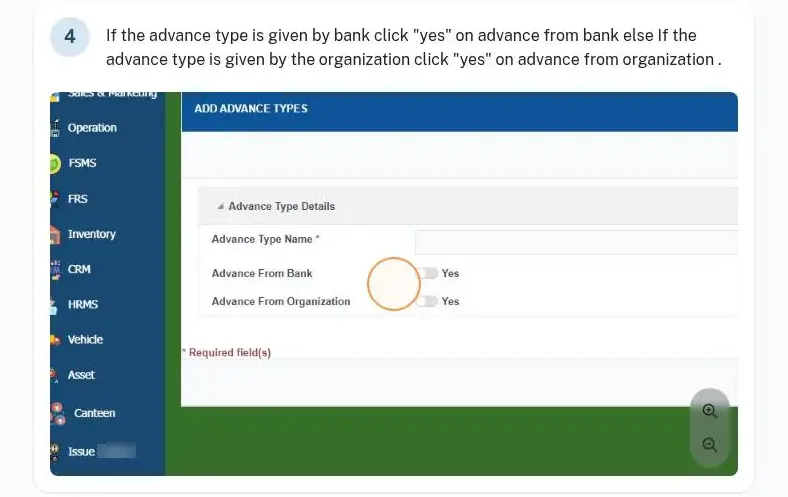
Beyond the base rate, a farmer’s bill carries incentives, penalties, additions, deductions, loans, advances and bonus. Incentive or penalty charts are created once and assigned either commonly or to a particular vendor, with the milk type, shift, chart priority and the start and end dates. Addition and deduction charts are created and assigned to vendors in the same way; advances are assigned to a vendor with the route, advance type, amount and an attachment if required.
Additions and deductions can be uploaded in bulk, which matters when a whole route receives a feed deduction or a bonus. Advanced and slab incentive plans, loans and feed distribution are supported, and each farmer can have a credit limit for feed billing, loans and cash-based sales.
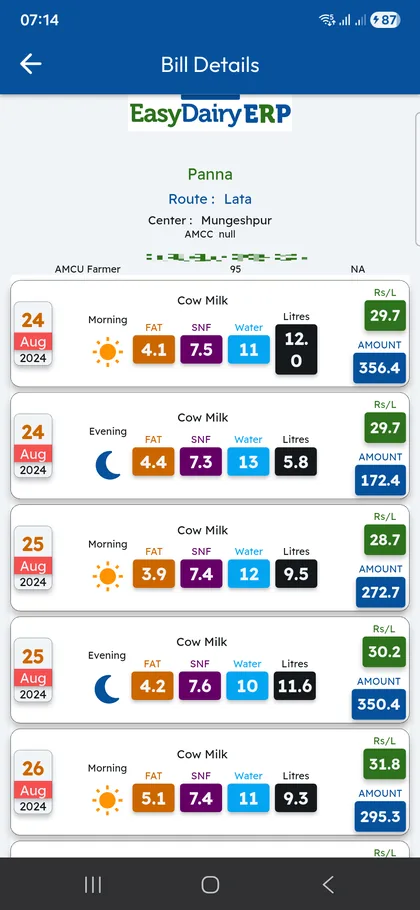
All of it is reflected in the individual farmer’s bill, line by line, so the farmer sees exactly why the amount is what it is.
Every rupee added or deducted is traceable to a chart, a date and a vendor, and the farmer’s bill explains itself.
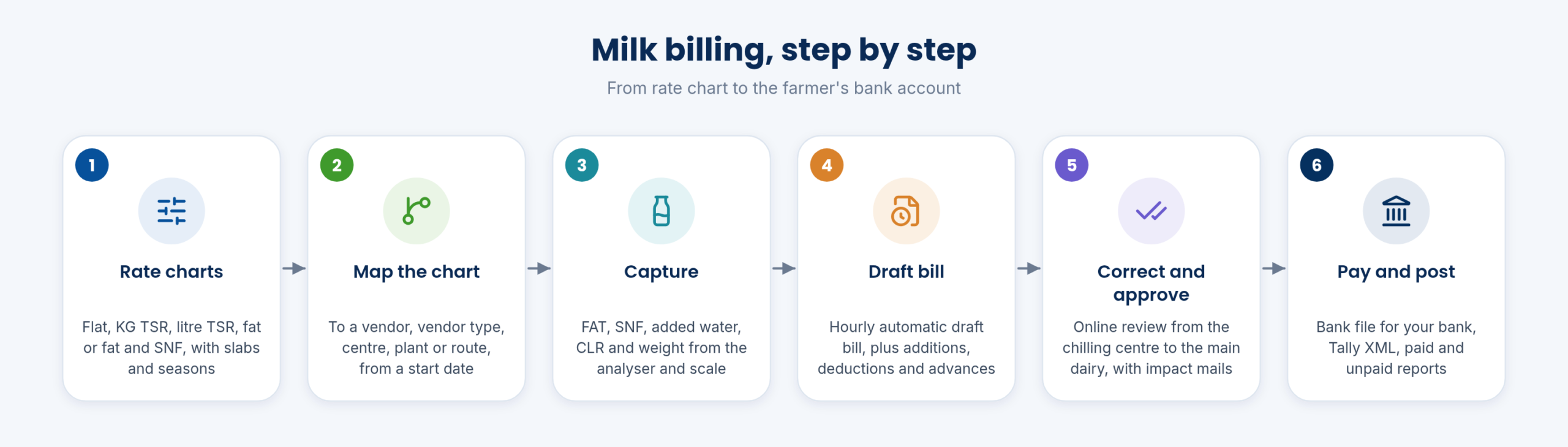
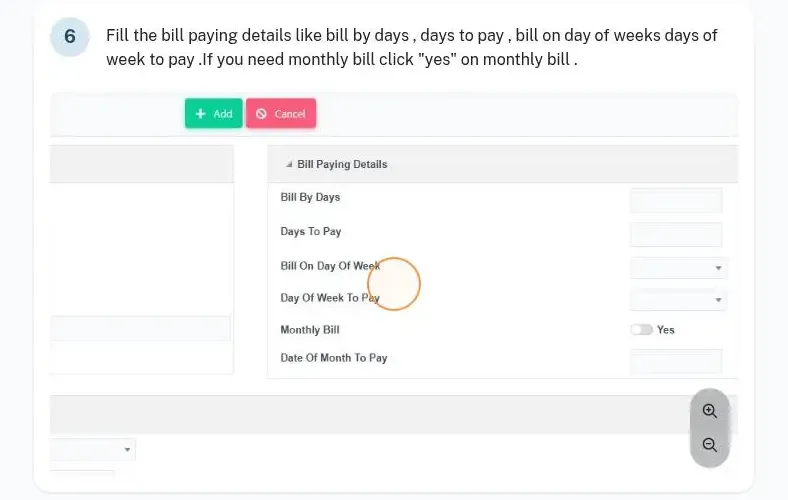
Bills run in the cycle you choose: by day, weekly, every ten days, fortnightly or monthly. The cycle is a bill configuration, set per plant, vendor type and route, with the bill-by days, days to pay and the invoice type, so different vendor groups can be billed on different cycles.
While the cycle is open, EasyDairyERP builds an hourly automatic bill and shows it as a draft bill, so the procurement team can see what each farmer will be paid before the bill is final. When needed, a bill can also be run manually on demand. Bill printing can be customised to the format your dairy uses.
No surprises at the cycle end: the draft is visible every hour, and the final bill is the draft the team has already reviewed.
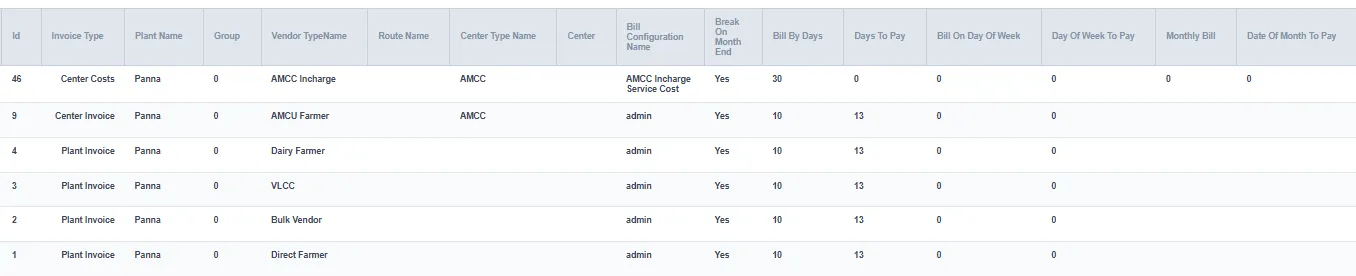
Corrections are not quiet edits. A correction raised at the chilling centre moves to the main dairy for online review and approval, and management receives impact mails that show what the correction changes.
Corrections made after the bill has been processed are tracked too: the AMCC correction impact is recorded after the bill process, and a chilling centre correction mail is sent for every correction. The last-two-bill comparison helps the team see how a farmer’s bill moved from one cycle to the next.
Every change to milk data has an owner, an approval and a mail trail, and management sees its impact before it reaches the bill.
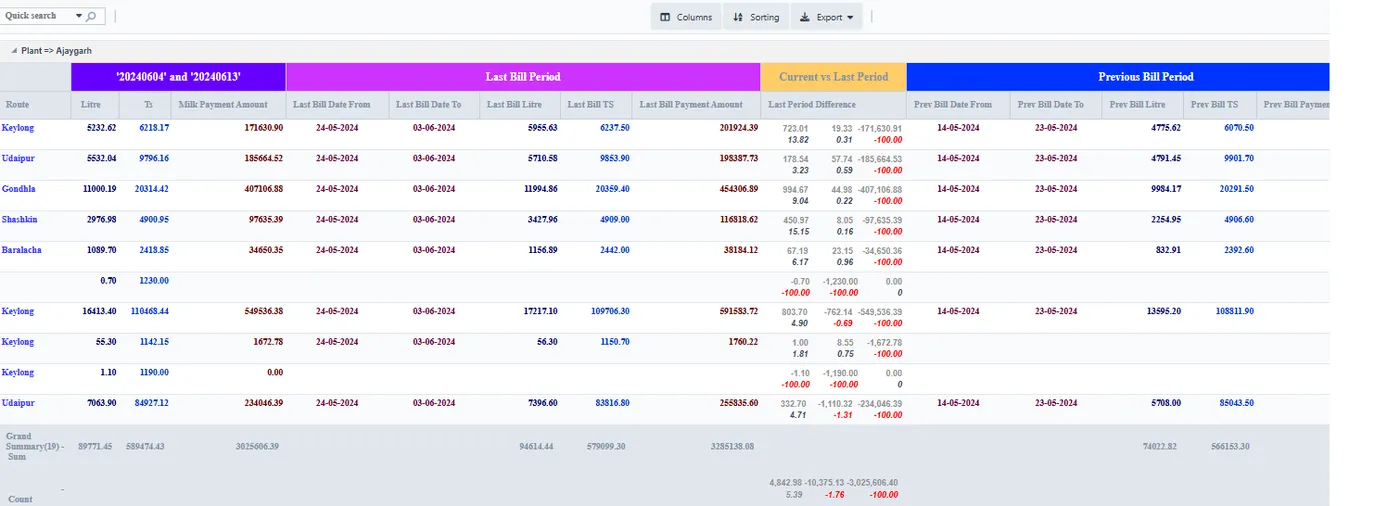
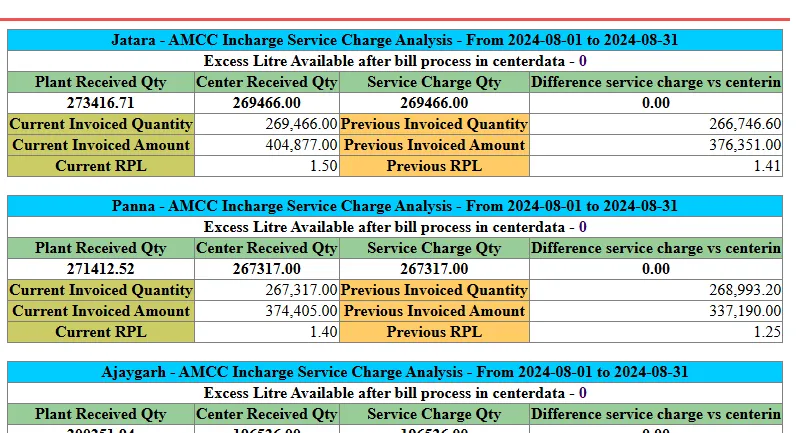
Village centre in-charges are paid a service charge for running the centre. EasyDairyERP generates the procurement in-charge (VLCC) service charge: the charge is mapped to vendors, then processed, adjusted and finalised with the bill.
Where a plant or centre bills the dairy as a unit, a plant or centre invoice is added to the vendor in the final bill process, with the plant, route, centre type and centre. The AMCC cost analysis and the centre and plant invoice analysis reports then show what each centre costs.
Centre running costs are calculated by rule, not negotiated bill by bill, and are visible per centre.
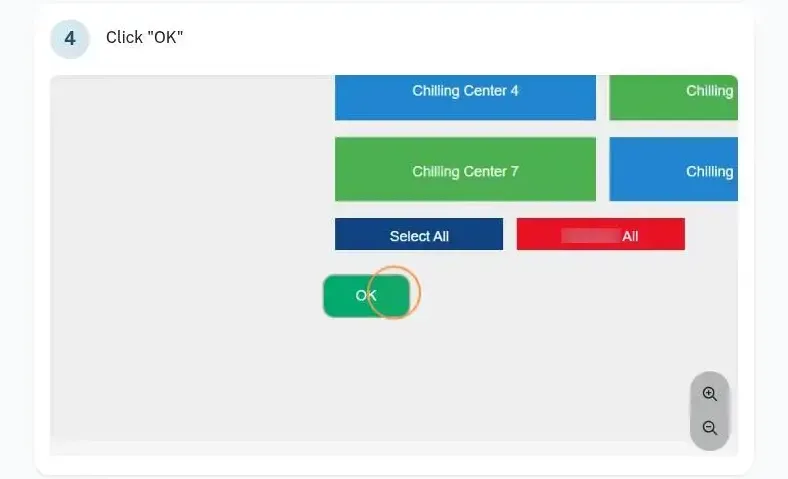
When the bill is final, payment is one step away. EasyDairyERP generates a bank file to upload on your bank’s site, customised for all major banks, with payment file formats for same-bank and other-bank transfers. Farmers can be paid directly, and farmer and customer payments are integrated.
For the books, the bill exports as XML files to upload in Tally for audit, and an accounting export or interface to other ERPs is available. Vendor ledgers, paid and unpaid reports and consolidated reports close the loop, so accounts can see who has been paid and who has not.
No re-keying of thousands of farmer payments, and the books match the bill.
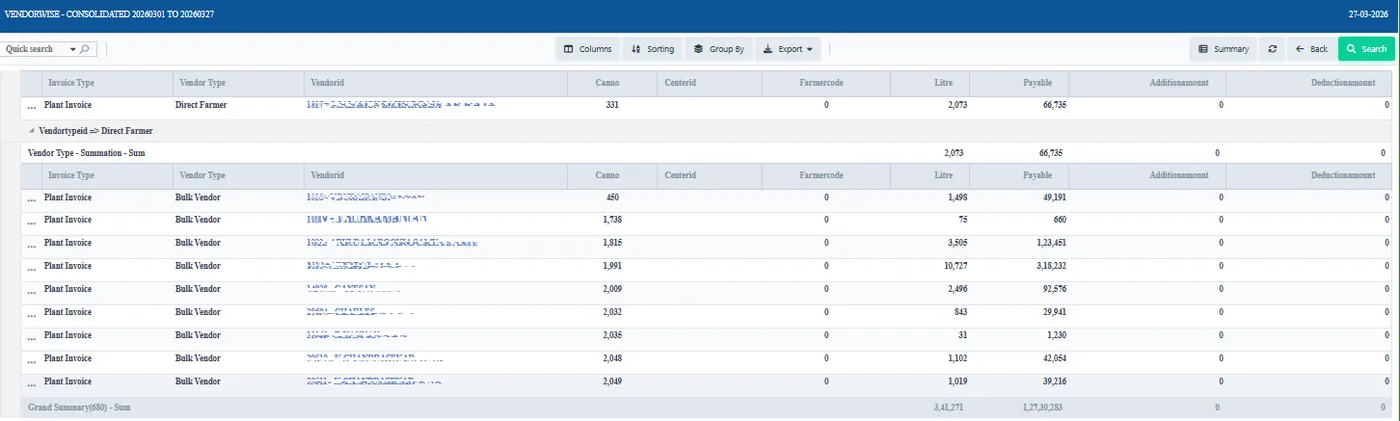
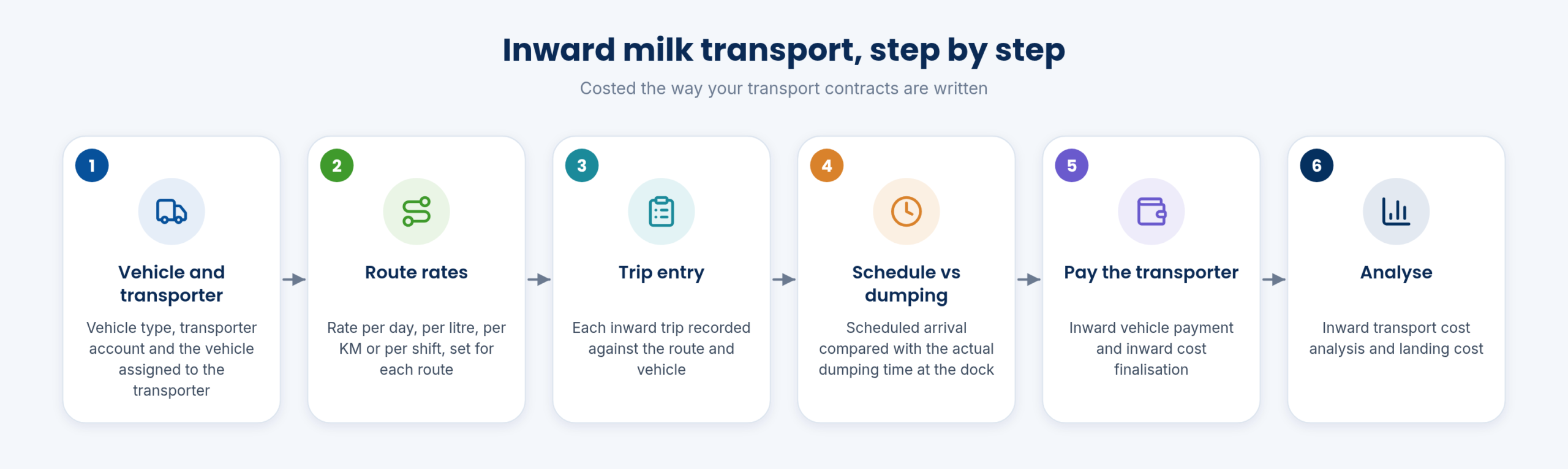
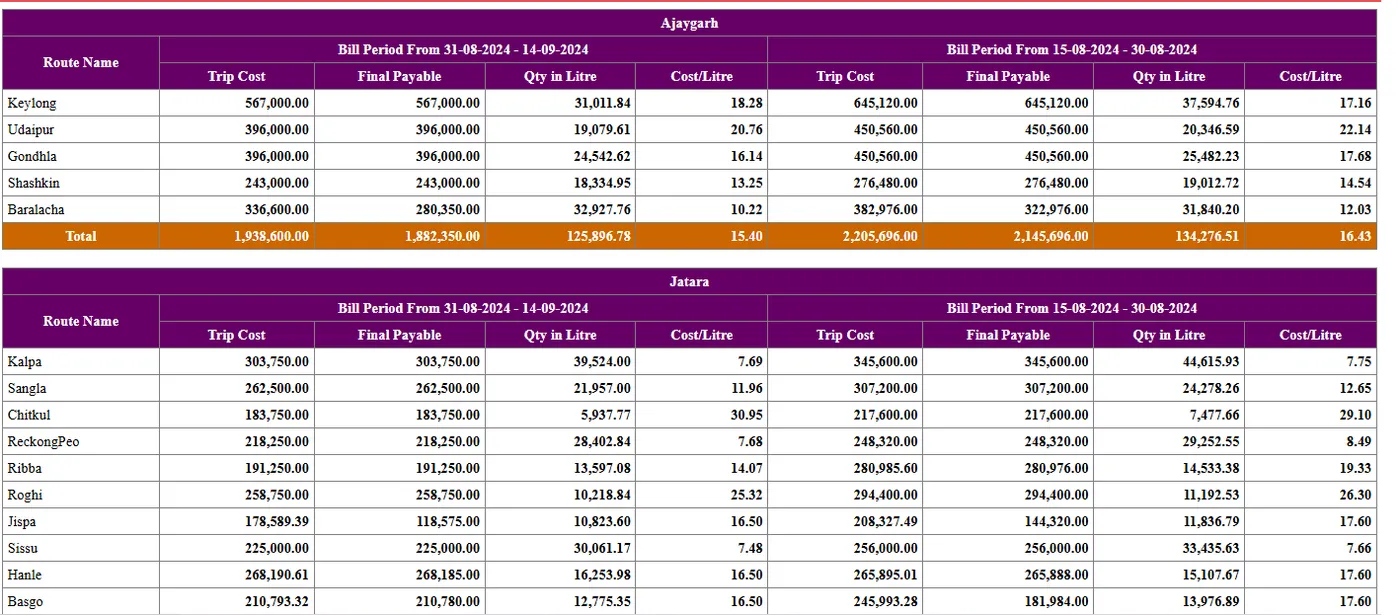
Inward transport is costed the way your contracts are written: per km, per litre or as a flat litre rate. Vehicles and transporters are set up with the vehicle type and transporter account, the transporter is assigned to vehicles, and each route’s inward vehicle has its rate per day, per litre, per KM or per shift.
Every inward trip is entered against the vehicle and route. The schedule time is compared with the dumping time at the dock in the Dumping Time Report. At the cycle end, inward vehicle payments and the inward cost are finalised, and the inward transport cost analysis shows what each route costs. First-mile and bulk-transit stages are both covered.
Transport bills are calculated from trips and contracts, and late arrivals at the dock are visible route by route.
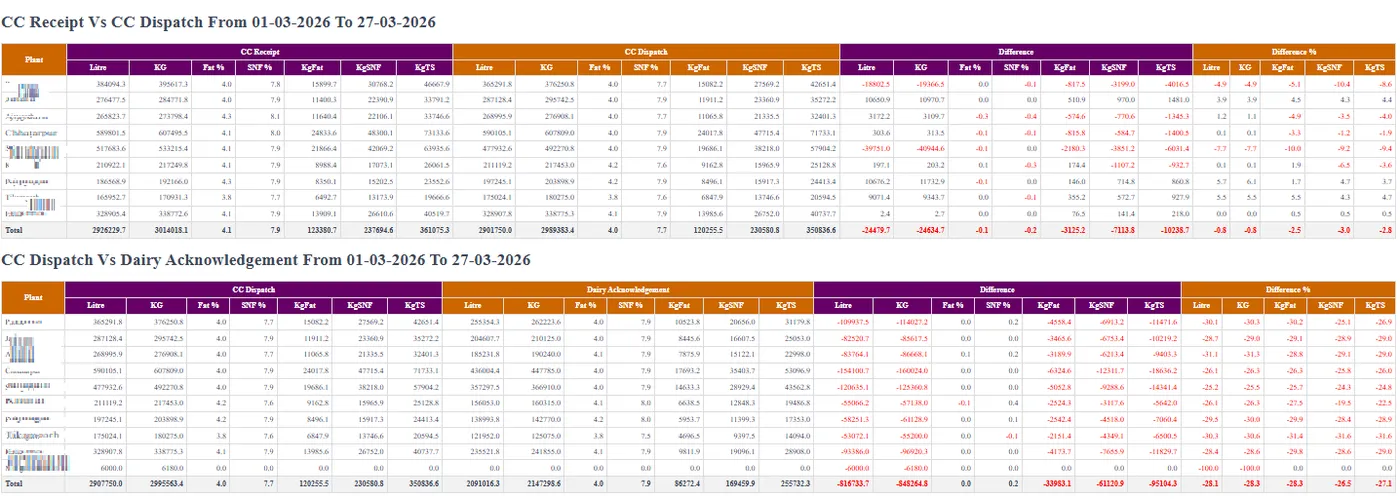
Milk moving on from a centre to the plant is recorded with a dispatch entry. The transport record and the RMRD (raw milk reception dock) record are compared, which is the safeguard against milk going missing between the centre and the dock.
Cans are managed too: route and can number settings, can management and the Milk Can Stock Report show which cans are where.
Every hand-over is recorded on both sides, so a shortfall shows up as a difference rather than as a suspicion.
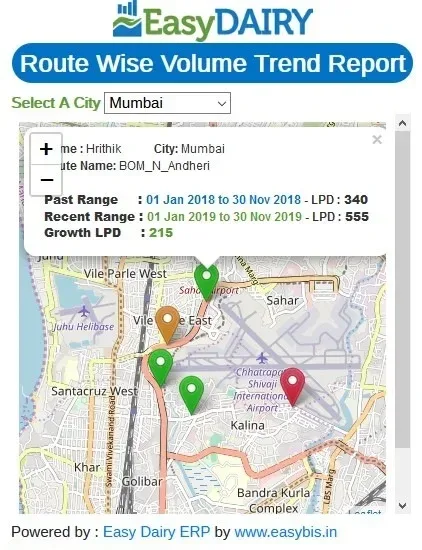
Each vendor’s location can be mapped and updated by GPS, which gives accurate route and pickup tracking and makes GPS-based milk procurement possible. The same locations power the GPS trend maps in the procurement reports.
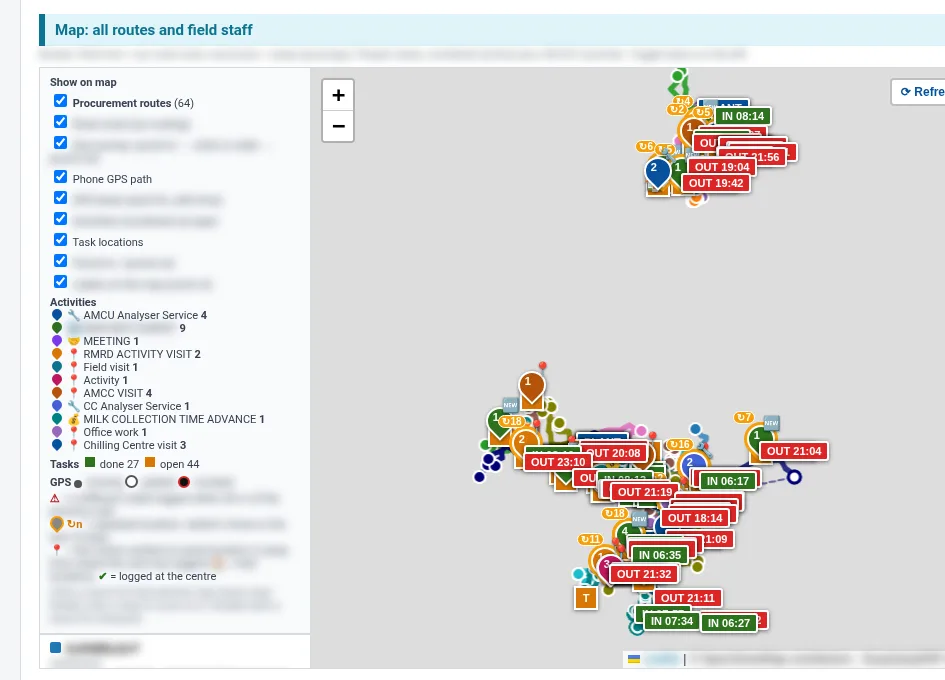
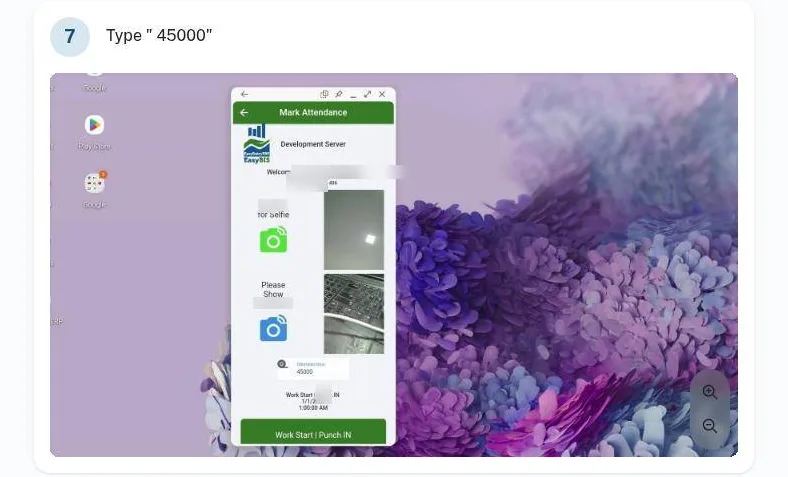
Procurement staff record their tasks and attendance in the EasyDairyERP mobile app: punch in with a selfie and the vehicle odometer, then log centre visits, analyser service and meetings. The Daily Procurement and Activity Report shows their GPS paths and activities on the map the next morning.
The procurement head knows who visited which centre and route, and can check claimed kilometres against GPS.
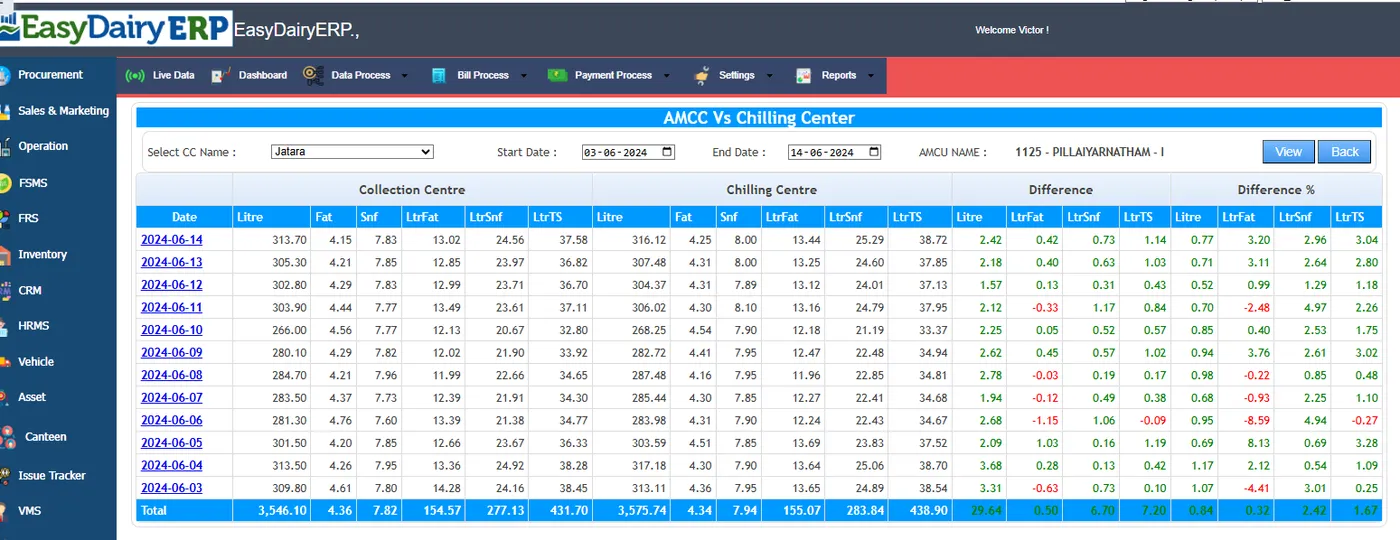
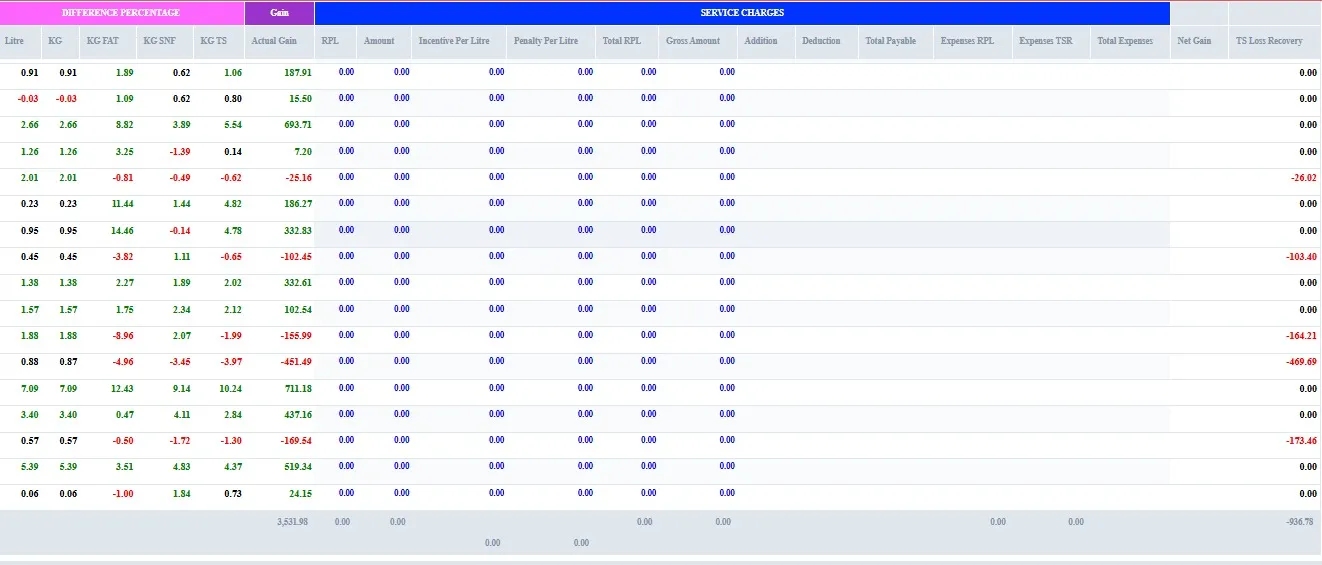
The dashboard compares Automated Milk Collection Centre (AMCC) data with chilling centre data, so differences are easy to analyse: date-wise, with the amount involved. AMCU versus CC total-solids matching shows whether the fat and SNF bought at the village arrived at the chilling centre.
Where total solids at the receiving end exceed what was bought, TS excess handling deals with the excess. The same TS logic continues to the plant and through production: see MIS and Pan Operation Total Solids Matching.
Solids are matched at every hand-over, so a loss is visible the same day and at the centre where it happened.
The landing cost module tracks what milk really costs once it reaches the plant, and the detailed costing report breaks procurement cost down. Before changing a rate chart, the team can simulate milk procurement costs: the rate-chart-wise simulation report shows what a proposed chart would have cost, which is the advanced, what-if side of procurement analytics.
Farmer rating supports loyalty and fair pricing by rating farmers on their supply. A few of these options need the matching hardware, such as a supported analyser or scale.
Rate decisions are tested on real data before they are made, and the landed cost per litre is known.
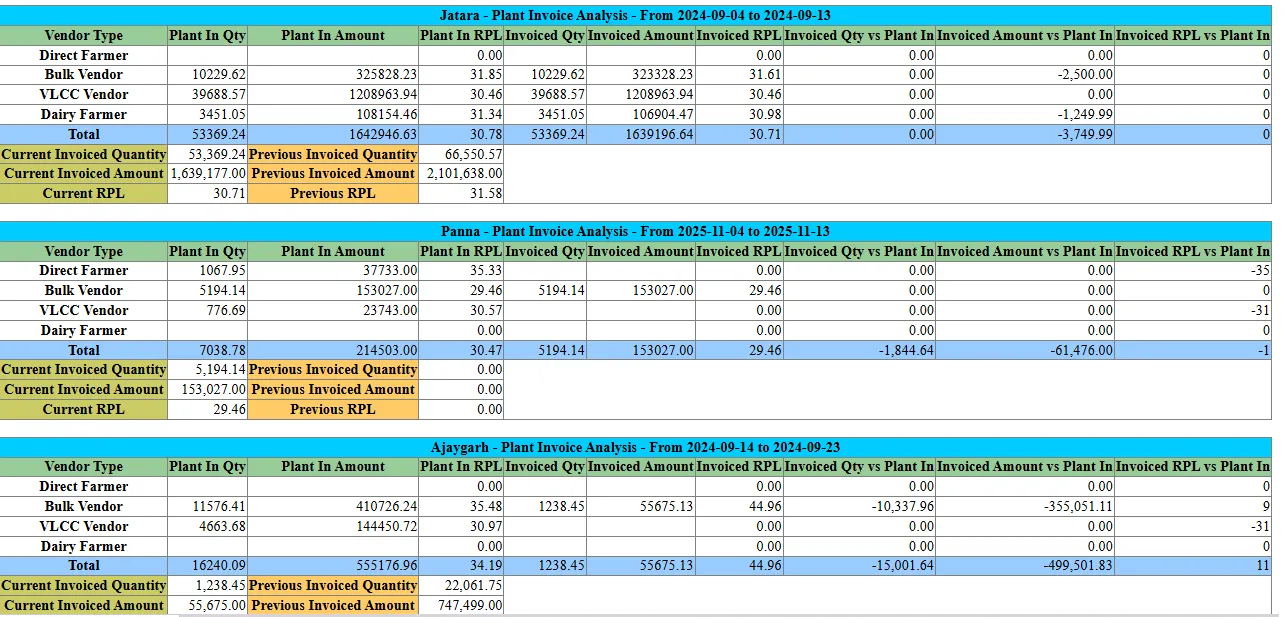
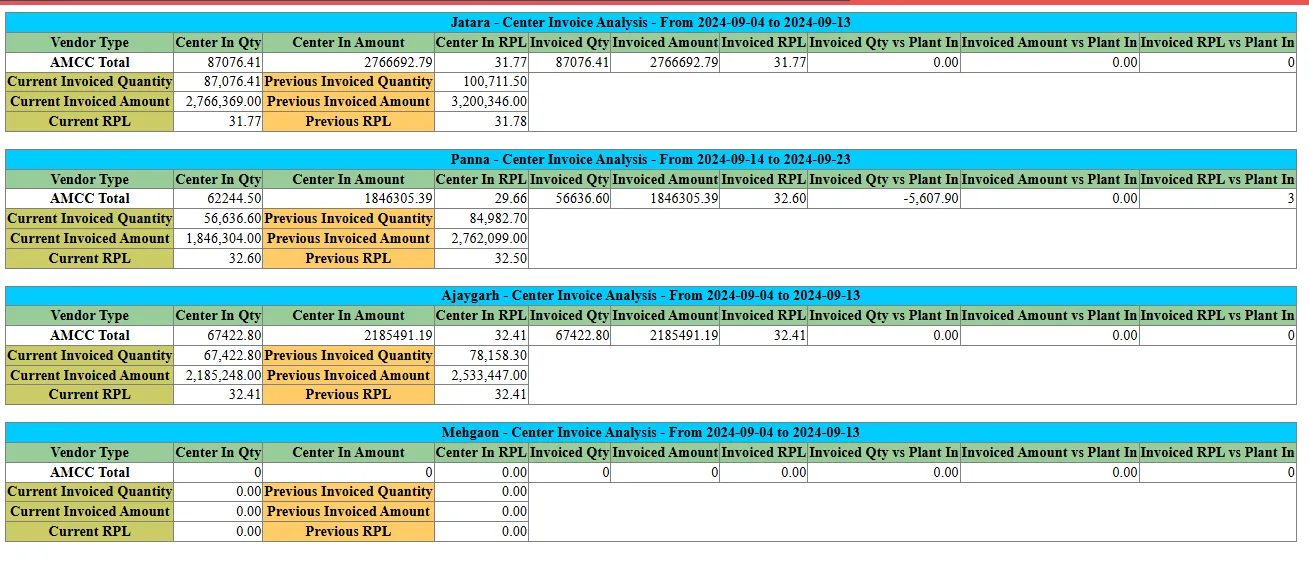
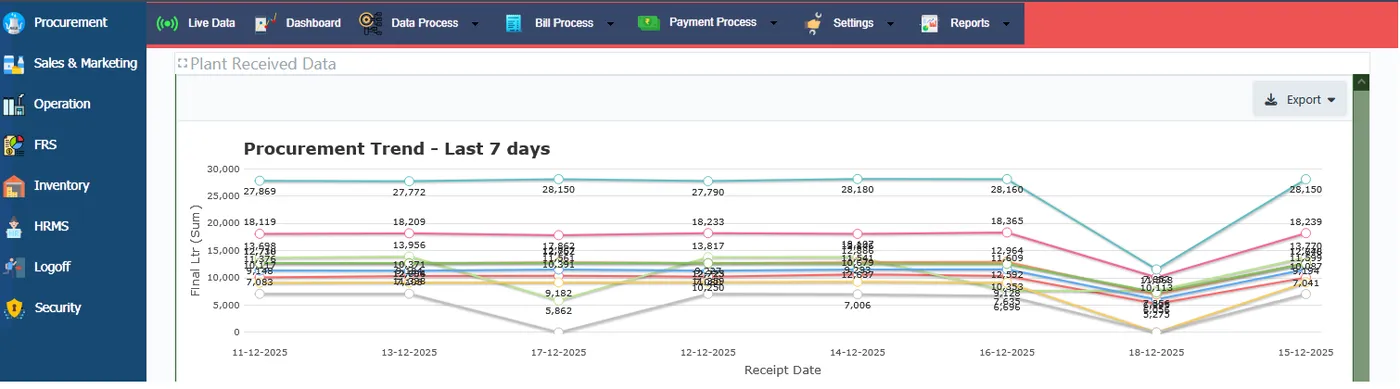
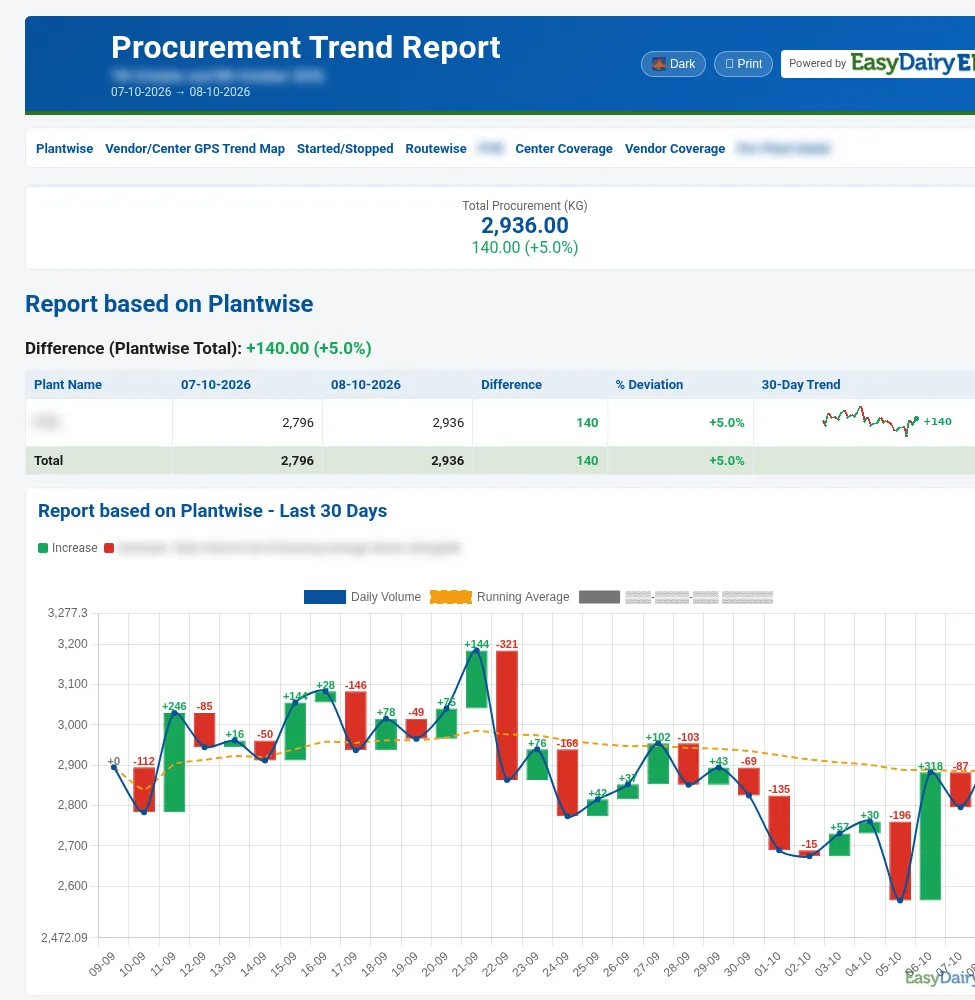
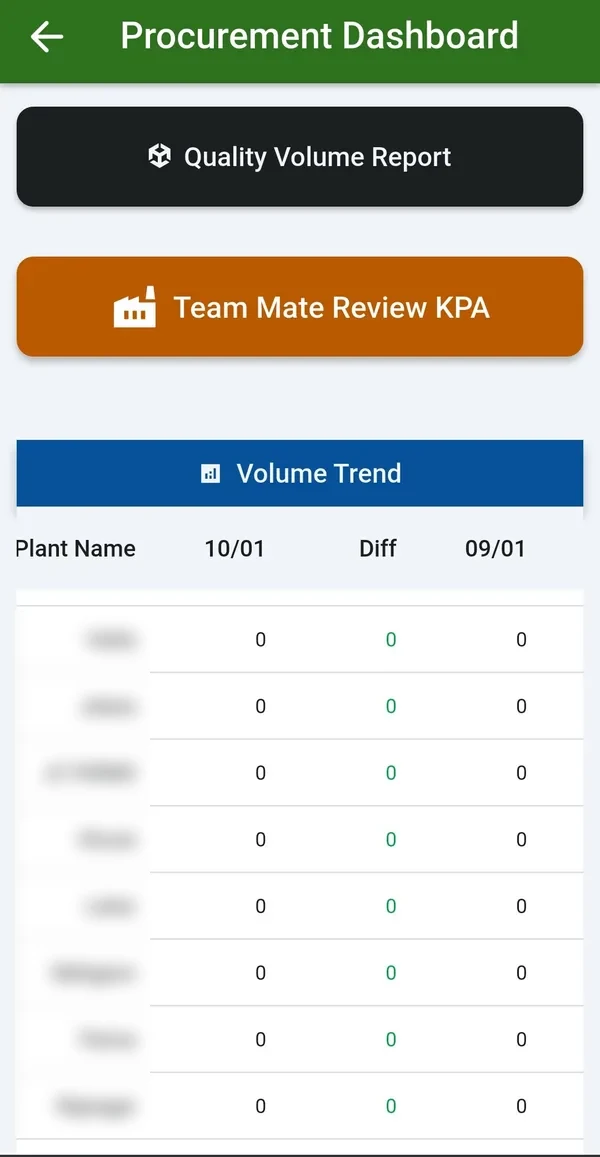
Trend reports monitor the season and milk movement. The procurement dashboard shows the last 7 days, and the three-date comparison puts any three dates side by side. The BI reports go further: the Procurement Trend Change Report compares any two days by plant, route, shift, vendor type and centre, and the Daily Procurement and Activity Report arrives every morning.
The full set of procurement dashboards and reports is on Milk Procurement BI Report and Procurement Screens; the phone versions are on Procurement Mobile Application.
Falling routes and stopped vendors are found the next morning, not at the month end.
Each stage below has its own detailed page. Click any picture to see it full size.
Any Android phone reads the analyser and scale, bills each farmer on the spot and syncs even without network.
Open the page →One to three analysers and the scale on one screen, with chilling charges calculated from procurement data.
Open the page →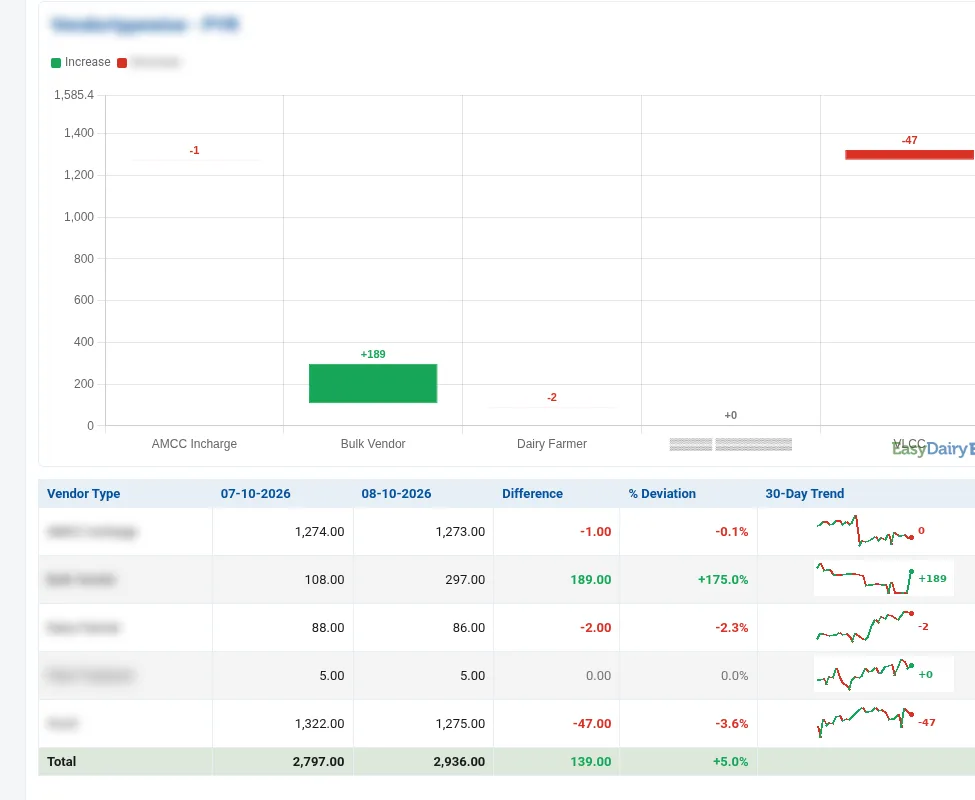
Multi-dimensional rate charts by vendor, centre, route, plant, shift and milk type, with incentives and penalties.
Open the page →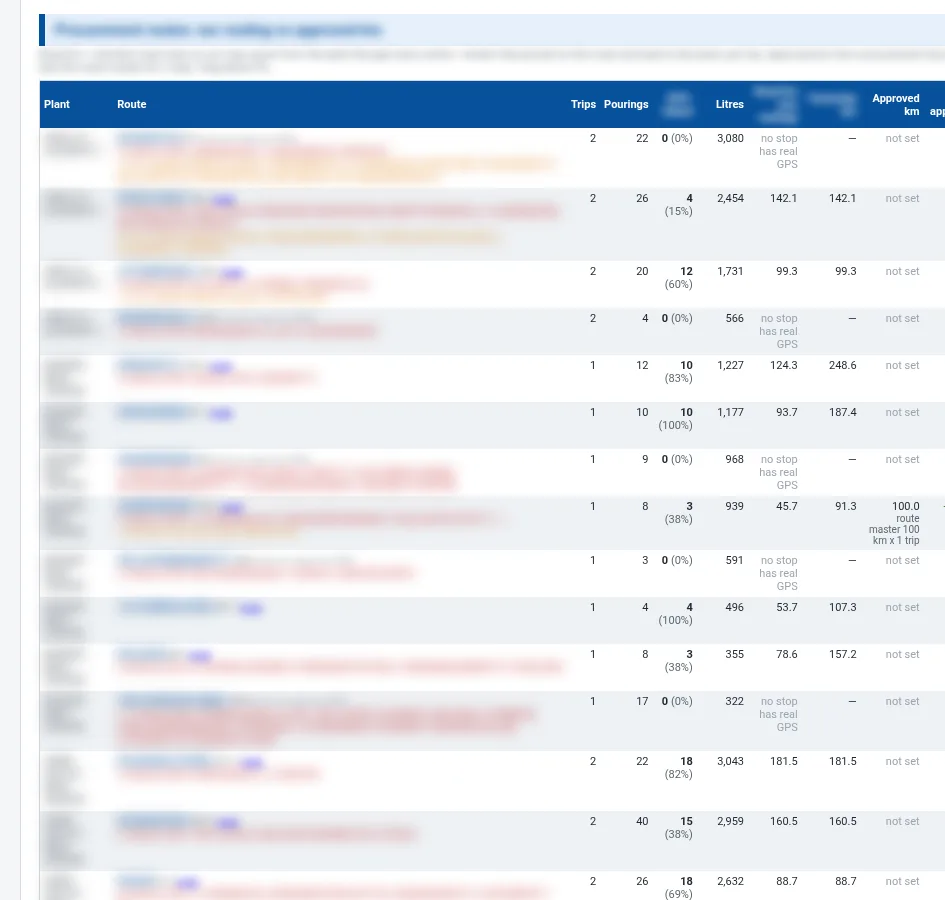
Inward transport billed per km, per litre or flat, with route km checked against approved km.
Open the page →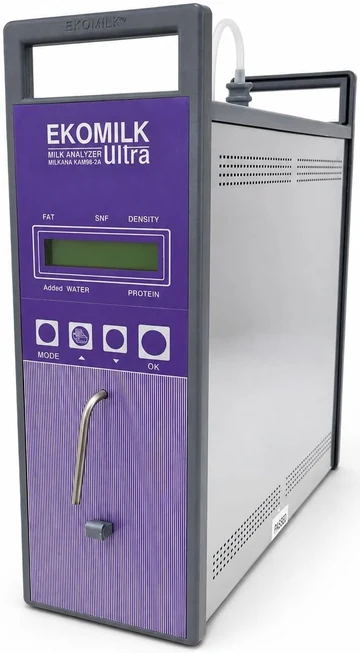
FAT, SNF, added water and CLR captured automatically, with lab tests by source and sample.
Open the page →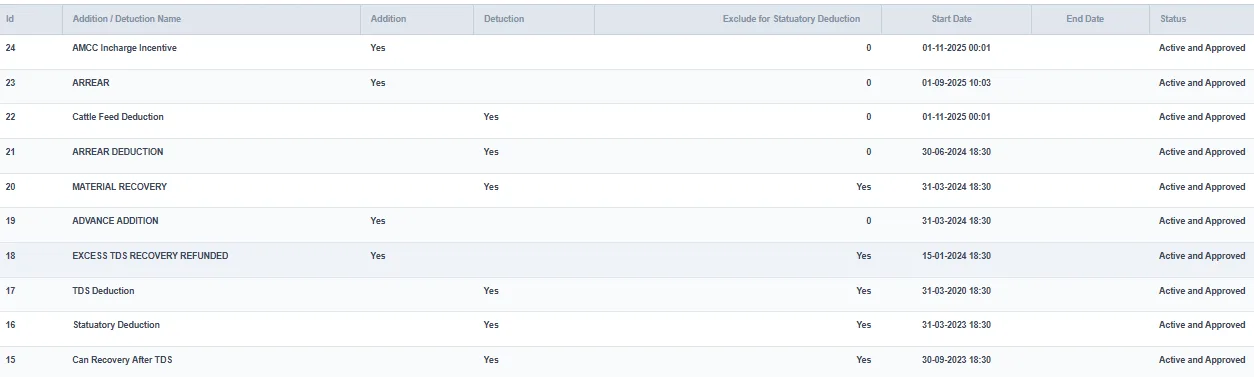
Configurable bill cycles, additions, deductions, advances and loans, with preview before processing.
Open the page →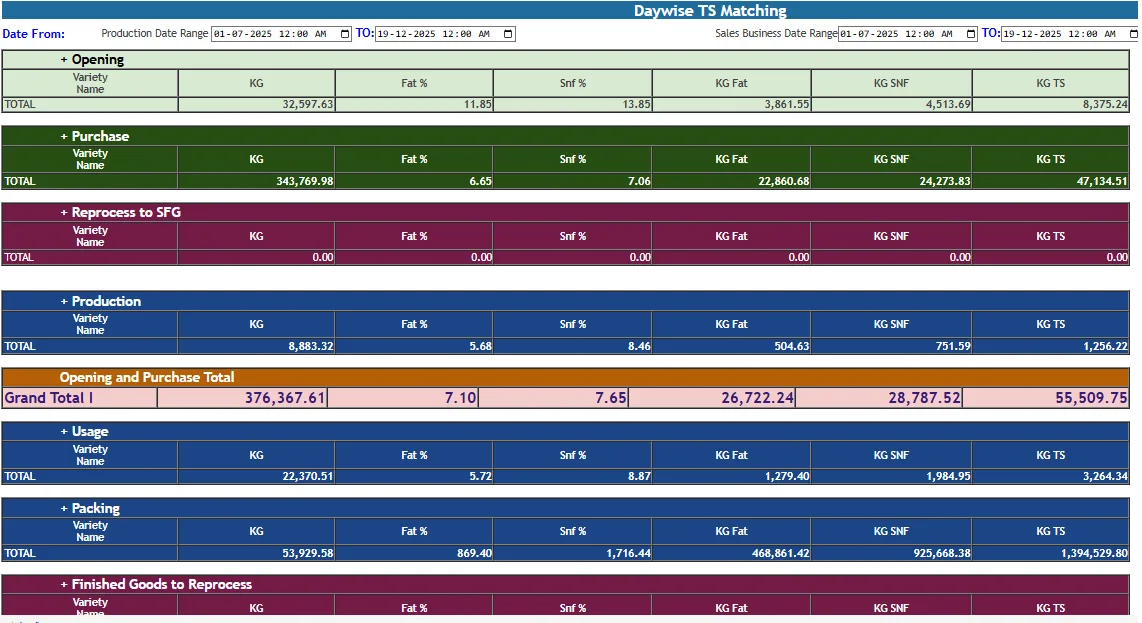
Daily, shift-wise, weekly and monthly views from village to plant, delivered to the inbox.
Open the page →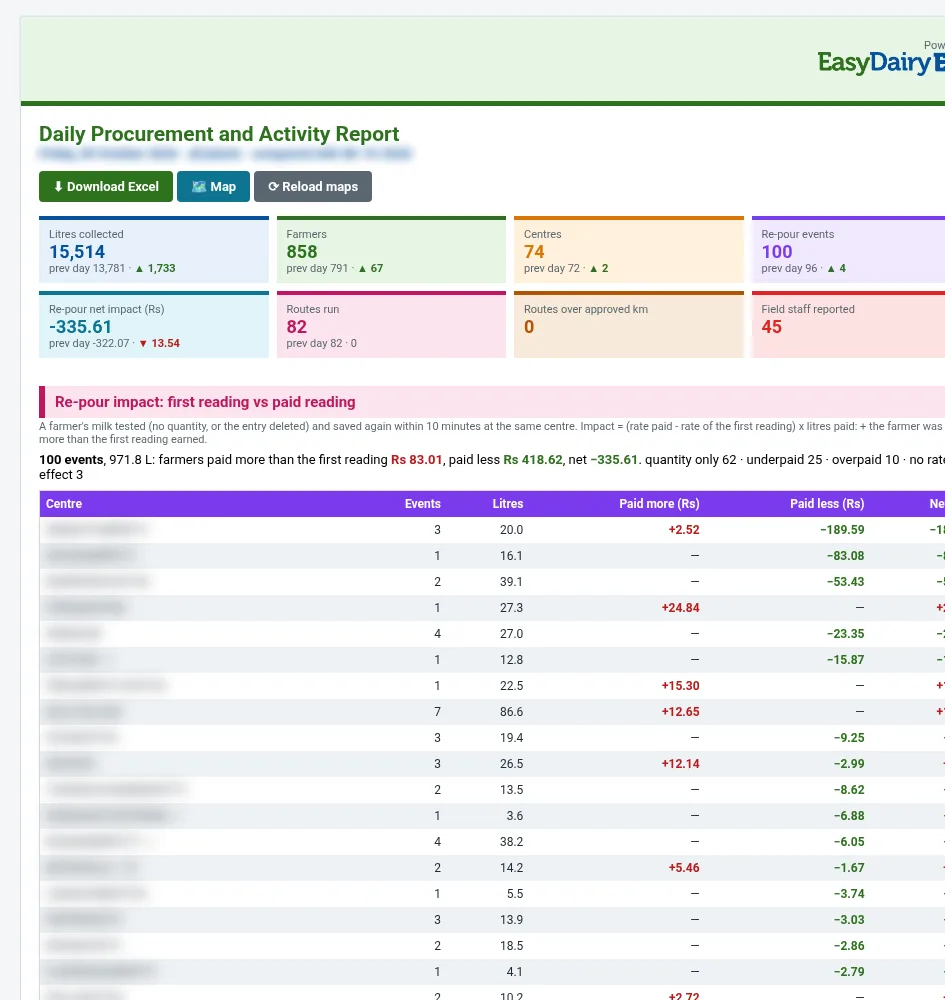
Centre arrival, quality and volume trends on the phone for procurement heads.
Open the page →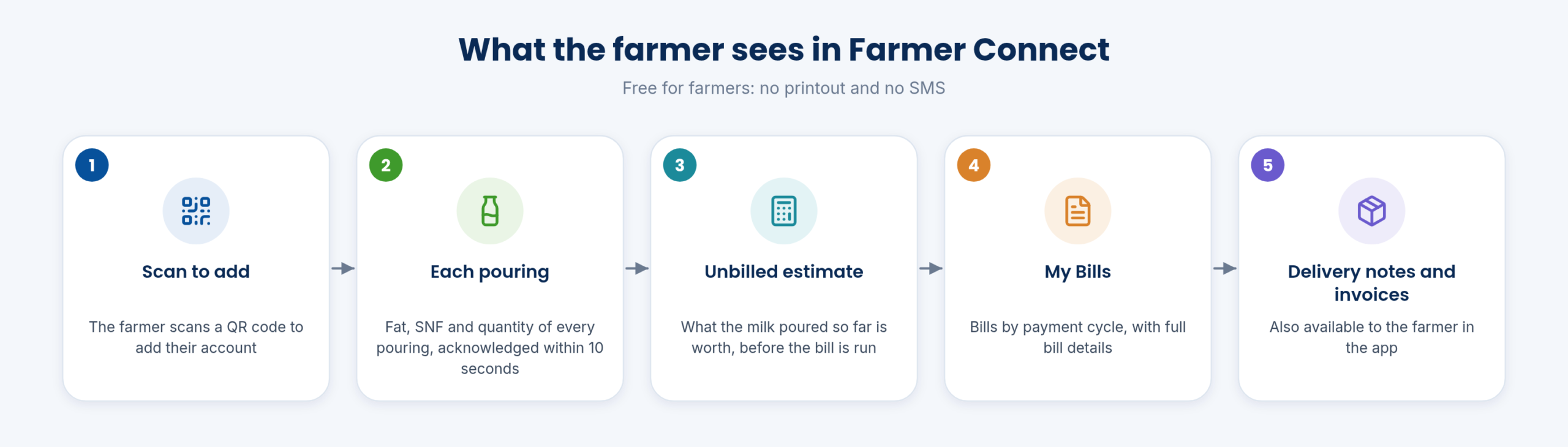
Each farmer sees bills, every pouring and an estimate for the current cycle on the phone.
Open the page →All 30 functions of Easy Procurement, one card each. Orange cards are key features.
Captured automatically using EasyDairyERP applications.
Automatic data collection from village-level milk collection centres; automatic data capture from CC / village level centre.
Data from VLCC equipment transfers via FTP / API automatically to EasyDairyERP.
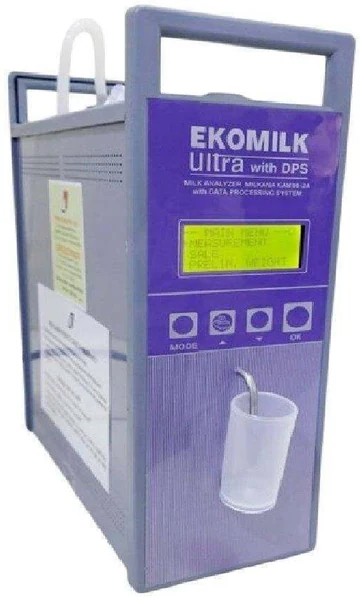
Milk data quality and quantity capture from village level.
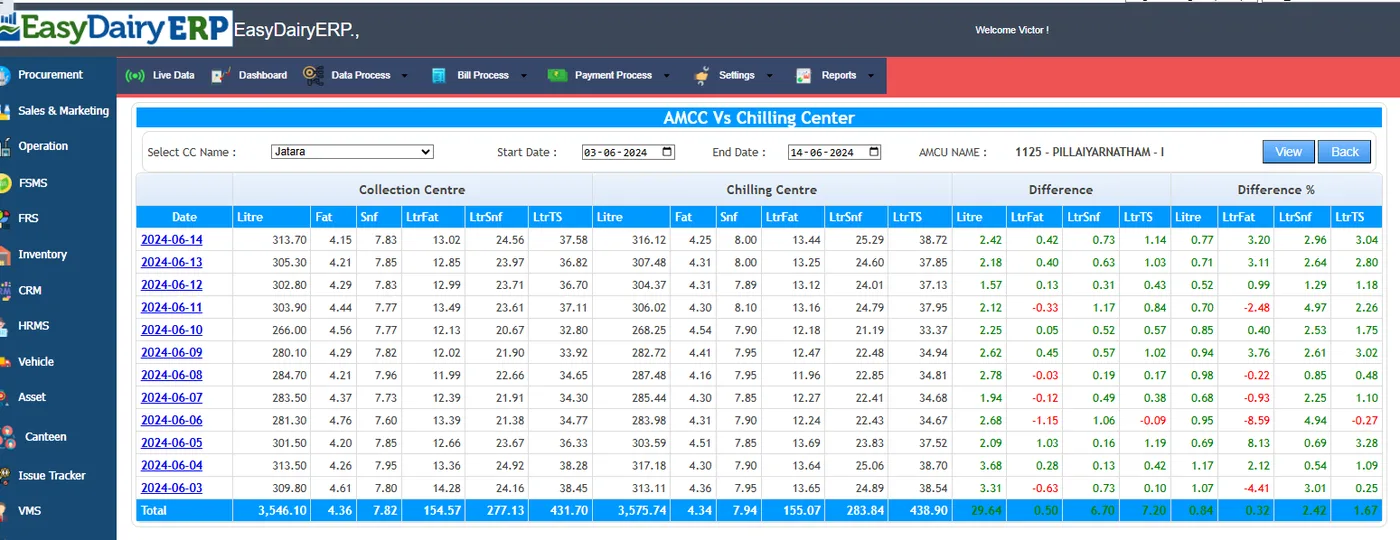
Village level collection centre management (dairy), centre in-charge.
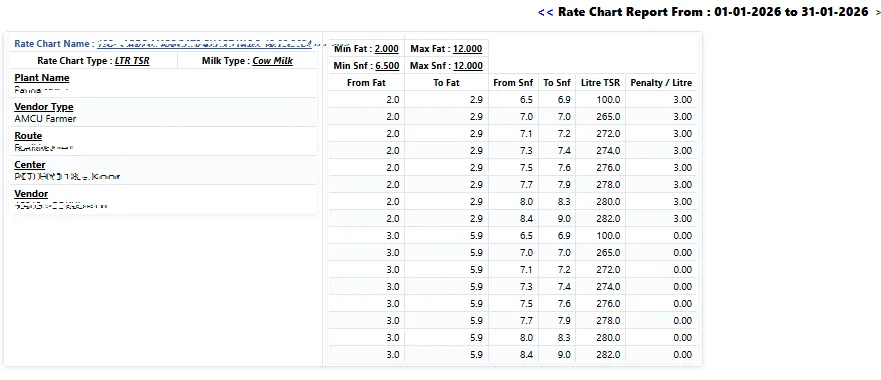
How-to: society / village-level centre set-up; group of farmers; in-charge collects, tests on dairy-provided equipment, consolidates and sends to plant / CC.
Docs workflow heading 'With TAB based Automated Milk Collection Center For Milk data Capture from Villages'.
Rates set centrally and pushed to collection apps.
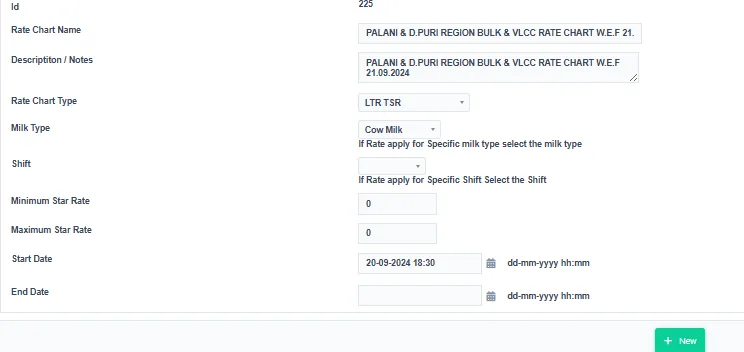
Pricing managed from one location.
Higher efficiency in collection.
'Assurance of No Losses in Milk Collection'.
Page holds only a (blurred) QR image.
Capture data from weight scale and analysers.
Two analysers + one scale; cow & buffalo on one screen with dual analysers and scale; three analysers; two analysers + serial scale; weighing scale only; mobile app for weighing scale.
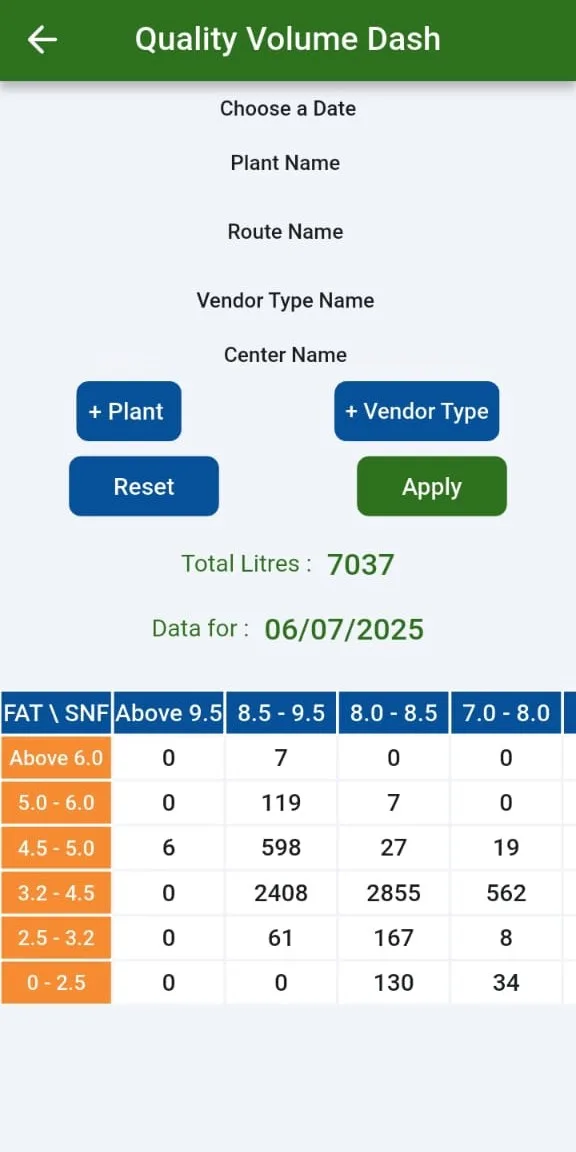
CC milk fat, SNF and weight capture (cow and buffalo).
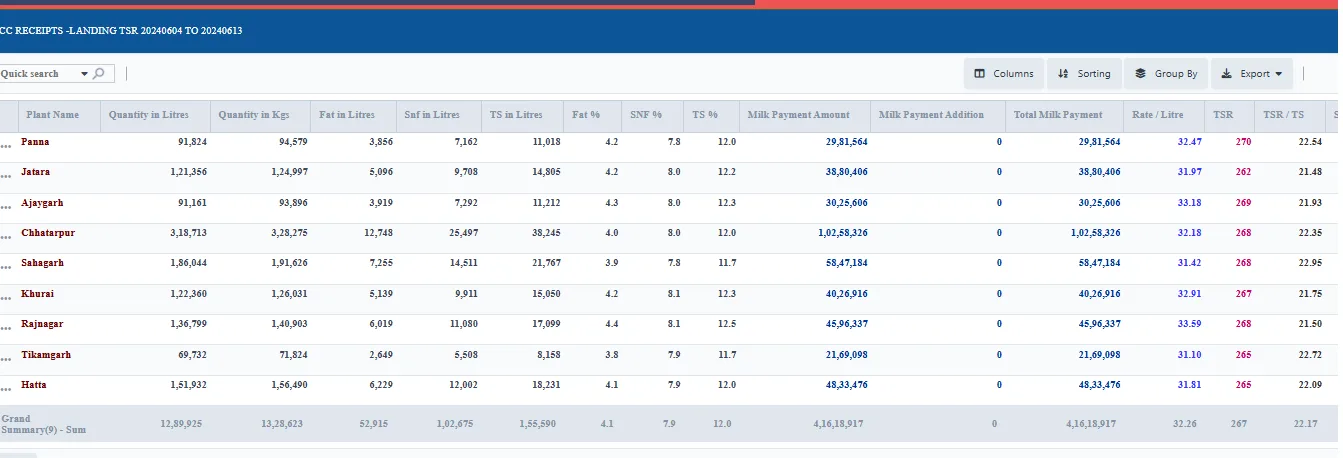
CC data upload; chilling centre data upload and consolidation.
Multiple chilling centres.
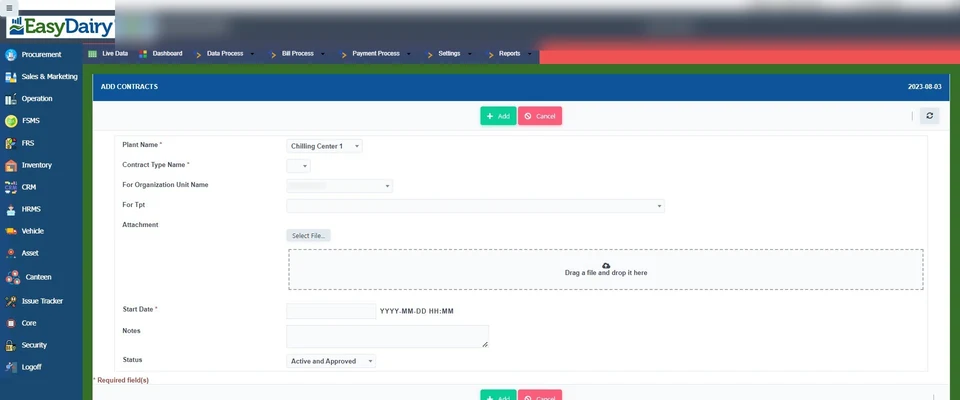
How-to: add a plant / CC; add plant contract details.
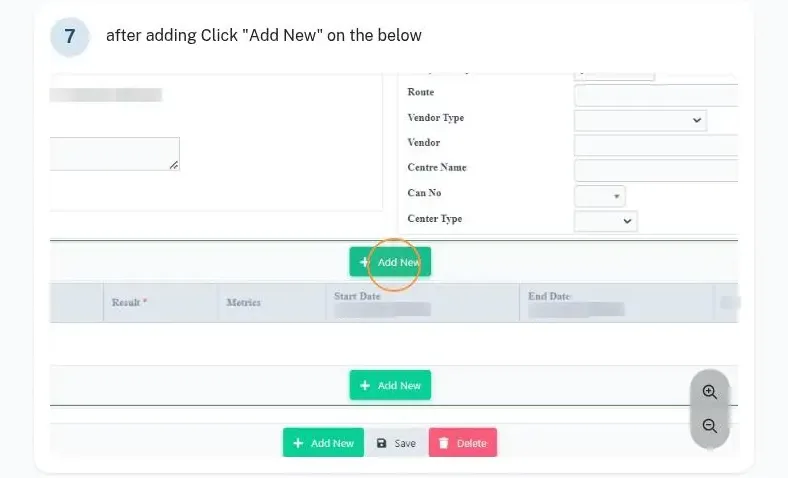
How-to: add lab test / CC lab test details.
Auto-calculated from procurement data; chilling charges screen; processed per tanker dispatch quantity / quality.
Desktop reception software download.
Milk weighed and sampled at CCs, automated ERP syncing and TS matching.
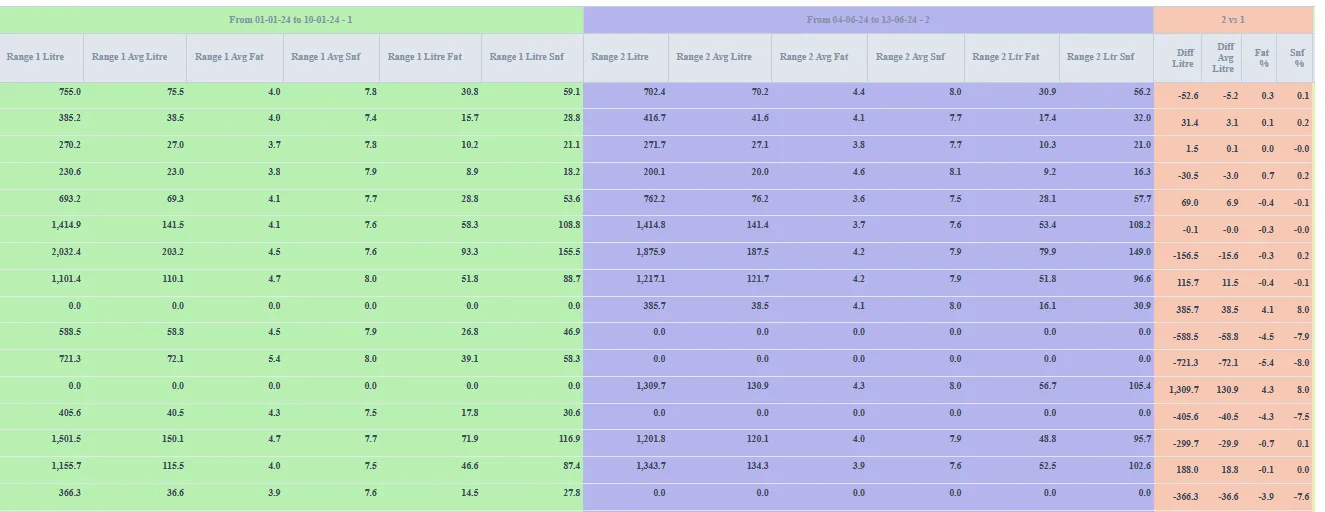
Different rate chart types assignable at farmer, route and other levels.
Flat rate per litre, KG TSR, litre TSR, fat based, fat & SNF based; rate slabs.
Rate charts can change with the season, each with its own start and end date.
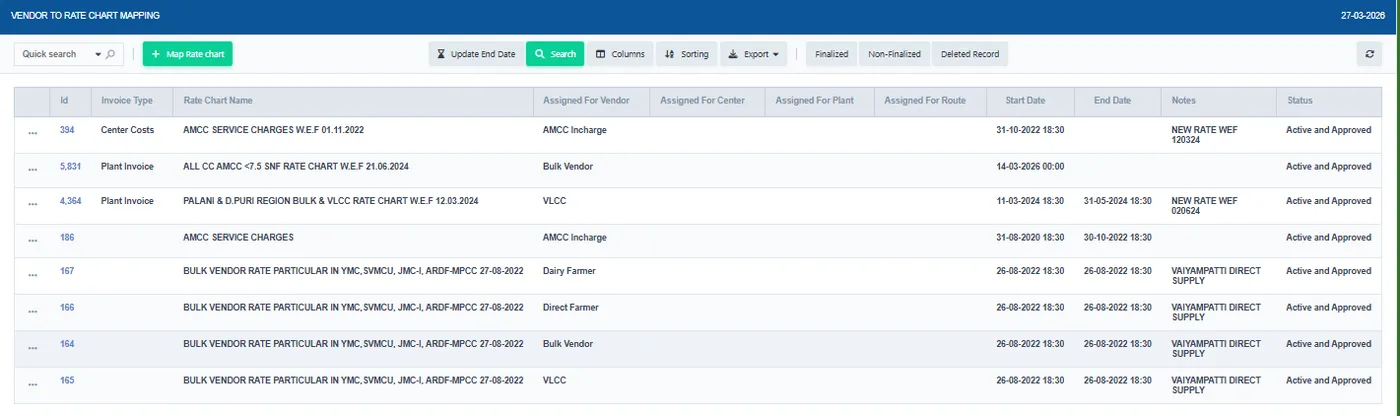
Fat / SNF rate; rate chart details; vendor-to-rate-chart, vendor type and vendor (route-wise) mapping.
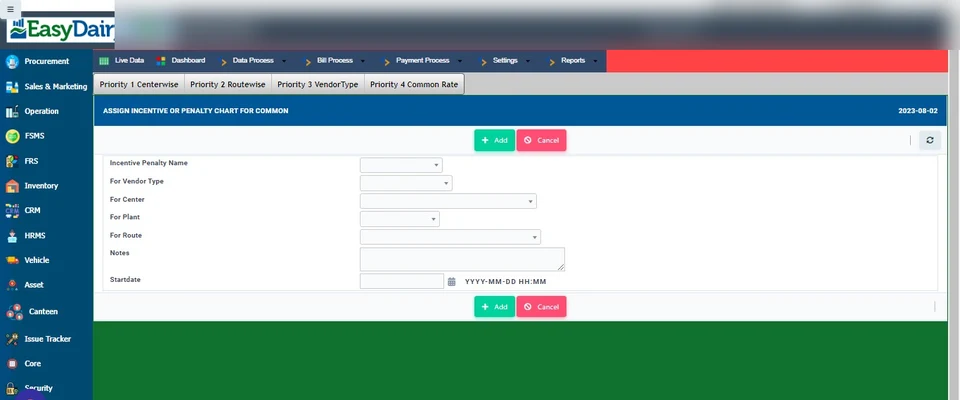
Add incentive or penalty chart; assign common or to a vendor.
Reflected in the individual farmer bill; add / assign addition-deduction chart; assign advance; advances screen.
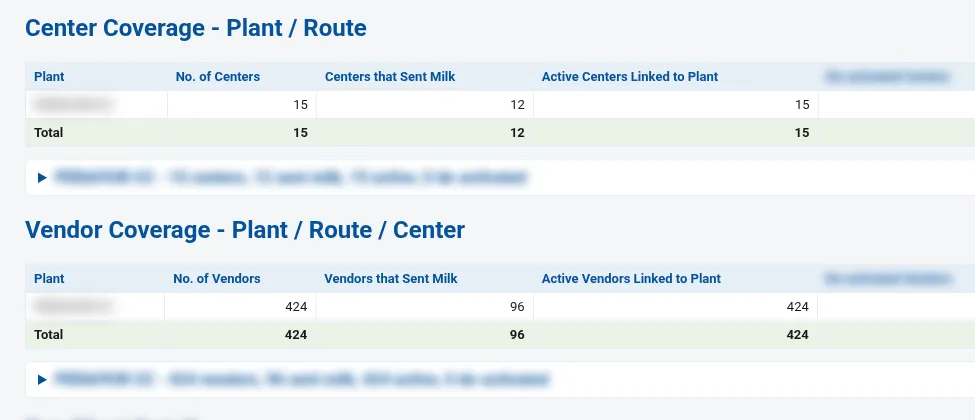
Upload additions and deductions for many vendors at once instead of entering them one by one.
Slab-based incentives, loans and feed given to farmers, all recovered through the milk bill.
Part of the monthly updates, at no extra cost. See New Features for the full list.
FAT, SNF, CLR, farmer code and sample number go straight into the desk or the mobile app, with no re-typing. USB works on a desk PC or a phone/tablet (OTG), with PL2303 and PL2303GC chips. Bluetooth uses a small serial-to-Bluetooth module. The DPS receipt-printer slip is recognised automatically, even when it arrives in pieces. Serial settings (9600, even parity) are built into the analyser profile.
The DPS end-of-shift summary is captured on the phone (with date selection for prints that cover several days). It is then matched automatically against procurement entries for that centre and date. A discrepancy page lists rows that are in procurement, waiting, not considered, or from an unlinked centre.
Each device model is a settings profile (speed, parity, data format), shared across desk, phone and tablet. Bench-tested: EkoMilk Ultra, Ultra Pro and Ultra with DPS (older data frame and DPS slip); Essae milk analyser over Bluetooth; weighing scales over USB and Bluetooth with a stable-weight lock.
One tap reads every centre folder and daily file on the DPS drive, keeping the exact date, time (to the second) and shift. It also keeps records that the usual converter tools skip (unsaved and deleted tests). Duplicates are blocked. Raw files are kept on the server for audit. One person can upload 20 to 30 centres in a few minutes.
One page per plant shows TS loss and gain for each centre-shift, deleted analyser tests and scale weights, re-pours within 10 minutes, testing-and-pouring patterns and hand-typed entries, each with its rupee impact and HIGH flags. See the chilling centre pilferage control report.
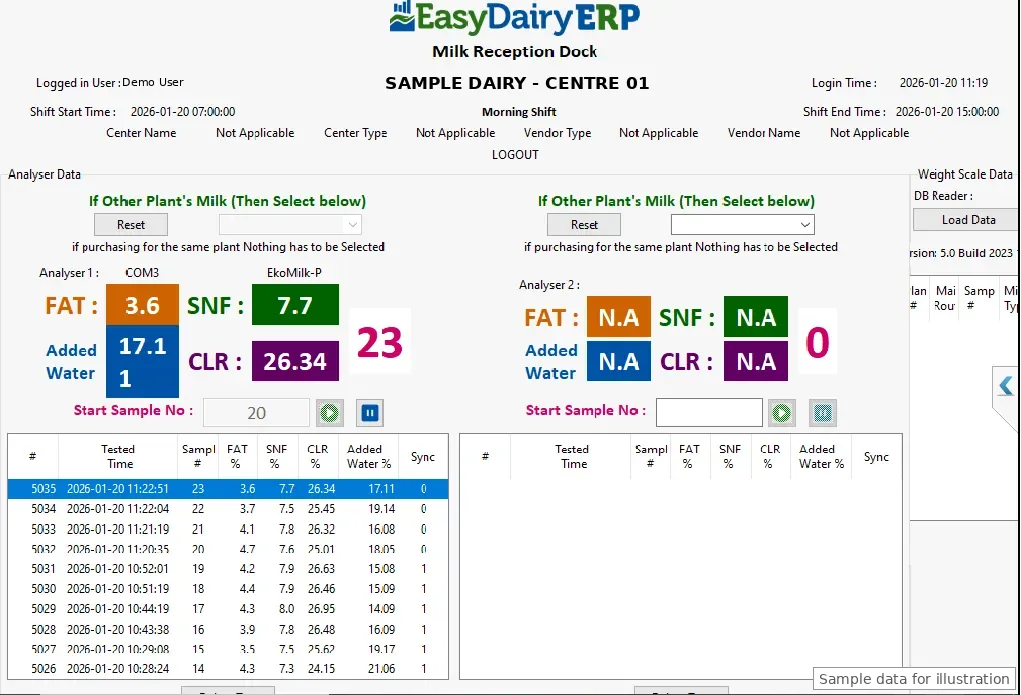
DPS works on all six analyser capture layouts. Setup takes a few clicks: type the company name, and the desk shows its Application ID, checks for approval every 10 seconds, then links and syncs. Login and configuration re-sync run in batches with a progress window, so minutes become seconds. Sample numbers stay in step across two parallel analysers, and a conflict stops the analyser.
Flags a test that was not kept when, within 10 minutes, the same farmer was saved with a better FAT or SNF before any other farmer was tested. It shows each centre's share, repeat farmers and the estimated excess paid per centre and farmer. A real re-test can look the same. The report shows which centres to check and does not accuse anyone.
One mail before 6 am with yesterday's collection compared with the day before. KPI tiles cover litres, farmers, centres, re-pour events, net re-pour impact, routes run, routes over approved km and field staff reported. An attached page has detail, an Excel download and live maps.
Procurement officers, AMCU service engineers and field staff on one map, with routes, GPS beats, numbered activity pins, tasks and punch-in/out. Layers can be toggled. Per-person cards show claimed km vs road km, GPS beats, longest silence, activities and open tasks. Activities are linked to the centre, plant, route and GPS location. There is a plant-wise view.
Landed cost of milk per plant = (milk value + centre service charges + cost additions/deductions + inward transport) ÷ litres purchased. They also show FAT, SNF and TS trends, plus TSR and "TSR by TS". One all-plant mail goes out, plus a mail to each plant head.
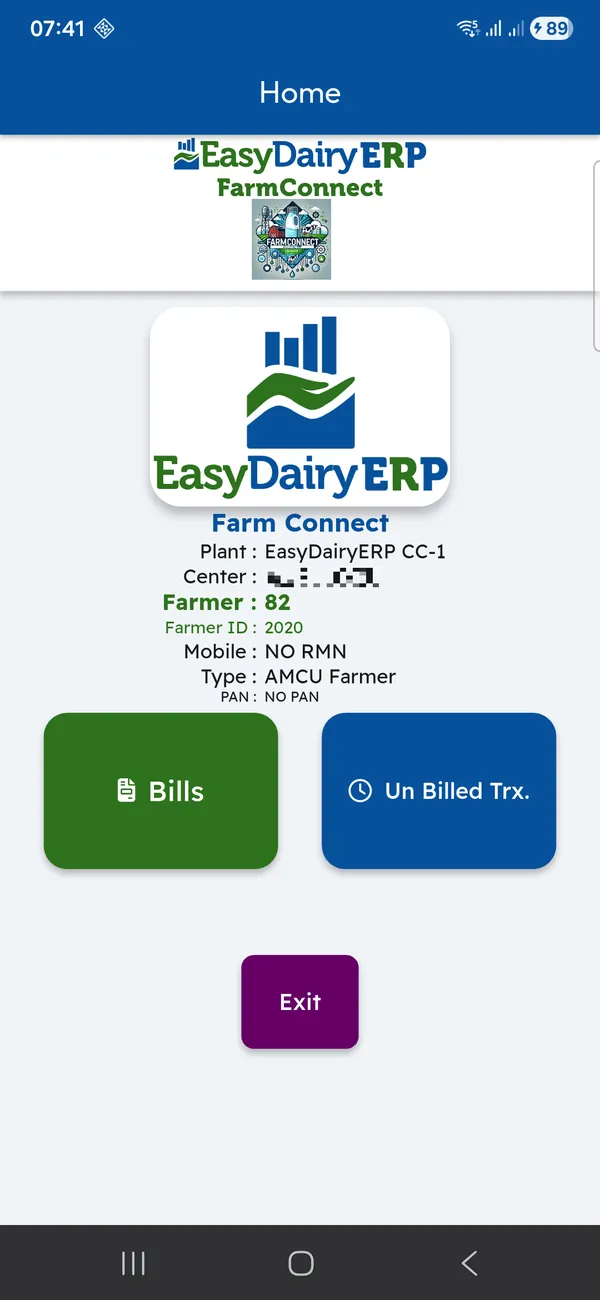
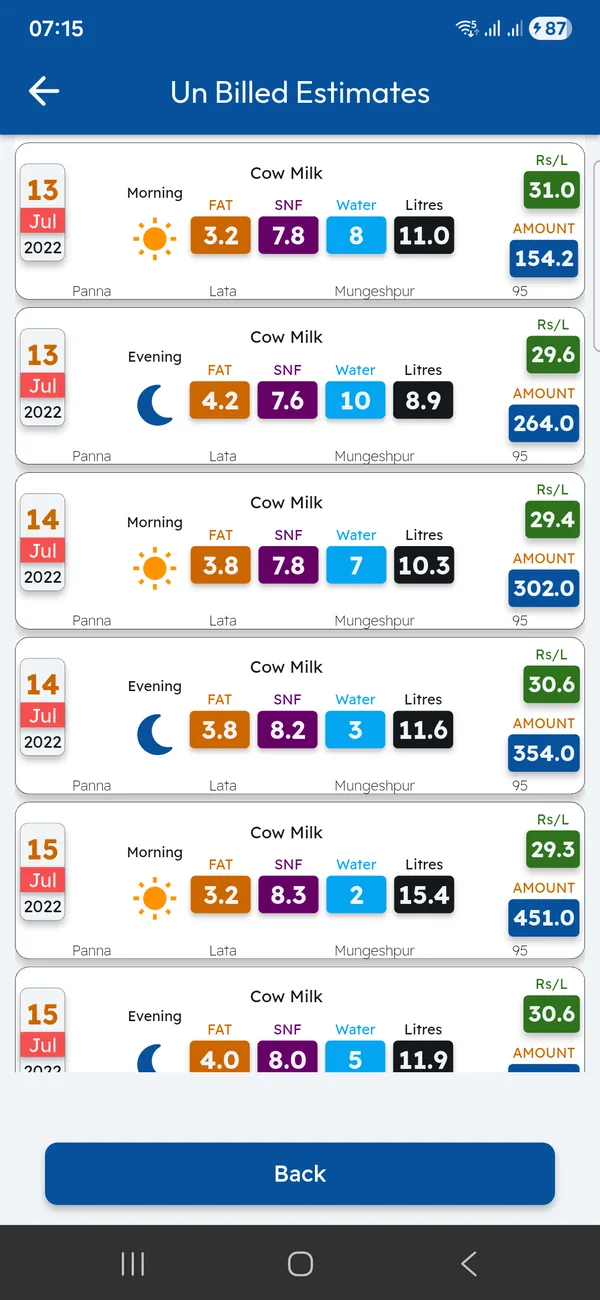
Each farmer sees bills for every payment cycle, unbilled quantity, each pouring (date, shift, litres, FAT, SNF, rate) and an estimate for the current cycle. The app is on Google Play and works with the AMCC and Chilling Centre apps.
The demo tour walks through these functions in the order the milk moves, with a picture and a link to the Docs for each.
| Capture | FAT, SNF, added water, CLR and weight from analysers and scales (AMCC app, Chilling Center app, Milk Reception Desk) |
|---|---|
| Masters | Plants, plant contracts, chilling centres, village-level centres, vendors (farmer, producer and other types), routes, vehicles, transporters |
| Rate chart types | Flat per litre, KG TSR, litre TSR, fat based, fat and SNF based; slabs; season-wise |
| Rate chart mapping | Vendor, vendor type, centre, plant, route; from a start date |
| Bill items | Incentives, penalties, additions, deductions, loans, advances, bonus, feed; bulk upload; farmer credit limit |
| Billing cycles | By day, weekly, 10 days, fortnightly, monthly; hourly draft bill; on-demand manual bill; customisable print |
| Payments | Bank file (all major banks; same-bank and other-bank formats), farmer direct payment, Tally XML, accounting export |
| Transport | Per km, per litre or flat litre; trip entry; dumping time; inward cost finalisation |
| Analysis | AMCC vs CC, TS matching and TS excess, landing cost, costing, rate-chart simulation, trends, BI reports |
No. The AMCC app, the Chilling Center application and the Milk Reception Desk read the analyser and the weighing scale directly, so FAT, SNF, added water, CLR and weight are captured automatically.
Yes. A rate chart can be mapped to a single vendor, a vendor type, a centre, a plant or a route, each from its own start date.
By day, weekly, every ten days, fortnightly and monthly, set per plant, vendor type and route in the bill configuration. An hourly draft bill is shown during the cycle and a manual bill can be run on demand.
Corrections move from the chilling centre to the main dairy for online review and approval, with impact mails to management. Corrections after the bill is processed are tracked and mailed one by one.
EasyDairyERP generates a bank file for your bank, customised for all major banks, and exports the bill to Tally as XML.
Yes. Loans, advances, feed distribution, bonus and other additions and deductions appear on the farmer’s bill; additions and deductions can be uploaded in bulk, and each farmer can have a credit limit.
Per km, per litre or as a flat litre rate, from the trips entered against each route and vehicle, with inward cost finalisation at the cycle end.
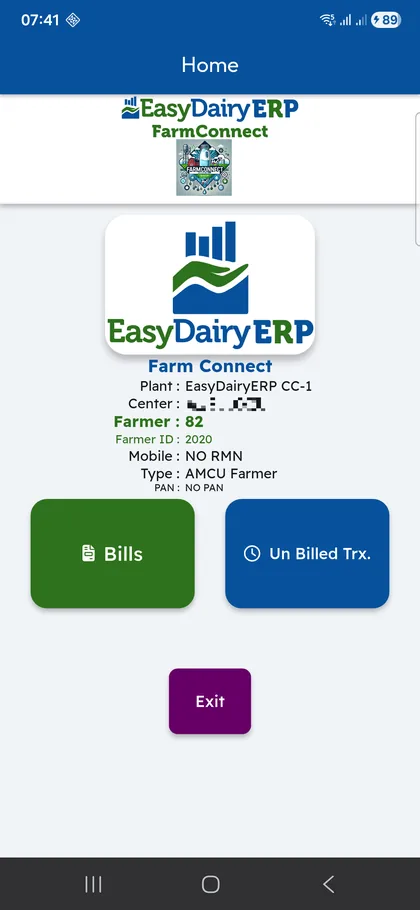
Yes, through the free Farmer Connect app: acknowledgements within 10 seconds, bills, unbilled estimates, delivery notes and invoices.
Compares any two days of milk procurement and shows exactly where volume rose or fell: by plant, route, shift, vendor type and centre, with a 30-day trend behind every line.
One report for the whole procurement day: litres, farmers and centres against the day before, re-pour checks on every milk test, centre-versus-plant differences, route kilometres and what the field staff actually did.
Every module page walks through the screens, reports and mobile apps in the same way, so you can see exactly how EasyDairyERP fits your dairy.
When you have seen enough, we are happy to show it to you live on our sample data: book a demo or call +91 94880 59495.