
Milk procurement monitoring and profiling in mobile app
Procurement Head deliverable.
The procurement team sees every centre, route and farmer on the EasyDairyERP app: data arrival, volume, quality, pouring times and total solids, with GPS for vendors and staff.
The Procurement Mobile Application is the procurement head’s view of the milk shed, on the EasyDairyERP app for Android and iOS. It is built for monitoring and profiling: which centres have sent data, which are rising or falling, where the quality is, when the milk was poured and whether the solids matched. Each screen is explained below with the real phone screen beside it.
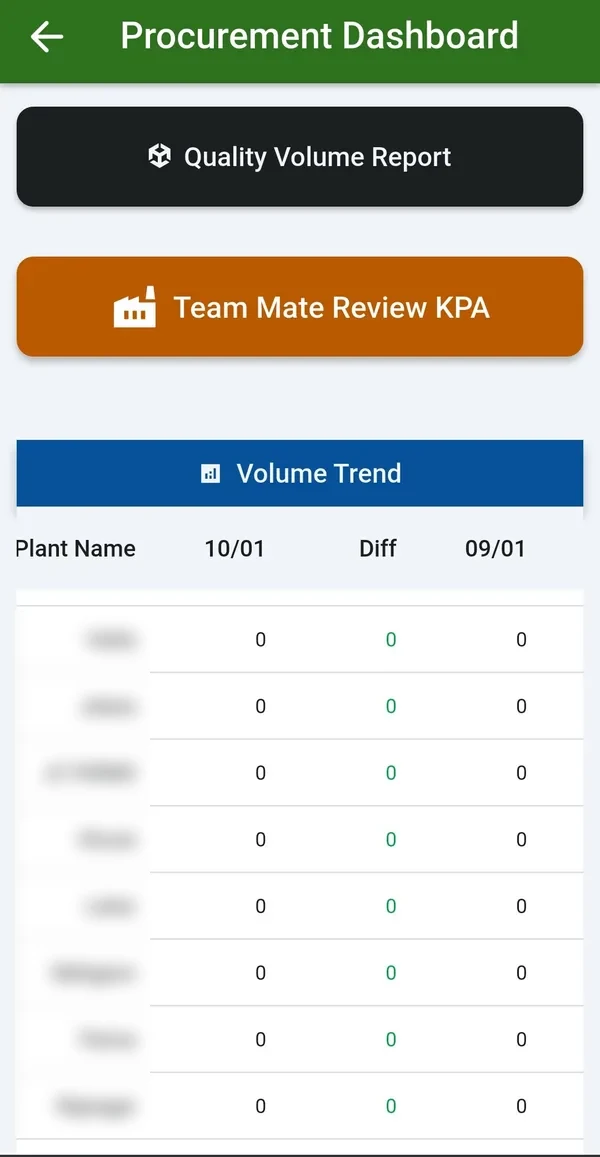
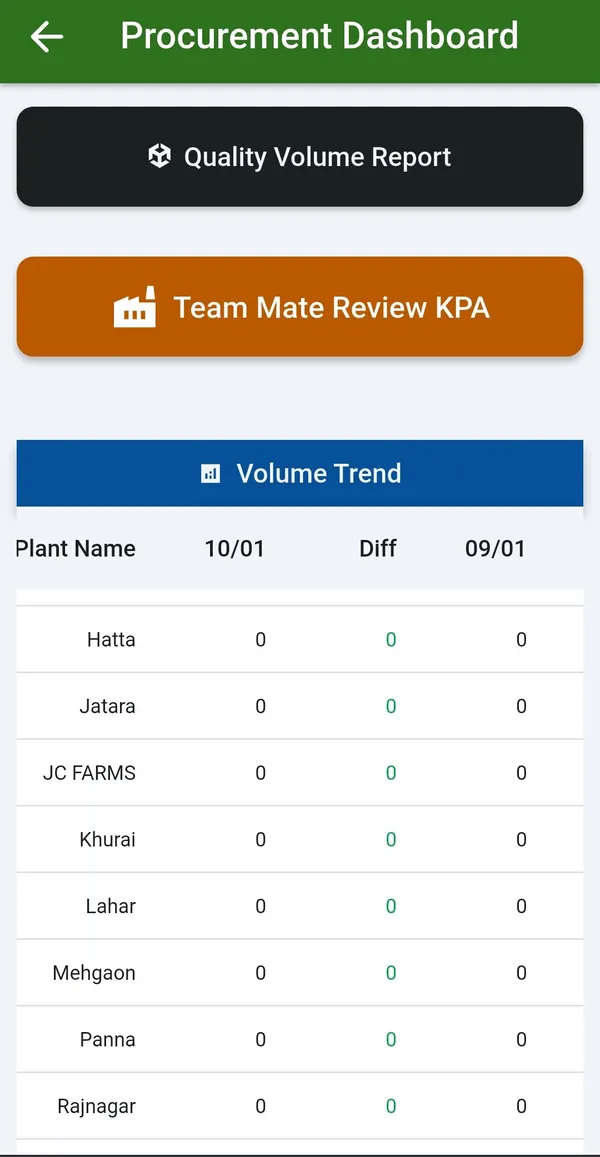
Procurement Dashboards 1, 2 and 3 give the overview, the volume and quality trends, and the day-versus-range view. Live chilling-centre-wise trends can be compared day versus range or range versus range, so a dip can be seen against the last week or the same period last year.
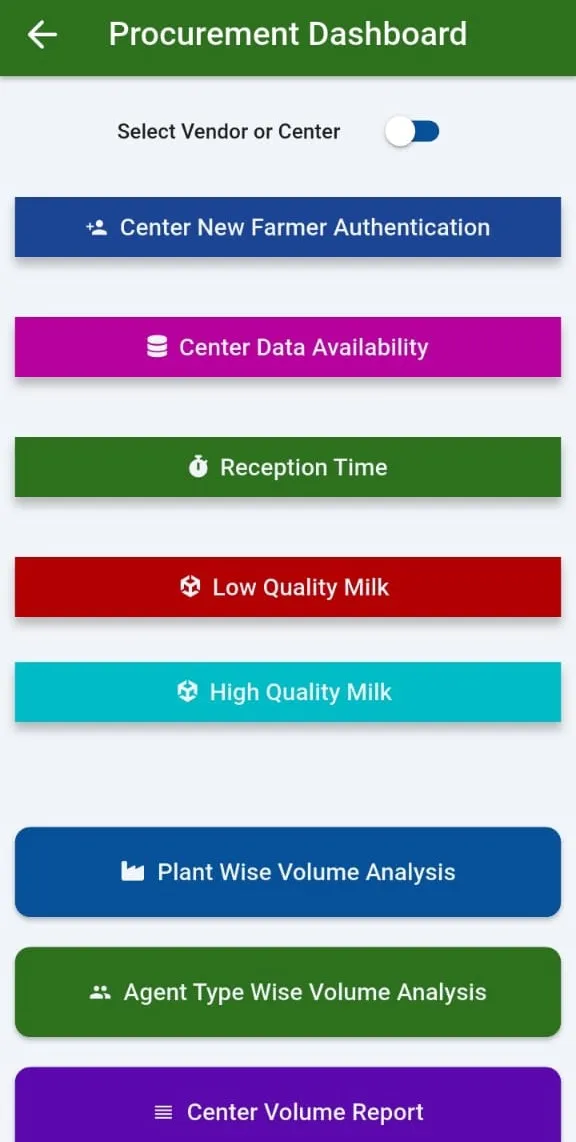
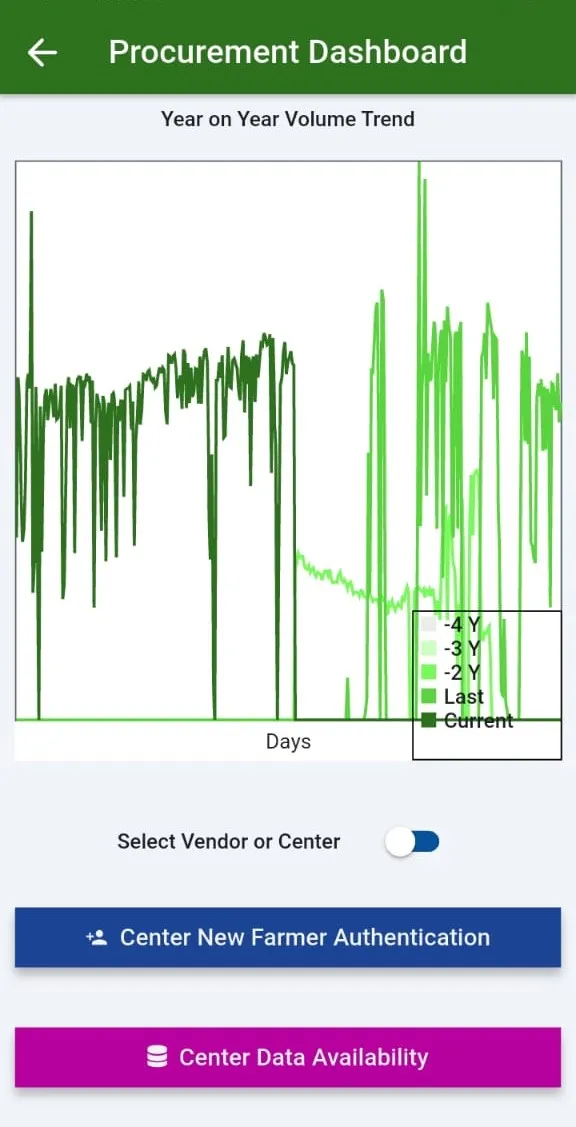
The dashboard menu opens every procurement screen on the phone, and the year-on-year trend shows whether the season is ahead or behind.
Procurement monitored from anywhere, with the comparison already made.
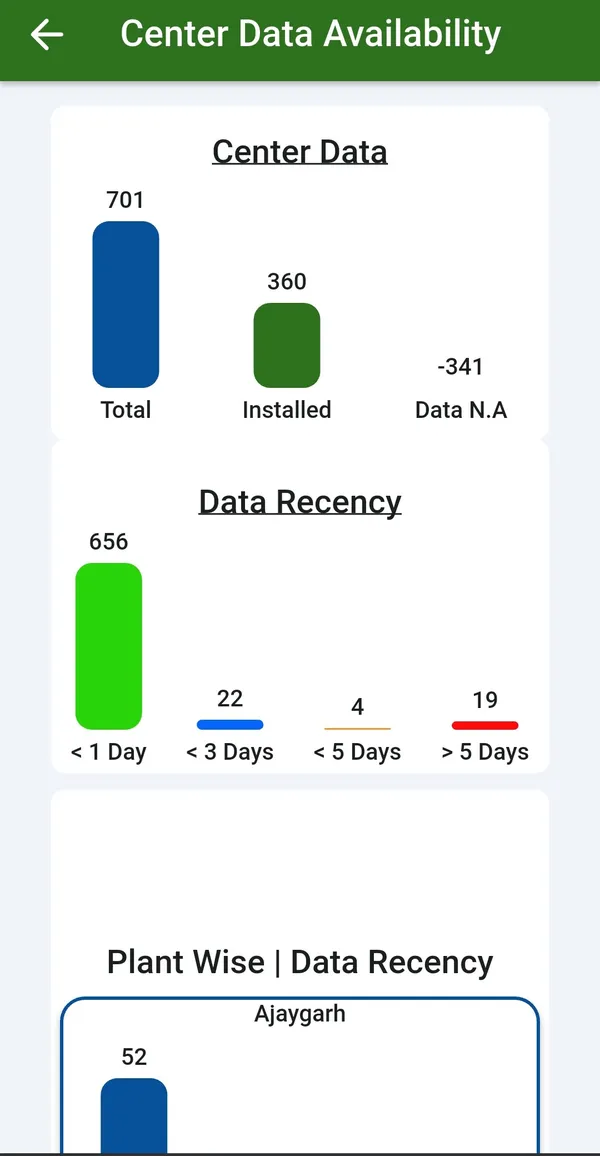
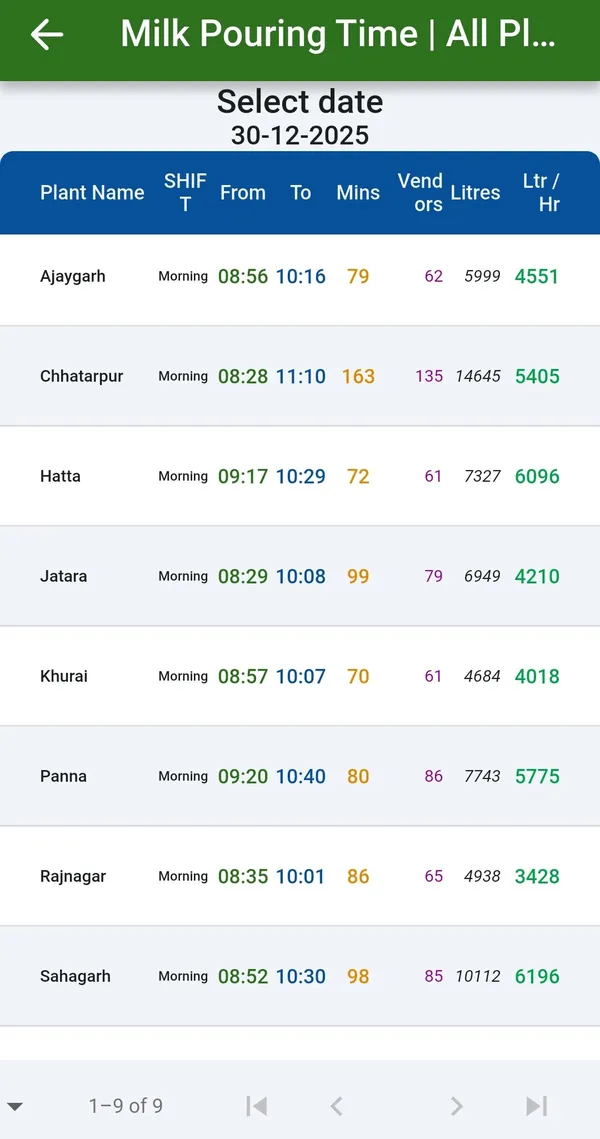
Center Data Availability shows which centres have sent their data for the shift and which have not, so missing data is chased while the shift is still fresh. Milk Pouring Time shows when the milk was poured at each centre.
Seen together, data availability and pouring time tell the supervisor whether a centre is late, closed or simply has a sync pending, so the right call is made to the right in-charge.
A centre that has not sent data is noticed the same shift, not at the bill run.
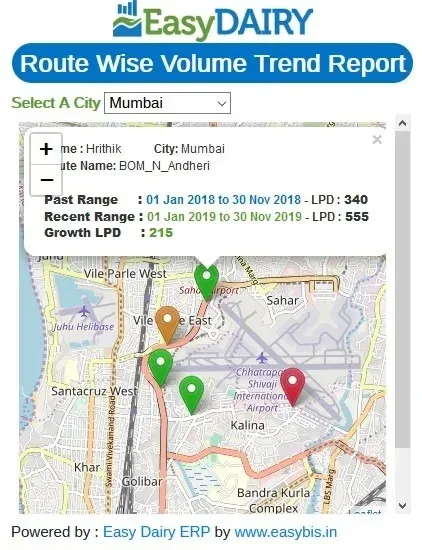
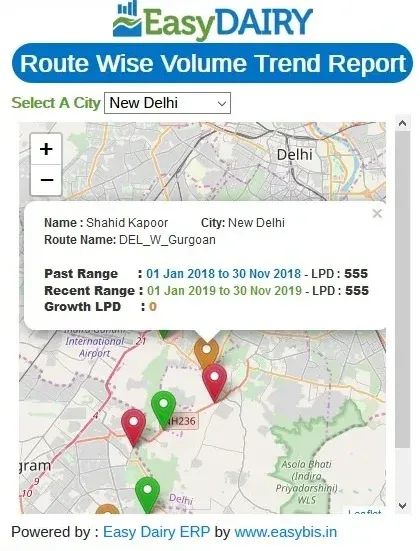
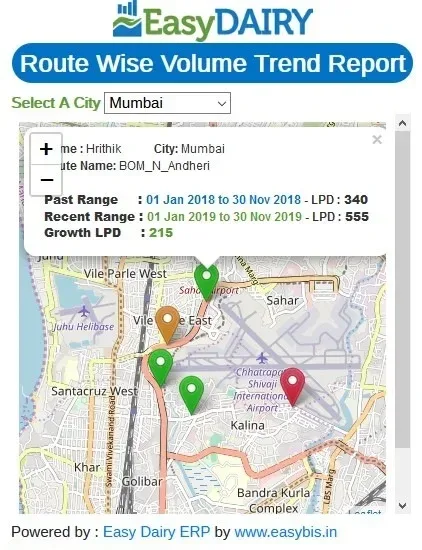
Each centre’s GPS location is shown with its volume trend, so the procurement head sees on a map where the milk is growing and where it is falling. The route-wise volume trend maps work the same way for routes.
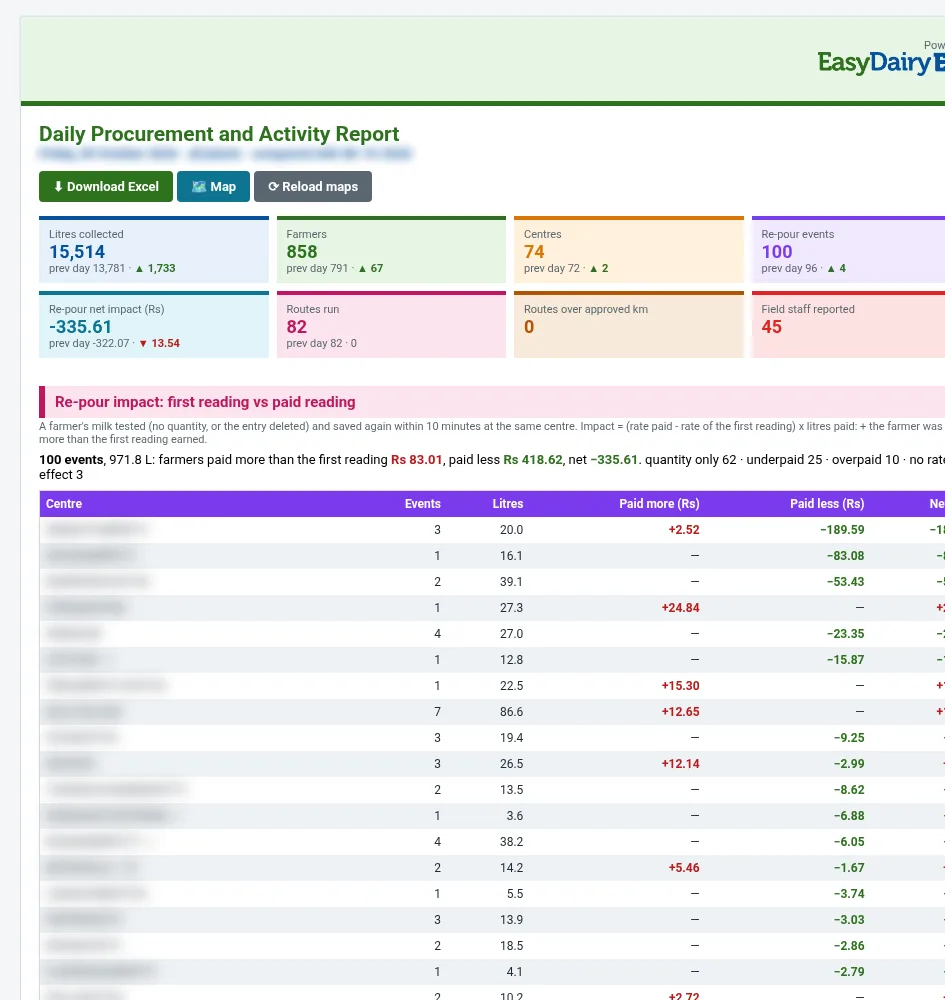
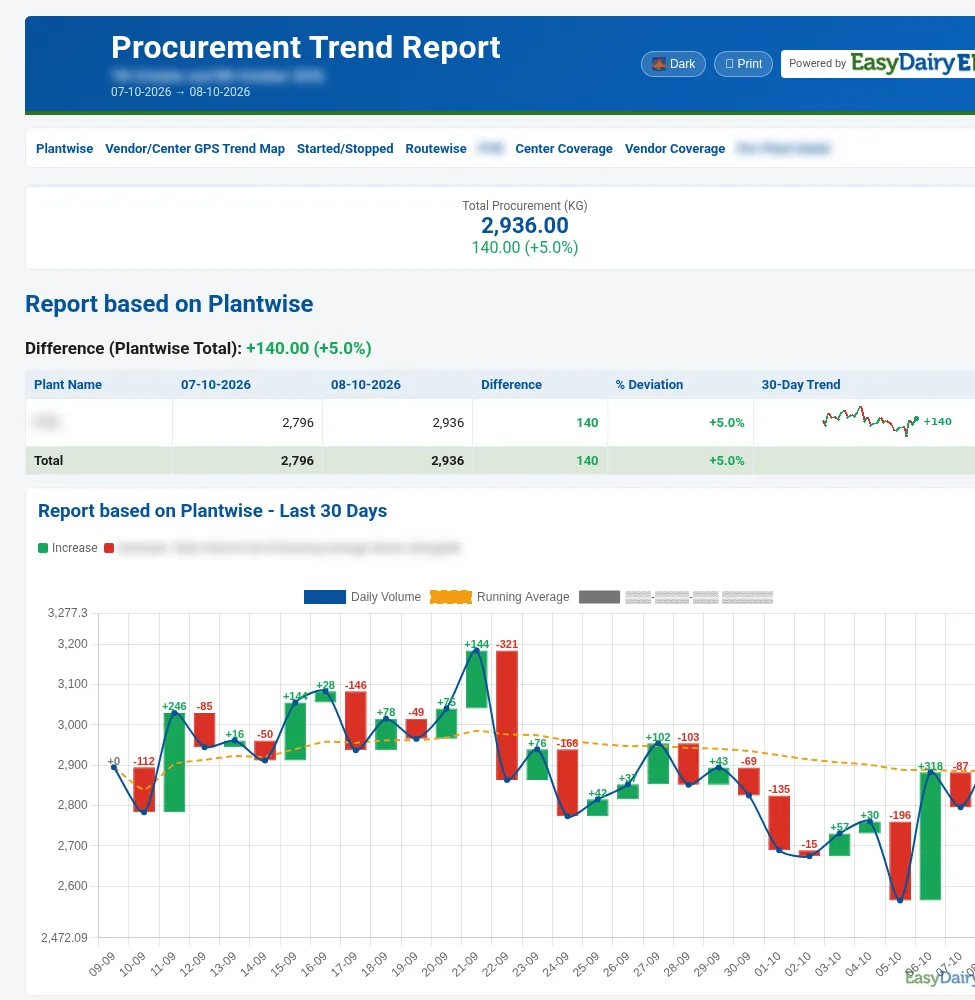
Because the map is built from the same procurement data as the reports, a red centre on the map is the same centre that shows a fall in the Procurement Trend Change Report.
Field visits go where the volume changed.
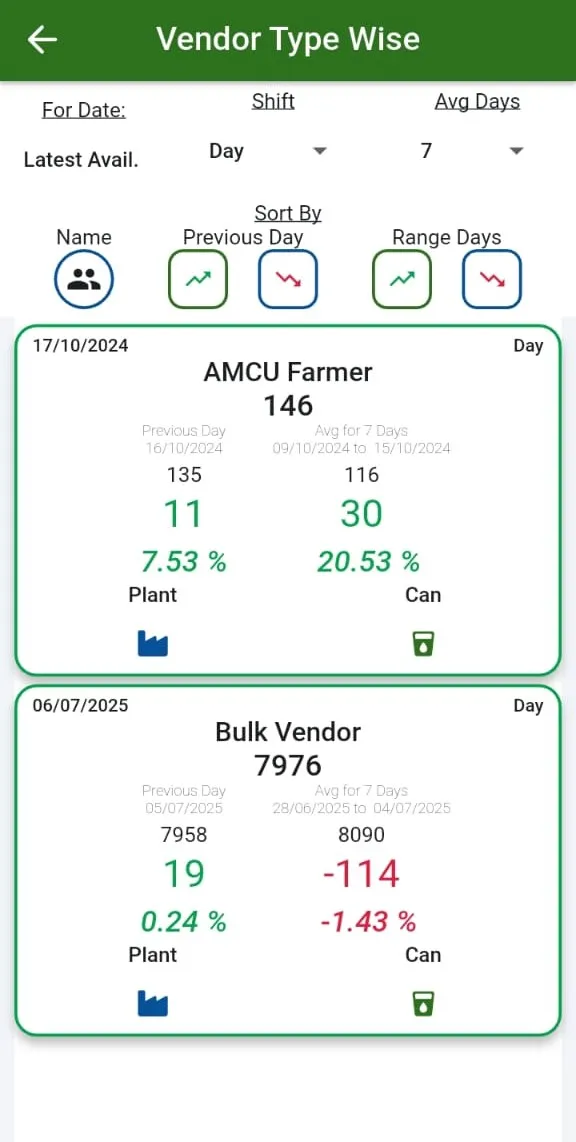
A farmer’s milk supply history is available with trends. Vendors can be segmented by chilling centre or plant, route and vendor type, and the Vendor Type Wise Dashboard compares AMCC in-charges, bulk vendors, dairy farmers and other types.
Segmentation lets the procurement head compare like with like: a bulk vendor’s trend is read against other bulk vendors, a dairy farmer’s against other farmers on the same route.
The team knows which vendor groups are growing and which farmers are slipping.
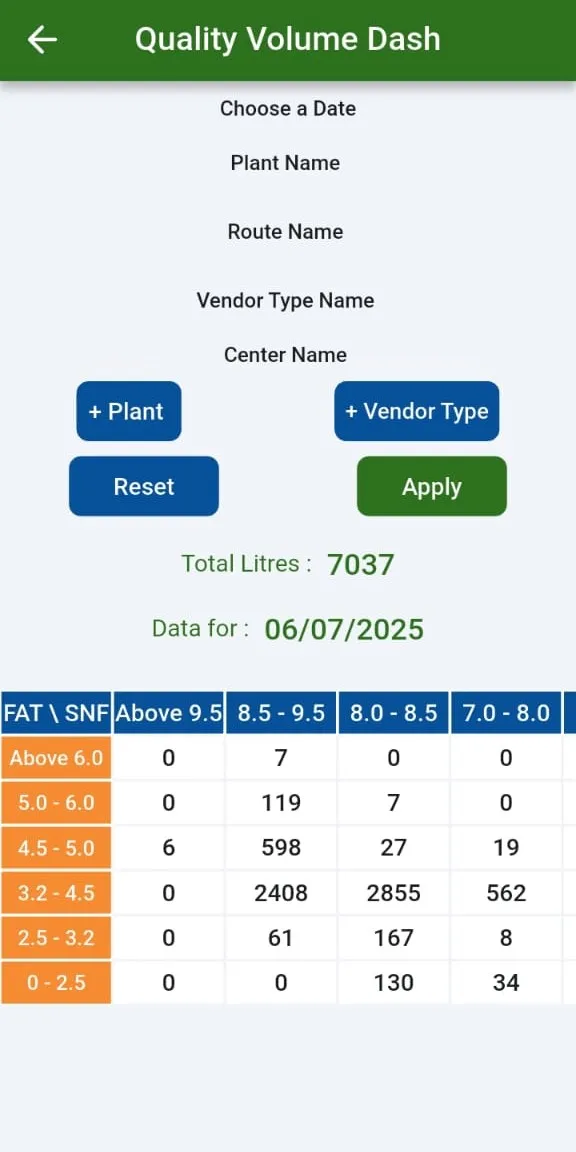
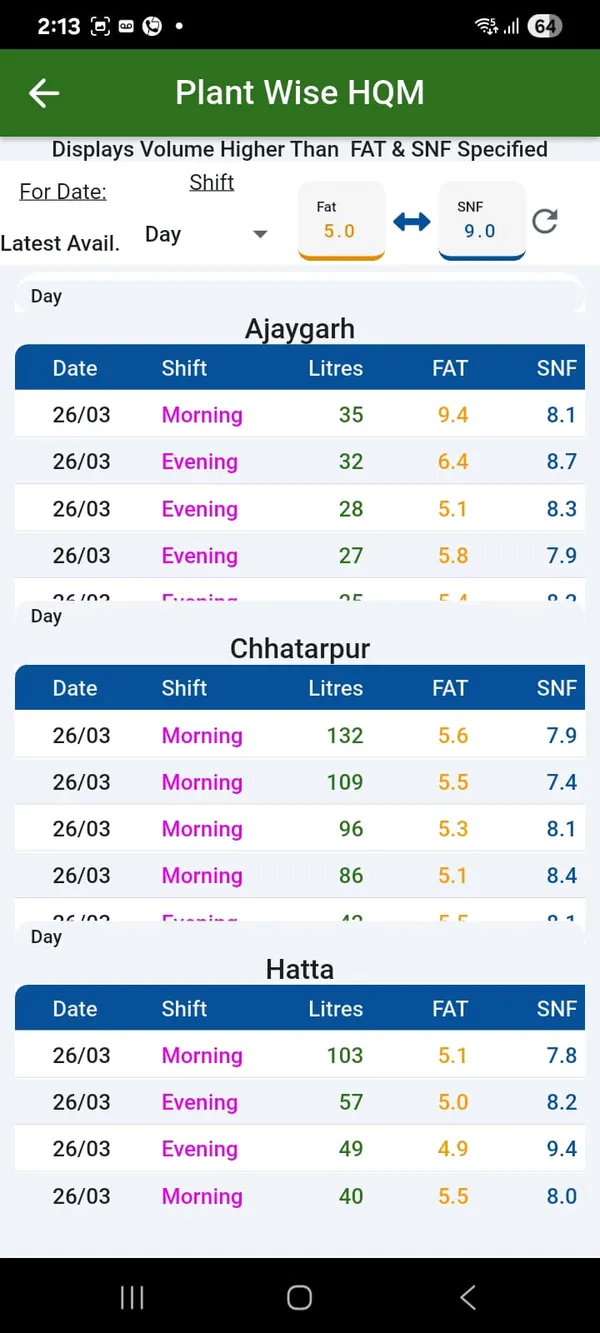
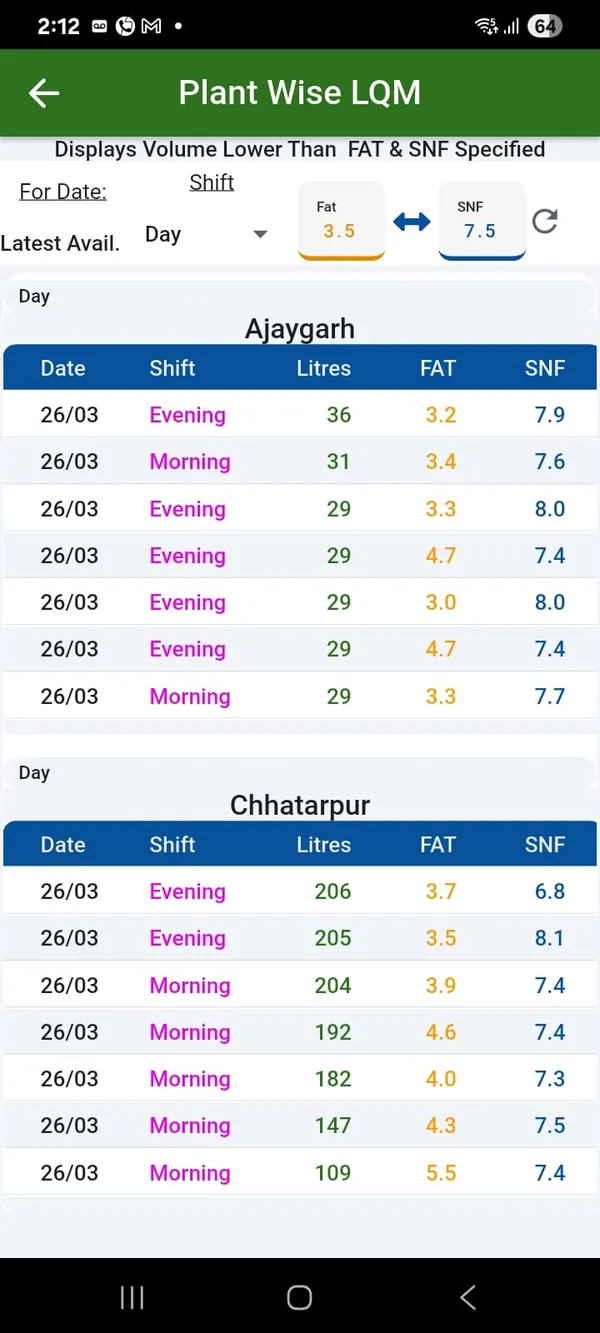
The Quality Volume Dashboard and report group the milk by fat and SNF range, so the team can see how much milk sits in each quality band. The plant-wise High Quality Milk Finder and the Low Quality Milk Finder pick out where high-quality and low-quality milk come from: quality-wise segmentation on the phone.
The finders are used to decide where field effort and quality incentives should go: routes with a rising share of low-quality milk are visited, and high-quality pockets are protected.
Quality is managed by centre and route, not only as a plant average.
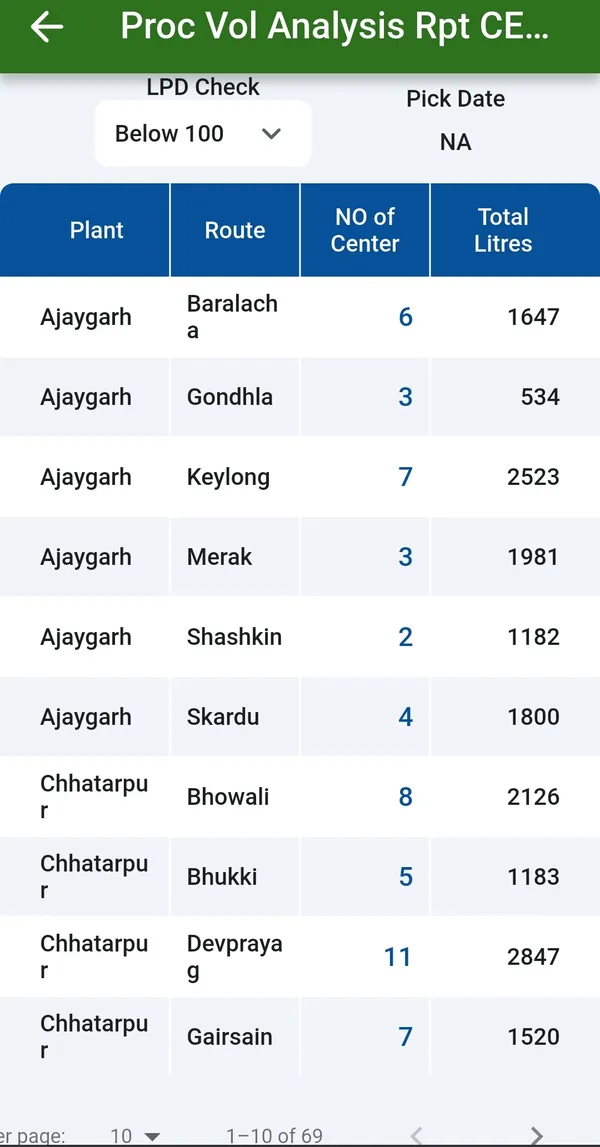
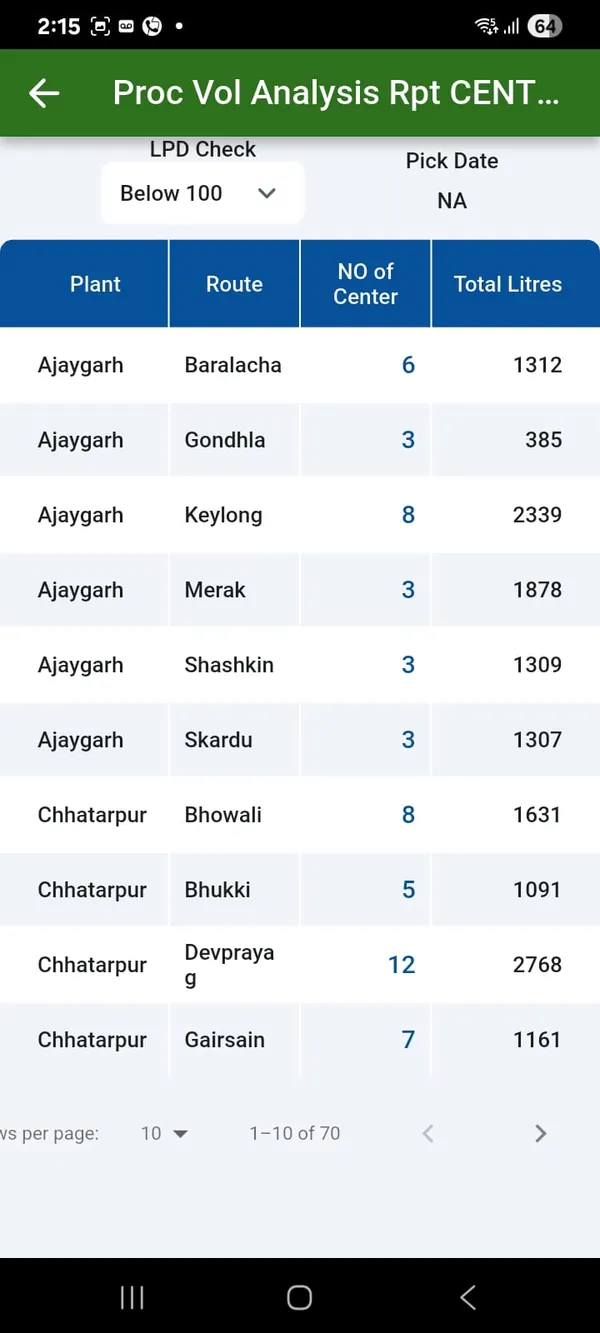
Procurement Volume Analysis breaks the volume down by plant and route, and the centre volume analysis goes to the centre. Plant-wise comparison puts the plants side by side. TS matching is on the phone too: the centre-to-chilling-centre total solids matching view.
With TS matching on the phone, the procurement head can check the solids balance of any centre against its chilling centre while in the field, without waiting for the office report.
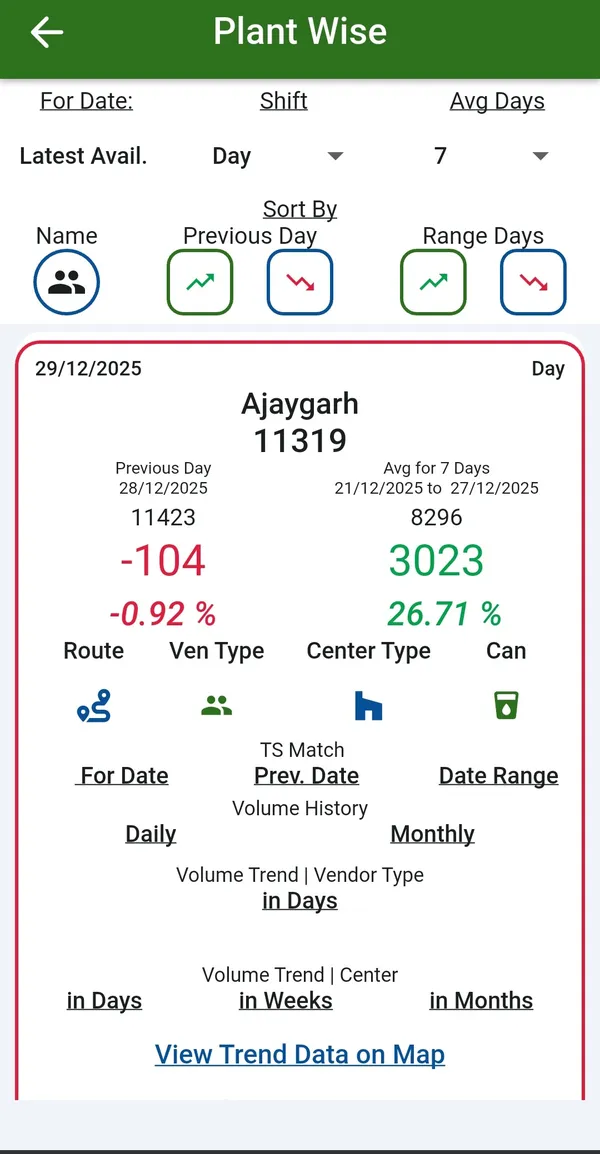
All 31 functions of the Procurement Mobile Application, one card each. Orange cards are key features.
Procurement Head deliverable.
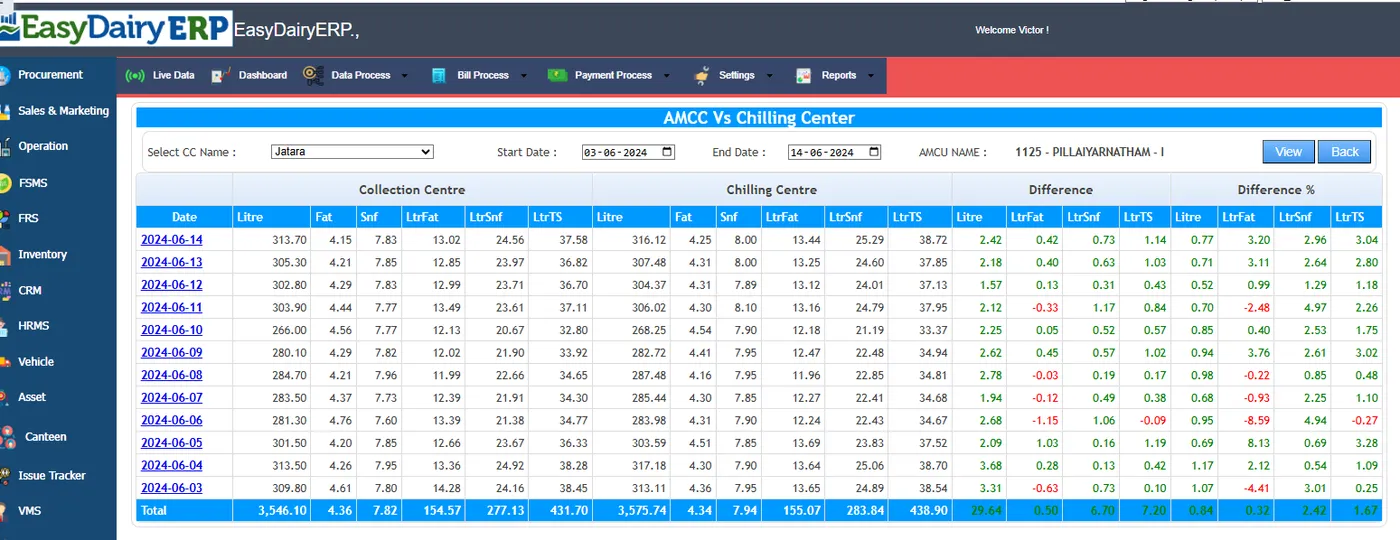
Chilling centre trends on the phone, comparing a day or a period with another.
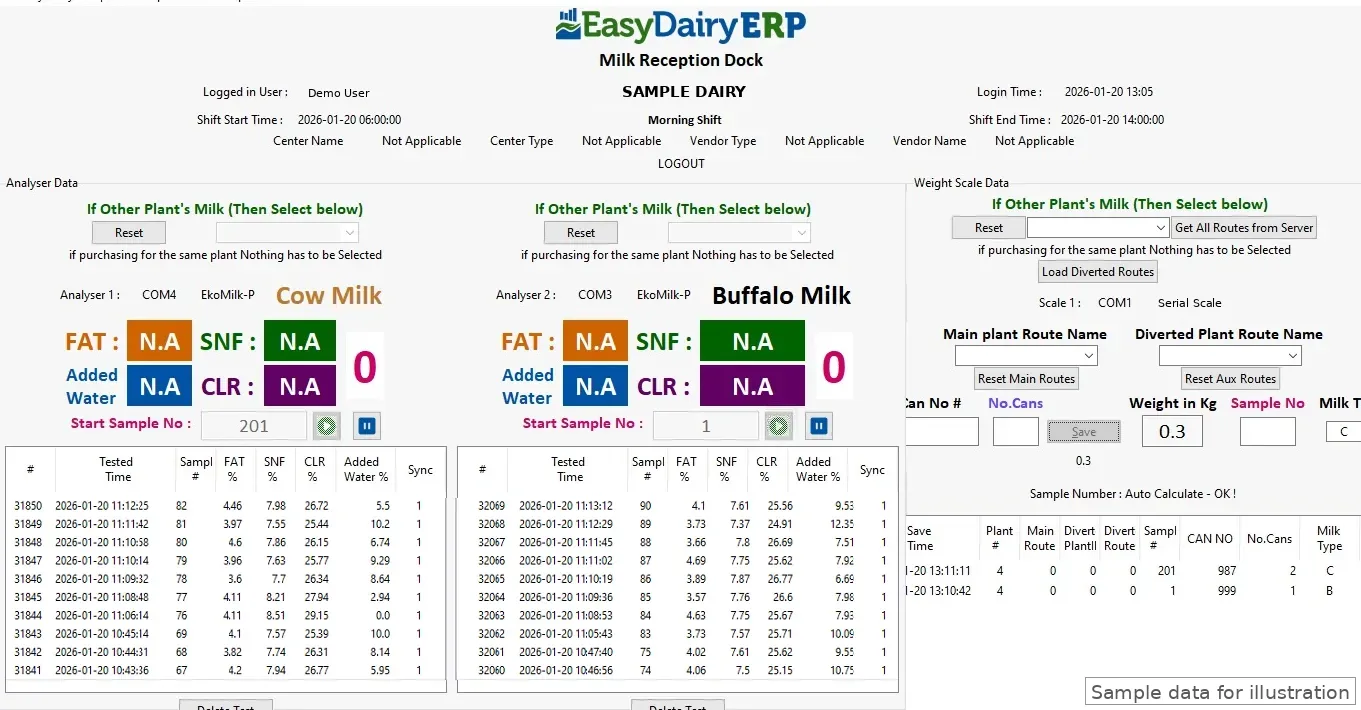
See which centres have sent their shift data and which have not.
Every centre on a map with its volume trend.
Each farmer's supply history, with the trend over time.
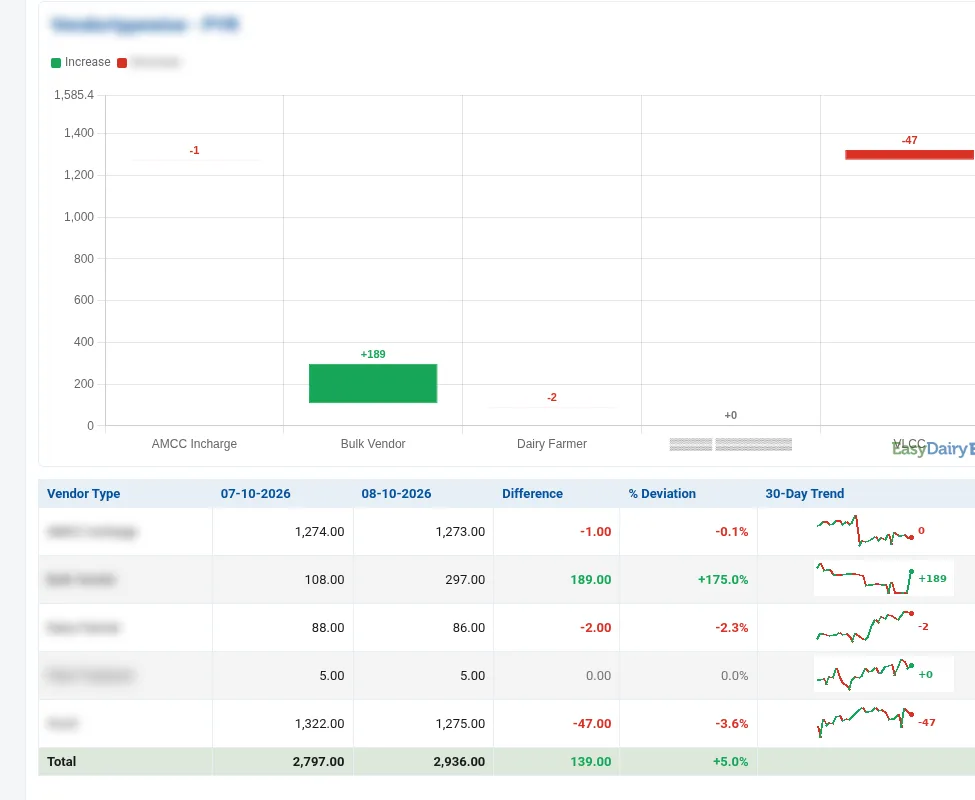
Vendors grouped by chilling centre, plant, route and vendor type.
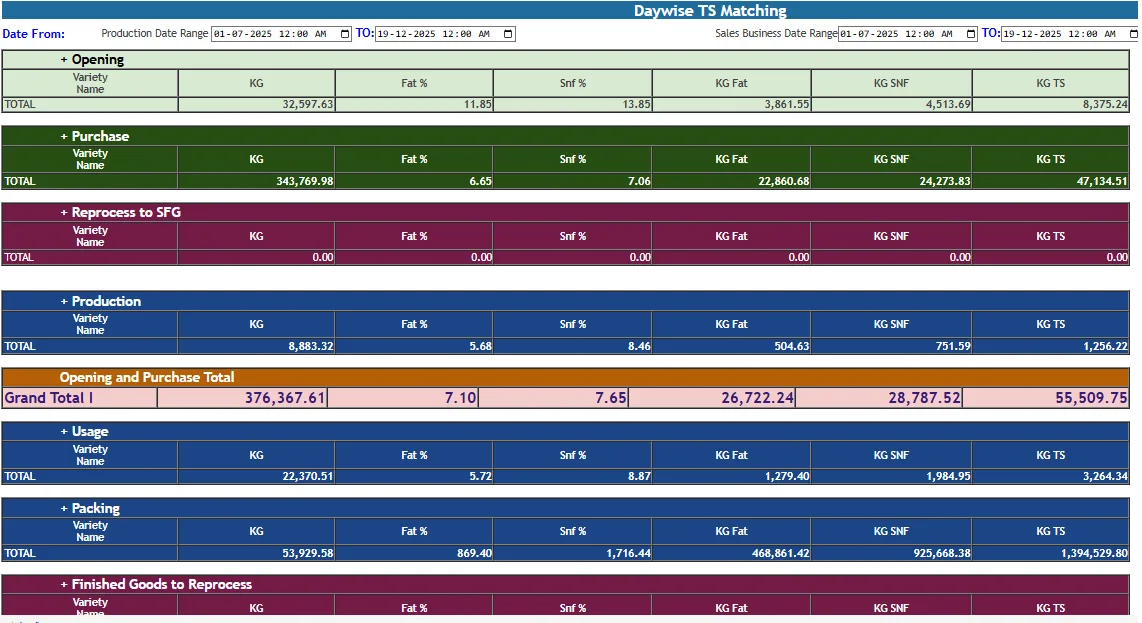
Total solids from the centre matched against the chilling centre, on the phone.
Overview; volume and quality trends; day vs range.
When milk was poured at each centre, shift by shift.
Plants side by side on volume and quality.
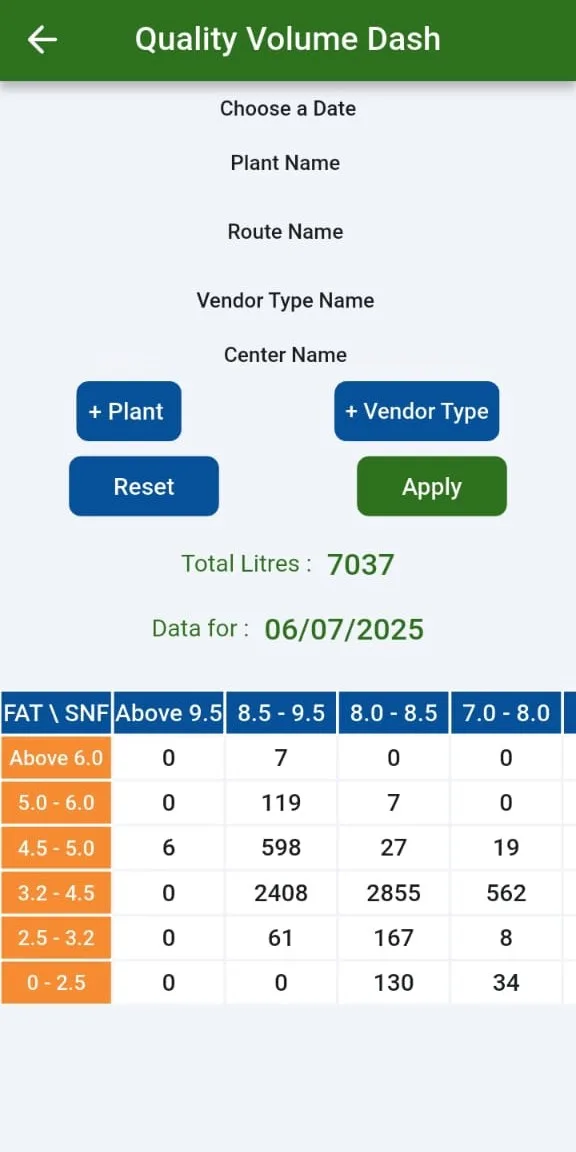
By fat and SNF range.
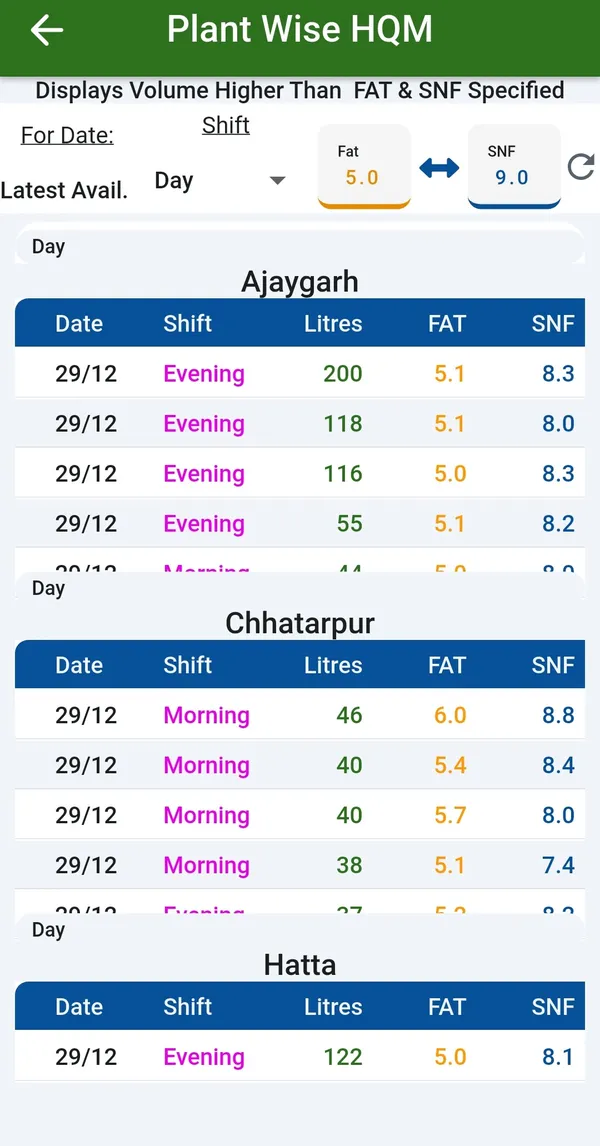
Plant-wise High Quality Milk Finder; LQM / HQM differentiation; quality-wise segmentation.
By plant and route.
Volume per centre over time, with rising and falling centres.
Routes, societies, CCs, zones; volume, quality, rate variation, efficiency, farmer insights; BI chart comparing two date ranges.
Plant-wise, date-wise, route-wise, vendor-type-wise comparison of two dates.
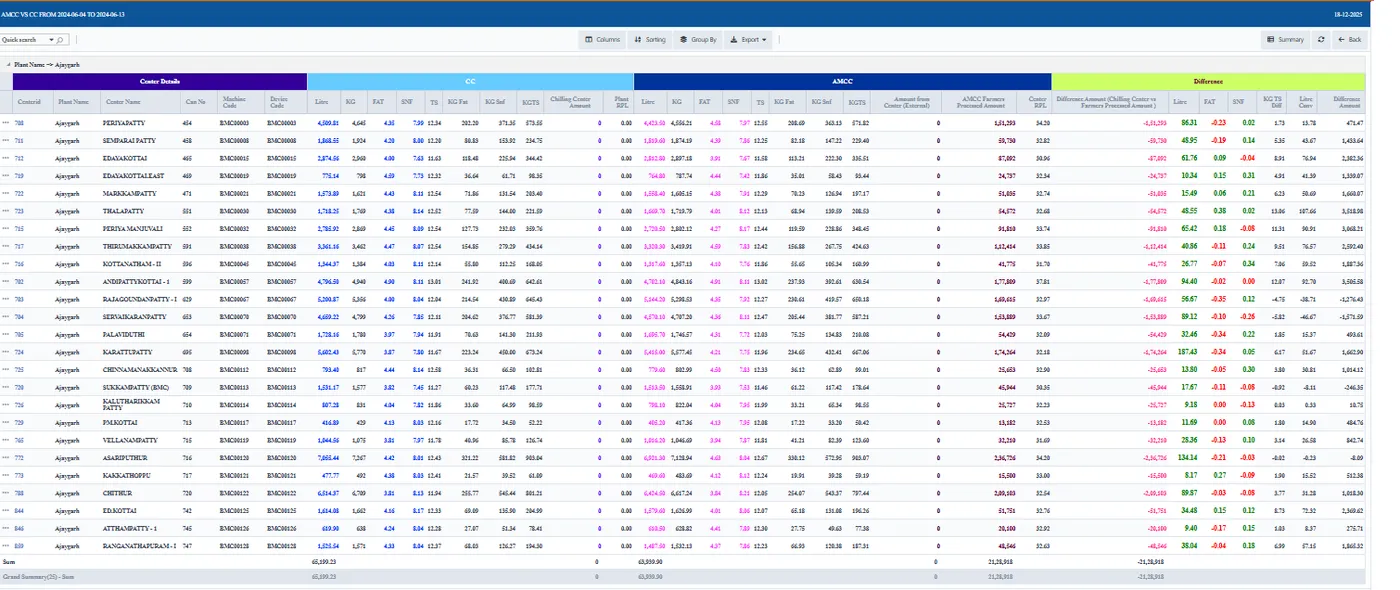
Village readings matched against chilling centre readings for each shift.
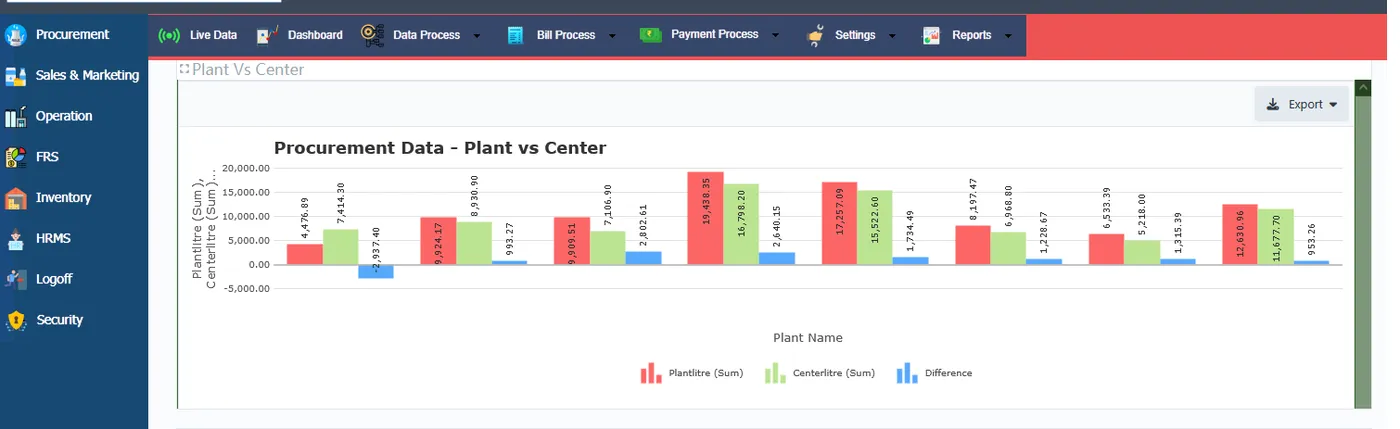
Differences between what centres sent and what the plant received.
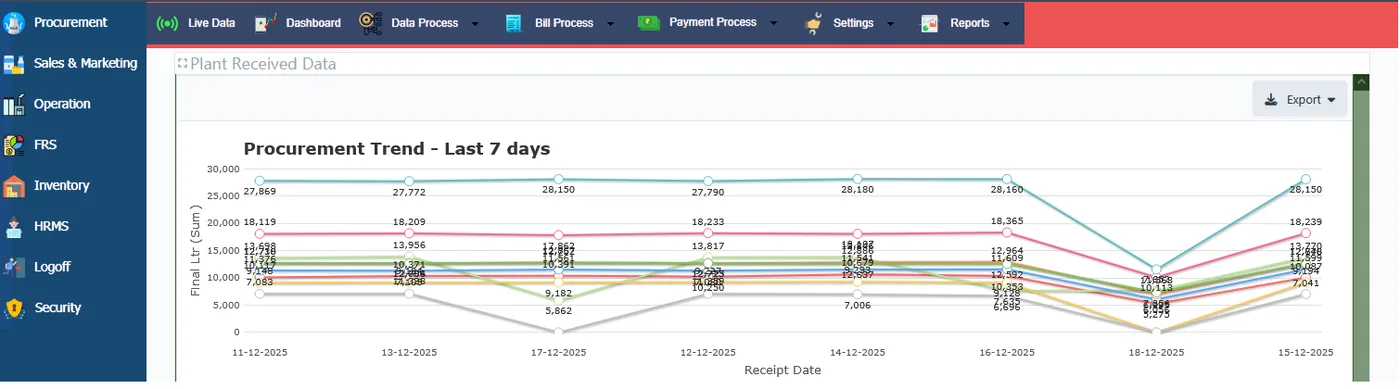
The last seven days of volume and quality at a glance.
Date-wise differences between village and chilling centre data.
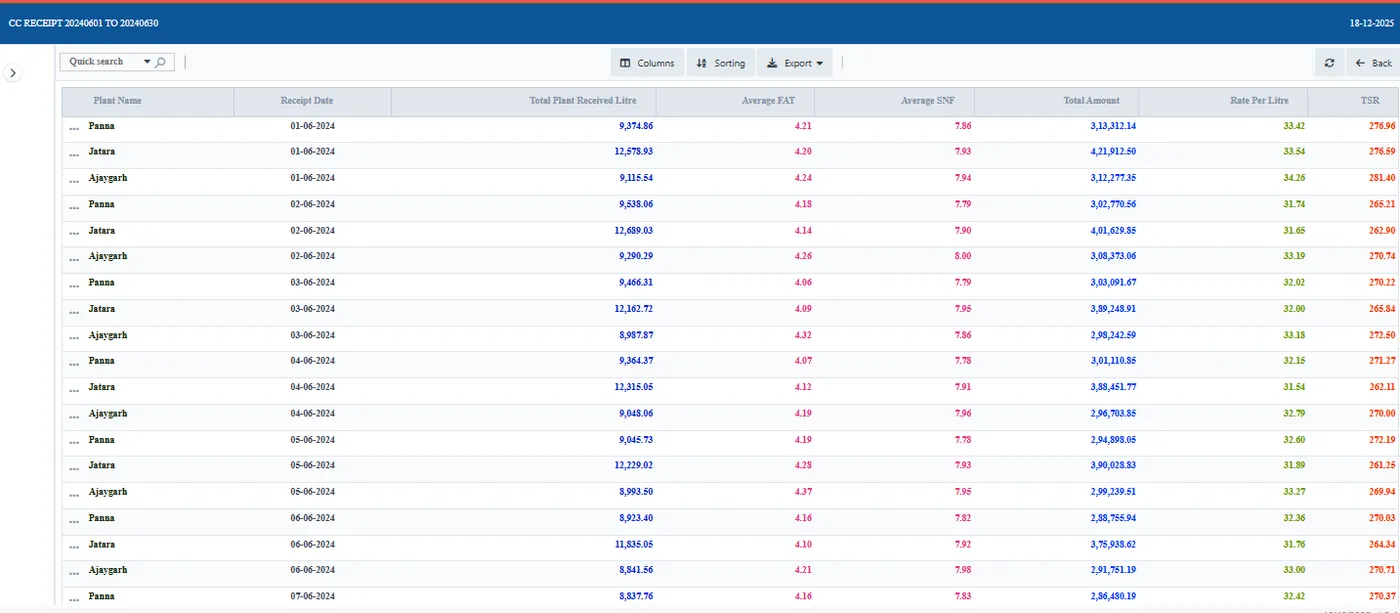
Chilling centre receipts with landing TSR, day by day.
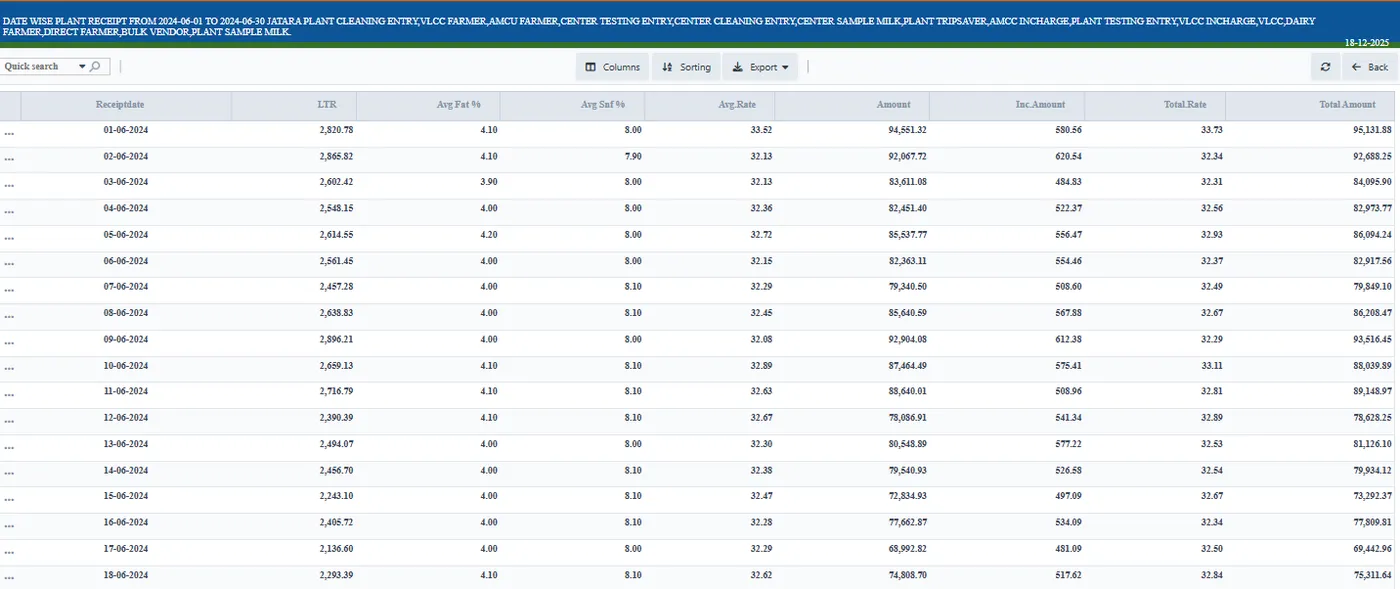
All collection for a day and shift in one consolidated report.
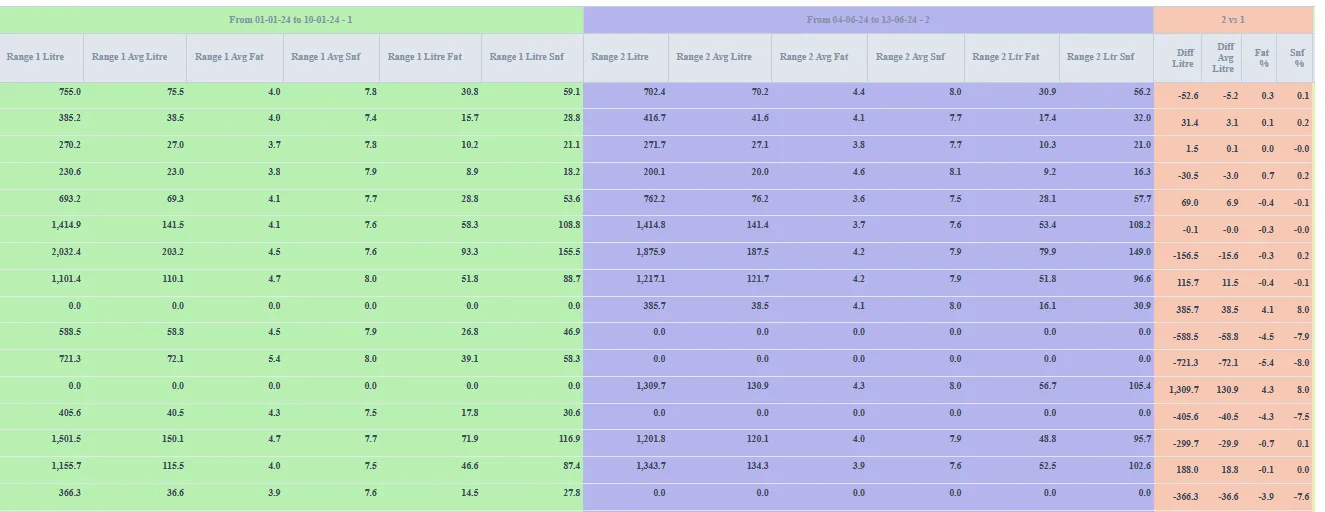
Cost of milk collected through each village centre.
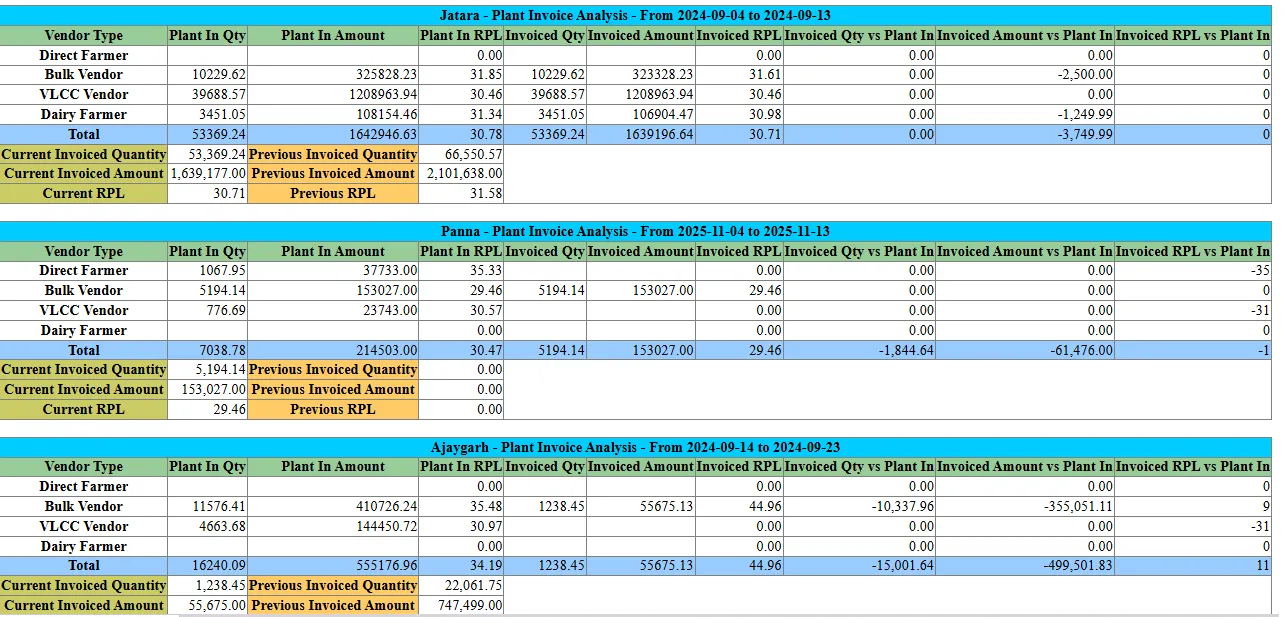
Invoices analysed by centre and by plant.
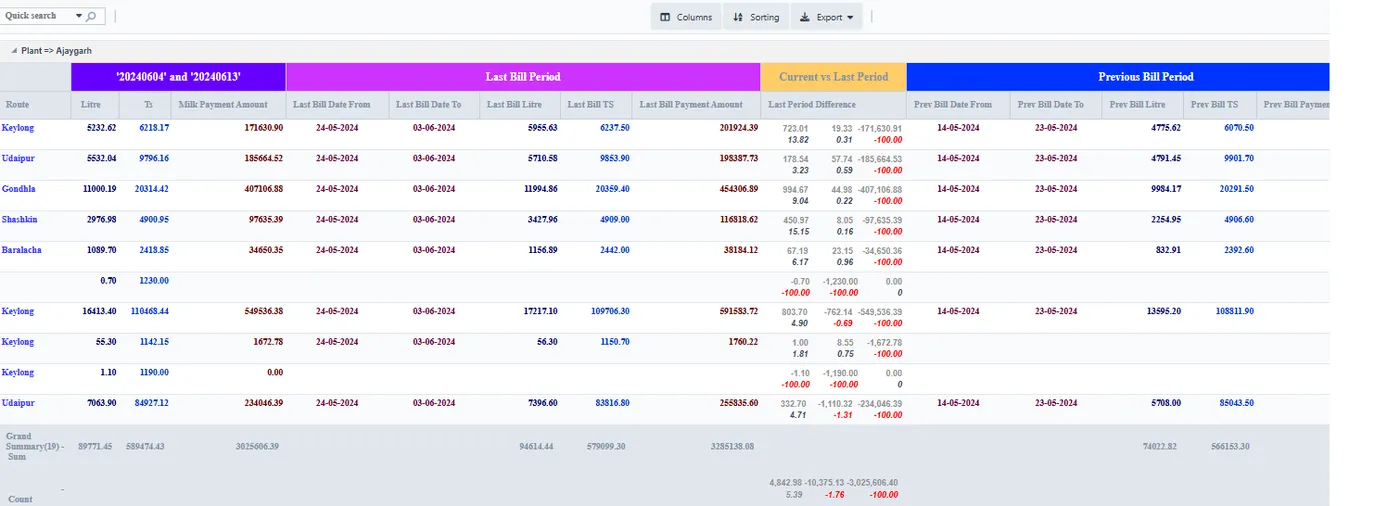
Compare the last two bills, or any three dates, side by side.
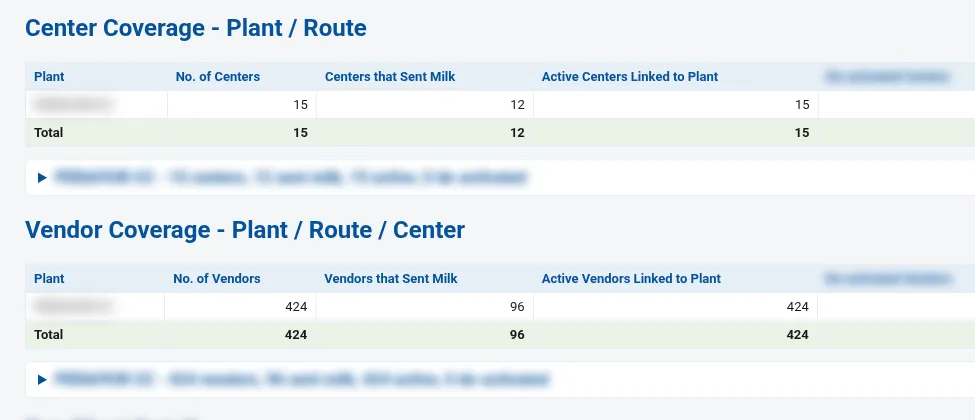
Vendors compared on what they delivered at the plant.
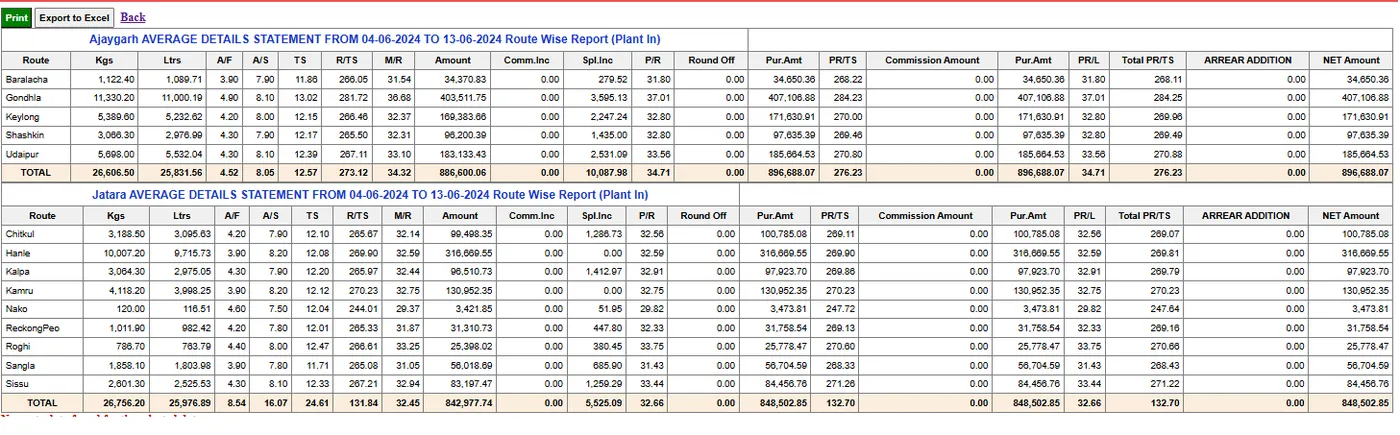
Average volume and quality for each route.
Seasonal trends and milk movement over time.
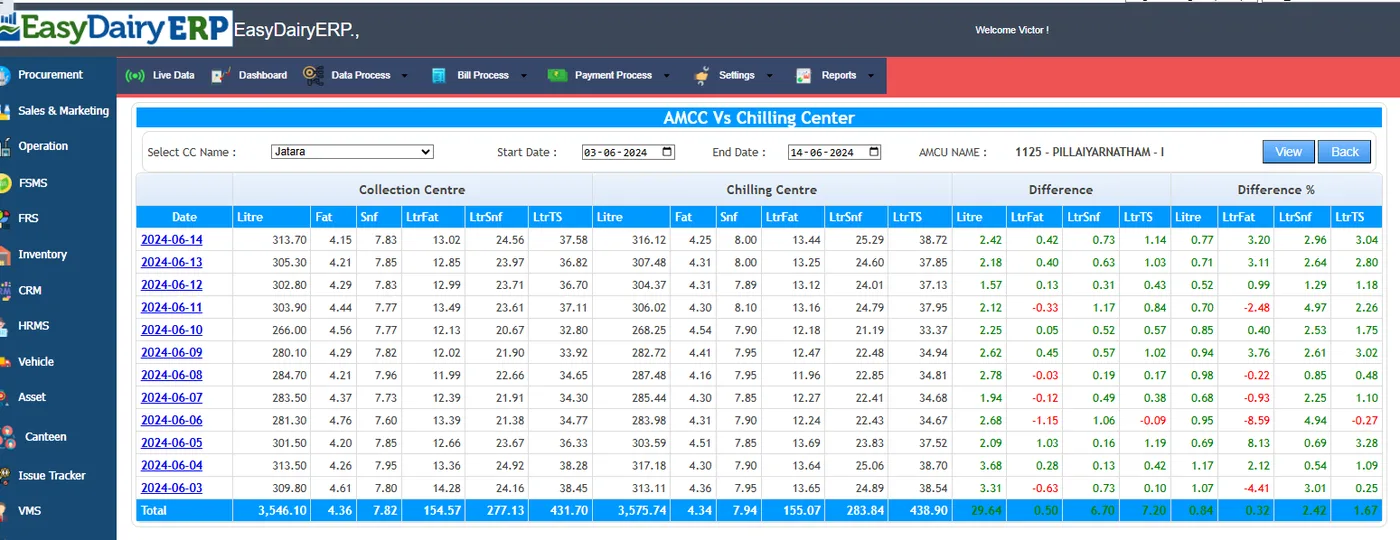
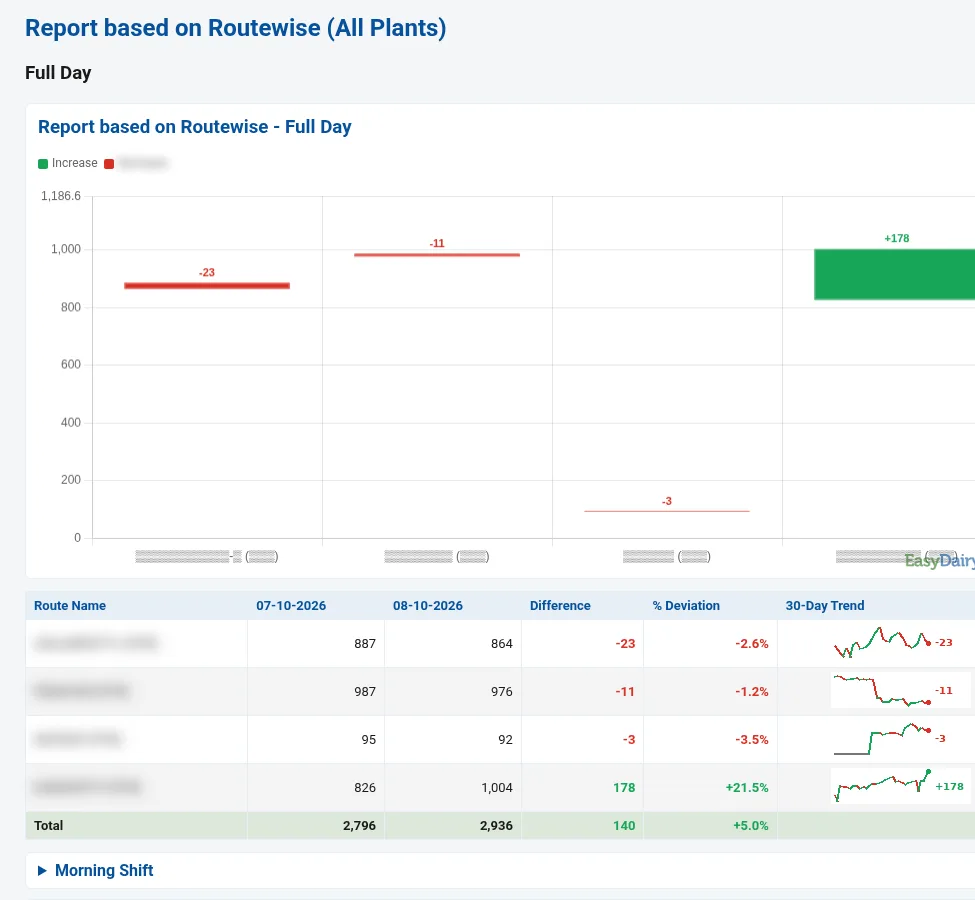
Procurement trend changes; CC purchase vs CC dispatch vs dairy acknowledgement.
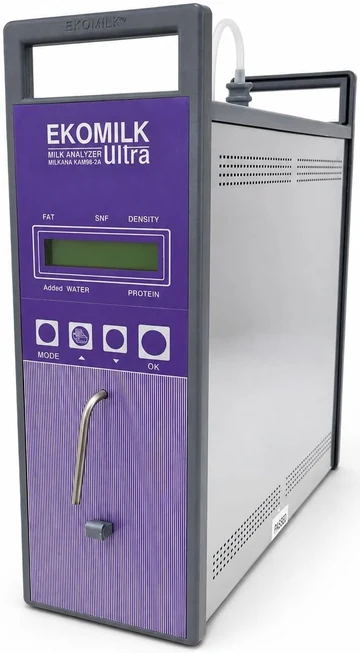
Headline claims.
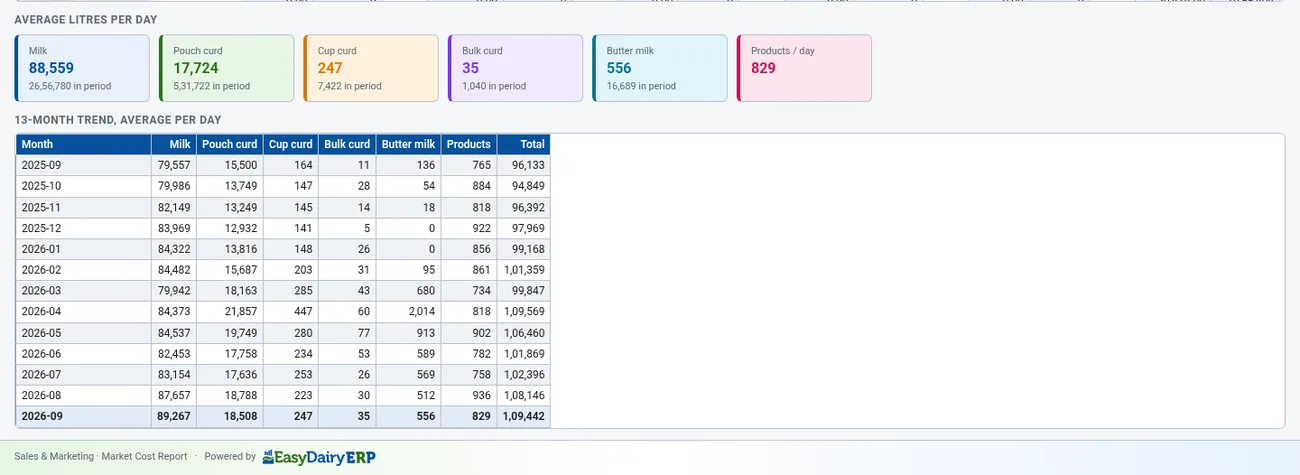
Presentation image.
Part of the monthly updates, at no extra cost. See New Features for the full list.
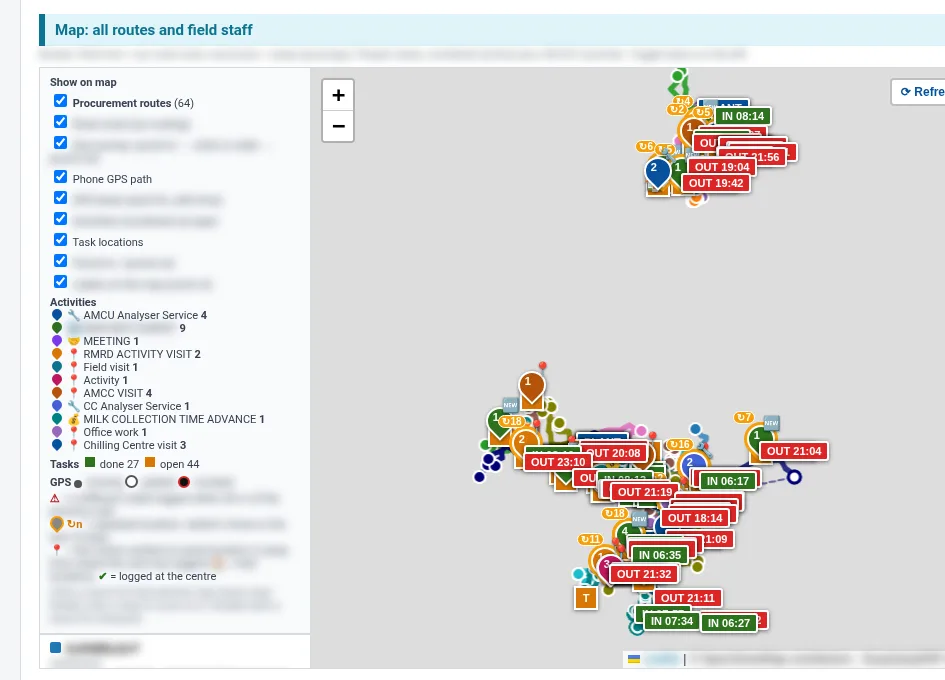
Procurement officers, AMCU service engineers and field staff on one map, with routes, GPS beats, numbered activity pins, tasks and punch-in/out. Layers can be toggled. Per-person cards show claimed km vs road km, GPS beats, longest silence, activities and open tasks. Activities are linked to the centre, plant, route and GPS location. There is a plant-wise view.
After every shift, each plant gets a mail with charts embedded, centre- and plant-wise coverage, and started/stopped centres flagged. No mail is sent when there is no volume.
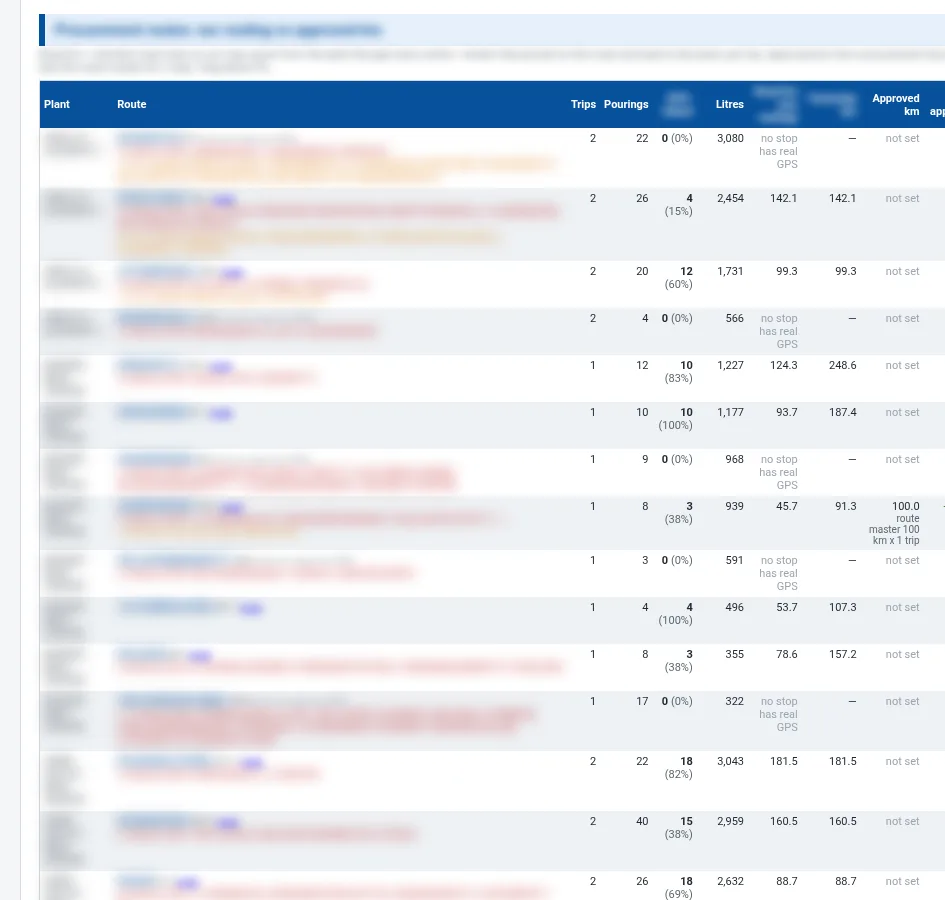
Continuous tracking from punch-in to punch-out for procurement officers, AMCU service engineers and sales officers. It compares claimed km (bike allowance or odometer), road km (routed on the map server) and GPS km (the phone's own beats), and highlights claims above road km in red. Mocked GPS is marked.
The demo tour walks through these functions in the order the milk moves, with a picture and a link to the Docs for each.
| App | EasyDairyERP (Android and iOS) |
|---|---|
| Dashboards | Procurement Dashboards 1-3; dashboard menu; year-on-year trend |
| Comparisons | Day vs range, range vs range; plant-wise comparison |
| Monitoring | Centre data availability, milk pouring time |
| Maps | Centre GPS location with volume trend; route-wise volume trend maps |
| Quality | Quality Volume Dashboard; HQM and LQM finders |
| Solids | Centre-to-CC TS matching view |
It is the EasyDairyERP app for Android and iOS, used by management and the procurement team.
Yes. Center Data Availability shows it shift by shift.
Yes. The quality-volume matrix and the HQM and LQM finders show quality by plant, centre and band.
Yes. Centre GPS locations are shown with their volume trends.
Every module page walks through the screens, reports and mobile apps in the same way, so you can see exactly how EasyDairyERP fits your dairy.
When you have seen enough, we are happy to show it to you live on our sample data: book a demo or call +91 94880 59495.