
What these guides cover
HR, attendance and payroll
- Employee type, new employee, employee master (docs)
Apps, downloads and resources
- Documentation / knowledge base: System overview, workflow (downloadable PDFs), how-to docs for procurement, sales, stores, HRMS; features and functional-area index
How-to guides
2 click-by-click guides. Each guide is shown below exactly as published on Scribe; open the step summary for a quick text version.
Adding Employee Type
This guide is being updated and is not available right now. Try it on Scribe ↗
Adding New Employee
Open in Scribe ↗Step summary (text)
- Sign in
- Click HRMS
- Select the Organization and click “OK”
- Select Employee Type and click “OK”
- Go to Settings -> Employee
- Click “Add New”
- Fill all the Mandatory details and click “Add”
Employee Master
Open in Scribe ↗Step summary (text)
- Sign in
- Click “HRMS”
- Select the Organization and click “OK”
- Select Employee Type and click “OK”
- Adding New Department: Settings -> Department
- Click “Add New”
- Fill the mandatory details and click “Add”
The HRMS set-up, step by step
On this page
Masters1. Organisation, employee type and departments
Sign in and open HRMS, select the organisation and the employee type. Under Settings, add departments.
Departments are used for approvals, attendance and payroll grouping.
Masters2. Adding employees
Under Settings → Employee, choose Add New and fill in the mandatory details, then Add.
Once added, the employee punches in through the attendance methods set up for the dairy, and field staff punch in from the app under Task & Attendance with a selfie and the odometer reading.
CycleThe HR cycle
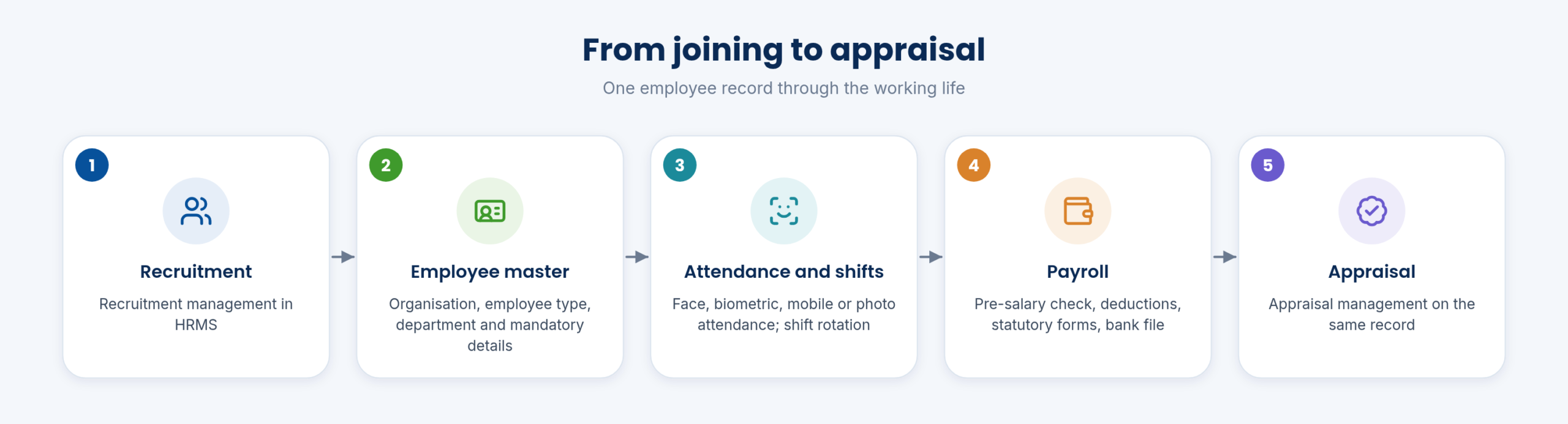
From joining to appraisal, the employee record carries attendance, shifts, leave, payroll and statutory forms.
See Easy Human Resource Management System for each step.
Keep exploring at your own pace
Every module page walks through the screens, reports and mobile apps in the same way, so you can see exactly how EasyDairyERP fits your dairy.
When you have seen enough, we are happy to show it to you live on our sample data: book a demo or call +91 94880 59495.