
Key feature
AMCC mobile app
Install on any Android phone in any village, connect to a milk analyser and compatible weight scale, capture quality and quantity and send directly to EasyDairyERP; no DPU required.
The AMCC app turns any Android phone into an automatic milk collection centre. Connect the EkoMilk Ultra, Ultra Pro, Essae or Ultra DPS analyser and the weighing scale you already own, by USB or Bluetooth, and every reading goes straight to your server and the farmer’s phone.
The Automatic Milk Collection Center (AMCC) app is for the village society or centre in-charge. Install it on any Android phone in any village, connect it to the milk analyser and a compatible weighing scale the centre already has, and the phone becomes the collection centre: it reads quality and quantity, bills the farmer on the phone and sends the data straight to EasyDairyERP. No DPU is required.
Below, each part of a collection shift is explained in turn: setting up the centre, connecting the devices, capturing farmer by farmer, working without network, receiving rates from the office and keeping the process secure.
The AMCC app is installed on an ordinary Android phone. The in-charge connects the milk analyser and the weighing scale to it and starts the shift. From then on, each farmer’s milk is tested and weighed, the reading is captured by the app, and the record is saved, billed and sent to the dairy’s EasyDairyERP server.
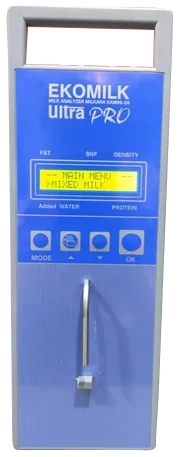
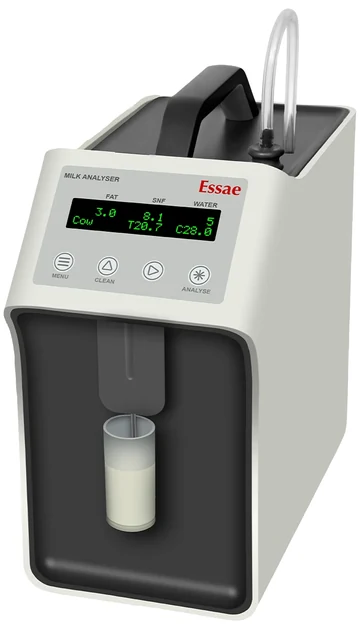
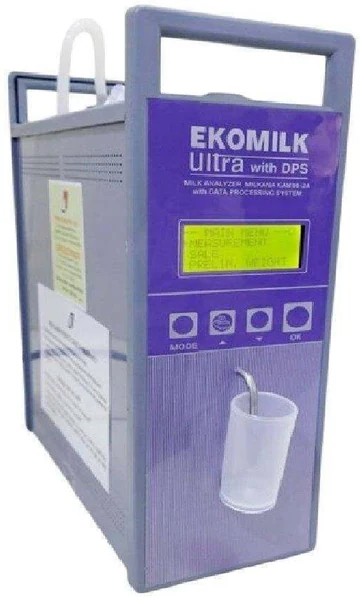
The app captures data from EkoMilk Ultra, Ultra Pro, Essae and Ultra DPS analysers on any Android phone. Because it replaces a dedicated processing unit, a centre needs no DPU: the phone does that job, and the same phone can be replaced or swapped without changing the centre’s set-up in the ERP.
A village centre can be automated with a phone, the analyser and a compatible scale, and its data reaches the ERP directly.
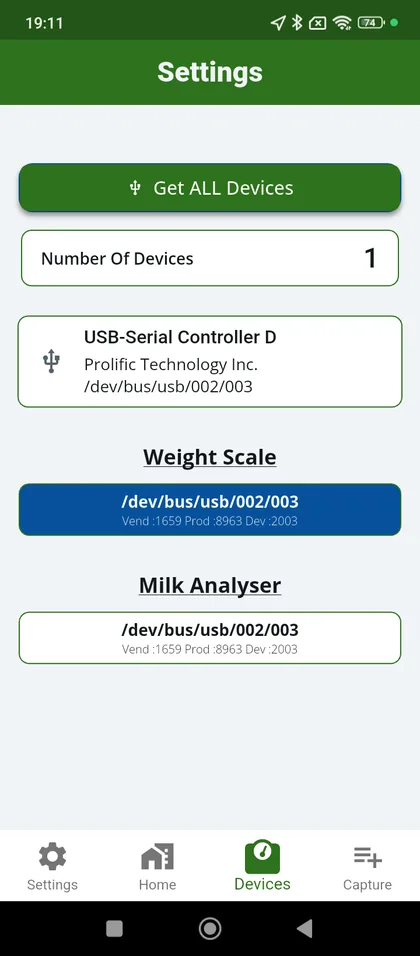
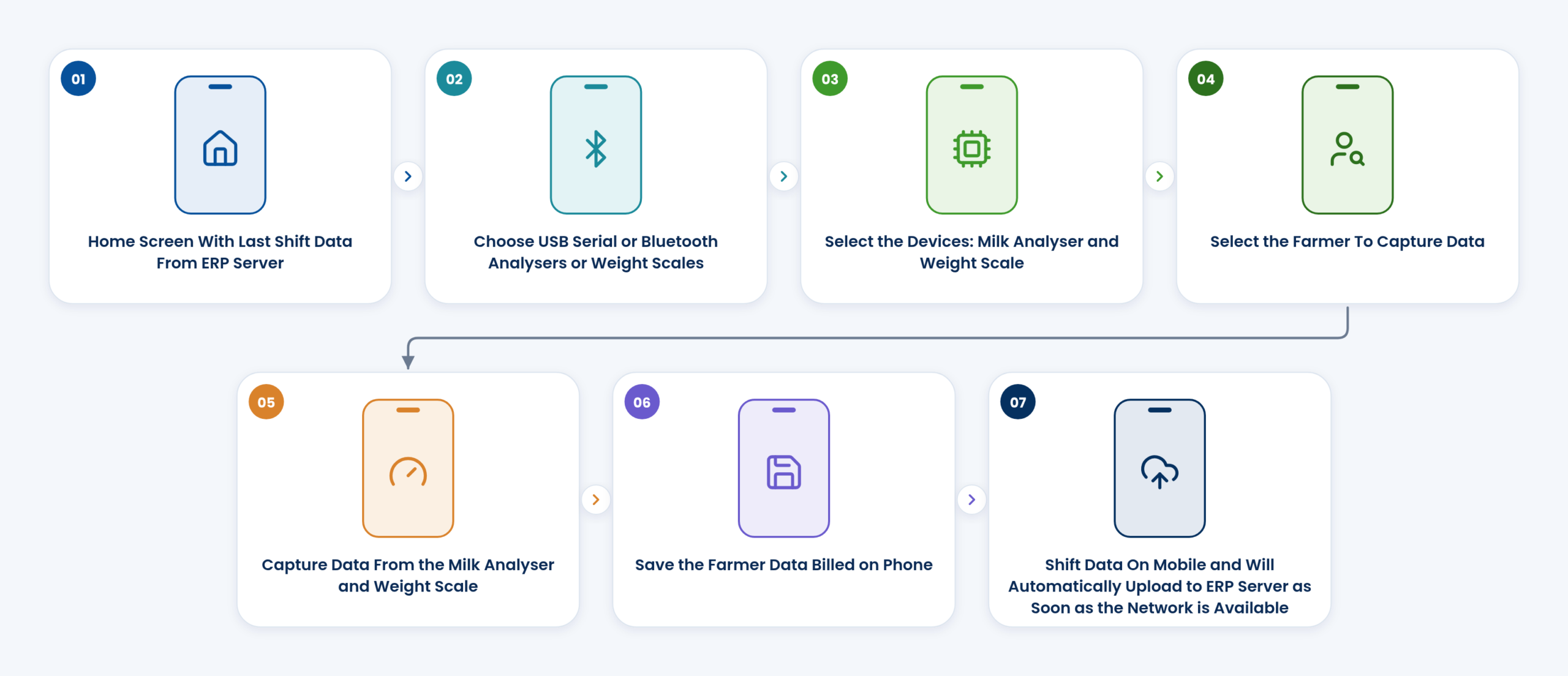
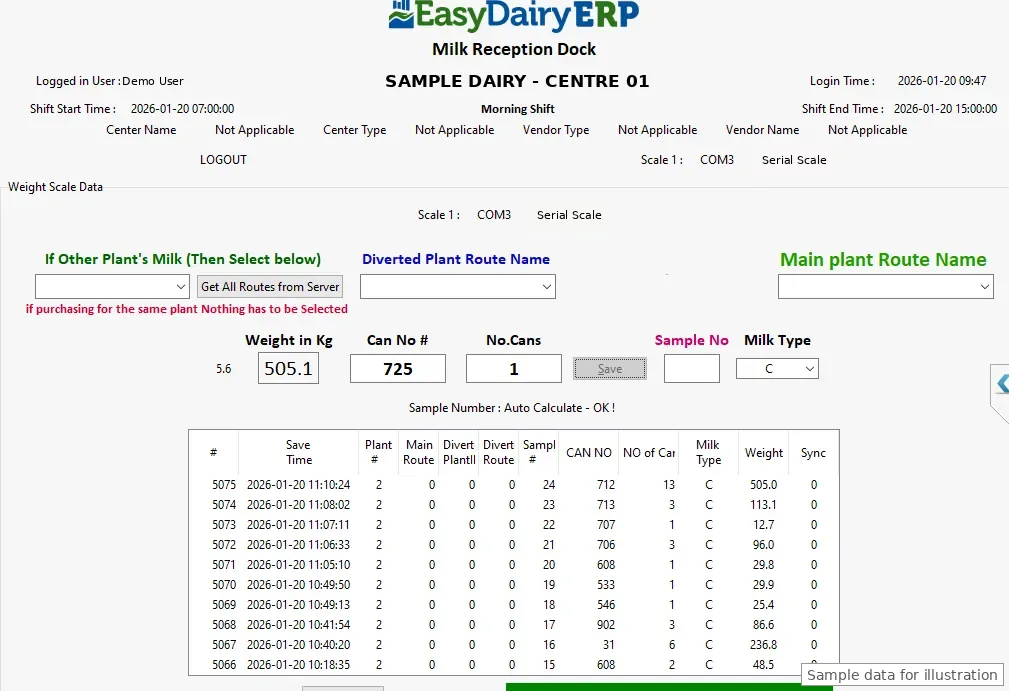
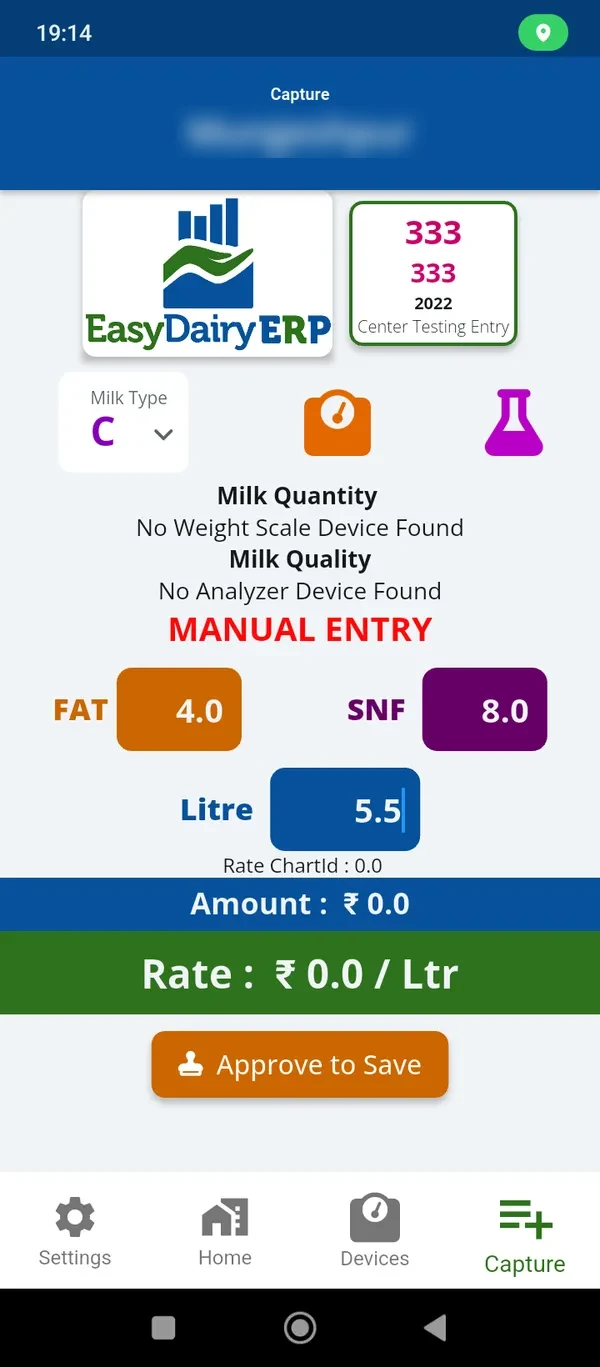
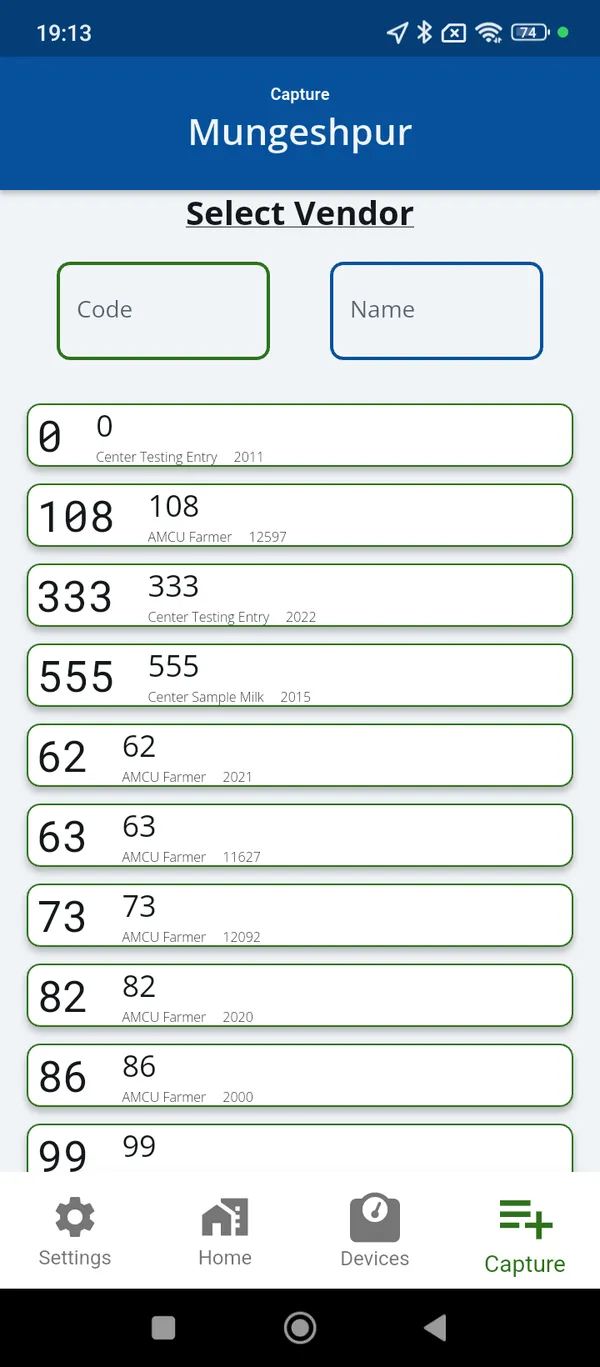
The diagram shows a shift as the in-charge runs it: the home screen with the last shift data from the ERP server; choose USB serial or Bluetooth analysers and scales; select the devices; select the farmer; capture from the analyser and scale; save the farmer data billed on the phone; and the shift data on the phone uploads automatically to the ERP server as soon as the network is available.
Each of these steps is described in detail in the sections that follow.
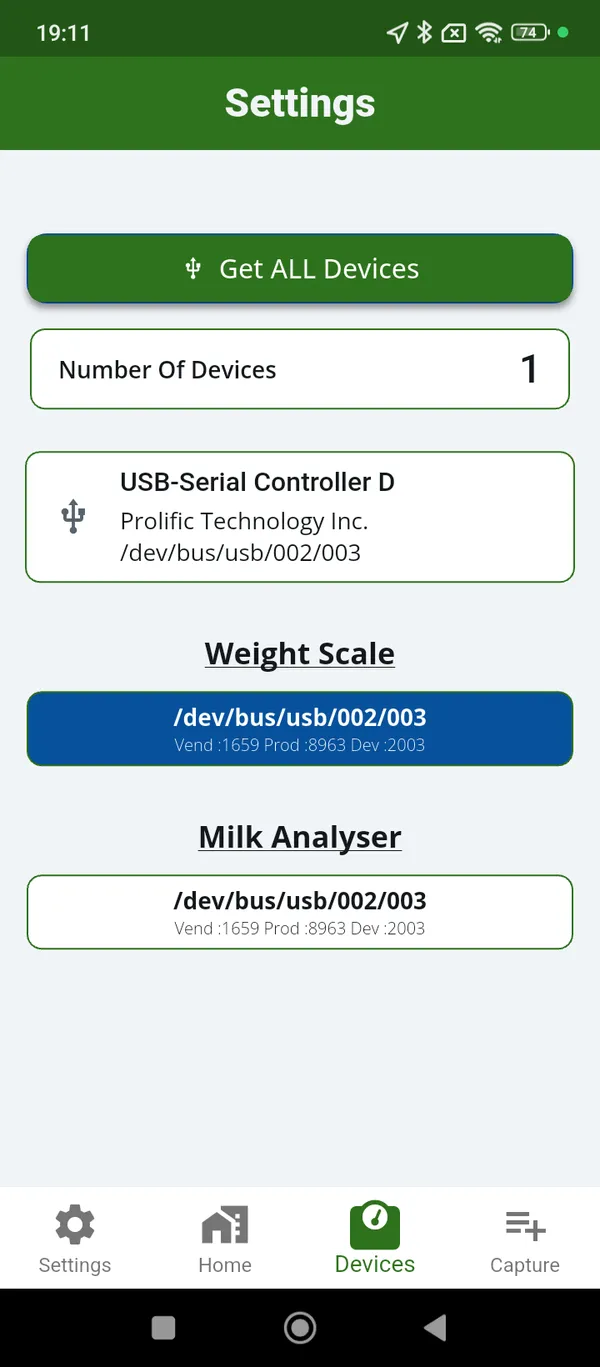
In the app’s device settings the in-charge chooses how each instrument is connected: USB serial or Bluetooth for the analyser, and USB serial or Bluetooth for the weighing scale. The devices are then selected, and the app reads them for every farmer from then on.
Settings also hold the sync options, so the in-charge can see what has been uploaded and trigger a sync.
The centre uses the instruments it already owns, and readings flow from them without typing.
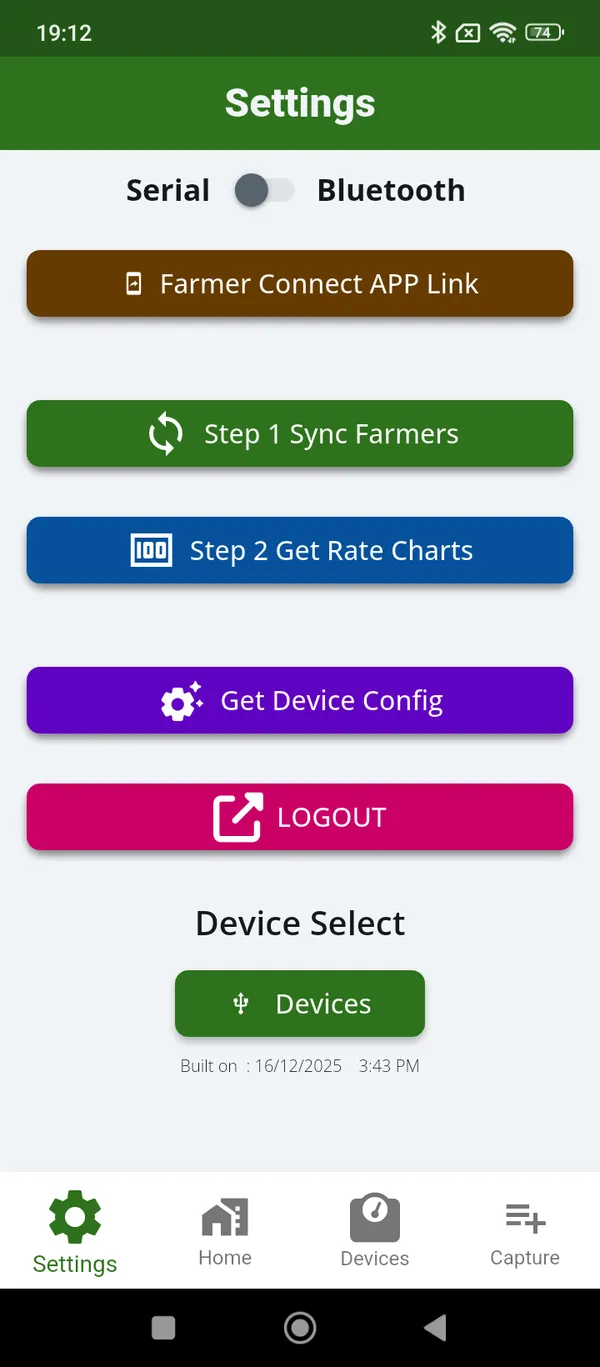
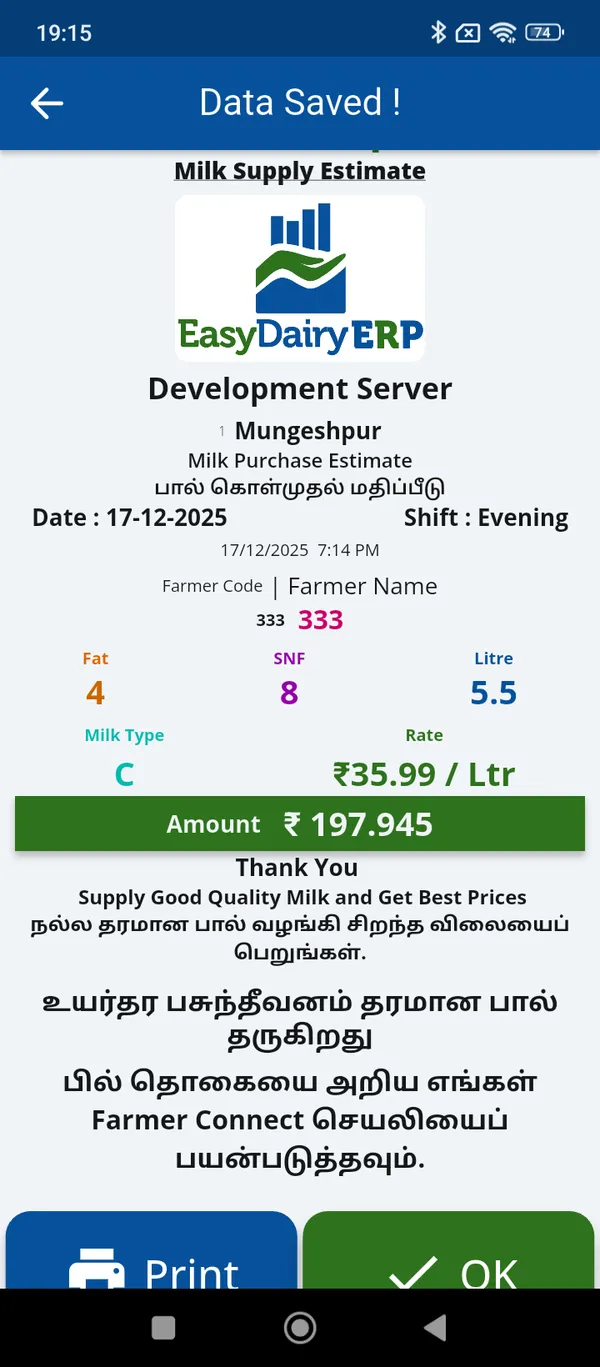
For each farmer the in-charge selects the farmer, the analyser reading and the weight are captured, and the farmer data is saved and billed on the phone. FAT, SNF, added water, CLR and weight are all captured automatically by the app.
The saved record produces the milk slip, and the same pouring reaches the farmer in the free Farmer Connect app. Village-level quality and quantity are therefore known at the moment of collection, not when the register is typed up.
The farmer sees the same figures the dairy will pay on, at the moment the milk is poured.
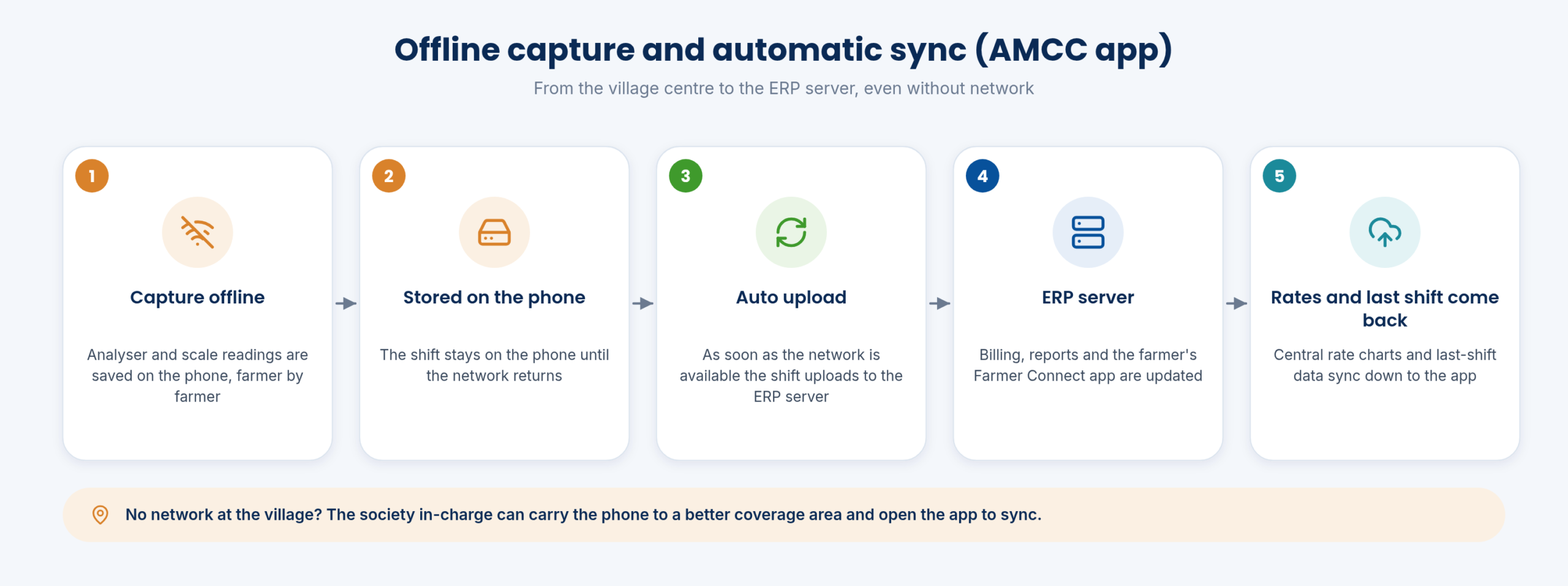
Many villages have weak or no mobile network at collection time. The AMCC app captures online and offline: when there is no network, every farmer’s record is stored on the phone, and the shift uploads automatically to the ERP server as soon as the network is available.
If the village has no coverage at all, the in-charge can take the phone to a better coverage area and open the app to sync. The home screen shows the last shift data from the ERP server, so the in-charge can confirm that the previous shift reached the dairy.
No shift is lost and no shift is re-typed because the village had no network that morning.
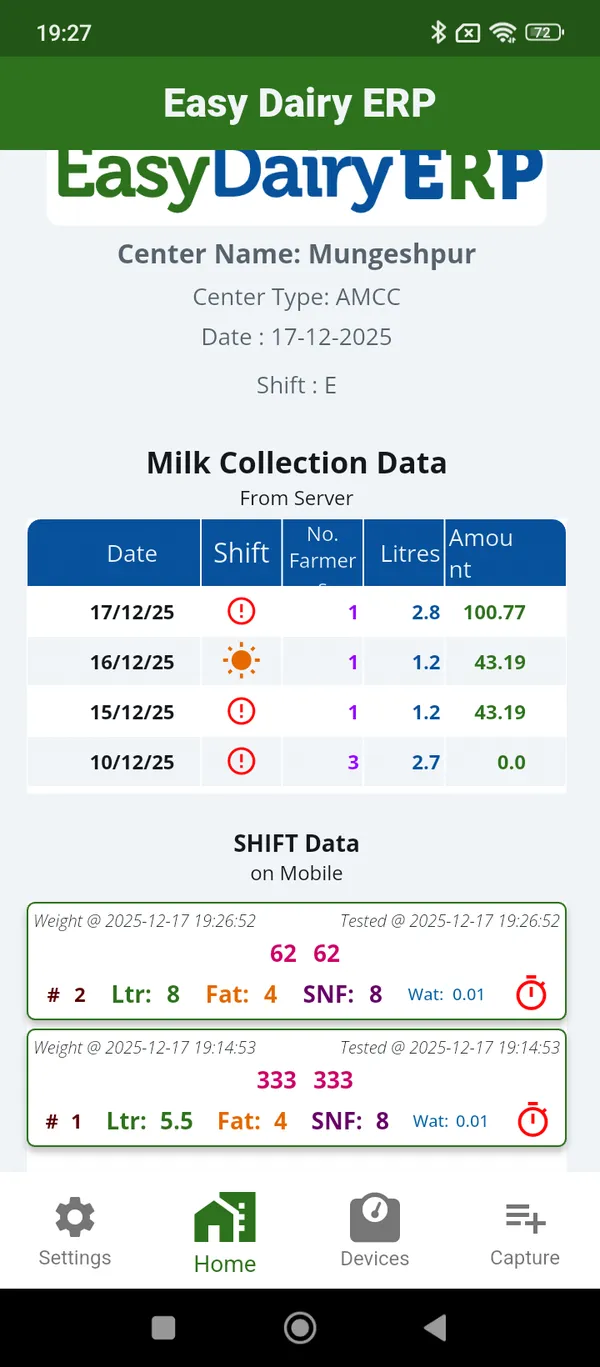
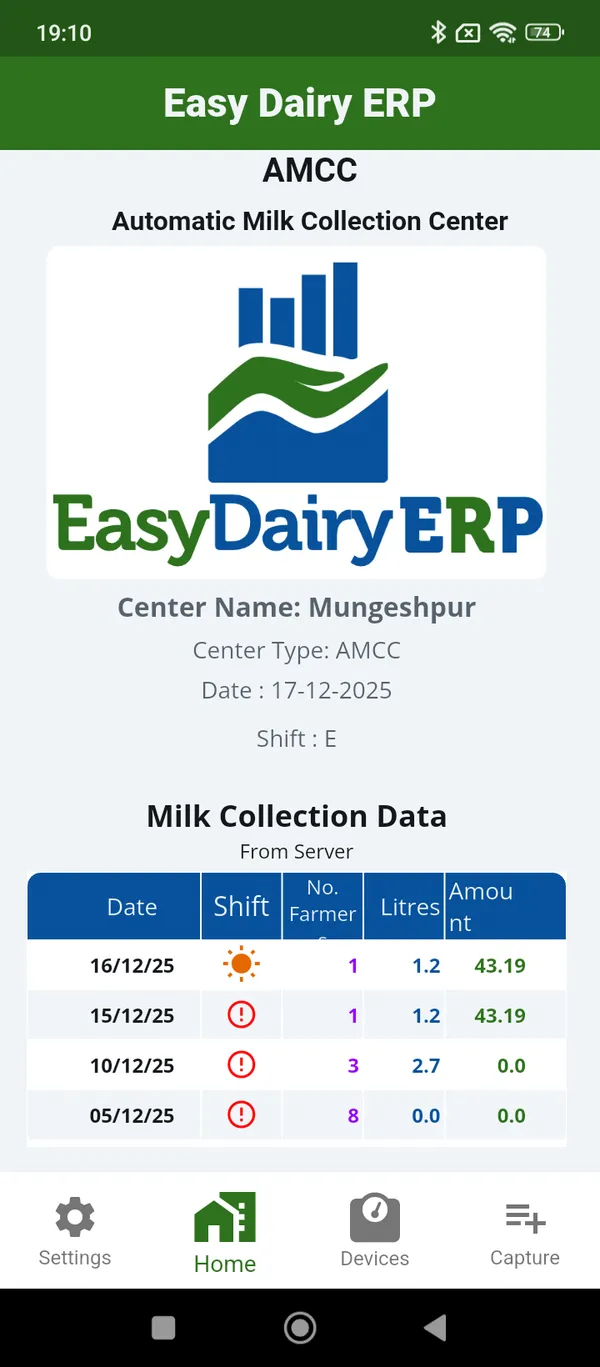
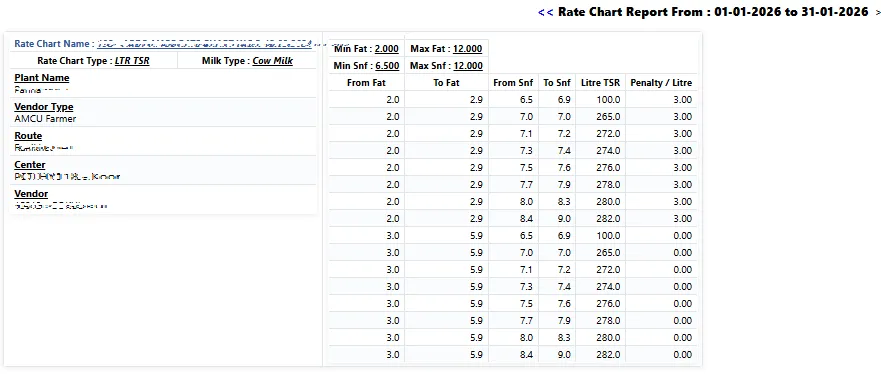
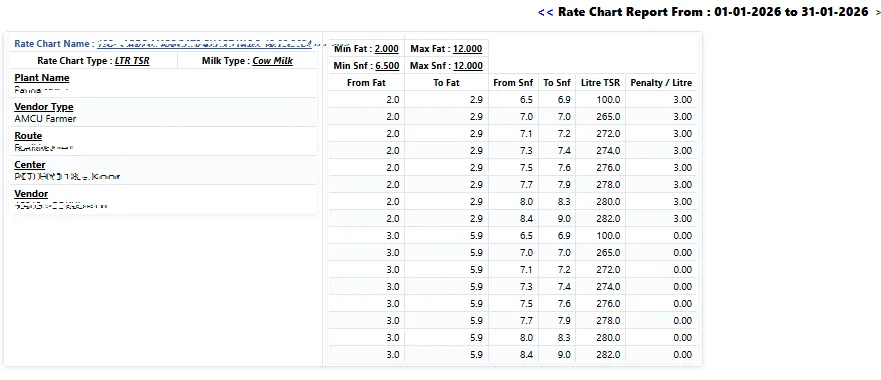
Rates are not set on the phone. The rate chart is managed centrally in EasyDairyERP and updated from the ERP to the mobile app, so every centre bills on the rate the office has approved, from the date it was approved.
Centralised milk rate updates mean a change of rate is made once, at one location, and reaches every AMCC phone on its next sync.
No centre can bill on an old or unofficial rate.
A village-level collection centre (VLCC or AMC) is set up in procurement as a group of farmers with an in-charge, who collects the milk, tests it on dairy-provided equipment, consolidates it and sends it to the plant or chilling centre. Village level collection centre management, with the centre in-charge, sits in the same masters.
Because every society’s data arrives as it is collected, the dairy sees real-time milk collection per society, which raises efficiency in collection. Data can also reach the ERP from existing centre equipment, through automatic collection from village centres and automatic upload over FTP or API behind a firewall.
Every society is visible in real time, and every centre, automated by phone or by existing equipment, feeds the same system.
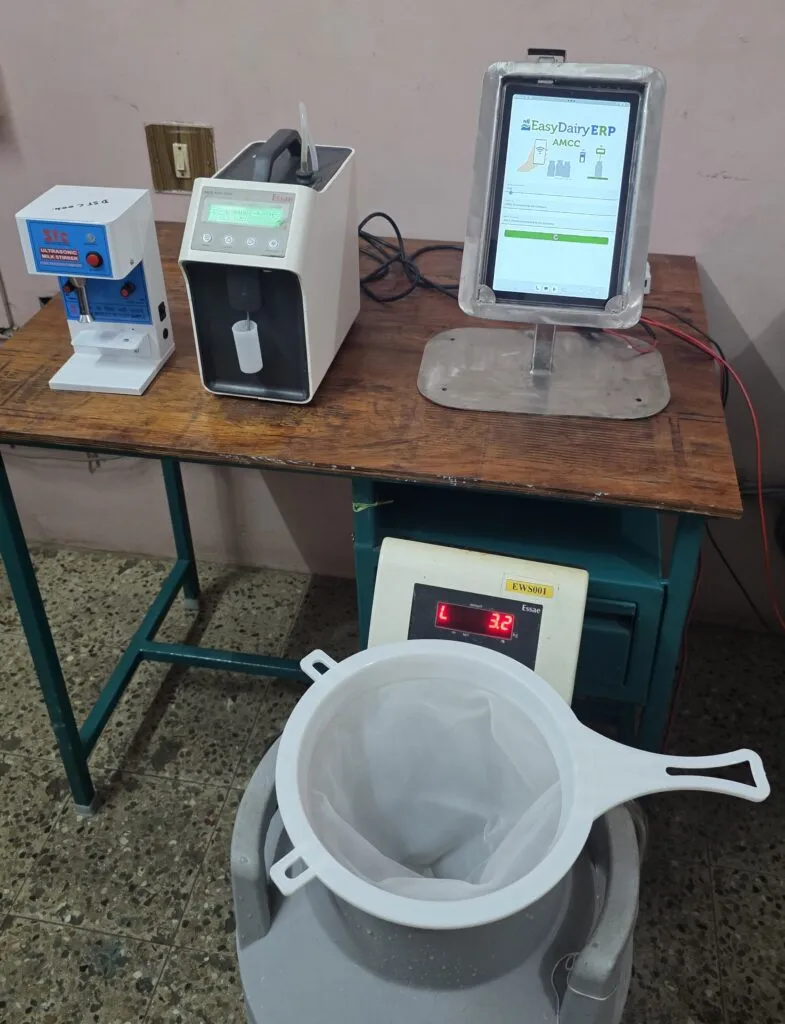
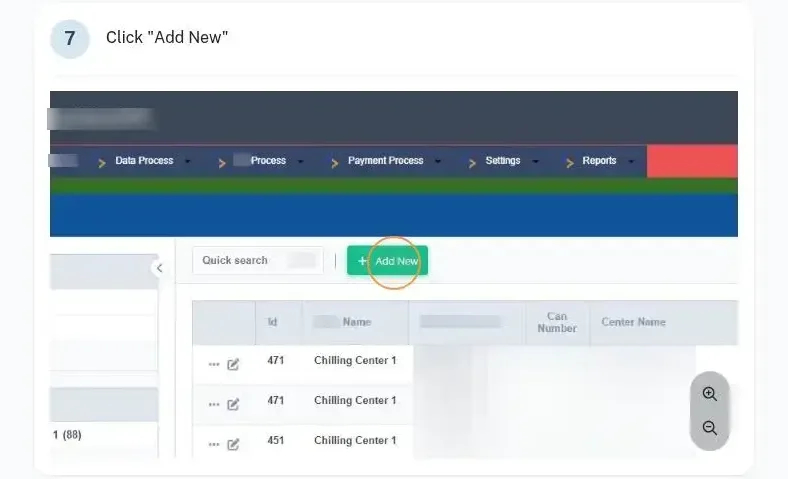
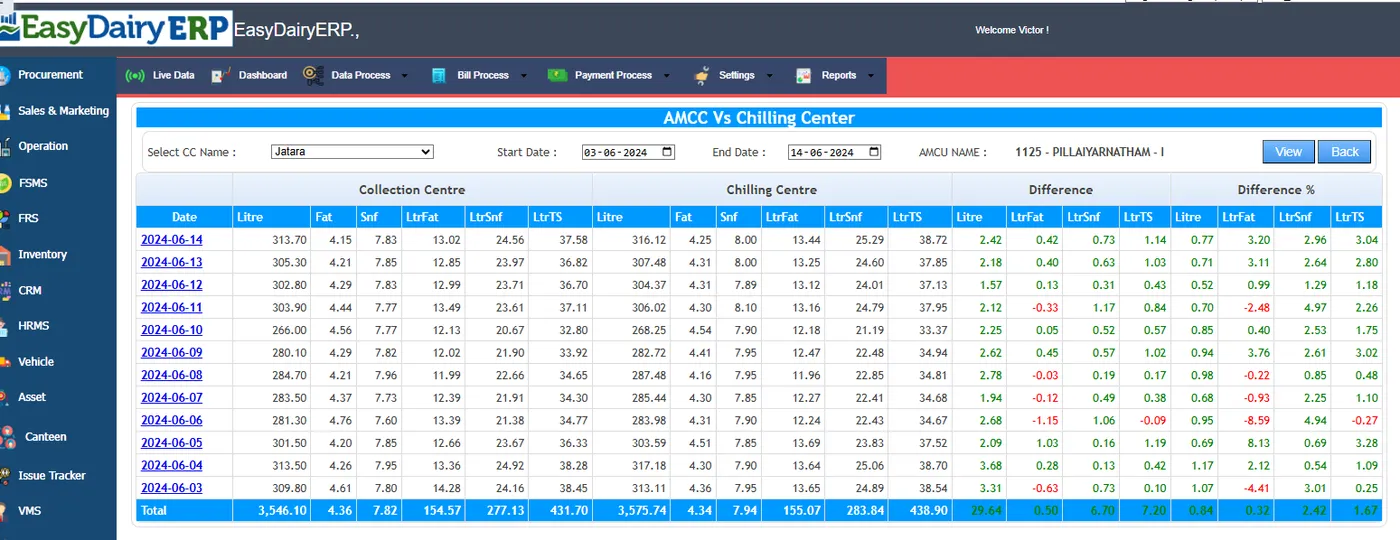
The collection process is designed for assurance of no losses in milk collection: readings come from the instruments, the record is billed on the phone and sent to the server, and the same figures reach the farmer’s app. The AMCC versus chilling centre comparison then checks that what was collected arrived.
For centres that prefer a desktop, Chilling Center / AMCU for Windows is available as a download, alongside the Android app.
Collection data can be trusted from the village to the bill.
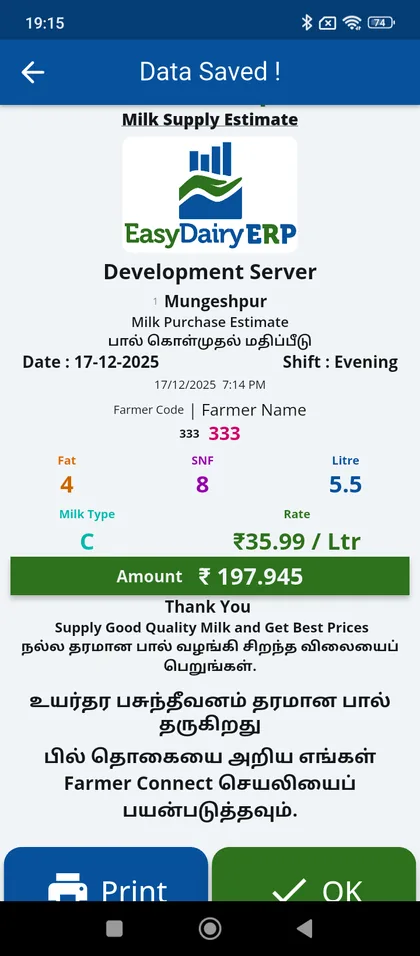
All 16 functions of the AMCC app, one card each. Orange cards are key features.
Install on any Android phone in any village, connect to a milk analyser and compatible weight scale, capture quality and quantity and send directly to EasyDairyERP; no DPU required.
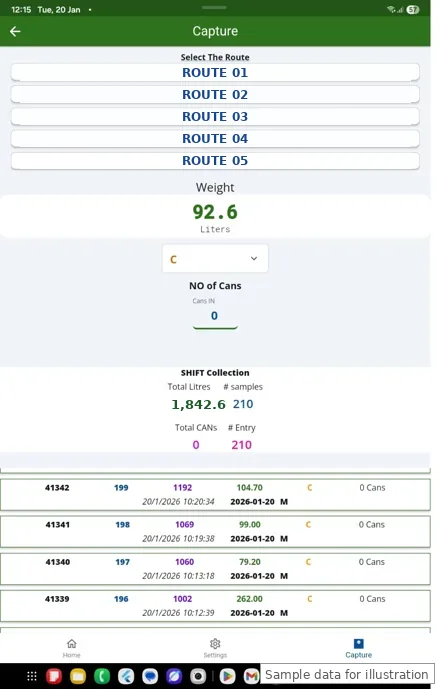
Choose USB serial or Bluetooth analysers and weight scales; select the devices.
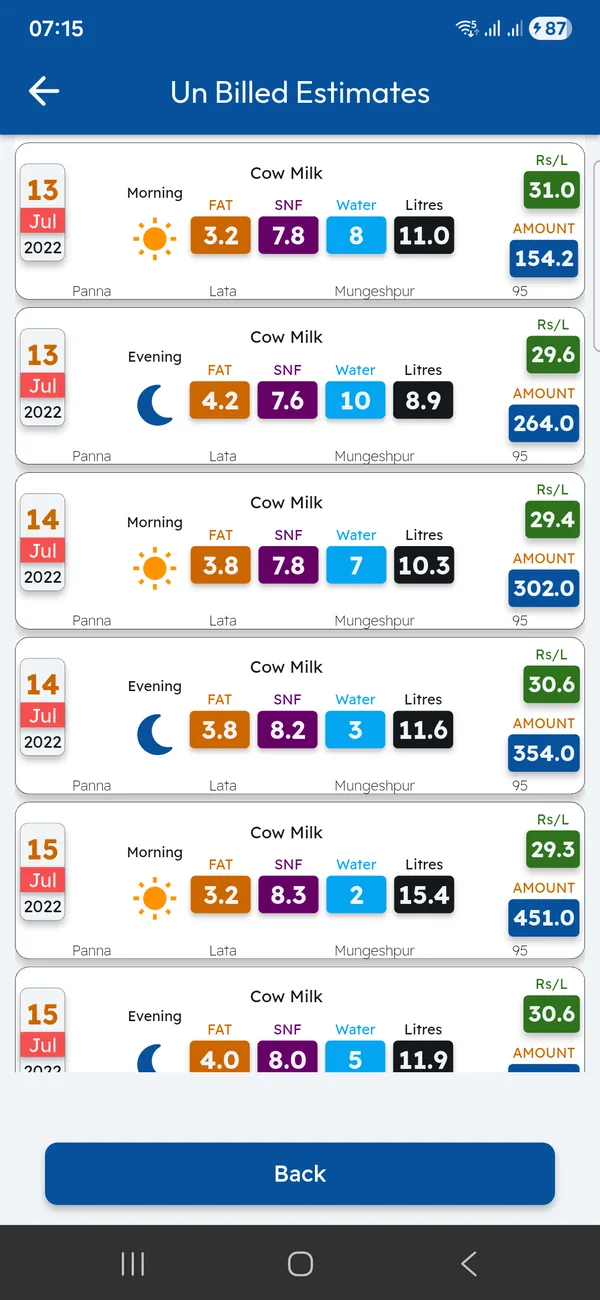
Home screen shows last shift data from the server.
Online and offline capture; in-charge can take the phone to better coverage to sync.
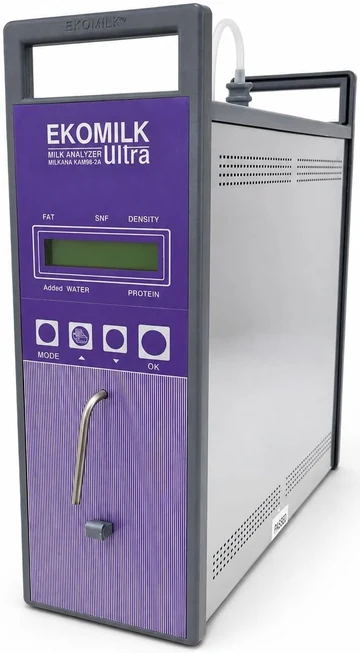
Captured automatically using EasyDairyERP applications.
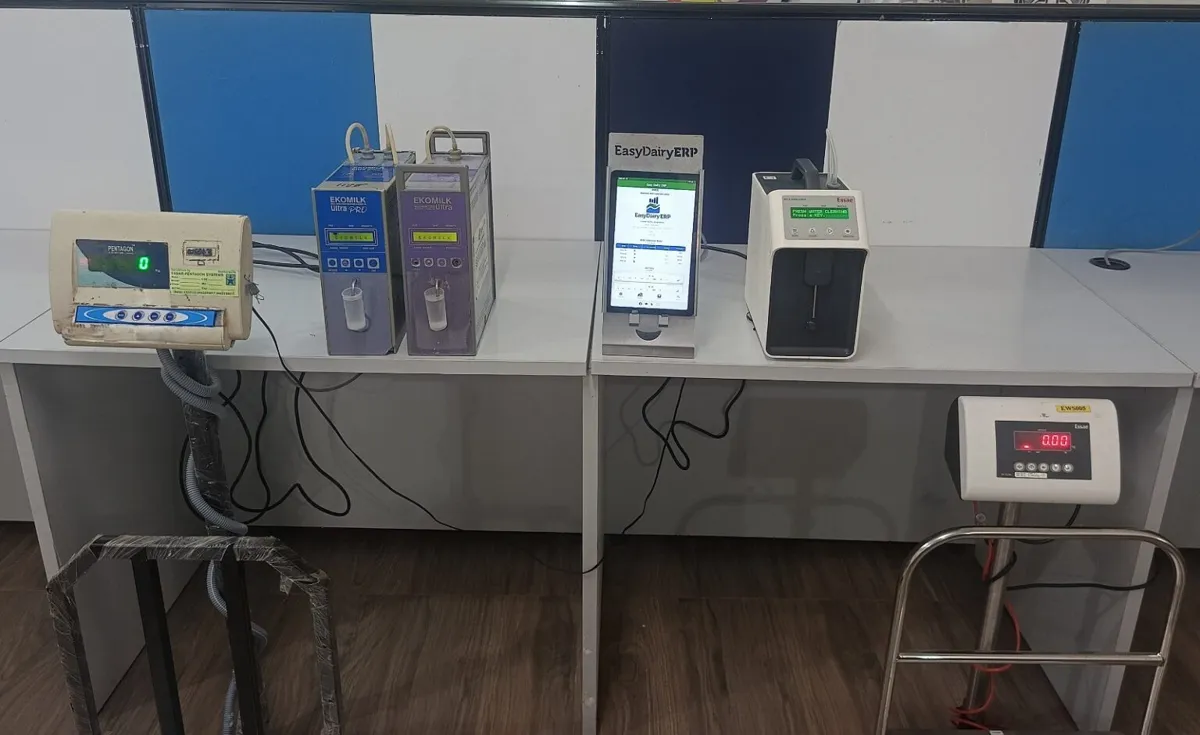
Automatic data collection from village-level milk collection centres; automatic data capture from CC / village level centre.
Data from VLCC equipment transfers via FTP / API automatically to EasyDairyERP.
Milk data quality and quantity capture from village level.
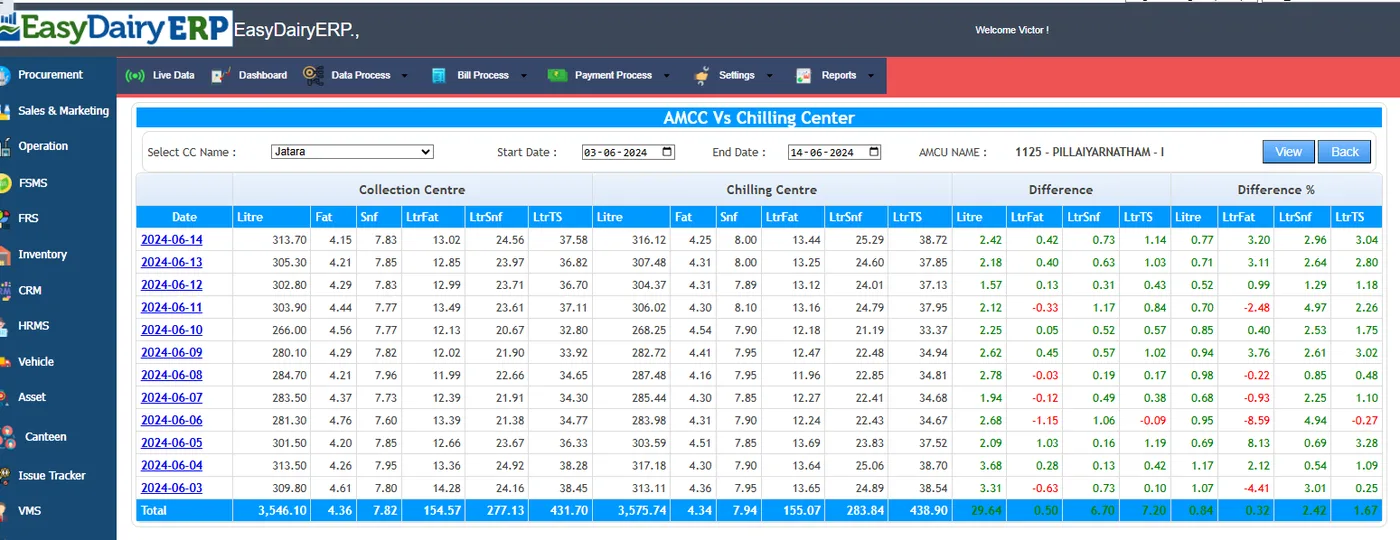
Village level collection centre management (dairy), centre in-charge.
How-to: society / village-level centre set-up; group of farmers; in-charge collects, tests on dairy-provided equipment, consolidates and sends to plant / CC.
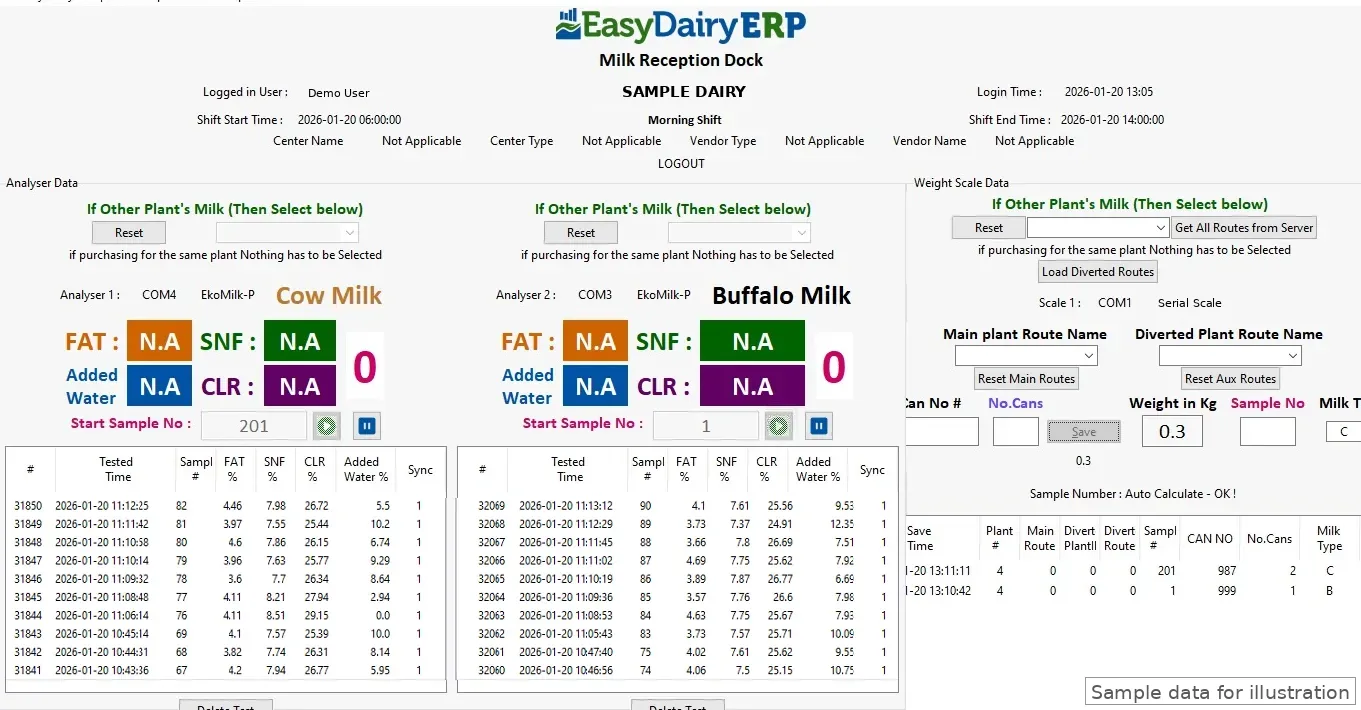
Docs workflow heading 'With TAB based Automated Milk Collection Center For Milk data Capture from Villages'.
Rates set centrally and pushed to collection apps.
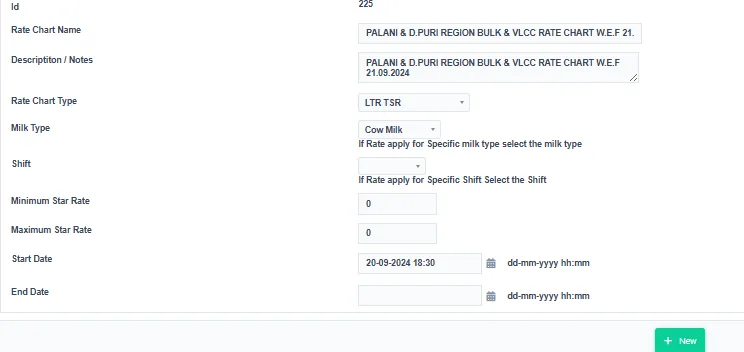
Pricing managed from one location.
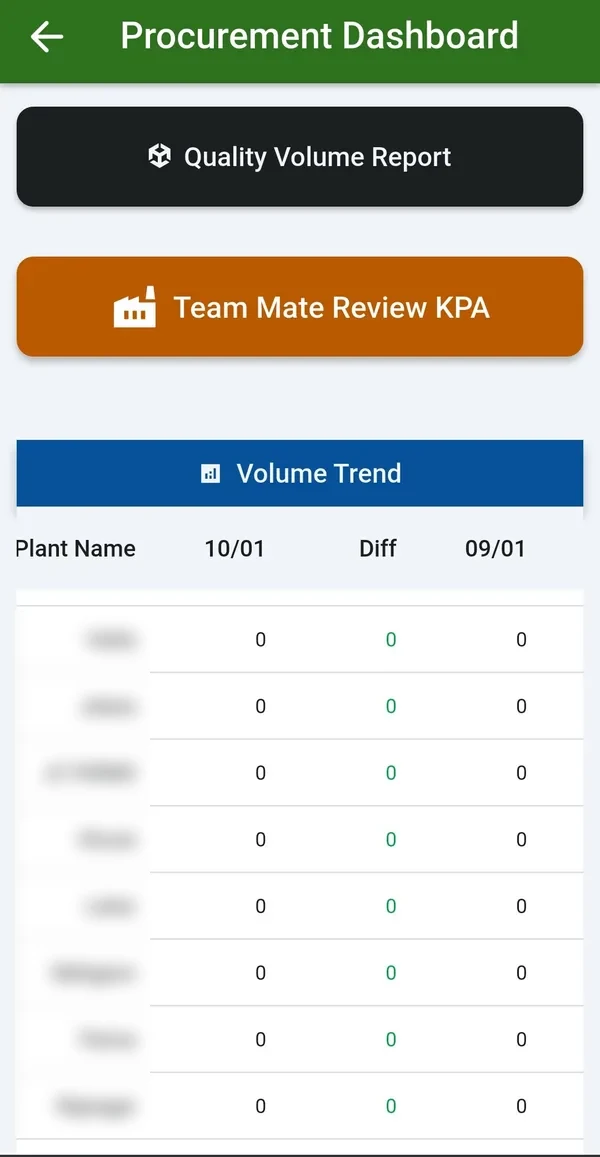
Higher efficiency in collection.
'Assurance of No Losses in Milk Collection'.
Desktop capture software download (docs footer).
Part of the monthly updates, at no extra cost. See New Features for the full list.
FAT, SNF, CLR, farmer code and sample number go straight into the desk or the mobile app, with no re-typing. USB works on a desk PC or a phone/tablet (OTG), with PL2303 and PL2303GC chips. Bluetooth uses a small serial-to-Bluetooth module. The DPS receipt-printer slip is recognised automatically, even when it arrives in pieces. Serial settings (9600, even parity) are built into the analyser profile.
The DPS end-of-shift summary is captured on the phone (with date selection for prints that cover several days). It is then matched automatically against procurement entries for that centre and date. A discrepancy page lists rows that are in procurement, waiting, not considered, or from an unlinked centre.
Each device model is a settings profile (speed, parity, data format), shared across desk, phone and tablet. Bench-tested: EkoMilk Ultra, Ultra Pro and Ultra with DPS (older data frame and DPS slip); Essae milk analyser over Bluetooth; weighing scales over USB and Bluetooth with a stable-weight lock.
One tap reads every centre folder and daily file on the DPS drive, keeping the exact date, time (to the second) and shift. It also keeps records that the usual converter tools skip (unsaved and deleted tests). Duplicates are blocked. Raw files are kept on the server for audit. One person can upload 20 to 30 centres in a few minutes.
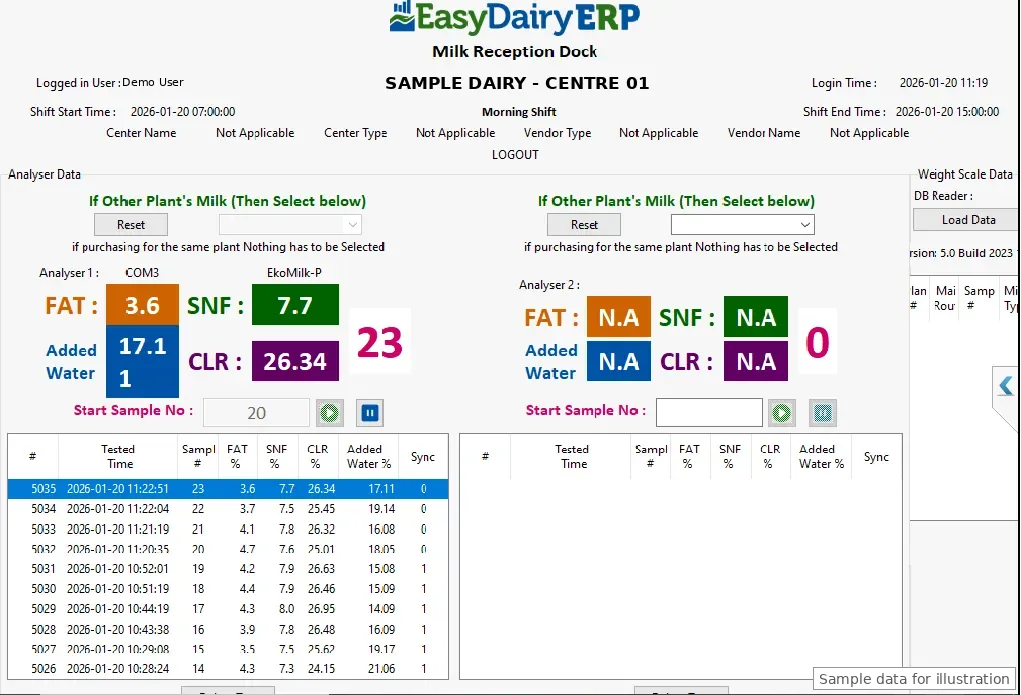
DPS works on all six analyser capture layouts. Setup takes a few clicks: type the company name, and the desk shows its Application ID, checks for approval every 10 seconds, then links and syncs. Login and configuration re-sync run in batches with a progress window, so minutes become seconds. Sample numbers stay in step across two parallel analysers, and a conflict stops the analyser.
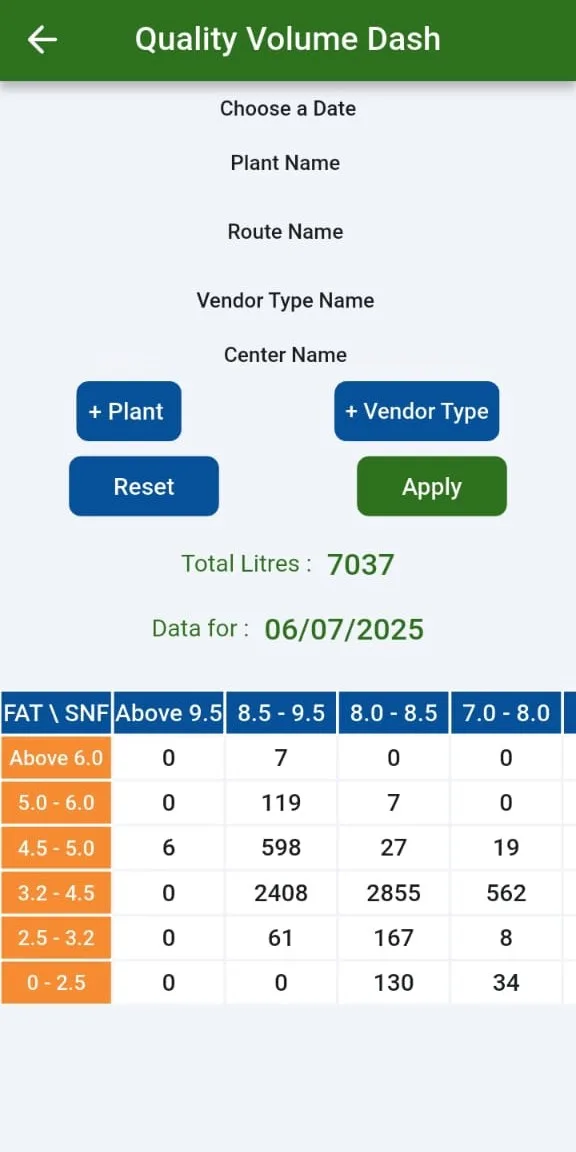
Flags a test that was not kept when, within 10 minutes, the same farmer was saved with a better FAT or SNF before any other farmer was tested. It shows each centre's share, repeat farmers and the estimated excess paid per centre and farmer. A real re-test can look the same. The report shows which centres to check and does not accuse anyone.
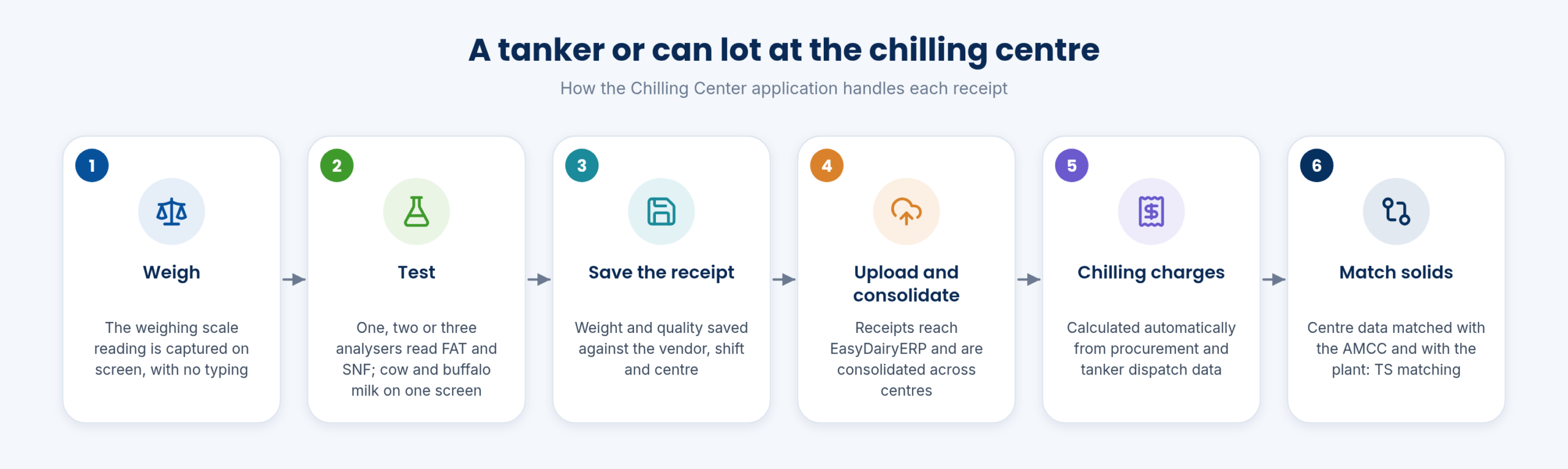
Short versions of our step-by-step guides. The full interactive guides, with every screen, are in the Docs.
The main steps:
The main steps:
The demo tour walks through these functions in the order the milk moves, with a picture and a link to the Docs for each.
| Platform | Android phone (any); Chilling Center / AMCU for Windows also available |
|---|---|
| Analysers | EkoMilk Ultra, Ultra Pro, Essae and Ultra DPS |
| Connection | USB serial or Bluetooth, for analysers and weighing scales |
| Captured | FAT, SNF, added water, CLR and weight |
| Network | Online and offline; automatic upload when the network returns |
| Rates | Rate charts updated from the ERP to the app |
| Hardware | No DPU required |
| Download | Latest app version on the Downloads page |
No. The AMCC app on an Android phone does the job, connected to the milk analyser and a compatible weighing scale.
The AMCC app captures data from EkoMilk Ultra, Ultra Pro, Essae and Ultra DPS analysers. EkoMilk and Essae are trademarks of their respective owners; EasyDairyERP is not affiliated with them.
The app captures offline and stores the shift on the phone. It uploads automatically when the network is available, or the in-charge can take the phone to coverage and open the app to sync.
No. Rate charts are managed centrally and updated from the ERP to the app.
Each pouring, with fat and SNF, reaches the farmer in the free Farmer Connect app, with the acknowledgement within 10 seconds.
The latest AMCC app is on the Downloads page.
Every module page walks through the screens, reports and mobile apps in the same way, so you can see exactly how EasyDairyERP fits your dairy.
When you have seen enough, we are happy to show it to you live on our sample data: book a demo or call +91 94880 59495.