Key feature
Key daily KPIs
Total revenue, COGS, gross profit, OPEX, net profit / loss, gross margin %, net margin %, cash received.
See how →Easy Financial Reporting Systems brings every transaction from every module into finance, and shows the profit every day.
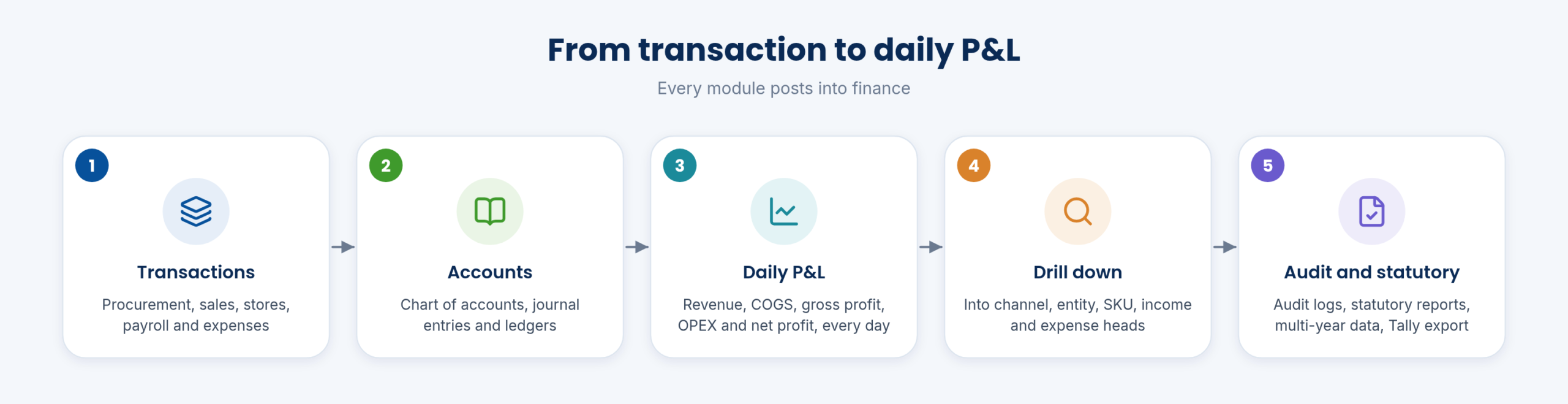
Procurement, sales, stores, payroll and expenses post into the chart of accounts through journal entries; ledgers and the daily P&L follow.
The Financial Reporting System is included as standard.
Each day shows total revenue, COGS, gross profit, OPEX, net profit or loss, gross and net margin and cash received. The daily P&L dashboard charts revenue against COGS and net profit for 7 or 30 days, with sparklines and a date range selector.
Filters cover date, branch, region or company entity, channel, product category or SKU and currency, with refresh, PDF export and scheduled email. See Financial P/L Daily.
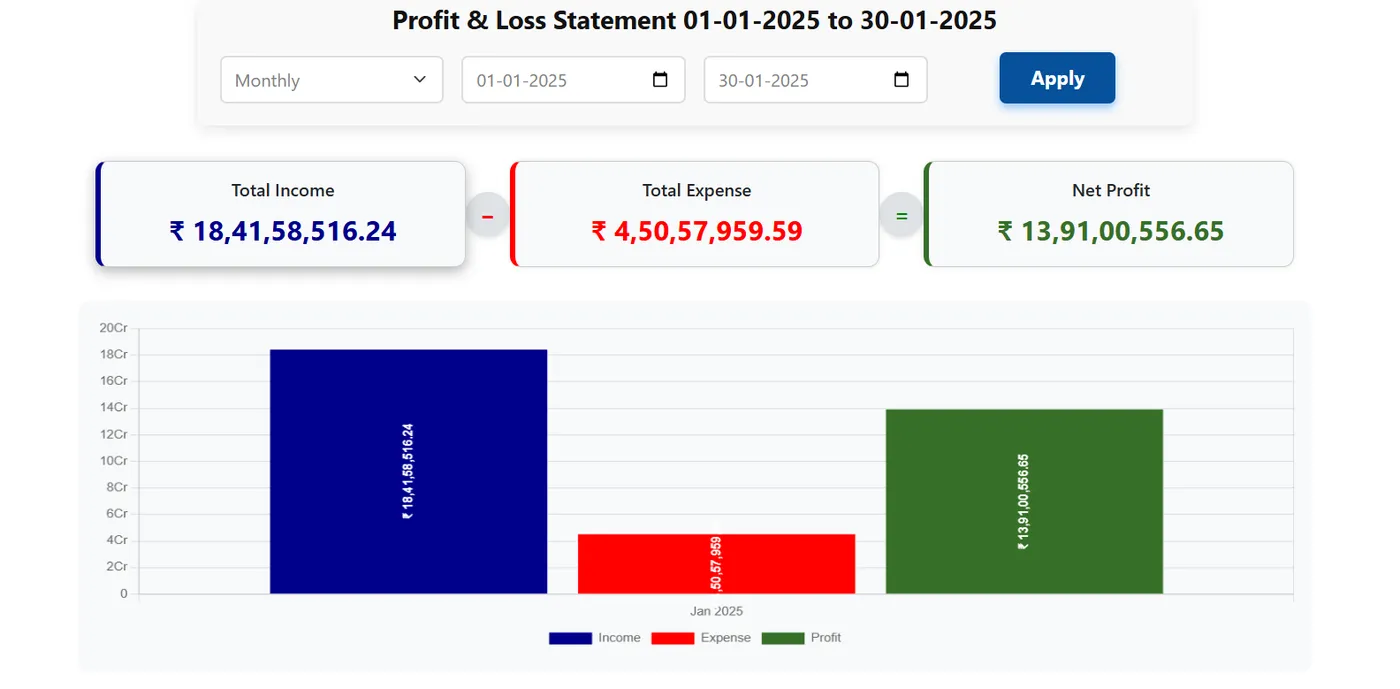
Revenue is shown by channel, with the top 10 SKUs by revenue and a drill into each SKU’s P&L. Cash in, cash out and net cash flow, receivables ageing from 0-30 to 90+ days and the top 10 receipts of the day complete the daily view.
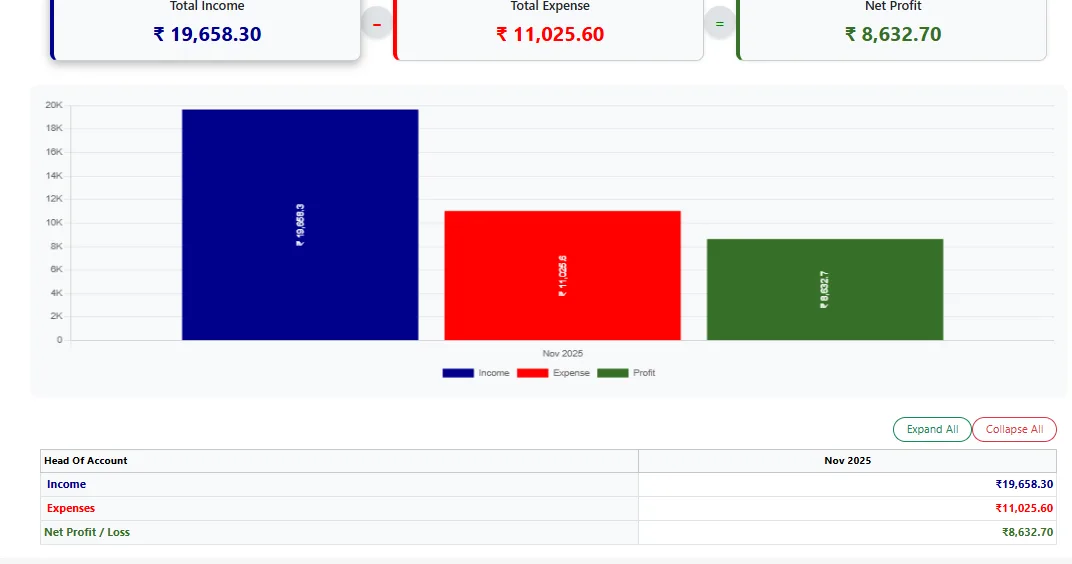
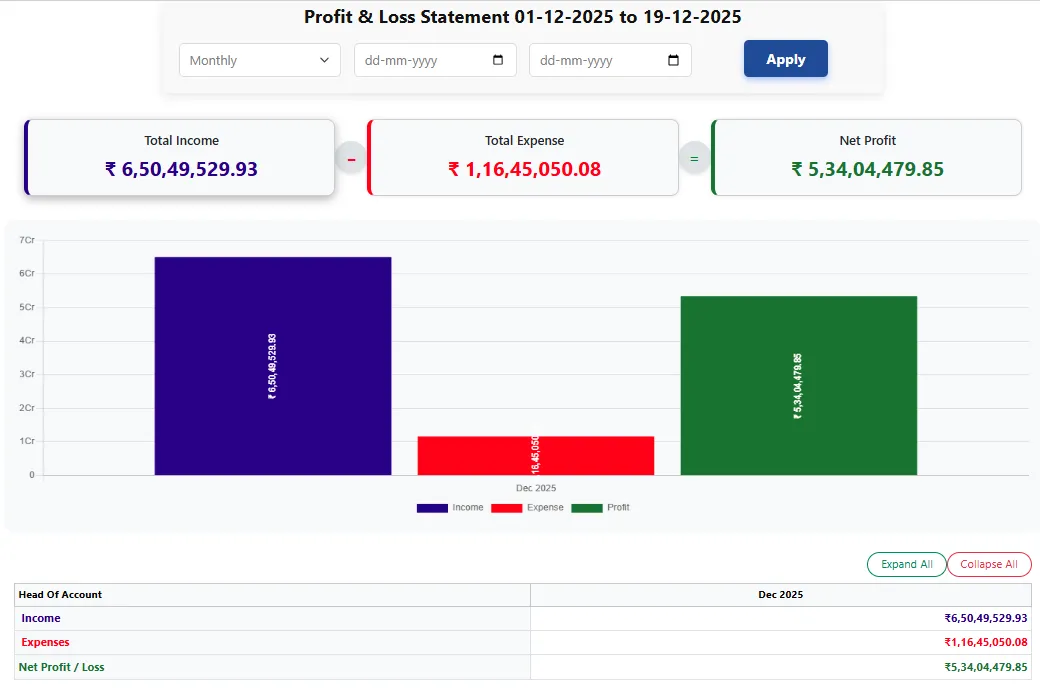
Income and expense accounts for the month are listed in the P&L details.
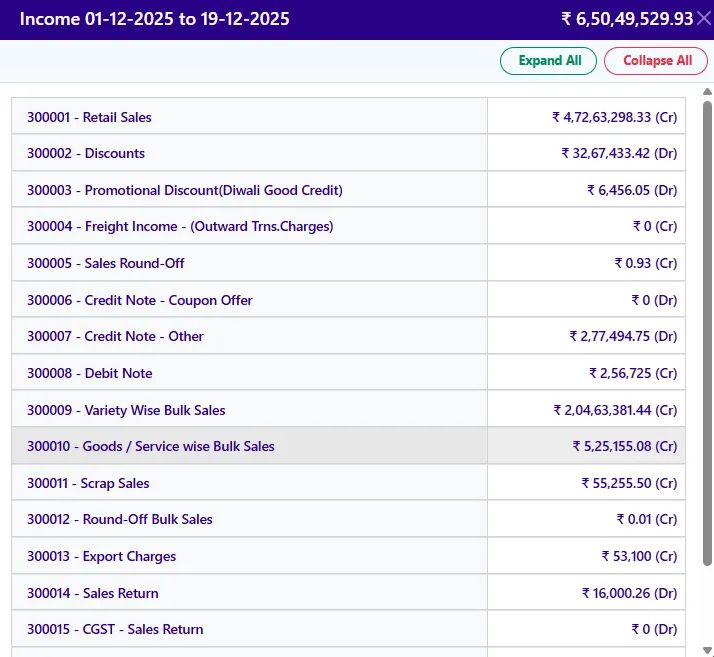
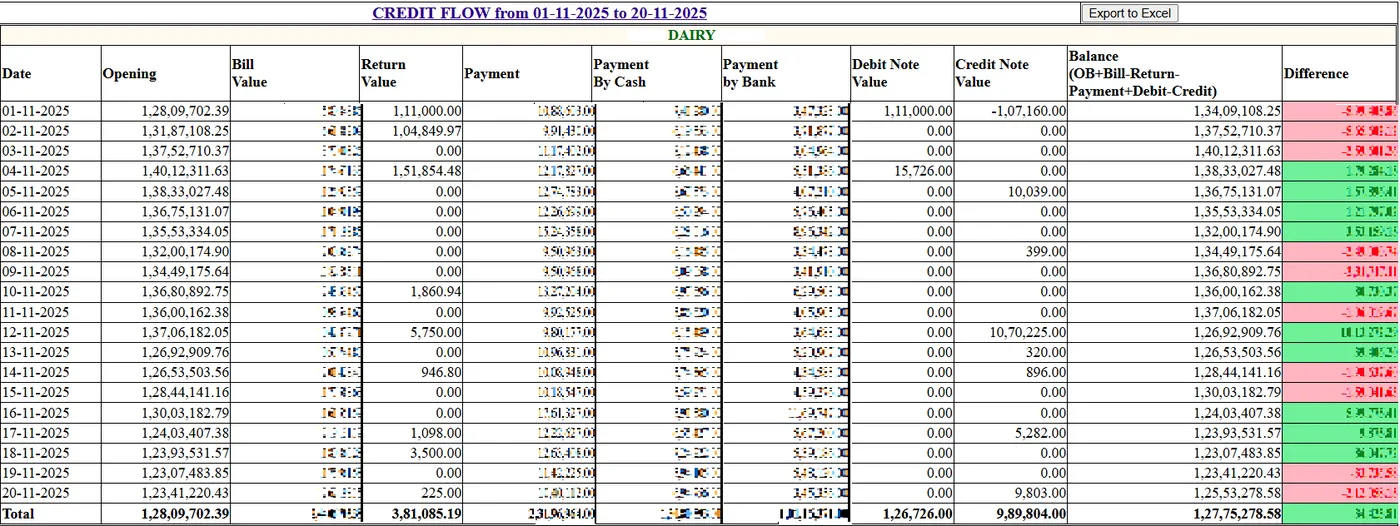
The chart of accounts and the profit and loss module, journal entries with accounting integration for all transactions, ledger statements and payment management form the accounting core. Accounts are updated monthly, and forecasting management accounting is supported.
Documents are stored with the transactions.
Audit logs run across multi-year data for statutory audit, with statutory reports and functions. Purchase, sales and material reports drill down, multiple years of data are instantly accessible, invoices are stored over years and customers and vendors can be analysed across years.
Weekly and monthly KPA reports summarise performance.
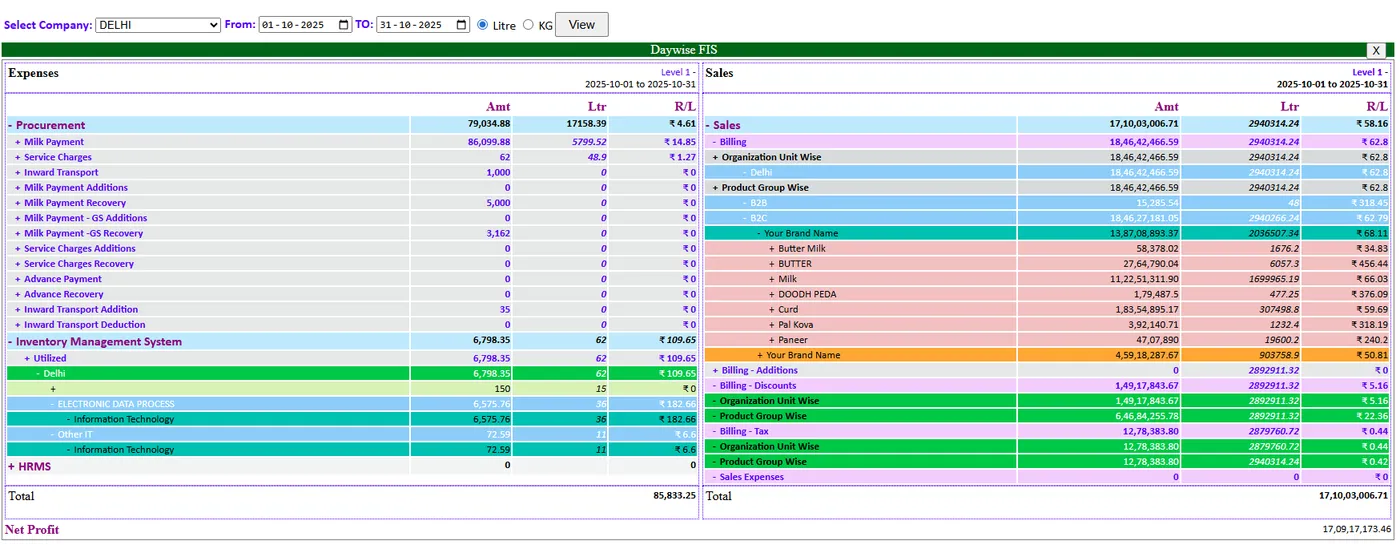
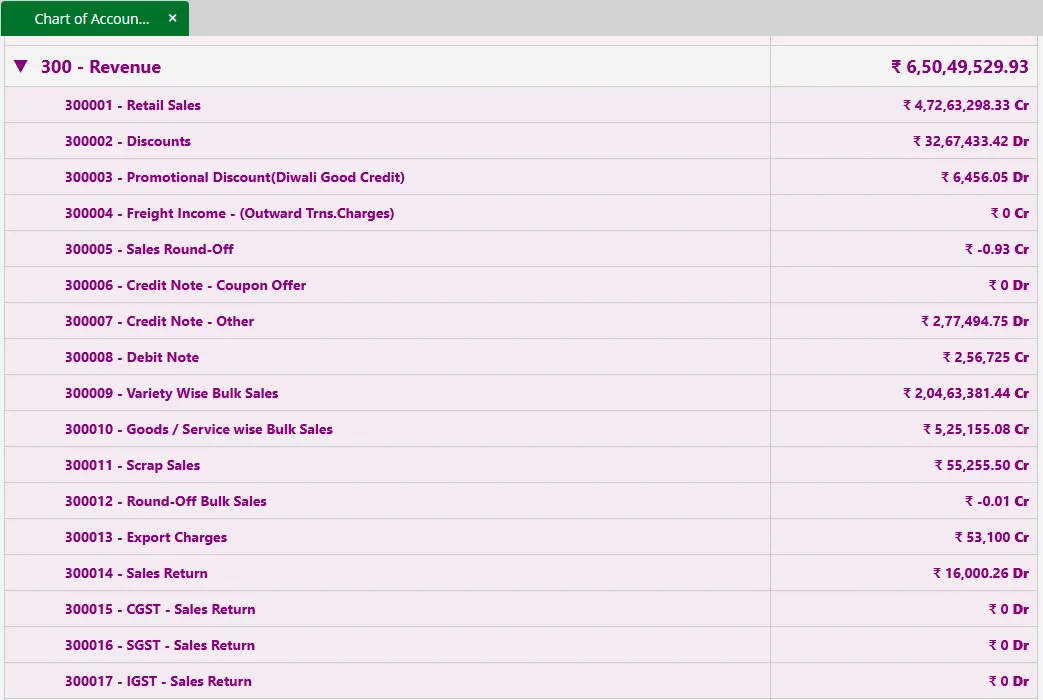
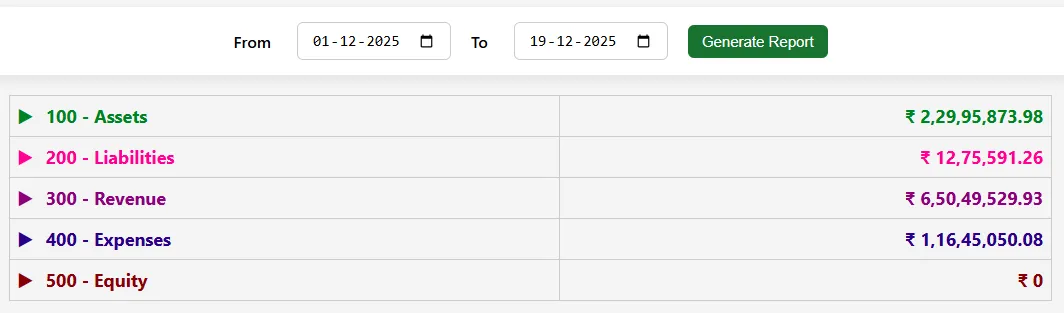
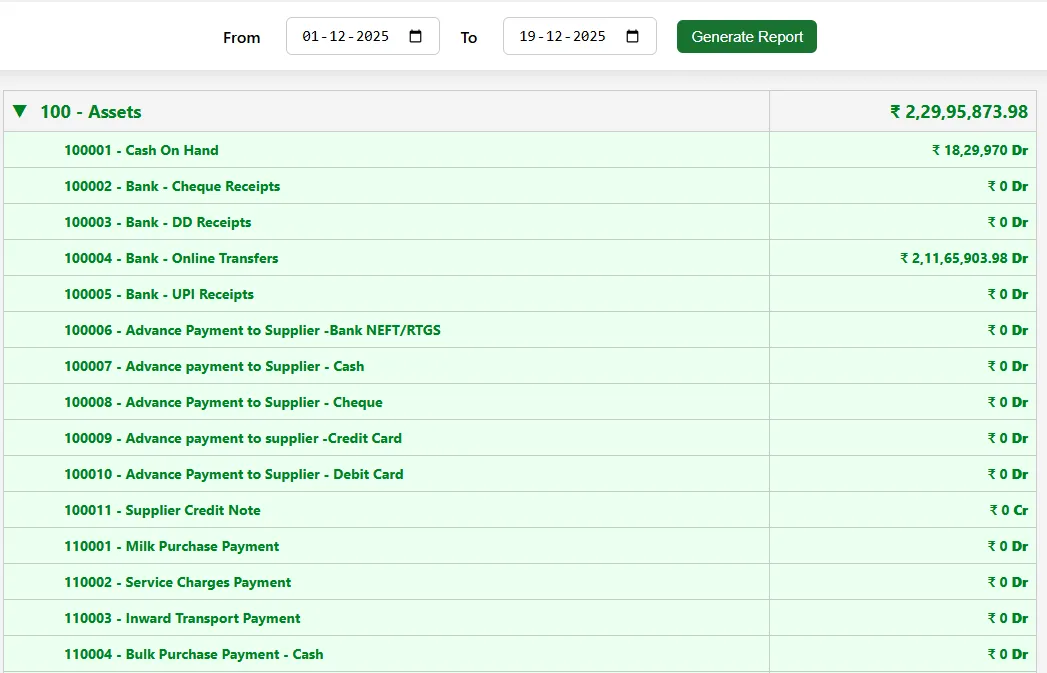
The FRS screens cover the profit and loss report, net profit, income and expenses, assets, the chart of accounts, liabilities, revenue and the day-wise FIS report.
Each is shown on FRS Screens.
| Daily KPIs | Revenue, COGS, gross profit, OPEX, net profit, margins, cash received |
|---|---|
| Drill down | Channel, entity, SKU, income and expense heads |
| Accounting | Chart of accounts, journals, ledgers, payments |
| Control | Audit logs, statutory reports, multi-year data |
| Output | PDF export, scheduled email, Tally export from procurement and sales |
Yes.
Yes, scheduled email and PDF export.
Yes, across multiple years.
23 functions, each with a screen or diagram you can click to open full size, and a link to the step-by-step guide in the Docs. Key features are marked in orange.
Total revenue, COGS, gross profit, OPEX, net profit / loss, gross margin %, net margin %, cash received.
See how →Revenue by channel and top SKUs, with a drill-down into each SKU's P&L.
See how →Daily cash in, cash out and net cash flow, with receivables ageing and the day's top receipts.
See how →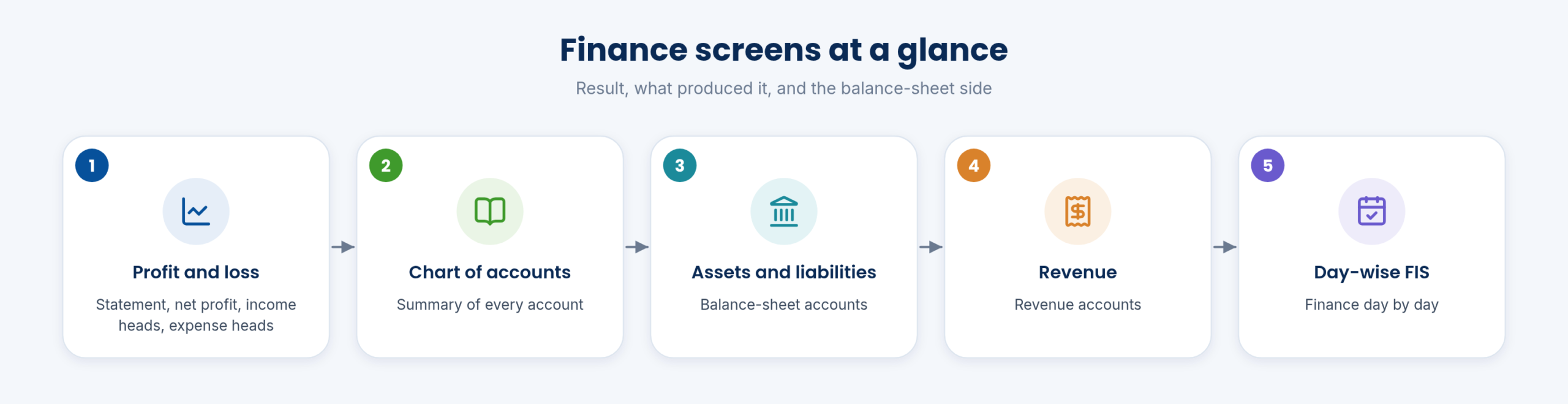
Revenue vs COGS vs net profit (7 / 30 days); sparklines; date range selector.
See how →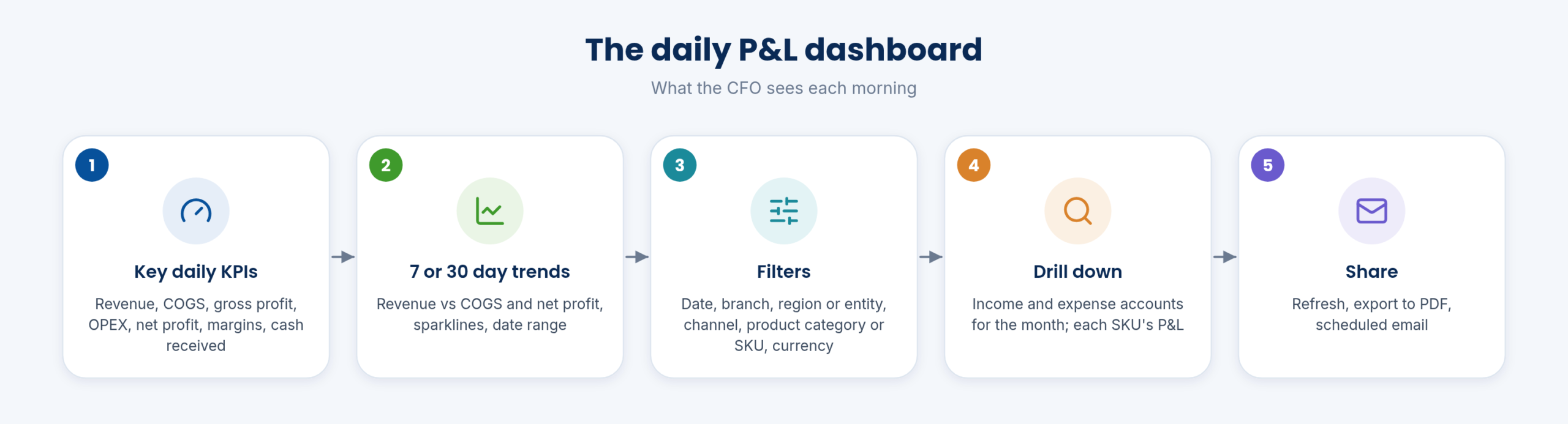
Date; branch / region / company entity; channel; product category / SKU; currency; refresh, export PDF, schedule email.
See how →Month's income and expense accounts behind the P&L.
See how →Profit & loss report, net profit, income, expenses; asset; chart of account; liabilities; revenue; day-wise FIS report.
See how →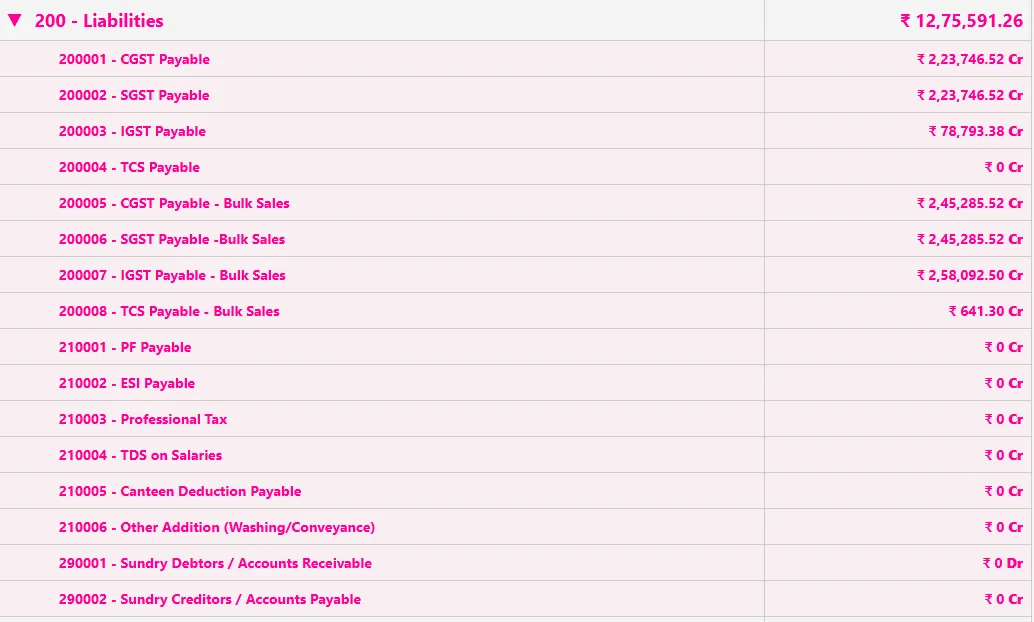
Transactions from every module post to accounts; journal entries for the rest.
See how →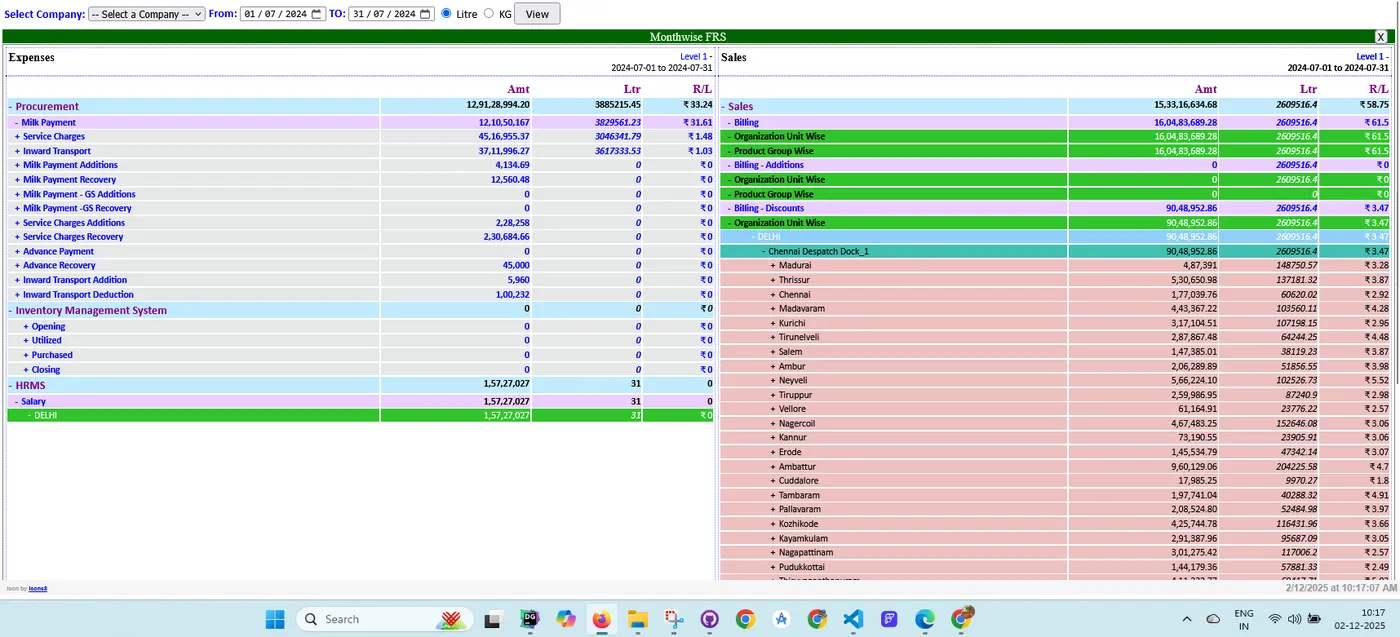
Keep bills, contracts and other documents with the transaction they belong to.
See how →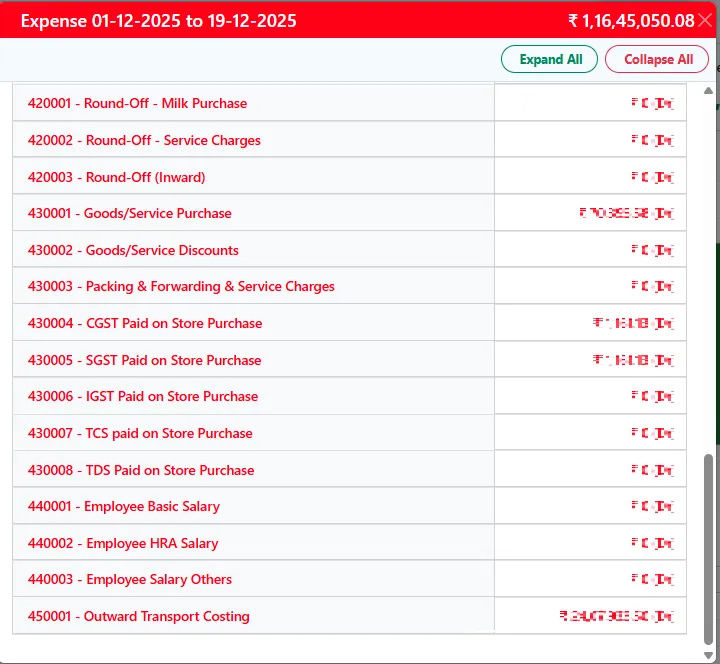
Drill down from totals to the purchase, sales and material entries behind them.
See how →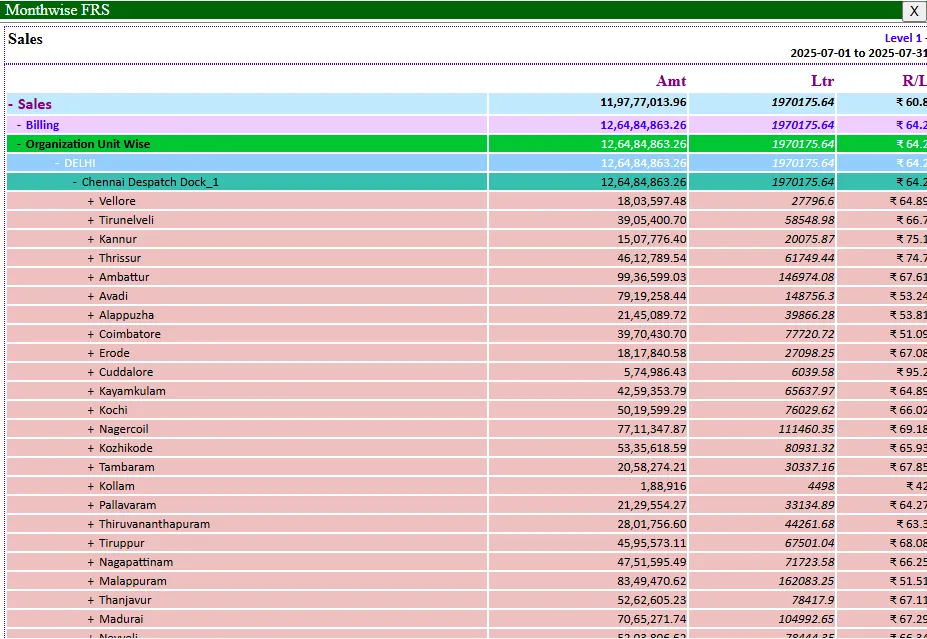
Years of invoices stay instantly accessible for customer and vendor analysis.
See how →Every module page walks through the screens, reports and mobile apps in the same way, so you can see exactly how EasyDairyERP fits your dairy.
When you have seen enough, we are happy to show it to you live on our sample data: book a demo or call +91 94880 59495.