
MIS and Pan Operation Total Solids Matching
Total solids are matched at every stage, from village purchase through plant, packing and dispatch to customer acknowledgement, so you can see the stage where solids are lost.
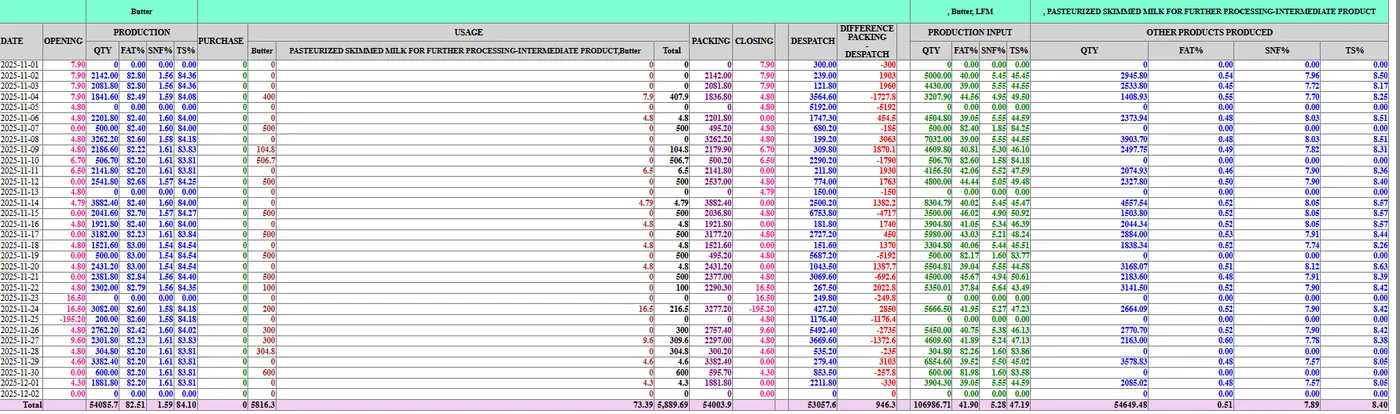
How TS matching works
Fat and SNF are converted to kilograms of total solids at every hand-over, and each stage is compared with the one before it.
Purchase vs despatch vs acknowledgement
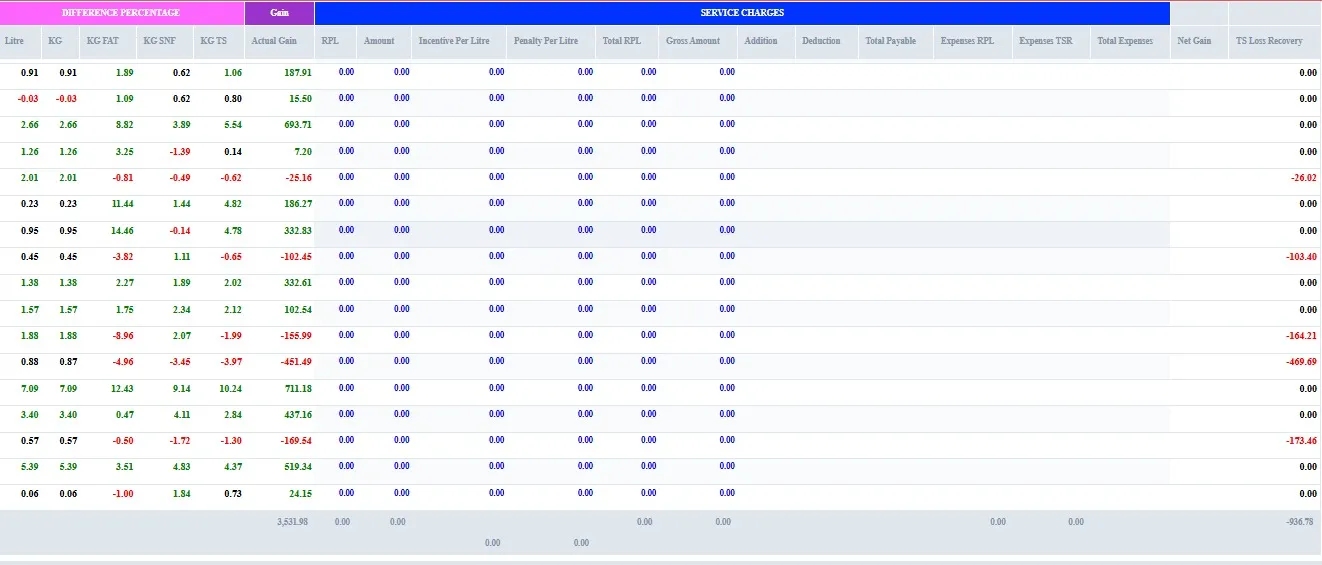
TS is matched on purchase, despatch and acknowledgement. The difference at each step identifies TS loss or gain.
- Kg fat, kg SNF, kg TS
- Gain and loss highlighted
- Per centre, route and plant
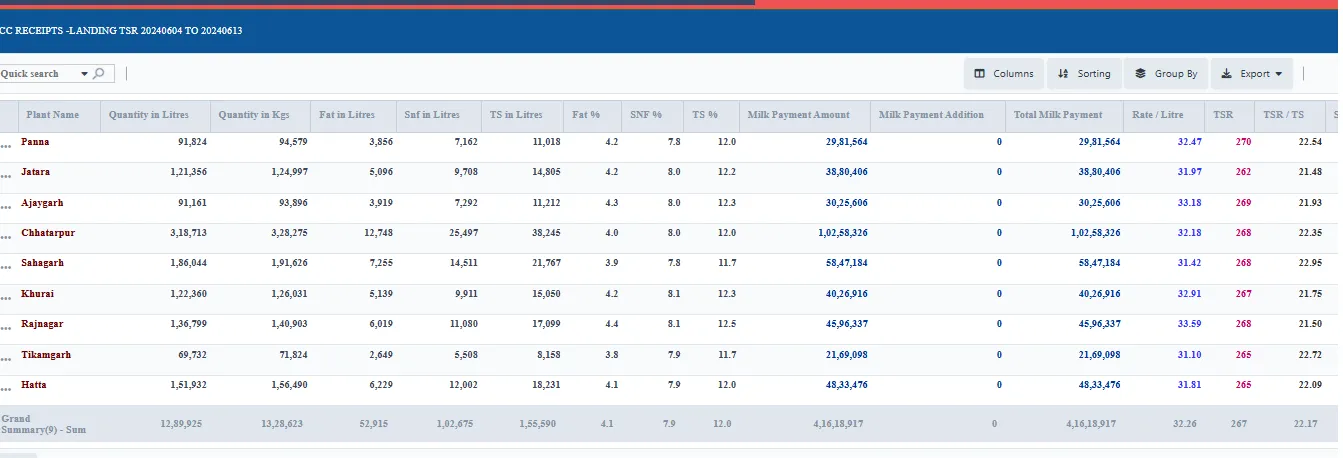
Village-to-plant daily solids matching
Solids sent from villages and chilling centres are matched every day against what the plant received.
- Daily, not monthly
- Centre-wise drill-down
- Received tanker vs despatch
Procurement-to-sales TS chain
Total solids are tracked from procurement through production and packing to sales in one chain.
- Procurement → plant → packing → dispatch
- Customer acknowledgement
- Pouch TS control
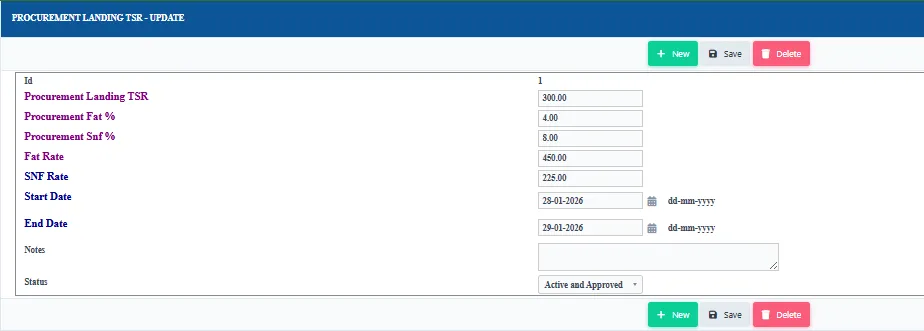
Configurable TS calculations
TS calculations can be set to match the way your dairy measures solids.
- Your own formula settings
- Cow and buffalo milk
- Products and by-products
TS reports and MIS
Standard reports show fat, SNF and TS at every stage, and they are mailed automatically at day close.
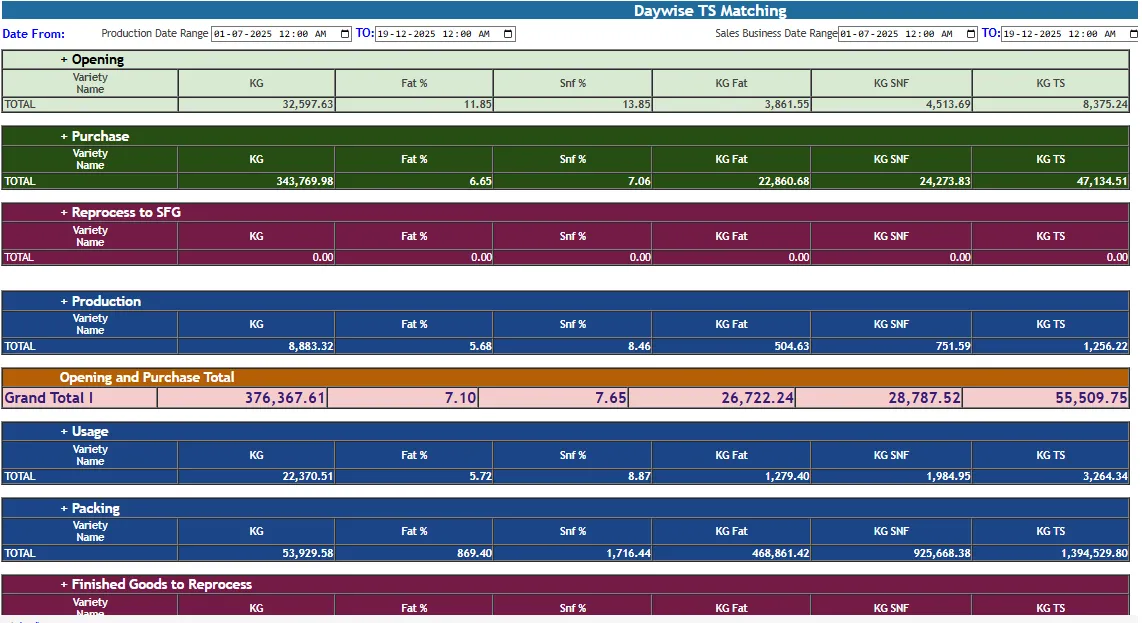
Day-wise TS Matching Report
A day-by-day view of TS opening, purchased, received, used in production, packed and despatched, with the difference for each day.
- Opening and closing
- Production and packing
- Difference per day
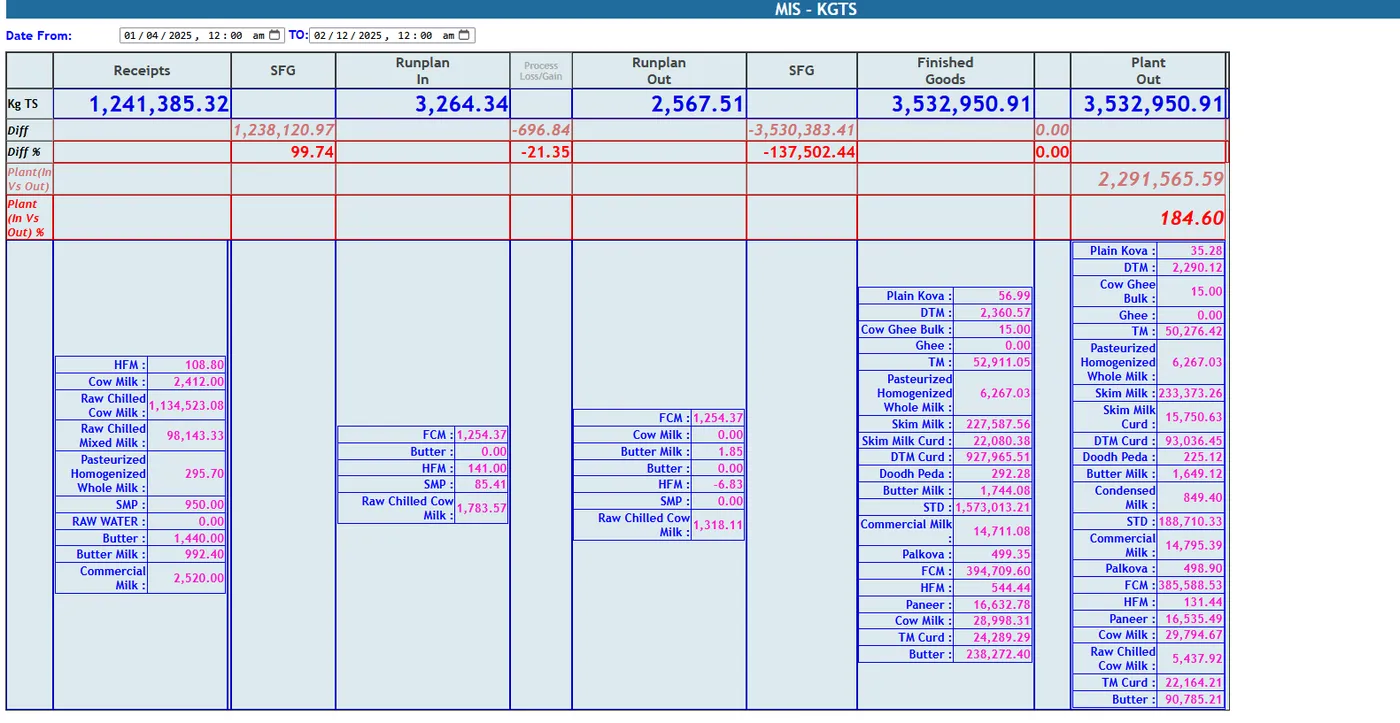
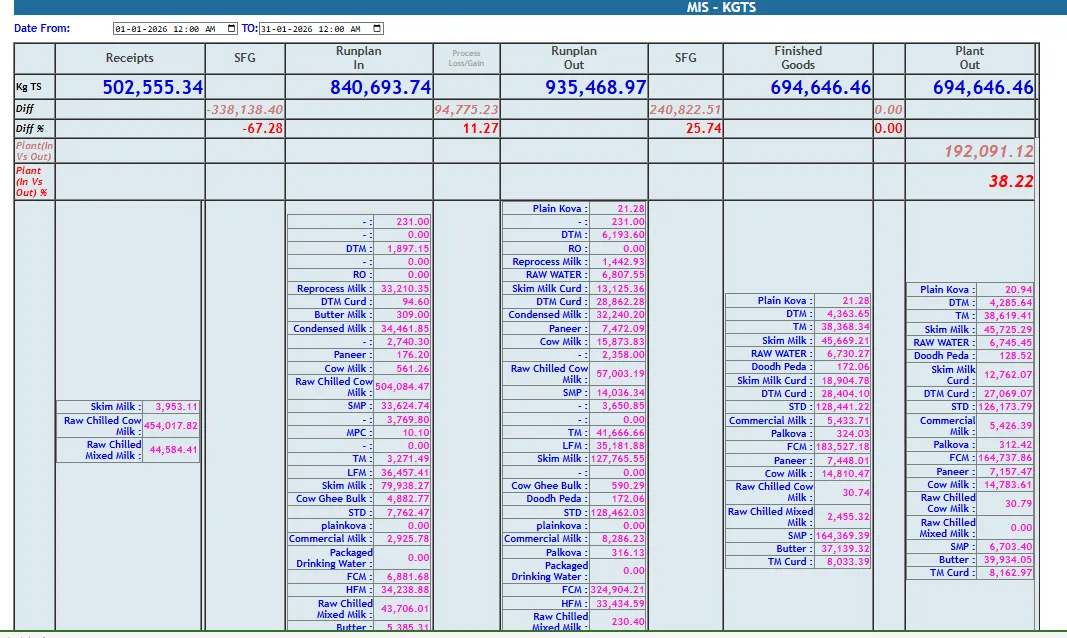
MIS & PAN Operations
The MIS operations report shows kg TS across procurement, production and dispatch for management.
- Single management view
- Plant and pan operations
- Export for review meetings
TS MIS across plants
Plant-level TS MIS with multiple plant control for groups running several plants, with daily solids matching across them.
- Plant-wise comparison
- TS Matching Reports 1 and 2
- TS MIS Report
TS mail automation
At every production day close, the TS report is emailed to management and production automatically.
- Day-close mail
- No manual compilation
- Same numbers for everyone
Walk through every function in the guided demo tour
Short cards for each screen and report, with links to the step-by-step Docs.
Related pages
Built for dairies, by a dairy software team since 2015
Every plant screen shown here runs on the same database as procurement, sales, stores and accounts, so a batch, a pouch or a GRN is never re-entered.
When you have seen enough, we are happy to show it to you live on our sample data: book a demo or call +91 94880 59495.