
Easy Inventory Managment
From the department’s material request to the supplier’s payment: approvals, quotes, purchase orders, gate in, GRN, QC, invoices and payments, with stock by row, rack and bin across godowns.
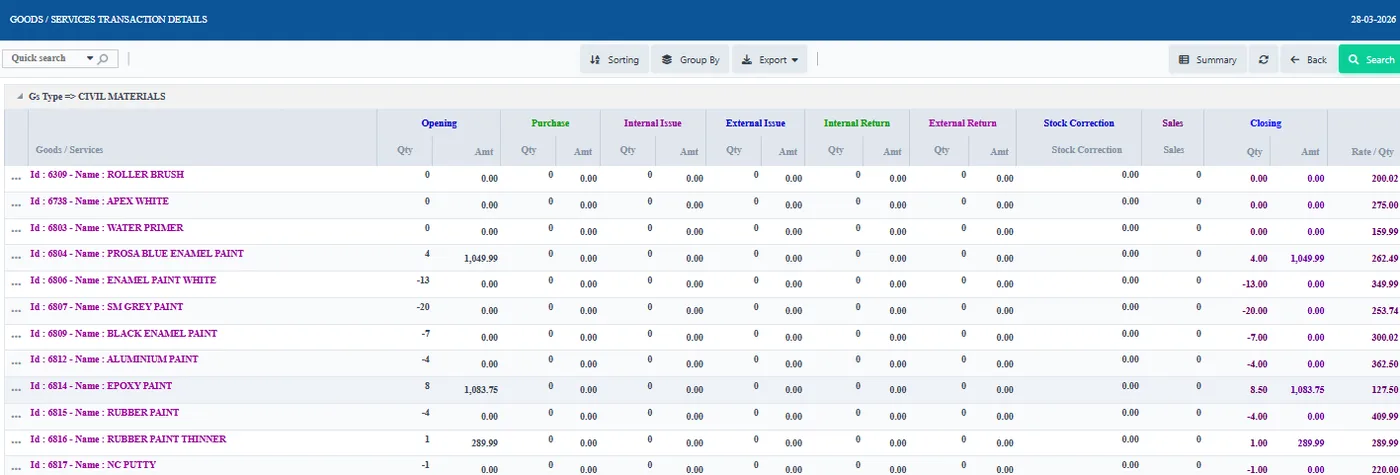
Easy Inventory Management covers stores and purchase from the department’s material request to the supplier’s payment, with stock held by row, rack and bin across godowns. Each step is explained below with the real screen or the docs guide.
On this page
Purchase
From material request to supplier paymentDepartment requests and approvalsQuotes and purchase ordersReceiving
Gate in, GRN, QC and stock updatePayment
Invoices, payments and credit notesStock
Row, rack and bin; godowns; transfers and correctionsSet-up
Goods, services, suppliers and settingsControl
Budgets, utilisation, reports and the weekly MRMMobile and gate
Stores app, mobile ledgers and visitor gate logMore
At a glanceFrequently asked questionsPurchaseFrom material request to supplier payment
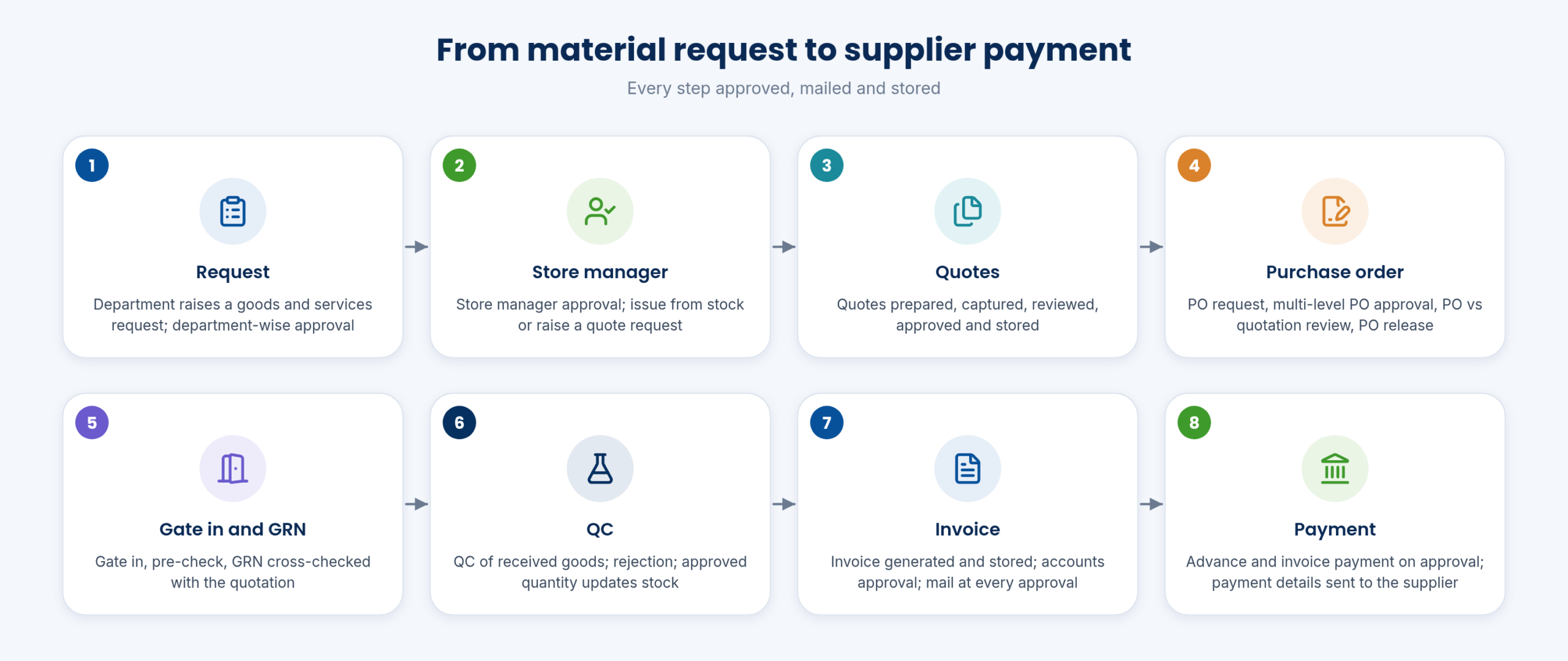
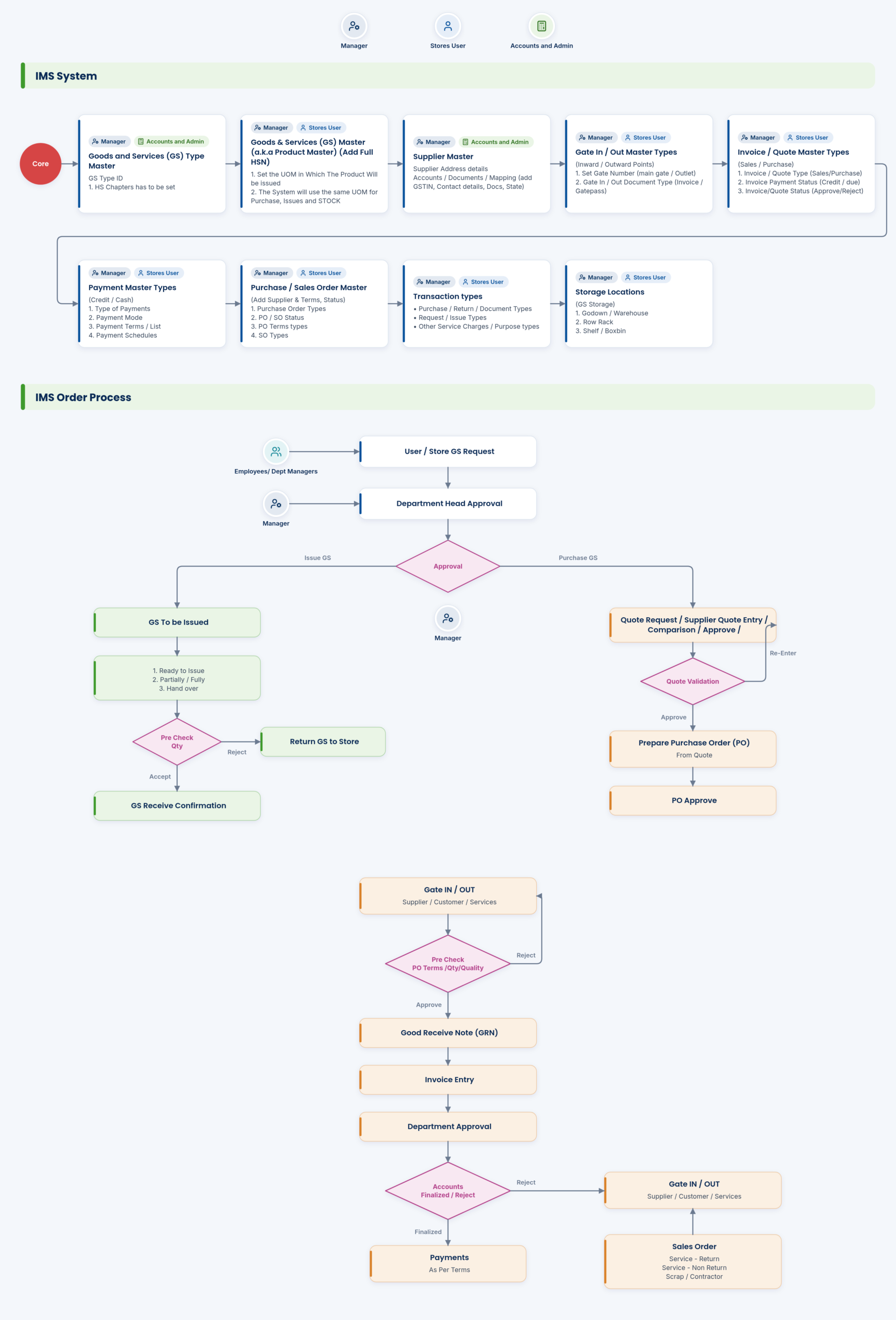
The full cycle: request, store manager approval, quote, purchase order, gate in and GRN, QC, invoice and payment. An email goes out for every approval, and documents are stored at each step.
Approvals can be given on mobile, so the cycle does not wait for someone to be at a desk.
- Goods & services purchase workflow; GS request / department issue / quote request workflow
- Email for every approval; accounts approval
- Unlimited users, with all your goods and services in one place
PurchaseDepartment requests and approvals
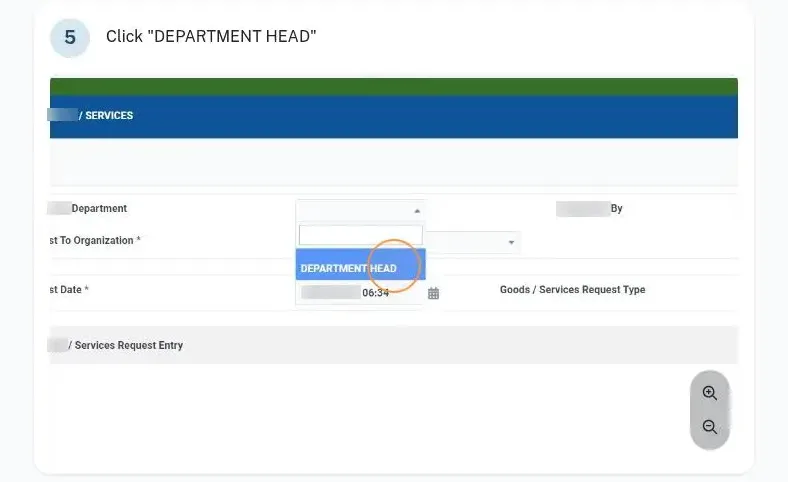
A department raises a goods and services request; the department head approves it, department-wise, and the store manager approves the issue. Material request, approval and issue are managed together.
If the stock is there it is issued; if not, a quote request is raised.
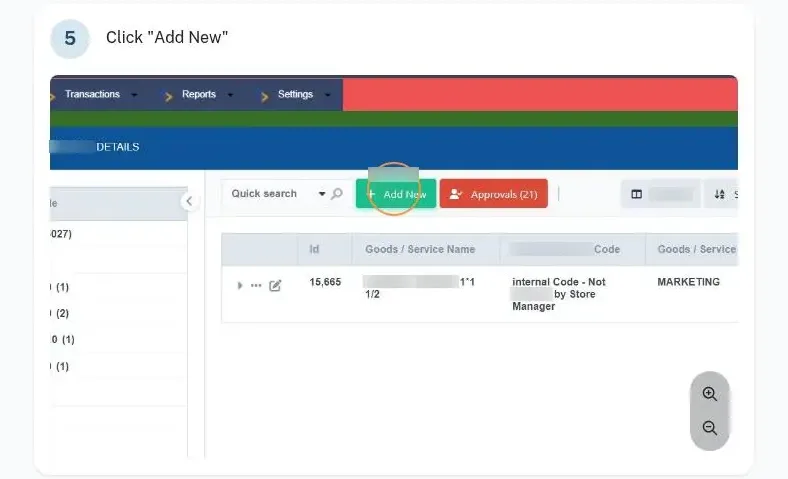
- Inventory → Goods and Services Request / Status → Add New Request.
- Department head approves.
- Store manager approves; issue or quote request.
- Department-wise material request and approval: User material request (department-wise); department-wise approval; material request, approvals and issue management
- Store manager approval process
PurchaseQuotes and purchase orders
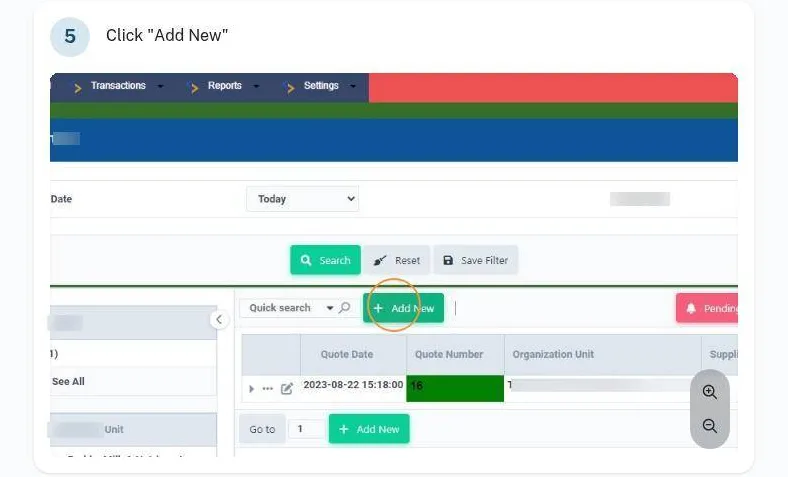
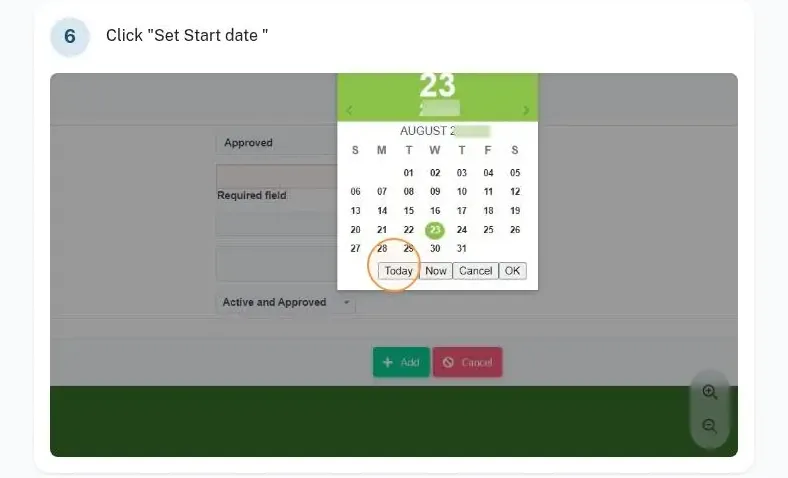
Quotes are prepared, captured, reviewed, approved and stored. The PO request goes through multi-level PO approval; the PO is prepared, reviewed against the quotation, released and its payment status tracked.
Quote approval statuses, quote types and PO types are configured in settings.
- Prepare and capture quotes.
- Review and approve the quote.
- Purchase Order → Pending PO → Approve PO.
- Release the generated PO.
- Purchase order request and multi-level PO approval
- Quote preparation, capture, review and approval: Preparation of quote; quote capturing; quotation review and approval; quote storage
- Prepare PO; PO vs quotation review; PO release and payment status
ReceivingGate in, GRN, QC and stock update
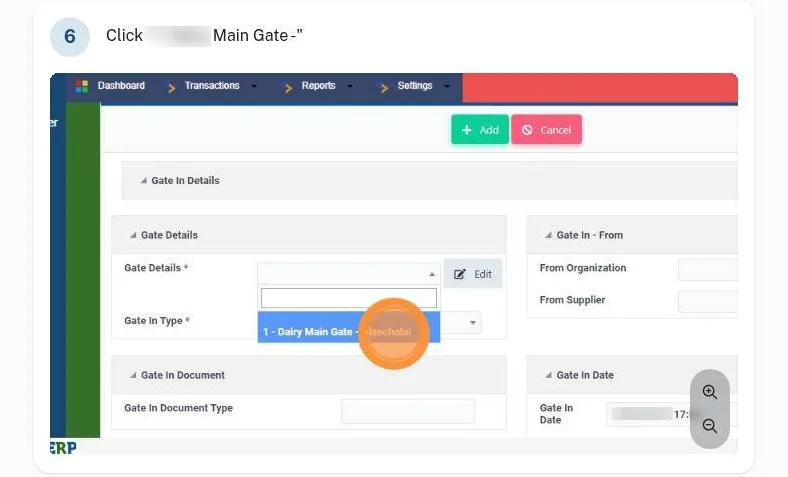
Goods arrive at the gate: gate in, pre-check, then the GRN, cross-checked with the quotation (PO, gate in, pre-check, stock move, invoice). QC checks the received goods; rejected quantity is recorded and the approved quantity updates the stock.
Returnable and non-returnable items follow their own process.
- Gate in / pre-check / GRN: Receive GRN; cross-check GRN and quotation; Inward GRN screen; PO | Gate In | Pre Check | Stock Move | Invoice
- QC of received goods; quality rejection
- Approved quantity stock update
- Returnable / non-returnable process
PaymentInvoices, payments and credit notes
The invoice is generated and stored, accounts approve it, and advance and invoice payments are generated on approval, with an automatic mail after final payment approval and payment details sent to the supplier. Supplier credit notes are approved and supplier outstanding corrected.
Invoices, DCs, bills, service records and contracts are stored and retrieved in the system.
- Generate invoice; stores invoice screen
- Payment processing, approval and payment detail sending: Advance and invoice payment generated on approval; automatic mail after final payment approval
- Supplier credit note approval; supplier outstanding correction
- Invoice and document storage: Invoice storage and retrieval; store all incoming docs (DC, invoice); bills, service, contracts; bill storage
- Store management reporting and oversight: Payment approval process; financial reports; goods-wise utilisation; overall financial oversight
StockRow, rack and bin; godowns; transfers and corrections
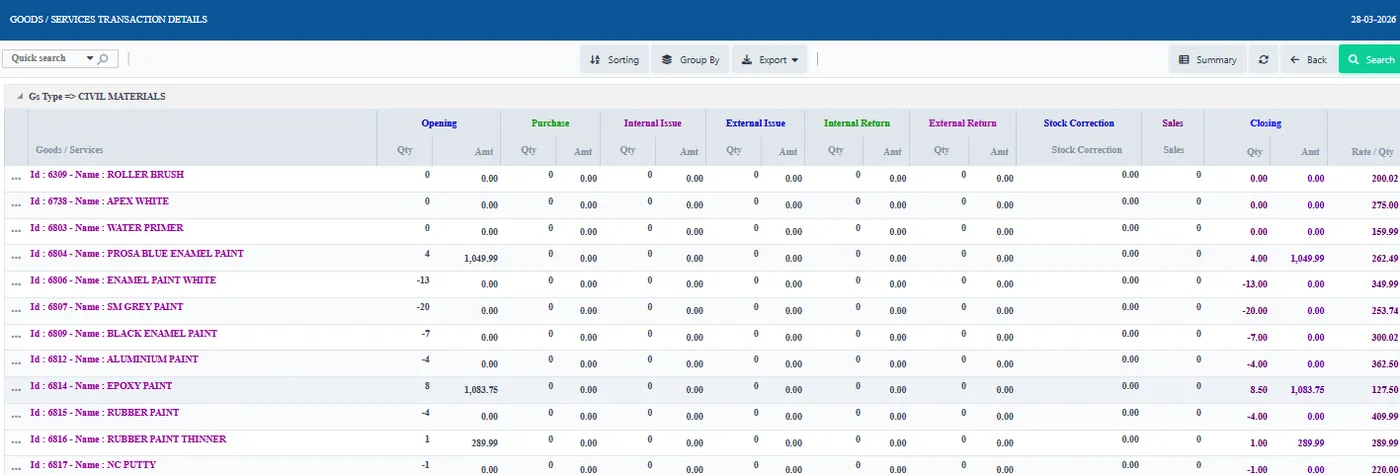
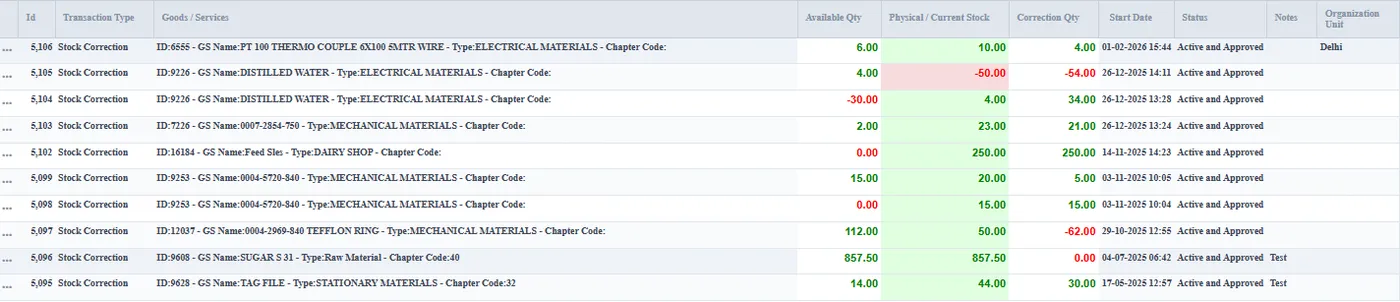
Stock is held by row, rack and bin across multiple godowns and warehouses. Stock transfers, bar code based logging and retrieval, the stock statement, stock corrections and direct stock updates keep it accurate; the UOM can be changed across the system.
Material is dispatched to chilling centres and billed.
- Stock statement; stock correction / direct stock update
- Material dispatch to CCs and billing
- Row / rack / bin storage; multiple godowns / warehouses
- Stock transfer; bar code based logging and retrieval; accounts reporting
Set-upGoods, services, suppliers and settings
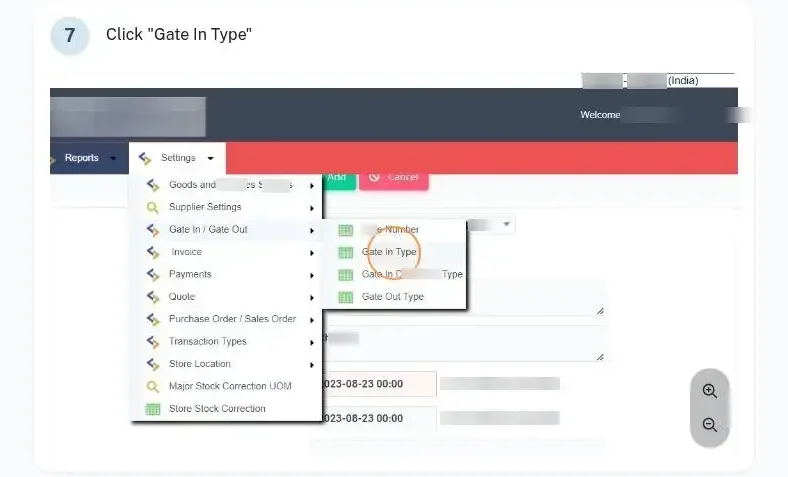
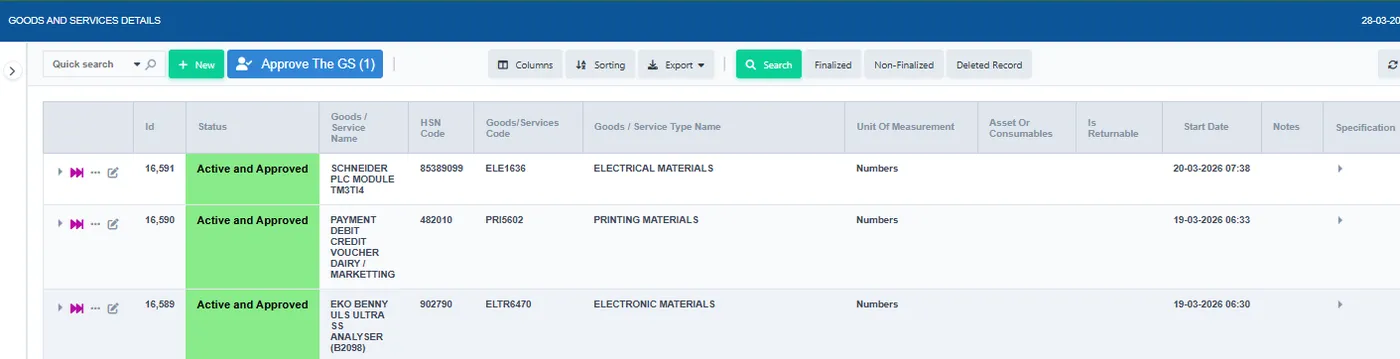
Masters cover goods and service names with minimum stock and order quantity, suppliers, store rows, racks, shelves and bins, quote approval statuses and types, gate in and out types, payment terms, PO and SO types and approval statuses, and invoice types.
Goods or service types can be changed later without losing history.
- IMS masters and settings (docs): Add goods & service name; supplier details; internal stores row / rack / shelf / bin; quote approval status and quote types; gate in / out types; payment terms, schedules, types, modes; PO / SO types and approval status; invoice master / type / payment status; transaction types; change UOM across the system; change goods & services type
ControlBudgets, utilisation, reports and the weekly MRM
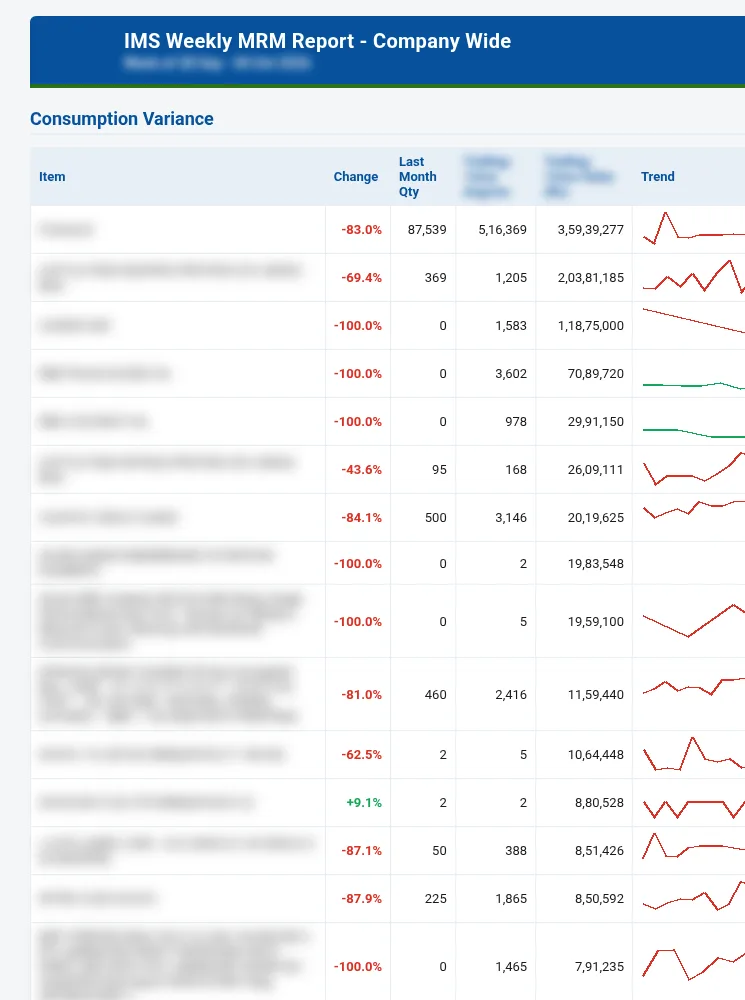
Department-wise budgets are allocated; department-wise material and GS utilisation costs, monthly stock value, and stock and consumption reports show use, with custom stock reports tuned to the dairy.
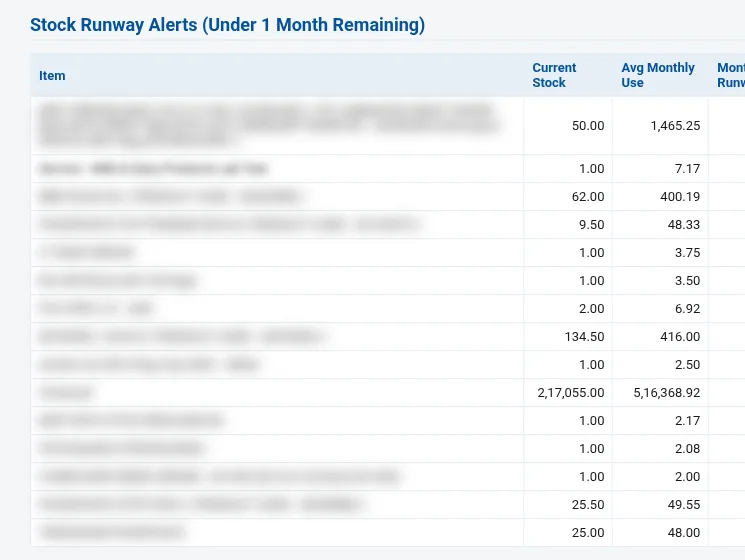
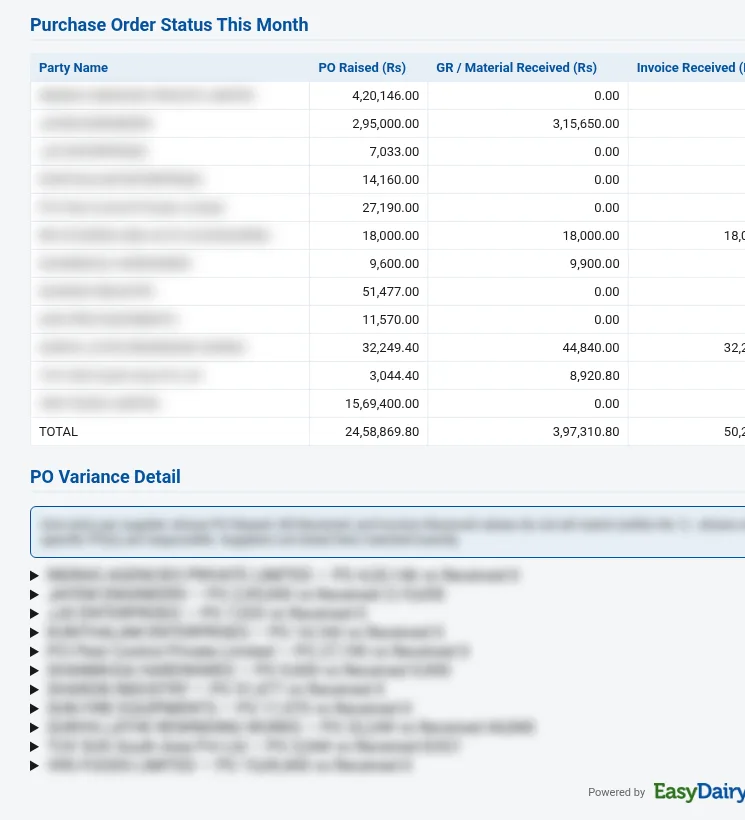
The IMS Weekly MRM Report brings consumption variance, price variance, least consumed items, stock runway alerts and PO status to the weekly management meeting.
- Department-wise budget allocation
- Monthly overall stock value reports
- Department-wise material utilisation / GS utilisation costs
- Stock and consumption monthly reports; monthly material consumption analysis
- Custom stock reports with tuning
Mobile and gateStores app, mobile ledgers and visitor gate log
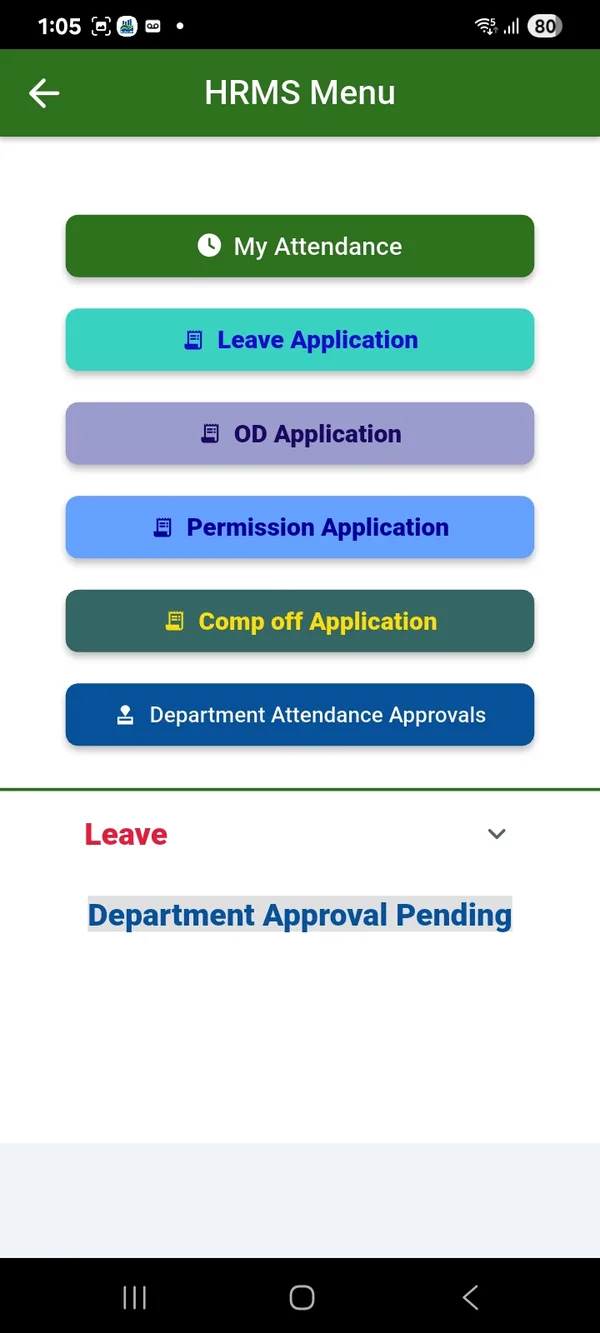
The stores app shows stock, prices and consumption patterns, and requests and approvals are made on mobile; payment record ledgers are on the app too.
The gate log records visitors and transport, with a security dashboard; visitor management is available as a module.
- Stores app: stock, prices, consumption patterns; request / approve on mobile
- Payment records ledgers in mobile app
- Gate log for visitors and transport with security dashboard
- Visitor Management System, available as a module
SpecificationsAt a glance
| Users | Unlimited |
|---|---|
| Cycle | Request, approval, quote, PO, gate in, GRN, QC, invoice, payment |
| Approvals | Department, store manager, multi-level PO, accounts; email at every approval; mobile |
| Storage | Row, rack, bin; multiple godowns |
| Reports | Stock value, utilisation, consumption, budgets, weekly MRM |
FAQFrequently asked questions
Is every approval mailed?
Yes, an email goes out for every approval.
Can approvals be done on mobile?
Yes.
Can stock be held by bin?
Yes, by row, rack and bin across godowns.
Are invoices stored?
Yes, invoices, DCs, bills and contracts.
IMS Weekly MRM Report
The stores review for the weekly management meeting: what is being consumed and bought, what it costs now, what is running out, what is not moving and where the purchase orders stand.
- What to reorder now, before it runs out
- Which price increases to negotiate or re-quote
- Which slow-moving stock to stop buying or use up
Keep exploring at your own pace
Every module page walks through the screens, reports and mobile apps in the same way, so you can see exactly how EasyDairyERP fits your dairy.
When you have seen enough, we are happy to show it to you live on our sample data: book a demo or call +91 94880 59495.