
Works with the milk analysers you already own: EkoMilk and Essae
Keep the analysers at your collection centres. The EasyDairyERP Android AMCC app reads them directly, so nobody retypes fat, SNF and quantity.
Which milk analysers does EasyDairyERP work with?
EasyDairyERP is a dairy ERP whose Android AMCC (automatic milk collection centre) app connects to EkoMilk Ultra, EkoMilk Pro, EkoMilk Ultra Pro, EkoMilk Ultra DPS and Essae milk analysers by USB or Bluetooth, and accepts a USB pen-drive upload from the EkoMilk Ultra DPS. Collection centres keep their existing analysers and the readings flow into procurement billing.
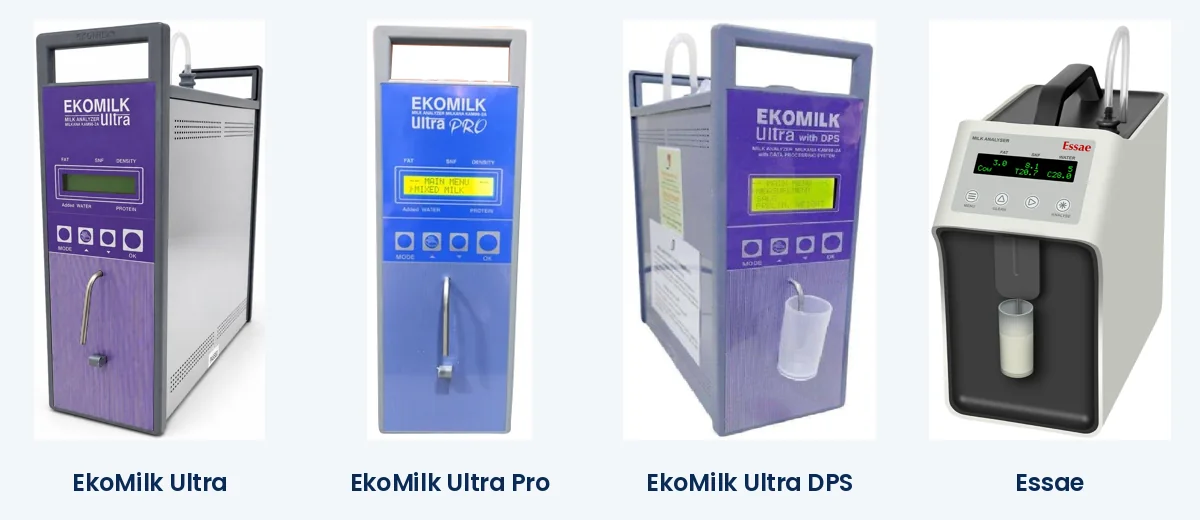
EkoMilk and Essae are trademarks of their respective owners, named only to describe compatibility. EasyDairyERP is not affiliated with them.
Features
Supported analysers
EkoMilk Ultra, EkoMilk Pro, EkoMilk Ultra Pro, EkoMilk Ultra DPS and Essae.
USB or Bluetooth
Connect the analyser to the Android AMCC app by USB cable or Bluetooth.
Pen-drive upload for Ultra DPS
Readings from the EkoMilk Ultra DPS can also be uploaded from a USB pen drive.
No retyping
Fat, SNF and quantity go straight from the analyser into the collection record and the farmer bill.
Manual entry with average autoload
If a centre’s device fails, the shift can be filled from recent averages, so billing does not stop.
Deleted-data audit
Every deleted analyser or scale record is logged with a reason, which closes a common pilferage route.
Exception reports
Input and output exception reports flag odd fat, SNF and quantity values the same day.
Live procurement dashboard
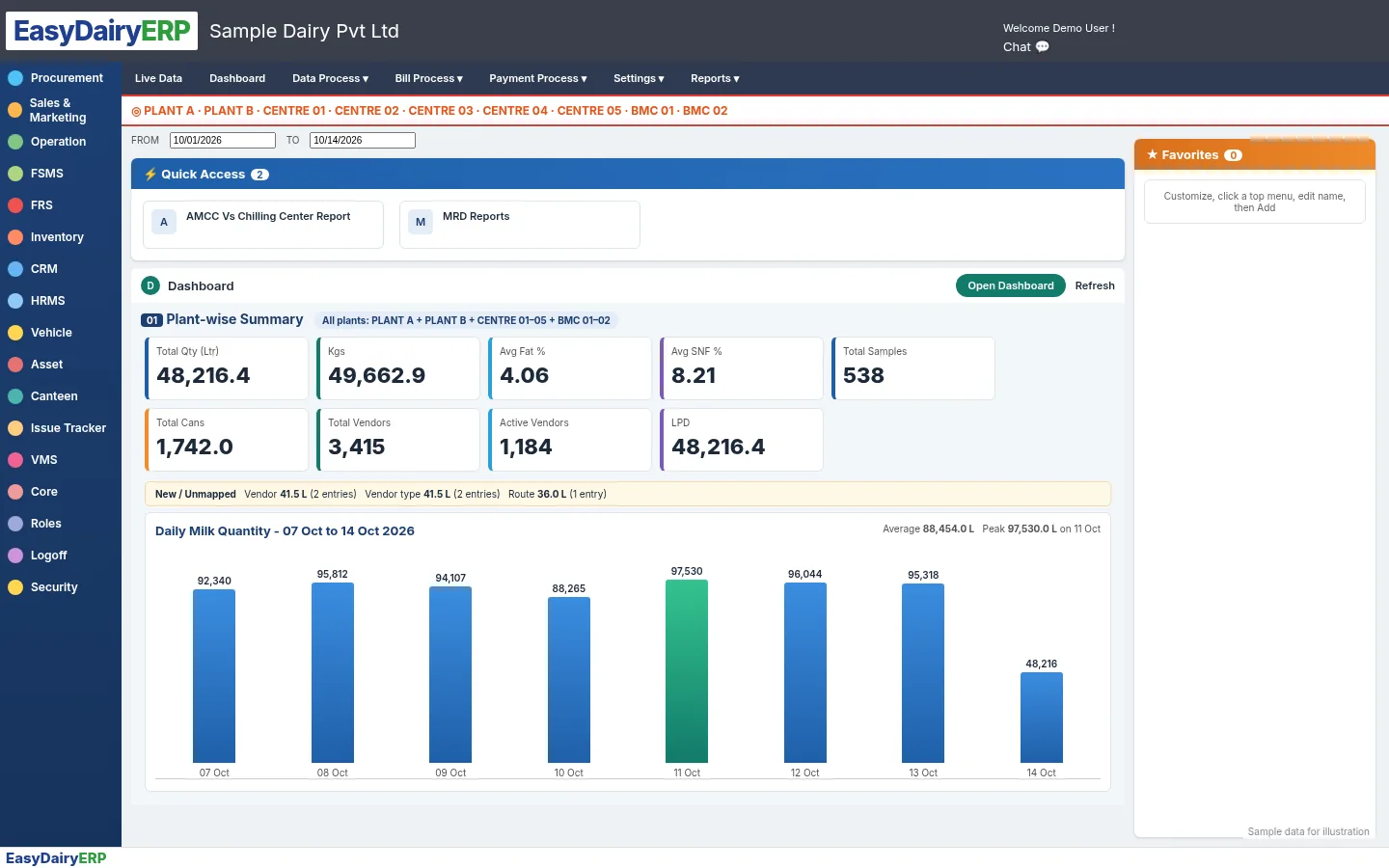
Plant-wise litres, kg, average fat and SNF, samples, cans and active vendors, with a 7-day trend.
At the dock too: Milk Reception Desk
The same analysers work at chilling centres and plant reception docks through the Milk Reception Desk, up to three at once with the weighing scale. See Milk Reception Desk software.
Frequently asked questions
Do I need to buy new analysers?
No. The EasyDairyERP AMCC app works with EkoMilk Ultra, EkoMilk Pro, EkoMilk Ultra Pro, EkoMilk Ultra DPS and Essae analysers.
How does the analyser connect?
By USB or Bluetooth to the Android AMCC app. The EkoMilk Ultra DPS can also upload from a USB pen drive.
What happens if an analyser breaks during a shift?
The centre entry can be filled manually, with an option to autoload recent averages, so billing continues.
Can someone delete a pouring without trace?
No. Deleted analyser and scale records are kept in an audit report with the reason entered.
See it in context
Milk procurement moduleProcurement mobile appFarmer Connect appGuided demo tour
See it live
We walk you through this on our sample data, step by step. Call +91 94880 59495 or write to info@easybis.in.