
Guided product tour · Stop 23 of 27 ← CanteenCRM →
Module · Requests

Easy Request Management

Raise a request, get help and answers, and track it to closure: severity-based handling by the right team, email updates and status on mobile.

Severity-based handlingEmail and mobile updates
RaiseHelp and answers
SeverityBased handling
EmailEvery update
MobileStatus tracking
On this page
Overview

OverviewA request from raised to resolved

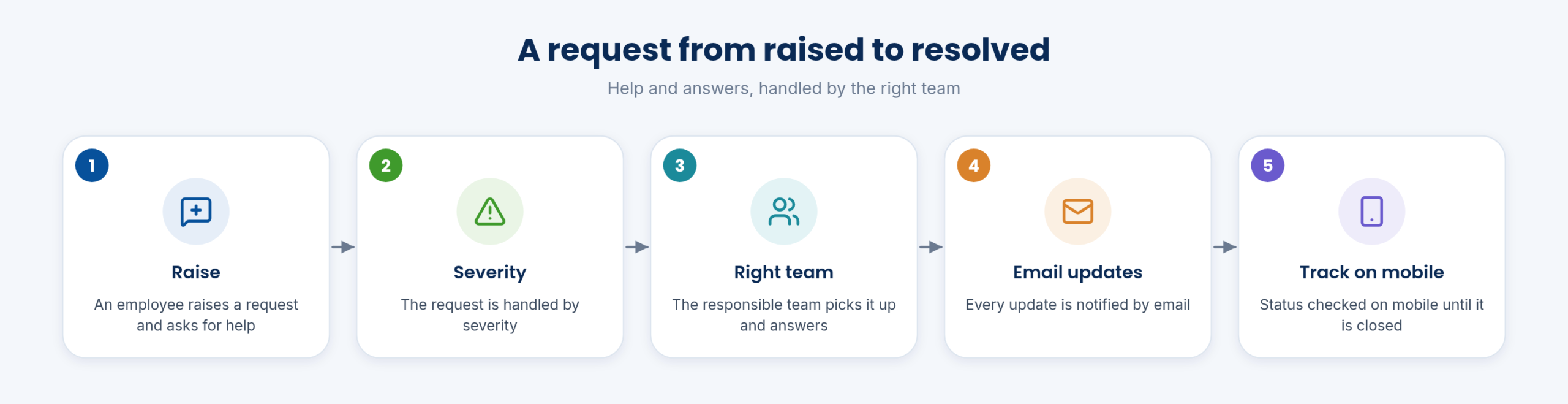
A request from raised to resolved

A request is raised, handled by severity by the responsible team, updated by email and tracked on mobile until closed.

Every request has an owner and a status.

It is one place to make requests, get help or search for answers to everyday questions, for each employee or a customer, with a personalised experience.

Functions on this topic
  • Request raising, help and answers
  • Request tracking
Handling

HandlingSeverity, teams and notifications

Requests are handled by severity by the teams responsible for them, and email notifications go out at each update.

Urgent requests are not lost among routine ones.

Requests and approvals on mobile cover leave, OD and permission, store requests, quote, PO and invoice approvals, and payment updates and status.

Who uses it
EmployeesSupport teams
Functions on this topic
  • Severity-based handling by teams
  • Email notification updates

HandlingStatus on mobile

The person who raised the request checks its status on mobile.

There is no need to chase by phone to know where a request stands.

Keeping users informed after they make a request is what drives satisfaction: they see where it stands without chasing.
Who uses it
Employees
Functions on this topic
  • Mobile status checking
Docs guide: a store request

FAQFrequently asked questions

Who handles a request?

The responsible team, by severity.

How is the requester informed?

By email updates and status on mobile.

In detail

Every function

7 functions, each with a short description and a link to the step-by-step guide in the Docs. Key features are marked in orange.

Every request management function

Request raising, help and answers

Request raising, help and answers

Staff raise requests, get help and see the answers in one place.

See how →
Severity-based handling by teams

Requests are routed to teams and handled by severity.

See how →
Email notification updates

Email notification updates

Email updates as a request moves forward.

See how →

Mobile status checking

Check request status on the mobile app.

See how →
Request tracking

Request tracking

Follow each request from raising to closing.

See how →
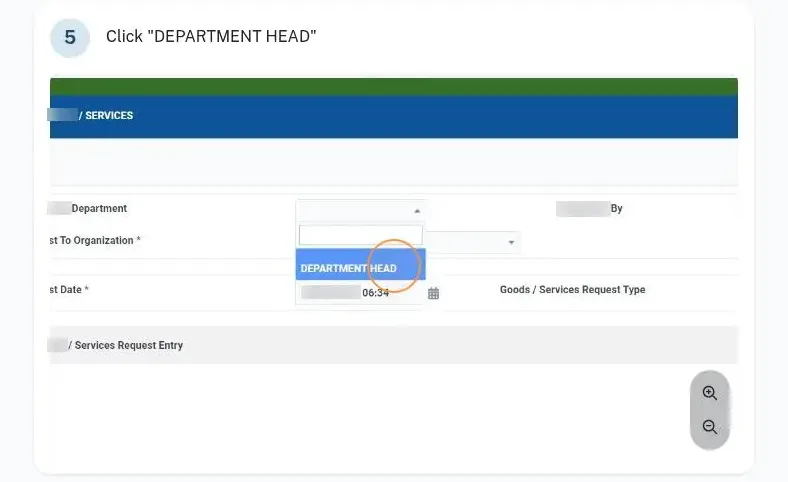
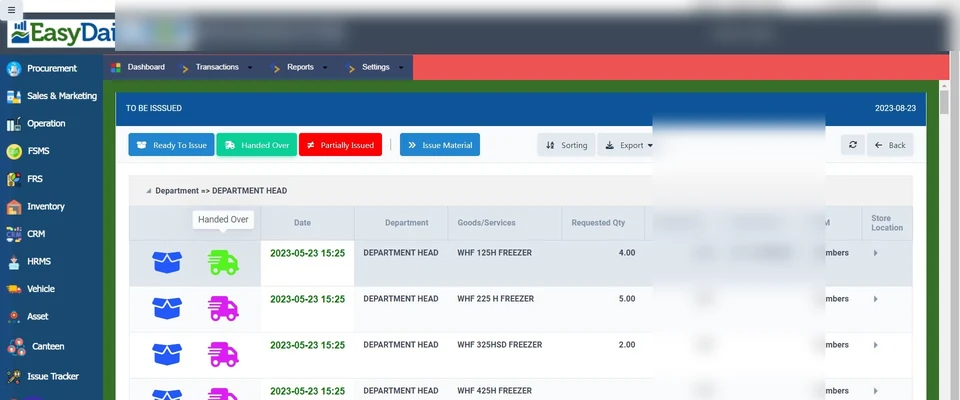
Goods and services requests

Goods and services requests

Departments raise goods and services requests that go to the store and approvers.

See how →
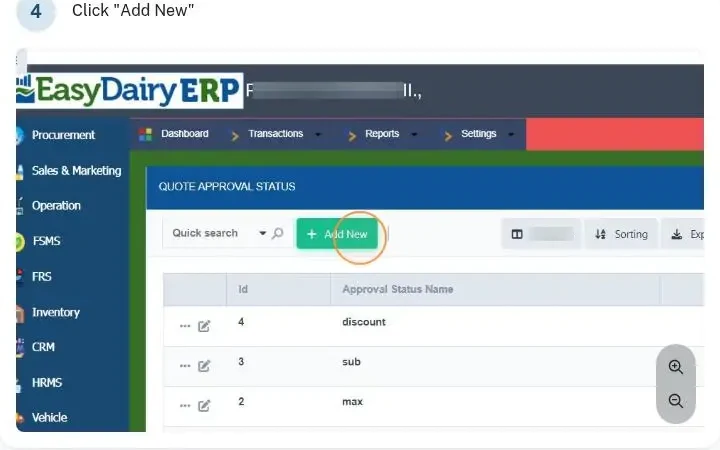
Multi-level approval statuses

Multi-level approval statuses

Approval statuses from first entry up to the final approval or rejection.

See how →
See it in the demo tourThe Assets, vehicles, CRM and requests chapter shows these screens in the order the work happens.

Keep exploring at your own pace

Every module page walks through the screens, reports and mobile apps in the same way, so you can see exactly how EasyDairyERP fits your dairy.

When you have seen enough, we are happy to show it to you live on our sample data: book a demo or call +91 94880 59495.

Next stop on the tour (24 of 27)Easy Customer Relationship ManagementContinue the tour →