
Screens · Finance
FRS Screens
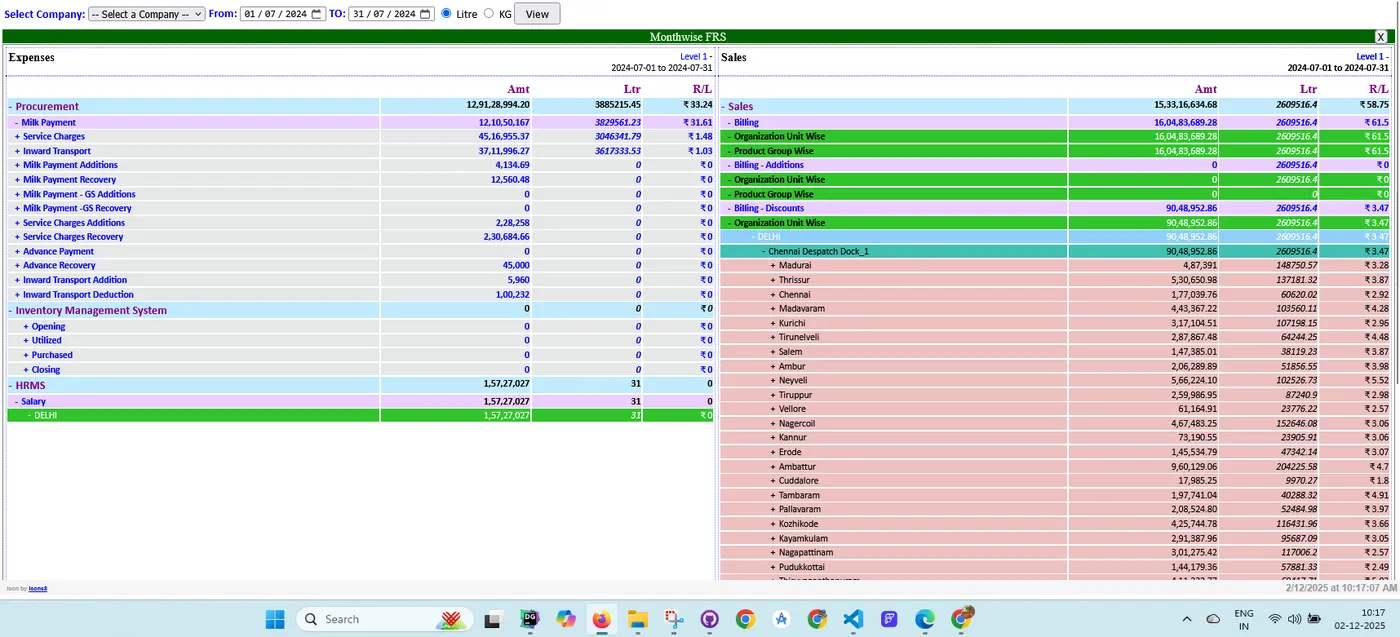
The finance screens in one place: profit and loss, income and expense heads, chart of accounts, assets, liabilities, revenue and the day-wise FIS report.
P&L statementsChart of accountsDay-wise FIS
P&LStatement and charts
AccountsAssets, liabilities, revenue
FISDay-wise report
On this page
Overview
The screens at a glanceP&L
Profit and loss screensAccounts
Chart of accounts screensDaily
Day-wise FIS reportMore
Overview
OverviewThe screens at a glance
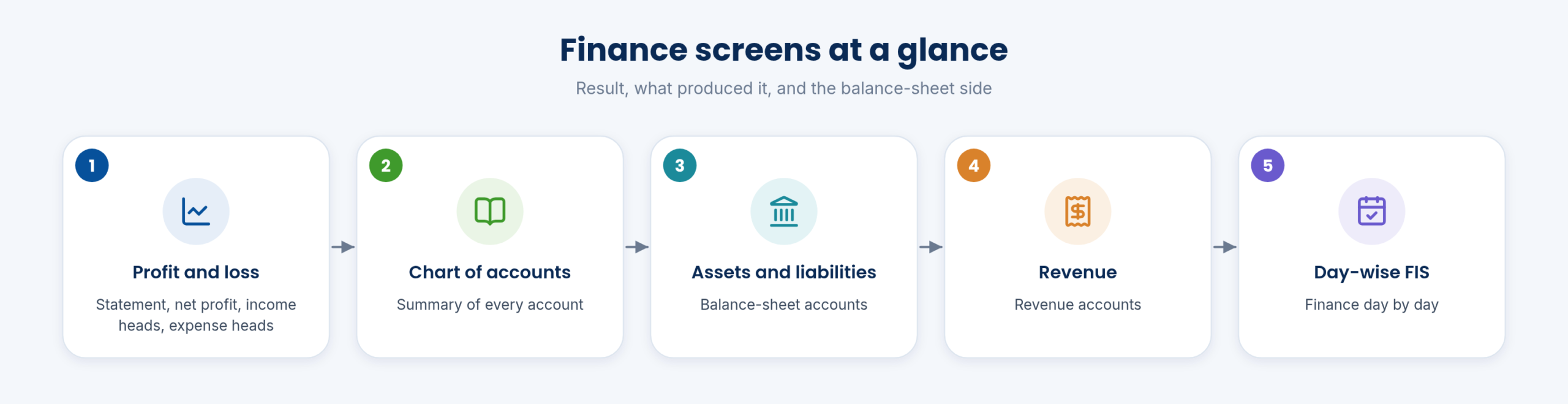
The finance screens fall into three groups: the profit and loss and what produced it, the chart of accounts with assets, liabilities and revenue, and the day-wise FIS report.
The screens on this page use test data.
P&L
P&LProfit and loss screens
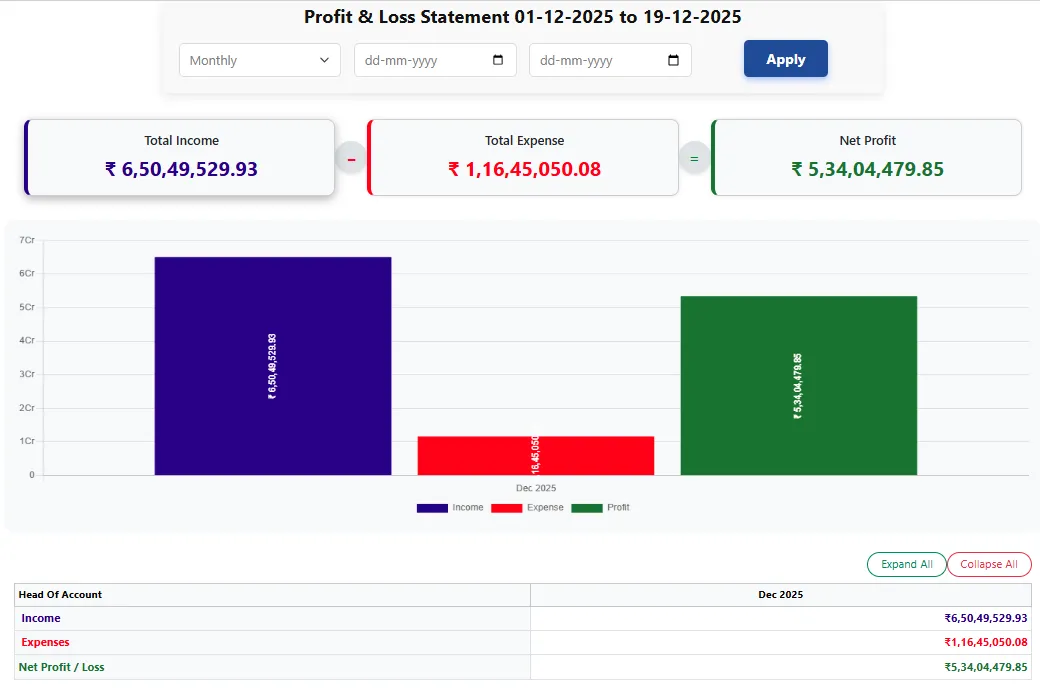
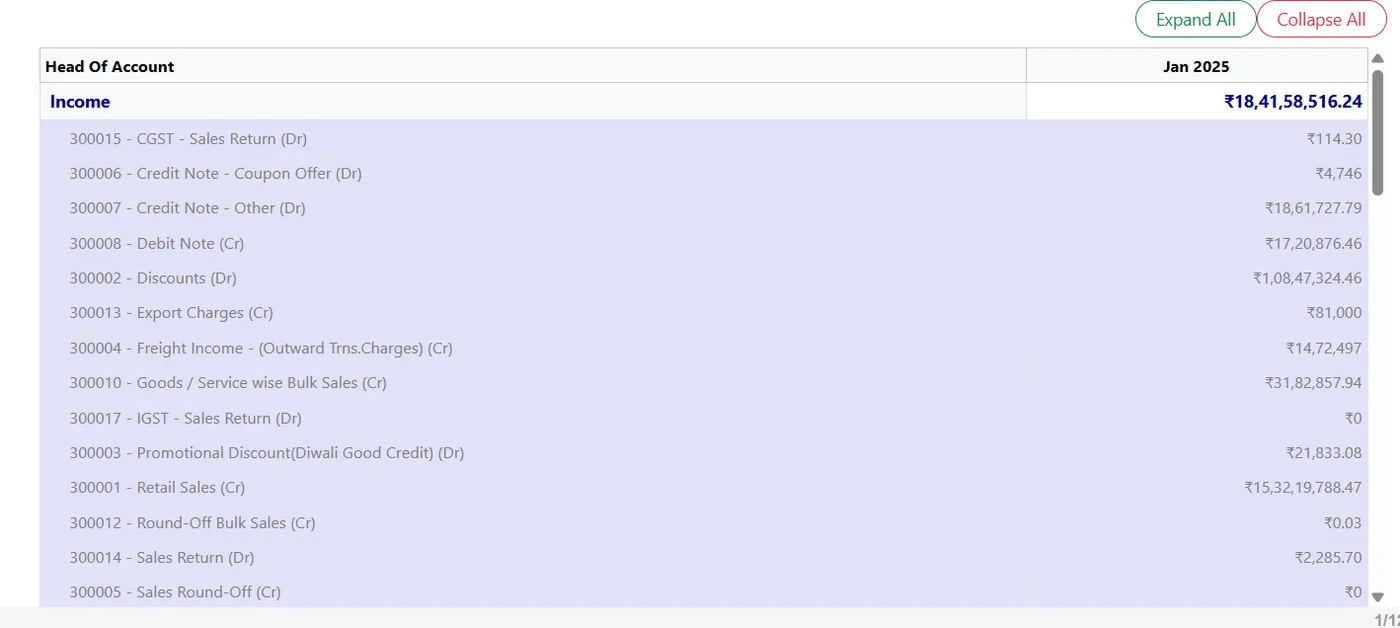
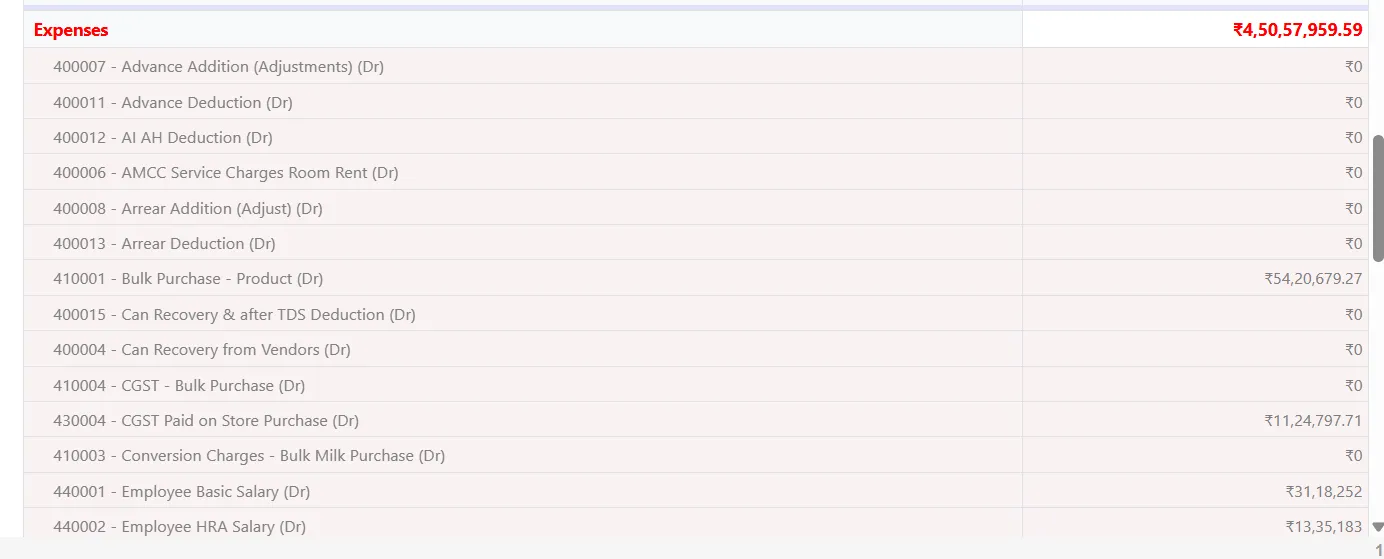
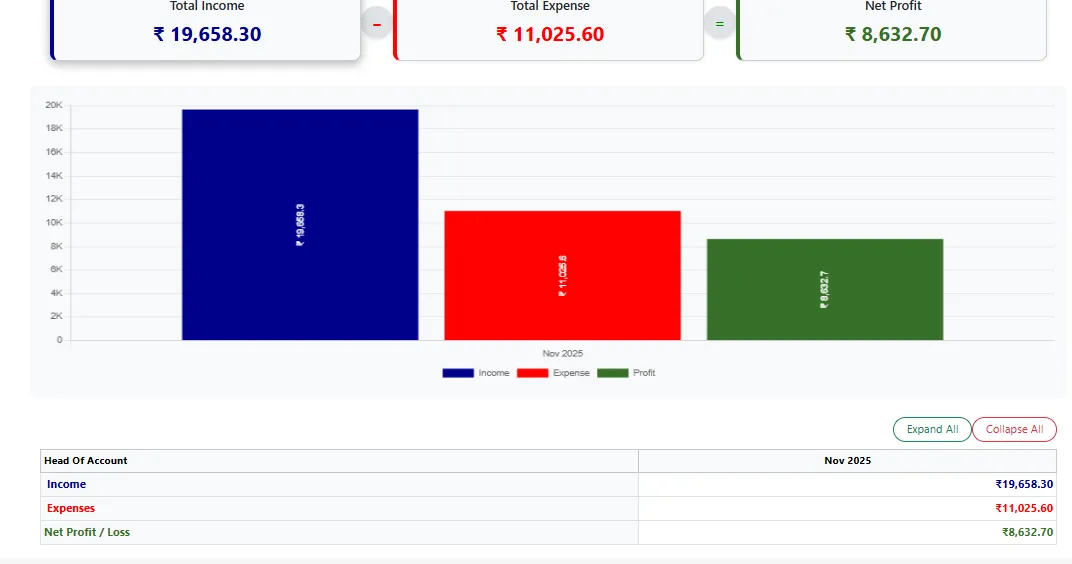
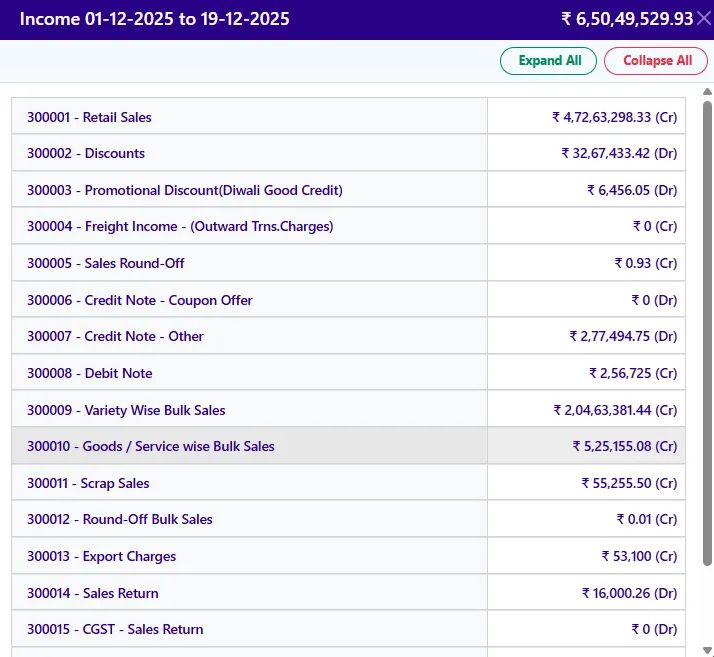
The profit and loss statement, net profit, and the income and expense heads.
They show the result and what produced it.
Functions on this topic
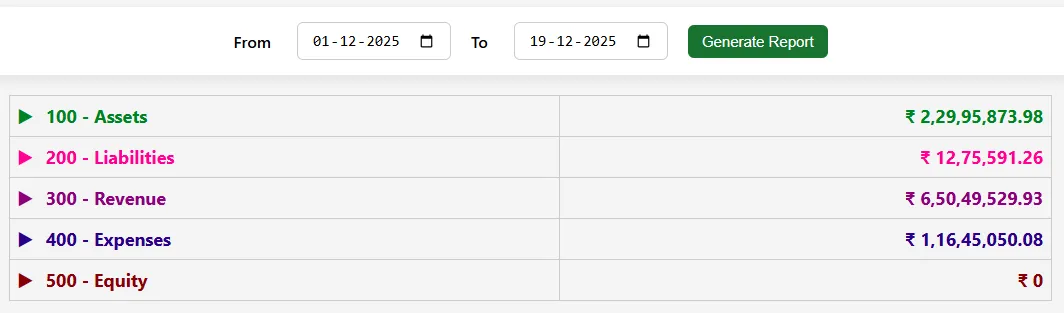
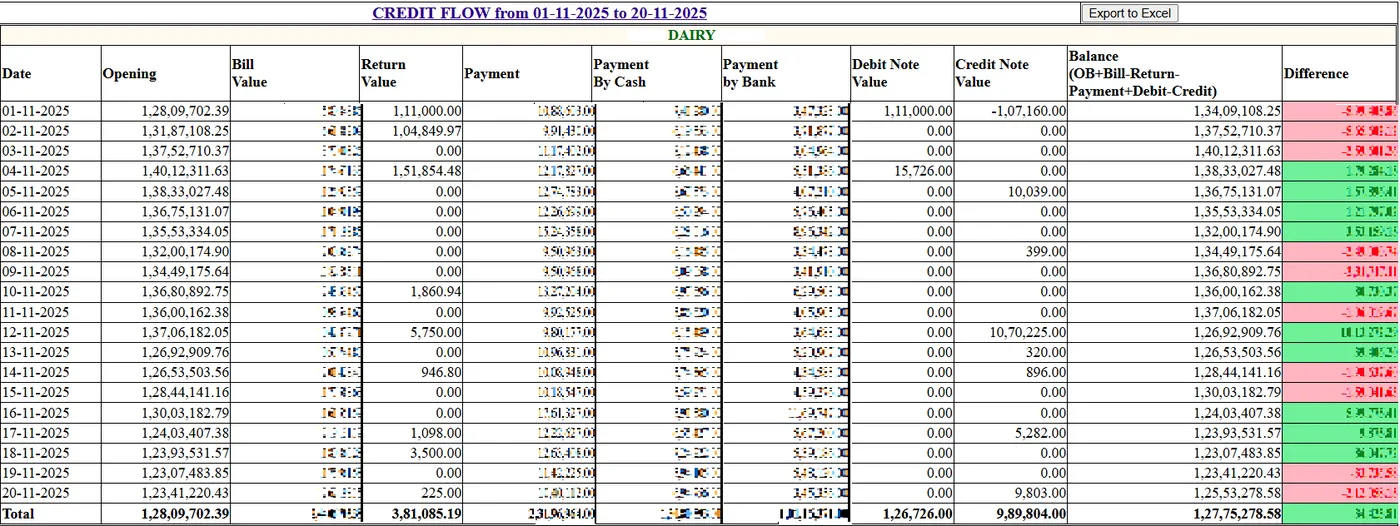
- FRS screens: Profit & loss report, net profit, income, expenses; asset; chart of account; liabilities; revenue; day-wise FIS report
Accounts
AccountsChart of accounts screens
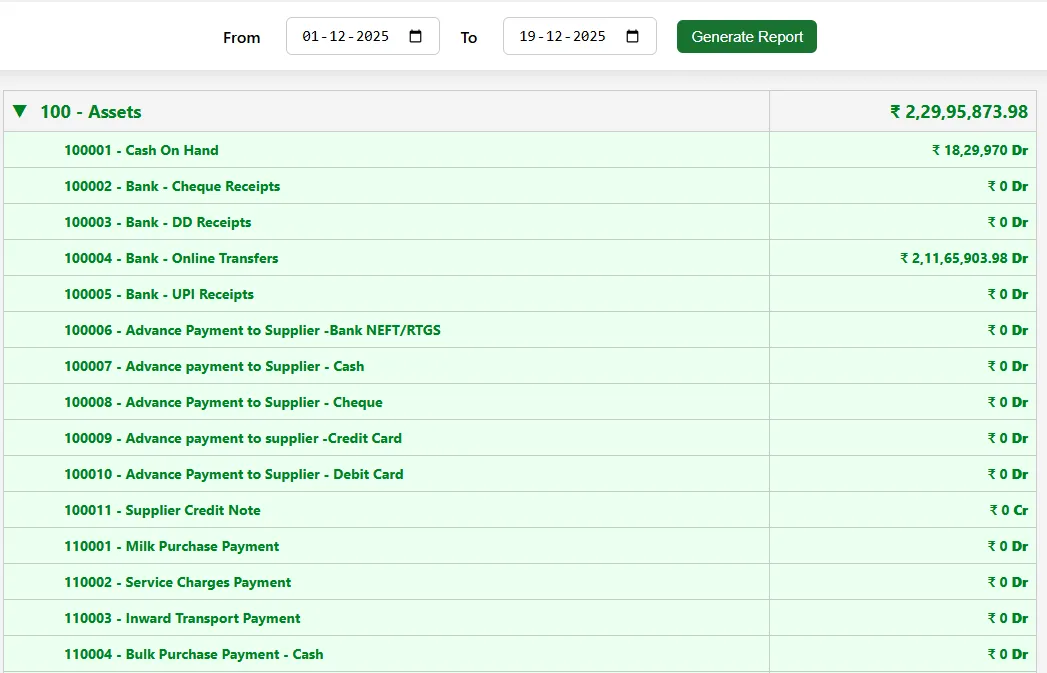
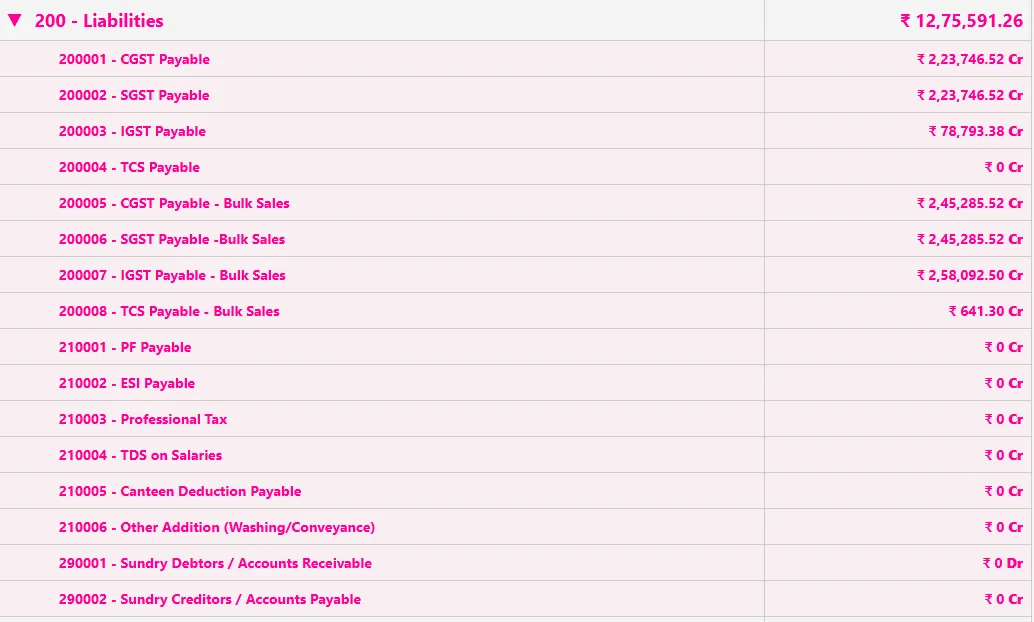
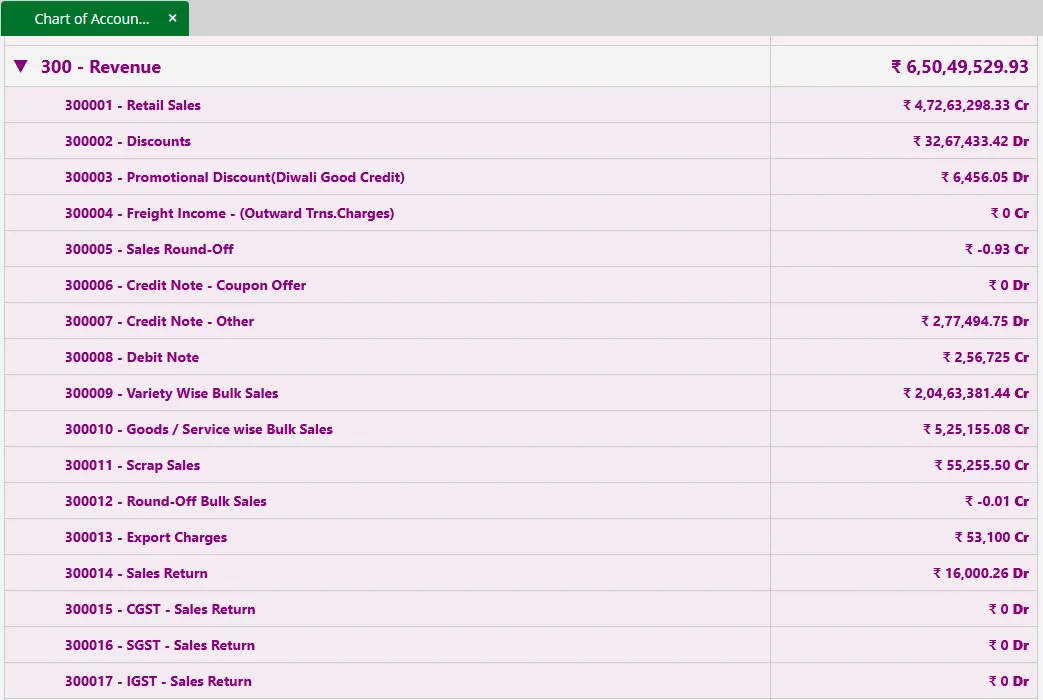
Assets, liabilities, revenue and the chart of accounts summary.
They give the balance-sheet side of the same data.
Daily
DailyDay-wise FIS report
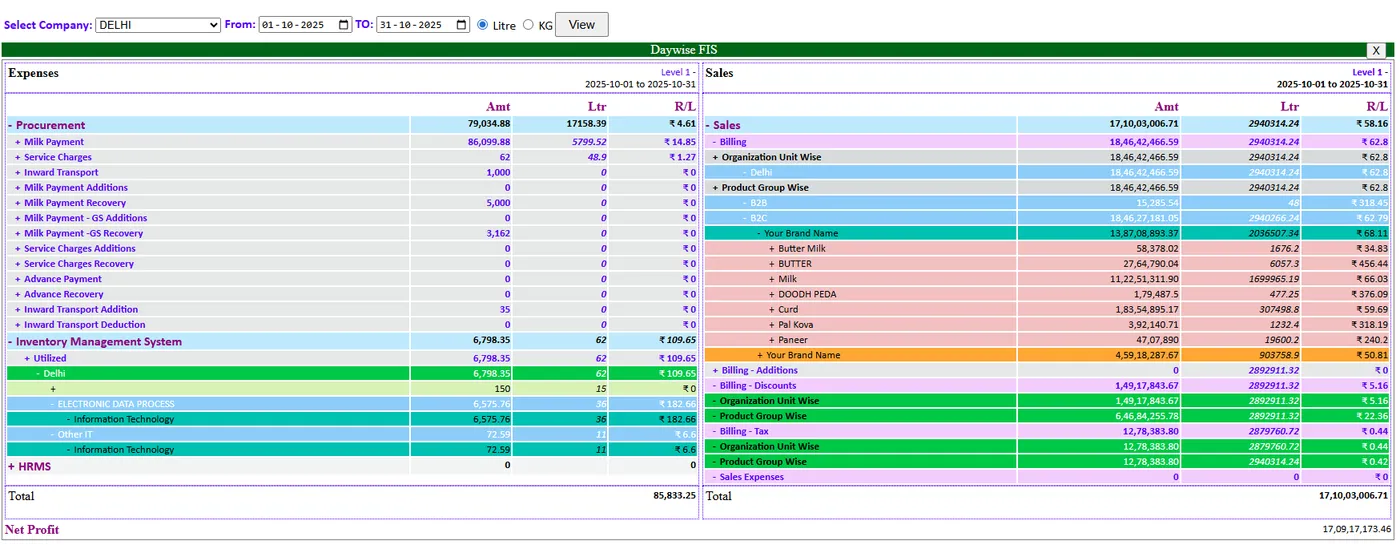
The day-wise FIS report shows finance day by day.
It is the daily companion to the P&L.
In detail
Every function, with a picture
10 functions, each with a screen or diagram you can click to open full size, and a link to the step-by-step guide in the Docs. Key features are marked in orange.
Every FRS screen
Keep exploring at your own pace
Every module page walks through the screens, reports and mobile apps in the same way, so you can see exactly how EasyDairyERP fits your dairy.
When you have seen enough, we are happy to show it to you live on our sample data: book a demo or call +91 94880 59495.
Continue with the full module tourEasy Procurement | Milk Purchase SystemContinue the tour →