
HRMS basics; payroll processing
Employee records, attendance and payroll processing in one module.
See how →Attendance from face recognition, biometrics, or the mobile app; shifts, leave and approvals on mobile; and payroll with statutory forms, PF, ESI and a direct bank file.
Easy Human Resource Management System runs attendance, shifts, leave and payroll for every employee of the dairy, from the plant floor to the field force. Each function is explained below.
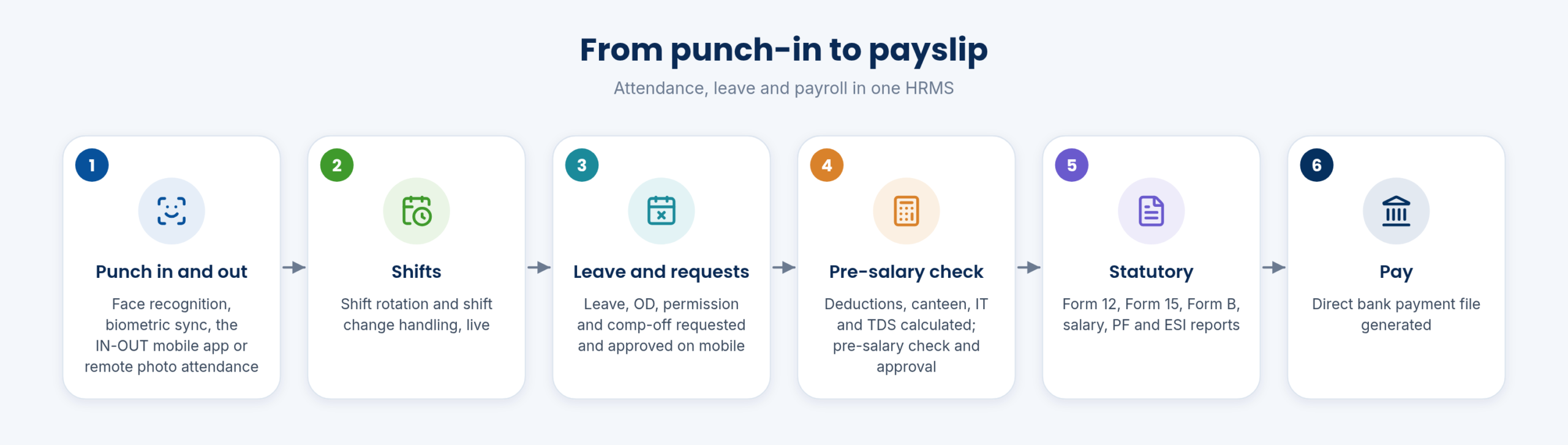
The HR cycle runs from attendance, through shifts and leave, to the pre-salary check, statutory reports and the bank payment file. Every employee also has the mobile app for HRMS and stores.
Workforce and admin management covers live attendance, employee shift management and field force tracking with GPS task allocation.
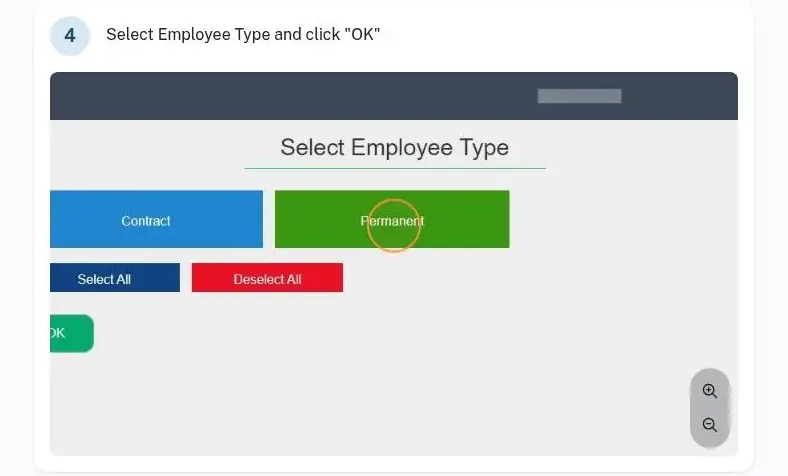
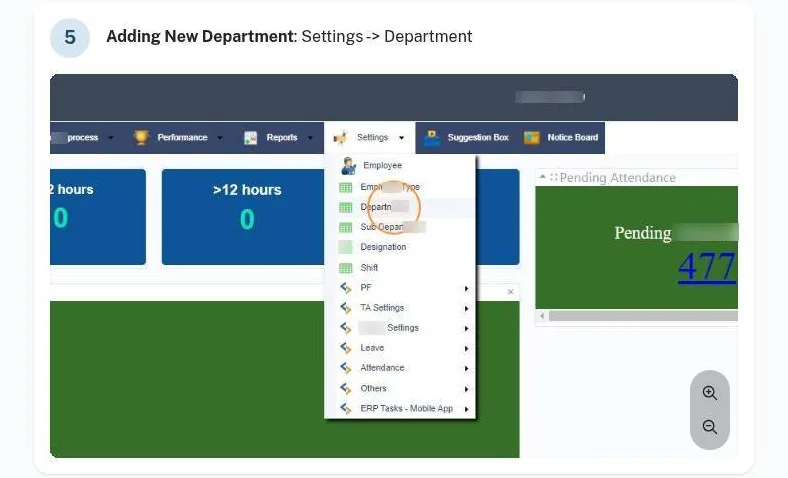
Employees are set up by organisation and employee type: in HRMS, select the organisation and the employee type, then add departments and employees under Settings with their mandatory details.
The employee master is the record every attendance entry, leave request and payslip refers to.
Attendance comes from several sources: face-reading and multi-face recognition punch in and out, automated biometric attendance synchronisation with live biometric integration, the IN-OUT mobile app, and remote attendance by photo logging for staff away from the plant. Time and attendance can also come from your attendance devices.
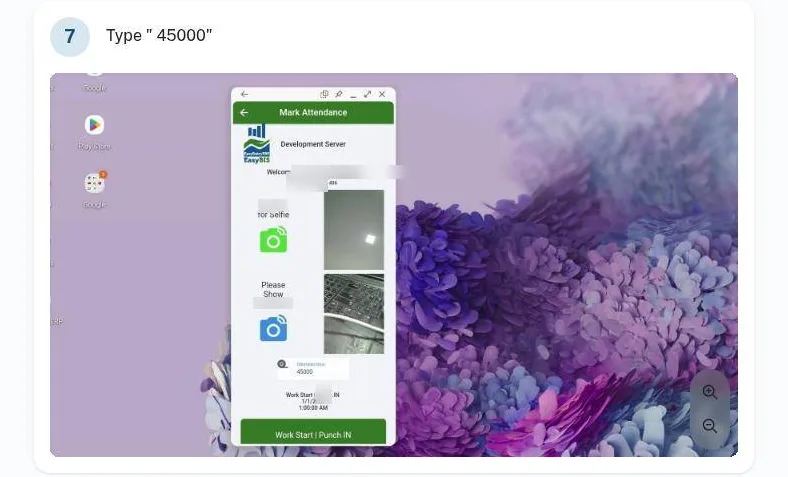
Field staff punch in under Task & Attendance in the EasyDairyERP app with a selfie and the odometer reading.
Shift rotation and shift change handling run with live automatic attendance and shift management. Leave is managed in the system.
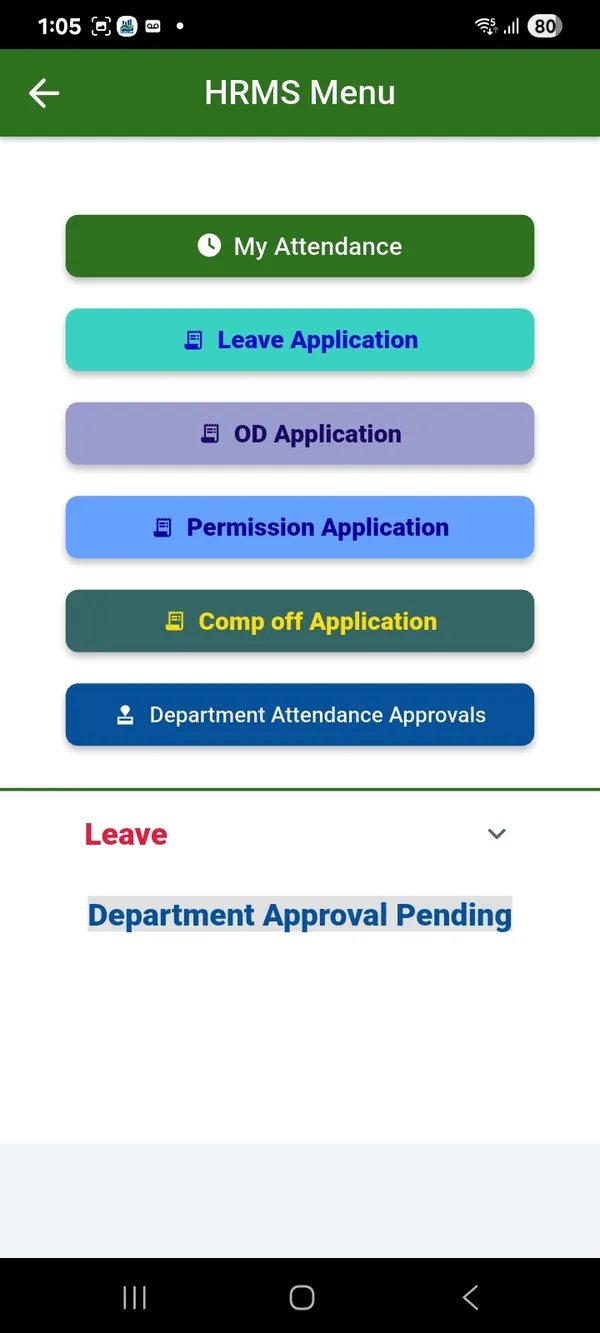
Leave, OD, permission and comp-off are requested and approved on mobile, so a supervisor approves from the floor.
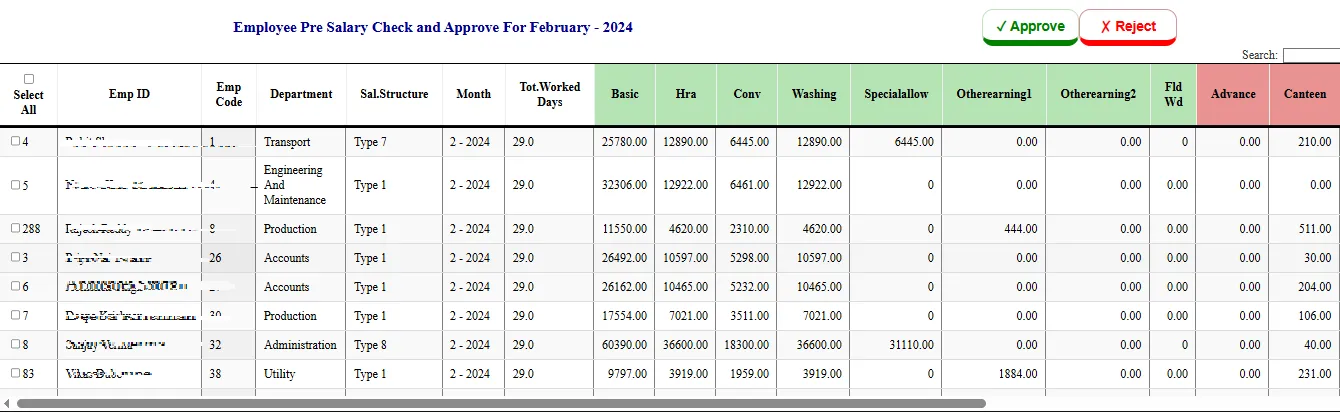
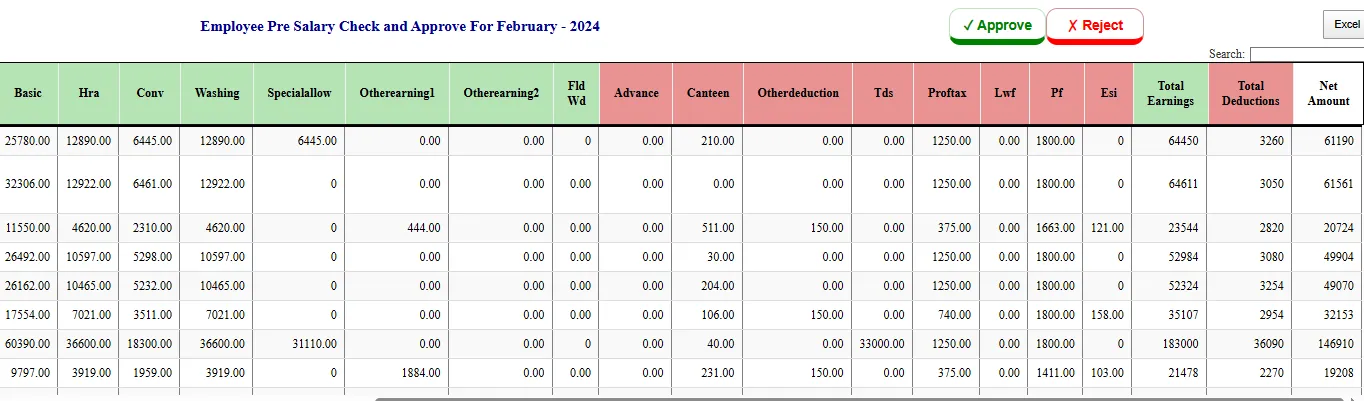
Before salaries are released, the pre-salary check shows the deductions and is approved. IT calculations, TDS and deductions are handled, with a TDS and tax planner.
A direct bank payment file is generated for the salary transfer.
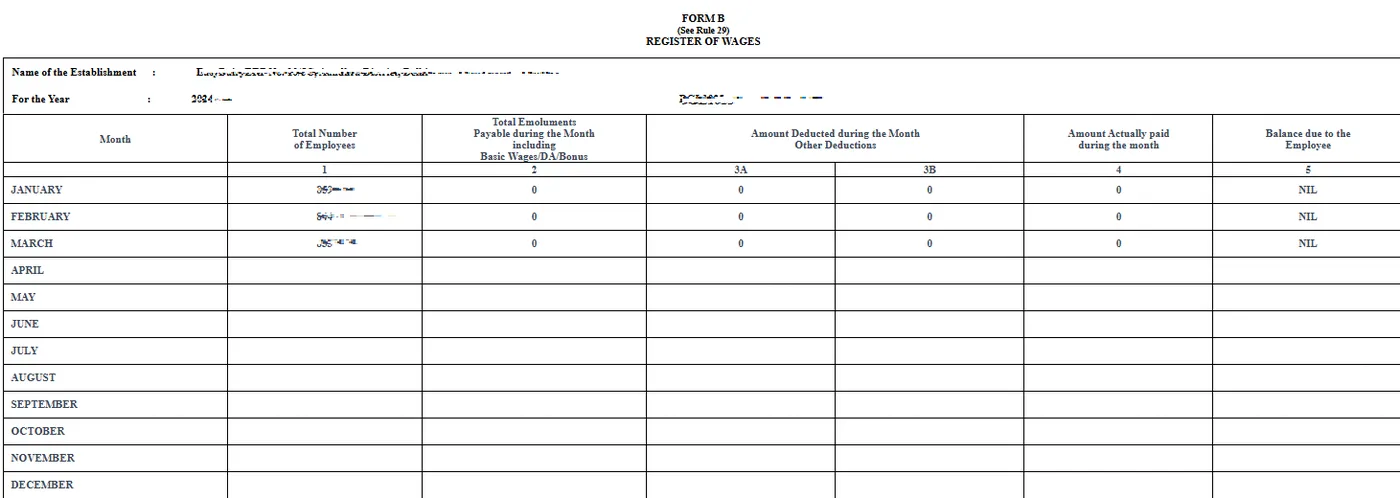
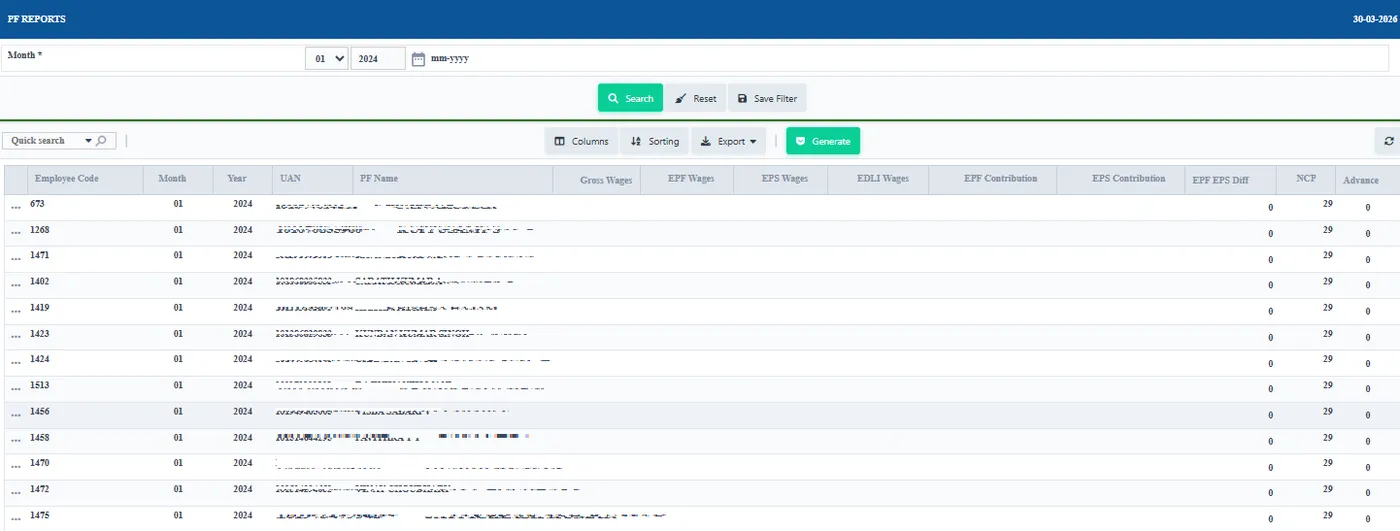
Form 12 muster file, Form 15 wage period report and Form B register of wages are produced, with the salary report, PF reports, ESI reports and other statutory reports.
They come from the same attendance and payroll data, so the forms match the payslips.
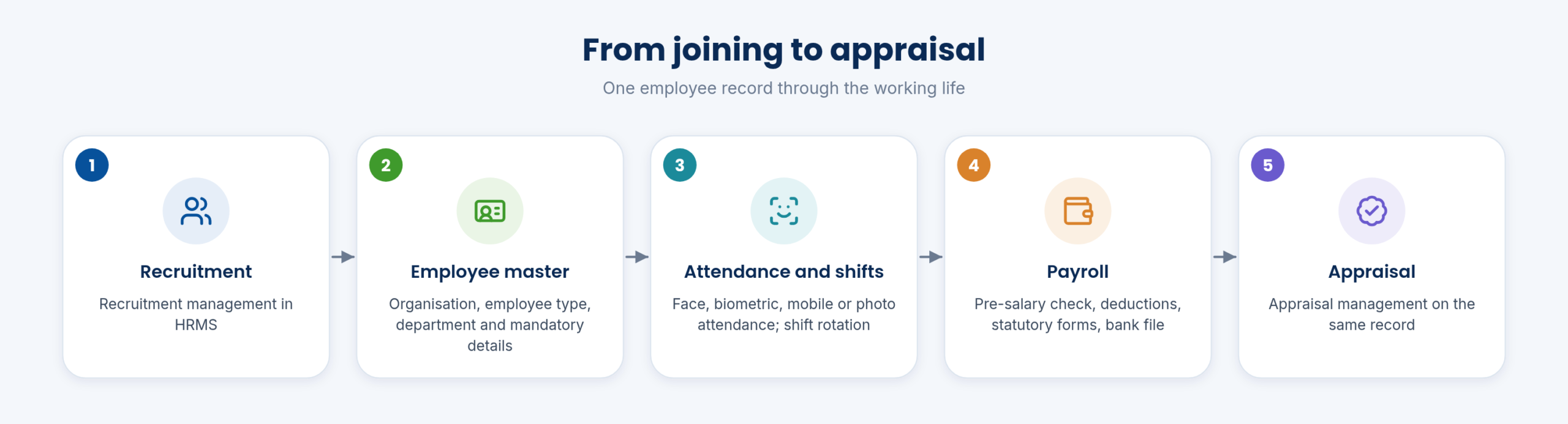
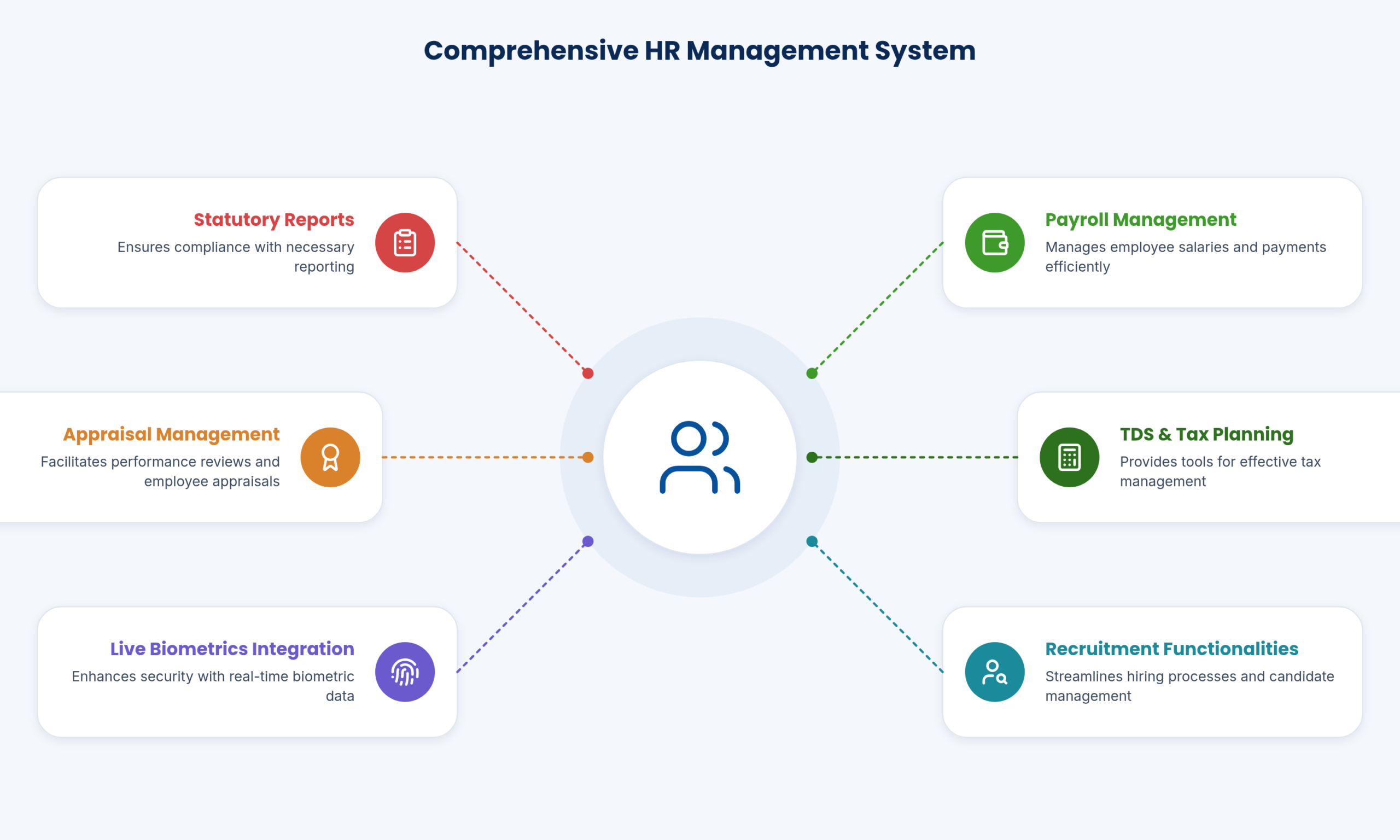
Recruitment and appraisal management are part of the HRMS.
They keep the employee’s record in one place from joining onwards.
Recruitment and appraisal use the same employee record as attendance and payroll, so the history from joining to appraisal stays in one place.
| Attendance | Face recognition, biometric sync, IN-OUT app, remote photo, attendance devices |
|---|---|
| Shifts | Rotation and change handling |
| Mobile | Leave, OD, permission, comp-off requests and approvals |
| Payroll | IT, TDS, deductions, pre-salary check, bank payment file |
| Statutory | Form 12, Form 15, Form B, salary, PF, ESI |
Face recognition, biometric synchronisation, the IN-OUT mobile app, remote photo logging and your attendance devices.
Yes: leave, OD, permission and comp-off.
Yes, a direct bank payment file.
Yes, canteen consumption is deducted from salary through HRMS.
23 functions, each with a screen or diagram you can click to open full size, and a link to the step-by-step guide in the Docs. Key features are marked in orange.
Employee records, attendance and payroll processing in one module.
See how →Staff in the field mark attendance with a photo from the mobile app.
See how →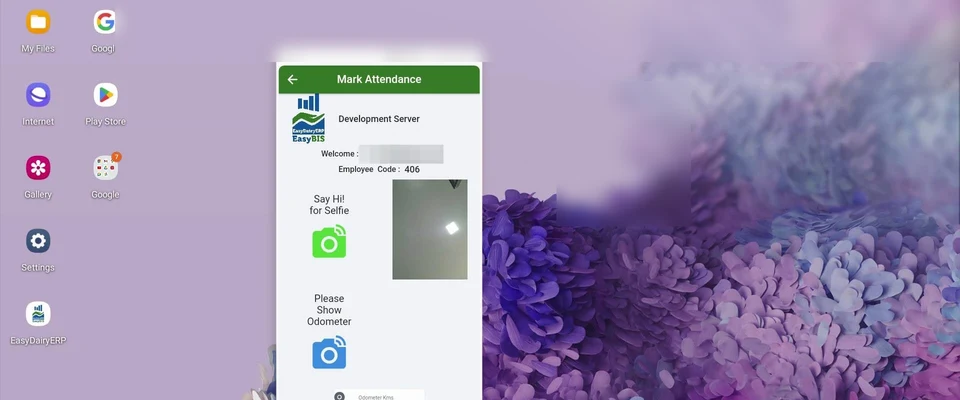
Punch in and out by face recognition, including several faces at once.
See how →Biometric devices sync attendance into the ERP automatically.
See how →Shift rotations and changes are handled, and attendance follows the shift automatically.
See how →Employees request leave, OD, permission and comp-off on mobile, and managers approve there.
See how →Income tax, TDS and other deductions are calculated in payroll, with a tax planner.
See how →Statutory muster, wage-period and wage-register forms are produced from payroll data.
See how →Salary bank files are generated for direct upload to the bank.
See how →
Set up employee types and add new employees to the master.
See how →Every employee can use the mobile app for HRMS and stores requests.
See how →Live attendance, shift management and field-force task allocation with GPS.
See how →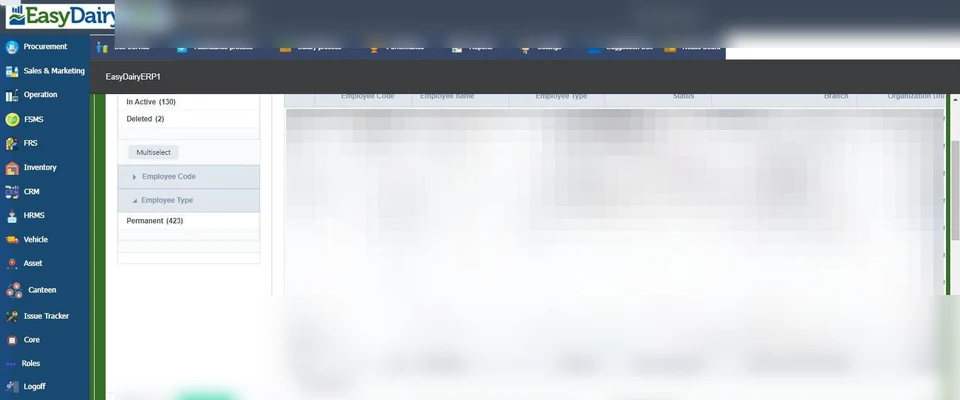
Add New opens tabs for employee details, address, contact, personal details, Aadhaar and PAN, and ESI/PF applicability.
See how →Settings holds Department, Sub Department, Designation, Shift and Employee Type masters.
See how →
Per employee: primary department, other privileges, whether attendance is required, and encashable heads.
See how →Task & Attendance: Punch IN with a selfie and odometer reading, then the day's tasks.
See how →Log activities against customers or leads, then punch out with a selfie and run km.
See how →Canteen, advances and other deductions are reviewed before salary is approved.
See how →Every module page walks through the screens, reports and mobile apps in the same way, so you can see exactly how EasyDairyERP fits your dairy.
When you have seen enough, we are happy to show it to you live on our sample data: book a demo or call +91 94880 59495.