
Milk procurement monitoring and profiling in mobile app
Procurement Head deliverable.
Procurement BI shows routes, societies, chilling centres and zones by volume, quality, rate variation and efficiency, on web and mobile, with trend-change reports and daily mails.
Milk Procurement BI turns the day’s procurement data into the decisions of the next morning. The dashboard covers routes, societies, chilling centres and zones by volume, quality, rate variation, efficiency and farmer insights. Two reports carry most of the weight: the Procurement Trend Change Report and the Daily Procurement and Activity Report. Both are explained below with their real screens (company and route names blurred).
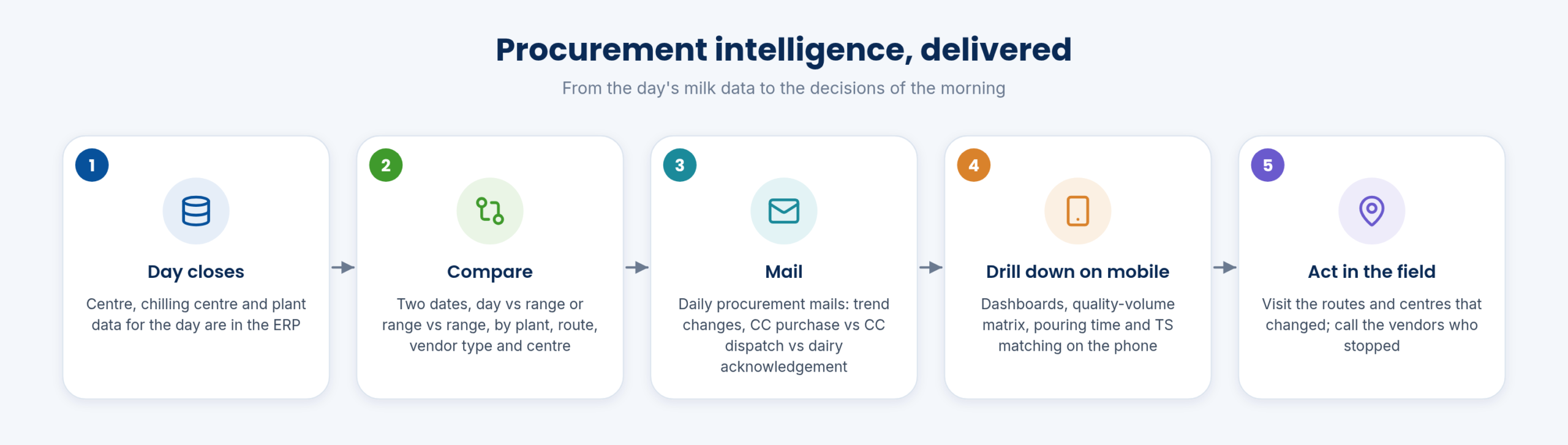
When the day closes, the centre, chilling centre and plant data are in the ERP. The BI layer compares them against another day or range, mails the result to the people who act on it, and puts the same figures on the phone for drill-down.
The mails go to the people who act on them, so the procurement head, the plant managers and the route supervisors start the morning from the same figures, and drill down on the app when they need detail.
The BI dashboard analyses routes, societies, chilling centres and zones on volume, quality, rate variation, efficiency and farmer insights. A BI chart compares two date ranges, and the purchase volume trend and the quality-based live report show the shape of the season.
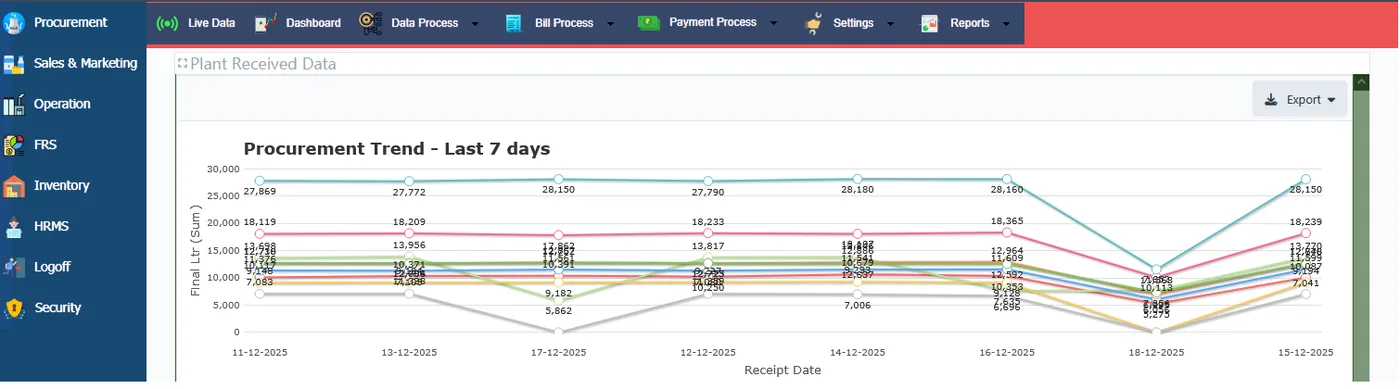
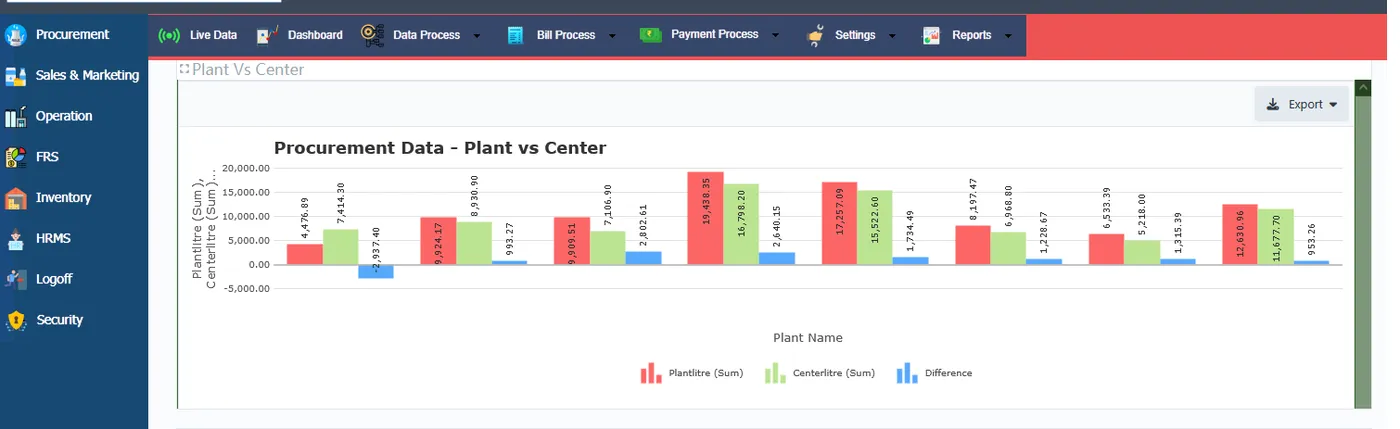
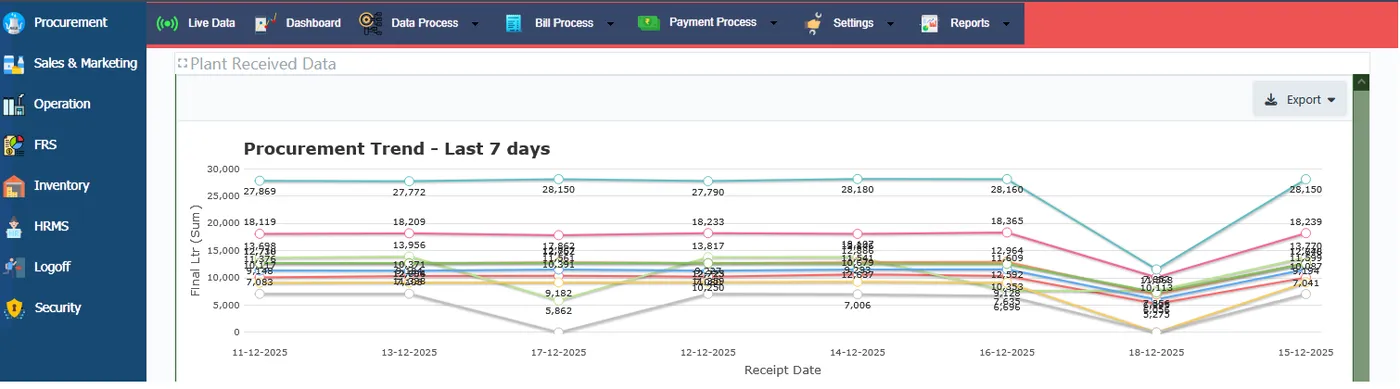
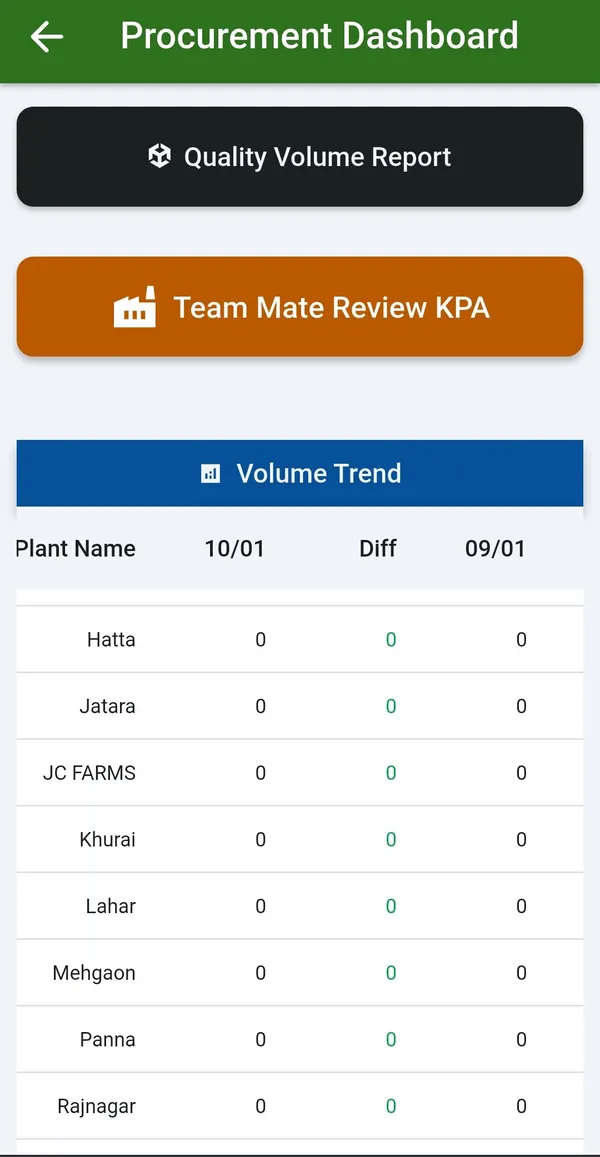
Dashboards on the web match the ones on the app: plant versus centre difference, the last 7 days’ trend, and the comparisons described below.
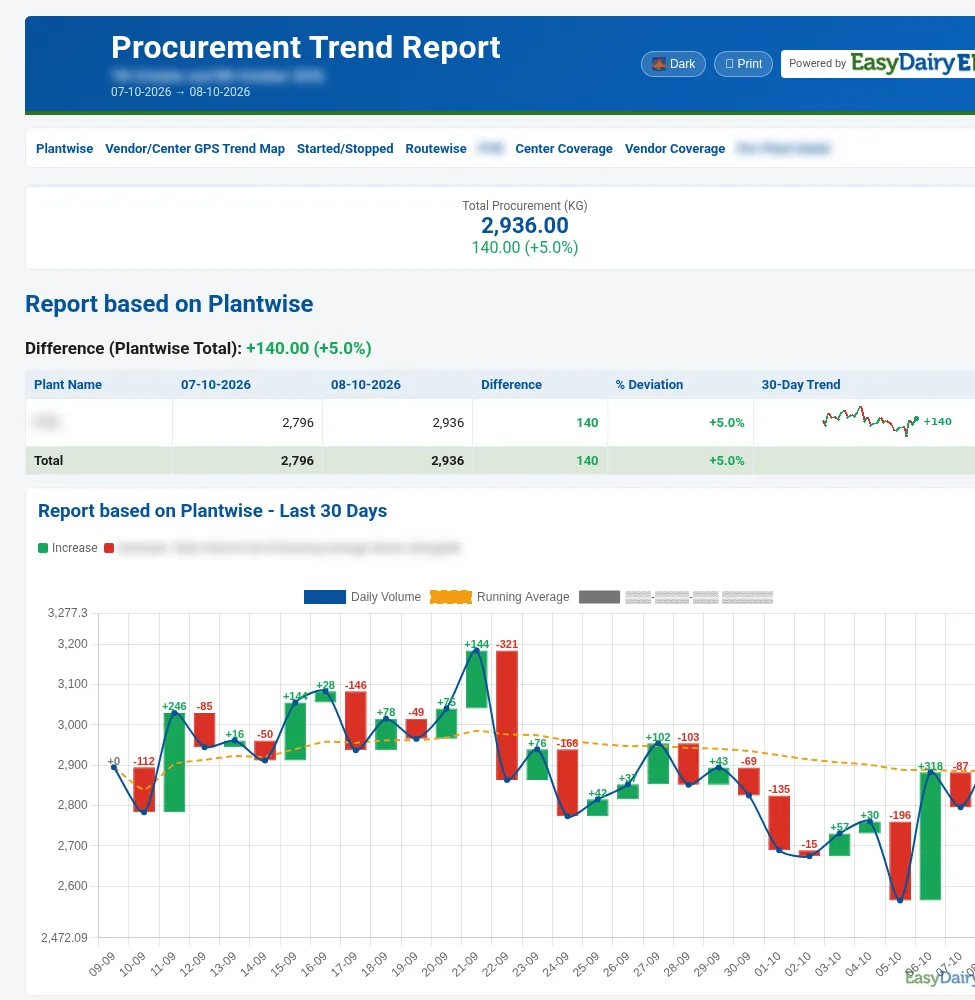
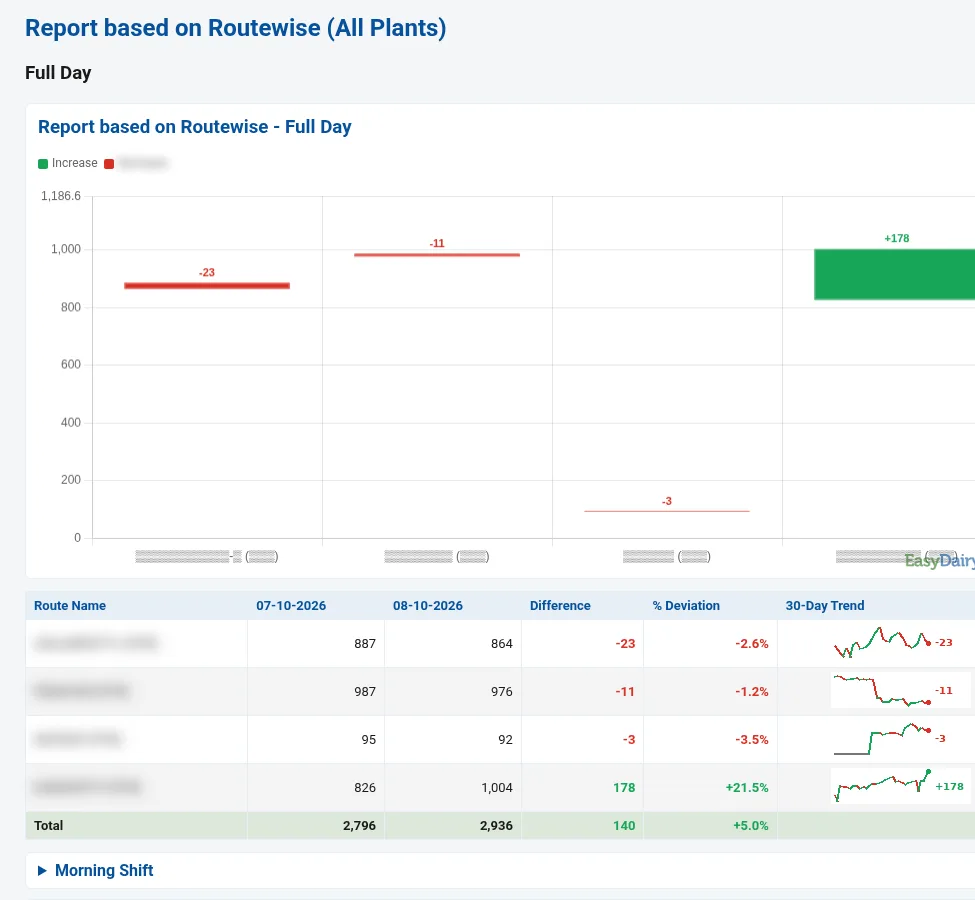
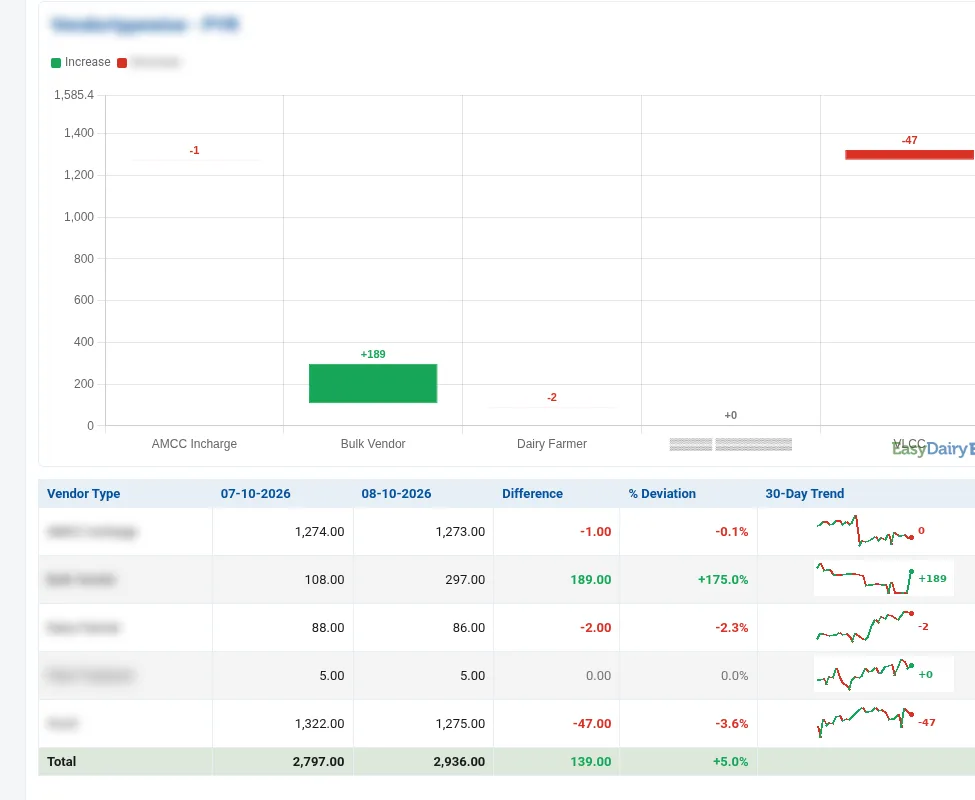
The Procurement Trend Change Report compares any two days of milk procurement and shows exactly where volume rose or fell: by plant, route, shift, vendor type and centre, with a 30-day trend behind every line. It is sent daily by email and is available on the web.
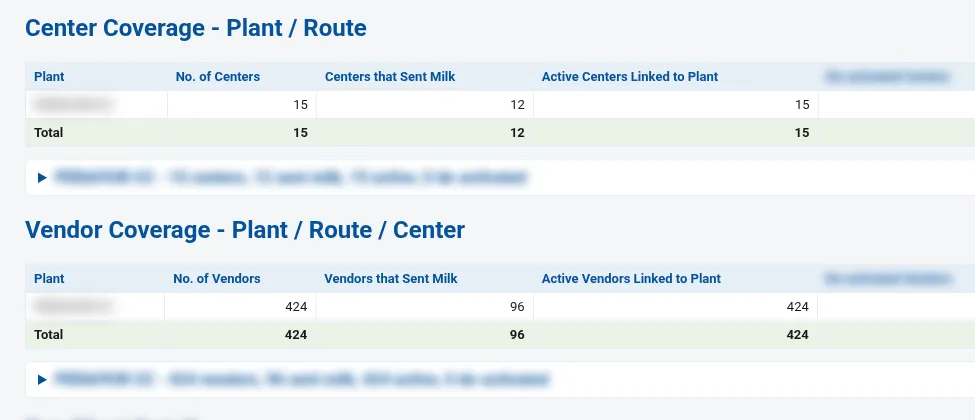
Inside: total procurement for the day against the comparison day; a plant-wise comparison with a 30-day sparkline per plant; the last-30-days chart with running average and day-over-day change; the last 10 days; started and stopped vendors and centres; route-wise comparison for the full day and each shift; a GPS trend map of centres; centre and vendor coverage; and per-plant detail by date, vendor type and route.
It answers which routes and centres to visit today, whether a fall is one shift, one route or the whole plant, which vendors stopped pouring, and which vendor types are growing.
Falls in volume are traced to a plant, route, shift or vendor the next morning.
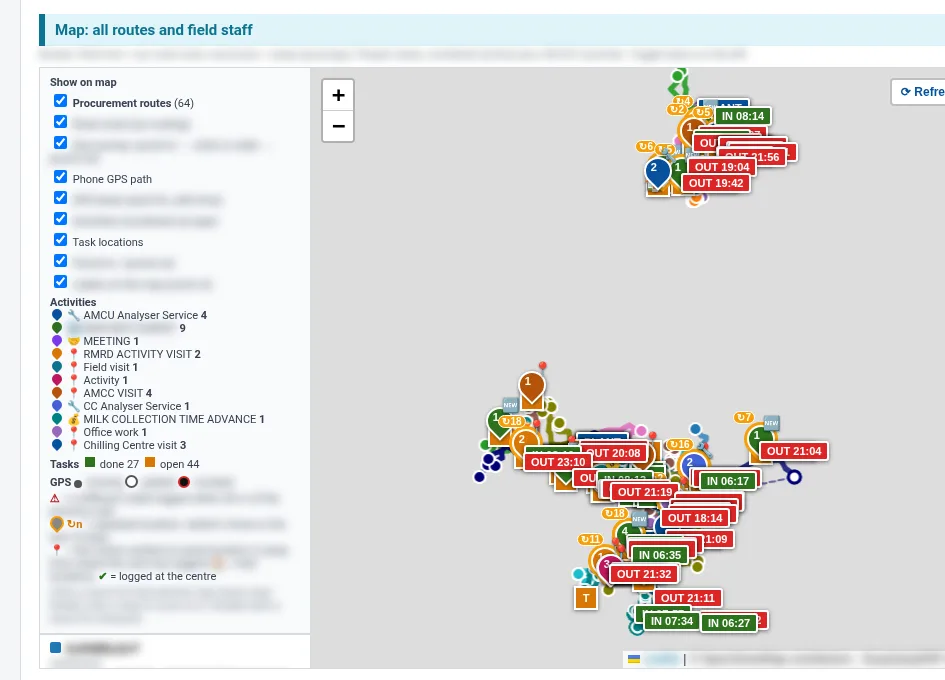
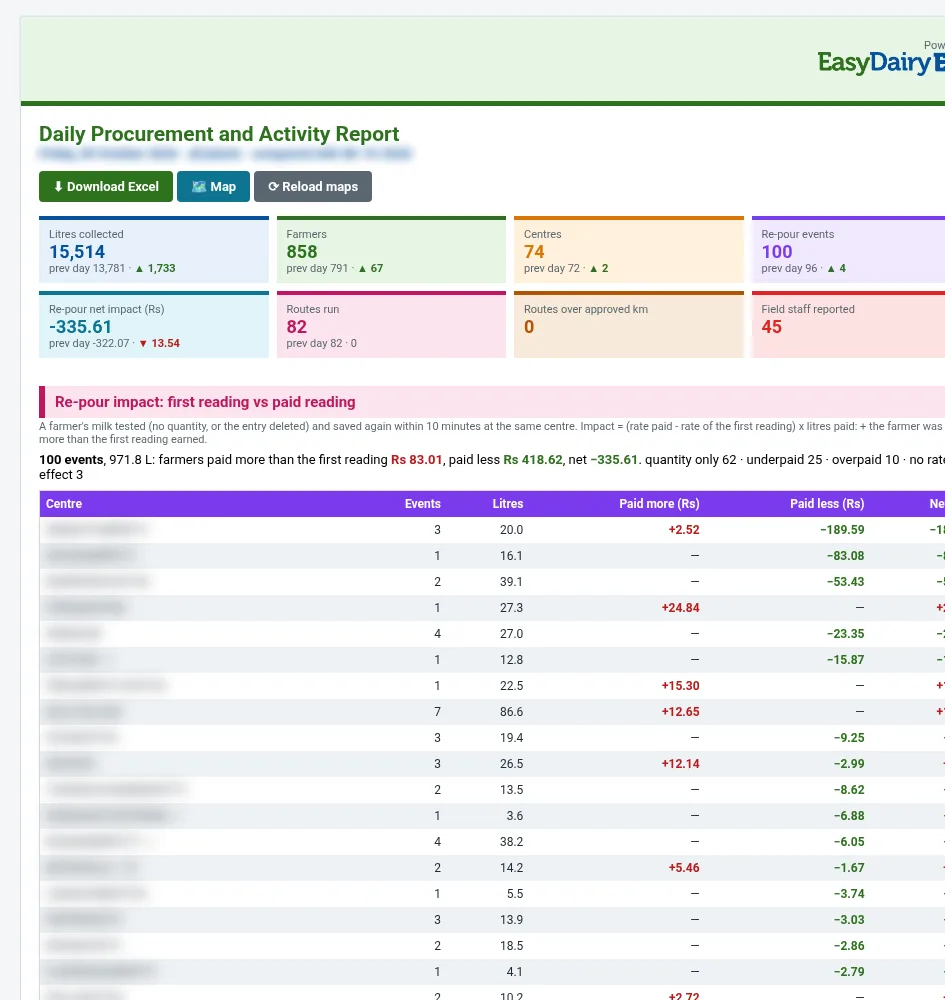
Every morning, for the previous day, one report covers the whole procurement day: litres, farmers and centres against the day before; re-pour checks on every milk test; centre-versus-plant differences; route kilometres; and what the field staff actually did.
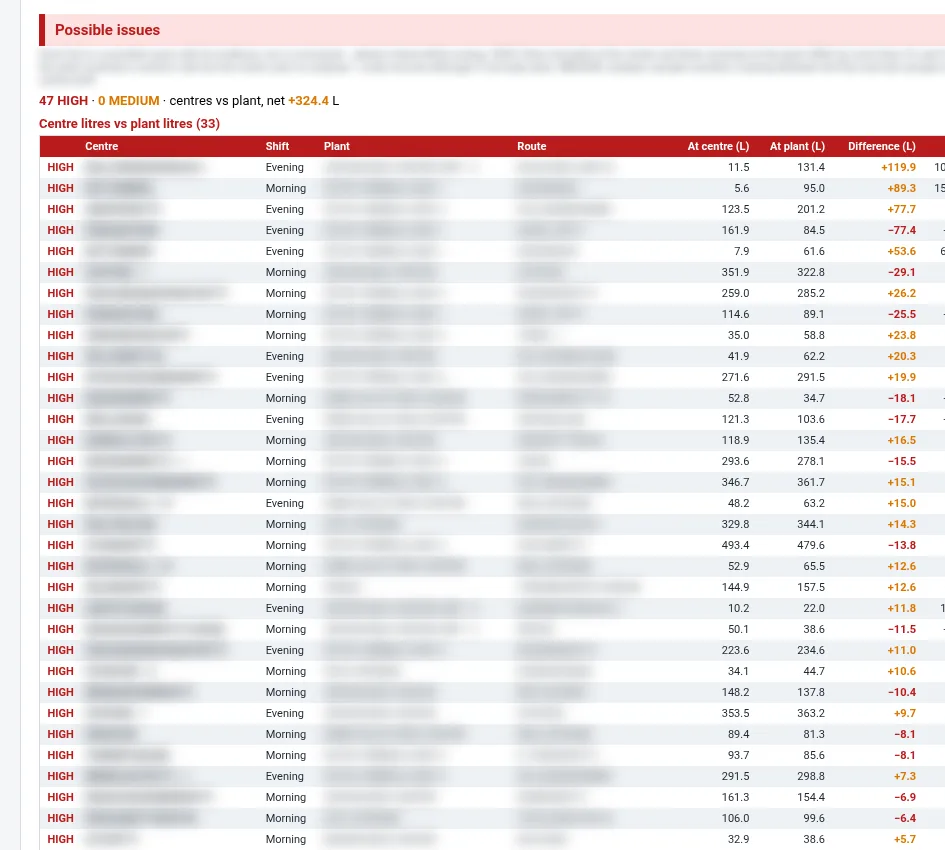
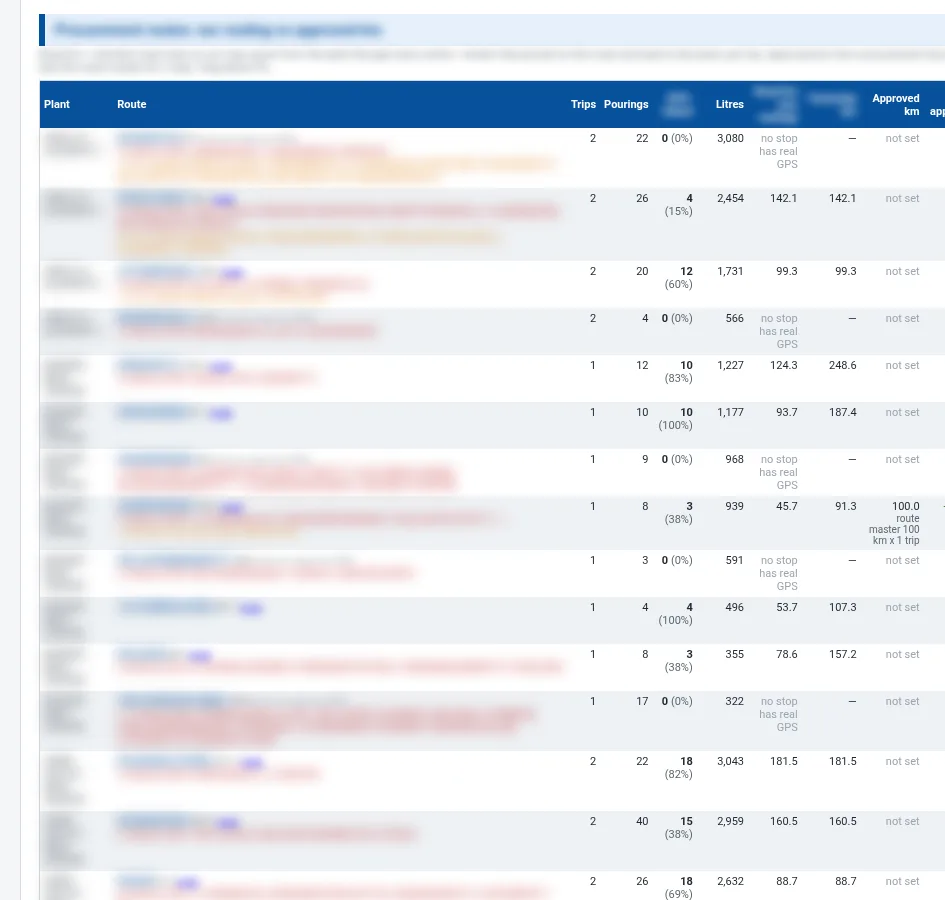
Re-pour impact catches a farmer’s milk tested and saved again within 10 minutes at the same centre, comparing the first reading with the paid reading. Possible issues flag centre litres against plant litres by shift and route, and milk received at the plant with no centre record. Maps show each plant, route overlaps and field staff GPS paths; routes are compared with their approved kilometres; and field activity is listed by person, with the staff who did not report. The whole report downloads to Excel in one click.
Audits, route changes and field follow-ups start from facts the morning after.
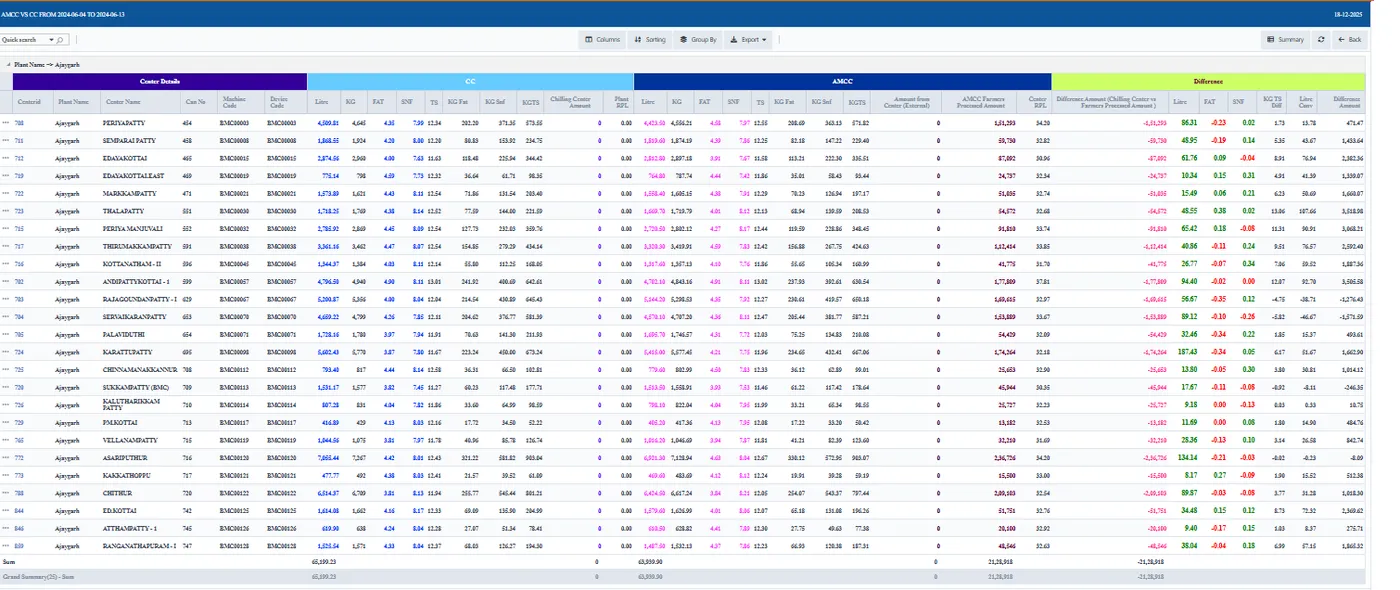
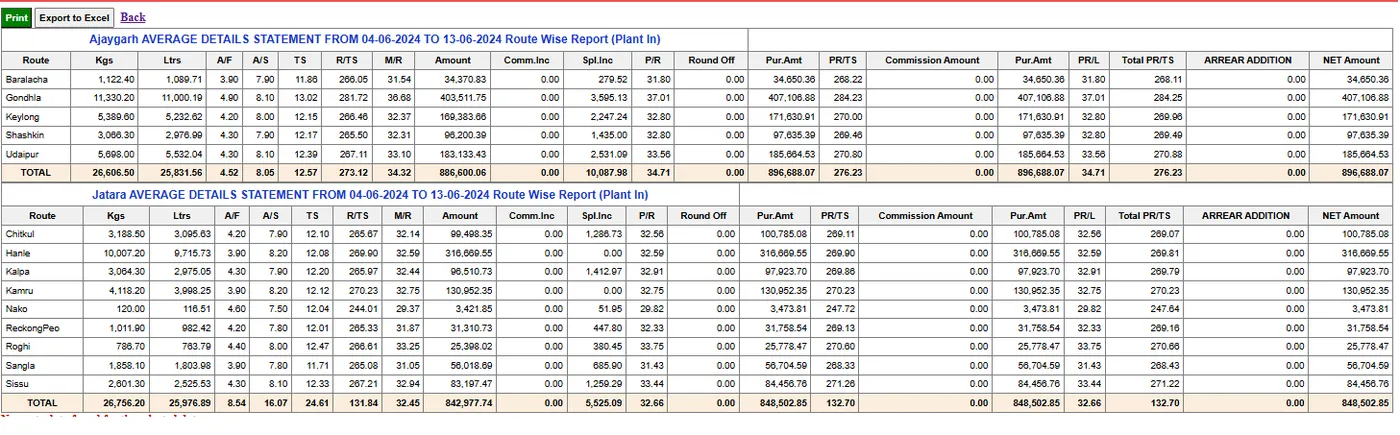
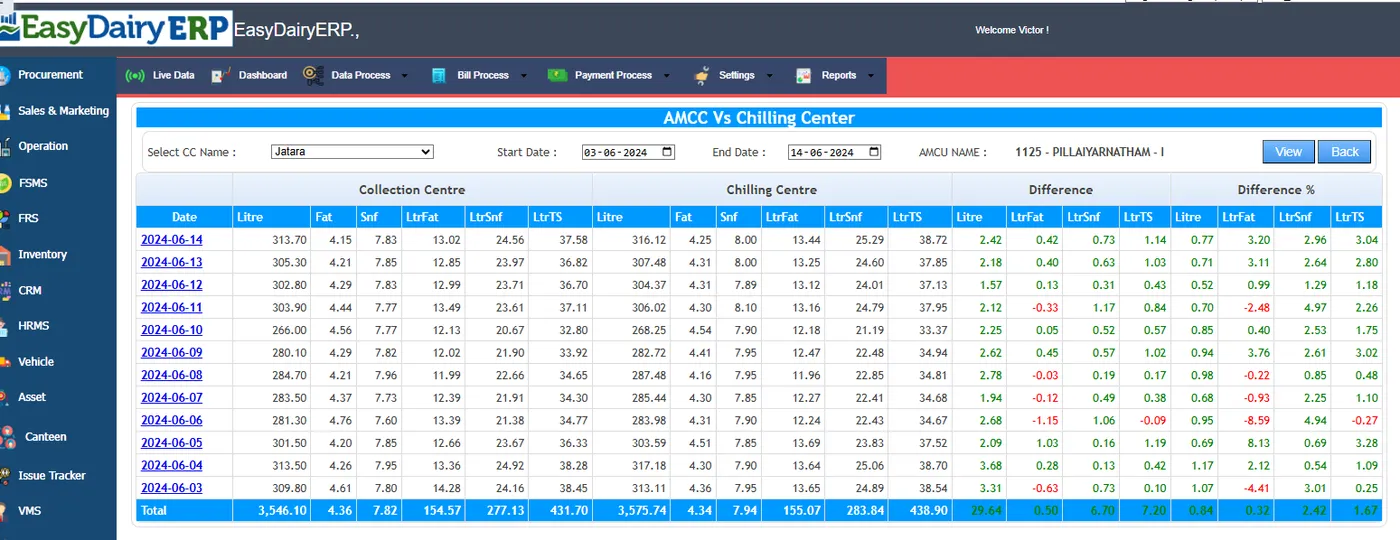
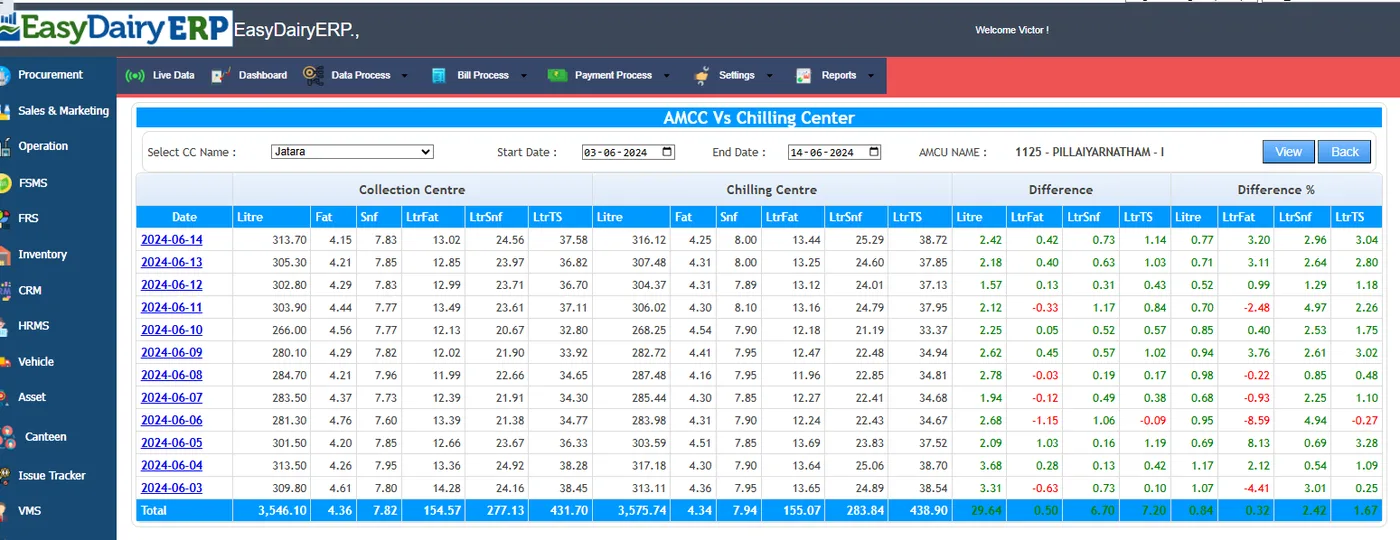
On the web, the BI set includes AMCC versus chilling centre difference (date-wise and with amount) and the AMCC versus CC dashboard; CC receipts with landing TSR and day-wise CC receipt with amount; the day and shift-wise consolidated report; AMCC cost analysis; centre and plant invoice analysis; last-two-bill and three-date-wise comparisons; plant-in vendor comparison; and the route-wise average statement. Each is shown on Procurement Screens.
These reports are the detail behind the BI headlines: when the trend report shows a fall or a difference, these screens show which centre, which date and what amount.
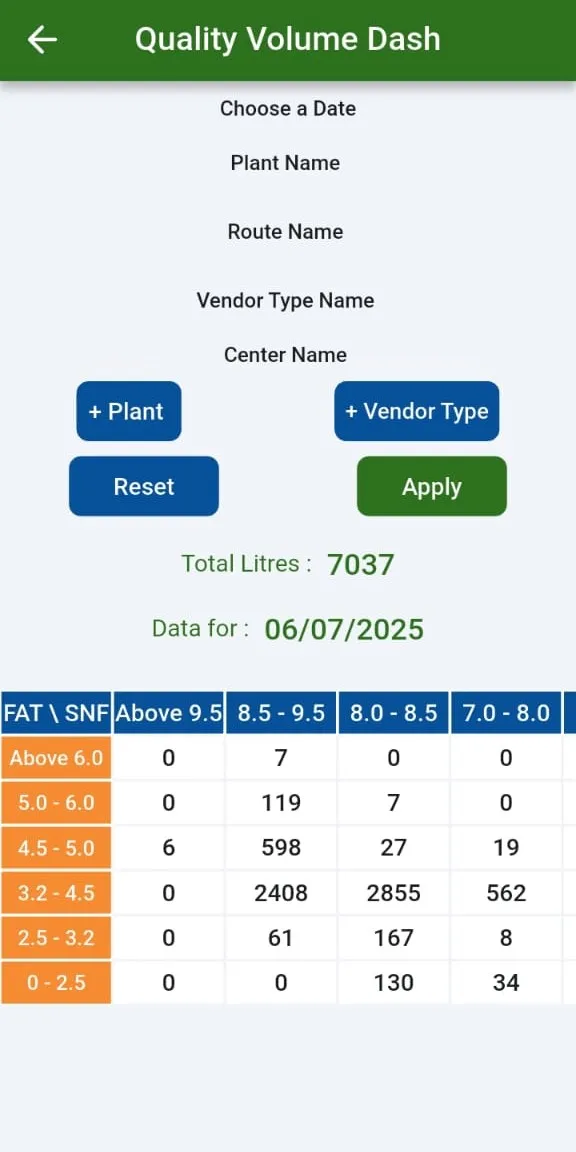
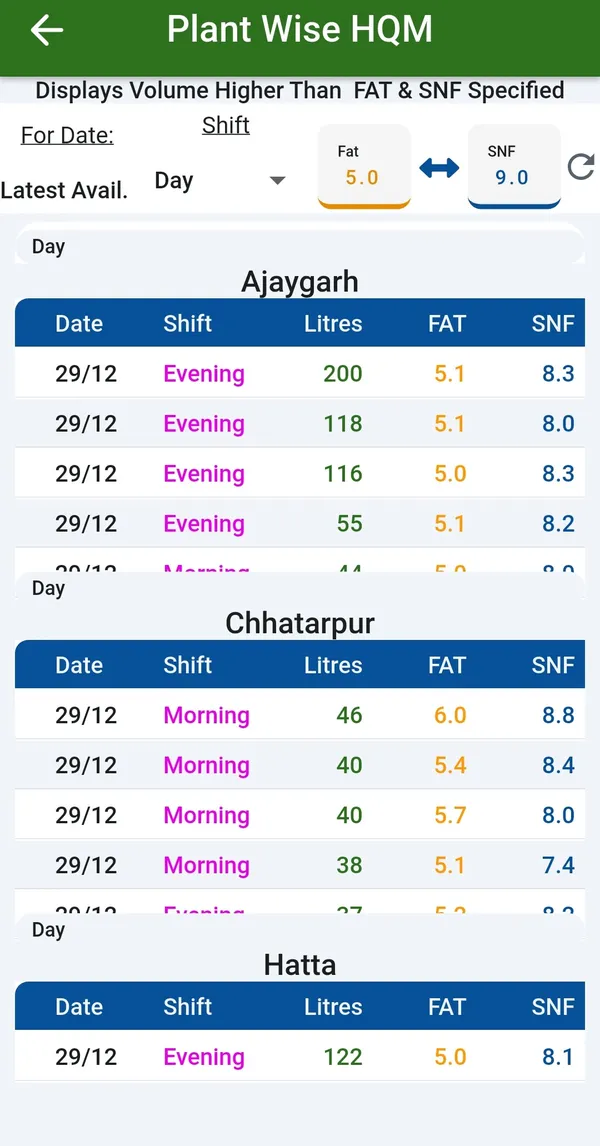
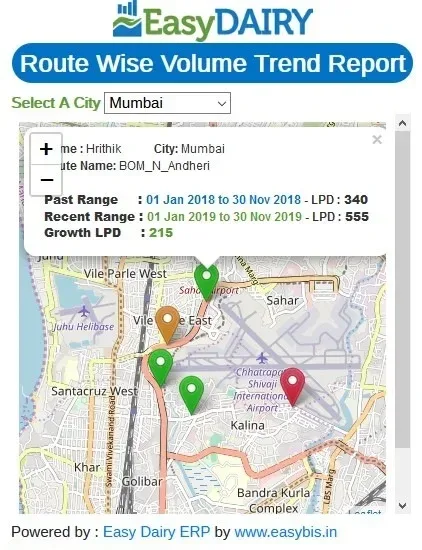
Milk procurement monitoring and profiling is on the EasyDairyERP app: live chilling-centre trends compared day versus range or range versus range, centre data arrival, centre GPS with volume trend, farmer supply history, vendor segmentation, TS matching, pouring time, plant comparison, the quality-volume matrix, the HQM and LQM finders and volume analysis. See Procurement Mobile Application for each screen.
The phone screens and the BI reports draw on the same data, so a figure quoted from the app in a review meeting matches the figure in the morning mail.
All 46 functions of Milk Procurement BI, one card each. Orange cards are key features.
Procurement Head deliverable.
Chilling centre trends on the phone, comparing a day or a period with another.
See which centres have sent their shift data and which have not.
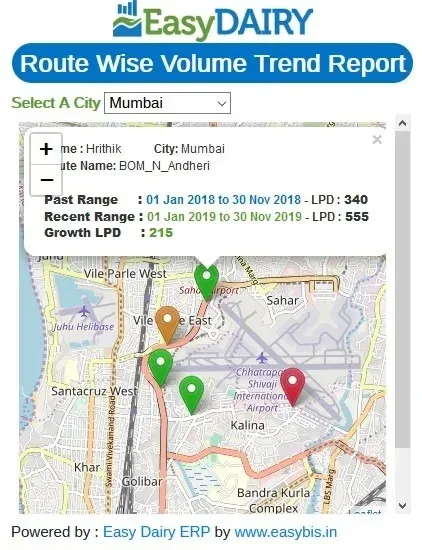
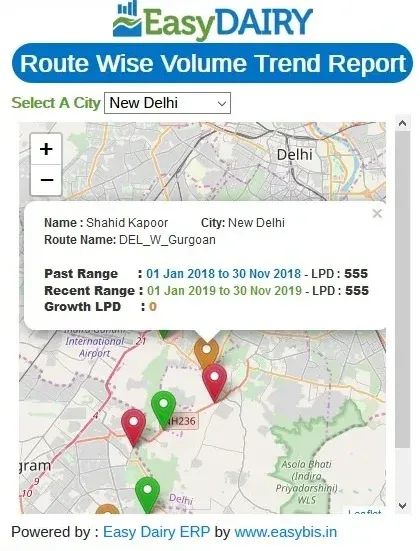
Every centre on a map with its volume trend.
Each farmer's supply history, with the trend over time.
Vendors grouped by chilling centre, plant, route and vendor type.
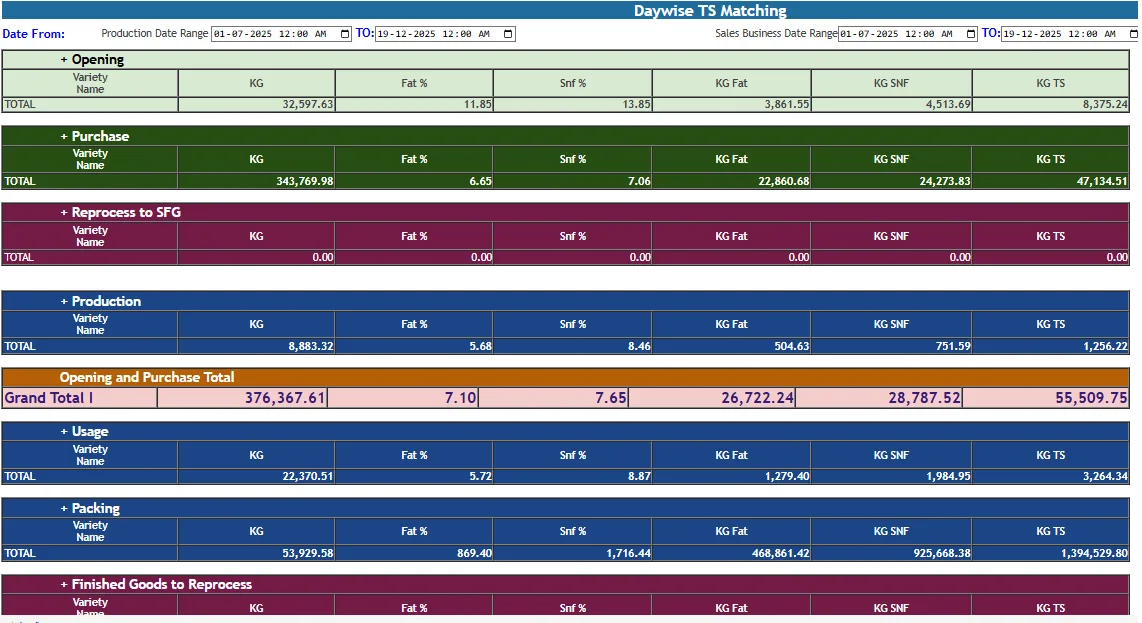
Total solids from the centre matched against the chilling centre, on the phone.
Overview; volume and quality trends; day vs range.
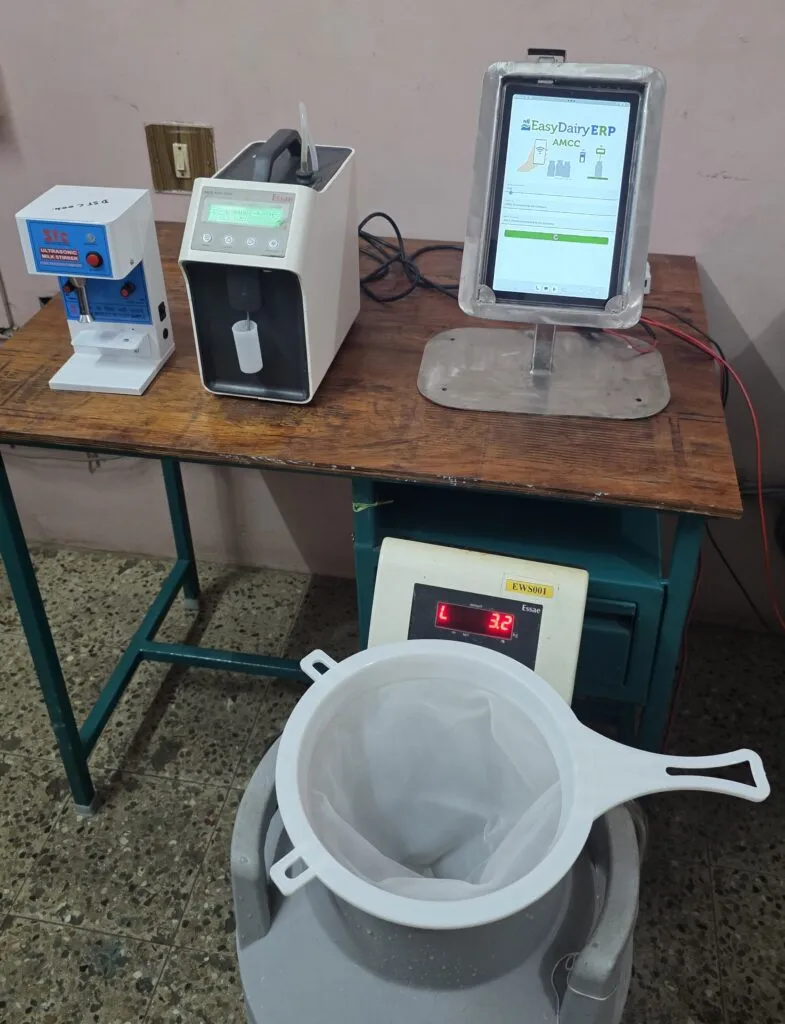
When milk was poured at each centre, shift by shift.
Plants side by side on volume and quality.
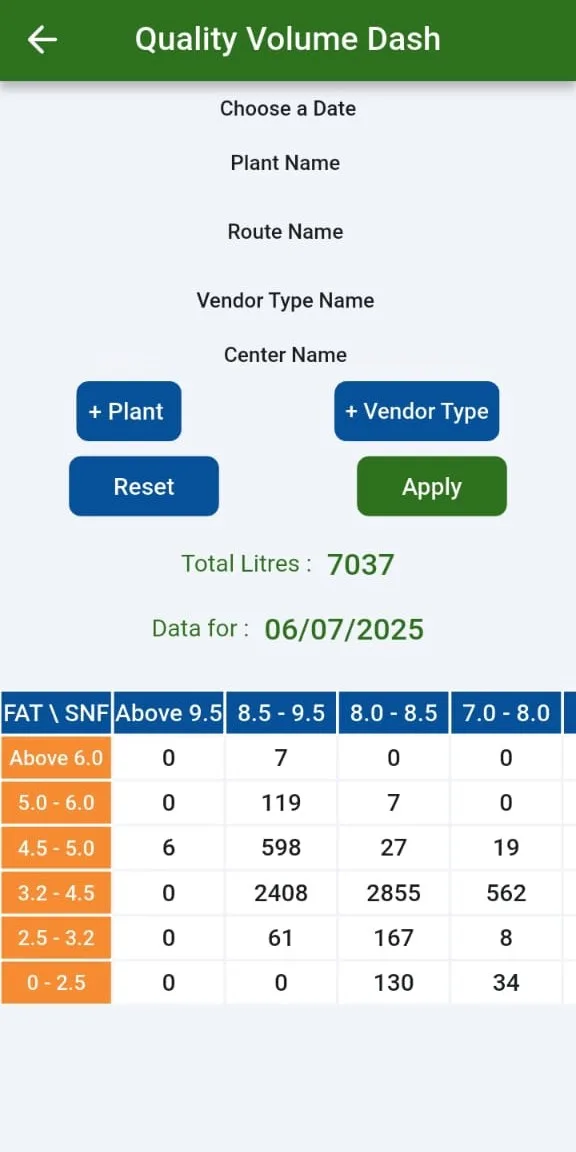
By fat and SNF range.
Plant-wise High Quality Milk Finder; LQM / HQM differentiation; quality-wise segmentation.
By plant and route.
Volume per centre over time, with rising and falling centres.
Routes, societies, CCs, zones; volume, quality, rate variation, efficiency, farmer insights; BI chart comparing two date ranges.
Plant-wise, date-wise, route-wise, vendor-type-wise comparison of two dates.
Village readings matched against chilling centre readings for each shift.
Differences between what centres sent and what the plant received.
The last seven days of volume and quality at a glance.
Date-wise differences between village and chilling centre data.
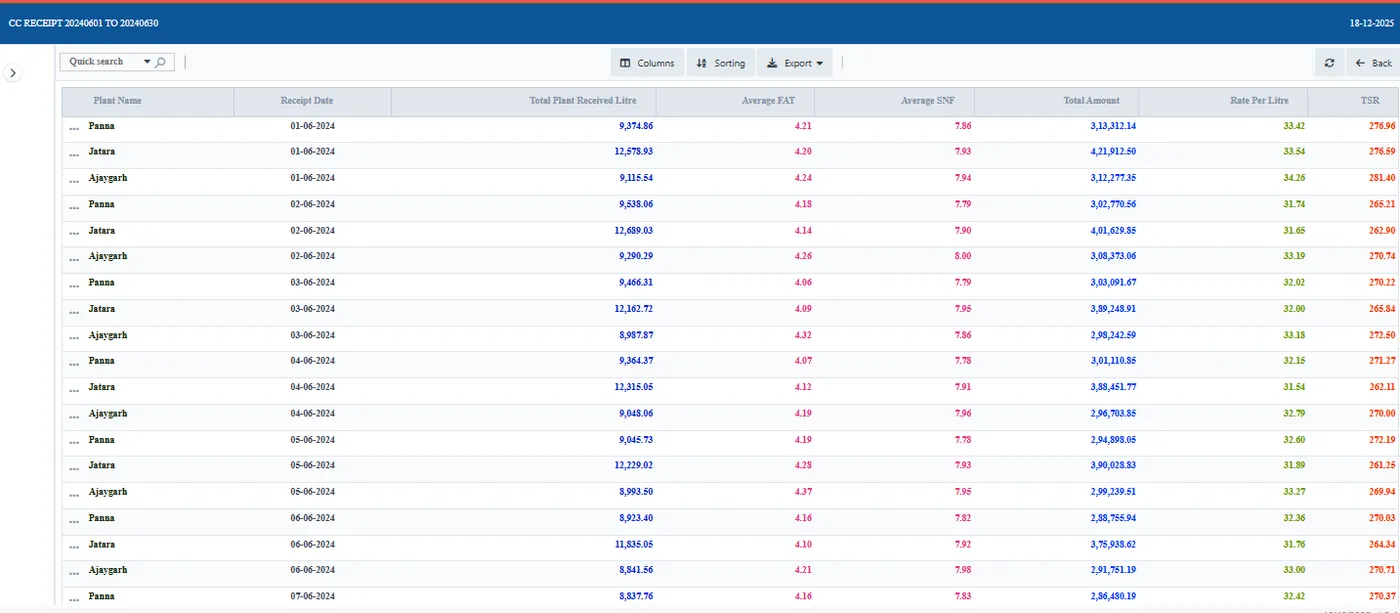
Chilling centre receipts with landing TSR, day by day.
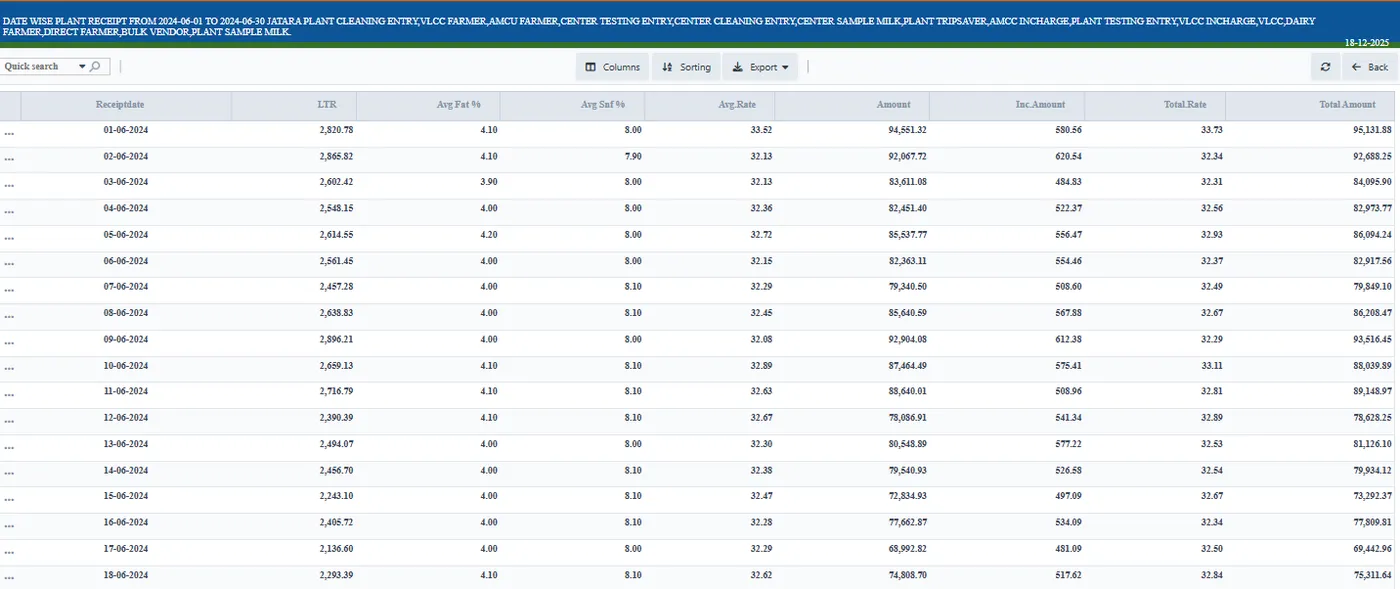
All collection for a day and shift in one consolidated report.
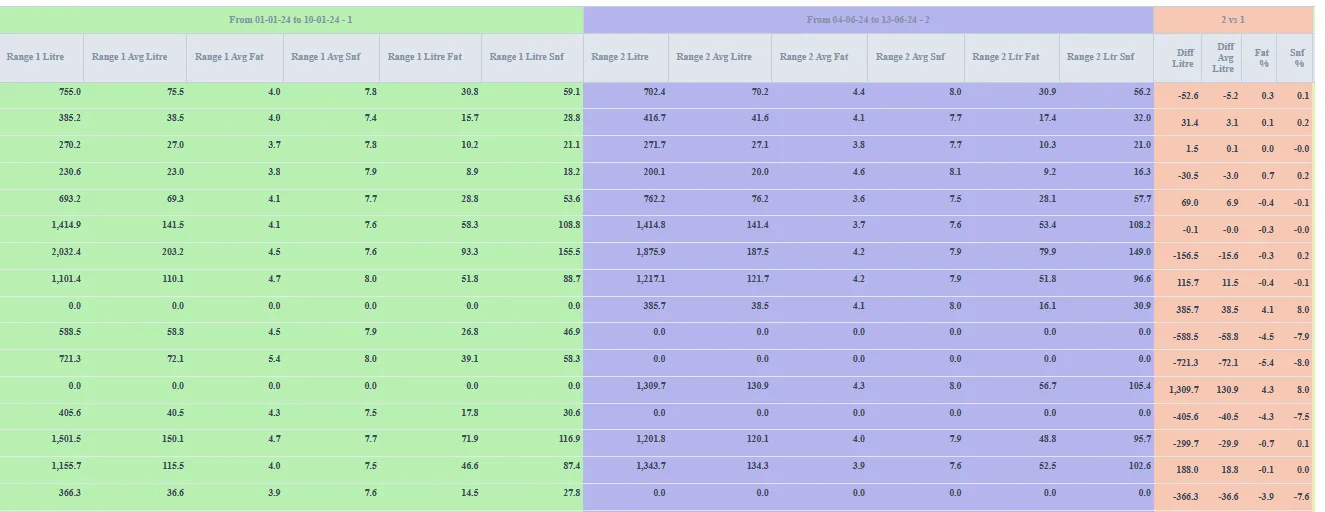
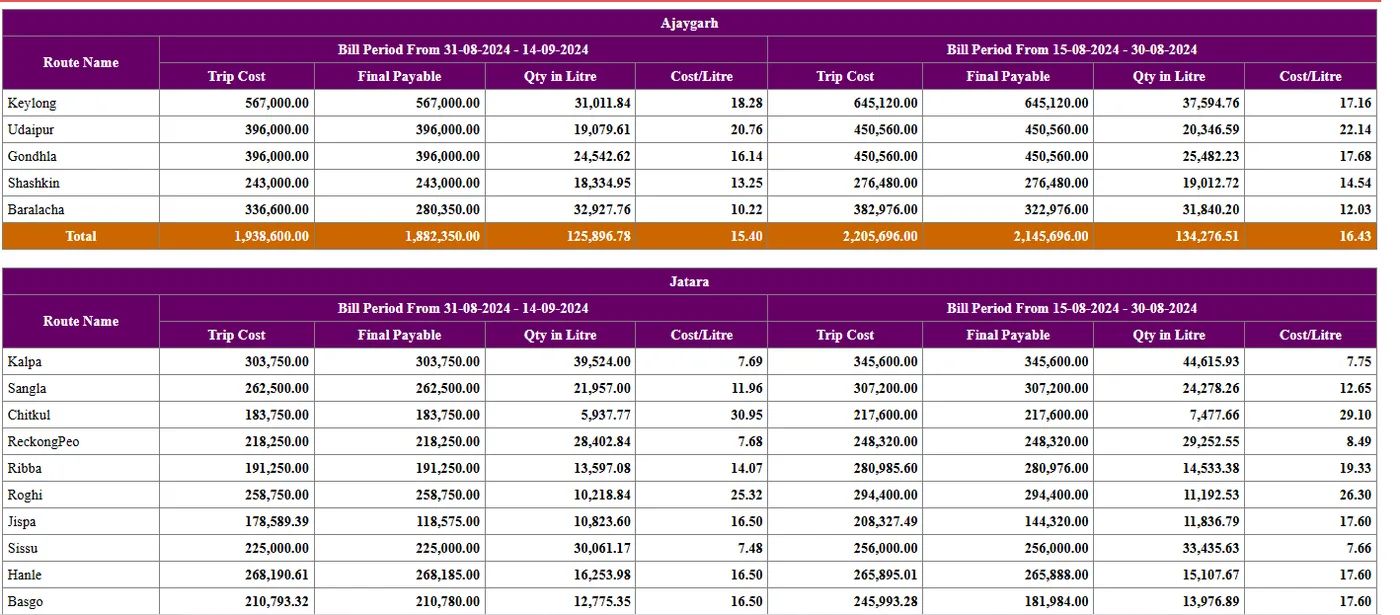
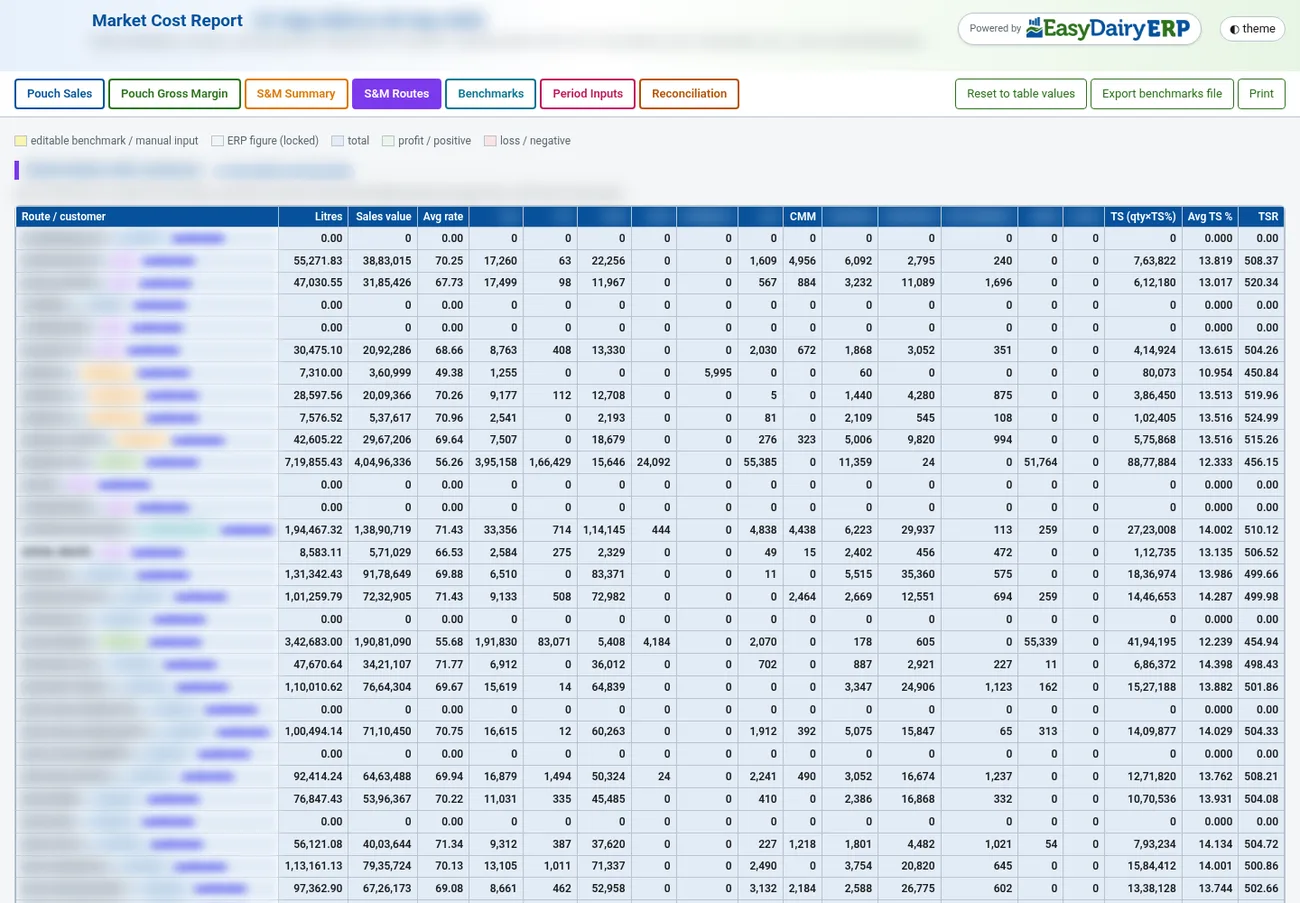
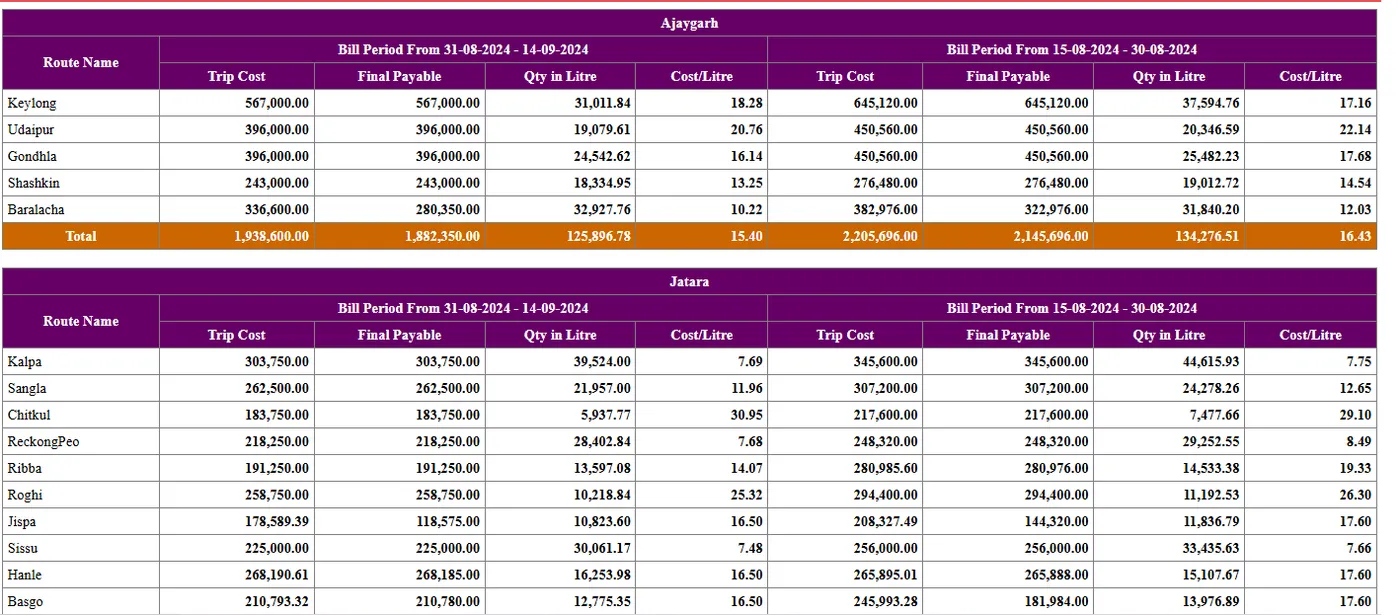
Cost of milk collected through each village centre.
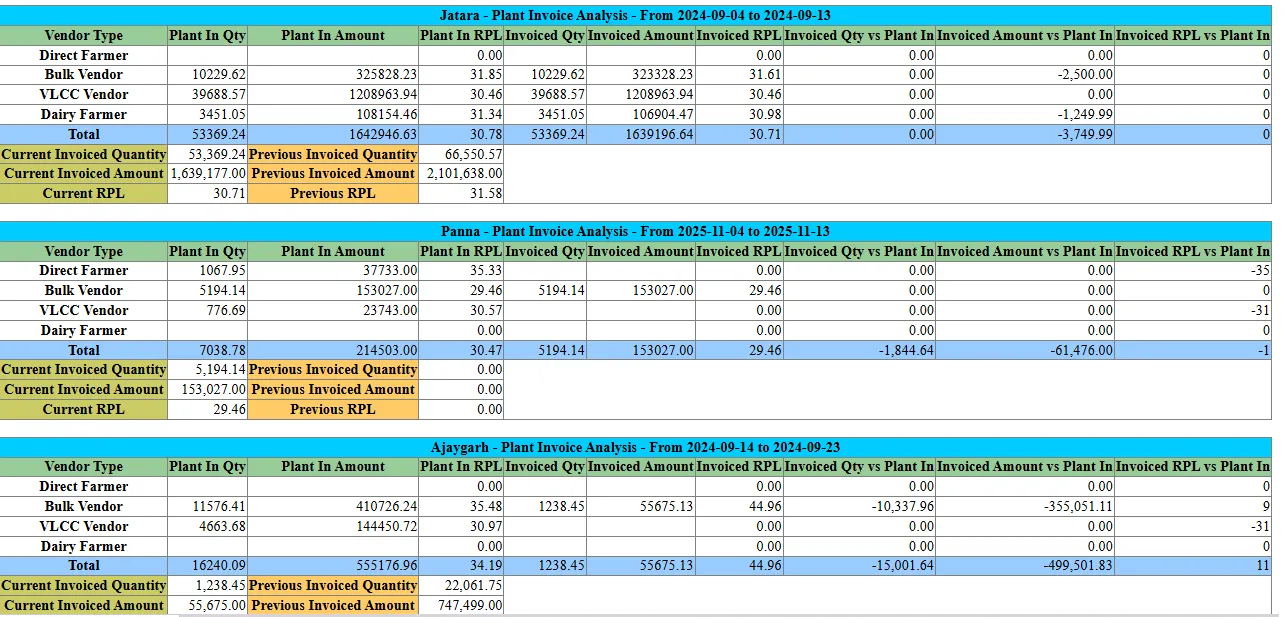
Invoices analysed by centre and by plant.
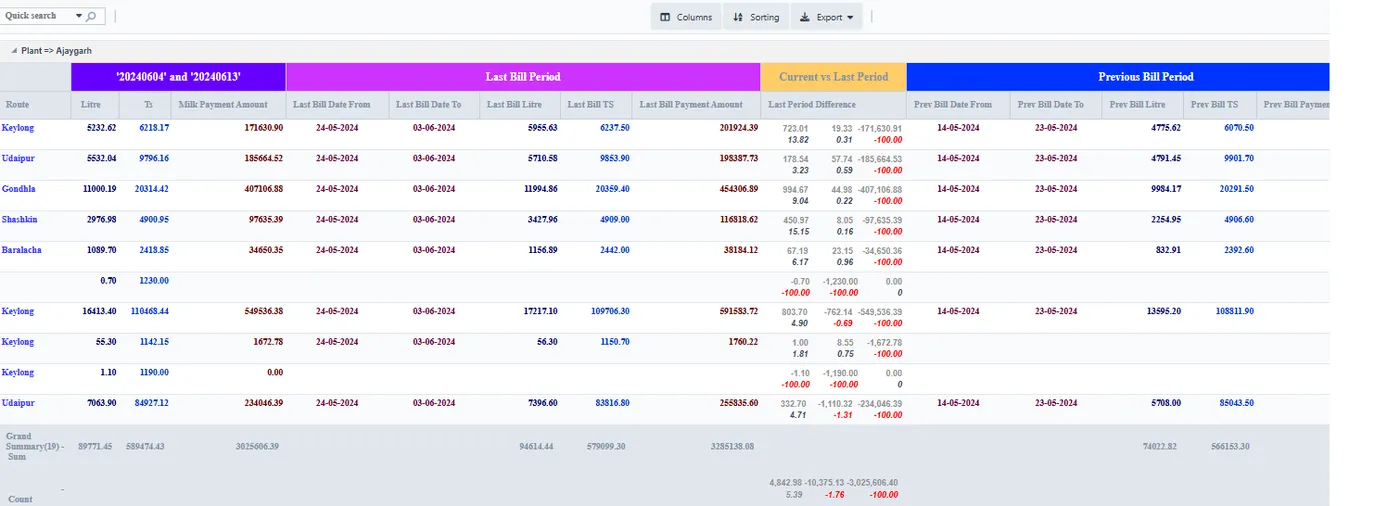
Compare the last two bills, or any three dates, side by side.
Vendors compared on what they delivered at the plant.
Average volume and quality for each route.
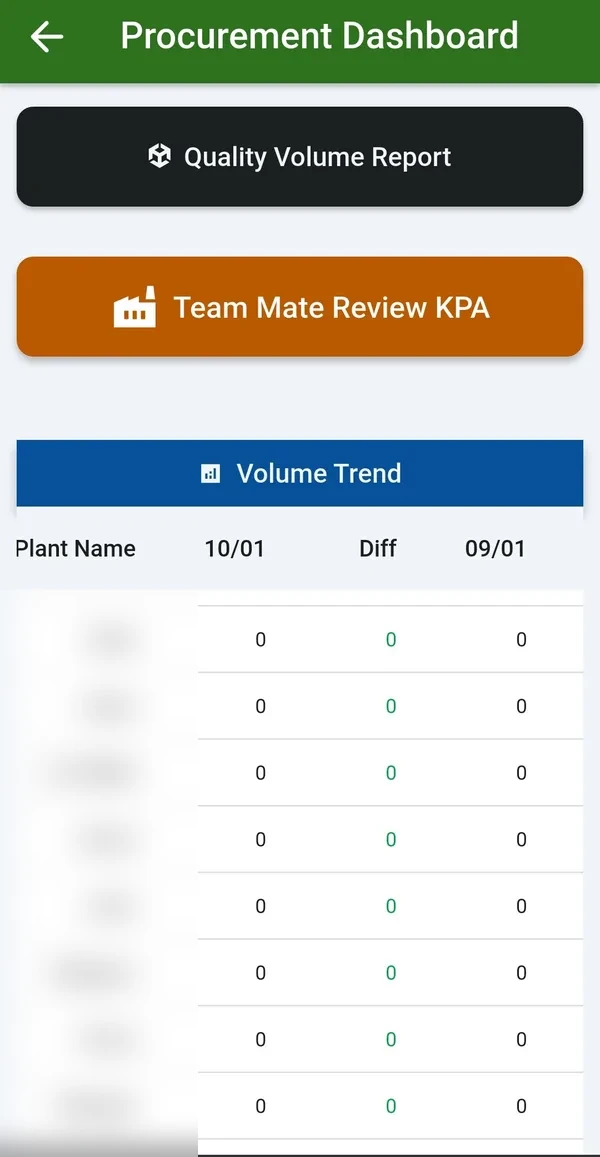
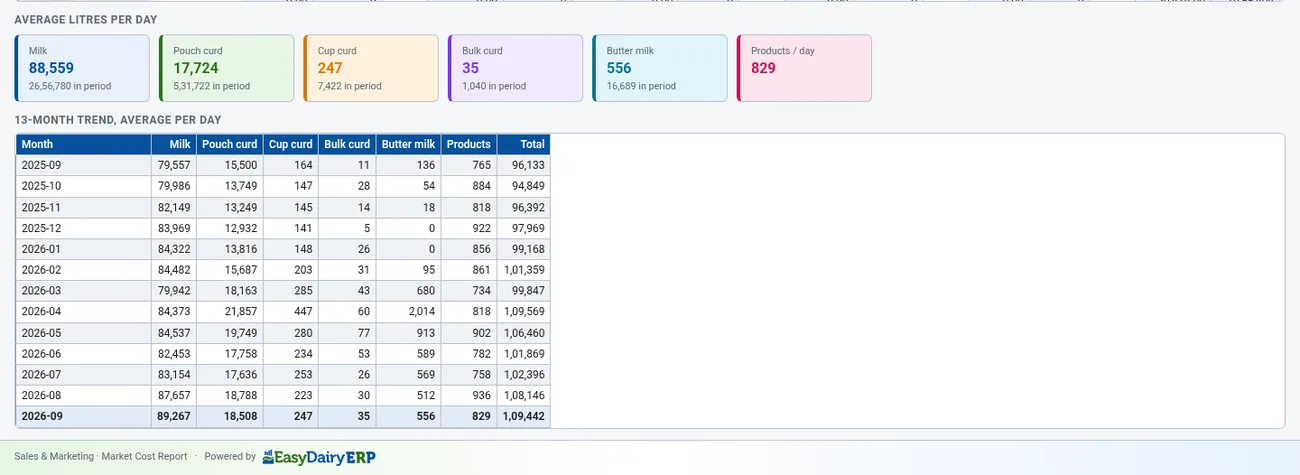
Seasonal trends and milk movement over time.
Procurement trend changes; CC purchase vs CC dispatch vs dairy acknowledgement.
Headline claims.
Presentation image.
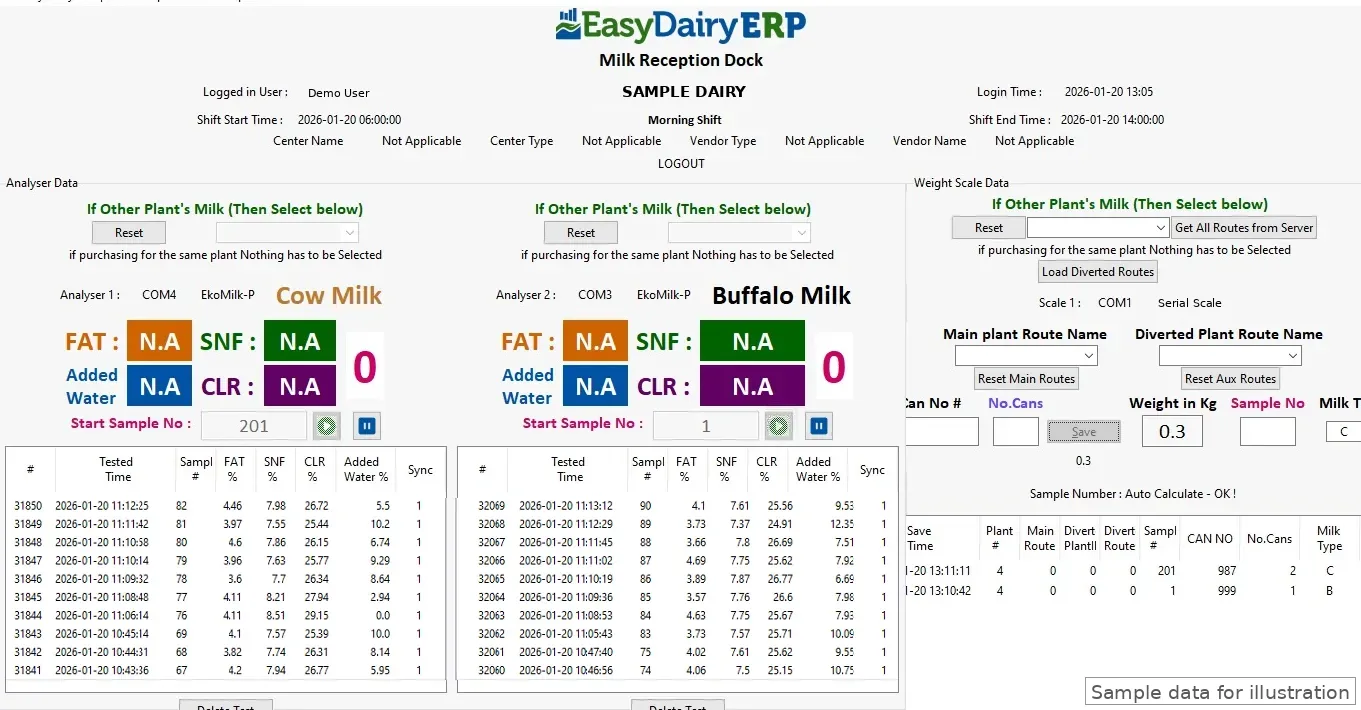
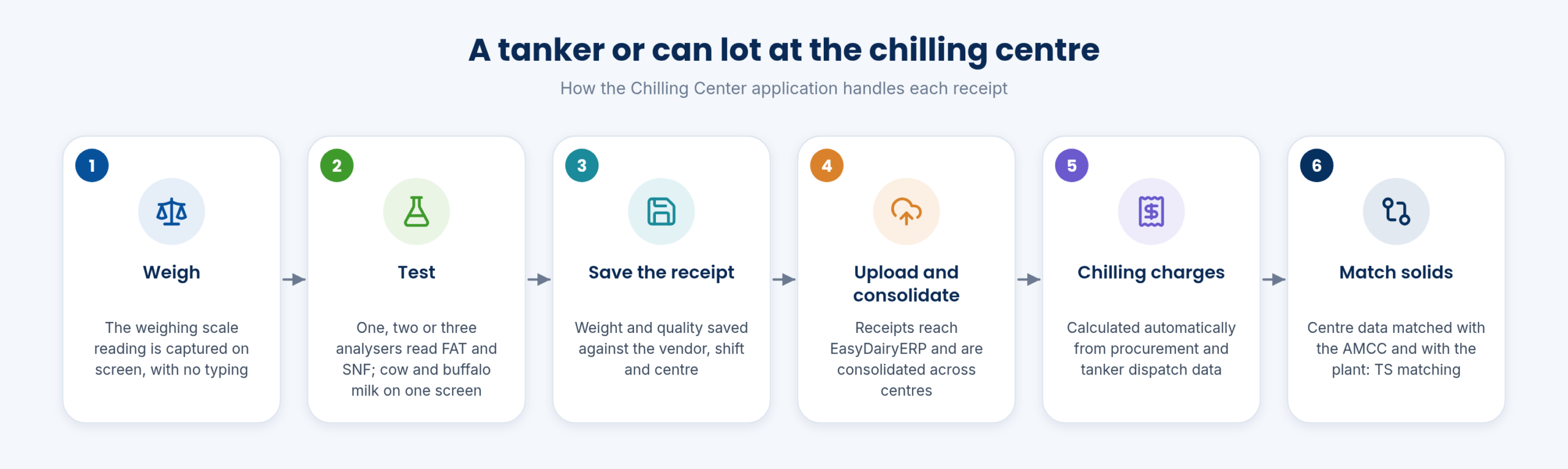
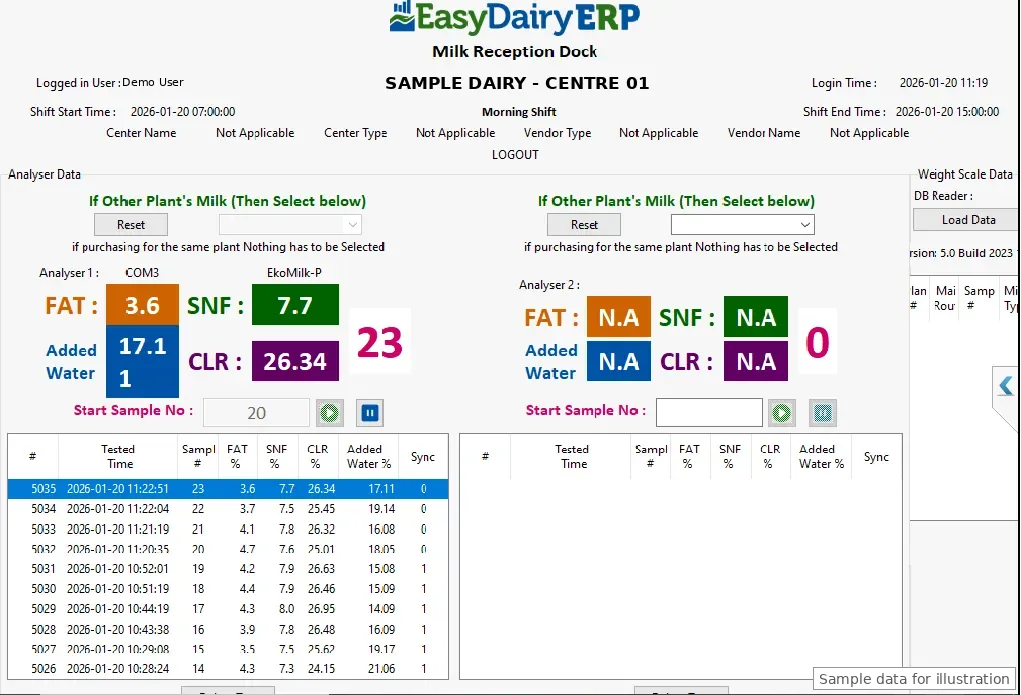
Bulk milk arrivals are tested by QC and accepted into production.
Vehicle in and out weights come straight from the weighbridge.
Automated intake at the factory via weighbridge software for Windows; Weigh Bridge module in plans.
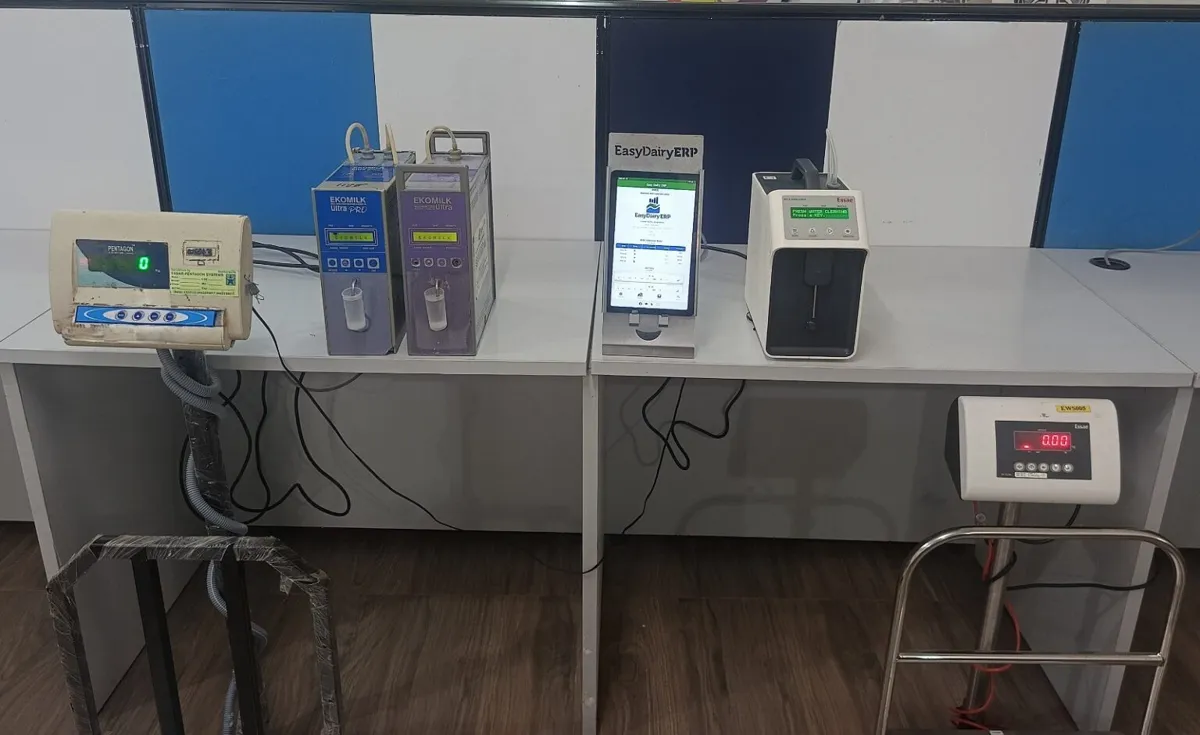
Weighbridge reports for every vehicle and material.
Material balance is checked against weighbridge weights.
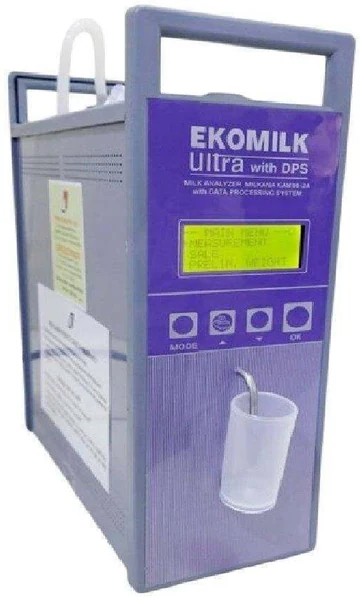
Images from the weighbridge are stored as proof for each weighment.
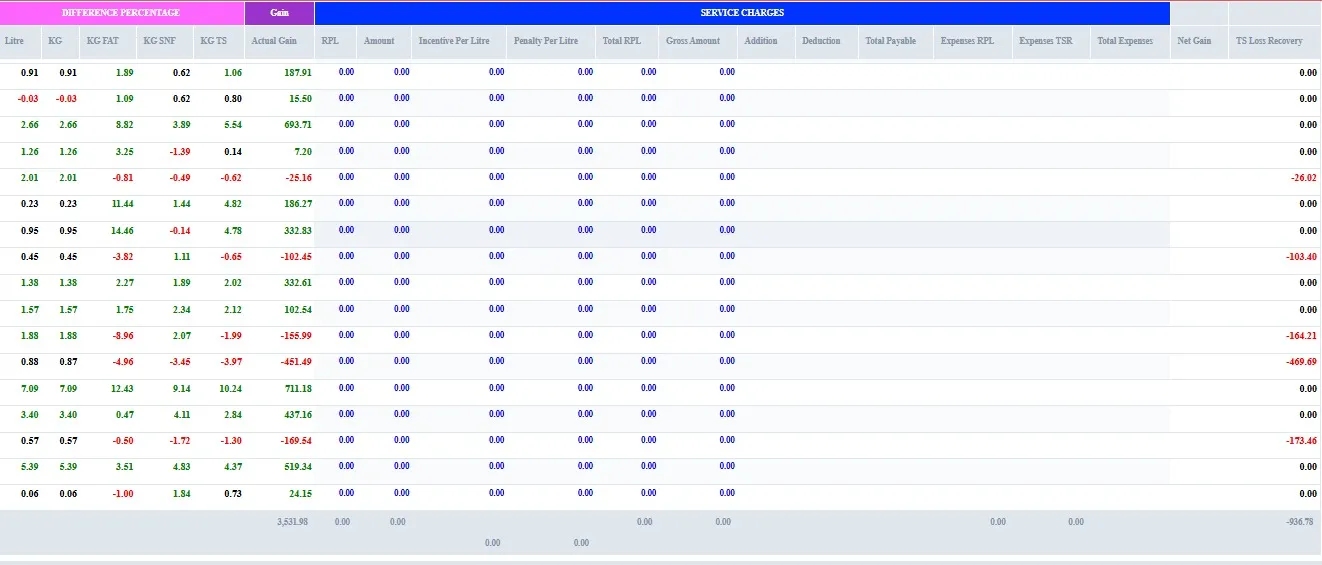
Identifies TS loss.
A total solids report goes out by email when the production day closes.
Milk solids are matched every day from the village to the plant.
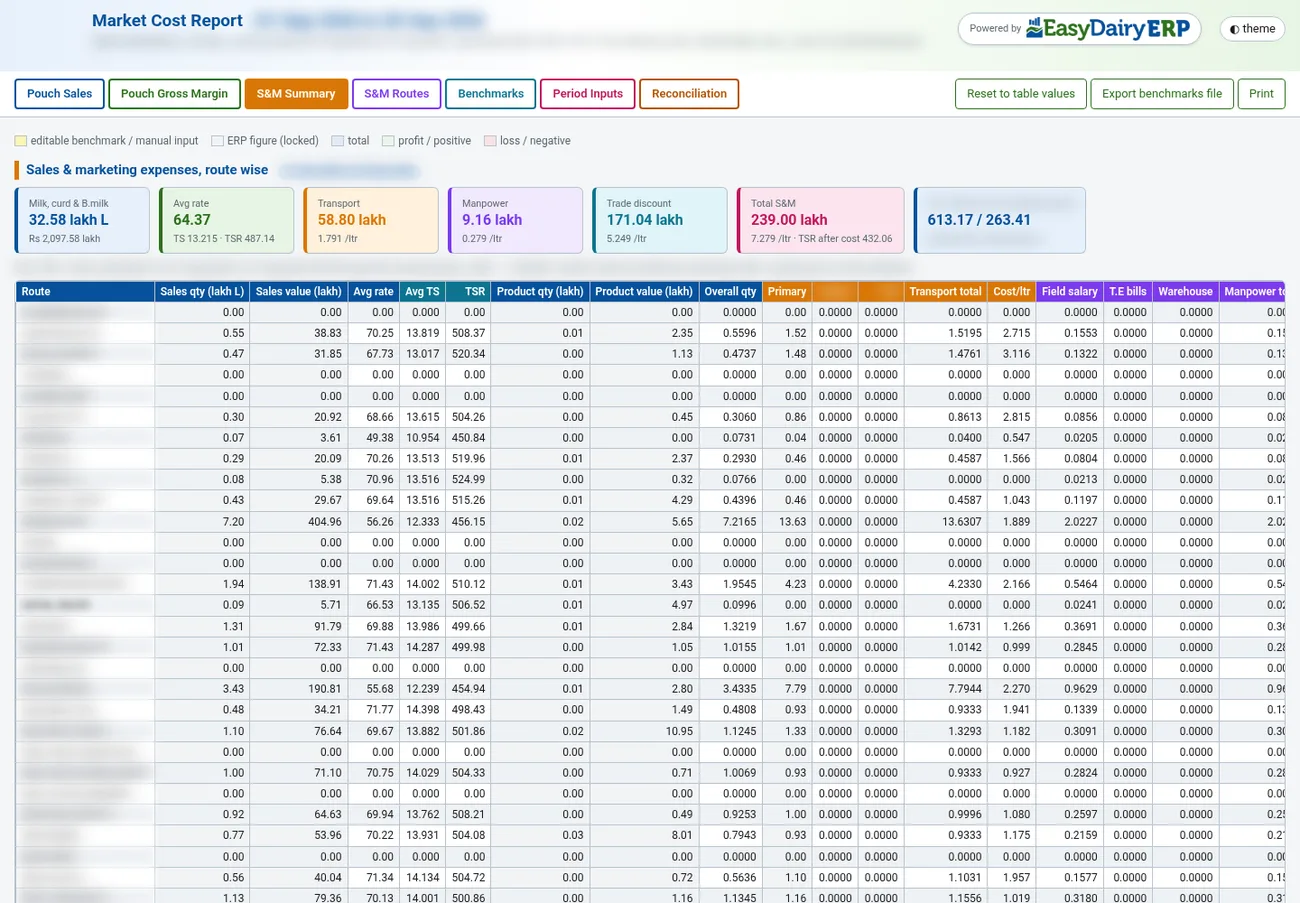
Solids matched across plants, with a TS MIS for each plant.
Solids followed from procurement through to sales.
MIS operations report; MIS kg TS across procurement, production and dispatch.
Total solids matching, day by day.
Fat, SNF and TS across stages.
Total solids worked out with calculations you can configure.
Part of the monthly updates, at no extra cost. See New Features for the full list.
Flags a test that was not kept when, within 10 minutes, the same farmer was saved with a better FAT or SNF before any other farmer was tested. It shows each centre's share, repeat farmers and the estimated excess paid per centre and farmer. A real re-test can look the same. The report shows which centres to check and does not accuse anyone.
One mail before 6 am with yesterday's collection compared with the day before. KPI tiles cover litres, farmers, centres, re-pour events, net re-pour impact, routes run, routes over approved km and field staff reported. An attached page has detail, an Excel download and live maps.
Procurement officers, AMCU service engineers and field staff on one map, with routes, GPS beats, numbered activity pins, tasks and punch-in/out. Layers can be toggled. Per-person cards show claimed km vs road km, GPS beats, longest silence, activities and open tasks. Activities are linked to the centre, plant, route and GPS location. There is a plant-wise view.
Landed cost of milk per plant = (milk value + centre service charges + cost additions/deductions + inward transport) ÷ litres purchased. They also show FAT, SNF and TS trends, plus TSR and "TSR by TS". One all-plant mail goes out, plus a mail to each plant head.
After every shift, each plant gets a mail with charts embedded, centre- and plant-wise coverage, and started/stopped centres flagged. No mail is sent when there is no volume.
Largest routes by litres, GPS-linked pourings, road km today and yesterday, approved km and the difference.
Sent after the daily sales mail. For each route it shows litres, value and day-on-day change, the vehicle salesperson from the delivery challan and the hierarchy above (SO, ASO, ASM, RSM, ZSM, MM, SH). It also shows new accounts with first-day litres and value, customers not mapped to the hierarchy, and route trips (gate-out/gate-in km).
Continuous tracking from punch-in to punch-out for procurement officers, AMCU service engineers and sales officers. It compares claimed km (bike allowance or odometer), road km (routed on the map server) and GPS km (the phone's own beats), and highlights claims above road km in red. Mocked GPS is marked.
Pouch count from each packing machine per variant and shift (needs an extra hardware counter). Sample pouches are weighed at the filler on a connected scale, showing the average excess over target. Leakage and flush milk are recorded per run. Daily TS matching runs across procurement → plant → packing → dispatch → customer acknowledgement, showing the stage where solids are lost.
The demo tour walks through these functions in the order the milk moves, with a picture and a link to the Docs for each.
| Dashboard dimensions | Routes, societies, chilling centres, zones |
|---|---|
| Measures | Volume, quality, rate variation, efficiency, farmer insights |
| Trend Change Report | Daily, by email and on the web; two-date comparison by plant, route, shift, vendor type and centre |
| Daily Procurement and Activity Report | Every morning; re-pour impact, possible issues, maps, routes vs approved km, field activity; Excel download |
| Mails | Daily procurement trend changes; CC purchase vs CC dispatch vs dairy acknowledgement |
| Where | Web and the EasyDairyERP app |
Every morning, for the previous day.
A farmer’s milk tested and saved again within 10 minutes at the same centre. The report compares the first reading with the paid reading, centre by centre.
Yes. The Procurement Trend Change Report compares any two days by plant, route, shift, vendor type and centre.
The people your dairy chooses: typically the procurement head, plant managers, route supervisors and the MD.
Yes, from a working dairy, with company and route names blurred.
Compares any two days of milk procurement and shows exactly where volume rose or fell: by plant, route, shift, vendor type and centre, with a 30-day trend behind every line.
Every module page walks through the screens, reports and mobile apps in the same way, so you can see exactly how EasyDairyERP fits your dairy.
When you have seen enough, we are happy to show it to you live on our sample data: book a demo or call +91 94880 59495.