
Sales and Marketing Mobile Application
Your sales team and your distributors work from the EasyDairyERP app: orders, billing, outstanding, team performance, GPS tracking, attendance, market and procurement visits, and TA/DA claims.
Your sales team and your distributors work from the EasyDairyERP app. Distributors and dealers place orders and see their status; the sales team takes orders, logs visits, marks attendance and claims allowances; managers see outstanding, product volume and team performance. Each function is explained below.
On this page
Field force
A field-force dayGPS tracking, trend maps and lead captureDSR, TA/DA and claimsOrders
Distributor and dealer ordering, approvals and fund lockingDelivery
Delivery vehicle GPSMonitoring
Sales dashboards, outstanding and product volumeTeam performance, review meetings and the activity mailerMore
At a glanceFrequently asked questionsField forceA field-force day
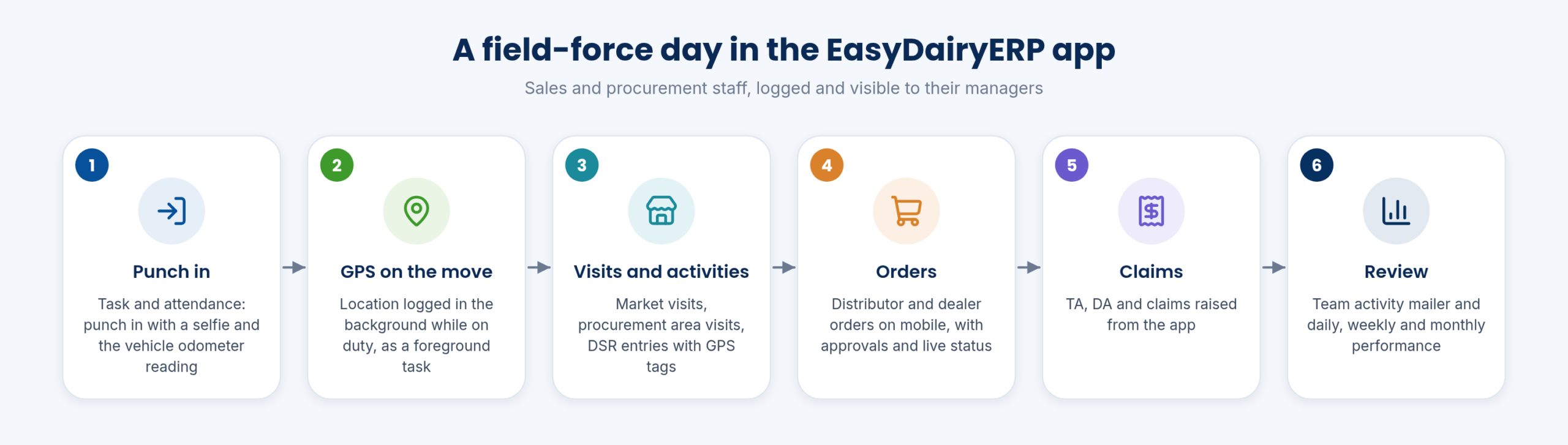
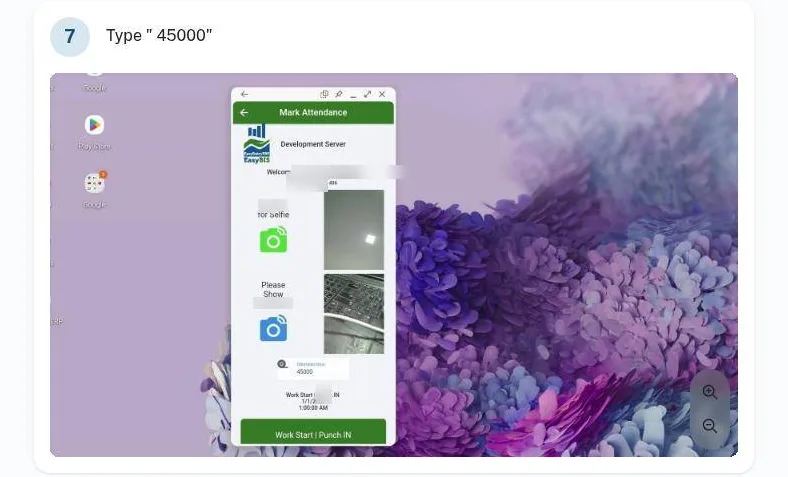
A day starts with punch-in under Task & Attendance, with a selfie and the vehicle odometer reading. While on duty the app logs the location in the background, as a foreground task initiated by the company’s HR. Visits, market and procurement area visits, DSR entries with GPS tags and orders follow through the day, and TA, DA and claims are raised from the app.
Managers see the same day from the other side: the team’s GPS tracking, the team activity mailer, and the daily and monthly performance screens.
- Field force GPS tracking, mobile attendance, activity, market and procurement visits (approved)
- Continuous background location logging: Initiated by the company’s HR; app runs as a foreground task
- Attendance, tasks, market survey, allowances: Docs app section; login with employee mail id
Field forceGPS tracking, trend maps and lead capture
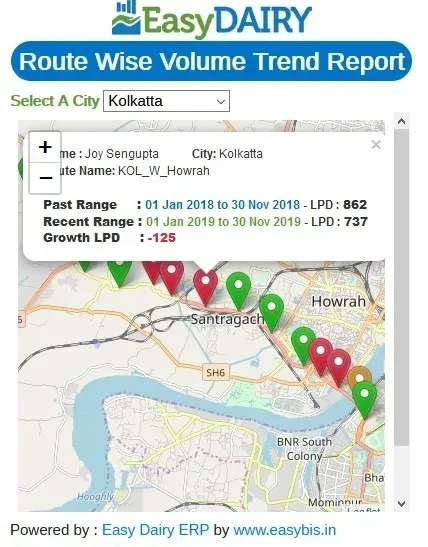
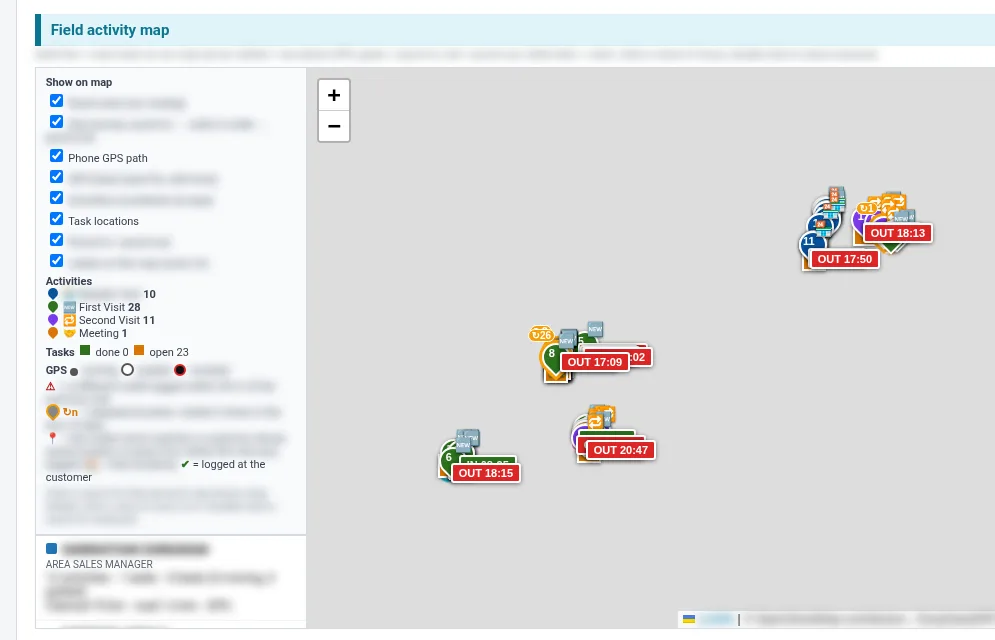
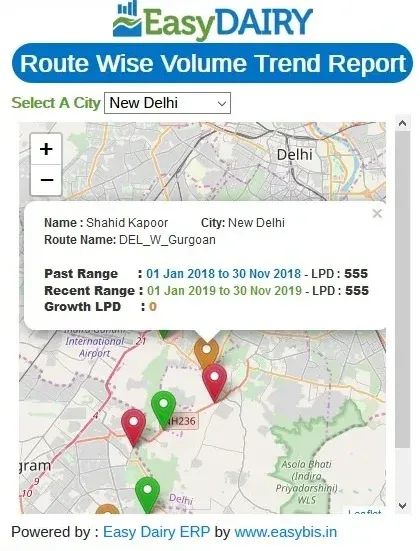
Team and sales force live GPS tracking shows where the field force is; field force tracking and tasking are monitored and logged, alongside customer performance. GPS tracking for mobile users is included as standard, for GPS-based sales and procurement tracking. Customer GPS locations are integrated, and GPS trend maps show average trends and route-wise volume trends on the map.
Team travel is documented, which captures leads met on the road. The Daily Sales and Activity Report puts the field staff’s paths and activities on one map.
Field effort is visible and can be compared with sales results route by route.
- Team / sales force GPS tracking: Team GPS tracking; Sales Force Live GPS Tracking; team tracking; field force tracking and tasking monitoring, logging, with customer performance monitoring
- GPS tracking for mobile users, included as standard, for GPS-based sales and procurement tracking
- Sales customer GPS location integration
- GPS Trend Map; GPS trend maps with average trends; route-wise volume trend maps
- Team travel documenting (lead capturing)
Field forceDSR, TA/DA and claims
ASO DSR entries are made with GPS tags. TA, DA and claims are requested and logged from the mobile app by field staff, and TA/DA is managed and tracked in the system.
Because the claim and the GPS trail come from the same app, claimed travel can be checked against the logged route.
- ASO DSR entry with GPS tags
- TA / DA and claims: TA DA and claims requesting / logging; claim from mobile app for field staff; TA DA management & tracking
OrdersDistributor and dealer ordering, approvals and fund locking
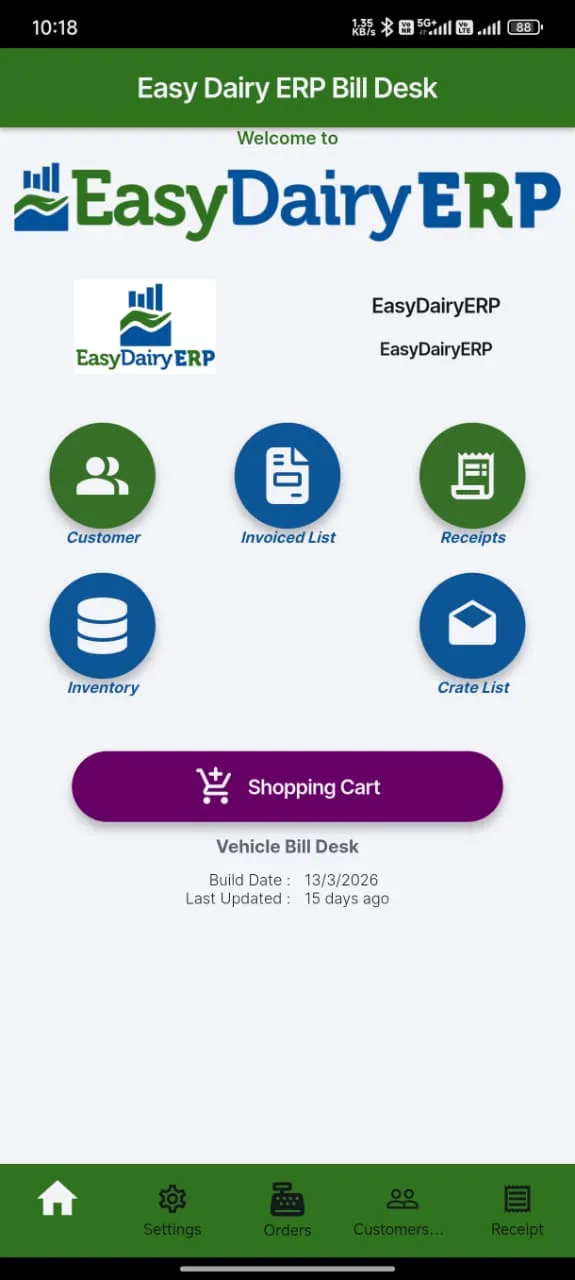
Distributors and dealers place orders on mobile and see live order status. The ASO approves customer orders, and orders that deviate from the norm go through order deviation approvals. Orders can be locked based on funds and released when funds arrive.
Distributor-to-dealer ordering, sub-billing and stocks run on mobile, so a distributor bills their own dealers in the same app. Mobile live billing and mobile order management with reports complete the order side.
- Distributor or dealer places the order on mobile.
- The ASO approves it; deviations go for approval.
- If funds are short, the order is locked until released.
- The order is billed and its status updates live.
- Distributors and dealers place orders on mobile and see live order status
- Customer order ASO approval; order deviation approvals
- Customer order locking based on funds; order releasing
- Distributor-to-dealer ordering, sub-billing and stocks: Mobile-based distributor-to-dealer billing (2024)
- Mobile order taking by distributors and dealers (approved)
- Mobile live billing; mobile order management & reports
DeliveryDelivery vehicle GPS
Delivery vehicles are monitored by GPS, and customers can track the delivery vehicle on the portal and in the mobile app.
The dispatch team sees where each route vehicle is, and the customer knows when to expect the delivery.
- Delivery vehicle GPS monitoring
- Delivery vehicle tracking for customers on portal and mobile app
MonitoringSales dashboards, outstanding and product volume
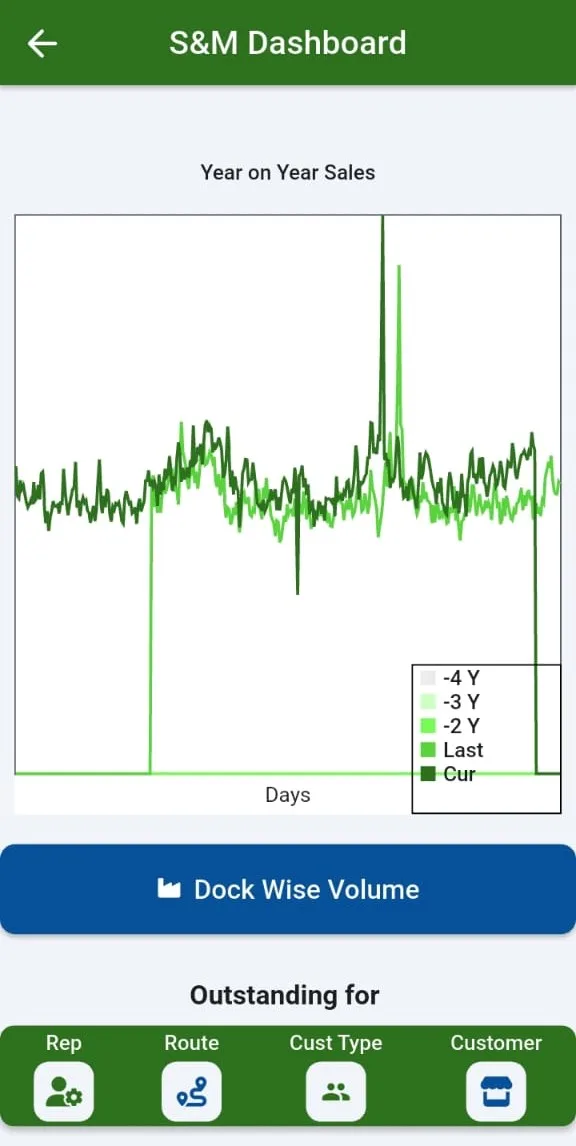
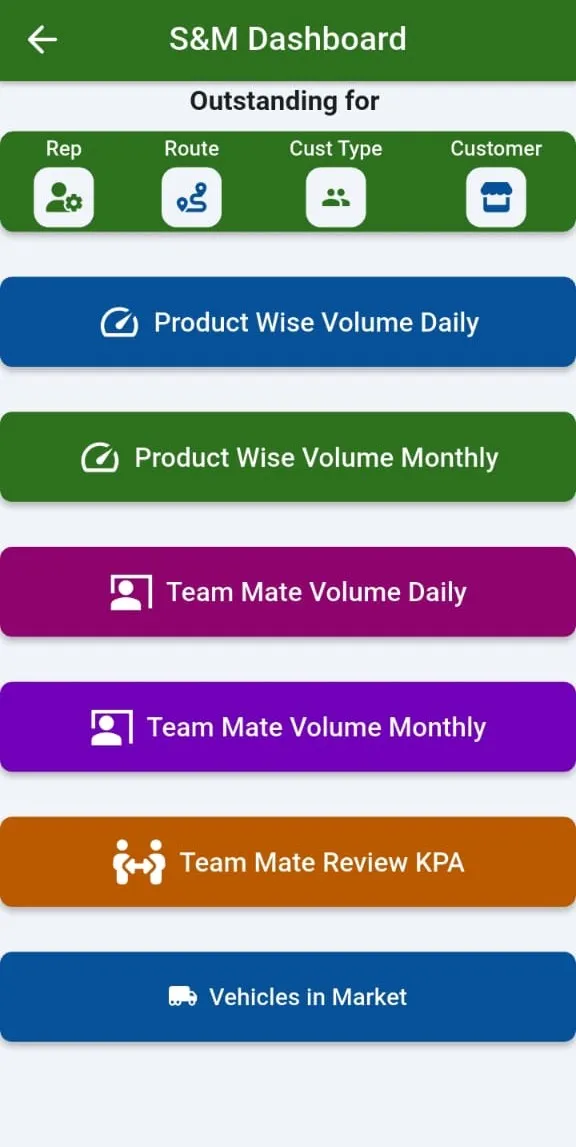
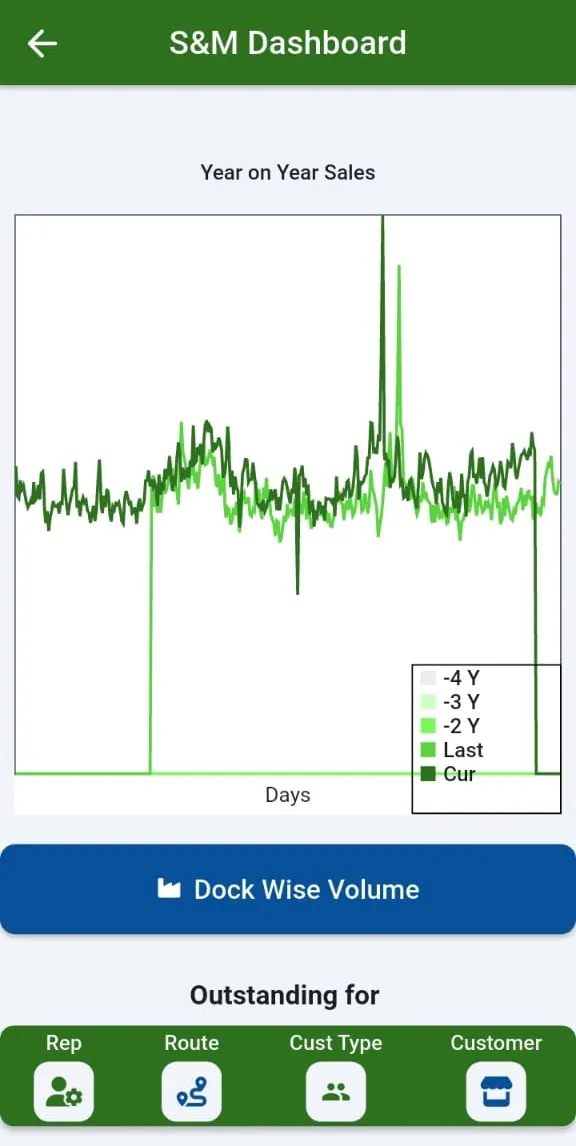
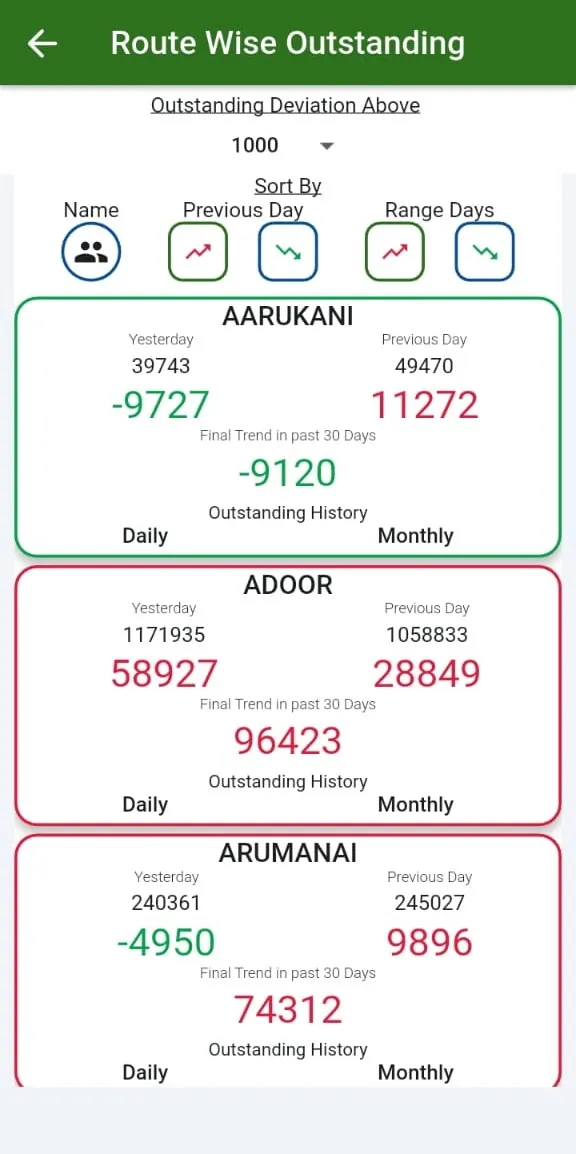
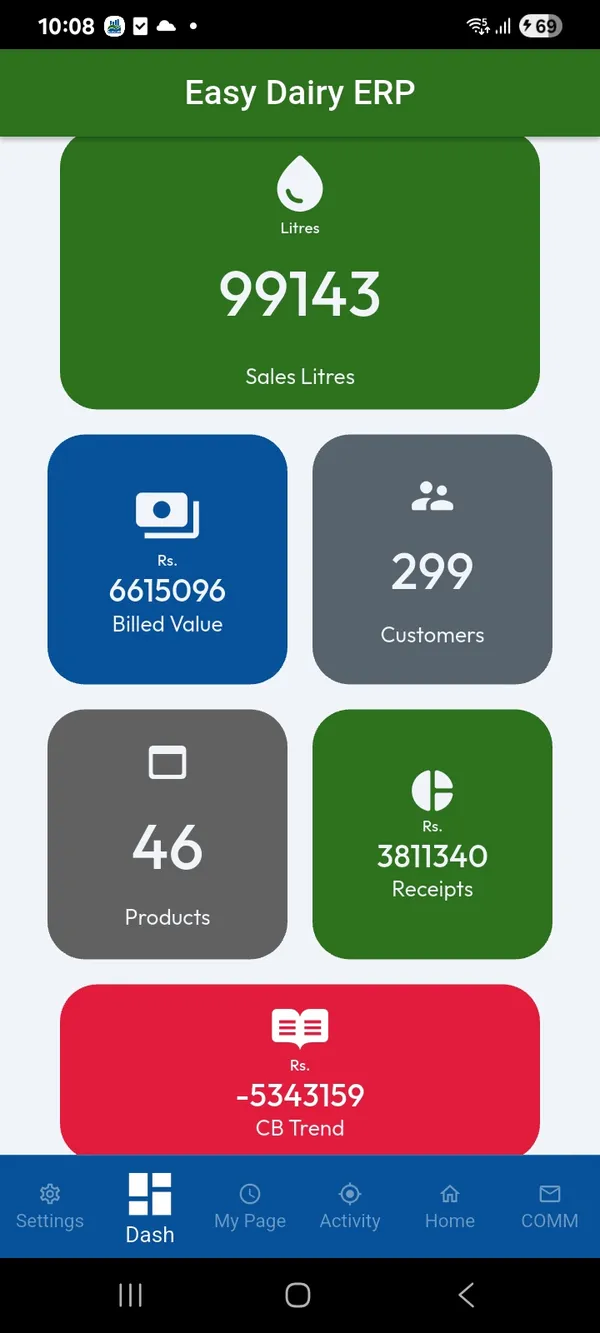
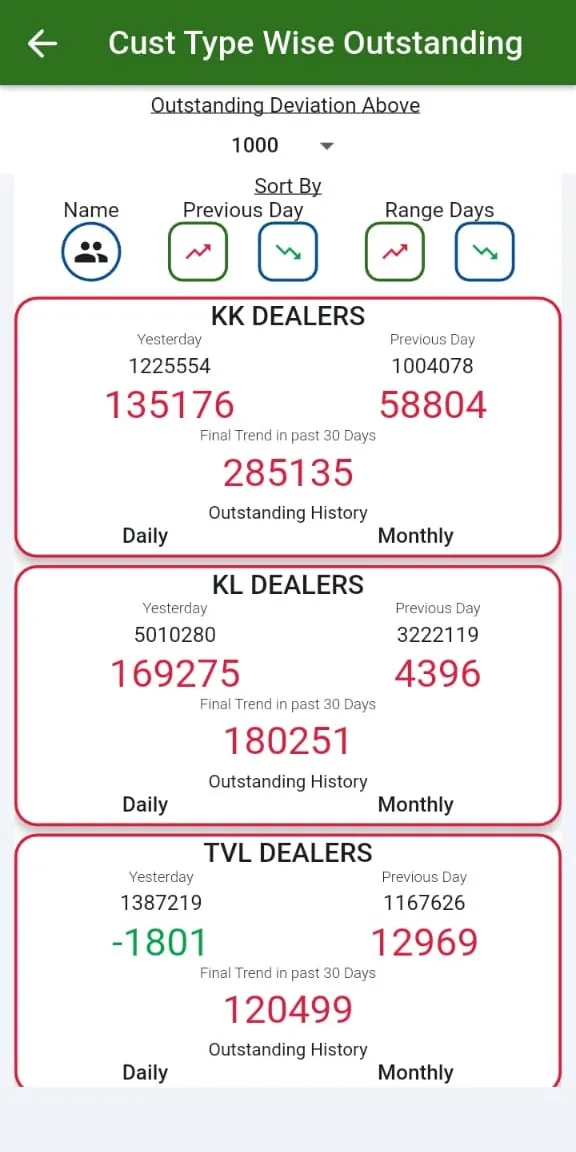
The Sales & Marketing Dashboard (two screens) and Sales Dock-wise give the overview; sales monitoring and profiling with detailed live drill-downs is on mobile. Route-wise, customer type-wise and customer-wise outstanding show who owes what.
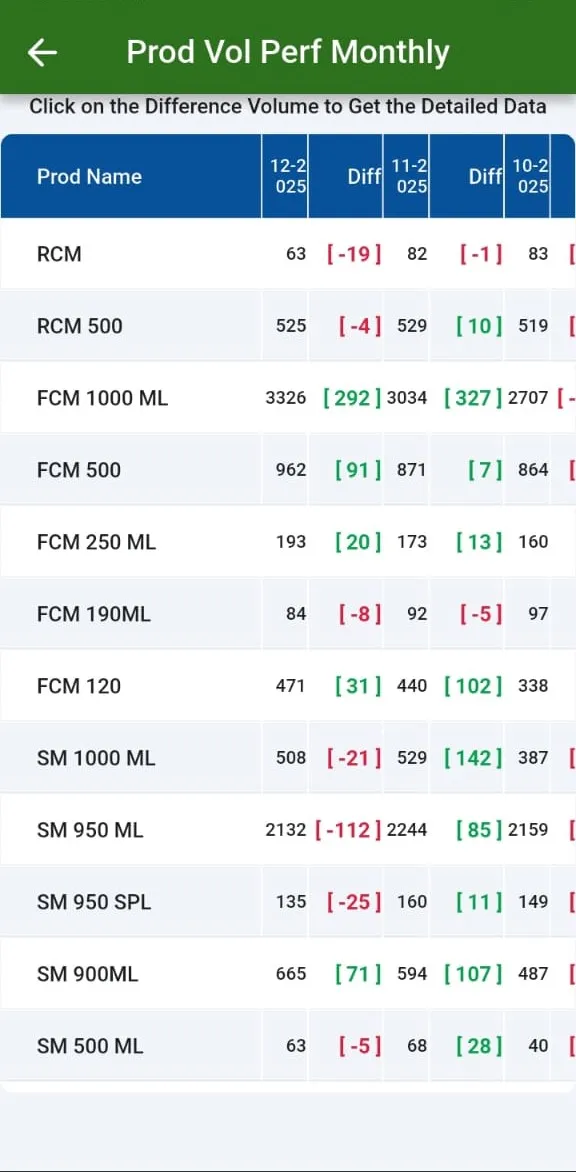
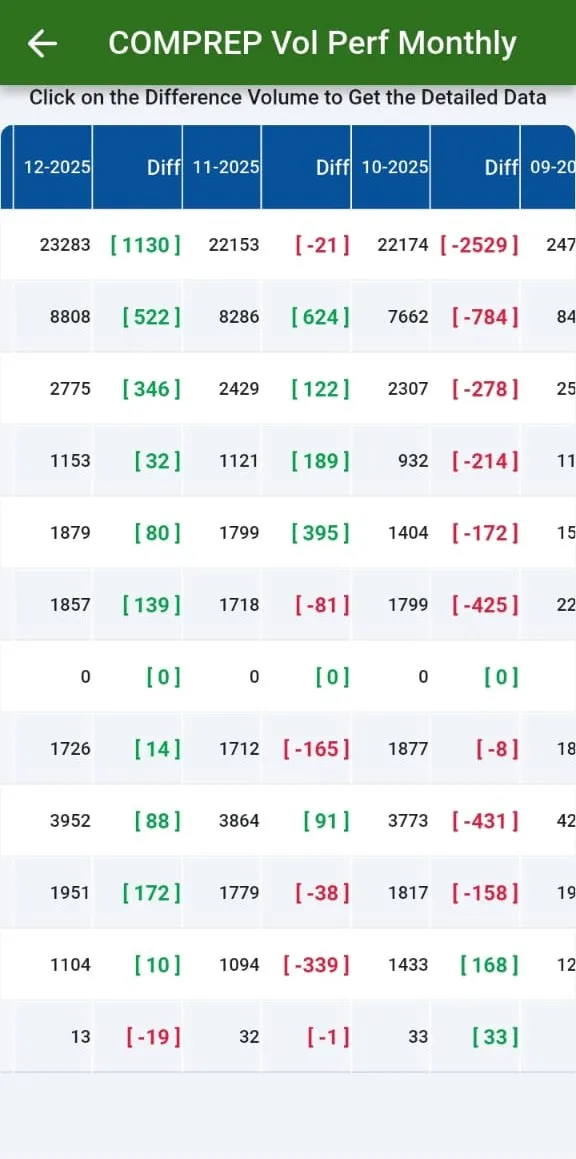
Product volume is shown as a monthly trend and as a daily analysis, and day versus day, day versus range and range versus range comparisons can be sorted.
- Sales monitoring and profiling; detailed live data analysis and drill-downs on mobile
- Sales & Marketing Dashboard (2 screens); Sales Dock-wise
- Route-wise, customer type-wise and customer-wise outstanding
- Product volume monthly trend; product volume daily analysis
- Day vs day, day vs range, range vs range comparisons with sorting
MonitoringTeam performance, review meetings and the activity mailer
Team mate daily and monthly performance, and each company representative’s customer performance, can be selected per rep or team mate. Monthly and weekly team performance and the marketing staff review compare sales period on period; business performance is monitored on mobile.
Review meeting screens cover the customer and the customer rep daily, weekly and monthly. The team activity mailer goes to the sales head and the procurement head.
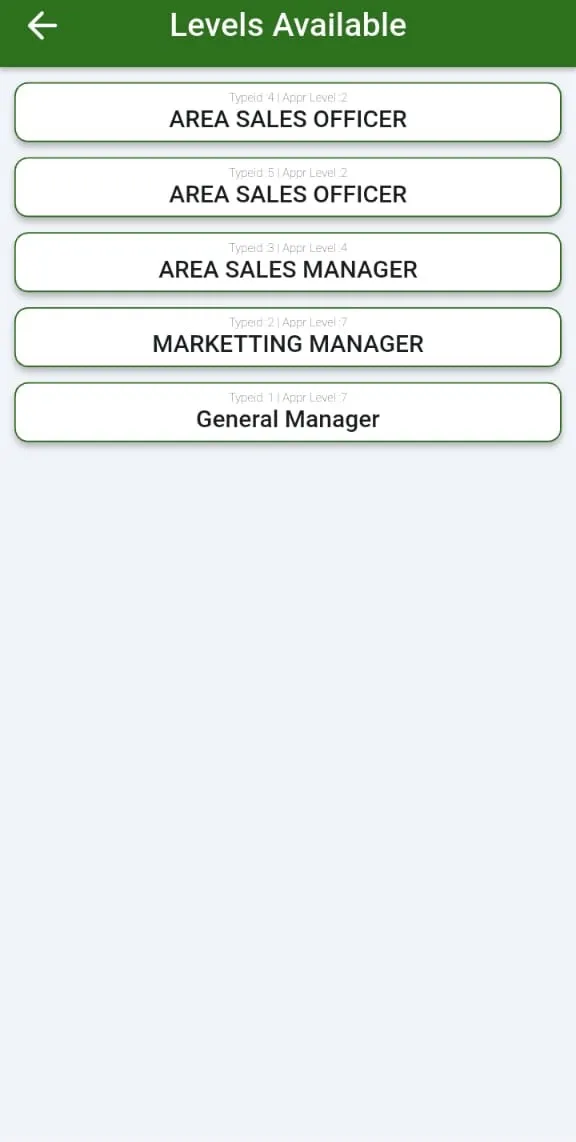
Isolation levels decide what each person sees: an ASO sees their own routes and customers, while ASM, RSM, ZSM and management see their teams, and route-wise sales and transaction reports are on the phone for each level.
- Team mate daily / monthly performance; company rep’s customer daily performance; select rep / team mate
- Business performance monitoring (mobile)
- Monthly / weekly team performance; marketing staff monthly & weekly review (sales comparison)
- Review meeting screens and KPA screens: Customer, customer REP (daily, weekly, monthly); KPA screens not shown ‘for privacy’
- Team activity mailer: Listed for Sales Head and Procurement Head
- Isolation levels for ASO / ASM / RSM / ZSM / management
- ASO / route-wise sales and transaction reports on mobile
SpecificationsAt a glance
| App | EasyDairyERP (Android and iOS) |
|---|---|
| Field force | GPS tracking, background location, attendance with selfie and odometer, visits, DSR with GPS tags, TA/DA claims |
| Orders | Distributor and dealer ordering, ASO approval, deviation approval, fund locking, distributor-to-dealer billing |
| Monitoring | Dashboards, outstanding, product volume, comparisons, team performance, review meetings |
| Team activity mailer |
FAQFrequently asked questions
Is location tracked all the time?
Location is logged in the background while on duty, initiated by the company’s HR, with the app running as a foreground task.
Can distributors bill their dealers?
Yes: distributor-to-dealer ordering, sub-billing and stocks on mobile.
Can claims be raised from the field?
Yes. TA, DA and claims are raised from the app.
Is GPS an extra?
GPS tracking for mobile users is included as standard.
Keep exploring at your own pace
Every module page walks through the screens, reports and mobile apps in the same way, so you can see exactly how EasyDairyERP fits your dairy.
When you have seen enough, we are happy to show it to you live on our sample data: book a demo or call +91 94880 59495.